Elementor provides a 30-day money-back guarantee on initial purchases of Elementor Pro and Elementor Host subscriptions. You can cancel your subscription and initiate an automatic refund directly inside your My Elementor dashboard within 30 days of purchase. Plan upgrades and Elementor AI subscriptions are non-refundable.
Note
This article describes the procedure for canceling one of Elementor’s paid services. If you want to delete your free Elementor account, see Delete a user account.
How do you cancel your subscription and request a refund?
Subscriptions can be canceled directly from your account dashboard without contacting support:
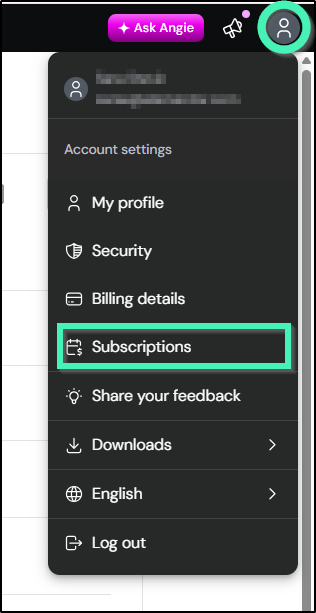
- Access Subscriptions: Log into My Elementor Dashboard, click the profile icon in the top-right corner, and select Subscriptions.
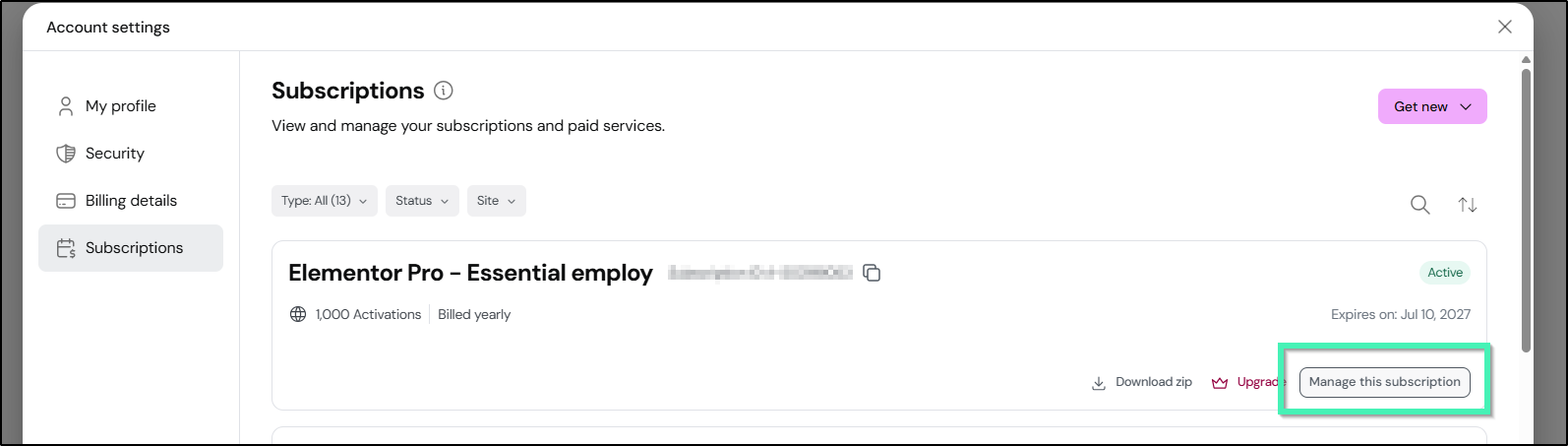
- Select Subscription: Locate your active plan card and click Manage this subscription.
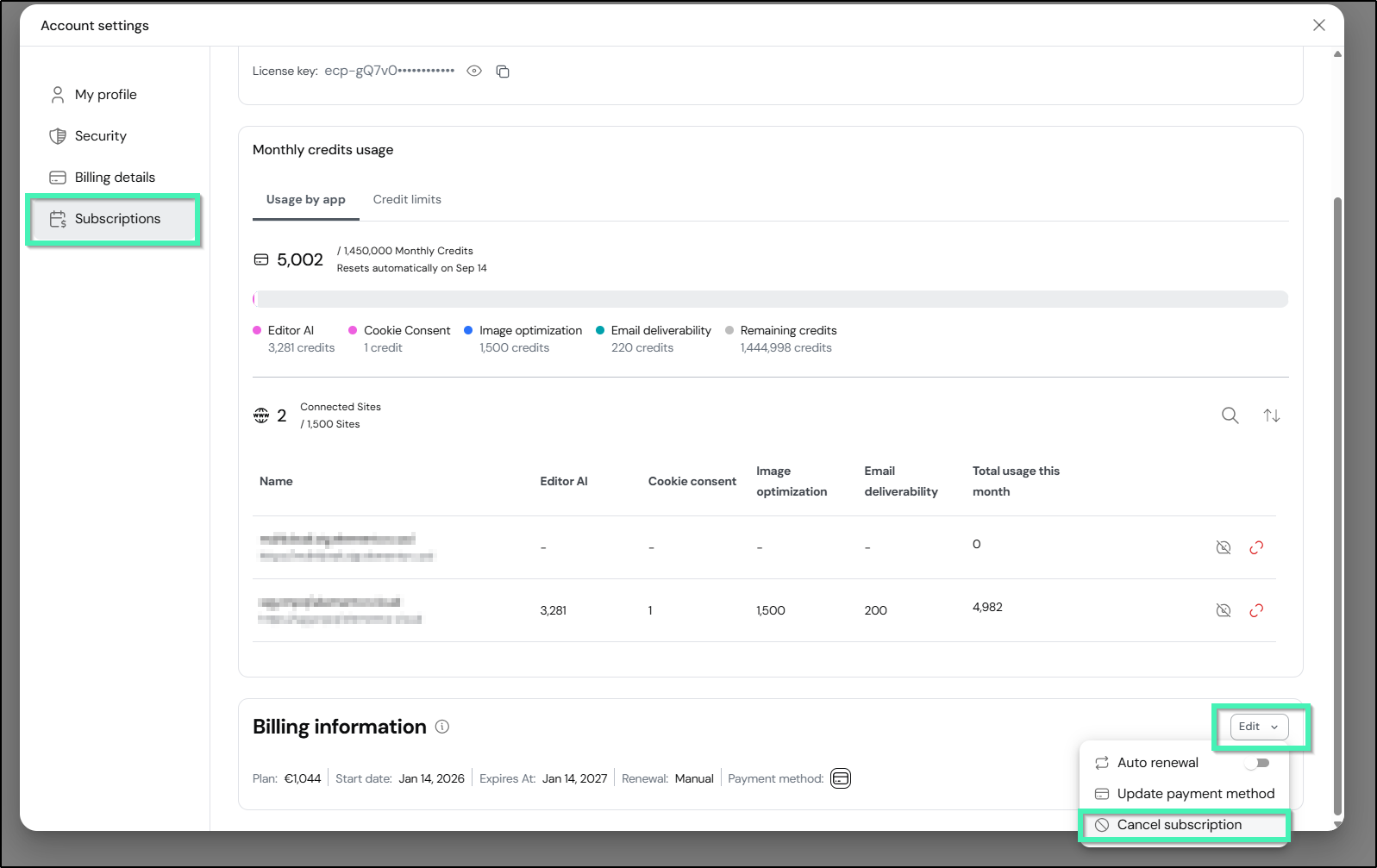
- Locate Cancel Option: Scroll down to the Billing information section, click the Edit dropdown menu, and select Cancel subscription.
- Complete Cancellation Survey: Select a cancellation reason from the survey options.
- Confirm Cancellation: Click Cancel subscription to complete the process. The system automatically handles your cancellation based on your purchase date:
- Within 30 Days of Purchase: Your subscription is canceled immediately, and a full refund is automatically issued to your original payment method.
- Past 30 Days of Purchase: Your cancellation is scheduled for the end of your current billing term, and your subscription remains active until that date.
What are the refund eligibility rules for Elementor subscriptions?
Refund processing depends on the transaction date and plan type:
- Eligible Purchases: Initial purchases of Elementor Pro and Elementor Host plans canceled within 30 days of the transaction date.
- Ineligible Purchases: Plan upgrades and Elementor AI add-ons.
- Automated Processing Timelines: Refunds sent via PayPal usually resolve within 24 hours, while credit card refunds take 5–10 business days depending on your bank.
- Non-Refundable Domain Costs: If you received a free domain registration with an Elementor Host plan, the monetary value of the domain name cannot be refunded.
- Post-30-Day Requests: Cancellations submitted after 30 days do not qualify for a refund, but your subscription remains active until the end of your paid billing term.
What happens to your site after canceling a subscription?
Service access changes immediately based on when you cancel your plan:
- Elementor Pro Features: Immediate cancellations within 30 days remove access to Pro updates, widgets, and templates right away. Post-30-day cancellations maintain Pro features until the term end date.
- Elementor Host Sites: For immediate cancellations with a refund, your site will go offline after 72 hours and cannot be restored. Always create a full backup before canceling a host plan.
- Email Confirmation: An automated cancellation notice and refund statement will be sent to your registered account email address.
How do you request a refund if you cannot access your account?
If you cannot log into My Elementor to use self-service cancellation, gather your transaction details first to ensure a smooth verification process:
- Account & Plan Info: The email address associated with your account and your subscription plan type.
- Proof of Purchase: Your invoice number, PayPal transaction ID, or payment card details (cardholder name, last 4 digits, and transaction amount).
Once you have these details ready:
- Visit the Website: Go to the Elementor Knowledge Hub, or main website.
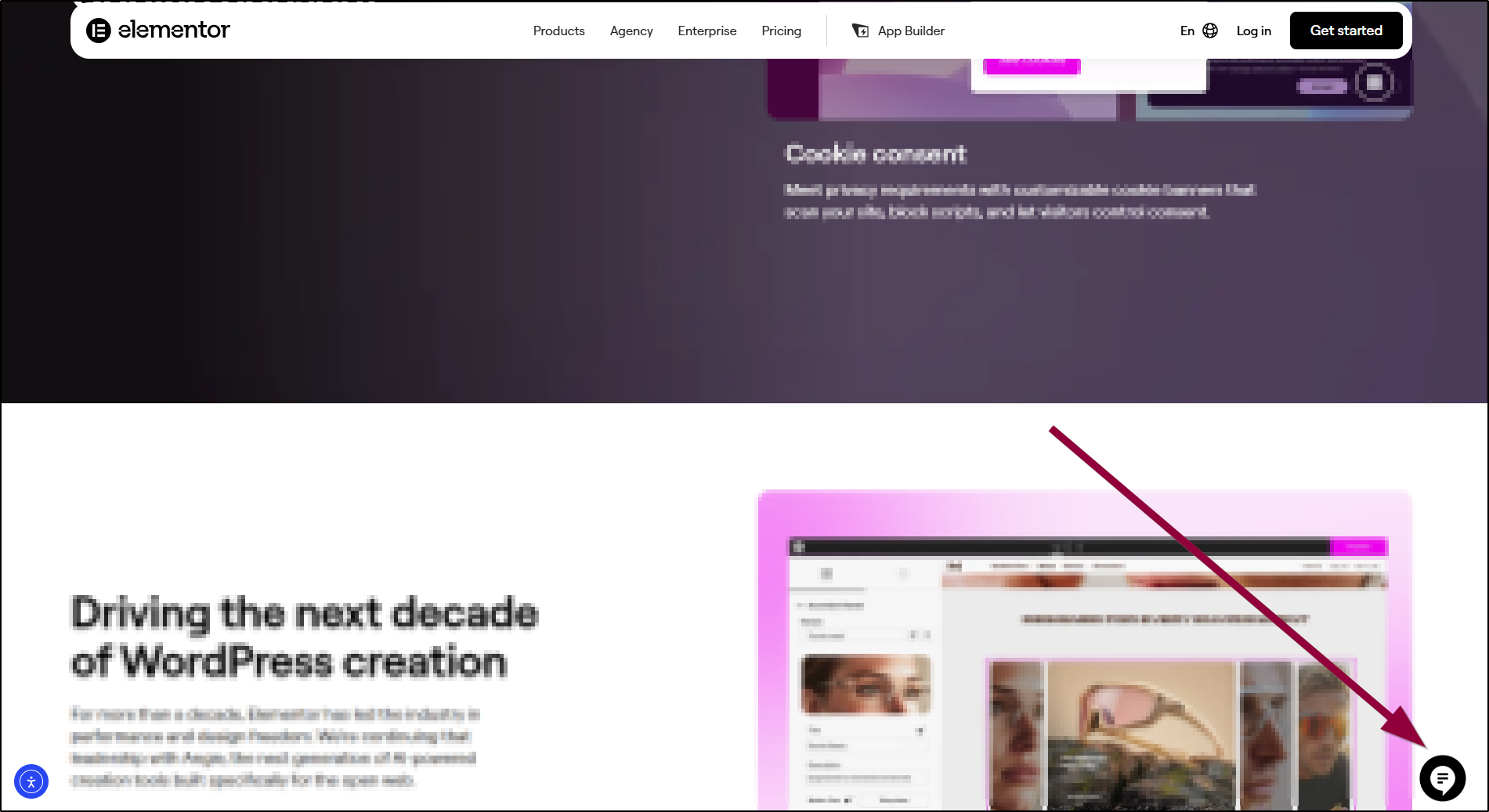
- Open the Virtual Assistant: Click the chat icon in the lower-right corner of your screen.
- Follow the Prompts: Type your refund request into the chat box. The Virtual Assistant will guide you through the initial steps, collect your account details, and transfer your case directly to a live billing agent.
What additional subscription management resources are available?
- Billing & Account Guides:
- Account Privacy & Deletion: