The License option allows you to manage and validate your subscription. In your WordPress dashboard, it is located under Elementor > Editor > System > License: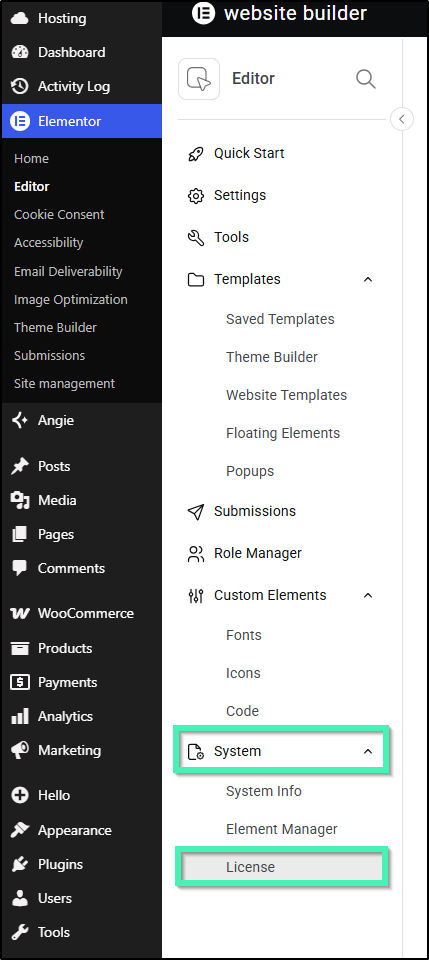
The License option appears when you have the Elementor Pro plugin installed and activated.
If the License option doesn’t appear under System:
1. Install and Activate Both Plugins
Ensure both Elementor and Elementor Pro plugins are installed and activated on your website.
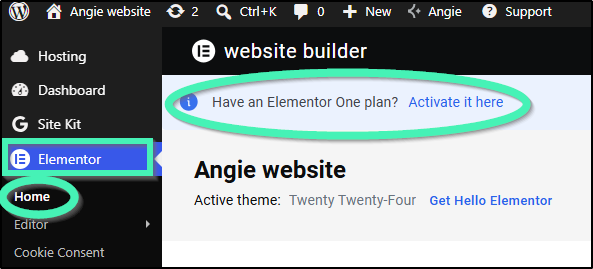
2. Check for the “Upgrade” Prompt
If you see an “Upgrade” prompt in your sidebar and no License screen under Elementor > Editor > System, you likely only have the free plugin installed. Installing and activating Elementor Pro will reveal the License menu.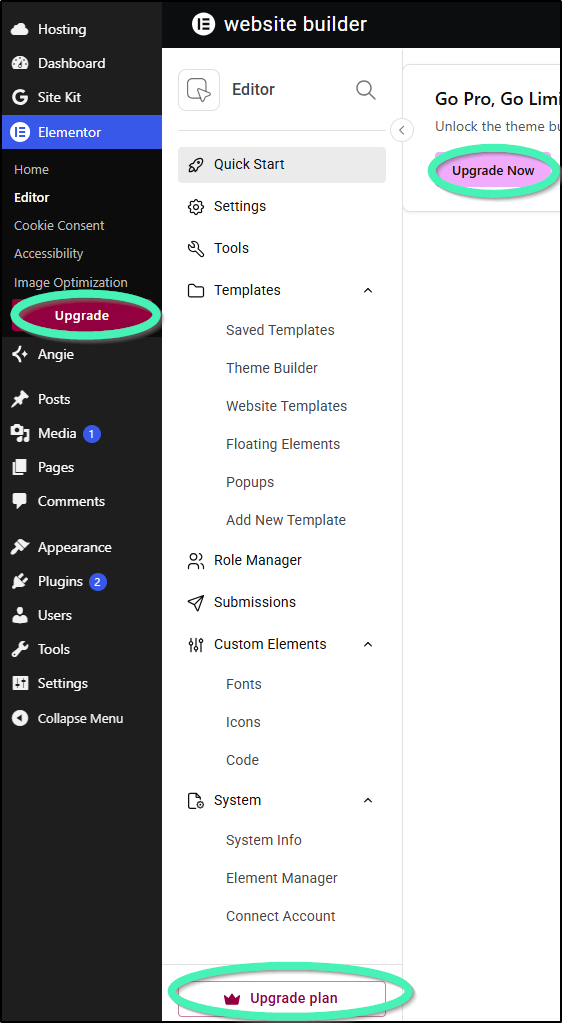
3. Connect and Activate Your License
After installing Elementor Pro, follow the connection process so your subscription status updates and the License option displays properly.