If you decide Site Mailer isn’t for you, you can unsubscribe using the General Settings screen.
To deactivate your Site Mailer subscription:
- Go to WP Admin.
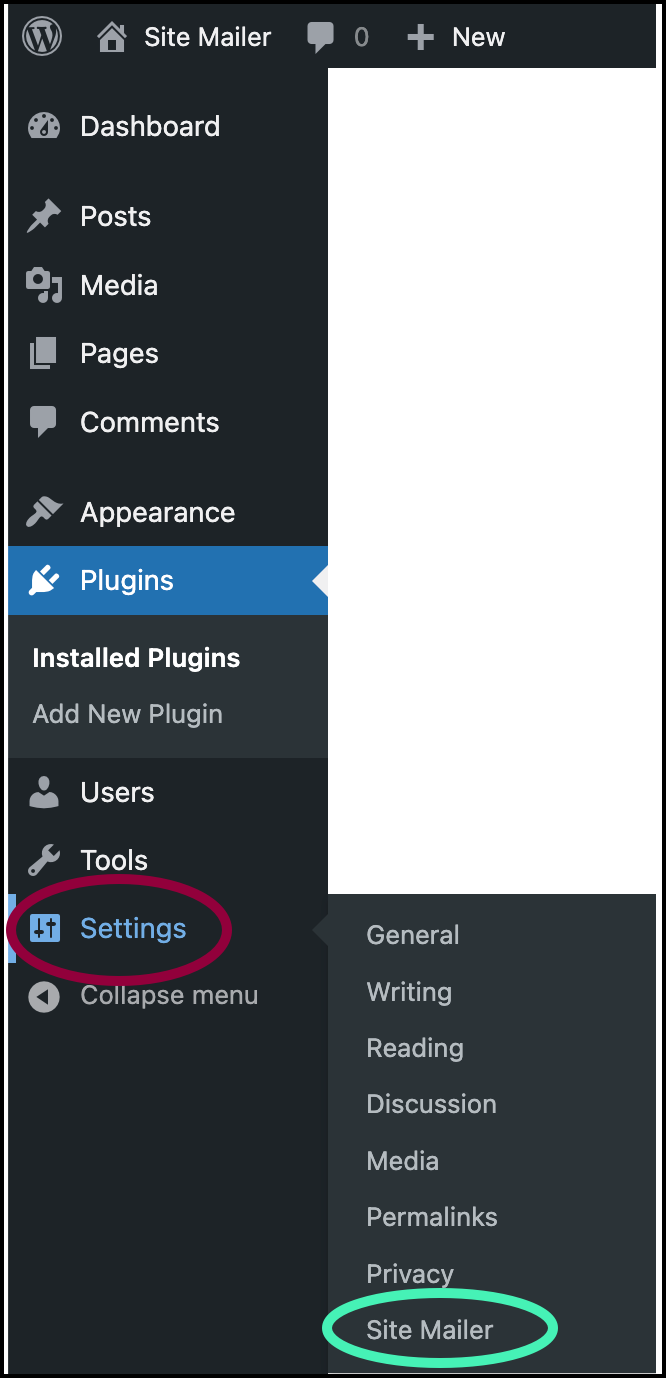
- Navigate to Settings>Site Mailer.
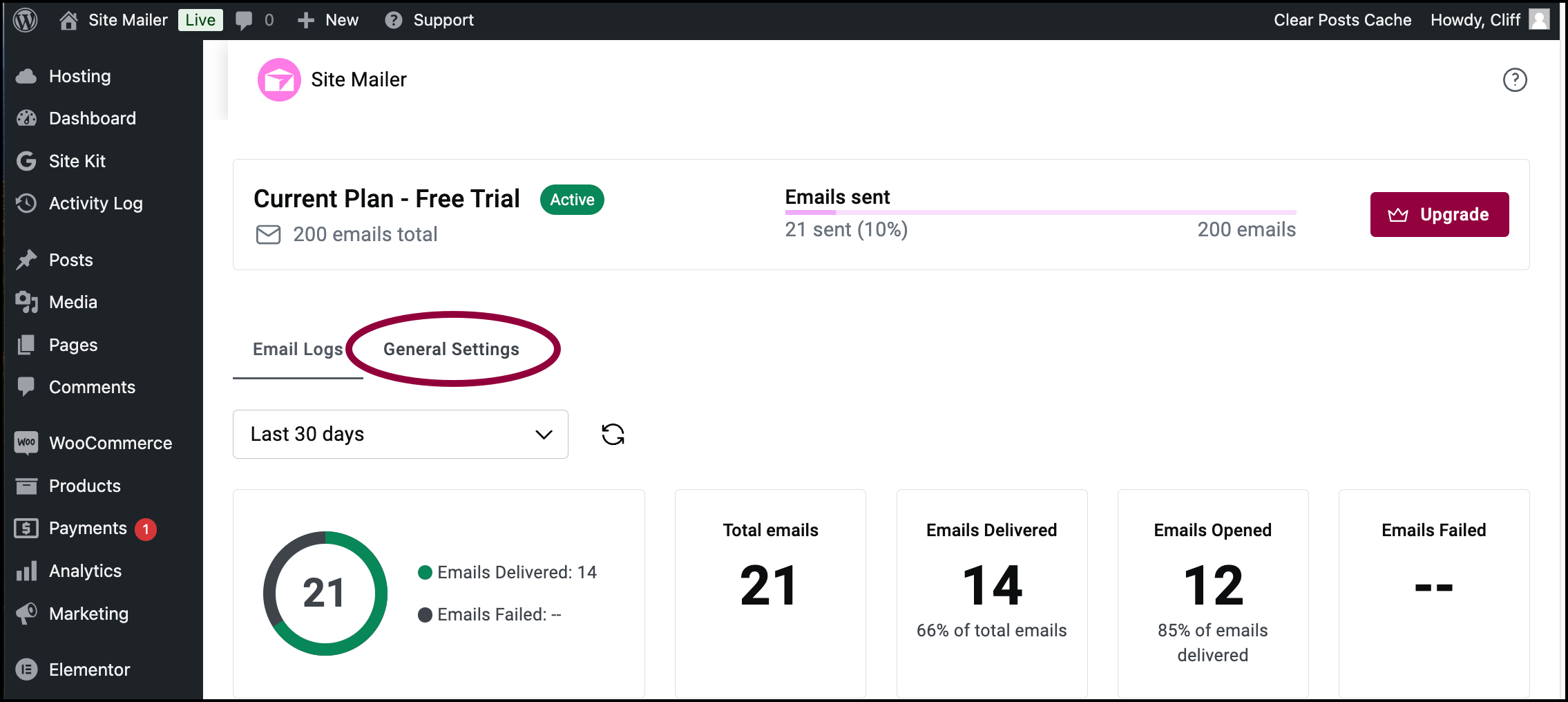
- Click General Settings.
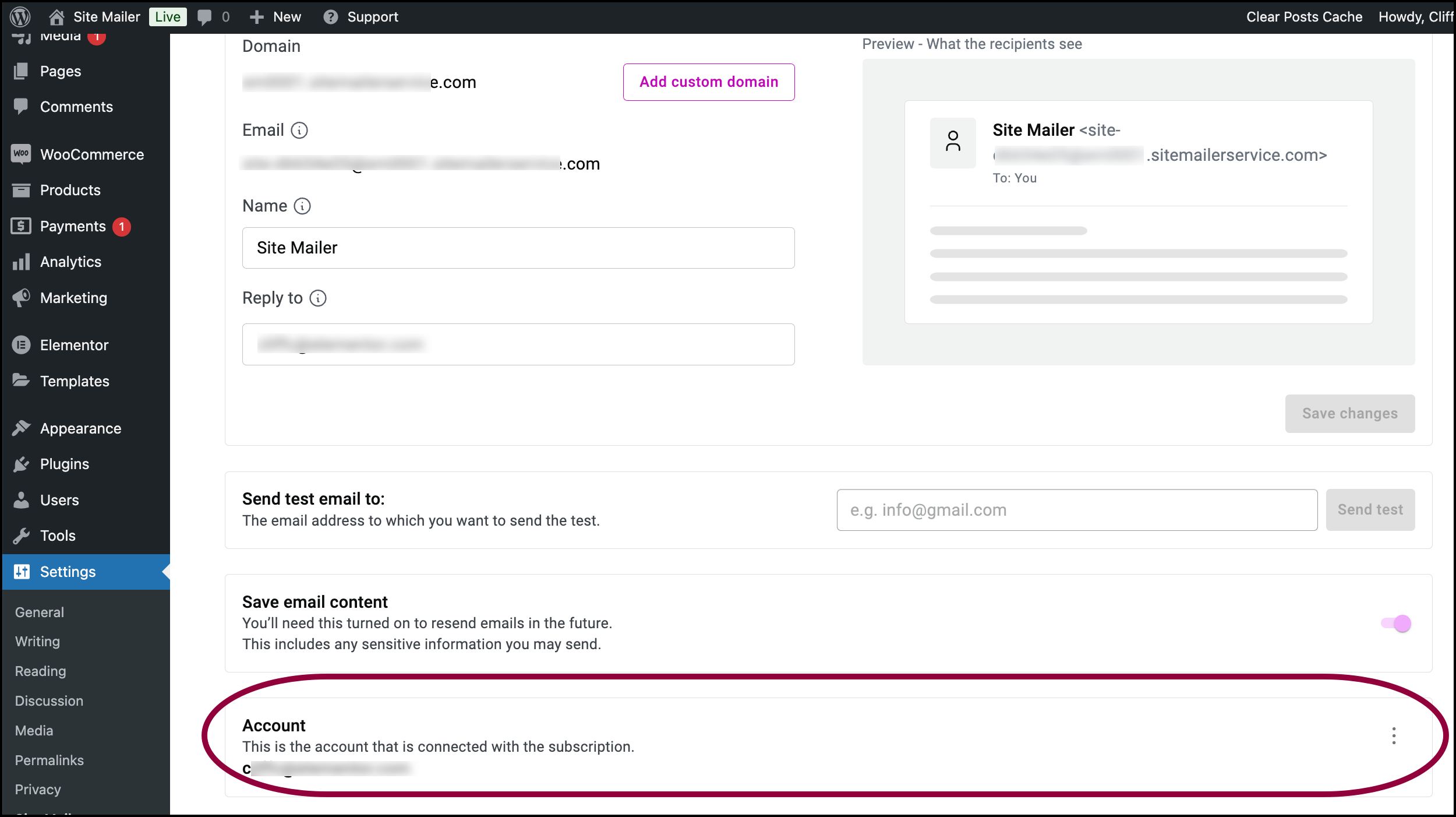
- Scroll down to the Account section.

- Click the ellipses
on the right hand side of the Account area.
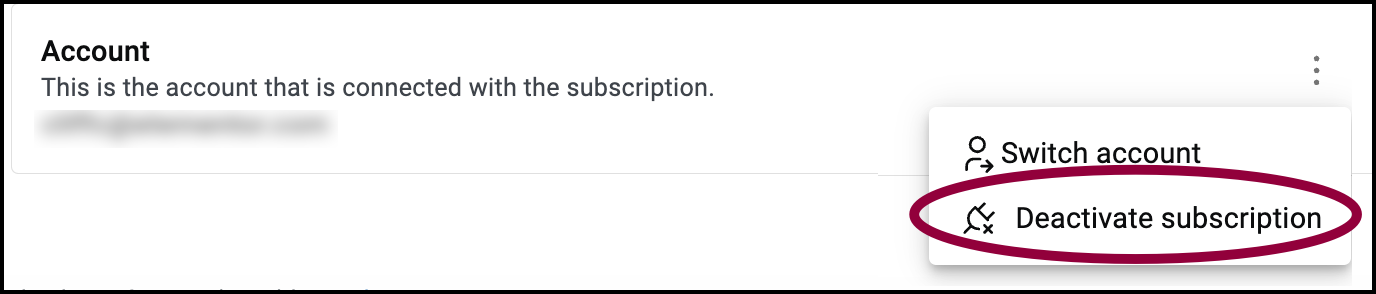
- Select Deactivate subscription.