Issue
I received a message that my license key does not match my URL
Cause
When users switch URLs, it breaks the connection to the Image Optimization tool leading to a mismatch error. Generally this occurs when:
- You move from a staging site to production or go from an HTTP or HTTPS address.
- You are changing URLs.
Solution
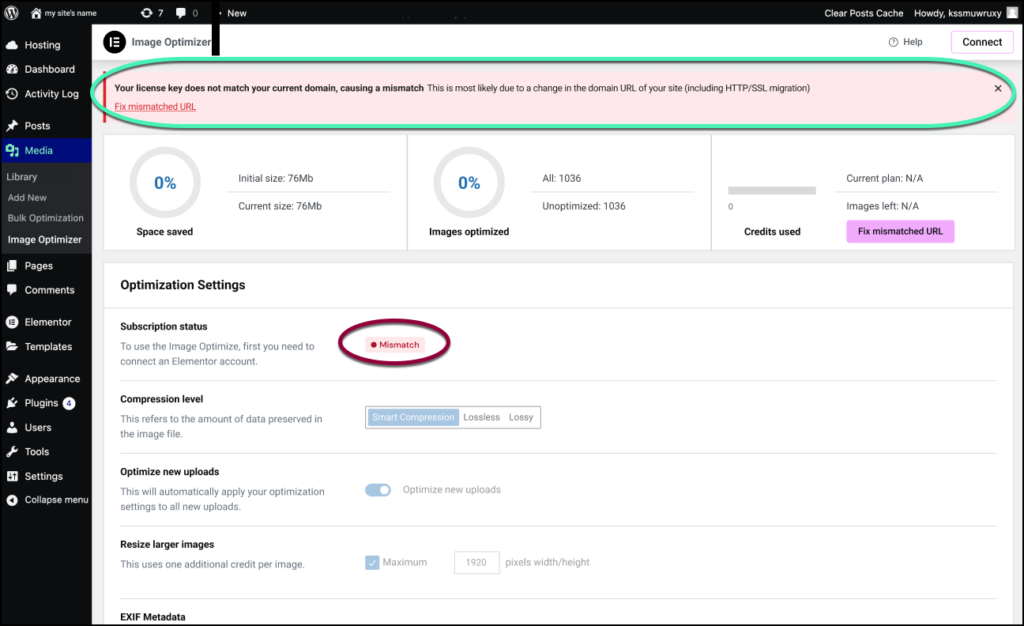
If you change URLs, an error message will appear on your Image Optimization dashboard.
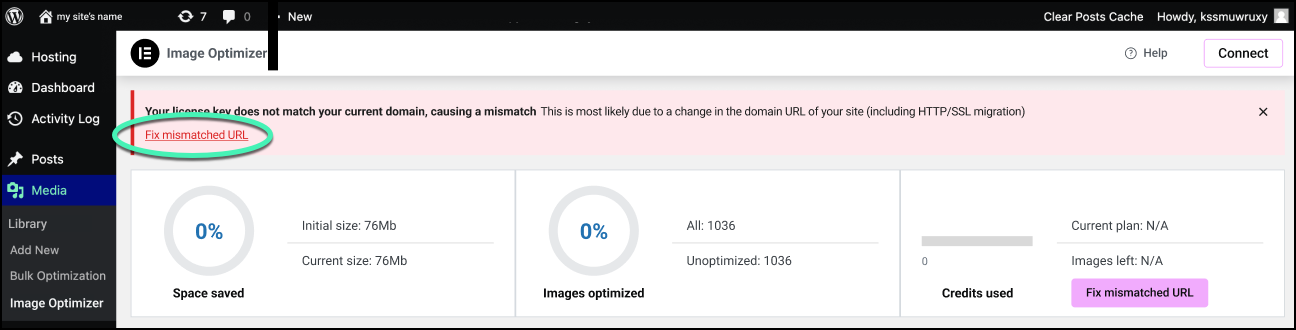
To fix the mismatch error:
- Click Fix mismatch error.
You have two choices.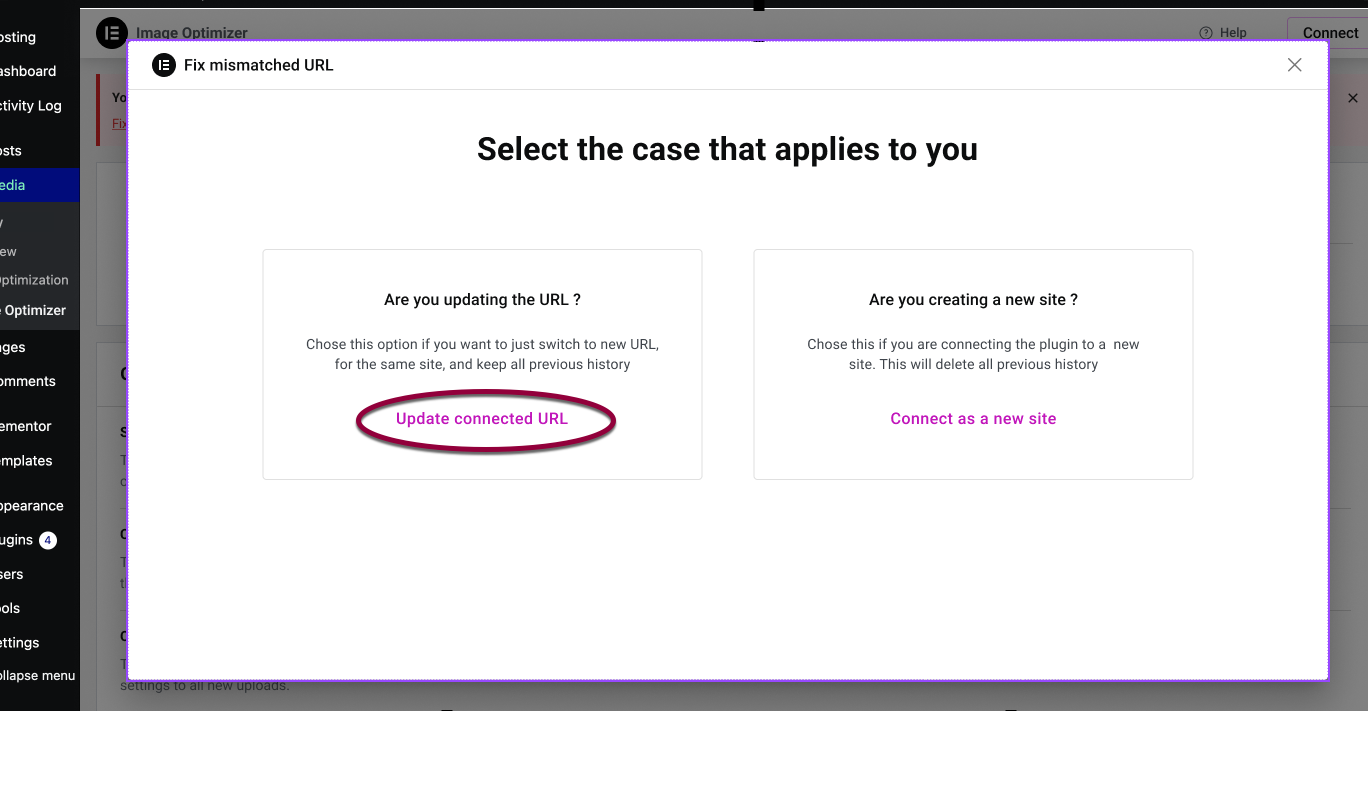
- If you are moving from a staging site to production or changing from HTTP to HTTPs, click Update connected URL. This will preserve your Image Optimization history.
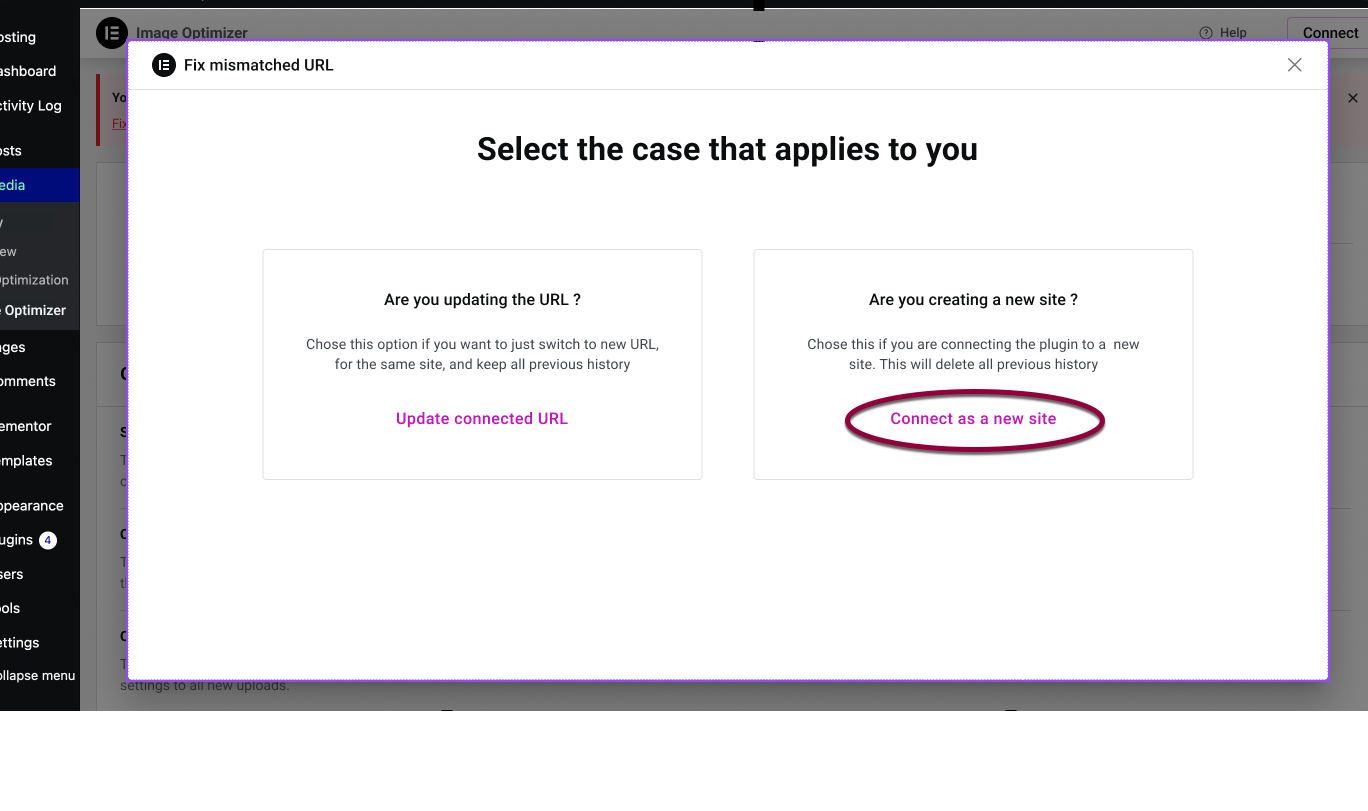
- If you are moving to a new URL, click Connect as a new site. This will delete your Image Optimization history.
Your Image Optimization subscription is reconnected.