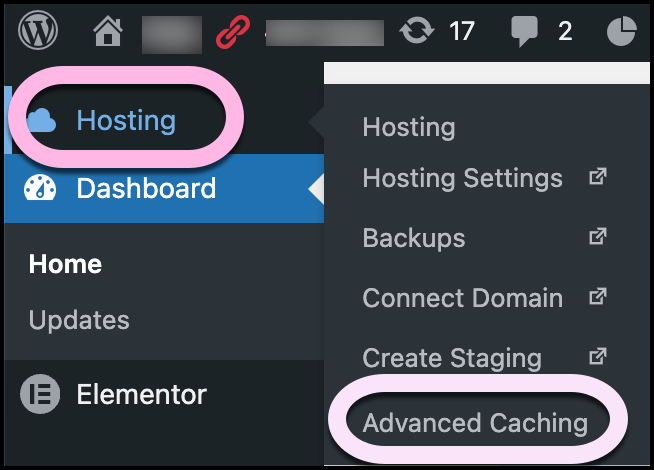
As part of the troubleshooting process, you may need to clear the site’s cache. For Elementor Host sites you can clear the cache from WP Admin by going to Hosting and then Advanced caching. If you’re site is hosted by a third party, caching is usually done by a third party plugin. Follow that plugin’s documentation to clear the cache.
How do I clear my site’s cache?
To clear your site’s cache:
- From WP Admin, navigate to Hosting>Advanced Caching.
- Scroll down to the Clear all cached items section and click Clear All.
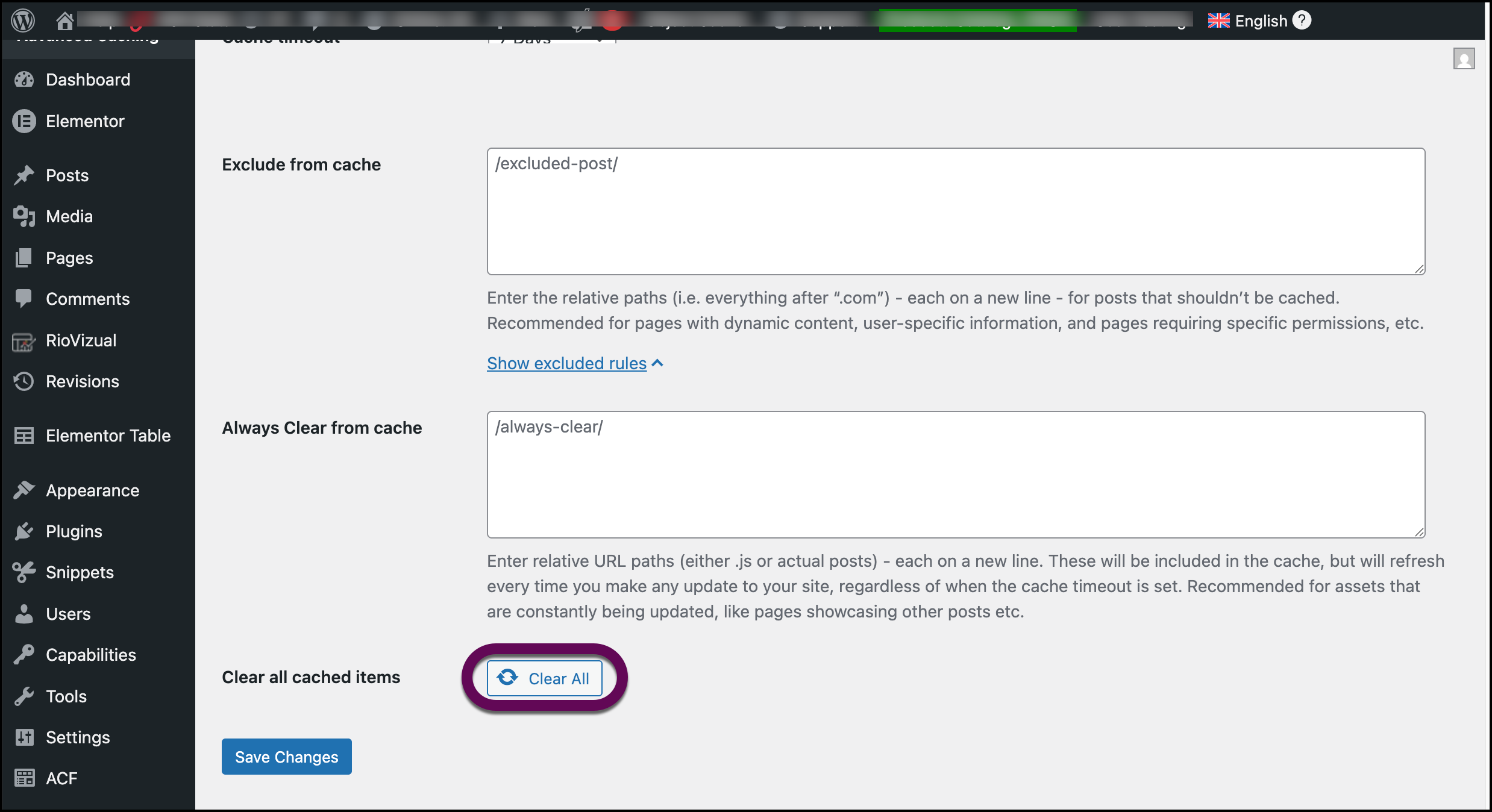
The cache is cleared.NoteIf you’re site is not hosted by Elementor, you’ll need to refer to the documentation of your website host and/or the documentation of any third party plugins you’re using.