Why am I seeing a Google Site Kit conflict notice in my admin panel?
Cookie Consent has detected that you have the Google Site Kit plugin active on your site, but you are missing the WP Consent API plugin.
When both Cookie Consent and Google Site Kit try to manage Google Consent Mode independently, they conflict. Both tools inject duplicate tracking rules into your website’s header, creating a broken consent state that makes your Google Analytics data unreliable.
How to Resolve the Conflict
To protect your tracking data and ensure Cookie Consent remains your site’s compliance source, you must resolve this conflict by installing the WP Consent API , as Google instructs Site Kit users to do:
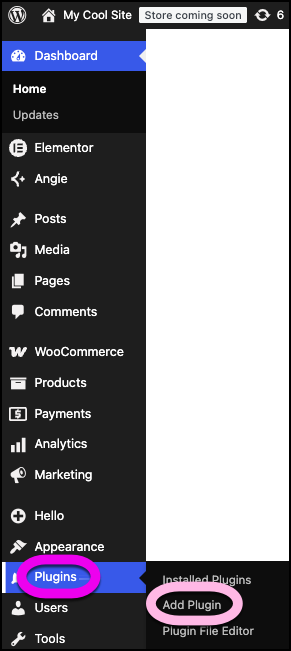
- In your WordPress menu, go to Plugins>Add New.
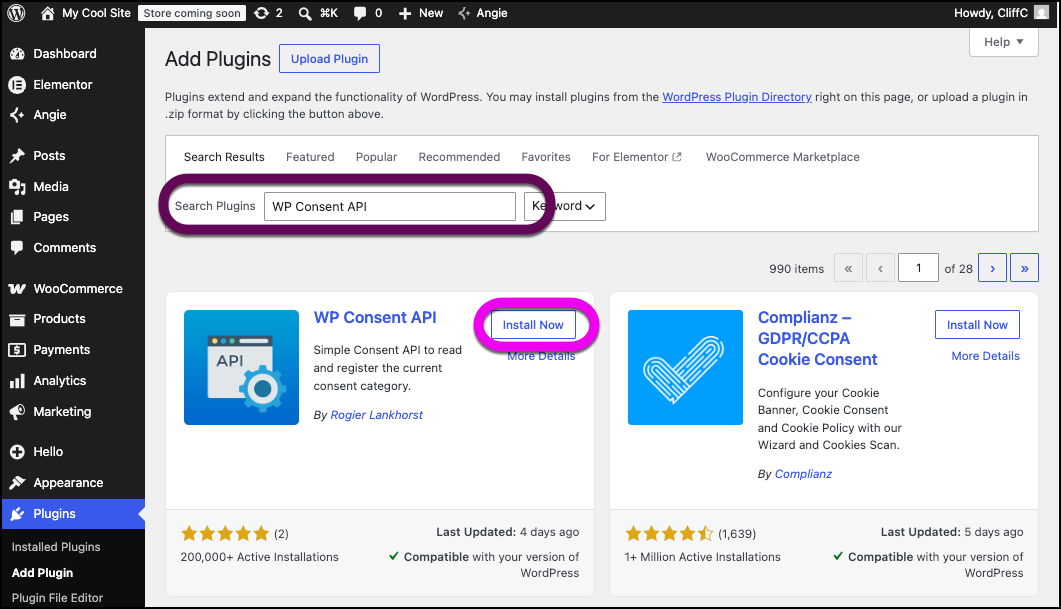
- Search for WP Consent API and click Install Now.
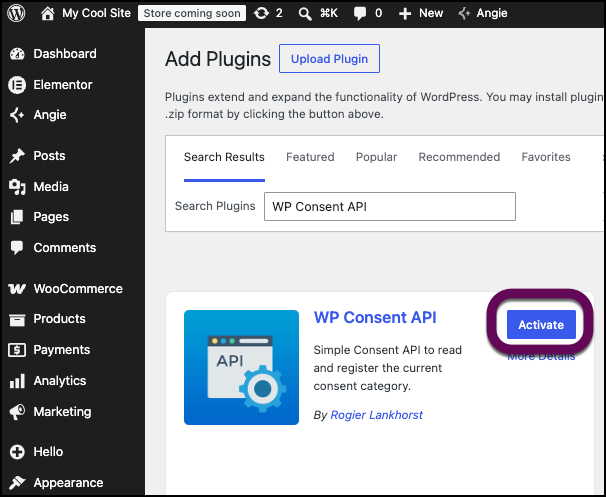
- Click Activate.
- Cookie Consent will automatically detect the plugin and pass your visitor’s consent choices to Google Site Kit.