Connect Your Domain to your Elementor website
After purchasing or adding a domain, you can connect it to your Elementor site:
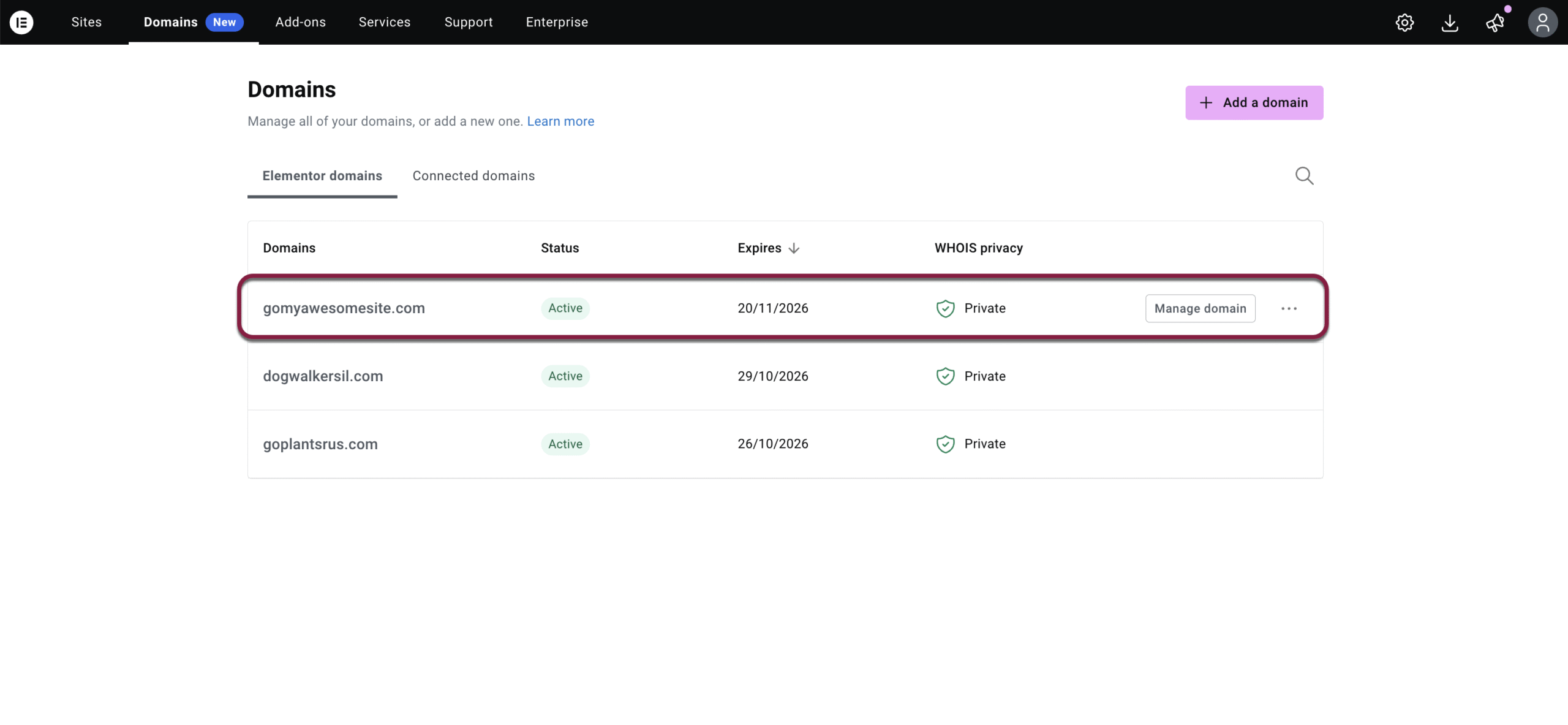
- In the Domains dashboard, find and click on your domain in the list. This will take you to the “Mange Domains” page.
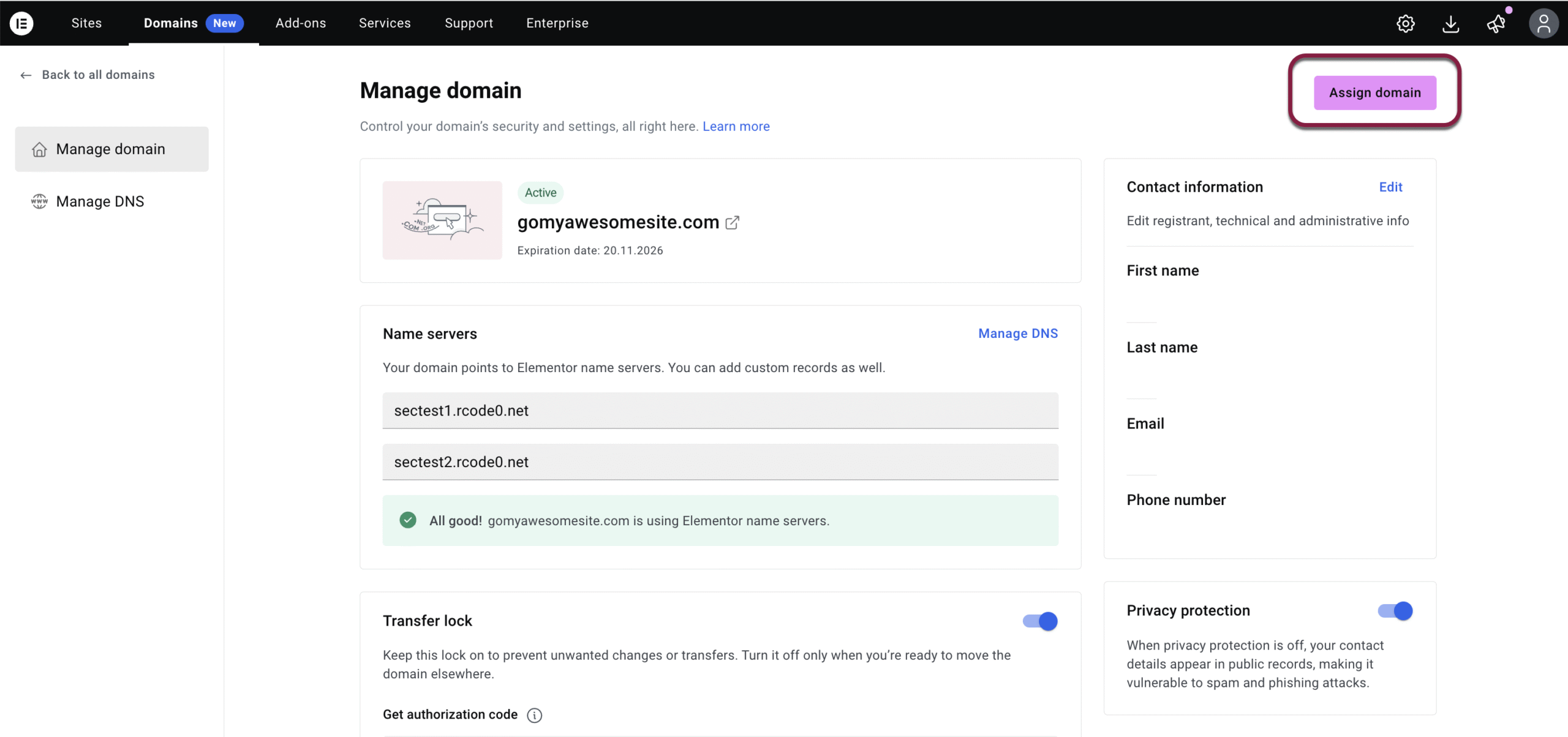
- In the top right corner, click Assign domain.
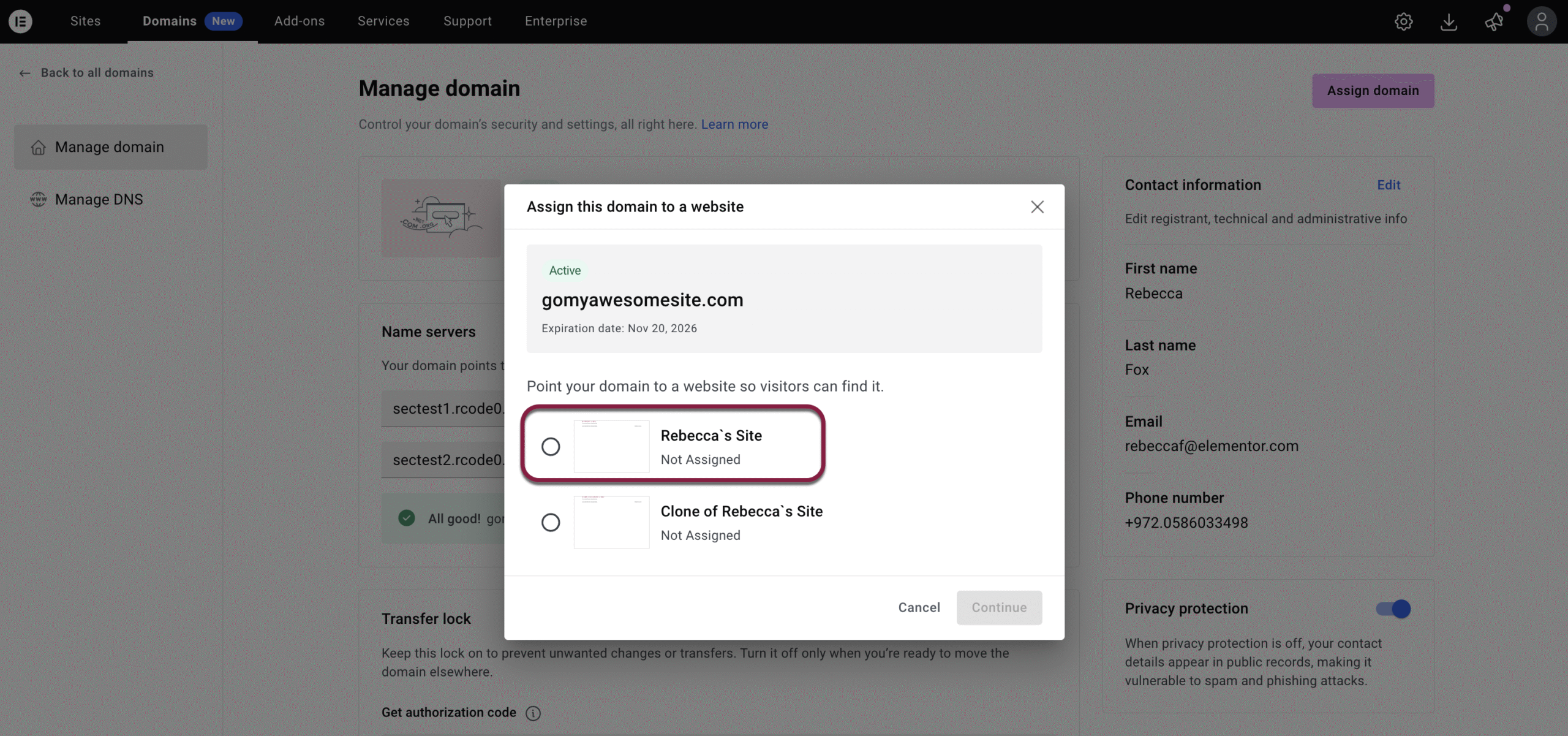
- In the window that appears, choose the site where you’d like to assign the domain and click Continue.
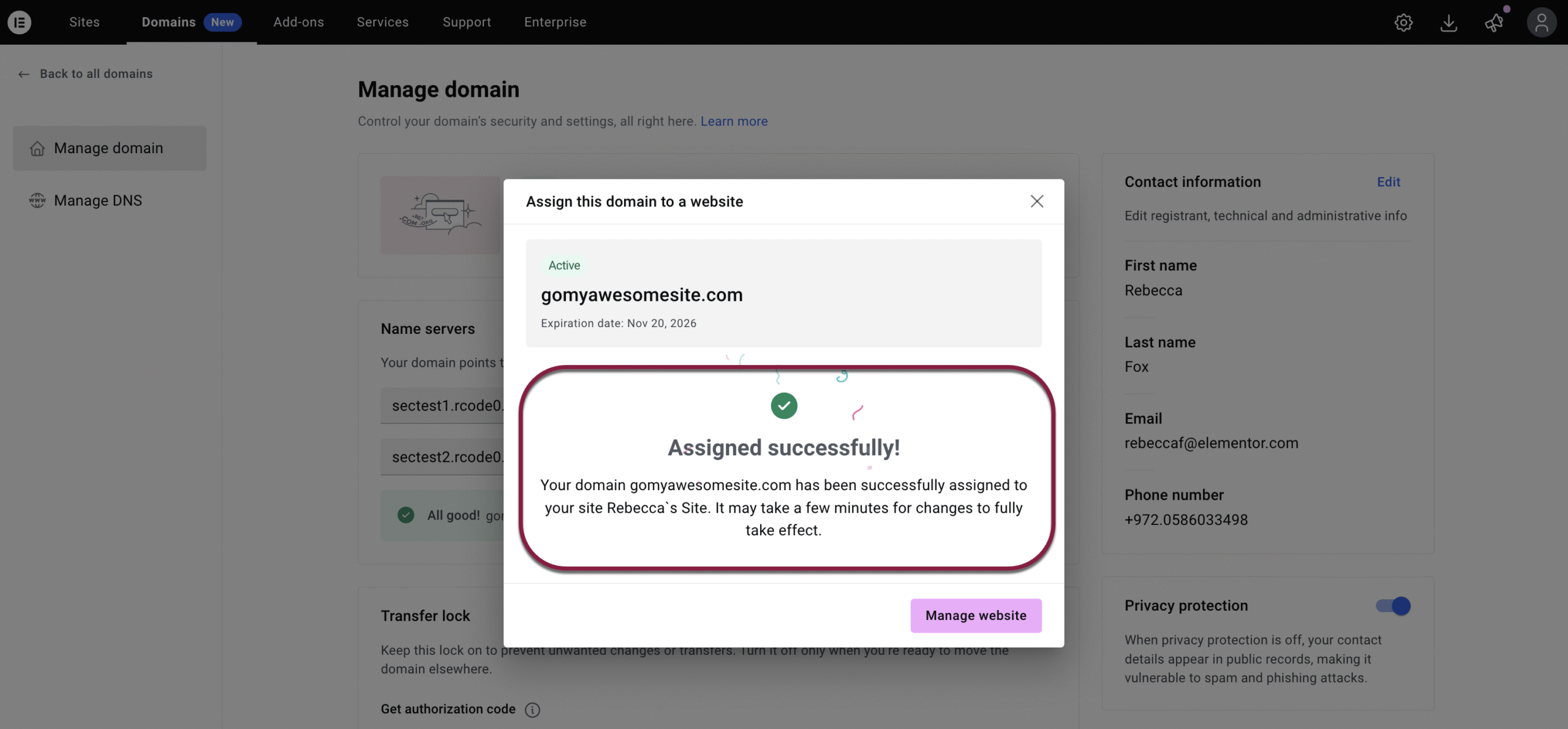
- A confirmation message appears if the website connects successfully. Elementor will automatically configure the DNS settings if your site is hosted with Elementor.
If your website is hosted elsewhere, you’ll be shown the required DNS records to update with your domain provider.
Connect an external domain
Connect an external domain
- Enter the domain name.
- Configure the DNS records – see Manage your DNS records for details.