If you ask Angie to do something but don’t see the result, the following steps may help::
- Refresh the page: it may have worked, but isn’t showing yet.
- If nothing changed, ask Angie again or give more details about what you want.
If you see an error message, try these steps:
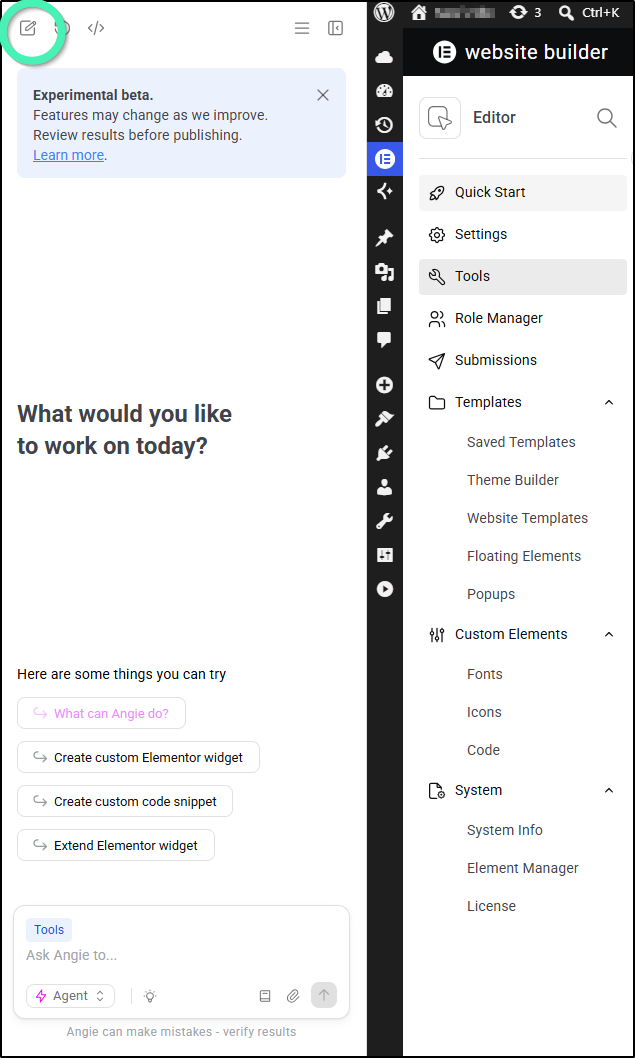
- Click the New Chat button to clear the conversation history and start fresh.
- Refresh the page
- Clear your browser cache and cookies. For details, see Common troubleshooting steps.
- Open Angie in an incognito/private browsing window. For details, see Common troubleshooting steps.
- Be specific about any tools you want Angie to use.
- Make sure you’re on the relevant screen when asking Angie to do something. For instance, if you want Angie to create a new user, make sure you’re on the Users section of WP Admin.
In general, try to use best practices when working with Angie for the most accurate results.
Advanced Troubleshooting: Managing Dev Mode & Deactivating Tools
If Angie is returning explicit error messages or a background function is consistently failing, a specific background tool or Model Context Protocol (MCP) server configuration may be malfunctioning. You can safely isolate and disable problematic tools using the steps below.
To isolate and deactivate failing Angie tools:
- Click the Hamburger Menu (three horizontal lines) in the top-right corner of the Angie chat panel.
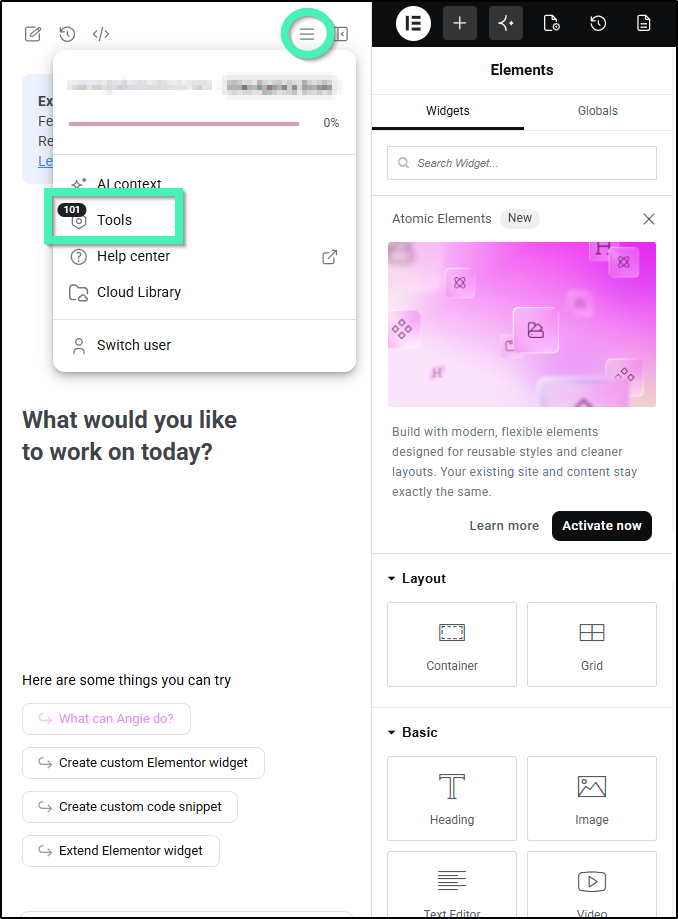
- Select Tools from the context menu dropdown.
- Toggle the Dev Mode switch at the top of the panel to On.
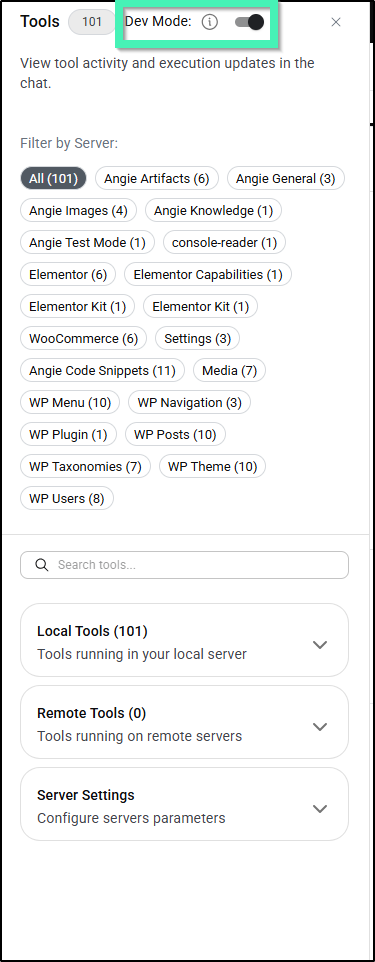
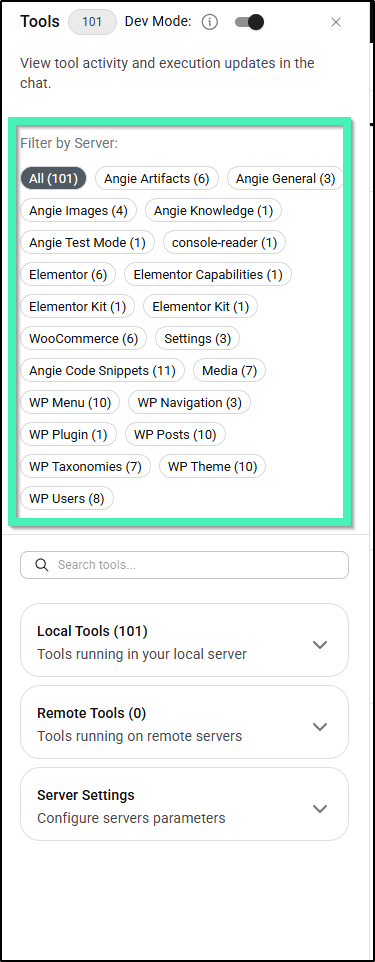
This exposes real-time tool execution logs and background updates directly within the chat window so you can see precisely which tool is failing. - (Optional) Use the toggle options under Filter by Server to narrow down your view to specific tool categories (such as Elementor, WP Users, or Angie Images).
- Scroll to the bottom of the panel and expand the Server Settings tray.
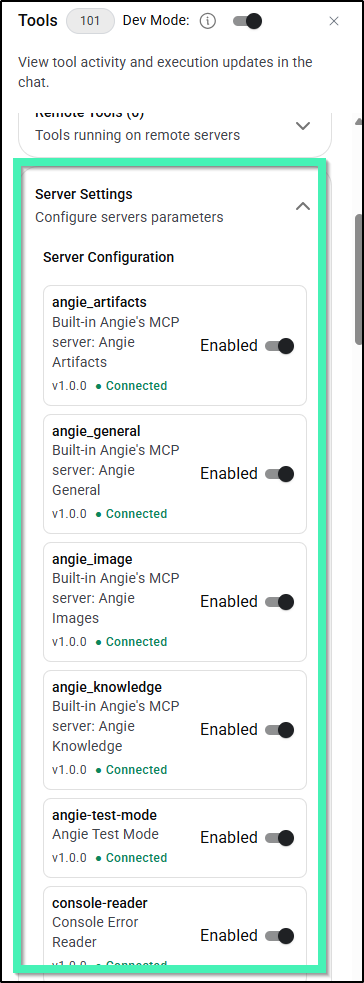
- Locate the specific failing tool or protocol and temporarily deactivate or adjust its parameters.
Note
Angie is still in beta. We’d love to hear about any issues you’ve run into or ideas you have so we can keep improving. Please share your feedback to help us make Angie more useful for you! See Request features and report bugs for details.