Hello Biz will be moved into maintenance mode soon, no new features will be introduced. We recommend moving to Hello Themes instead.
Hello Biz was designed as a lightweight theme to increase website performance. For more advanced users, there are some settings you can change as needed.
Warning
Changing these settings can break your site. Any changes should be tried out on a staging first.
Customize the theme settings
To customize the Hello Theme settings:
- Go to WP Admin.
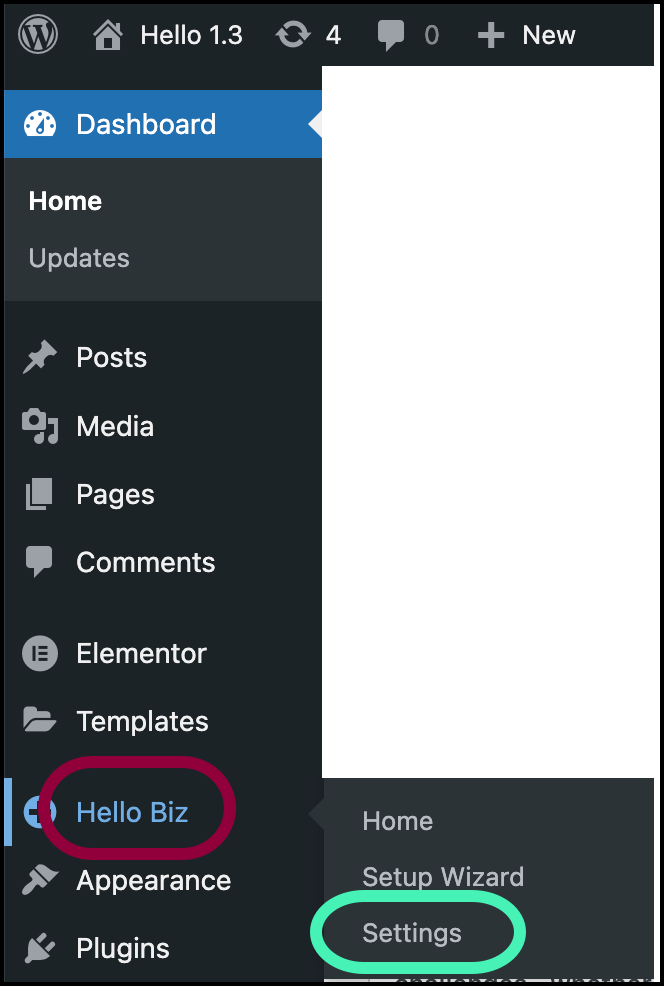
- Navigate to Hello Biz>Settings.
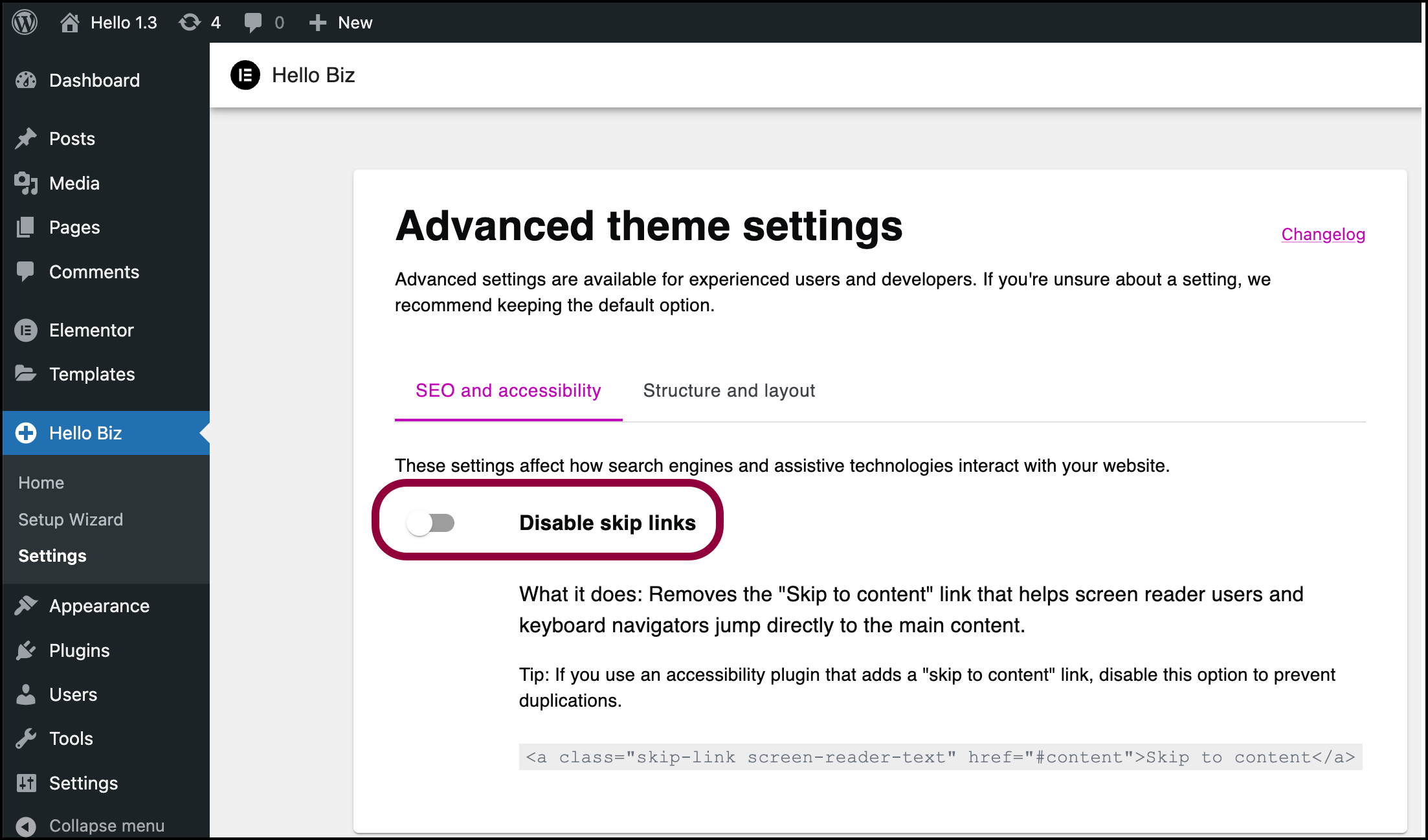
- (Optional) Toggle Disable skip links to off if needed. NoteThe Hello theme comes with a skip-to-content feature. This can conflict with some accessibility plugins, so if you’re using an accessibility widget you may need to disable this theme feature.
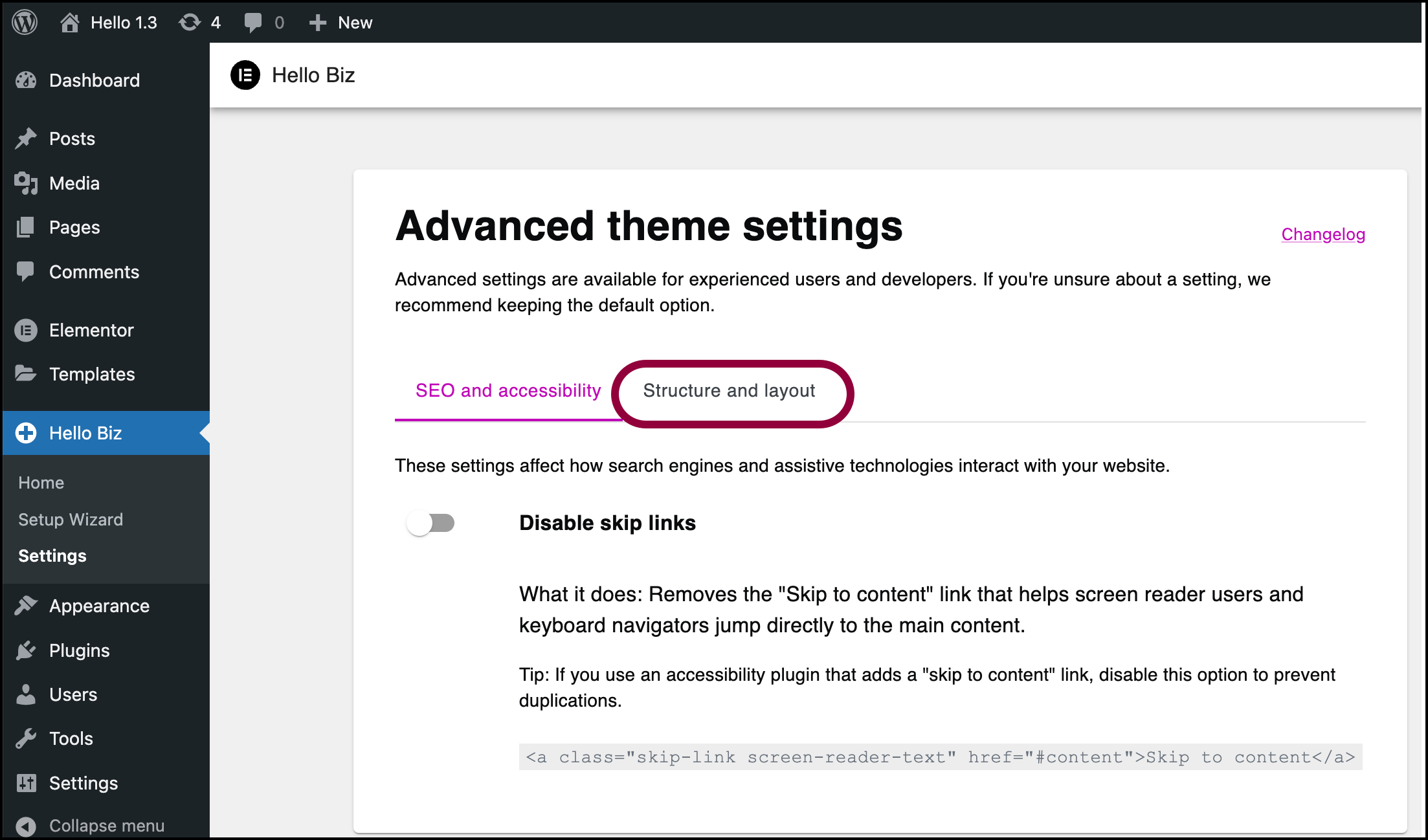
- (Optional) Click Structure and layout.
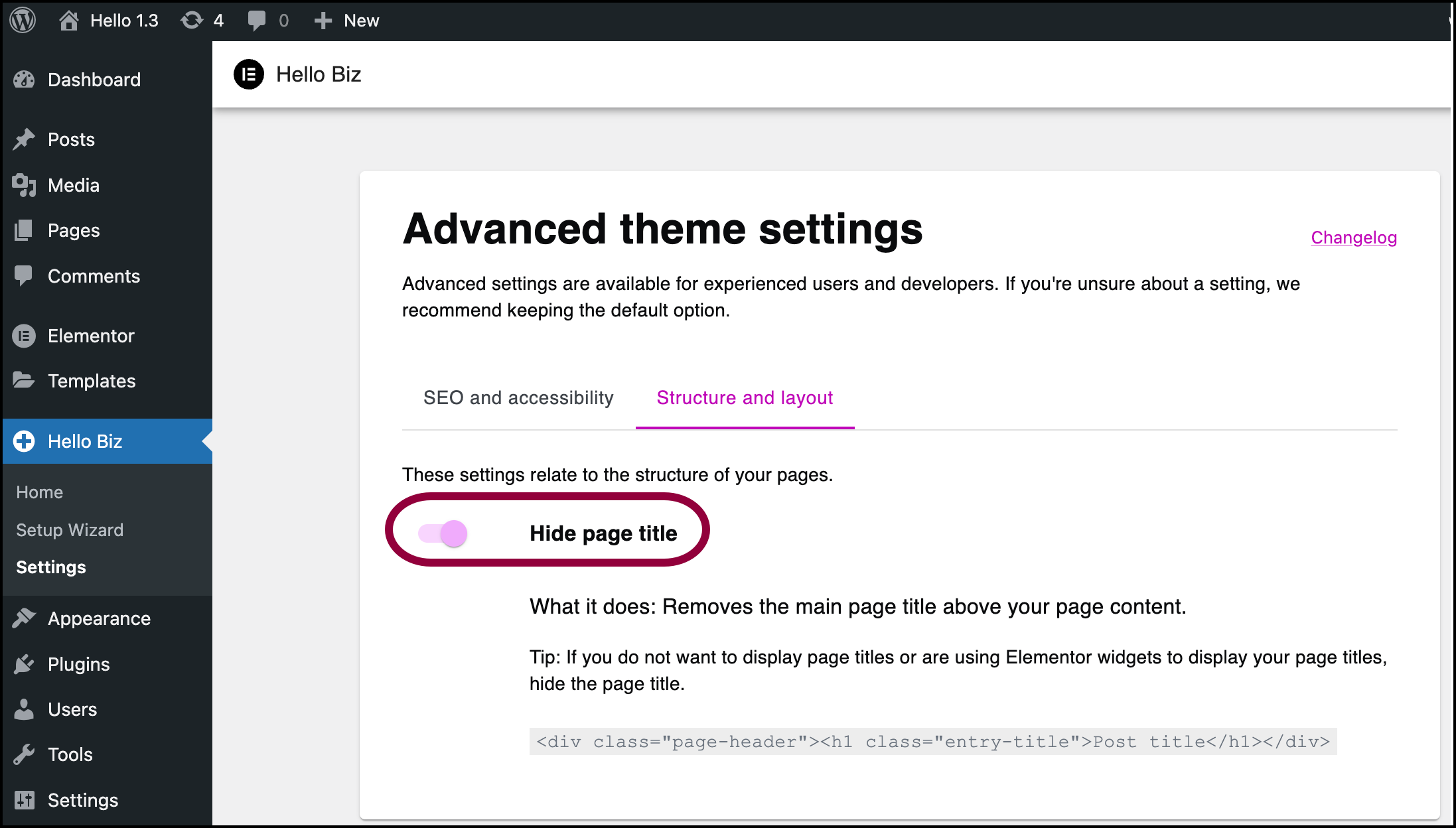
- (Optional) Toggle Hide page title off.NoteBy default, the Hello theme does not display page titles. Toggle this control off if you want to display page titles.