The Template Library offers professionally designed templates you can use to efficiently create and customize your own site.
Connect to the Template Library
The first time you insert a template, you will be prompted to connect your free Elementor account to access the Template Library. If you don’t yet have an account, you can register for a free account during this process. For details about creating an Elementor account, see Create an account.
To connect to the Template LIbrary:
- From WP Admin, navigate to Templates.
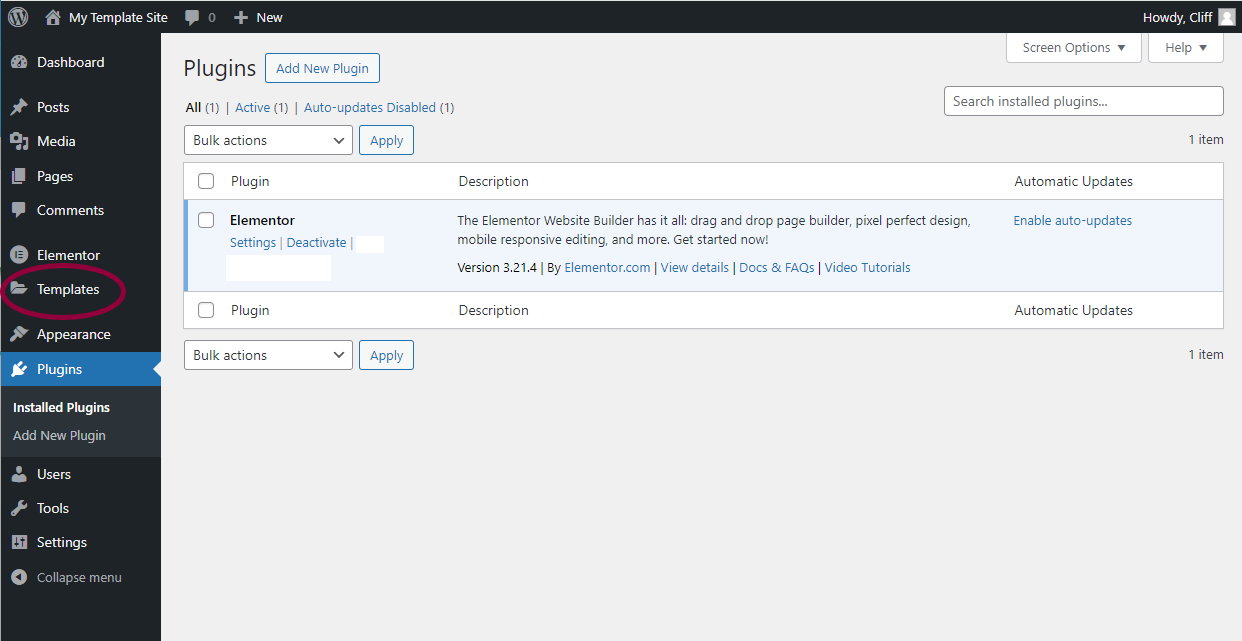
This will open the Template section.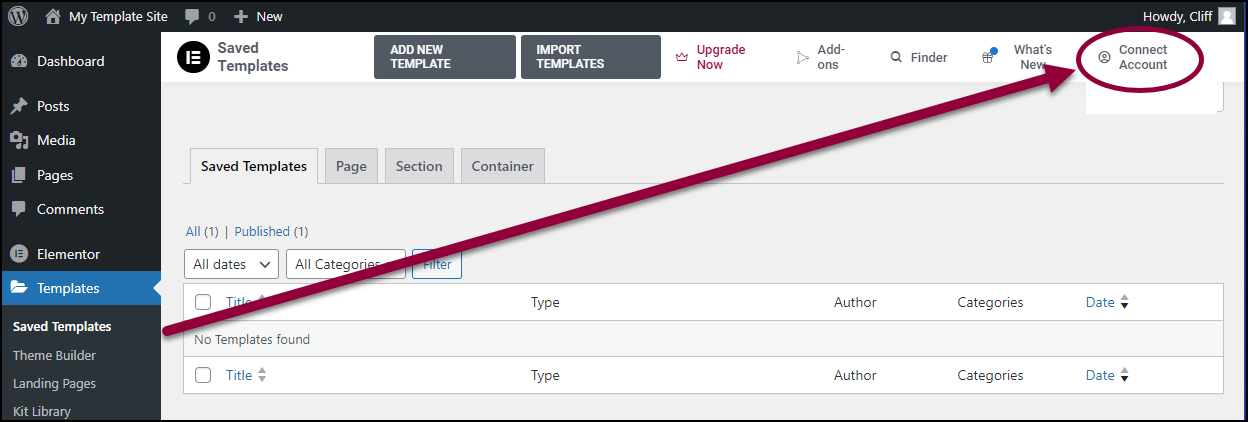
- In the upper right, click Connect Account.NoteIf you do not have an Elementor account, you’ll be asked to create one.
- Check to make sure you are connecting to the correct account.
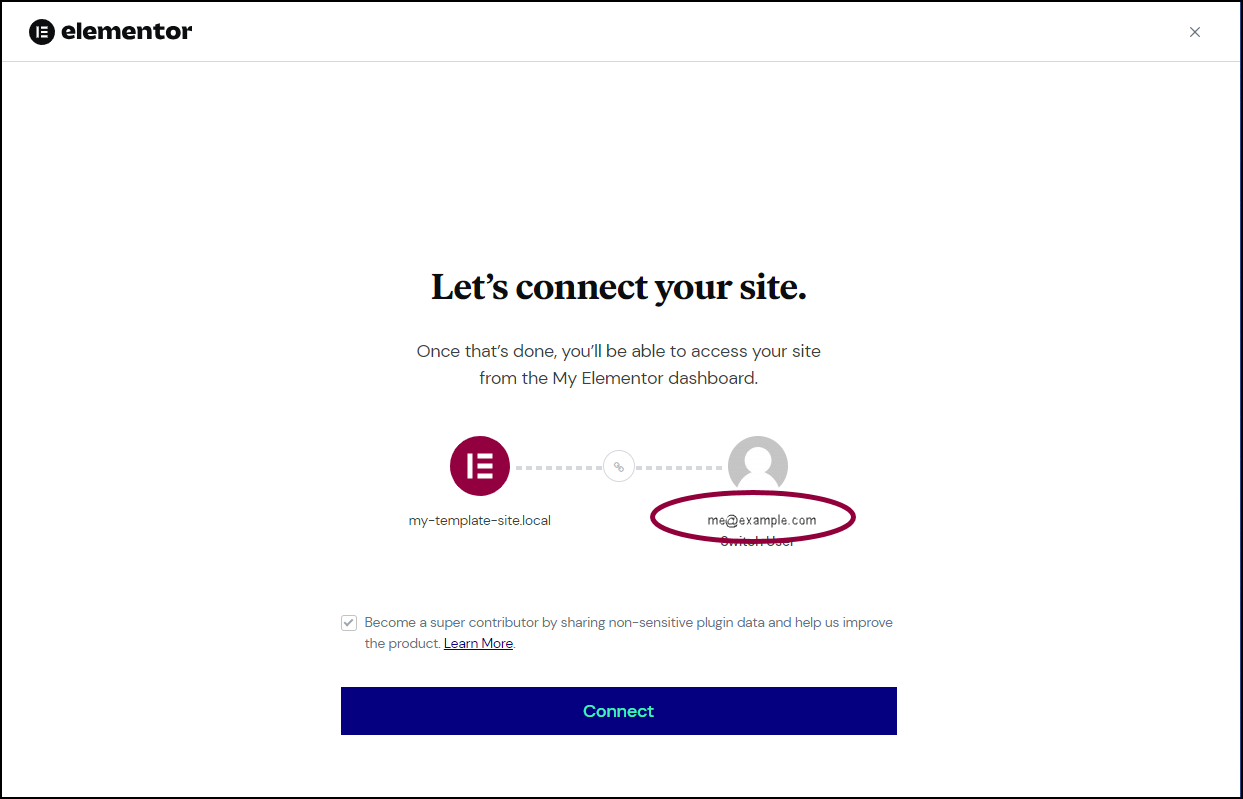
If your account does not appear, click Switch User and fill in your account information.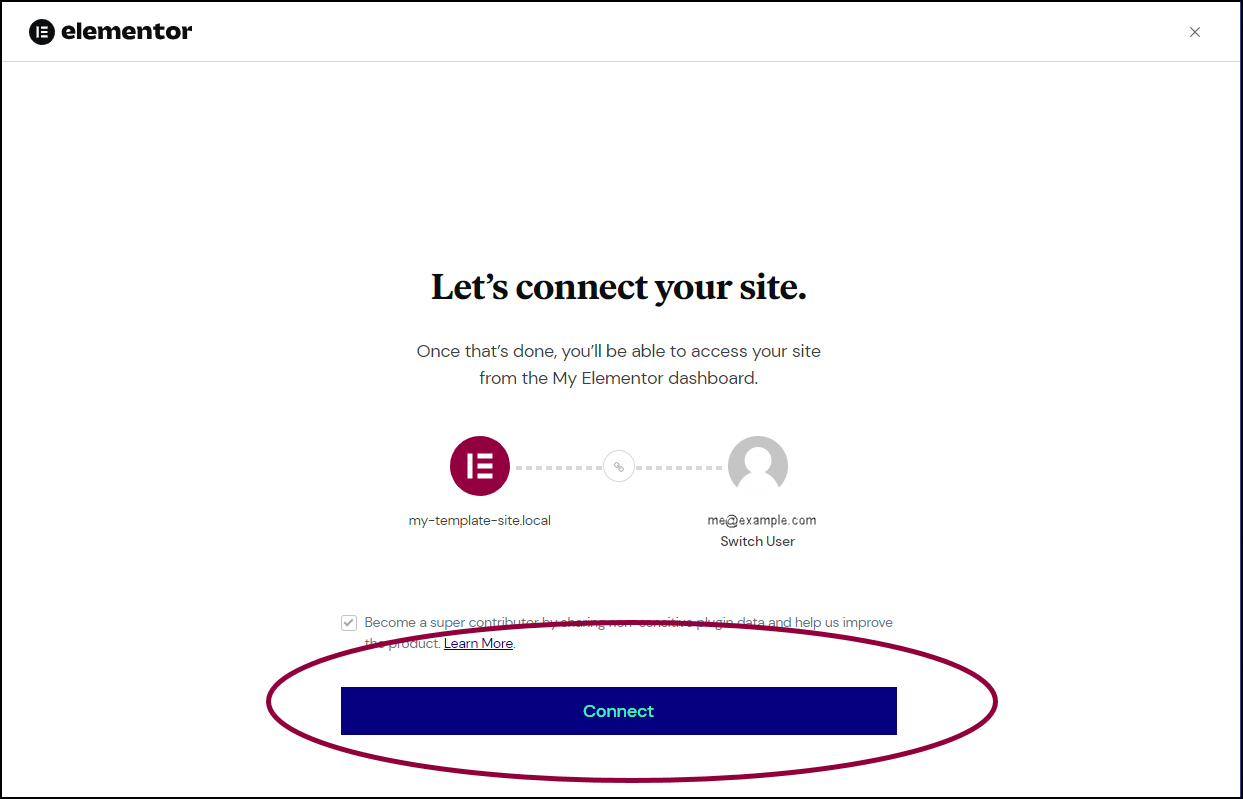
- Click Connect.