Issue
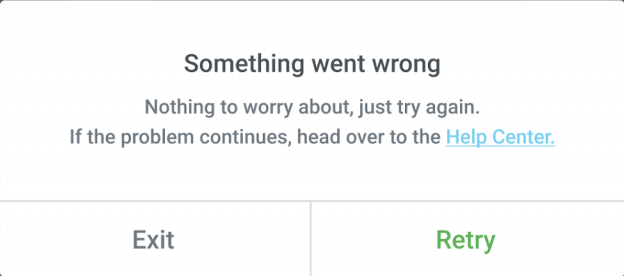
When using the Kit Library feature you may occasionally encounter the following error message.
Possible causes & solutions
Following are the resolution for the different types of kit library errors:
| Error | Cause | Solution |
|---|---|---|
| Error while loading the kit preview | Missing kit data or server error. | • Try again in a few minutes. • If the error continues, contact support. |
| Error while loading the kit library | • Try again after a few minutes by clicking the ? icon at the top corner of the screen. • If the error continues, contact support. | |
| Error while trying to apply the kit | Server or license validation error. | • Try again in a few minutes. • Disconnect and reconnect your license to make a fresh connection to the Kit Library. • If the error continues, contact support. |
Downloading a kit gives the following error:{“code”:”rest_forbidden”,”message”:”Sorry, you are not allowed to do that.”,”data”:{“status”:401}} | • Update to the latest versions of Elementor Core and Elementor Pro (if installed). • Disconnect and reconnect your license to make a fresh connection to the Kit Library. | |
| An internal server error has occurred. | When a ModSecurity or any other security software is enabled on the server which blocks the core WordPress file called admin-ajax.php | 1. Report the issue to Elementor support. 2. Contact your hosting service provider with the information provided by the Elementor support. |
| Unable to apply the kit. | 1. Login to WP Admin. 2. Go to Elementor > System Info. 3. Check if ZIP Installed is set to Yes. 4. If it is set to No, do either of the following: • Change it to Yes from cPanel. • Ask your hosting provider for help | |
| Theme Builder. Error: Unexpected token ‘<‘, “<br/><b>” | The template is not a valid JSON | 1. Reinstall the template. 2. If that doesn’t work, resave the template. |
Important
An invalid template error is displayed if attempting to import kits from Envato using the Elementor import feature. These kits are bundled differently than Elementor Kits. When using kits from Envato, install and import using their companion plugin. Refer to their documentation for more information.
Note: Essential, Advanced, Advanced Solo, and Elementor App subscriptions include access to the Elementor chatbot. Expert, Agency, Elementor One, Elementor Hosting, and Priority Support plans also include access to the Elementor support team.
Templates Missing from the Template Library?
If website templates from older legacy plans are missing from the Kit Library, your site may be using the new Container layout system, which hides section-based templates from the legacy library.
To access section-based templates:
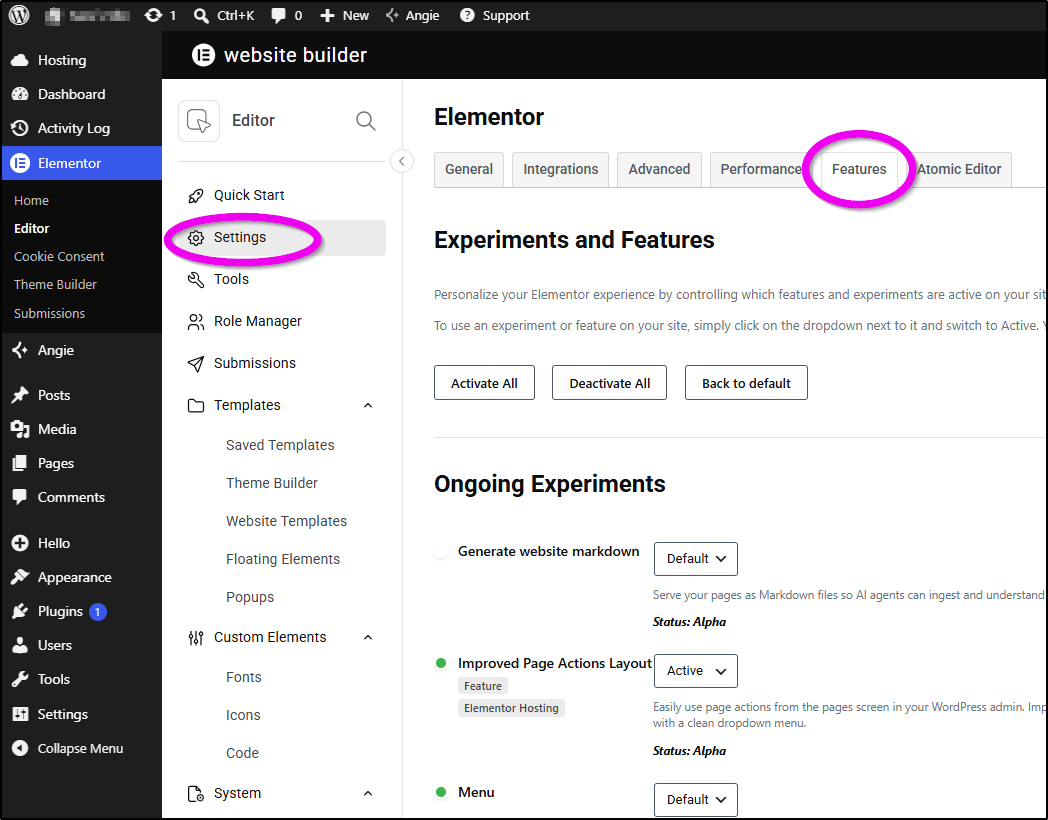
- Go to WordPress Dashboard > Elementor > Editor > Settings > Features.
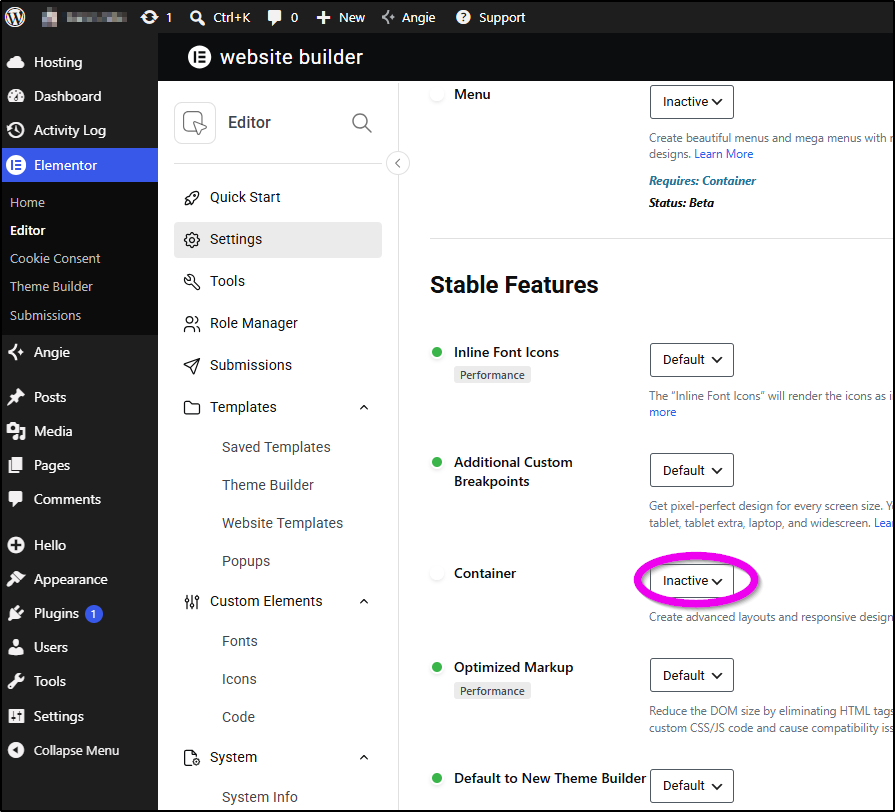
- Deactivate the Container feature.
- Import the template from the library.
- Reactivate the Container feature.
After reactivating Containers, you can manually convert the imported content into a container structure.
Keep in mind:
While Containers are deactivated, content built with Containers will be hidden.
Editing or updating pages containing Containers while the feature is disabled may cause container content to be lost.