Table of Contents
You are not just picking a piece of software. You are committing to an entire ecosystem, a structure that will either enable or restrict your growth for years to come. This expert guide cuts through the noise to analyze the leading categories of website builders, providing a clear framework to help you choose the ultimate foundation for your professional online presence.
Key Takeaways
Selecting the best website builder requires looking beyond the initial drag-and-drop interface. The correct choice provides a long-term foundation that aligns with your scalability and creative goals.
- The Best All-in-One Option: Platforms that unify the builder, hosting, and utilities under one roof offer the most seamless experience. Elementor, when paired with Elementor Hosting, delivers this streamlined, SaaS-like convenience while retaining the unparalleled freedom and extensibility of the open-source WordPress foundation.
- Creative Freedom is Critical: Avoid builders that restrict you to pre-designed templates or lock you into structural limitations. A professional solution requires the ability to visually design every part of your site, including headers, footers, archives, and custom post types, which is essential for unique branding.
- The AI Advantage: Modern builders must integrate AI contextually. Tools that handle strategic planning, content generation, image creation, and code snippets directly inside the editor dramatically accelerate workflow and project timelines, moving beyond simple content assistance.
- Ownership Matters: Closed-source SaaS platforms simplify management but lock you into their ecosystem. The WordPress foundation, utilized by the Elementor platform, ensures you maintain complete ownership of your site files and data, giving you ultimate control and portability.
Defining Your Needs: The Three Pillars of Platform Selection
Before we start comparing feature lists, you need to conduct an honest assessment of your project’s long-term needs. The term “best” is subjective in this market. The builder that works best for a simple, single-page business brochure is likely the wrong choice for a high-volume digital agency managing a portfolio of complex eCommerce clients.
You should evaluate every contender against three foundational pillars: Creative Control, The Ecosystem, and Scalability.
1. Creative Control: The Limits of Design Freedom
Creative Control is the measure of how closely you can translate your unique design vision from a mockup (or your mind) into a functioning website.
- Template-Driven vs. Canvas-Driven: Some platforms force you to choose a rigid template, allowing you to change colors and swap images but limiting structural changes. The professional standard is a canvas-driven builder, one that starts you with a blank slate (or a basic theme framework) and gives you pixel-perfect control over every element’s placement and behavior.
- Theme Building Capability: A basic page builder lets you design the content area of a single page. A true website builder platform allows you to visually design the entire site’s framework. This includes custom headers, navigation menus, footers, 404 pages, blog post templates, and eCommerce product pages. If you cannot design every corner of your website visually, you do not have true creative control.
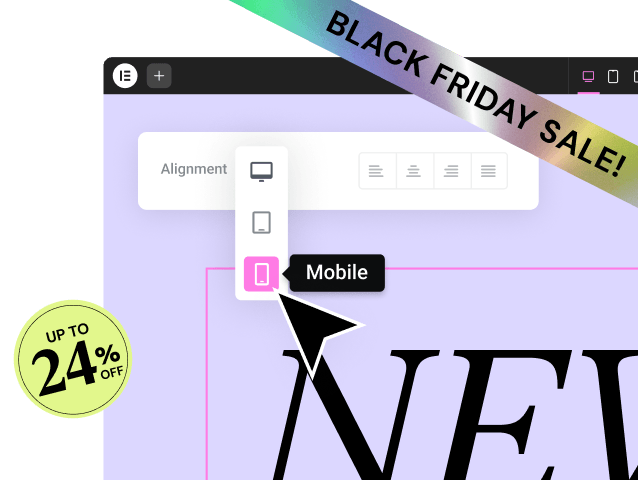
- Responsive Design Granularity: Every platform offers responsive design. However, an amateur solution simply shrinks your content. A professional solution lets you tweak specific settings—like font size, column order, margin, and padding—for every major breakpoint (desktop, tablet, mobile) independently, guaranteeing an optimal experience on every device.
2. The Ecosystem: Integration and Utility
A modern website requires more than just a beautiful front end. It needs speed, reliable communication, compliance, and marketing tools. The platform’s ecosystem dictates how easily you can add these capabilities.
- The Fragmentation Problem: The traditional WordPress experience often forces users to stitch together a theme, a builder, an SMTP plugin for email, a caching tool, and separate SEO tools, all from different vendors. This is where Elementor’s strategy comes in.
- SaaS Ecosystems: Closed-source platforms (like Wix or Squarespace) solve fragmentation by making their own integrated app stores. This provides reliable integrations but severely limits your options to only what they approve.
- Open-Source Ecosystems: WordPress offers limitless extensibility with over 60,000 plugins. The challenge lies in compatibility and maintenance. The best solution minimizes this challenge by offering native utility products that handle core site functions (like image optimization or email delivery) directly within the main platform, ensuring compatibility and unified support.
3. Scalability: Performance, Cost, and Future-Proofing
Scalability defines whether your platform can handle high traffic, increased complexity (e.g., membership sites, large inventories), and new technological demands like AI.
- Performance Foundation: Site speed is critical for user experience and SEO. Google’s Core Web Vitals heavily penalize slow sites. A truly scalable platform provides optimized hosting and performance tools (like image optimization and caching) specifically engineered for the builder itself.
- Cost of Complexity: The cost structure must not penalize success. Some marketing platforms charge more as your contact list grows. Look for platforms that offer predictable, feature-rich pricing that simplifies your budget as you scale into agency or high-volume plans.
- AI Readiness: The future of web creation relies on artificial intelligence. A scalable platform integrates AI for workflow automation, not just simple text generation. This includes tools for strategic planning, generating code snippets, and automating complex, multi-step tasks.
Category 1: The All-in-One SaaS Platforms
This category includes well-known brands that bundle the editor, hosting, security, and maintenance into a single monthly fee. They are excellent for simplification and low technical overhead but are limited by their closed nature.
The Trade-off: Convenience for Creative Control
SaaS platforms offer an unparalleled level of initial ease and convenience. They are often a great starting point for beginners who have simple requirements.
- The Simplicity: You never worry about security patches, server configuration, or software updates. The platform handles all the technical maintenance, allowing you to focus purely on design.
- The Constraint: This convenience comes at a significant cost: vendor lock-in. You cannot simply download your site files and move to a different host or integrate a specialized third-party plugin that the platform does not approve. You rent your website, you do not own it.
- Design Limitations: While they boast intuitive editors, they often rely heavily on rigid, pre-set templates. They excel at building beautiful brochure sites, but achieving granular, pixel-perfect customization or designing complex layouts usually proves difficult or impossible without resorting to custom code.
Factual Analysis: Wix and Squarespace
| Platform | Core Strength | Key Limitation | Ideal User |
| Wix | Extremely flexible, drag-and-drop editor; massive feature set via the App Market. | Design is non-responsive on mobile (you must manually tweak mobile view). Complete vendor lock-in. | Beginners, small service businesses (using built-in booking/CRM). |
| Squarespace | Exceptionally beautiful, design-centric templates; excellent for portfolios. | Editor is restrictive and section-based; limited customization depth beyond the template structure. | Creatives, photographers, simple portfolio sites. |
We are looking for a solution that combines the simplicity and unified experience of these platforms with the creative freedom and ownership of an open-source model.
Category 2: The Designer’s Platforms
Platforms like Webflow cater to a highly specialized user: the visual developer or professional designer who understands underlying CSS and box model concepts.
Granular Control at a Higher Barrier to Entry
Webflow offers a level of design control that is often compared to writing code directly, but without the syntax errors. It is a powerful tool, yet it is not the most practical choice for everyone.
- Steeper Learning Curve: While it is a “no-code” tool, Webflow requires users to understand web design concepts like classes, elements, and the box model. This technicality gives designers precise control but makes it less accessible for the average small business owner or general freelancer simply looking to build a site quickly.
- Visual Developer Focus: It shines in creating complex animations, scroll-based interactions, and highly customized visual effects. For a standard business website or blog, this level of complexity is often overkill and time-consuming.
- The Hosting Requirement: Like Wix and Squarespace, Webflow is a closed platform that mandates you use its integrated hosting services, leading to a degree of vendor lock-in.
Category 3: The Open-Source Powerhouse
WordPress is the foundation for over 43% of the world’s websites, making it the dominant content management system globally. Choosing WordPress opens the door to unparalleled freedom, but it requires the right tools to harness that power effectively.
The WordPress Advantage: Freedom and Extensibility
The core benefit of the open-source model is complete ownership. You own your files, your database, and your code. You can move your site to any host, any time. This flexibility is non-negotiable for professional creators.
- Limitless Functionality: If you can imagine a feature, a WordPress plugin probably provides it. The vast ecosystem of over 60,000 plugins allows for unlimited extensibility, a capability no closed platform can match.
- Affordability and Portability: The core WordPress software is free, licensed under GPLv3. This keeps initial costs low and guarantees the freedom to migrate your website whenever you need better performance or lower prices. https://www.youtube.com/watch?v=gvuy5vSKJMg
- The Original Challenge: Traditionally, setting up a WordPress site was a fragmented, technical, and often frustrating process. Users had to manually source hosting, a theme, and a functional editor, often leading to performance issues and compatibility conflicts between disparate plugins.
Elementor’s Strategic Evolution: From Builder to Platform
Elementor recognized the immense power of the WordPress core but also the crippling fragmentation that hindered professional web creators. As the most popular builder plugin on WordPress, Elementor has strategically evolved beyond being just a tool for building pages. It is now a comprehensive Website Builder Platform that integrates the core utilities needed for modern online success.
This strategy uniquely positions Elementor to capture the best aspects of both worlds:
- The Freedom of Open Source: It retains the core flexibility and ownership of WordPress.
- The Convenience of SaaS: It provides the optimized performance, integrated AI, utility tools, and unified support characteristic of a high-end, all-in-one managed platform.
This fusion is the defining feature that sets the Elementor ecosystem apart from both traditional WordPress builders and closed SaaS platforms.
Deep Dive: Evaluating the Elementor Ecosystem
Elementor’s strength lies not just in its visual editor, but in the seamless integration of a complete suite of tools designed to streamline the entire web creation lifecycle.
Pillar 1: Unrivaled Creative Control and Design Excellence
The Elementor Builder is the engine that drives creative freedom, making pixel-perfect design accessible without code.
The Elementor Builder: Visual, Pixel-Perfect Control
Elementor provides a live, front-end, drag-and-drop experience. You work directly on the canvas, seeing your results instantly. This eliminates the back-and-forth between the front and back end, speeding up the entire design process.
- Widgets for Every Purpose: The builder includes an extensive library of widgets, from simple headings and text blocks to complex carousels, forms, and post list widgets. This breadth allows you to build any page layout imaginable without installing third-party tools.
- Granular Styling: Control goes down to the pixel level. You can use advanced features like shape dividers, custom positioning, motion effects, and the built-in Design System, which lets you set global colors and fonts to maintain brand consistency across your entire site.
Beyond the Page: Theme Building for the Entire Site
The Elementor Pro Theme Builder is where creative freedom truly surpasses the limitations of template-based builders. This powerful feature allows you to visually design every non-content area of your site.
- Custom Global Components: You can design custom headers, footers, and sidebars once, then conditionally apply them across your entire website, specific pages, or even custom post types.
- Dynamic Content Integration: You can create custom templates for archives, search results, and single blog posts, mapping them dynamically to content pulled from WordPress.
- WooCommerce Builder Integration: For eCommerce merchants, the WooCommerce Builder is essential. It lets you take the default, often unattractive, WooCommerce pages—like the single product page, cart, and checkout—and visually redesign them to match your unique brand identity, which is critical for conversion.
According to expert web creation strategist Itamar Haim, “A high-converting website isn’t just a beautiful landing page. It’s an entire, seamless experience where every page, from the checkout process to the 404 error page, is intentionally designed to reinforce brand trust. The ability to design the entire theme visually is the difference between a functional website and a strategic business tool.”
Pillar 2: Integrated Foundation: Elementor Hosting
The platform model is fully realized when you pair the builder with hosting that is engineered specifically for it. Generic hosting often fails to deliver the performance required by modern, visually rich websites.
Unified Support and Performance Optimization
Elementor Hosting is built on the Google Cloud Platform, using enterprise-grade infrastructure. This foundation is crucial for achieving high performance, which directly impacts your search engine rankings and user engagement.
- Engineered for Speed: The hosting includes integration with the Cloudflare Enterprise Content Delivery Network (CDN), which automatically distributes your site’s content globally. This means visitors load your site from the nearest server, drastically reducing latency and boosting loading speed.
- Ironclad Security: The hosting includes built-in security features like automatic Web Application Firewall (WAF) protection, DDoS mitigation, and 24/7 monitoring. This provides the kind of peace of mind that is typically only associated with closed SaaS platforms.
- The Single Point of Contact: The biggest differentiator is unified support. If your site breaks, you do not face the dreaded “blame game,” where your host blames the plugin and the plugin developer blames the host. With Elementor Hosting, you have a single, expert team who knows the entire stack—from the server to the Elementor editor—which guarantees faster, more effective resolutions.
The Freedom of Open Source Paired with SaaS Reliability
By bundling Elementor Pro with Elementor Hosting plans, the platform completely changes the value proposition. You are no longer just buying hosting; you are investing in a complete, pre-integrated website creation stack. This offers the reliability of SaaS without the vendor lock-in.
- No Lock-In: Your site remains a true WordPress installation. You retain 100% ownership and can migrate your files at any time, protecting your long-term business assets.
- Guaranteed Compatibility: Because the hosting and the builder are maintained by the same team, you eliminate the constant fear of updates breaking your website due to compatibility conflicts. This is an enormous benefit for high-stakes professional sites.
Pillar 3: The AI-Powered Web Creation Workflow
The future of web design is in Artificial Intelligence, but not just as a parlor trick. Elementor integrates AI into the entire workflow, moving from planning to execution seamlessly.
Strategic Planning with the AI Site Planner
The most time-consuming phase of any web project is often the initial planning, strategy, and client approval process. The AI Site Planner revolutionizes this phase.
- From Idea to Blueprint: You input a simple description of your business and goals, and the AI instantly generates a professional website brief, sitemap, and stylized wireframe in minutes. This turns a vague conversation into a tangible, structured project. https://www.youtube.com/watch?v=cmx5_uThbrM&pp=0gcJCcYJAYcqIYzv
- Accelerated Client Alignment: Agencies and freelancers can use the wireframe to get client sign-off on the structure and scope early. This prevents costly scope creep and reworks later in the design process, leading to smoother projects and faster payments.
- Smarter Starting Points: The AI pre-populates the wireframe with relevant content and page layouts, ensuring you never start a project from a blank screen. This strategic acceleration is a massive productivity multiplier.
Integrated Content and Code Generation (Elementor AI)
Once the site is planned, Elementor AI takes over inside the editor itself. The key differentiator here is seamless integration. You never have to leave the builder to use the AI.
- Content Generation and Refinement: Overcome writer’s block instantly. You can generate, translate, summarize, or change the tone of any text directly within a widget. This allows you to focus on the overall narrative rather than fighting with individual sentences.
- Unique Image Generation: Eliminate the tedious search for stock photos. Generate unique, high-quality images from text prompts and then edit, extend, or create variations of those images without leaving the Elementor interface.
- AI Code Assistant: For non-developers, this feature is transformative. You can simply ask the AI to generate custom CSS for a specific styling effect or an HTML snippet for a function, making advanced customization accessible to everyone. You get the power of code without having to be a professional coder.
Agentic Automation: The Power of Angie
The next step in AI, agentic automation, moves beyond generating content to performing multi-step actions on command.
- The Automation Engine: Agentic AI, like the proposed Angie tool for WordPress, performs tasks that take hours of manual effort in minutes. You command it with a high-level goal, and it executes the required steps across your site’s systems.
- Deep Contextual Awareness: This type of AI understands your specific Elementor and WordPress setup, including your installed plugins and data fields (like WooCommerce or Advanced Custom Fields). This context ensures that the automated tasks are intelligent, accurate, and relevant to your site’s structure.
- Multiplies Productivity: Features like automating entire content publishing workflows, updating inventory details in bulk, or running complex site audits instantly turn repetitive, high-effort tasks into simple commands. This frees up the professional creator to focus on innovative design and high-value client strategy.
Pillar 4: Utility and Growth Solutions
The Elementor ecosystem addresses critical pain points often neglected by other platforms, ensuring your website is fast, reliable, accessible, and poised for growth.
Ensuring Speed: Image Optimizer by Elementor
Slow-loading images are the number one cause of poor website performance, dragging down Core Web Vitals and increasing bounce rates. This utility solves that issue automatically.
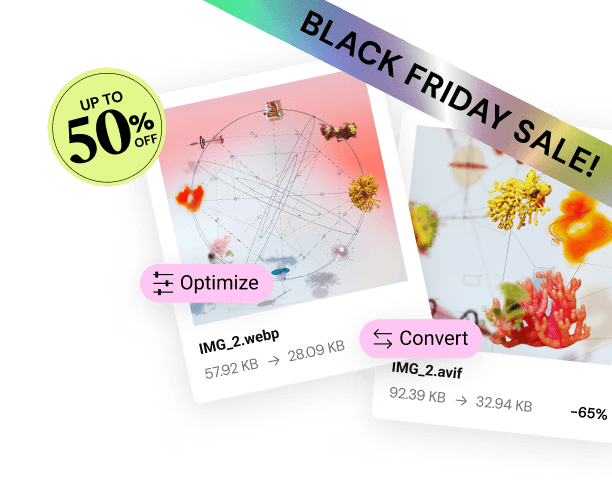
- Automated Compression: The Image Optimizer automatically compresses and resizes images as you upload them.
- Next-Gen Formats: Crucially, it converts your images to next-gen formats like WebP and AVIF, which load faster than traditional JPEGs and PNGs without sacrificing visual quality. This is an essential step for modern SEO and performance that happens seamlessly in the background.
- Performance and SEO Boost: By streamlining image delivery, you directly contribute to improved site speed, a better user experience, and higher search engine rankings.
Critical Reliability: Site Mailer and Transactional Emails
The default email function in WordPress is notoriously unreliable, often causing crucial transactional emails—like form submissions, password resets, and eCommerce order confirmations—to fail or land in the spam folder.
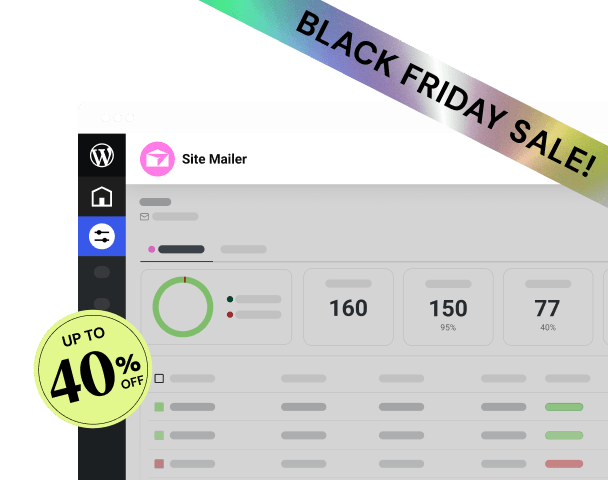
- Guaranteed Deliverability: Site Mailer by Elementor is a streamlined, zero-configuration solution that guarantees reliable delivery of all WordPress transactional emails. It eliminates the need for complex external Simple Mail Transfer Protocol (SMTP) plugins.
- Simple Management: The platform provides essential monitoring tools, including an email log and open rate tracking, allowing you to troubleshoot and resend failed emails easily. This reliability is foundational for any business that relies on contact forms or online sales.
Building an Inclusive Web: Ally by Elementor
Web accessibility is a moral imperative and a growing legal requirement globally. Ally by Elementor helps creators navigate the complexity of compliance.
- Guided Remediation: The Ally Assistant scans your site for over 180 common accessibility violations based on WCAG 2.1 AA standards. It then provides step-by-step guidance or AI-powered suggestions to fix them. https://www.youtube.com/watch?v=-2ig5D348vo
- Enhanced Usability: Beyond compliance, the customizable Usability Widget allows visitors to instantly personalize their browsing experience, adjusting font sizes, contrast, and line height to suit their individual needs.
- Simplified Compliance: The plugin provides an automatic Accessibility Statement Generator, which is vital for businesses to communicate their commitment to inclusivity and help meet legal standards.
Natively Integrated Marketing: Send by Elementor
Once you have a professional, fast, and secure website, the next step is growth. Elementor completes the customer lifecycle with a fully integrated email marketing and automation platform.
- Built for WordPress: Send by Elementor is a native marketing solution, offering seamless, one-click integration with Elementor forms and the site’s user base. It eliminates the need for clunky third-party connectors and complex API setups.
- Growth Automation: It includes pre-built, high-converting automation workflows and designer-made email templates, allowing users to launch profitable campaigns quickly.
- Fair Pricing Model: The credit-based model avoids the common pain point of contact-based pricing, which penalizes users for successfully growing their audience. It is designed to be a transparent and affordable growth engine.
Key Comparison: Elementor vs. The Competition
While many tools exist, the choice for a professional creator comes down to a handful of leaders. The comparison should focus on what truly differentiates the platforms: the underlying ecosystem.
Factual Comparison Matrix
| Attribute | Elementor (Platform) | Wix (SaaS) | Webflow (Visual Dev) | Divi Builder (WP Plugin) |
| Foundation | Open-Source WordPress | Closed SaaS | Closed SaaS | Open-Source WordPress |
| Data Ownership | Complete (You own files) | Limited (Vendor lock-in) | Limited (Vendor lock-in) | Complete (You own files) |
| Design Control | Pixel-Perfect & Theme Builder | Flexible, but mobile non-responsive | Highly Granular (CSS-level) | Visual Drag-and-Drop |
| Integrated AI | Yes (Planner, Content, Code) | Yes (AI site generation) | Limited (Some CMS features) | Limited (Basic text assist) |
| Unified Hosting | Yes (Elementor Hosting) | Yes (Mandatory) | Yes (Mandatory) | No (Requires 3rd party host) |
| Core Value | Freedom + SaaS Convenience | Maximum Simplicity | Designer Control | Affordability (Lifetime access) |
The Ecosystem Difference
When comparing Elementor to other WordPress builders, the primary difference is the shift from a “builder” to a “platform”.
- Divi Builder and Beaver Builder: Focusing on the Builder Core: Both Divi and Beaver Builder are powerful visual editors that offer extensive design capabilities and boast large user bases. They remain excellent tools for visual design within the WordPress environment. However, they rely entirely on third-party solutions—and separate vendors—for core site utilities. You still need to source, integrate, pay for, and manage:
- Separate hosting (which may conflict with the builder).
- A third-party image optimization plugin.
- A separate SMTP solution for email deliverability.
- A dedicated accessibility auditing tool.
- A disconnected marketing automation platform.
- Elementor’s Complete Stack: The Elementor ecosystem eliminates this fragmentation. By integrating products like Elementor Hosting, Image Optimizer, Site Mailer, and Send, the platform provides a complete, pre-tested stack supported by a single team. This level of integrated functionality means better performance, less maintenance, and dramatically reduced complexity, allowing web creators to focus purely on client work and growth.
Choosing Your Path: Audience-to-Platform Mapping
The “best” platform is the one that minimizes your specific weaknesses and maximizes your strengths. Here is a framework mapping common user personas to the ideal platform choice.
Path 1: The Small Business Owner/DIYer
Core Needs: Need a professional website quickly; limited budget; minimal technical knowledge; high need for reliable contact forms.
- Why SaaS is Viable: Platforms like Wix and Squarespace offer immediate ease of use and low technical overhead, making them strong candidates for simple business brochure sites or portfolios. They are the easiest options for getting a basic site online in a single weekend.
- The Elementor Solution: The Elementor ecosystem offers the Hello Biz Theme coupled with Elementor (Free). This combination provides a beginner-friendly, guided onboarding wizard that walks the user through the setup process, removing the intimidation of starting with a blank WordPress installation. Paired with Site Mailer, the small business owner ensures their critical contact forms never fail, providing the simplicity they need with the long-term freedom they might later require.
Path 2: The Freelancer/Solopreneur
Core Needs: Building custom client sites efficiently; must accelerate project timelines; need to create mockups and get client approval quickly; looking for recurring revenue streams.
- The Challenge: Time is money. Every hour spent on planning, debugging, or troubleshooting a plugin conflict is an hour of lost billable work. Freelancers need speed and reliability above all else.
- The Elementor Solution: This persona benefits most from the integrated Elementor Pro stack. They start with the AI Site Planner to generate client briefs and wireframes instantly, accelerating the discovery phase. They build on the ultra-minimalist Hello Theme using the Theme Builder for pixel-perfect control. By using Elementor Hosting, they guarantee performance and unified support, eliminating time spent on hosting tickets. Furthermore, they can resell Elementor Hosting or manage marketing for clients using Send by Elementor, creating valuable recurring revenue.
Path 3: The Digital Agency/High-Volume Creator
Core Needs: Managing dozens or hundreds of client sites; need for reliability, security, and scalability; require tools for team collaboration and maintaining brand consistency across projects.
- The Challenge: The fragmented WordPress environment is a legal and logistical nightmare at scale. Conflicts, security vulnerabilities, and inconsistent client experiences erode agency profitability and reputation.
- The Elementor Solution: Agencies require the complete Elementor platform.
- Elementor Pro Agency Plan provides licenses for large-scale management.
- Elementor Hosting (Grow/Scale Plans) ensures a secure, high-performance foundation on Google Cloud that handles massive traffic spikes without issue.
- Elementor AI and Angie automate redundant tasks across the entire portfolio, optimizing team time.
- Ally by Elementor helps the agency proactively meet accessibility standards, protecting both the agency and its clients from potential legal issues. This level of integrated, single-vendor support is crucial for scaling a professional agency business.
Path 4: The eCommerce Merchant
Core Needs: Need to build a high-converting online store; site speed is critical for conversions; require reliable transactional emails; need marketing tools to drive sales.
- The Traditional Options: Shopify is the king of pure-play eCommerce, offering a streamlined experience for selling online. However, it provides limited creative freedom and is highly restrictive outside of its native ecosystem. Wix Stores is a simpler alternative but lacks the high-end scalability for serious growth.
- The Elementor Solution: Elementor with the WooCommerce Builder provides an all-in-one solution that combines the world’s most popular open-source eCommerce platform (WooCommerce) with the world’s most powerful visual design tool.
- You get the creative freedom to custom-design every part of the store, unlike Shopify’s theme limitations.
- You ensure critical reliability with Site Mailer for order confirmation and shipping emails.
- You maximize conversion speed using Elementor Hosting and the Image Optimizer.
- You drive repeat purchases using the fully integrated email automation of Send by Elementor. This creates a high-performing, conversion-focused store without compromising on brand identity or data ownership.
The Bottom Line: Making Your Final Decision
The question, “Which website builder is best?” has evolved significantly. In 2025, the answer is not the builder with the cheapest price or the simplest interface for a single task. The best choice is the platform that provides the most robust, flexible, and integrated ecosystem to meet your long-term creative and business needs.
If your requirements are simple—a basic, static brochure site or a portfolio—a closed SaaS platform like Squarespace offers unmatched simplicity and low initial overhead. If you are a high-end designer whose primary focus is complex, CSS-driven animation, Webflow provides excellent granular control, provided you are willing to learn its specific terminology and system.
However, if you are a professional web creator, freelancer, agency, or growing business that demands the ultimate combination of unlimited creative freedom, complete data ownership, enterprise-grade performance, and a fully integrated suite of utility and AI tools to accelerate your workflow, the Elementor Website Builder Platform stands out as the strategic, future-proof choice. By consolidating the essential functions of web creation, hosting, and growth into one supported ecosystem, it delivers the professional power of WordPress without the traditional complexity.
Remember to choose your foundation wisely. Your website is a living asset. Pick the platform designed to help it grow, not one that forces you to rebuild when you hit a ceiling. You can start exploring the powerful free features of the builder today to test its creative limits for yourself. https://elementor.com/free-download
Frequently Asked Questions (FAQ)
Q1: Is a WordPress builder like Elementor better than an all-in-one SaaS platform like Wix for SEO?
A: For comprehensive, scalable Search Engine Optimization, an open-source platform like WordPress paired with Elementor is generally better. SaaS platforms like Wix provide basic, built-in SEO tools which are great for simple sites. However, WordPress gives you complete control over your site structure, URL slugs, sitemaps, and access to advanced SEO plugins like Yoast or Rank Math. When you use Elementor, you ensure your design is clean and fast, which directly improves Core Web Vitals—a major Google ranking factor—while maintaining the deep customization freedom needed for advanced SEO structures.
Q2: What is the main difference between Elementor and Webflow?
A: The main difference lies in the target user and the underlying system. Webflow is a closed platform for visual developers; it gives extreme, CSS-level control but has a steeper learning curve and vendor lock-in. Elementor is an open-source WordPress plugin for all levels of web creators; it offers unparalleled visual design control through its editor and Theme Builder while preserving 100% of the creative freedom, data ownership, and vast extensibility of the WordPress ecosystem. Elementor’s focus is on integrated tools (hosting, AI, marketing) to simplify the entire professional workflow.
Q3: How important is page speed in choosing a website builder?
A: Page speed is extremely important; it is non-negotiable for modern web success. Google uses Core Web Vitals to measure site performance, and slow sites are penalized with lower rankings and higher bounce rates (users leave). A platform like Elementor, especially when combined with Elementor Hosting, provides an inherent advantage because the hosting infrastructure is optimized for the builder and includes enterprise-grade performance tools like the Cloudflare Enterprise CDN and the Image Optimizer. This ensures your site has the fastest possible foundation.
Q4: Does Elementor offer a free version, and is it powerful enough to build a complete website?
A: Yes, Elementor offers a robust free version that is one of the most powerful free builders available for WordPress. It includes dozens of essential widgets, a selection of pre-designed templates, and full access to responsive design controls. While the premium Elementor Pro version unlocks advanced features like the Theme Builder and WooCommerce integration, the free version is more than capable of building a complete, professional, and functional business or portfolio website from the ground up. You can start your project with the free Elementor download today.
Q5: If I use Elementor, do I still need separate hosting?
A: Elementor is a WordPress plugin, and WordPress requires hosting to run. You have two main options:
- Third-Party Hosting: Purchase hosting separately and install WordPress and Elementor yourself.
- Elementor Hosting: Choose the integrated solution. Elementor Hosting is specifically engineered and optimized for Elementor sites, guaranteeing peak performance, unified support, and including the premium Elementor Pro license in the plan cost. For professionals and agencies, this integrated stack is the recommended solution.
Q6: What is Elementor’s AI Site Planner, and how does it save time?
A: The Elementor AI Site Planner is a free, strategic tool that uses artificial intelligence to instantly transform a basic business idea into a comprehensive project blueprint. It saves time by generating a detailed sitemap and stylized, interactive wireframes through a simple chat interface. This process condenses what could take hours or days of planning and client communication into a task of minutes, accelerating the project kickoff and ensuring early alignment on scope. You can try the free AI Site Planner on the Elementor website.
Q7: Can I build an eCommerce store with Elementor?
A: Absolutely. By pairing Elementor Pro with the free WooCommerce plugin, you can build powerful, scalable eCommerce stores. The Elementor Pro WooCommerce Builder allows you to visually customize every aspect of your online store, including the Product Page template, the Cart, and the Checkout page, giving you a massive advantage in conversion rate optimization and brand integrity over generic eCommerce themes. You can find more details about this feature on Elementor’s dedicated WooCommerce Builder page.
Q8: What does “vendor lock-in” mean, and why is it a concern for professionals?
A: Vendor lock-in occurs when switching to a different platform becomes excessively difficult or impossible, typically because your data or site files are stored in a proprietary format. It is a core feature of closed-source SaaS builders like Wix. For professionals, lock-in is a concern because it limits your ability to scale, prevents you from utilizing specialized third-party tools, and restricts your pricing options. The open-source WordPress foundation used by Elementor guarantees you always own your data and files, providing complete portability and flexibility.
Q9: Does the Elementor platform address web accessibility?
A: Yes, the Elementor platform addresses accessibility with Ally by Elementor, a dedicated plugin that provides actionable and guided remediation. It scans your site for over 180 common accessibility violations based on WCAG 2.1 AA standards and offers step-by-step guidance on how to fix them. The plugin also provides visitors with a customizable Usability Widget to adjust contrast and fonts, helping to meet legal compliance and ensuring your content is perceivable and operable by everyone.
Q10: Elementor offers different products like Image Optimizer and Site Mailer. Are these mandatory?
A: No, they are not mandatory, but they are highly recommended as integrated solutions that solve the most common, frustrating, and performance-critical challenges of running a WordPress site. These tools, which include the Image Optimizer and the Site Mailer, are designed to seamlessly integrate with the Elementor platform, ensuring peak reliability, optimal speed, and unified support, allowing you to bypass the need for fragmented, third-party solutions.
Looking for fresh content?
By entering your email, you agree to receive Elementor emails, including marketing emails,
and agree to our Terms & Conditions and Privacy Policy.