Table of Contents
In today’s competitive digital landscape, a website that looks professional is simply not enough. It must be a high-performance, structurally sound machine built for organic growth. Your platform needs to support advanced technical requirements while keeping the design process efficient. This guide cuts through the marketing noise to analyze the key SEO features of the top website builders, helping you determine which platform truly offers the best framework for sustainable search visibility and long-term success.
Key Takeaways for Choosing an SEO-Focused Website Builder
- Speed is Non-Negotiable: The builder must produce clean, lightweight code and offer built-in performance features (image optimization, caching, CDN integration) to satisfy Core Web Vitals (CWV).
- Technical Control is Paramount: Look for granular control over on-page elements like custom meta titles, meta descriptions, canonical tags, and schema markup, especially when dealing with dynamic content or complex eCommerce sites.
- The Ecosystem Matters: The best builders are often part of a complete platform that includes hosting optimized for speed and security, integrated AI tools for content generation, and essential utility plugins.
- Open-Source Flexibility Wins Long-Term: Platforms built on open-source systems, like WordPress, offer the greatest flexibility to adapt to future SEO changes using best-in-class plugins (like Rank Math or Yoast SEO) without being locked into a proprietary system.
- Mobile-First is Standard: The platform must deliver perfect mobile responsiveness and fast mobile loading times, as Google uses the mobile version of your site for indexing and ranking.
1. Deconstructing SEO in the Context of Website Builders
Before we dive into specific platforms, we must clearly define what makes a website builder “SEO-friendly.” SEO isn’t a single feature you toggle on; it’s the result of three interconnected pillars: Technical SEO, On-Page SEO, and Off-Page SEO. The quality of your website builder impacts the first two significantly.
1.1. The Three Pillars of SEO and Builder Responsibility
| SEO Pillar | Definition | How the Website Builder Impacts It | Importance |
| Technical SEO | The foundation: ensuring search engines can efficiently crawl, index, and render your site (Speed, Code Quality, Sitemaps, Security). | Directly responsible for code quality, site speed performance, hosting optimization, and the provision of essential SEO tools. | Critical: If this fails, all other efforts are wasted. |
| On-Page SEO | Optimizing elements on the page itself to signal content relevance (Keywords, Headings, Title Tags, Images, Structured Data). | Provides the user interface (UI) to easily set and customize these elements without code, and ensures the resulting code is semantic. | Very High: Drives content relevance and click-through rates (CTR). |
| Off-Page SEO | Actions taken outside your site to improve credibility (Backlinks, Brand Mentions, Social Signals). | Indirectly supports this by making the site fast, easy to navigate, and capable of generating high-quality, shareable content. | High: Builds domain authority and trust. |
The core job of a top-tier website builder is to provide you with maximum control over both Technical and On-Page SEO while automating as much of the grunt work as possible.
1.2. Why Modern SEO Demands Technical Excellence
In the modern search environment, Google emphasizes user experience as a core ranking factor. This is measured primarily through its Core Web Vitals (CWV) metrics, which assess three things:
- Largest Contentful Paint (LCP): Measures loading speed; the time it takes for the largest element (text block or image) to become visible.
- First Input Delay (FID) / Interaction to Next Paint (INP): Measures interactivity; the time it takes for the browser to respond to the first user interaction (like a click or tap). FID is being replaced by INP, which measures overall responsiveness.
- Cumulative Layout Shift (CLS): Measures visual stability; how much content unexpectedly shifts around during loading.
A builder that generates bloated, unoptimized code is an immediate SEO liability because it will always struggle with CWV. The best builders, like those built on a lean, modular foundation such as the Elementor Website Builder and the Hello Theme, are engineered to maximize speed out of the box.
2. Technical SEO: The Non-Negotiable Foundation
Technical SEO is the engine under the hood. When evaluating a website builder, you must look for features that ensure your site is perfectly structured for search engine crawlers.
2.1. The Role of Hosting in Technical SEO
Many people overlook that the hosting platform is the single biggest factor in site speed, which is a major CWV component. A fast builder combined with slow hosting will always result in poor SEO performance.
The Premium Hosting Advantage
- Google Cloud Infrastructure: The fastest hosting providers, including Elementor Hosting, build their infrastructure on premium platforms like Google Cloud, which is optimized for low latency and high speed globally.
- Integrated CDN (Content Delivery Network): An integrated CDN, such as the Cloudflare Enterprise CDN included with Elementor Hosting, caches your website’s content across servers worldwide. This ensures visitors, no matter where they are, load your site from the nearest server, drastically reducing LCP.
- Security: HTTPS (SSL Certificate) is a basic requirement and a minor ranking factor. Premium hosts include it automatically. DDoS protection and a Web Application Firewall (WAF) are also essential for stability. An unstable, insecure site cannot rank.
Choosing an integrated hosting solution, where the hosting and builder are managed by the same team, is a strategic advantage. It eliminates the “blame game” when an issue arises and ensures the technical stack is perfectly tuned for the builder’s code output.
2.2. Code Quality and Builder Frameworks
The difference between a great builder and a poor one often comes down to the quality of the HTML and CSS it generates.
- Semantic HTML: The builder must use semantic HTML tags (<header>, <footer>, <nav>, <article>) correctly. Semantic code helps search engines understand the context and hierarchy of your content. Elementor’s structure uses clear, well-formed HTML5 tags.
- Minimal CSS/JS Bloat: Drag-and-drop flexibility can sometimes lead to excessive, unused CSS or JavaScript code being loaded on every page. Top builders minimize this by loading only the necessary assets. The use of a lightweight starter theme (like the free Hello Theme), which provides zero extraneous styling, ensures the Elementor Website Builder is building on the fastest possible foundation.
2.3. Site Structure and Crawlability
A crawler needs a map to navigate your site efficiently. Your builder must help you build this map.
- XML Sitemaps: Your platform must automatically generate an accurate XML sitemap and keep it updated. This file lists all the pages you want Google to index. WordPress platforms excel here, often working seamlessly with specialized SEO plugins to fine-tune these sitemaps.
- Robots.txt Control: You need the ability to control which parts of your site search engines are allowed to crawl. While often handled by a separate SEO plugin, the builder should not interfere with this critical file.
- 301 Redirects: When you delete a page or change its URL, you must implement a 301 redirect to send users and search engine authority to the new, relevant page. Most professional builders or associated hosting platforms offer an easy-to-manage Redirect Manager.
3. On-Page SEO: Mastering Content and Presentation
On-page optimization is where you align your content with user intent. The best website builders give you simple, visual controls over the code elements that matter most to search engines.
3.1. Granular Control Over Metadata
The title tag and meta description are your site’s advertisements in the Search Engine Results Pages (SERPs). Being able to customize them on a page-by-page basis is essential for maximizing click-through rates (CTR).
- Title Tags (<title>): These are the blue, clickable headlines in search results. A great builder allows you to set a custom title that is distinct from your page’s H1 tag, letting you optimize for keywords while maintaining a user-friendly headline on the page.
- Meta Descriptions: This short paragraph summarizes your content. While not a direct ranking factor, a compelling description drives clicks.
- URL Slugs: You need the ability to create short, clean, keyword-rich URLs. A URL like yourdomain.com/best-seo-builder is infinitely better than yourdomain.com/p=4832/?cat=5. WordPress and its builders, including Elementor, provide full, intuitive control over these permalinks.
3.2. Structuring Content with Heading Tags (H1, H2, H3)
Heading tags provide the structural hierarchy of your content, acting like a table of contents for both readers and search engine crawlers.
- One H1 Per Page: This is the most crucial rule. The H1 should contain your primary topic keyword. Top builders, like Elementor, include a specific Heading Widget that allows you to easily select the tag level (H1, H2, H3, etc.) and ensures that only one H1 is used for the main page title, while sub-sections use H2, and so on.
- Logical Flow: The builder’s editor should make it visually obvious how your heading hierarchy is structured, preventing you from accidentally skipping levels (e.g., jumping from H2 straight to H4).
3.3. Image Optimization and Alt Text
Images often represent the largest file sizes on a page, severely impacting LCP. Furthermore, search engines cannot “see” images, so they rely on text descriptions.
- Automatic Compression and Next-Gen Formats: The best platforms handle image optimization automatically. Elementor addresses this head-on with the Image Optimizer by Elementor plugin, which automatically compresses images on upload and converts them into next-gen formats like WebP or AVIF. This feature alone can shave seconds off your load time and boost CWV scores significantly.
- Alt Text Management: Every image must have descriptive alt text. This text serves two purposes: accessibility (screen readers) and SEO (describing the image content to Google). The visual builder must provide an accessible, quick field to add this text to every image element.
3.4. Implementing Structured Data (Schema Markup)
Schema markup helps search engines truly understand the content on your page, enabling rich snippets (extra details like star ratings, FAQs, or product prices) in the SERPs. Rich snippets drastically increase visibility and CTR.
- Native Widget Support: The best builders incorporate schema directly into their widgets. For example, Elementor Pro’s FAQ Widget or Star Rating Widget automatically injects the correct JSON-LD schema markup into the page code. This saves you from tedious manual coding or relying on multiple complex plugins.
- E-Commerce Schema: For online stores, having proper Product Schema (price, availability, reviews) is essential. Platforms like Elementor, when paired with the WooCommerce Builder functionality, ensure product pages are structured correctly for rich snippets.
4. Platform Comparison: Technical Control vs. Ease of Use
When evaluating website builders for SEO, you essentially face a trade-off between the all-in-one simplicity of closed platforms (SaaS) and the technical control and flexibility of open-source platforms (WordPress/Elementor).
4.1. Closed SaaS Platforms (Wix, Squarespace, Webflow)
These platforms provide a highly managed, curated experience. They handle most of the technical SEO in the background, making them great for beginners who want minimal fuss.
| Builder | Core SEO Positioning | Technical SEO Control | On-Page SEO Control |
| Wix | Best for DIY users. Offers guided SEO setup wizards. | Excellent for basics (Sitemap, SSL, mobile). Limited control over code output and advanced caching. | Good control over meta tags, H-tags, and alt text. Built-in SEO Assistant for recommendations. |
| Squarespace | Best for creatives; clean, mobile-first templates. | Very good foundational SEO; clean code structure. Limited ability to add specialized plugins for advanced needs. | Strong control over metadata, but content structure is often constrained by the template design. |
| Webflow | Best for designers; outputs clean, semantic code. | Excellent. Offers great control over code, hosting, and redirects. Requires a steeper learning curve to master the platform’s designer-focused interface. | Very high. Full control over custom attributes, dynamic content, and template structure. |
The Limitation of Closed Systems: While easy to use, these platforms inherently restrict your ability to customize the platform itself. If Google introduces a radical new ranking factor tomorrow, you must wait for the platform to integrate it. You cannot simply install a specialized plugin to address the issue immediately.
4.2. Open-Source Ecosystems (WordPress with Elementor)
WordPress, as an open-source Content Management System (CMS), provides maximum flexibility. When paired with a powerful visual builder like Elementor, you get the best of both worlds: ease of use and limitless SEO control.
The WordPress ecosystem allows you to build a complete SEO tech stack by combining specialized tools:
- Elementor (The Visual Layer): Provides the visual, code-free interface to design every part of your site, manage H-tag hierarchy, and set up responsive controls. https://elementor.com/wordpress
- Specialized SEO Plugins (Yoast, Rank Math): These powerful plugins give you granular control over complex elements like canonical tags, robots.txt, schema markup, and advanced 301 redirect management—features that the core builder should defer to.
- Performance Plugins: Tools like Elementor’s Image Optimizer and caching solutions handle the technical speed enhancements.
- Optimized Hosting: Elementor Hosting is specifically engineered to run Elementor sites at peak performance, handling the CWV foundation.
This modular, yet integrated, approach is the key differentiator, as noted by expert Itamar Haim: “In the SEO game, the rules change constantly. An open-source foundation paired with a cohesive platform like Elementor gives you the agility to implement any technical requirement instantly, which is a massive competitive advantage.”
The ultimate SEO advantage of the Elementor platform is the comprehensive Theme Builder functionality (included with Elementor Pro). This tool lets you design every part of your site—the header, footer, single post templates, archive pages, and 404 pages. Why is this critical for SEO? It ensures 100% template consistency across your site, eliminating the mixed code and structural chaos that plagues many traditional theme-based WordPress sites.
5. Advanced SEO Features for the Modern Creator
Beyond the basics, modern SEO requires tools that enhance content depth, manage complexity, and ensure accessibility.
5.1. Content Depth and Topic Authority
Google rewards content that is comprehensive and genuinely satisfies the search intent. Writing long-form, high-quality content is crucial.
Leveraging AI for Content Creation
- AI for Ideation and Drafting: Manually drafting thousands of words of high-quality, unique content is time-consuming. Tools like Elementor AI are integrated directly into the visual editor, acting as a creative co-pilot. You can use it to:
- Generate Content: Instantly create drafts for headings, paragraphs, and sections based on a simple prompt.
- Refine Text: Change the tone of existing text to be more professional or conversational, or summarize large blocks of information for better readability.
- Overcome Writer’s Block: Use the AI to brainstorm new section titles or list items directly in the element you’re working on.
This integration allows you to focus on the structure and strategy of your content while the AI accelerates the drafting process, helping you achieve the required content depth much faster.
5.2. E-Commerce SEO: Product Page Optimization
E-commerce is a specialized SEO domain. For product pages to rank, they need structured data, high speed, and compelling content.
- WooCommerce Builder: For WordPress users, Elementor Pro’s WooCommerce Builder is the most powerful tool available. It allows you to design custom single-product pages, checkout flows, and archive pages using drag-and-drop widgets. This ensures your product information is perfectly formatted, loads instantly, and is optimized for both conversions and search engines.
- Speed for Conversions: E-commerce sites are notoriously slow due to image heavy designs and numerous plugins. Combining the WooCommerce Builder with Elementor E-commerce Hosting—which is specifically optimized for high-traffic stores—ensures rapid loading, reducing cart abandonment and boosting SEO.
5.3. Accessibility as an SEO Factor (Ally by Elementor)
While not a direct ranking factor in the same way speed is, web accessibility (WCAG compliance) is deeply intertwined with user experience, and search engines value great user experience. Furthermore, accessibility is an increasing legal requirement worldwide.
- Ally by Elementor: A great example of platform completeness, the Ally by Elementor plugin is designed to help web creators identify and fix accessibility violations. It scans the site and provides guided remediation steps, making accessibility attainable even without specialist knowledge. This ensures your site is usable by the widest possible audience, which aligns perfectly with Google’s mission.
6. Building the Optimal SEO Workflow
The best SEO builder is the one that fits seamlessly into your entire project workflow, from planning to publishing.
6.1. Strategic Planning with AI Site Planner
SEO success starts before you write a single word of content or design the first header. It starts with planning and structure.
- From Idea to Sitemap: The Elementor AI Site Planner is a game-changer for this early stage. You input a simple description of your business or project, and the AI generates a complete, professional website brief, a hierarchical sitemap (crucial for SEO organization), and an interactive wireframe. This blueprint instantly gives you the logical, structured foundation that search engines demand.
- Content Strategy Integration: Since the Site Planner’s output is optimized for structure, it helps ensure that your site structure supports topical authority—organizing content into logical clusters (pillar pages and supporting articles) that Google rewards highly.
6.2. Optimizing the Publishing Process
Once the site is built and content is written, the publishing workflow must be flawless.
| Step | SEO Requirement | Elementor Platform Solution |
| Final Checks | Must verify metadata, H-tags, and alt text are set. | Built-in controls for all on-page elements in the visual editor, allowing verification before going live. |
| Site Speed | Must ensure assets are minimized and caching is active. | Image Optimizer handles images; Elementor Hosting manages caching and CDN integration, eliminating manual configuration complexity. |
| Error Handling | Must set up a custom 404 page and manage redirects. | Elementor Pro’s Theme Builder allows you to design a custom, user-friendly 404 template, which is key for retaining visitors and improving user experience. |
| External Signals | Must submit the sitemap to Google Search Console. | Seamless integration with leading SEO plugins for easy sitemap submission. |
6.3. The Power of Integrated Automation (Angie)
In a high-velocity environment like an agency or large e-commerce business, managing multiple SEO tasks manually becomes inefficient. The future is Agentic AI.
- Angie: The Workflow Engine: This Agentic AI assistant is designed to perform complex, multi-step actions across your WordPress site. For SEO, this means tasks that used to take hours can be automated with a simple command, such as:
- “Audit all new blog posts for missing alt text and H1 tags.”
- “Bulk create 301 redirects for the old category slug to the new one.”
- “Update the schema markup on all product pages that show a new average rating.”
Angie multiplies your productivity by handling the repetitive technical SEO checks and updates, allowing your team to focus on high-value strategy (like keyword research and link building).
7. Strategic Considerations for Long-Term Growth
Choosing a builder for SEO isn’t just about the features it has today; it’s about the platform’s ability to adapt and scale with your business.
7.1. Scalability and Infrastructure
If your site succeeds in ranking, traffic will follow, and your infrastructure must be ready.
- Traffic Spikes: Platforms built on enterprise-grade infrastructure, like Elementor Hosting’s Google Cloud foundation, are designed for rapid scalability. They automatically handle sudden traffic surges without crashing or slowing down, which prevents poor user experience metrics that Google penalizes.
- The Hosting and Builder Synergy: Since the Elementor platform controls both the code generation (builder) and the server environment (hosting), they guarantee optimal synergy. This is a critical factor for maintaining peak performance at scale.
7.2. Maintaining a Clean Site Over Time
As websites grow, they accumulate bloat, unused plugins, and broken links—all SEO killers.
- Plugin Management: WordPress, while flexible, requires diligent plugin management. Using a platform like Elementor, which provides key utility solutions (like Image Optimizer and Site Mailer) natively or through first-party plugins, reduces your reliance on multiple, potentially conflicting third-party tools.
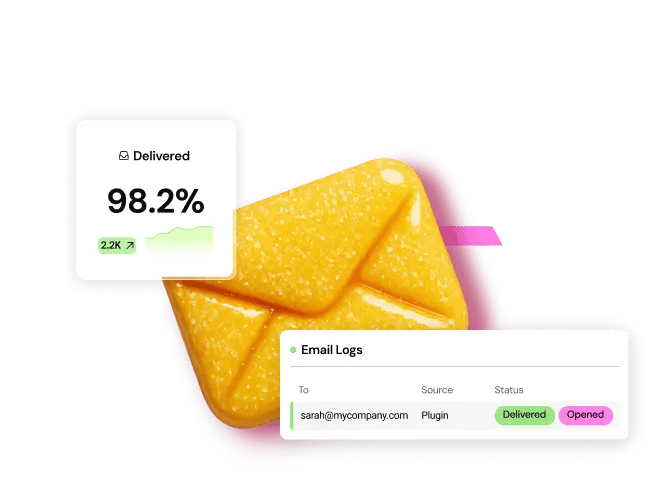
- Reliable Email Deliverability: This might seem peripheral to SEO, but transactional emails (form submissions, password resets, e-commerce notifications) are critical for user experience. If users don’t get their emails, trust erodes, leading to poor reputation and potential blacklisting. Site Mailer by Elementor solves the notorious WordPress email problem by ensuring reliable, high-deliverability email sending without requiring complex SMTP setup.
7.3. The Content Marketing Cycle
SEO requires continuous, high-quality content production and promotion.
- Rapid Landing Page Creation: Conversion Rate Optimization (CRO) is the next step after ranking. Elementor allows you to rapidly build and iterate on high-converting landing pages. You can quickly A/B test variations of headlines, forms, and calls to action (CTAs) to boost conversion rates.
- Nurturing Leads: Once a visitor converts, you need an integrated way to communicate with them. Send by Elementor provides integrated email marketing and automation for WordPress. This seamless connection means the leads captured on your Elementor-built form pages flow instantly into a nurturing sequence, helping you turn organic traffic into loyal customers.
8. Final Verdict: The Best Website Builder for SEO
While simple SaaS platforms offer an easy entry point, the platform that offers the most robust, flexible, and scalable environment for true organic growth is the one that gives you maximum control without sacrificing ease of use.
The best solution today is the WordPress ecosystem, specifically when anchored by a powerful, integrated platform like Elementor.
Elementor is arguably the best SEO website builder because it doesn’t just address one pillar; it creates a complete, end-to-end stack for all three:
- Technical SEO (Foundation): Provided by Elementor Hosting (Google Cloud, CDN, Security) and the Image Optimizer (WebP conversion, compression) and the Hello Theme (lightweight code base).
- On-Page SEO (Control): Delivered through the Elementor Website Builder and Elementor Pro Theme Builder, giving granular, visual control over meta tags, H-tags, dynamic content, and automated schema implementation.
- Efficiency & Scaling (Growth): Enabled by Elementor AI (content/code generation), the AI Site Planner (structure and strategy), and Angie (Agentic automation).
This comprehensive approach allows a user to move beyond relying on a builder that just looks good. They get a platform that delivers enterprise-grade performance, design flexibility, and the technical depth required to dominate search rankings for years to come. Start building your high-ranking site today by exploring the platform tools available at Elementor’s main website:
9. Frequently Asked Questions (FAQ) for Expansion
Here are ten common questions about SEO and website builders, along with detailed answers:
Q1: Does my choice of website builder actually affect my Google ranking?
A: Yes, absolutely. Your choice of website builder directly affects two primary ranking factors: site speed and mobile-friendliness. A builder that generates bloated, messy code will produce a slow site that fails Google’s Core Web Vitals (CWV), making it extremely difficult to rank regardless of content quality. Builders like Elementor, when paired with a lightweight theme and optimized hosting, ensure the foundational code is clean and fast, directly supporting higher rankings.
Q2: Is it better for SEO to use a lightweight theme with a builder or an all-in-one theme?
A: It is almost always better for SEO to use a lightweight starter theme (like the Hello Theme) in combination with a powerful Theme Builder (like Elementor Pro). All-in-one themes often include excessive code, scripts, and features you don’t use, leading to resource bloat. A lightweight theme provides a clean canvas, ensuring only the necessary CSS and JavaScript are loaded, leading to faster CWV scores and better performance.
Q3: How important is mobile-friendliness, and do all builders handle it equally?
A: Mobile-friendliness is non-negotiable; Google uses mobile-first indexing, meaning it primarily uses the mobile version of your site for ranking. While most modern builders claim to be responsive, they don’t handle it equally. Top visual builders offer granular responsive controls that allow you to customize spacing, typography, and even hide specific elements for mobile, tablet, and desktop views—essential for providing an optimal experience on every device.
Q4: Should I use my builder’s built-in image optimization or a separate plugin?
A: For the best performance, you should use an integrated solution that works directly with your builder, such as the Image Optimizer by Elementor. This ensures seamless compression and conversion to modern formats like WebP or AVIF right when you upload the image. Relying on an outside plugin can sometimes lead to conflicts or incomplete processing. An integrated tool guarantees peak visual performance.
Q5: What is “Schema Markup,” and how does Elementor help implement it?
A: Schema markup is structured data code that you add to your HTML to help search engines understand the context of your content (e.g., that a page is a recipe, a product, or an FAQ). It doesn’t directly boost ranking, but it enables rich snippets (star ratings, images) in the search results, which can dramatically increase your click-through rate (CTR). Elementor Pro simplifies this by automatically embedding the correct schema markup into popular widgets like the Star Rating, Review, and FAQ widgets, eliminating the need for manual coding.
Q6: Can AI tools actually help with SEO, or is it just for content fluff?
A: AI tools, when used strategically, can be an immense help with SEO, moving far beyond “fluff.” Elementor AI, for instance, accelerates the time-consuming tasks of SEO strategy and execution. You can use it to: 1) Generate draft content faster, allowing you to achieve the necessary content depth. 2) Generate custom CSS code for technical adjustments without developer expertise. 3) Brainstorm SEO-friendly title tags and headlines. AI acts as a co-pilot, not a replacement, radically improving efficiency.
Q7: If I use Elementor, do I still need a separate SEO plugin like Yoast or Rank Math?
A: Yes, you absolutely should. The Elementor Website Builder is a design and visual content tool. Dedicated SEO plugins like Rank Math or Yoast SEO handle the complex, low-level technical features: generating XML sitemaps, managing canonical tags, writing to the robots.txt file, and running deep content analysis. These plugins work seamlessly alongside Elementor, creating a best-in-class, modular SEO stack.
Q8: What’s the biggest technical SEO mistake small businesses make with builders?
A: The biggest mistake is failing to implement 301 redirects when restructuring their site or changing URLs. When a page URL changes, its old search authority is lost unless a 301 permanent redirect is set up to guide search engines (and users) to the new address. A good builder platform, especially when paired with a quality host like Elementor Hosting, should provide an accessible redirect manager to prevent this catastrophic mistake.
Q9: Does having my website on Elementor Hosting make a difference for SEO compared to generic hosting?
A: It makes a significant difference. Generic hosting isn’t optimized for the specific code output of your builder. Elementor Hosting is engineered by the same team that created the builder, meaning the server configuration (caching, PHP version, database optimization) is perfectly tuned for Elementor’s performance. Furthermore, its reliance on the premium Google Cloud Platform and Cloudflare Enterprise CDN provides enterprise-grade speed and reliability that generic hosts typically cannot match, directly boosting Core Web Vitals.
Q10: How does the Elementor Pro Theme Builder help with E-commerce SEO?
A: The Theme Builder is crucial for E-commerce SEO, especially with the WooCommerce Builder. It lets you customize the specific templates that search engines value most: the Single Product Page and Product Archive Page. You can ensure these templates are extremely fast, semantically structured, and automatically include the necessary product schema markup, giving you a competitive edge over stores using off-the-shelf, bloated E-commerce themes.
Looking for fresh content?
By entering your email, you agree to receive Elementor emails, including marketing emails,
and agree to our Terms & Conditions and Privacy Policy.