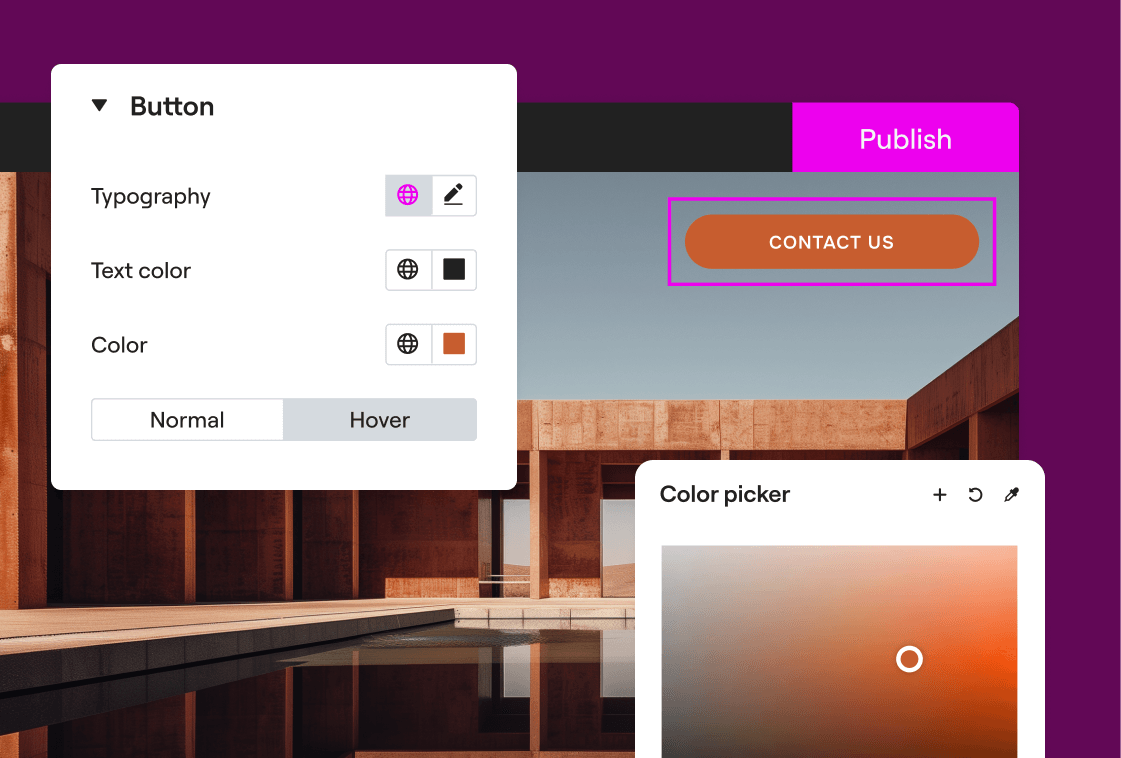
{"id":7932,"date":"2023-03-08T16:35:30","date_gmt":"2023-03-08T14:35:30","guid":{"rendered":"https:\/\/elementor.com\/academy\/?p=7932"},"modified":"2023-04-04T08:51:56","modified_gmt":"2023-04-04T08:51:56","slug":"global-colors-and-fonts","status":"publish","type":"post","link":"https:\/\/elementor.com\/academy\/global-colors-and-fonts\/","title":{"rendered":"Global Colors and Fonts"},"content":{"rendered":"\t\t<div data-elementor-type=\"wp-post\" data-elementor-id=\"7932\" class=\"elementor elementor-7932\" data-elementor-post-type=\"post\">\n\t\t\t\t\t\t<section class=\"elementor-section elementor-top-section elementor-element elementor-element-1661ad4e thesinglevideo elementor-section-boxed elementor-section-height-default elementor-section-height-default\" data-id=\"1661ad4e\" data-element_type=\"section\" data-settings=\"{&quot;background_background&quot;:&quot;classic&quot;}\">\n\t\t\t\t\t\t<div class=\"elementor-container elementor-column-gap-no\">\n\t\t\t\t\t<div class=\"elementor-column elementor-col-100 elementor-top-column elementor-element elementor-element-5f9ae4c4\" data-id=\"5f9ae4c4\" data-element_type=\"column\">\n\t\t\t<div class=\"elementor-widget-wrap elementor-element-populated\">\n\t\t\t\t\t\t<div class=\"elementor-element elementor-element-5bdf51df elementor-widget elementor-widget-video\" data-id=\"5bdf51df\" data-element_type=\"widget\" data-settings=\"{&quot;youtube_url&quot;:&quot;https:\\\/\\\/youtu.be\\\/CjdFxKPPikU&quot;,&quot;video_type&quot;:&quot;youtube&quot;,&quot;controls&quot;:&quot;yes&quot;}\" data-widget_type=\"video.default\">\n\t\t\t\t<div class=\"elementor-widget-container\">\n\t\t\t\t\t\t\t<div class=\"elementor-wrapper elementor-open-inline\">\n\t\t\t<div class=\"elementor-video\"><\/div>\t\t<\/div>\n\t\t\t\t\t\t<\/div>\n\t\t\t\t<\/div>\n\t\t\t\t\t<\/div>\n\t\t<\/div>\n\t\t\t\t\t<\/div>\n\t\t<\/section>\n\t\t\t\t<section class=\"elementor-section elementor-top-section elementor-element elementor-element-181a413 thesinglevideoOver elementor-section-boxed elementor-section-height-default elementor-section-height-default\" data-id=\"181a413\" data-element_type=\"section\" data-settings=\"{&quot;background_background&quot;:&quot;classic&quot;}\">\n\t\t\t\t\t\t<div class=\"elementor-container elementor-column-gap-no\">\n\t\t\t\t\t<div class=\"elementor-column elementor-col-100 elementor-top-column elementor-element elementor-element-5f19c424\" data-id=\"5f19c424\" data-element_type=\"column\">\n\t\t\t<div class=\"elementor-widget-wrap elementor-element-populated\">\n\t\t\t\t\t\t<div class=\"elementor-element elementor-element-7ae8cc2c elementor-tabs-view-horizontal elementor-widget elementor-widget-tabs\" data-id=\"7ae8cc2c\" data-element_type=\"widget\" data-widget_type=\"tabs.default\">\n\t\t\t\t<div class=\"elementor-widget-container\">\n\t\t\t\t\t\t\t<div class=\"elementor-tabs\">\n\t\t\t<div class=\"elementor-tabs-wrapper\" role=\"tablist\" >\n\t\t\t\t\t\t\t\t\t<div id=\"elementor-tab-title-2061\" class=\"elementor-tab-title elementor-tab-desktop-title\" aria-selected=\"true\" data-tab=\"1\" role=\"tab\" tabindex=\"0\" aria-controls=\"elementor-tab-content-2061\" aria-expanded=\"false\">Overview<\/div>\n\t\t\t\t\t\t\t\t\t<div id=\"elementor-tab-title-2062\" class=\"elementor-tab-title elementor-tab-desktop-title\" aria-selected=\"false\" data-tab=\"2\" role=\"tab\" tabindex=\"-1\" aria-controls=\"elementor-tab-content-2062\" aria-expanded=\"false\">Transcript<\/div>\n\t\t\t\t\t\t\t<\/div>\n\t\t\t<div class=\"elementor-tabs-content-wrapper\" role=\"tablist\" aria-orientation=\"vertical\">\n\t\t\t\t\t\t\t\t\t<div class=\"elementor-tab-title elementor-tab-mobile-title\" aria-selected=\"true\" data-tab=\"1\" role=\"tab\" tabindex=\"0\" aria-controls=\"elementor-tab-content-2061\" aria-expanded=\"false\">Overview<\/div>\n\t\t\t\t\t<div id=\"elementor-tab-content-2061\" class=\"elementor-tab-content elementor-clearfix\" data-tab=\"1\" role=\"tabpanel\" aria-labelledby=\"elementor-tab-title-2061\" tabindex=\"0\" hidden=\"false\"><p>Colors and Typography are the building blocks of any website. Elementor&#8217;s global colors &amp; Fonts enable you to change your colors and fonts all in one place, and have it update everywhere you placed it across your entire site.<\/p><\/div>\n\t\t\t\t\t\t\t\t\t<div class=\"elementor-tab-title elementor-tab-mobile-title\" aria-selected=\"false\" data-tab=\"2\" role=\"tab\" tabindex=\"-1\" aria-controls=\"elementor-tab-content-2062\" aria-expanded=\"false\">Transcript<\/div>\n\t\t\t\t\t<div id=\"elementor-tab-content-2062\" class=\"elementor-tab-content elementor-clearfix\" data-tab=\"2\" role=\"tabpanel\" aria-labelledby=\"elementor-tab-title-2062\" tabindex=\"0\" hidden=\"hidden\"><p>Hey there, it\u2019s Aviva from Elementor.<\/p><p>Today I\u2019ll show you how to use Elementor\u2019s Global Colors and Fonts design system feature.<\/p><p>Colors and fonts are the building blocks of a web designer\u2019s work and are assigned to elements consistently throughout your site.<\/p><p>Elementor\u2019s Design System feature does exactly that. It allows you to create a go-to color palette as well as a collection of font styles, which you can assign to elements globally, and all from one place.<\/p><p>This will save you valuable time while maintaining consistency across your site, in the smartest way possible, making editing easier and a lot more fun!<\/p><p>So let\u2019s dive in and see it in action.<br \/><br \/>In this pre designed website we have several common colors and font styles that repeat throughout the page, and in fact, the whole site.<\/p><p>From the Elementor Panel, on any page, click the hamburger menu on the upper left. Click Site Settings. You\u2019ll notice the Header color here is blue, indicating that you are now editing globally, across your site, and not just for this page. Under Design System, you\u2019ll see Global Colors and Global Fonts.<\/p><p>Click to open the Global Colors. The first four colors in Global Colors are the Elementor base colors, which can be edited and renamed. The hex color code shows up right here for easy reference.<\/p><p>If you\u2019re upgrading from a previous version of Elementor, your existing base colors will be displayed in this section. Previously saved color picker colors will be here as well, below the base colors.<\/p><p>Let\u2019s go ahead and change this color here&#8230;and here. Check out how it updates across the page, as well as the whole site!<\/p><p>Let\u2019s add a new color, like this, which we can edit and rename. We can delete added colors, but keep in mind that deleting a Global Color will cause any widget with this color style applied to inherit a default color.<\/p><p>Similar to Global Colors, Global Fonts consist of the typography used routinely throughout our site. Here again, we have the four Elementor base styles, which we can edit and rename.<\/p><p>Let\u2019s change a few of our Global Font styles. As you can see, they too update simultaneously.<\/p><p>I already added another style below before, called Navigation, and we can add more font styles to our site, and edit and name them as well. Added styles can be deleted, however, once again, keep in mind that deleting a Global Font will cause the text with this style applied to inherit its typography settings from another source.<\/p><p>Right below the Font Styles is where you can add a Fallback Font Family, for instances where the chosen font is not available. It is preset with the default of Sans-serif, which we\u2019ll leave as is.<\/p><p>Now let&#8217;s take a look at how to use the Global styles directly from our widgets. Update to save changes, and close out of Site Settings.<\/p><p>Select a Heading widget and click the Style tab.<\/p><p>The blue color of the Global icons indicate that there is a Global setting applied. Hovering over them displays the name of the Global Style applied, for quick reference.<\/p><p>Click the Globals icon to change the text color from Primary to the new color style we added. You can also go back to Global Colors by clicking the Global colors cog.<\/p><p>To use a new color all together, simply click the color swatch to open the color picker. Note that clicking the color swatch exits the global mode. The settings are copied to Custom mode and the value is now detached from the global reference. Choose your color, and if you\u2019d like to save it, use the plus icon to add it to the Global Colors. You\u2019ll be prompted to name it; then click Create. I\u2019ll set the color back to its original setting to stay consistent.<\/p><p>Updating typography within a widget is a similar process. Click the Global icon to change the typography to the font style we created before. And here too, you have the option to go directly to the Global Fonts settings.<\/p><p>Click the pencil to Create a new Font style. To save the style, click the plus icon, and give your style a descriptive name for future easy reference. Then Click Create. We\u2019ll set the font style back to its previous setting to keep everything uniform.<\/p><p>Let\u2019s go back to Global Settings via the widget shortcut. Our new Global styles are right here. Awesome!<\/p><p>Now that we\u2019ve learned how to use Global Colors and Fonts to define and organize our website\u2019s colors and fonts, let&#8217;s also see how they can be applied to Theme Style, giving you even more control in maintaining consistency across your site.<\/p><p>Theme style allows you to take over the global design layer, normally handled by the theme. So, no matter which theme you use, with Theme Style, you can set fallback styles for various HTML elements, such as Backgrounds, Headings, Buttons, Form Fields and images without leaving the editor.<\/p><p>Before we continue, we\u2019ll need to go to the Elementor Settings page and disable Elementor default Colors and Fonts, which are styles that get assigned to the widgets by default. Disabling them ensures that the Theme Style settings we apply affect the relevant Elementor elements, which in this case will be our buttons. Make sure to click Save Changes and Refresh the page back in the Editor.<\/p><p>Drag in a button widget and type in your button copy. Next we\u2019ll use Theme Style to design it, by giving it a fallback style so that all buttons on your site will look the same by default.<\/p><p>Back in the Site Settings panel, under Theme Style, click Buttons. Set the typography and text color using your predefined Global Fonts and Colors. You can change any other Button settings as well. As you can see, the button picks up the Theme Style settings in real time. Update and exit the Site Settings.<\/p><p>Now let\u2019s drag in a new button. Check out how it comes in with our Theme Style settings. Nice!<\/p><p>And of course, if you would like to make a change to a specific button, just click directly on the widget and adjust the styles from within.<\/p><p>Be sure to watch our dedicated video on Theme Style for a complete explanation of its abilities, so you can use it together with Global Colors and Fonts.<\/p><p>And that\u2019s all there is to Global Colors and Fonts. Now you can define colors and font styles globally across your site and create your own design system. And you can use them quickly and consistently to make changes to your site, and speed up your workflow.<\/p><p>Thanks for watching. For more tutorials, subscribe to our Youtube channel.<\/p><\/div>\n\t\t\t\t\t\t\t<\/div>\n\t\t<\/div>\n\t\t\t\t\t\t<\/div>\n\t\t\t\t<\/div>\n\t\t\t\t\t<\/div>\n\t\t<\/div>\n\t\t\t\t\t<\/div>\n\t\t<\/section>\n\t\t\t\t<\/div>\n\t\t","protected":false},"excerpt":{"rendered":"<p>Overview Transcript Overview Colors and Typography are the building blocks of any website. Elementor\u2019s global colors &amp; Fonts enable you to change your colors and fonts all in one place, and have it update everywhere you placed it across your entire site. Transcript Hey there, it\u2019s Aviva from Elementor. Today I\u2019ll show you how to [&hellip;]<\/p>\n","protected":false},"author":20,"featured_media":9674,"comment_status":"closed","ping_status":"closed","sticky":false,"template":"elementor_theme","format":"standard","meta":{"footnotes":""},"categories":[4,27],"tags":[41],"class_list":["post-7932","post","type-post","status-publish","format-standard","has-post-thumbnail","hentry","category-design-layout","category-workflow","tag-guides-tutorials"],"yoast_head":"<!-- This site is optimized with the Yoast SEO plugin v26.8 - https:\/\/yoast.com\/product\/yoast-seo-wordpress\/ -->\n<title>Global Colors and Fonts - Academy<\/title>\n<meta name=\"robots\" content=\"index, follow, max-snippet:-1, max-image-preview:large, max-video-preview:-1\" \/>\n<link rel=\"canonical\" href=\"https:\/\/elementor.com\/academy\/global-colors-and-fonts\/\" \/>\n<meta property=\"og:locale\" content=\"en_US\" \/>\n<meta property=\"og:type\" content=\"article\" \/>\n<meta property=\"og:title\" content=\"Global Colors and Fonts - Academy\" \/>\n<meta property=\"og:description\" content=\"Overview Transcript Overview Colors and Typography are the building blocks of any website. Elementor\u2019s global colors &amp; Fonts enable you to change your colors and fonts all in one place, and have it update everywhere you placed it across your entire site. Transcript Hey there, it\u2019s Aviva from Elementor. Today I\u2019ll show you how to [&hellip;]\" \/>\n<meta property=\"og:url\" content=\"https:\/\/elementor.com\/academy\/global-colors-and-fonts\/\" \/>\n<meta property=\"og:site_name\" content=\"Academy\" \/>\n<meta property=\"article:published_time\" content=\"2023-03-08T14:35:30+00:00\" \/>\n<meta property=\"article:modified_time\" content=\"2023-04-04T08:51:56+00:00\" \/>\n<meta property=\"og:image\" content=\"https:\/\/elementor.com\/academy\/wp-content\/uploads\/2023\/03\/global-colors-fonts.jpg\" \/>\n\t<meta property=\"og:image:width\" content=\"1280\" \/>\n\t<meta property=\"og:image:height\" content=\"720\" \/>\n\t<meta property=\"og:image:type\" content=\"image\/jpeg\" \/>\n<meta name=\"author\" content=\"Aviva Darab\" \/>\n<meta name=\"twitter:card\" content=\"summary_large_image\" \/>\n<meta name=\"twitter:label1\" content=\"Written by\" \/>\n\t<meta name=\"twitter:data1\" content=\"Aviva Darab\" \/>\n\t<meta name=\"twitter:label2\" content=\"Est. reading time\" \/>\n\t<meta name=\"twitter:data2\" content=\"6 minutes\" \/>\n<!-- \/ Yoast SEO plugin. -->","yoast_head_json":{"title":"Global Colors and Fonts - Academy","robots":{"index":"index","follow":"follow","max-snippet":"max-snippet:-1","max-image-preview":"max-image-preview:large","max-video-preview":"max-video-preview:-1"},"canonical":"https:\/\/elementor.com\/academy\/global-colors-and-fonts\/","og_locale":"en_US","og_type":"article","og_title":"Global Colors and Fonts - Academy","og_description":"Overview Transcript Overview Colors and Typography are the building blocks of any website. Elementor\u2019s global colors &amp; Fonts enable you to change your colors and fonts all in one place, and have it update everywhere you placed it across your entire site. Transcript Hey there, it\u2019s Aviva from Elementor. Today I\u2019ll show you how to [&hellip;]","og_url":"https:\/\/elementor.com\/academy\/global-colors-and-fonts\/","og_site_name":"Academy","article_published_time":"2023-03-08T14:35:30+00:00","article_modified_time":"2023-04-04T08:51:56+00:00","og_image":[{"width":1280,"height":720,"url":"https:\/\/elementor.com\/academy\/wp-content\/uploads\/2023\/03\/global-colors-fonts.jpg","type":"image\/jpeg"}],"author":"Aviva Darab","twitter_card":"summary_large_image","twitter_misc":{"Written by":"Aviva Darab","Est. reading time":"6 minutes"},"schema":{"@context":"https:\/\/schema.org","@graph":[{"@type":"Article","@id":"https:\/\/elementor.com\/academy\/global-colors-and-fonts\/#article","isPartOf":{"@id":"https:\/\/elementor.com\/academy\/global-colors-and-fonts\/"},"author":{"name":"Aviva Darab","@id":"https:\/\/elementor.com\/academy\/#\/schema\/person\/6ce87fcf655168e5ac55e43148a99449"},"headline":"Global Colors and Fonts","datePublished":"2023-03-08T14:35:30+00:00","dateModified":"2023-04-04T08:51:56+00:00","mainEntityOfPage":{"@id":"https:\/\/elementor.com\/academy\/global-colors-and-fonts\/"},"wordCount":1205,"publisher":{"@id":"https:\/\/elementor.com\/academy\/#organization"},"image":{"@id":"https:\/\/elementor.com\/academy\/global-colors-and-fonts\/#primaryimage"},"thumbnailUrl":"https:\/\/elementor.com\/academy\/wp-content\/uploads\/2023\/03\/global-colors-fonts.jpg","keywords":["Guides and Tutorials"],"articleSection":["Design \/ Layout","Workflow"],"inLanguage":"en-US"},{"@type":"WebPage","@id":"https:\/\/elementor.com\/academy\/global-colors-and-fonts\/","url":"https:\/\/elementor.com\/academy\/global-colors-and-fonts\/","name":"Global Colors and Fonts - Academy","isPartOf":{"@id":"https:\/\/elementor.com\/academy\/#website"},"primaryImageOfPage":{"@id":"https:\/\/elementor.com\/academy\/global-colors-and-fonts\/#primaryimage"},"image":{"@id":"https:\/\/elementor.com\/academy\/global-colors-and-fonts\/#primaryimage"},"thumbnailUrl":"https:\/\/elementor.com\/academy\/wp-content\/uploads\/2023\/03\/global-colors-fonts.jpg","datePublished":"2023-03-08T14:35:30+00:00","dateModified":"2023-04-04T08:51:56+00:00","breadcrumb":{"@id":"https:\/\/elementor.com\/academy\/global-colors-and-fonts\/#breadcrumb"},"inLanguage":"en-US","potentialAction":[{"@type":"ReadAction","target":["https:\/\/elementor.com\/academy\/global-colors-and-fonts\/"]}]},{"@type":"ImageObject","inLanguage":"en-US","@id":"https:\/\/elementor.com\/academy\/global-colors-and-fonts\/#primaryimage","url":"https:\/\/elementor.com\/academy\/wp-content\/uploads\/2023\/03\/global-colors-fonts.jpg","contentUrl":"https:\/\/elementor.com\/academy\/wp-content\/uploads\/2023\/03\/global-colors-fonts.jpg","width":1280,"height":720},{"@type":"BreadcrumbList","@id":"https:\/\/elementor.com\/academy\/global-colors-and-fonts\/#breadcrumb","itemListElement":[{"@type":"ListItem","position":1,"name":"Elementor","item":"https:\/\/elementor.com\/"},{"@type":"ListItem","position":2,"name":"Academy","item":"https:\/\/elementor.com\/academy\/"},{"@type":"ListItem","position":3,"name":"Design \/ Layout","item":"https:\/\/elementor.com\/academy\/design-layout\/"},{"@type":"ListItem","position":4,"name":"Global Colors and Fonts"}]},{"@type":"WebSite","@id":"https:\/\/elementor.com\/academy\/#website","url":"https:\/\/elementor.com\/academy\/","name":"Elementor Academy","description":"Page Builder for WordPress","publisher":{"@id":"https:\/\/elementor.com\/academy\/#organization"},"alternateName":"https:\/\/elementor.com\/academy\/wp-content\/uploads\/2021\/02\/Elementor-Logo.png","potentialAction":[{"@type":"SearchAction","target":{"@type":"EntryPoint","urlTemplate":"https:\/\/elementor.com\/academy\/?s={search_term_string}"},"query-input":{"@type":"PropertyValueSpecification","valueRequired":true,"valueName":"search_term_string"}}],"inLanguage":"en-US"},{"@type":"Organization","@id":"https:\/\/elementor.com\/academy\/#organization","name":"Elementor Academy","alternateName":"https:\/\/elementor.com\/academy\/wp-content\/uploads\/2021\/02\/Elementor-Logo.png","url":"https:\/\/elementor.com\/academy\/","logo":{"@type":"ImageObject","inLanguage":"en-US","@id":"https:\/\/elementor.com\/academy\/#\/schema\/logo\/image\/","url":"https:\/\/elementor.com\/academy\/wp-content\/uploads\/2022\/11\/e-logo.svg","contentUrl":"https:\/\/elementor.com\/academy\/wp-content\/uploads\/2022\/11\/e-logo.svg","width":490,"height":85,"caption":"Elementor Academy"},"image":{"@id":"https:\/\/elementor.com\/academy\/#\/schema\/logo\/image\/"}},{"@type":"Person","@id":"https:\/\/elementor.com\/academy\/#\/schema\/person\/6ce87fcf655168e5ac55e43148a99449","name":"Aviva Darab","image":{"@type":"ImageObject","inLanguage":"en-US","@id":"https:\/\/elementor.com\/academy\/#\/schema\/person\/image\/","url":"https:\/\/secure.gravatar.com\/avatar\/5456d642d6417c9b72a48f8fbec624cc1336f934ce83732b6fa2358ab0c31bfe?s=96&d=mm&r=g","contentUrl":"https:\/\/secure.gravatar.com\/avatar\/5456d642d6417c9b72a48f8fbec624cc1336f934ce83732b6fa2358ab0c31bfe?s=96&d=mm&r=g","caption":"Aviva Darab"},"description":"Aviva is a Designer and Educator at Elementor. She\u2019s experienced in web and graphic design and enjoys sharing her knowledge with others. She stays fueled with coffee, dark chocolate, and Pinterest.","url":"https:\/\/elementor.com\/academy\/author\/user-5e36e0380be94\/"}]}},"_links":{"self":[{"href":"https:\/\/elementor.com\/academy\/wp-json\/wp\/v2\/posts\/7932","targetHints":{"allow":["GET"]}}],"collection":[{"href":"https:\/\/elementor.com\/academy\/wp-json\/wp\/v2\/posts"}],"about":[{"href":"https:\/\/elementor.com\/academy\/wp-json\/wp\/v2\/types\/post"}],"author":[{"embeddable":true,"href":"https:\/\/elementor.com\/academy\/wp-json\/wp\/v2\/users\/20"}],"replies":[{"embeddable":true,"href":"https:\/\/elementor.com\/academy\/wp-json\/wp\/v2\/comments?post=7932"}],"version-history":[{"count":1,"href":"https:\/\/elementor.com\/academy\/wp-json\/wp\/v2\/posts\/7932\/revisions"}],"predecessor-version":[{"id":9683,"href":"https:\/\/elementor.com\/academy\/wp-json\/wp\/v2\/posts\/7932\/revisions\/9683"}],"wp:featuredmedia":[{"embeddable":true,"href":"https:\/\/elementor.com\/academy\/wp-json\/wp\/v2\/media\/9674"}],"wp:attachment":[{"href":"https:\/\/elementor.com\/academy\/wp-json\/wp\/v2\/media?parent=7932"}],"wp:term":[{"taxonomy":"category","embeddable":true,"href":"https:\/\/elementor.com\/academy\/wp-json\/wp\/v2\/categories?post=7932"},{"taxonomy":"post_tag","embeddable":true,"href":"https:\/\/elementor.com\/academy\/wp-json\/wp\/v2\/tags?post=7932"}],"curies":[{"name":"wp","href":"https:\/\/api.w.org\/{rel}","templated":true}]}}