Table of Contents
10 Best Website Builder Alternatives to WordPress in 2026
You already know the statistics. A 100-millisecond delay in website load time drops conversion rates by 7%. Yet, millions of businesses still run slow, heavy websites that cost them daily. They stick around because switching feels impossible.
It’s 2026. You don’t need a massive, plugin-heavy monolith to launch a fast, profitable site. The market has completely fractured into specialized platforms that handle hosting, security, and performance out of the box. Look, WordPress isn’t dead. But for many specific use cases, it’s no longer the smartest default choice.
Key Takeaways
- Managed performance wins – 82% of users prioritize mobile-first, responsive editors that load instantly without caching plugins.
- E-commerce is specialized – Dedicated platforms now control massive market shares, with top players handling 28% of the US retail market.
- Security dictates architecture – With 90% of hacked CMS sites coming from outdated open-source plugins, closed ecosystems offer immediate peace of mind.
- Visual development scales – High-fidelity animation platforms saw a 400% increase in migrations from traditional CMS setups.
- AI changes the build process – Agentic AI tools now generate production-ready assets through natural language, bypassing traditional drag-and-drop editors entirely.
Why Users Are Moving Away from WordPress in 2026
Historically, WordPress dominated everything. But in 2026, its 43.1% market share has officially plateaued. Meanwhile, SaaS website builders are seeing a massive 12% annual growth rate. Users are simply exhausted by the maintenance overhead.
The concept of open-source freedom sounds great on paper. In practice, it usually means managing a fragile stack of 34 different third-party plugins. That’s a huge liability.
You’ll spend hours debugging conflicts just to keep a simple contact form running. This leads us directly to the core reasons driving the great migration away from traditional setups.
The Rise of Managed Ecosystems
Security is the loudest alarm bell in the industry right now. A staggering 90% of all hacked CMS-based websites are WordPress sites. Why? It’s almost entirely due to vulnerabilities in outdated third-party plugins.
Managed platforms eliminate this risk entirely. They lock down the core infrastructure. You don’t install security patches, and you don’t worry about malware injections. They handle it.
This closed-loop approach sacrifices some deep server-level flexibility. But for 95% of businesses, the trade-off is absolutely worth it.
The Performance Gap
Core Web Vitals dictate your search visibility. And traditional setups struggle heavily here without expert intervention.
You’re fighting against render-blocking CSS, heavy JavaScript libraries, and massive DOM sizes. Modern alternatives compile clean code on the server side before the browser even requests it.
They serve static assets through global enterprise CDNs automatically. You aren’t configuring caching rules manually anymore. You just publish.
1. Wix: The All-in-One Powerhouse
Wix evolved drastically over the last few years. It shed its reputation as a basic tool for hobbyists and transformed into a serious business platform.
Their native AI generation tools can spin up entire wireframes in seconds. And Wix Studio offers incredible breakpoint control for agencies.
It’s a massive, self-contained universe. Everything you need lives inside their App Market.
Target User
Small business owners, local service providers, and restaurants. If you need a site live by Friday with built-in scheduling, this is your platform.
It’s also highly appealing to non-technical founders. You won’t ever touch a single line of code unless you actively choose to use Velo (their native JavaScript framework).
Key Features
- Wix Studio – A dedicated workspace for agencies featuring advanced responsive design controls.
- Native SEO Tools – Built-in technical SEO features, automated redirects, and direct Google Search Console integration.
- Unified Dashboard – Manages bookings, email marketing, and simple CRM functions in one interface.
- Velo Integration – Allows custom JavaScript and API integrations for complex data collections.
- Managed Infrastructure – Multi-cloud hosting with automated disaster recovery built directly in.
Pricing
Wix’s pricing reflects its shift toward premium features. They’ve enacted a 15% price increase over the last 24 months. Standard plans start at the Light tier ($17/month).
Agencies and heavy users will push into the Business Elite plan ($159/month). This tier unlocks priority support and advanced analytics.
Comparison to WordPress
WordPress requires manual updates for the core, themes, and plugins. Wix manages the entire hosting environment invisibly.
You can’t break your Wix site by clicking ‘Update’. But you also can’t migrate your Wix site easily to another host if you outgrow it. You’re renting their infrastructure forever.
2. Webflow: The Designer’s Choice
Webflow isn’t really a standard website builder. It’s a visual CSS compiler. It gives you the exact same control as writing raw code, but through a visual interface.
Webflow sites average a 94/100 Google PageSpeed Insights score for desktop. Compare that to the standard WordPress average of 82/100. The performance difference is staggering.
It generates incredibly clean, semantic HTML. There’s no div-soup here.
Performance isn’t a post-launch checklist item anymore. It’s the foundation of modern search visibility. Platforms that compile clean, semantic code natively will always outperform systems that rely on heavy caching plugins to hide bad architecture.
Itamar Haim, SEO Team Lead at Elementor. A digital strategist merging SEO, AEO/GEO, and web development.
Target User
Professional designers, mid-market agencies, and in-house marketing teams. If your team uses Figma, they’ll understand Webflow.
It’s not for beginners. There’s a steep learning curve requiring a solid grasp of the CSS box model.
Key Features
- Visual CSS Grid – Direct manipulation of CSS Grid and Flexbox layouts without writing syntax.
- Interactions 2.0 – Scroll-based animations and micro-interactions tied directly to page data.
- Custom CMS Collections – Highly structured relational databases for dynamic content types.
- Clean Code Export – The ability to export HTML/CSS/JS files for hosting anywhere (on specific plans).
Pricing
The entry point is reasonable, but costs scale quickly as traffic grows. The basic CMS plan starts at $23/month.
For high-traffic marketing sites, you’ll need the Business plan ($39/month). E-commerce features require entirely separate, more expensive tiers.
Comparison to WordPress
WordPress limits design via the block editor or requires heavy theme customization. Webflow offers absolute blank-canvas freedom.
Honestly, the rigid nature of standard WordPress themes frustrates many seasoned developers. Webflow solves this, but lacks the massive plugin ecosystem WordPress enjoys for edge-case functionality.
3. Shopify: The E-commerce Gold Standard
If you’re selling physical products, the conversation usually starts and ends here. Shopify powers 10% of all e-commerce sites globally.
It controls a massive 28% of the US e-commerce market. The platform is entirely built around the checkout experience.
Everything else is secondary to converting a user into a buyer.
Target User
Serious online retailers, dropshippers, and direct-to-consumer brands. If inventory management is your core business, Shopify is your tool.
It’s less ideal for content-heavy publishers who only sell a few pieces of merchandise on the side.
Key Features
- Shopify Payments – Native payment processing that reduces transaction fees and simplifies accounting.
- Global App Store – Thousands of vetted apps specifically designed for logistics, marketing, and retention.
- Omnichannel Sales – Direct integrations with Instagram, TikTok, and Amazon fulfillment.
- Shopify POS – smooth synchronization between physical retail locations and online inventory.
Pricing
The Basic plan ($39/month) covers most new stores. As volume increases, the standard Shopify ($105/month) and Advanced ($399/month) plans offer better shipping discounts.
Enterprise brands use Shopify Plus (starting at $2,000/month) for custom checkout logic and dedicated support.
Comparison to WordPress
WooCommerce (on WordPress) gives you total ownership of your store data. But securing a WooCommerce store requires constant vigilance and PCI compliance management.
Shopify handles security, compliance, and server scaling automatically during traffic spikes. You won’t crash during a Black Friday sale.
4. Framer: The Animation Specialist
Framer exploded onto the scene by targeting frustrated UI/UX designers. They saw a massive 400% increase in site migrations from traditional CMS platforms in 2024.
It feels exactly like a design tool. You can literally copy and paste elements directly from Figma into the Framer canvas.
The platform compiles React code in the background, resulting in incredibly smooth, high-fidelity animations.
Target User
Startup founders, product designers, and creative portfolios. If your brand relies heavily on visual storytelling and scroll effects, Framer delivers.
It’s currently less suited for massive, thousands-of-pages editorial sites or complex e-commerce catalogs.
Key Features
- Figma-to-Web Import – Paste directly from Figma and publish to a live URL in minutes.
- Scroll Transforms – Native 3D manipulations and scroll-linked animations powered by Framer Motion.
- Component Logic – Reusable React components with defined variables and visual states.
Pricing
Framer offers a free tier for hobbyists on a staging domain. Custom domains start at the Mini plan (competitive ratesnth).
Most professional single-page sites need the Basic plan ($15/month). Larger sites with CMS functionality require the Pro plan ($30/month).
Comparison to WordPress
Building complex animations in WordPress usually requires heavy JavaScript libraries like GSAP or Lottie. This destroys page speed.
Framer builds these animations natively into the underlying React architecture. The output is visually stunning and significantly faster to load.
5. Ghost: The Best for Creators and Newsletters
Publishing on the web got incredibly complicated over the last decade. Ghost strips all of that away.
It’s a focused, blazing-fast CMS designed specifically for professional publishers. It completely ignores e-commerce and drag-and-drop page building.
Instead, it focuses entirely on writing, membership management, and email delivery.
Target User
Journalists, independent bloggers, and large-scale media companies. It’s the premier destination for writers migrating away from Substack who want to own their audience.
If you monetize through premium content subscriptions, this platform handles the entire funnel.
Key Features
- Native Memberships – Built-in subscription tiers and paywalls without external plugins.
- Email Newsletters – Publish a post and deliver it directly to subscriber inboxes simultaneously.
- Clean Editor – A distraction-free, Markdown-supported writing interface.
- Stripe Integration – Direct, zero-fee connection to Stripe for processing subscription revenue.
Pricing
Ghost pricing scales strictly by audience size. The Starter plan ($9/month) is perfect for new writers with under 500 members.
As your list grows into the tens of thousands, the Business plan scales up to $199/month. Unlike Substack, Ghost takes zero percentage of your revenue.
Comparison to WordPress
WordPress requires at least three premium plugins to recreate Ghost’s functionality: a membership tool, an email sender, and a restrictive paywall.
Ghost does this out of the box. The WordPress dashboard feels incredibly cluttered compared to Ghost’s minimalist, writer-first environment.
6. Elementor Hosting: The Better WordPress Alternative
What if you don’t actually want to leave WordPress, but you desperately want to leave the maintenance behind? That’s the exact problem Elementor Hosting solves.
Elementor is already used by 9.5% of all websites worldwide. It’s the undisputed king of visual building on open-source infrastructure.
By pairing the Elementor Editor Pro with specialized managed hosting, you get the SaaS experience without losing data ownership.
Target User
Agencies, professional web creators, and businesses that demand open-source flexibility but hate managing server environments.
It’s perfect if you rely on specific WordPress functionality but want enterprise-grade speed and automated security protocols.
Key Features
- Managed Cloud Infrastructure – Powered by Google Cloud C2 machines and Cloudflare Enterprise CDN for extreme speed (109ms TTFB).
- Integrated Editor Pro – The industry-leading visual builder with 118+ widgets and extensive dynamic content capabilities.
- Automated Maintenance – Daily backups, automated core updates, and server-level security caching.
- AI Integration – Native access to tools that generate layouts and optimize text directly within the editor.
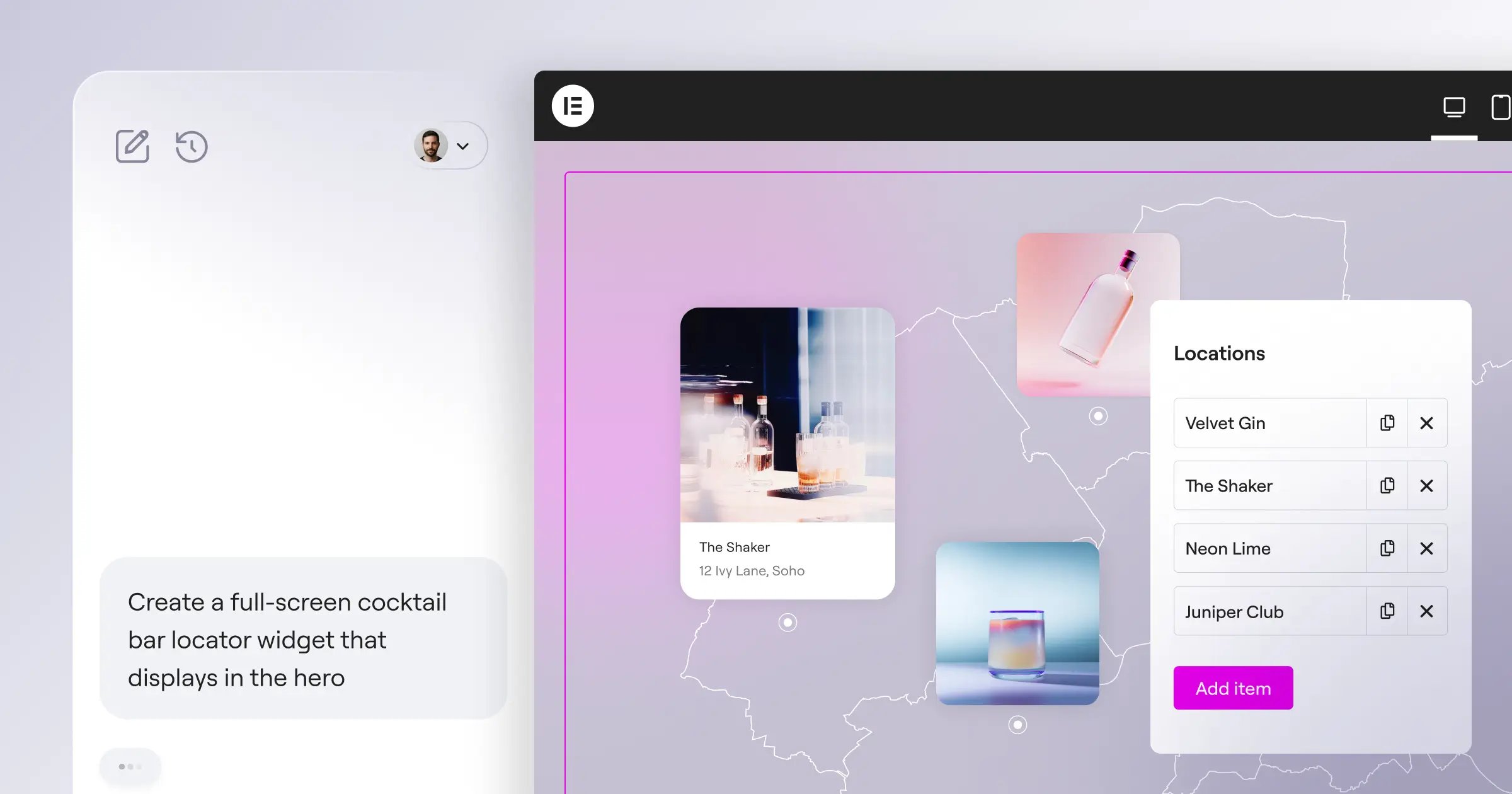
Beyond the standard editor, this ecosystem bridges the gap into next-generation development. If you don’t even want to use a visual editor, tools like Angie change the workflow entirely.
Angie is an agentic AI built specifically for WordPress. It uses the Model Context Protocol to execute real actions. You simply type a request, and Angie builds production-ready assets natively inside your environment. It acts as a conversational developer, eliminating manual setup entirely.
Pricing
It’s an incredibly aggressive value proposition. Plans bundle hosting, the Pro builder, and premium themes together.
The standard Cloud plan is $180/year. Higher traffic demands push you toward the Cloud+ ($300/year) or Cloud x3 ($420/year) tiers.
Comparison to WordPress
This is WordPress, but optimized. Traditional DIY hosting requires you to configure CDNs, install caching plugins, and monitor uptime manually.
Elementor Hosting handles the technical backend invisibly. You get the familiar dashboard, but the site performs like a modern, compiled SaaS product.
7. Carrd: The King of One-Page Sites
Sometimes a complex CMS is massive overkill. If you just need a digital business card, an email capture page, or a simple portfolio, Carrd is unmatched.
It’s unapologetically simple. It builds responsive, single-page websites faster than any other tool on the market.
You can literally build and publish a fully functional landing page in under ten minutes.
Target User
Freelancers, indie hackers, and personal brand builders. If you’re testing a new product idea and need a waitlist page today, use Carrd.
It’s not designed for multi-page blogs or complex organizational sites. It does one thing perfectly.
Key Features
Carrd keeps features strictly limited to maintain speed and simplicity. You won’t find deep database tools here.
- Responsive Templates – Dozens of high-quality, single-page layouts optimized for mobile traffic.
- Form Integrations – Direct API connections to Mailchimp, ConvertKit, and standard contact forms.
- Payment Links – Simple integration with Stripe Checkout for selling single products or services.
- Custom CSS (Pro) – Total visual control over elements for users who know basic styling.
Pricing
The pricing model is almost unbelievable in 2026. You can build up to three sites entirely for free.
To unlock custom domains and remove branding, the Pro Lite plan costs just $19/year. Yes, per year.
Comparison to WordPress
Setting up WordPress requires buying hosting, configuring a database, installing a theme, and fighting with layout blocks.
Carrd bypasses the entire setup phase. It’s the ultimate low-friction publishing tool for simple ideas.
8. Bubble: For Complex Web Applications
Websites display information. Web applications process complex logic and manipulate data. Bubble is for the latter.
By 2025, Gartner predicted that 70% of new enterprise applications would use low-code or no-code technologies. Bubble is leading that exact charge.
It allows you to build massive, scalable SaaS products without writing traditional backend code.
Target User
SaaS founders, internal operations teams, and startups building two-sided marketplaces.
If your project requires user authentication, complex relational databases, and multi-step logic workflows, Bubble handles it.
Key Features
- Visual Database – Create, read, update, and delete (CRUD) data operations directly in the visual editor.
- Workflow Logic – Trigger complex chains of events based on user behavior or scheduled times.
- API Connector – Connect your application to absolutely any external REST API available on the web.
- Version Control – Native branching and merging for safe development staging.
Bubble builds isolated proprietary apps. But if you prefer staying inside an open-source framework, agentic tools offer an alternative route. Instead of learning Bubble’s proprietary visual logic, tools like Angie let you build complex database interactions inside WordPress just by describing the logic in plain English.
Pricing
App hosting requires serious server resources. The Starter plan ($29/month) gets your app live.
Scaling a successful app pushes you into the Growth ($119/month) or Production ($499/month) tiers to handle massive database operations.
Comparison to WordPress
You can force WordPress to behave like an application using heavy plugins. But it wasn’t built for that.
Bubble is a true full-stack visual framework. It handles complex conditional logic natively, whereas WordPress relies entirely on PHP workarounds to process similar operations.
9. Duda: The Agency-First Platform
Managing one website is easy. Managing fifty client websites is a logistical nightmare. Duda built its entire architecture specifically for web design agencies.
They report that agencies using their platform build sites 50% faster than those using traditional open-source setups.
It completely centralizes billing, client communication, and template management.
Target User
Marketing agencies, large freelance web designers, and SaaS companies offering websites as an add-on service.
It’s engineered for scale. If you build client sites for a living, this workflow changes everything.
Key Features
- Client Management Tools – Granular permission settings that control exactly what clients can and can’t edit.
- Site Comments – Clients can leave point-and-click feedback directly on the staging site during development.
- White-Labeling – Every dashboard, login screen, and email carries your agency’s branding, not Duda’s.
- Dynamic Pages – Generate hundreds of local SEO pages from a single connected dataset instantly.
Pricing
Individual freelancers can start at $19/month, but the real power unlocks at the Agency plan ($52/month).
This covers up to 4 sites and includes priority support. Additional sites are billed at a significantly reduced bulk rate.
Comparison to WordPress
Agencies running WordPress juggle 50 different login credentials, 50 different hosting environments, and 50 different plugin update schedules.
Duda consolidates everything into a single, high-performance dashboard. You never worry about a client breaking their site by accidentally updating a core file.
10. Squarespace: The Aesthetic Leader
Squarespace has held a tight grip on the creative market for over a decade. It currently holds a 4.9% market share of all websites globally.
It’s famous for forcing users into highly curated, stunningly beautiful templates. It’s incredibly difficult to build an ugly site here.
The introduction of their Fluid Engine editor finally added some much-needed layout flexibility without sacrificing visual consistency.
Target User
Photographers, artists, boutique retail brands, and local fitness studios. If aesthetic brand presentation is your highest priority, this works beautifully.
It’s extremely popular with users who want a high-end look without hiring a professional designer.
Key Features
- Fluid Engine – A smart-grid visual editor that allows overlapping elements while keeping mobile layouts clean.
- Acuity Scheduling – Deeply integrated class and appointment booking software.
- Member Areas – Simple paywalled content sections for premium courses or video libraries.
- Curated Typography – Premium font pairings and color palettes built directly into every theme.
Pricing
The standard Personal plan ($16/month) covers basic informational sites.
To unlock professional features like integrated analytics and remove commerce transaction fees, you’ll need the Commerce plan ($52/month).
Comparison to WordPress
WordPress requires an eye for design. You can easily drag a widget into the wrong column and break the entire visual rhythm of a page.
Squarespace implements strict design guardrails. You sacrifice some pixel-perfect control, but you guarantee a polished, professional output every single time.
Decision Matrix: Choosing Your WordPress Alternative
The global website builder market is projected to reach $3.5 billion by 2030, growing at a massive 7.1% CAGR. You’ve options. You don’t have to settle for the default.
Choosing the right platform entirely depends on your technical skill and specific business model. A 100-millisecond delay in load time hurts conversions by 7%, so performance must dictate your final choice.
We’ve broken down the best use cases into a simple comparison matrix to clarify your decision.
Which one is right for you?
| Primary Goal | Best Platform Choice | Biggest Advantage | Starting Cost |
|---|---|---|---|
| Selling Physical Products | Shopify | Global omnichannel app ecosystem | $39/month |
| Publishing Newsletters | Ghost | Zero-fee premium memberships | $9/month |
| High-End Animations | Framer | Figma-to-web direct import | competitive ratesnth |
| Agency Client Scaling | Duda | White-label client dashboards | $52/month |
| WP Flexibility + Speed | Elementor Hosting | 109ms TTFB managed cloud | $15/month |
| Complex Web Apps | Bubble | Visual relational databases | $29/month |
If you’re building a massive media publication, look at Ghost. If you’re dropping a quick waitlist for a new idea, spin up a Carrd site right now.
And if you truly love the open-source nature of WordPress but hate the slow servers and plugin maintenance, migrating to a managed ecosystem like Elementor Hosting bridges the gap perfectly. Pair it with Elementor Editor Pro, and you’ve got enterprise speed without sacrificing ownership.
Frequently Asked Questions
Can I migrate away from a SaaS builder later?
It’s generally difficult. Platforms like Wix and Squarespace use proprietary databases. You can export basic text and images, but you can’t export the underlying site architecture. You’ll rebuild from scratch if you leave.
How do SaaS builders handle SEO compared to WordPress?
Modern builders handle technical SEO exceptionally well. They automatically generate clean sitemaps, manage robots.txt files, and optimize images natively. You won’t miss plugins like Yoast or RankMath for standard marketing sites.
Do I own my content on hosted platforms?
You own the legal rights to your text and media. However, you don’t own the code rendering that content. If a platform shuts down or bans your account, your website disappears instantly. Open-source solutions prevent this.
What happens to my custom domain if I switch platforms?
Your domain is entirely separate from your website host. You simply update your DNS records (specifically the A Record and CNAME) at your domain registrar to point toward your new platform’s servers. The transition usually takes under 24 hours.
Are website builders PCI compliant by default?
Yes. Closed ecosystems like Shopify, Wix, and Squarespace maintain strict Level 1 PCI DSS compliance globally. They handle all secure payment routing, ensuring you aren’t legally liable for exposing customer credit card data.
How do bandwidth limits work on managed platforms?
Most consumer-tier plans offer ‘unlimited’ bandwidth, but throttle speeds if you abuse the network. Enterprise plans guarantee dedicated server resources. If you expect a massive viral traffic spike, communicate with your platform’s support team beforehand.
Can I run complex database queries on visual builders?
Standard builders limit you to basic CMS filtering. For complex relational database queries (like joining tables or running conditional logic loops), you’ll need specialized app builders like Bubble or native API integrations.
Do these platforms support headless architecture?
Some do. Webflow and Shopify offer extensive APIs allowing you to use them strictly as a backend CMS while delivering content to a custom front-end framework like Next.js. Wix and Squarespace are rigidly monolithic.
Looking for fresh content?
By entering your email, you agree to receive Elementor emails, including marketing emails,
and agree to our Terms & Conditions and Privacy Policy.

