Table of Contents
Your goal isn’t just to get a website live. Your goal is to build a digital asset that you own, control, and can scale without hitting a technical ceiling. Whether you are a small business owner, a freelancer, or running a digital agency, the “right” choice depends entirely on your specific roadmap. In this guide, we will cut through the marketing noise and analyze the landscape with the precision of an engineer and the clarity of a marketer.
Key Takeaways
- Define Your “Why” First: Your specific goals (eCommerce, portfolio, lead generation) dictate your platform choice more than any feature list.
- Understand the Trade-offs: Every platform sits on a spectrum between “Ease of Use” (SaaS) and “Total Control” (Open Source).
- Ownership is Critical: Platforms that lock you into their hosting and proprietary code limit your long-term flexibility and data ownership.
- Performance is SEO: In 2025, your builder’s infrastructure (hosting, CDN, code quality) directly impacts your Google rankings.
- The Ecosystem Matters: Look for a platform that connects building, hosting, marketing, and optimization rather than piecing together disparate tools.
- AI is a Workflow, Not a Gimmick: The best tools use AI to plan and execute tasks (Agentic AI), not just generate generic text.
- Scalability Saves Money: A cheap starter plan becomes expensive if you have to migrate your entire site when you grow.
Understanding the Landscape: SaaS vs. Open Source
Before we analyze specific brands, you must understand the two fundamental philosophies that govern the web creation market. Every tool you look at falls into one of these two buckets, and the difference determines everything from your monthly bill to who actually owns your data.
The Walled Garden (SaaS)
Software as a Service (SaaS) builders are all-in-one commercial platforms. You pay a monthly subscription to rent their software, their hosting, and their interface.
- The Appeal: They are curated and convenient. You don’t have to worry about software updates, security patches, or server configuration. It is a “turnkey” solution.
- The Trade-off: You do not own the asset. If you stop paying, your site disappears. You cannot move your site to a different host. You are limited to the features and integrations the platform allows.
- Examples: Wix, Squarespace, Shopify.
The Open Field (Open Source)
Open-source software is free to download and modify. You own the code. You choose where to host it. You decide what features to add.
- The Appeal: Total ownership and limitless extensibility. You can build anything from a simple blog to a complex enterprise application. You are never locked into a single vendor.
- The Trade-off: Historically, this required more technical maintenance. You were responsible for connecting the dots between your domain, hosting, theme, and plugins.
- Examples: WordPress, WooCommerce.
The Strategic Hybrid: The Platform Approach
This is where the market has evolved in 2025. The most powerful solution is often a “Platform” approach that combines the ownership of open source with the convenience of SaaS. This model gives you a managed infrastructure (hosting), a unified interface (builder), and integrated business tools (marketing/AI) while keeping the underlying foundation open and portable. This is the strategic positioning of the Elementor ecosystem.
Step 1: Defining Your Digital DNA
You cannot choose a tool until you define exactly what you are building. The “best” builder for a photographer is the “worst” builder for a high-volume dropshipper.
The Small Business & DIYer
You need a professional site up yesterday. You have a limited budget and zero coding skills. Your priority is speed-to-market and reliability. You need a solution that guides you through the process without overwhelming you with technical jargon.
- Core Need: Guided setup, pre-designed templates, and integrated business tools like simple contact forms and email capture.
The Professional Creator & Freelancer
You build websites for clients. Your reputation depends on delivering pixel-perfect designs that load fast and rank well. You need a tool that speeds up your workflow (so you remain profitable) but doesn’t restrict your design freedom. You need to hand off a site that is easy for your client to manage.
- Core Need: Advanced design controls, dynamic content capabilities, and workflow automation.
The Digital Agency
You manage dozens or hundreds of websites. Scalability and standardization are your primary concerns. You cannot afford to have different tech stacks for every client. You need a unified platform that offers centralized management, robust security, and team collaboration features.
- Core Need: Scalability, unified support, and enterprise-grade infrastructure.
The eCommerce Merchant
Your website is your cash register. Uptime, speed, and checkout optimization are non-negotiable. You need deep integration with payment gateways, shipping providers, and inventory management systems.
- Core Need: Robust eCommerce functionality, high performance, and marketing automation.
Step 2: The Evaluation Criteria
When testing a builder, ignore the flashy marketing videos. Focus on these five operational pillars.
1. Design Freedom vs. Template rigidity
Most SaaS builders rely on templates. You pick a look, swap the text, and hit publish. This is fast, but it creates a “cookie-cutter” look. If you try to move a button five pixels to the left, the system fights you. Professional builders offer a “blank canvas” or “pixel-perfect” editing environment. They allow you to control layout, typography, and motion effects with absolute precision. This is essential for maintaining brand identity.
- Look for: A visual drag-and-drop editor that writes clean code in the background.
2. Performance and Core Web Vitals
Google ranks websites based on speed and user experience metrics known as Core Web Vitals. If your builder generates bloated code, your site will be slow, and your rankings will suffer.
- Look for: Built-in performance tools like image optimization and caching. Avoid builders that load heavy external scripts for simple elements.
3. The Ecosystem and Extensibility
No website is an island. You will eventually need to connect email marketing, CRM software, analytics, and social media pixels. Closed platforms have a limited “App Market.” If the feature isn’t there, you are stuck. Open platforms like WordPress have tens of thousands of plugins.
- Look for: An open API and a large library of third-party integrations.
4. Total Cost of Ownership
The sticker price is rarely the final price.
- SaaS Math: $29/month sounds cheap until you realize you need the $59/month plan for “advanced shipping” and the $99/month plan to remove transaction fees.
- Open Source Math: The software is free, but you pay for hosting, a theme, premium plugins, and security.
- Look for: Transparent pricing models. Ideally, a platform that bundles hosting and pro features to eliminate hidden costs.
5. Data Ownership and Portability
This is the “pre-nup” of web design. What happens if you want to leave?
- SaaS: Exporting data is difficult. You can usually export blog posts (as text), but you cannot export your design. You have to rebuild from scratch.
- Open Source: You own the database and the files. You can zip up your site and move it to any server in the world.
- Look for: Platforms built on open standards like WordPress.
Step 3: Analyzing the Market Players
Let’s look at the major options available in 2025. We will strip away the marketing fluff and look at the functional reality of each tool.
Wix: The DIY Giant
Wix is a dominant player in the SaaS space. It is designed primarily for beginners who prioritize ease of use over technical control.
- The Experience: It uses an unstructured editor, meaning you can drag an element anywhere on the screen. It offers a massive library of templates and an “App Market” for adding features.
- The Technical Reality: It is a closed ecosystem. You cannot access the underlying code. The unstructured editor can sometimes lead to mobile responsiveness issues if you aren’t careful. It is excellent for simple brochure sites but can become restrictive for complex applications.
- Best For: Hobbyists and very small local businesses.
Squarespace: The Aesthetic Choice
Squarespace markets itself to creatives—photographers, artists, and restaurants.
- The Experience: It is very structured. You cannot drag things just “anywhere.” You work within pre-defined grid layouts. This ensures the site always looks good, but it severely limits your creative freedom.
- The Technical Reality: Like Wix, it is a walled garden. Customization via code is difficult. Its eCommerce features are decent for simple products but lack the depth required for large inventories.
- Best For: Portfolios and simple service-based businesses.
Webflow: The Designer’s Tool
Webflow is a SaaS platform built for professional designers. It visualizes HTML and CSS code in a graphical interface.
- The Experience: It has a steep learning curve. If you don’t understand the concepts of “padding,” “margins,” and “flexbox,” you will struggle. It offers incredible animation tools and clean code output.
- The Technical Reality: While powerful, it is still a closed system. You are locked into their hosting. Their CMS limits (number of items in the database) can be a bottleneck for growing content sites.
- Best For: Designers who want to build frontend prototypes or marketing sites.
Shopify: The eCommerce Specialist
Shopify is the undisputed leader for dedicated SaaS eCommerce.
- The Experience: It is strictly for selling. The site builder portion is relatively rigid compared to design-focused tools. It excels in inventory management, shipping integrations, and payment processing.
- The Technical Reality: It is powerful but expensive. Transaction fees and app subscriptions add up quickly. It is not the best choice if content (blogging) is your primary focus, as its CMS capabilities are basic.
- Best For: Pure eCommerce businesses where design is secondary to logistics.
Generic WordPress: The Wild West
“Generic” WordPress refers to buying hosting from a budget provider, installing the free WordPress core, and trying to piece together a site using random themes and plugins.
- The Experience: It is often overwhelming. You have to manage updates, security, and compatibility yourself. You might encounter the “white screen of death” if two plugins conflict.
- The Technical Reality: It offers the ultimate freedom but requires significant maintenance time. Performance depends entirely on your hosting choice and your ability to optimize code.
- Best For: Developers who want to build custom stacks from scratch.
Step 4: The Strategic Solution – The Elementor Ecosystem
For years, users felt they had to choose between the ease of SaaS and the power of WordPress. Elementor has bridged this gap by evolving from a page builder into a comprehensive Website Builder Platform.
This approach gives you the “Best of Both Worlds”: the open-source freedom of WordPress with the managed, integrated experience of a modern SaaS platform.
The Foundation: Managed Performance
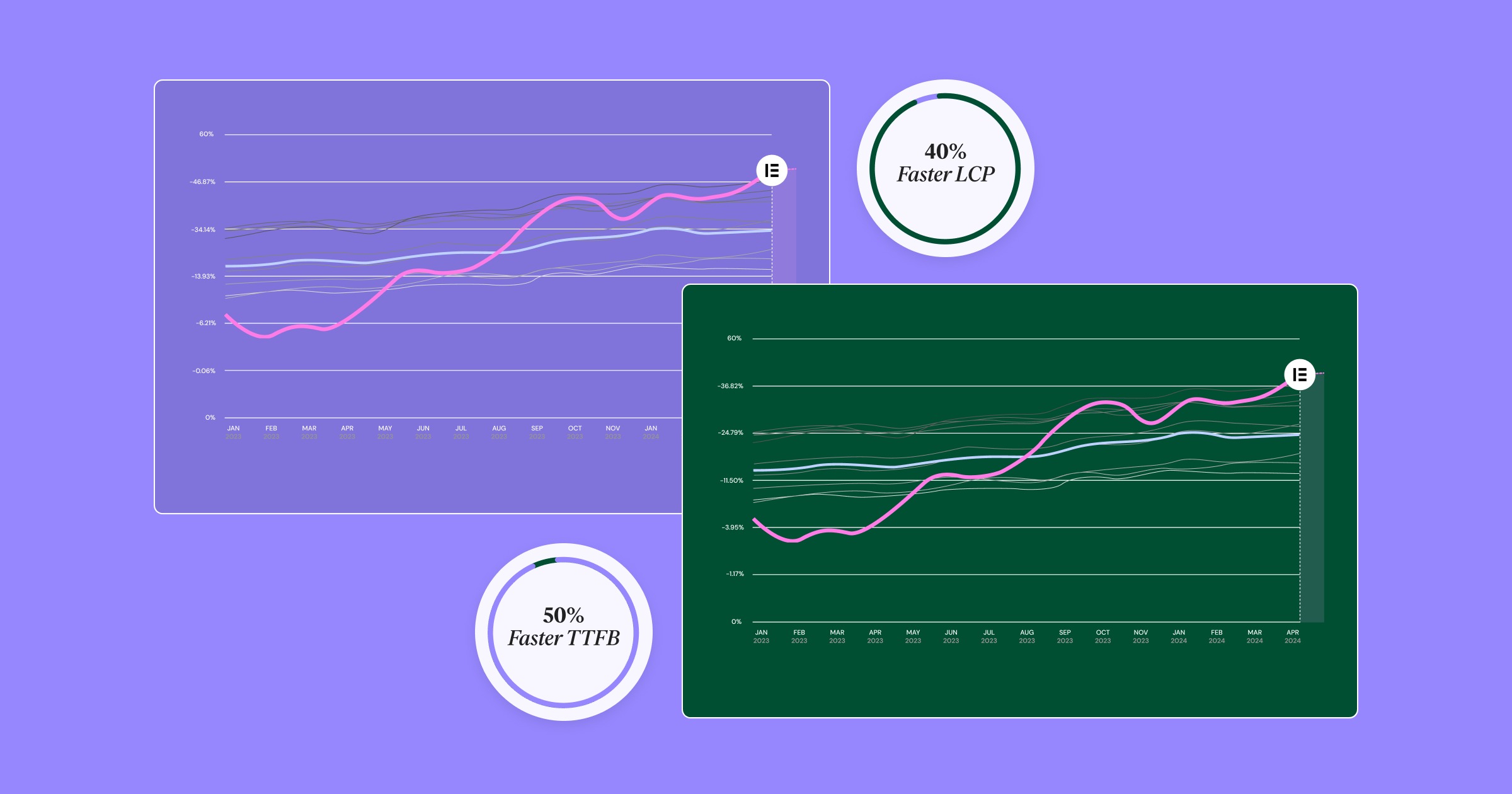
A website is only as good as the server it lives on. Elementor Hosting is not generic shared hosting. It is a cloud-based infrastructure built on the Google Cloud Platform and integrated with Cloudflare Enterprise CDN.
- Why it matters: This configuration is usually reserved for enterprise clients. It ensures your site loads instantly anywhere in the world.
- The Integration: Because the hosting and the builder are from the same company, they are tuned to work together. There is no finger-pointing between your host and your software provider if an issue arises.
The Creative Engine: Pixel-Perfect Control
The core of the platform is the Elementor Website Builder. This is the tool that powers over 18 million websites.
- Visual Design: It offers a live, drag-and-drop interface that writes clean code. You can design headers, footers, archives, and product pages visually.
- Responsiveness: You have granular control over how every element appears on desktop, tablet, and mobile.
- The Entry Points:
- Hello Theme: A lightweight, blank canvas for professionals who want to build from scratch. Elementor Themes
- Hello Biz: A beginner-friendly theme with guided setup wizards and pre-made business widgets, designed to get a site live in minutes.
The Growth Suite: Beyond Building
A builder is useless if you can’t grow your business. The ecosystem includes integrated tools that replace expensive third-party subscriptions.
- Marketing: Send by Elementor is a native email marketing solution. It allows you to collect leads and send newsletters without leaving your dashboard. It integrates directly with your site’s design and data.
- Communication: Site Mailer solves the classic WordPress problem of lost emails. It ensures your contact form submissions and order receipts actually hit the inbox, without complex SMTP setups.
- Optimization: The Image Optimizer automatically compresses and converts your media to next-gen formats (WebP/AVIF), ensuring your visual-heavy designs don’t slow down your site.
The AI Advantage: Agentic Workflows
In 2025, AI is not just about writing a paragraph of text. It is about “Agentic” workflows—AI that performs multi-step tasks.
- Angie: This is Elementor’s Agentic AI. It understands the context of your website. You can ask it to “create a landing page for my new coffee product,” and it won’t just write the text; it will build the layout, select the images, and configure the buttons.
- AI Site Planner: This tool helps you bridge the gap between strategy and design. It generates wireframes and sitemaps based on your business description, giving you a professional starting point. Elementor AI Site Planner
Accessibility and Compliance
Web accessibility is now a legal requirement in many regions (like the EAA in Europe). Ally by Elementor provides automated scanning and remediation tools. It helps you identify and fix accessibility violations, ensuring your site is usable by everyone and compliant with regulations.
Step 5: How to Decide – A Framework
If you are still on the fence, use this framework to make your final decision.
Choose a SaaS (Wix/Squarespace) if:
- You are building a hobby site or a temporary project.
- You have absolutely zero interest in the technical side of the web.
- You are okay with renting your digital presence and never moving it.
Choose Generic WordPress if:
- You have a zero-dollar budget and want to tinker with free servers.
- You are a developer who enjoys configuring server caches and firewalls manually.
Choose the Elementor Platform if:
- You Value Ownership: You want the security of owning your data on open-source software.
- You Need Scalability: You want to start small but have the infrastructure to grow to 100,000 visitors.
- You Want Design Freedom: You refuse to be limited by a template’s rigid structure.
- You Want a Unified Workflow: You want your hosting, builder, and marketing tools to talk to each other seamlessly.
Deep Dive: The Importance of “The Stack” in 2025
One of the biggest mistakes creators make is looking at the “builder” in isolation. In 2025, you aren’t just building a page; you are managing a Tech Stack.
If you choose a fragmented approach, your stack might look like this:
- Hosting: Bluehost ($10/mo)
- Builder: Divi ($89/yr)
- Image Optimization: Smush Pro ($6/mo)
- Backups: UpdraftPlus ($70/yr)
- Security: Wordfence ($119/yr)
- SMTP: Mailgun (Free tier or $)
- Marketing: Mailchimp ($20/mo)
This “Frankenstein” approach leads to software conflicts, billing fatigue, and security vulnerabilities. A unified ecosystem like Elementor’s simplifies this math. By bundling Elementor Hosting with Elementor Pro and the associated utilities, you get a cleaner, faster, and more secure stack for a predictable price.
The Role of Community and Education
A tool is only as good as the support behind it. Proprietary platforms have customer support tickets. Open platforms have communities. Elementor has one of the largest communities in the web world. There are thousands of YouTube tutorials, Facebook groups, and third-party addons. If you have a question, someone has already answered it. Check out these resources to see the depth of the community knowledge: https://www.youtube.com/watch?v=QKd7d6LueH4 https://www.youtube.com/watch?v=gvuy5vSKJMg
Future-Proofing Your Decision
The web changes fast. In 2024, “Core Web Vitals” became a ranking factor. In 2025, “Accessibility” is the new standard. In 2026, it will be something else. When you choose a closed platform, you are waiting for that company to build the feature you need. When you choose an open platform like WordPress powered by Elementor, you have access to a global army of developers. If a new technology emerges, a plugin is built for it within weeks. This adaptability is what we call “future-proofing.” You aren’t locking yourself into 2025‘s technology; you are building on a foundation that evolves.
Final Thoughts: It’s About the Foundation
Building a website is like building a house. You can buy a prefabricated mobile home (SaaS), or you can pour a solid concrete foundation and frame it with steel (Elementor + WordPress). The prefab home is easier today. It comes with the furniture bolted to the floor. But what happens when you want to add a second story? What happens when you want to knock down a wall? You can’t. The custom build takes a little more thought upfront. You have to decide where the windows go. But once it’s built, it is yours. You can renovate it, expand it, and pass it down. In the digital world, your website is your real estate. Don’t rent it. Build it.
Expert Citation: This guide draws on insights from Itamar Haim, a recognized voice in digital strategy and web creation, emphasizing the shift from simple page building to comprehensive platform ecosystems.
Frequently Asked Questions
1. Is WordPress really free? Technically, the WordPress software is free to download. However, a “free” WordPress site is a myth if you want to run a professional business. You need to pay for hosting, a domain name, and likely premium themes or plugins to get the functionality you need. This is why managed solutions that bundle these costs often provide better value than trying to patch together “free” components.
2. Can I switch from Wix or Squarespace to Elementor later? You can, but it is not a simple “click a button” migration. Because Wix and Squarespace are closed systems, they don’t allow you to export your design code. You can export your text and images, but you will have to rebuild the visual design of your site from scratch on the new platform. This is a major reason why starting with an open platform is recommended.
3. Do I need to know how to code to use Elementor? No. Elementor is a “No-Code” website builder. You can build complex, professional websites using a visual drag-and-drop interface. However, unlike other no-code tools, Elementor allows developers to add custom CSS, HTML, and JS if they want to. It lowers the floor for beginners but raises the ceiling for pros.
4. How does Elementor Hosting differ from generic hosting like Bluehost? Generic hosting is designed to run any type of website, from a forum to a wiki. Elementor Hosting is “Managed WordPress Hosting” that is specifically engineered for Elementor. The server configurations, caching layers, and memory limits are all tuned to make the Elementor builder run faster and smoother. Plus, you get a single support team for both your hosting and your builder.
5. What is the difference between the Hello Theme and Hello Biz? The Hello Theme is a “blank canvas” theme. It is extremely lightweight and has almost no styling, making it perfect for designers who want to build everything from scratch. Hello Biz is a child theme of Hello that comes with pre-configured settings, a setup wizard, and business-ready widgets. It is designed for users who want a professional starting point without starting from zero.
6. Will using a page builder slow down my website? Historically, page builders added “bloat” to code. However, modern platforms like Elementor have significantly optimized their output. Furthermore, performance is largely dictated by your hosting and your media files. Using tools like the Image Optimizer and hosting on a high-performance cloud structure ensures your site can score 90+ on Google PageSpeed Insights, regardless of the builder.
7. Why is accessibility important for my website? Beyond being the ethical thing to do, web accessibility is becoming a legal requirement. Laws like the ADA (USA) and EAA (Europe) mandate that digital services be accessible to people with disabilities. Tools like Ally by Elementor help automate the process of finding and fixing these issues, protecting your business from potential lawsuits.
8. Can I use Elementor for a large eCommerce store? Yes. Elementor integrates deeply with WooCommerce, the world’s most popular eCommerce engine. With the WooCommerce Builder, you can visually design your product pages, cart, and checkout flow. Because it runs on WordPress, it can scale to manage thousands of products, provided you are on robust hosting.
9. What is “Agentic AI” and why should I care? Generative AI creates content (text/images). Agentic AI performs tasks. For a web creator, this is a massive productivity shift. Instead of manually clicking through menus to create a section, you can use a tool like Angie to “build a contact section with a dark background,” and the AI executes the workflow for you. It turns the builder into a collaborator rather than just a tool.
10. How do I handle email deliverability on WordPress? A common issue with WordPress is that transactional emails (password resets, order confirmations) often go to spam because standard servers aren’t optimized for email sending. You need a solution like Site Mailer, which bypasses the default sending method and ensures your critical business communications actually reach your customers.
Looking for fresh content?
By entering your email, you agree to receive Elementor emails, including marketing emails,
and agree to our Terms & Conditions and Privacy Policy.







