Table of Contents
If coding scares you, you’re not alone, and you’re a bit behind the curve too. 73% of small business owners now say they’d rather use an ai website creator than hire a freelancer, since the feedback is instant and the price is friendlier.
AI has cut early wireframing time by about 75%, so an MVP that used to take days now comes together in roughly 29 minutes. The AI website builder market is set to hit $1.45 billion by 2026, and skipping these tools means leaving real time on the table.
Key Takeaways
- Agentic AI frameworks like Angie build native WordPress assets directly from prompts.
- The initial wireframing process takes 75% less time using modern AI platforms.
- Expect to pay an industry average of $15 to $25 per month for professional premium tiers.
- Wix Studio and Framer lead the pack for high-fidelity, complex animation designs.
- Durable AI builds a complete, functional service business site in exactly 30 seconds.
- AI-driven personalization and layout optimizations yield a 22% higher conversion rate.
Selection Criteria for Ranking the Best Platforms
Plenty of platforms slap “AI” on their marketing without saving real development time. The best 2026 platforms handle structural planning, code generation, and asset optimization without slowing you down, and that’s the bar we used.
- Contextual Awareness: Does the AI understand your site architecture, or just spit out generic snippets?
- Performance Outputs: We favored tools that consistently hit average LCP (Largest Contentful Paint) scores of 1.2 seconds or better.
- Creative Control: Can you edit the output visually, or are you locked into a rigid template?
- Pricing Value: A typical ‘Pro’ tier runs $15 to $25 a month, and we docked anything charging a premium for basic text generation.
Lock-in with no export option cost a platform points too. Flexibility matters most.
Angie by Elementor
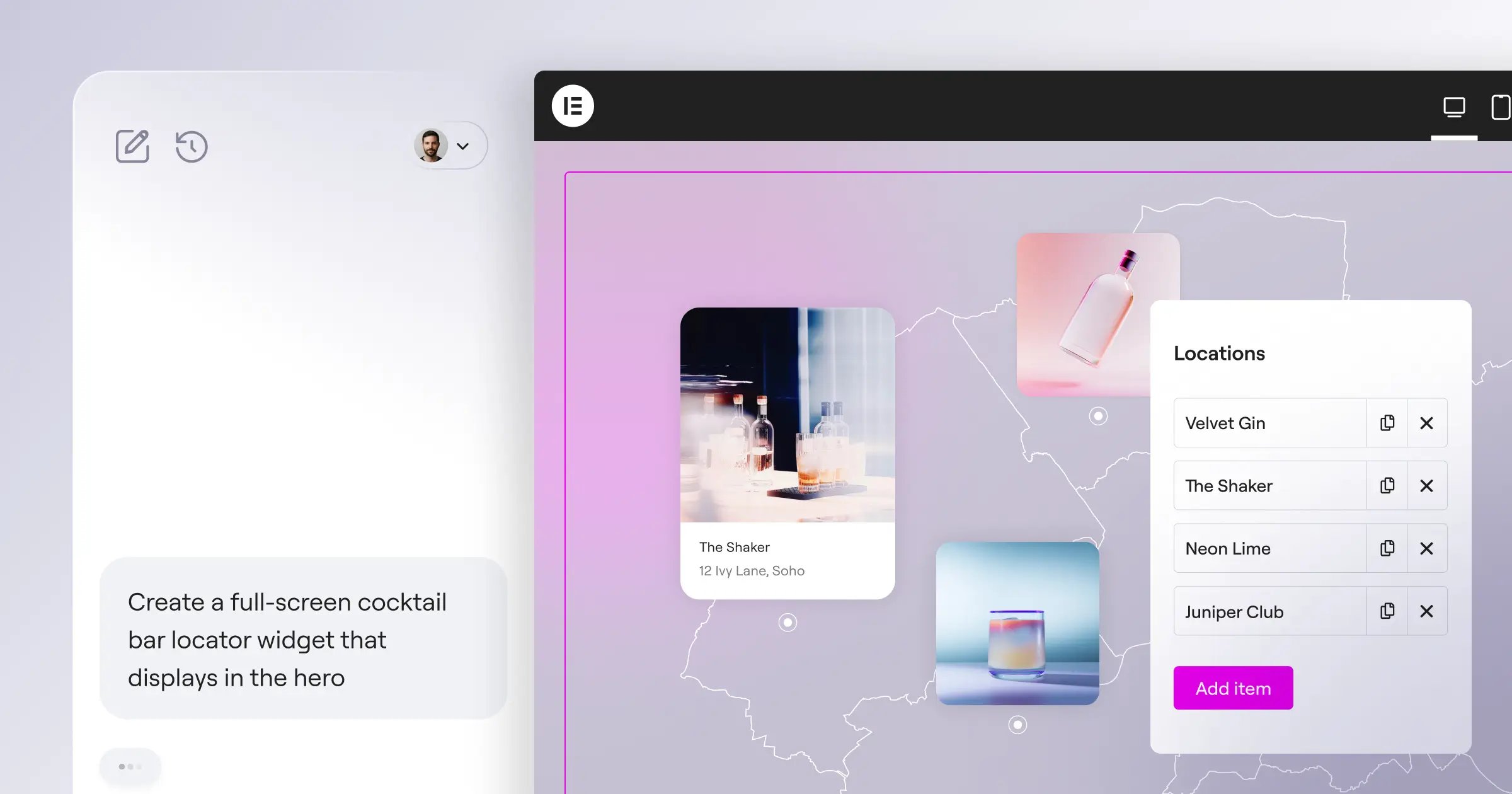
Most AI tools just generate text. Angie by Elementor takes action: an agentic AI framework, built for WordPress, that plans and executes tasks across your whole site instead of handing you code to copy. It runs as a free WordPress plugin within the Elementor ecosystem, and prompting it in plain language hands back native WordPress assets, using MCP to pick up your site’s architecture and plugins automatically, all tested safely in a sandbox first.
- Agentic Execution: Writes, tests, and deploys code from your intent.
- Custom Elementor Widgets: Builds functional widgets from text descriptions.
- Safe Sandbox Environment: Tests code before it touches your live managed WordPress hosting.
- WordPress Admin Snippets: Automates backend tasks and custom post types.
- Front-End Snippets: Injects custom CSS and JavaScript where needed.
Pricing: Angie is a free standalone WordPress plugin.
Pros:
- Purpose-built for WordPress.
- Inherits site context automatically via MCP.
- Keeps full creative control in your hands.
- Moves ideas to production fast.
Cons:
- Requires an existing WordPress install.
- Needs precise prompts for complex visual apps.
Verdict: Angie is about as close as it gets to a true WordPress developer co-pilot, pairing automation’s speed with native code quality.
Agentic AI fundamentally shifts how we interact with the WordPress ecosystem. Instead of generating generic code, tools like Angie understand your specific site context and execute complex tasks directly within your environment.
Itamar Haim, SEO Team Lead at Elementor. A digital strategist merging SEO, AEO/GEO, and web development.
Quick tip: test your newly generated widgets across mobile breakpoints so the custom CSS scales the way you expect.
Wix Studio AI
Wix rebuilt its professional tier for 2026. Wix Studio AI targets designers who want high-end animation without hand-writing CSS keyframes, and the AI handles the responsive math automatically, scaling your desktop design down to mobile.
- Section-Level Generation: Creates fully styled sections from a prompt.
- Automated Responsive Resizing: Calculates viewport math for every element.
- AI Image Expansion: Fills missing background data for odd aspect ratios.
- Code Assistant: Helps write Velo logic for custom interactions.
Pricing: Plans start at $16 per month.
Pros:
- Highly intuitive drag-and-drop interface.
- Handles scroll-based animation exceptionally well.
- Strong built-in marketing and client tools.
Cons:
- Strict platform lock-in; no code export.
- Can drag on older mobile devices.
Verdict: Wix Studio suits creative boutiques building high-end portfolios, though the lock-in is worth weighing before you commit.
Hostinger AI Website Builder
Sometimes you just need a site online today. The Hostinger AI Website Builder is the most budget-friendly entry point for beginners, leaning on LiteSpeed caching for average LCP scores of 1.2 seconds. Describe your business, and it generates the layout, copy, and a color palette in one pass.
- AI Logo Maker: Generates basic brand assets for new businesses.
- AI Heatmaps: Predicts visitor eye-tracking to optimize button placement.
- Automated SEO Descriptions: Writes meta tags based on page content.
- Instant Copywriting: Fills placeholder text with industry-specific phrasing.
Pricing: Introductory rates start at a competitive price point.
Pros:
- Extremely fast initial setup.
- Reliable hosting and a custom domain included.
- Friendly interface for absolute beginners.
Cons:
- Severely limited advanced customization.
- Designs feel generic without manual tweaking.
Verdict: The go-to pick for side hustles and small local businesses testing an idea. You won’t build a complex eCommerce site here, but you’ll get a web presence for about the price of a coffee.
Framer AI
Designers moving from Figma to live production need Framer AI, built entirely around high-fidelity, interactive aesthetics. It supports advanced Text-to-Site prompting, pulling from over 1,000 component variations, and its output consistently scores 95+ on Google Lighthouse.
- Text-to-Site Prompts: Generates complete, styled wireframes from a description.
- Advanced Scroll Animations: Applies complex physics automatically.
- Figma-to-HTML AI: Converts static design files into clean code.
- Smart Color Shuffling: Tests accessible color palettes with one click.
Pricing: A free tier exists for testing. Pro plans cost $25 per month.
Pros:
- Superior aesthetic output compared to basic grid builders.
- Incredible performance metrics and clean code.
- Feels completely natural for UI/UX professionals.
Cons:
- Overwhelms users with no design background.
- Content management for large blogs stays clunky.
Verdict: Tech startups and SaaS companies should look here first. The polish rivals custom agency work, so map your heading tags carefully, since the editor can obscure semantic structure.
10Web
Migrating a legacy website usually causes a real headache. 10Web solves this with machine learning: its AI Website Replicator scans any live URL and rebuilds it inside WordPress with roughly 90% accuracy, turning a weeks-long migration into hours.
- AI Website Replicator: Clones the visual structure of existing web pages.
- Automated PageSpeed Optimization: Handles caching and script minification.
- Google Cloud Infrastructure: Hosts the generated sites on enterprise-grade servers.
- AI Content Generation: Rewrites outdated copy during migration.
Pricing: Core plans start at $10 per month.
Pros:
- Drastically reduces the manual labor of migrations.
- Delivers excellent out-of-the-box performance scores.
- Includes automated real-time backups.
Cons:
- Requires their proprietary hosting for the full feature set.
- Complex JavaScript interactions won’t clone perfectly.
Verdict: Business owners migrating from legacy platforms will save dozens of hours here, though it’s worth checking your mobile breakpoints manually afterward.
Durable AI
Speed is Durable AI‘s whole identity: the fastest builder on the market for service businesses, claiming a 30-second site from a three-question prompt covering your location, industry, and business name. It bundles CRM and invoicing into the dashboard too.
- Instant Generation: Builds a complete homepage structure in exactly 30 seconds.
- AI CRM Integration: Captures leads and manages client communication.
- Automated Invoicing: Generates billing documents from the dashboard.
- Review Management: Helps solicit and display customer testimonials.
Pricing: The Starter plan runs $12 per month.
Pros:
- Unbeatable launch speed for basic service businesses.
- Consolidates website, CRM, and invoicing into one bill.
- Requires zero technical knowledge to operate.
Cons:
- Design layouts feel repetitive across industries.
- Scaling beyond a simple brochure site proves difficult.
Verdict: Solo entrepreneurs like lawyers and landscapers benefit immensely here, trading unique design for real efficiency, so swap the stock copy for your actual brand voice before publishing.
Divi AI
WordPress users already in the Elegant Themes ecosystem have a powerful alternative. Divi AI builds machine learning into the visual builder itself, generating context-aware CSS and cutting manual coding for advanced customizations by up to 90%.
- Context-Aware CSS: Writes custom styling code for the active module.
- AI Content Writer: Drafts blog posts and product descriptions in-editor.
- Image Refinement: Upscales and modifies existing media library assets.
- Section Generation: Builds row and column structures from prompts.
Pricing: Requires an $89 per year Divi Membership plus the AI Add-on subscription.
Pros:
- Integrates perfectly for users already familiar with Divi.
- Backed by massive community support and resources.
- Offers lifetime license options for the core builder.
Cons:
- Can feel heavy and slow on low-end shared hosting.
- Has a steep learning curve for new users.
Verdict: Long-term WordPress developers managing client sites will find real value here. Keep your server on the latest PHP version to keep things smooth.
GoDaddy Airo
Small businesses often need more than just a website, and GoDaddy Airo is a complete business-in-a-box: it builds your website, searches for a domain name, generates a starter logo, and drafts a month of social posts, all at once. SMBs using this approach see a 35% jump in cross-platform engagement.
- AI Domain Search: Suggests available, SEO-friendly URLs based on your niche.
- Social Media Scheduling: Drafts and queues content for multiple platforms.
- Integrated Email Marketing: Builds branded newsletters automatically.
- Unified Dashboard: Manages site traffic and social metrics together.
Pricing: Introductory tiers begin at $9.99 per month.
Pros:
- All-in-one convenience for non-technical owners.
- Remarkably low barrier to entry.
- Handles external marketing channels alongside web design.
Cons:
- Design flexibility remains quite limited compared to dedicated builders.
- Renewal prices often jump significantly after the first year.
Verdict: Brick-and-mortar shops going digital for the first time should start here. Just double-check your domain renewal rates before committing to the ecosystem.
Jimdo Dolphin
The European market demands strict privacy compliance, and Jimdo Dolphin builds that right in while keeping setup simple. It asks a series of targeted questions, then pulls existing data from your social profiles to build the site. 73% of its target SMB demographic appreciates its automatic legal page generator, which keeps things GDPR compliant from the start.
- Automatic Legal Generator: Drafts privacy policies tailored to local regulations.
- Social Media Sync: Imports images and business hours from Facebook/Instagram.
- Smart Color Extraction: Builds a unified palette based on your logo.
- Mobile-First Editing: Keeps the design process working smoothly on tablets.
Pricing: The Start plan costs $9 per month.
Pros:
- Exceptional handling of European privacy and cookie compliance.
- Highly simplified, distraction-free interface.
- Pulls existing business data reliably.
Cons:
- Very restricted feature set for scaling globally.
- Lacks advanced blogging and SEO categorization tools.
Verdict: Small European-based businesses prioritizing legal compliance over visual flair will love this tool. Keep your site structure flat, since complex multi-level menus get difficult to manage here.
Site123
Some users fear breaking their own website design. Site123 removes that risk with rigid, predefined layouts instead of a free-flowing canvas: drop your content in, and the engine makes sure it looks right on every device, with automated mobile-only tweaks that are hard to break by accident.
- Multilingual AI Tool: Translates page content accurately across dozens of languages.
- Structured Layouts: Prevents overlapping elements and broken grids.
- Free Image Library: Integrates millions of royalty-free assets.
- Simple E-commerce: Manages digital downloads and basic physical goods.
Pricing: A free tier exists. Premium features unlock at $12.80 per month.
Pros:
- Practically impossible to break the visual design.
- Highly stable hosting infrastructure.
- Excellent built-in translation capabilities.
Cons:
- Feels less creative than modern competitors.
- The editor interface looks slightly dated.
Verdict: Choose this platform for simple personal blogs or straightforward portfolios. The rigid structure feels restrictive for designers, but it’s a lifesaver for absolute beginners.
Comparison Summary of the 2026 Market
Choosing the right platform means weighing your budget against your technical needs. Here’s the core data at a glance.
| Platform Name | Primary Use Case | Starting Price | Core AI Strength |
|---|---|---|---|
| Angie (Elementor) | WordPress Development | Free (Plugin) | Native Code & Custom Assets |
| Wix Studio AI | Agency Portfolios | $16/month | Responsive Math & Animation |
| Durable AI | Local Services | $12/month | Extreme Launch Speed (30s) |
| Framer AI | SaaS & Startups | $25/month | High-Fidelity UI Design |
| 10Web | Platform Migration | $10/month | Layout Cloning & Accuracy |
Durable optimizes for rapid deployment. Angie optimizes for deep architectural control. Your choice shapes your workflow for years.
Final Recommendation: Matching Tools to Your Stack
AI-driven personalization now delivers a 22% bump in conversion rates, and 68% of these generated sites include automated schema markup, pushing indexation speeds about 40% faster. Pick a platform that actually matches your operational goals.
- The Professional Choice: Choose Angie by Elementor if you work within WordPress. Agentic AI changes how you build, with custom widgets, dynamic data, and full control over your on-page SEO strategy. You own the code.
- The Speed King: Choose Durable AI if you run a physical service business and need a working site today, trading custom design for a 30-second launch and built-in invoicing.
- The Design Master: Choose Framer AI for jaw-dropping aesthetics: 95+ Lighthouse scores alongside complex scroll animations, bridging Figma and the live web better than anything else out there.
Don’t overcomplicate it. Pick the tool that clears your biggest bottleneck, whether that’s design math, backend coding, or plain launch speed.
Frequently Asked Questions
Are AI website creators good for SEO?
Yes. Modern platforms generate semantic HTML, compress images, and write baseline meta tags. AI-generated schema markup alone speeds up indexation by roughly 40%.
Do I actually own the code generated by an AI builder?
Depends on the platform. Angie builds native WordPress assets you fully own and can export anywhere. Platforms like Wix or Site123 keep your code on their own hosting.
Can I use custom domains with free AI builders?
Rarely. Most platforms require a paid tier, averaging $15 a month, for a custom domain. Free tiers keep you on their branded subdomain.
How does agentic AI differ from standard text generation?
Standard AI hands you static snippets to copy yourself. Agentic AI, like Model Context Protocol systems, plans, writes, tests, and deploys working assets directly into your site’s architecture.
Will these builders replace professional web developers?
No. They’re capable co-pilots, taking tedious tasks like boilerplate CSS or breakpoint math off your plate, so developers focus on complex logic, security, and database architecture.
Can I export an AI-generated site to another web host?
Build on WordPress with Elementor or 10Web, and you can migrate freely. Use a SaaS builder like Framer, GoDaddy, or Jimdo, and exporting the code isn’t really an option.
Are these tools accessible and ADA compliant out of the box?
They give you a solid foundation, generating proper headings and alt text. But you’ll still want to manually audit for strict WCAG compliance.
Looking for fresh content?
By entering your email, you agree to receive Elementor emails, including marketing emails,
and agree to our Terms & Conditions and Privacy Policy.






