
Running a website today means wearing a lot of hats, and privacy manager is easily the most stressful one. If you get visitors from the United Kingdom, keeping up with the UK General Data Protection Regulation (UK GDPR) can feel like chasing a moving target. Rules have matured and enforcement is tighter, so compliance isn’t something to quietly put off anymore. Don’t worry, though, it’s easier to handle than it looks once you break it into steps. Here’s a practical rundown of what you need in place so you can get back to building your business.
Key Takeaways
- Prior consent is mandatory, you can’t set non-essential cookies before a visitor explicitly agrees.
- Equal options are required, rejecting cookies must be just as easy as accepting them with a single click.
- Granular controls build trust, users must be allowed to opt into specific cookie categories individually.
- Audit trails are vital, you need to keep detailed, secure consent logs to prove compliance in case of an audit.
- WordPress tools make it simple, using a built-in capability like Cookie Consent from Elementor helps you keep everything running directly from your dashboard.
The UK GDPR Climate in 2026: What Has Changed?
The regulatory landscape has shifted a lot lately. The UK Information Commissioner’s Office (ICO) has made clear that consent banners aren’t a design afterthought, they’re a core part of your user experience, and regulators are watching closely. If your site runs tracking scripts, analytics tools, or ad pixels, you’re legally required to give visitors clear control over their personal data.
The UK GDPR also works alongside the Privacy and Electronic Communications Regulations (PECR), which covers cookies and similar tracking technologies. Together, they set the rules for anyone visiting your site from the UK.
And it’s not just about avoiding fines, though those can be steep. It’s about building a respectful relationship with your audience, since visitors today know their privacy rights well. A transparent, easy-to-use cookie banner shows you respect their boundaries, which keeps people on your site longer and builds real trust.

To help you check your own site, here are the ten most important UK GDPR cookie requirements to put in place right now.
1. Prior, Explicit Consent (Opt-In by Default)
This is the golden rule of UK GDPR: you can’t drop any non-essential cookies onto a visitor’s device before they’ve given clear, active consent. Non-essential cookies include those used for tracking, analytics, social media sharing, and targeted advertising.
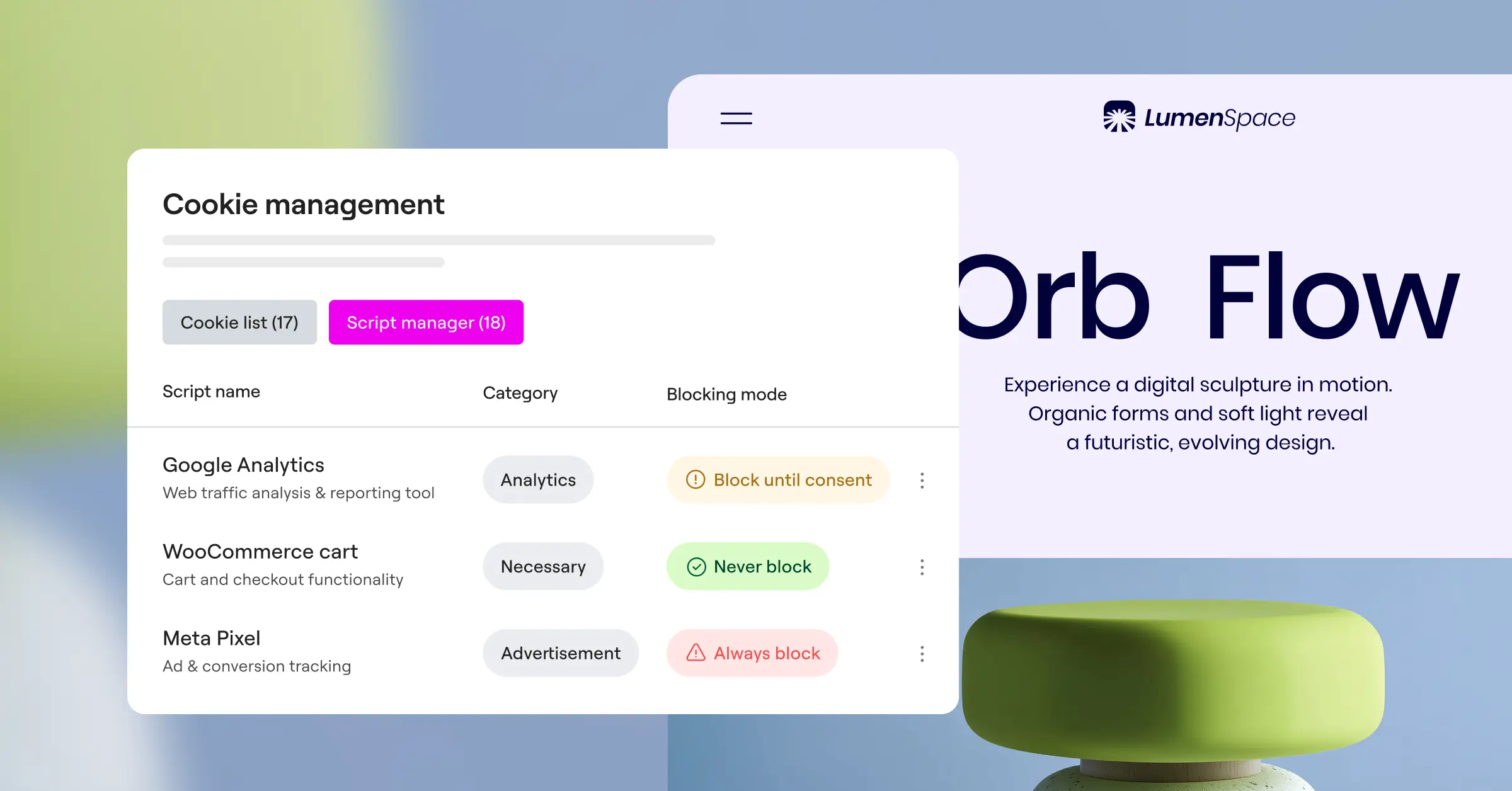
A lot of WordPress site owners make the mistake of loading scripts the moment a visitor arrives, assuming the banner on screen covers them. It doesn’t. Your site needs to stay clean of tracking until that “Accept” button gets clicked, which is where automatic script blocking helps, a good cookie consent tool holds scripts in place until consent is confirmed.
What are essential cookies?
Essential cookies, also called strictly necessary cookies, are the ones your website can’t function without. A few examples:
- Cookies that remember items in a shopping cart.
- Cookies that keep a user logged into their account.
- Cookies that remember a visitor’s privacy choices themselves.
You don’t need prior consent for these, but you still need to mention them in your privacy policy.
2. Equal Ease of Opt-Out (Reject Button Parity)
For a long time, websites used “dark patterns” to nudge people into accepting cookies, making “Accept” a bright, inviting green while burying “Reject” inside a deep settings menu. The ICO has been cracking down on exactly this practice.
In 2026, rejecting cookies must be just as easy as accepting them. A prominent “Accept All” button needs an equally prominent “Reject All” button right next to it, using similar fonts, contrast, and sizes so the choice stays genuinely fair. The UK GDPR also requires that withdrawing consent is as easy as giving it, a principle that runs through the whole framework.
Think of it as a friendly conversation. Offer a clear, balanced choice without tricks, and people are far more likely to trust your brand. The consent you do collect becomes more valuable too, because it’s genuinely informed.
3. Granular Consent Options
You can’t push visitors into an all-or-nothing choice. A compliant cookie banner needs to let users pick exactly which cookies they’re okay with. Someone might be happy to help you improve your site through analytics cookies but object to ad-tracking ones, and that’s entirely their right.
To meet this, your banner should include a secondary screen or toggle list to manage preferences, labeled clearly like this:
- Strictly Necessary, Required for the site to function safely.
- Analytics & Performance, Used to understand how visitors interact with the site.
- Functional, Remembers choices like language or region settings.
- Marketing & Targeting, Used to deliver relevant advertisements.
All of these categories, except for “Strictly Necessary,” must be turned off by default. Visitors have to actively toggle them on to give consent, you can’t assume their agreement.

4. Clear and Plain-Language Information
Your cookie banner must be written in simple, everyday language anyone can understand. Avoid complex legal jargon, confusing double negatives, or technical acronyms that leave people scratching their heads. (This one trips a lot of site owners up, and it’s completely avoidable.)
Instead of writing “We use third-party tracking mechanisms to optimize algorithmic collaboration,” just say “We use cookies to analyze our traffic and show you relevant ads.” Say plainly who’s collecting data, what it’s used for, and how long cookies stick around.
You also need a quick, accessible link to your full Cookie Policy, listing every cookie active on your site, its provider, its purpose, and its expiry date.
5. No “Cookie Walls” Allowed
A cookie wall blocks a visitor from viewing your content or using your service unless they accept all tracking cookies, which is strictly prohibited under UK GDPR.
Consent has to be freely given. If someone rejects all analytical and marketing cookies, they must still be able to read your blog posts, browse your store, and contact your team. Block their access, and their consent counts as forced, which makes it legally invalid.
The only exception is when a cookie is truly necessary for the specific service someone’s requesting. If they refuse the session cookie that keeps them logged in, you can’t show them their account dashboard. But for general content, keep your doors open to everyone, regardless of their privacy choices.
6. Secure and Accurate Consent Logs
Under the UK GDPR accountability principle, the burden of proof is on you. If a regulator questions your practices, you need to show a specific visitor gave valid consent before you processed their data.
Your cookie management tool needs to keep a secure, automated consent log capturing:
- The pseudonymized ID of the visitor.
- The date and time they made their choice.
- The specific categories of cookies they accepted or rejected.
- The active version of the cookie banner at the time of consent.
To protect visitor privacy, these logs shouldn’t store directly identifiable personal data, like full IP addresses. Use secure, encrypted IDs instead, so you can prove compliance without putting your visitors’ personal information at risk.

7. Support for Global Privacy Control (GPC)
Global Privacy Control (GPC) is a browser-level setting that lets users communicate their privacy preferences automatically. If a visitor has GPC enabled, it sends a signal to your website indicating they don’t want their data shared or tracked.
In 2026, recognizing and honoring these automated signals is an important part of UK compliance. Your website needs to detect GPC headers, and when it spots one, it should automatically opt the user out of all non-essential tracking, without making them manually click “Reject” on your banner.
Supporting GPC shows tech-savvy visitors you genuinely care about their preferences, and keeps you ahead of modern technical expectations.
8. Google Consent Mode v2 Support
If you use Google Analytics, Google Tag Manager, or Google Ads, this requirement matters a lot. Google now requires all websites serving traffic in the UK and European Economic Area (EEA) to use Google Consent Mode v2.
This framework bridges your cookie banner and Google services, communicating consent status directly to Google. If someone rejects cookies, Consent Mode v2 adjusts your tags so they don’t store user identifiers, sending anonymous, cookieless pings instead, so you still gather basic data without breaking the law.
Get this wrong, and you risk losing valuable advertising and measurement features in Google’s ecosystem. Using a dedicated Elementor Cookie Consent capability that natively supports Consent Mode v2 can save you hours of manual setup and testing.
9. Geo-Targeting for UK and Global Audiences
Not every visitor needs to see a strict UK GDPR cookie banner. Visitors from regions with less stringent privacy laws don’t need a large, multi-step choice box interrupting their experience.
Implementing geo-targeting lets you display specific banners based on where the visitor is located. You can show:
- A strict UK GDPR-compliant banner for UK visitors.
- A GDPR-compliant banner for EU visitors.
- A CCPA/CPRA-compliant banner for California visitors.
- A simpler, informational banner (or none at all) for visitors from countries without specific cookie regulations.
This targeted approach keeps your site compliant where it needs to be, while keeping things smooth for global readers.
10. Regular Cookie Scanning and Automatic Updates
Your website is a living thing. You might add a new analytics script today, install a social sharing button tomorrow, or embed a YouTube video next week. A lot of these third-party elements introduce new cookies without your active knowledge, it happens all the time, and it’s easy to miss.
To stay compliant, scan your site regularly for new cookies. When a new script turns up, it needs categorizing right away so your cookie banner can block it until consent is granted. A static cookie policy written a few years ago won’t cut it in 2026.
An automated cookie scanner keeps your site audit-ready without the manual effort, cataloging cookies quietly in the background and keeping your cookie policy current.
Choosing the Best Compliance Solution: Comparison Table
To make it easier to pick the right compliance tool for your WordPress site, here’s how the leading options stack up, based on native integration, ease of setup, and specific compliance features.
| Feature / Tool | Cookie Consent (Elementor) | Cookiebot | CookieYes | Complianz | iubenda |
|---|---|---|---|---|---|
| WordPress-Native Dashboard | Yes (No external portals) | No (Uses cloud dashboard) | No (Uses cloud dashboard) | Yes (In-dashboard settings) | No (External cloud console) |
| Setup Time | Under 5 minutes | Moderate | Moderate | Longer (Multi-step wizard) | Moderate to Long |
| Consent Mode v2 Support | Yes (Built-in) | Yes | Yes | Yes | Yes |
| Geo-Targeting | Yes | Yes (Paid plans only) | Yes (Paid plans only) | Yes | Yes (Paid plans only) |
| Consent Logs | Yes (Secure local storage) | Yes | Yes | Yes | Yes |
Tools like Cookiebot, CookieYes, and iubenda are established options in the cookie consent space, though they ask you to manage settings across external cloud dashboards, adding another platform to your workflow. If you’d rather keep everything in one place, Elementor’s native Cookie Consent capability lets you build banners, manage scripts, and track consent logs without ever leaving your WordPress dashboard.
“In 2026, privacy compliance is no longer a technical box to check; it’s a fundamental element of brand reputation. Websites that make consent transparent and easy to manage see higher long-term user trust and better data quality.”
– Itamar Haim, Web Compliance Specialist
Your 5-Step WordPress Implementation Plan
Getting compliant doesn’t have to be an overwhelming chore. Follow this practical plan to get your WordPress site up to speed in under an hour.
- Audit your site, Use a tool to identify every cookie currently dropped on your visitors’ browsers, noting which are essential and which are for marketing or analytics.
- Install a dedicated compliance capability, Choose a tool like Elementor’s Cookie Consent to manage banners natively within WordPress. (Keeps your workflow simple and your site fast.)
- Design a balanced banner, Create a layout matching your brand that keeps the “Accept” and “Reject” buttons equal in size and visibility, with clear, easy-to-read text.
- Enable Google Consent Mode v2, If you use Google Analytics or Ads, switch this on so your data keeps flowing legally.
- Test your setup, Open an incognito window, visit your site, and check whether any non-essential cookies load before you click accept. If they’re blocked, you’re good to go.
Frequently Asked Questions
Do small blogs with low traffic still need to comply with UK GDPR cookie rules?
Yes. The UK GDPR applies to any website, regardless of size, traffic, or business model, as long as it processes personal data of individuals in the United Kingdom. If your small blog uses basic tools like Google Analytics or display ads, you’re dropping cookies and need valid consent first.
Can I pre-tick the analytics cookie consent box on my banner?
No. Pre-ticked boxes are strictly illegal under the UK GDPR. All cookie categories, except those strictly necessary for the site to function, must be unticked or off by default. Visitors have to actively choose to toggle them on.
What happens if I don’t comply with the UK cookie requirements?
Non-compliance can lead to warnings, formal audits, and significant financial penalties from the Information Commissioner’s Office (ICO). Beyond the legal trouble, a site without transparent cookie options risks losing visitor trust, people may simply leave for a competitor that handles privacy with more care.
Does the UK GDPR still apply if my business is based in the United States?
Yes. The UK GDPR has extra-territorial reach. If your business is based in the US but offers goods or services to people in the UK, or tracks their behavior through cookies, you need to comply with UK privacy laws for those visitors.
How long do I need to keep my website’s cookie consent logs?
Keep consent logs for as long as you process the data collected under that consent, typically three to five years depending on your data retention policy, so you can show clear proof of compliance if there’s ever a retrospective audit or legal dispute.
What’s the difference between a privacy policy and a cookie policy?
A privacy policy is a broad document detailing how your website collects, uses, stores, and protects all forms of personal data, like contact form submissions, newsletter sign-ups, and billing details. A cookie policy is a more focused document covering cookies, tracking scripts, and similar technologies specifically.
Is it possible to use Google Analytics without a cookie banner?
By default, Google Analytics uses cookies to track user behavior, which requires consent. If you use Google Consent Mode v2 and configure Analytics to run in a cookieless, anonymized manner, you can reduce the consent requirements, but you still need to explain this processing clearly in your privacy policy.
Does the Elementor Cookie Consent capability affect my site’s loading speed?
No, it’s built to run cleanly and efficiently from your WordPress dashboard. Because it’s natively integrated into your design system, it avoids the heavy external scripts that third-party cloud tools often rely on, keeping your site fast and user-friendly.

