Table of Contents
10 Best WordPress AI Builders in 2026
Drag-and-drop is giving way to prompt-based design, the new baseline for WordPress in 2026. With WordPress powering 43.5% of all websites globally, AI baked into the CMS splits the market into generic text wrappers dressed up as site builders, and agentic frameworks that understand your site’s architecture.
The stakes are real: the global AI in web development market is projected to reach $14.2 billion by 2032, so picking wrong gets expensive. We tested the top platforms to separate the time-savers from the bloat.
Key Takeaways
- Agentic AI frameworks like Angie go beyond text prompts, generating actionable code inside WordPress.
- 75% of web designers say AI tools cut wireframing and prototyping time by at least half.
- AI-optimized layouts and personalized CTAs can lift on-site conversion rates by up to 15%.
- Over 1 million websites already run some form of AI-driven design tool inside the WordPress ecosystem.
- Automated maintenance tools cut manual plugin and security update time by 80% for agencies.
- Specialized coding tools save hours of custom PHP and JavaScript work on complex builds.
Selection Criteria for 2026
Not every AI tool deserves a spot on your server. Plenty of plugins claim artificial intelligence but just ping an external API to write generic blog paragraphs.
We measured each tool against a few strict standards, since messy, unoptimized AI-written code doesn’t cut it.
- Native WordPress Integration – Understands post types, taxonomies, and the core database instead of operating in a vacuum.
- Output Performance – Code must stay clean, without wrecking Core Web Vitals with excess DOM elements.
- Workflow Speed – Should move you from blank screen to production fast; if the prompt takes longer than designing by hand, it fails.
- Design Flexibility – You need creative control. The AI should be a co-pilot, not a dictator into rigid templates.
Pricing matters too. We weighed return on investment for each platform, separating novelties from genuine production tools.
1. Angie by Elementor: The Agentic WordPress Co-Pilot
Most AI tools generate text. Angie doesn’t, it takes real action inside WordPress.
The true power of AI in WordPress isn’t just writing blog posts; it’s about agents that understand your site’s entire context and execute structural changes safely.
Itamar Haim, SEO Team Lead at Elementor. A digital strategist merging SEO, AEO/GEO, and web development.
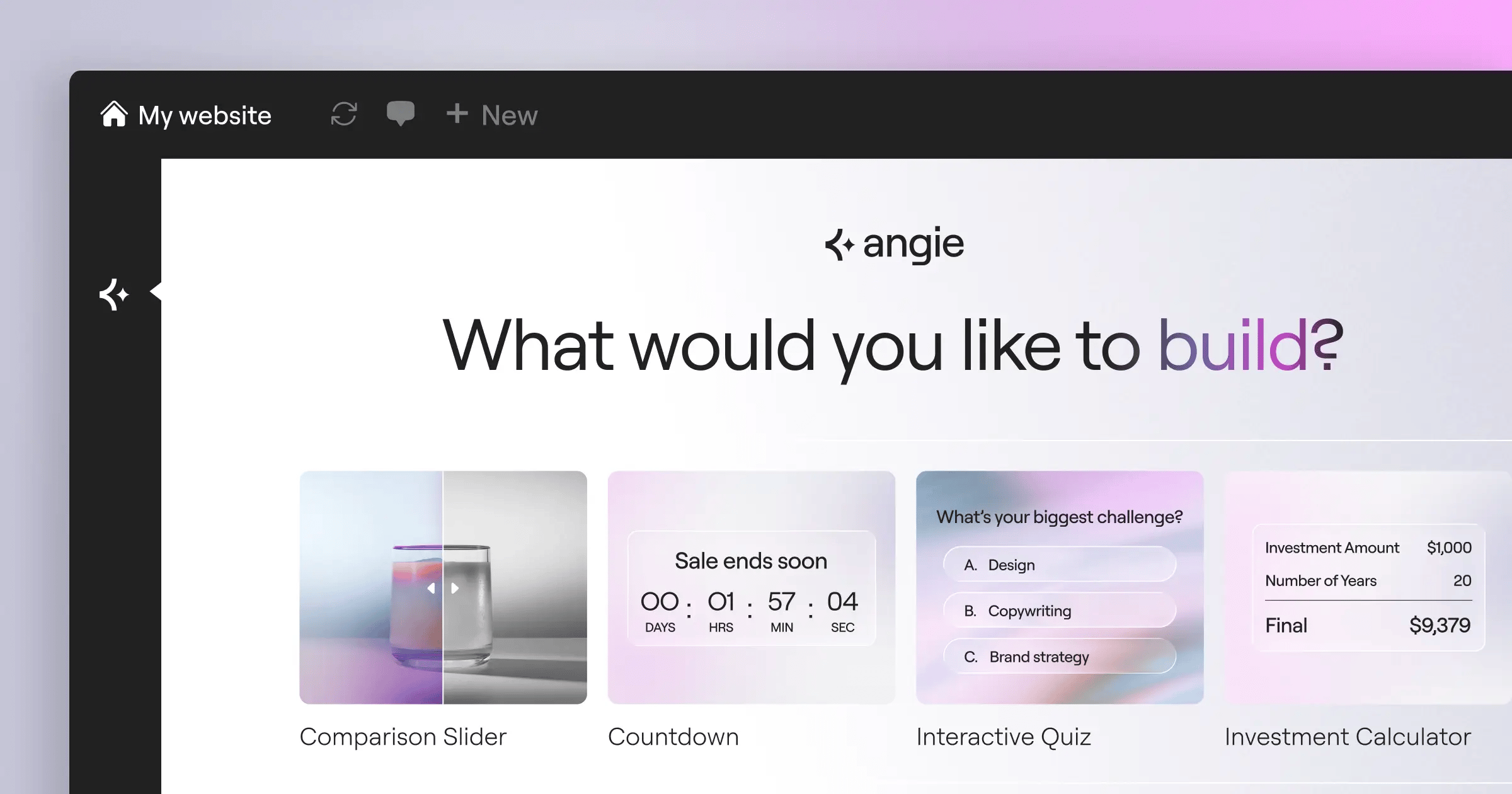
Angie uses the Model Context Protocol (MCP) to read your site’s context, plugins, and settings, so you can build custom Elementor widgets or snippets by describing what you need.
Overview
Angie runs in a secure sandbox, moving idea to production in minutes without touching your live site.
Key Features
- Plans and executes multi-step tasks across WordPress.
- Inherits site data automatically via MCP.
- Tests custom code safely without risking live sites.
- Builds custom post types from plain language.
- Generates functional front-end applications natively.
Pricing
Angie is a FREE WordPress plugin, part of the Elementor ecosystem but usable standalone.
Pros
- Unmatched integration with core WordPress architecture.
- Cuts costs on custom development.
- Zero risk to live sites.
- Free to install and use.
Cons
- Takes getting used to for simple-prompt users.
- Heavy operations need extra time for complex PHP.
Verdict
Angie earns its spot in 2026 for turning natural language into native WordPress assets.
2. Elementor AI: The Professional Creator’s Engine
Want an assistant inside the visual editor? That’s Elementor AI, built into Elementor Editor Pro: its AI Context feature reads your colors, typography, and site history so generated elements match your design.
Overview
Elementor AI generates complete layouts: describe a section and watch it build the HTML instantly, or write custom CSS for widgets.
Key Features
- Generates prompt-to-layout structures for rapid wireframing.
- Matches your brand’s tone and style in text and images.
- Writes targeted custom CSS for advanced styling.
- Extends image borders and fixes aspect ratios.
- Shares a credit system tied to Elementor One.
Pricing
Available as an add-on starting at competitive ratesnth (18k credits) up to $8.25/month (50k credits), or included in Elementor One ($168/year), unifying the entire AI site builder experience.
Pros
- Fast workflow inside the visual editor.
- High design flexibility with atomic CSS control.
- Understands your global brand settings automatically.
- Image optimization built into the process.
Cons
- Requires an active Elementor Pro or Elementor One subscription.
- Credit system means watching heavy usage.
Verdict
Best for designers and agencies who want visual control with AI-driven speed.
3. Divi AI: High-Volume Content Generation
Content-heavy agencies churning out landing pages weekly hate credit limits. Elegant Themes built Divi AI for high-volume users, offering unrestricted access instead of counting tokens.
Overview
Built into the Divi Builder, this tool generates large amounts of text and imagery, and its AI Code Writer lets users build custom modules, bypassing older shortcode limits.
Key Features
- Removes caps on text, code, or image requests.
- Builds custom modules within the Divi ecosystem.
- Modifies existing photos based on new prompts.
- Learns from your page content to write copy.
Pricing
Divi AI is priced at $18/month or $172/year for unlimited generation across all team members.
Pros
- Zero credit anxiety; generate assets all day.
- Excellent for agencies managing massive content portfolios.
- Strong image manipulation built in.
- Predictable billing for large teams.
Cons
- Heavier than some newer, lighter alternatives.
- Legacy shortcode architecture can complicate custom code.
Verdict
Divi AI suits power users who want to experiment without watching a credit meter.
4. 10Web AI Website Builder: The Agency Automator
Site migration means hours copying layouts and optimizing old assets. 10Web flips that script, using AI to replicate existing pages into editable WordPress templates, cutting manual plugin and security update time by 80% for agencies.
Overview
Enter a URL or business description, and 10Web generates the complete site, optimizing images and minifying code to guarantee a 90+ PageSpeed Insights score.
Key Features
- Recreates layouts from competitor URLs.
- Guarantees top-tier performance metrics.
- Writes accurate company copy from minimal input.
- Handles tedious updates using AI checks.
Pricing
Plans start at $10/month, billed annually, usually including required hosting.
Pros
- Fast for migrating non-WordPress sites into the CMS.
- Guaranteed performance scores save hours of SEO work.
- Big reduction in maintenance tasks.
- Great for quick client mockups.
Cons
- Tied to their hosting infrastructure.
- Less creative freedom than standalone builders.
Verdict
Best for high-turnover agencies that need high-performance, low-maintenance client sites quickly.
5. ZipWP: Rapid Prototyping and Onboarding
A blank WordPress dashboard intimidates new users. ZipWP fixes that, generating a fully functional, multi-page site with relevant images and copy in under 60 seconds.
Overview
Answer a few questions, and ZipWP selects a theme, installs plugins, writes copy, and adds royalty-free images before your coffee gets cold.
Key Features
- Generates a site in 60 seconds, the fastest prompt-to-site engine on the market.
- Handles plugin and theme setup behind the scenes.
- Pulls highly relevant, royalty-free photography automatically.
- Hosts a temporary draft URL for instant review.
Pricing
There’s a generous Free tier, with Pro plans for higher-volume users.
Pros
- The fastest onboarding experience in WordPress.
- Beginner-friendly, requires zero technical knowledge.
- Great for rapid client pitch decks.
- The free tier is usable for small projects.
Cons
- Customization options after generation are limited.
- Designs can look templated next to custom builds.
Verdict
ZipWP suits small business owners and freelancers who need a site drafted yesterday.
6. Hostinger AI Builder: The Budget-Friendly All-In-One
Not every client has thousands for custom development. Hostinger bundles managed hosting and AI into one affordable package, letting micro-businesses get online without a team.
Overview
The builder uses a simplified drag-and-drop interface with AI content generation, plus an AI Logo Maker and a predictive Heatmap tool.
Key Features
- Predicts user behavior and attention zones on your layout.
- Generates basic brand assets for new businesses instantly.
- Simplifies the drag-and-drop editor for speed.
- Writes meta titles and descriptions automatically.
Pricing
The entry point starts at just competitive ratesnth, including hosting, a domain, and the AI builder.
Pros
- Strong price-to-value ratio for entry-level websites.
- Everything handled in one dashboard, no conflicts.
- The heatmap tool gives useful UX insights.
- Very low barrier for complete beginners.
Cons
- The AI is simpler than premium standalone builders.
- Trading plugin compatibility for simplicity.
Verdict
Hostinger is the budget pick, best for hobbyists and micro-businesses needing a reliable presence fast.
7. Brizy AI: Conversion-Optimized Landing Pages
Traffic means nothing without conversions, and Brizy steers its AI toward UI/UX optimization: AI-optimized layouts and personalized CTAs lift on-site conversion rates by up to 15%, and 58% of marketers report higher ROI than manual methods.
Overview
Brizy pairs an intuitive visual editor with an AI engine trained on high-converting copywriting and dynamic content blocks that adapt to user segments.
Key Features
- Writes sales copy trained on direct-response principles.
- Adapts content blocks dynamically based on intelligent rules.
- Supports cloud collaboration for marketing teams.
- Recolors entire funnels instantly for seasonal campaigns.
Pricing
Brizy’s AI-powered builder starts at a reasonable $9/month for personal use.
Pros
- Among the most modern, intuitive interfaces here.
- Focused on metrics that actually matter: leads and sales.
- A strong block library for rapid funnel assembly.
- Affordable entry price for solo marketers.
Cons
- Brizy’s third-party plugin ecosystem is smaller than Elementor’s or Divi’s.
- Not ideal for complex, data-heavy directory sites.
Verdict
Best for marketers, media buyers, and lead-gen specialists who need high-converting landing pages quickly.
8. Spectra AI: The Native Block Specialist
Prefer the native WordPress block editor and want to avoid page builder bloat? Spectra AI, from the Astra team, enhances Gutenberg rather than replacing it, skipping heavy external libraries for a smarter, faster editor.
Overview
Spectra AI generates complex block patterns from text prompts, and its wireframe-to-block tool turns basic ideas into fully styled Gutenberg blocks. It’s clean, fast, and future-proof.
Key Features
- Generates multi-block layouts from one text description.
- Turns structural blueprints into styled Gutenberg elements.
- Produces 100% core-compliant block code.
- Skips jQuery and heavy external scripts entirely.
Pricing
Spectra Pro, which includes the advanced AI features, is priced at $49/year.
Pros
- Lightweight output that keeps loading speeds excellent.
- Future-proof since it relies on core Gutenberg mechanics.
- Affordable annual pricing model.
- Integrates well with any block-enabled theme.
Cons
- The AI features are newer, less mature than some older competitors.
- Gutenberg’s native interface still has limitations for advanced designers.
Verdict
Spectra AI suits WordPress purists who want native performance without giving up modern AI conveniences.
9. CodeWP: The Developer’s AI Assistant
Visual builders aren’t always enough. Sometimes you need raw code, like a custom WooCommerce hook or ACF query. CodeWP, an AI assistant trained exclusively on WordPress, understands hooks, filters, and core functions far better than generic tools.
Overview
Tell CodeWP what you want, and it writes the exact PHP, JavaScript, or CSS needed, with modes so the code respects each plugin’s APIs.
Key Features
- Trains specifically on WordPress core, not generic PHP.
- Understands WooCommerce, ACF, and Elementor APIs.
- Turns generated snippets into installable ZIP files.
- Analyzes broken code and suggests precise fixes.
Pricing
The Pro tier costs $18/month, providing unlimited generations for complex site builds.
Pros
- Cuts reliance on heavy third-party plugins.
- Big time saver for developers writing repetitive queries.
- High accuracy thanks to specialized WordPress training.
- Lets non-coders safely implement advanced functionality.
Cons
- Requires basic understanding of where to paste WordPress code.
- No visual interface for frontend design tasks.
Verdict
CodeWP is a genuine asset for developers building customized, dynamic WordPress sites.
10. Beaver Builder with Beaver Themer AI: The Stable Veteran
Stability is a feature in its own right. Beaver Builder has held to that philosophy for years, folding AI assistance into their stable ecosystem rather than rushing a tool to market.
Overview
The Beaver AI Assistant handles content generation and styling tweaks inside their editor, and paired with a developer-friendly API, lets agencies build customized sites that won’t break.
Key Features
- Handles text generation and structural edits.
- Keeps output famously clean and bloat-free.
- Extends developer hooks for custom AI workflows.
- Rebrands the entire experience easily for agency clients.
Pricing
Beaver Builder pricing sits at $99/year, which covers unlimited sites.
Pros
- Unmatched stability and backward compatibility.
- Output code is clean, manageable, and performant.
- Exceptional customer support for complex agency queries.
- Unlimited site license offers excellent value for agencies.
Cons
- AI features sit separately from the core editor, unlike Elementor’s native approach.
- The UI reflects an older design than recent block builders.
Verdict
Best for conservative developers and agencies who value long-term stability over flashy new features.
Comparison Summary: 2026 WordPress AI Builders
Quick overview of how these tools stack up, matched to your needs.
| Tool Name | Best For | Starting Price | AI Strength (1-10) | WP Integration |
|---|---|---|---|---|
| Angie by Elementor | Agentic Code & Assets | Free | 10 | Native/Deep |
| Elementor AI | Professional Designers | competitive rates | 9 | High |
| Divi AI | High-Volume Agencies | $18/mo | 8 | High |
| 10Web | Site Migrations | $10/mo | 8 | Medium |
| ZipWP | Rapid Prototyping | Free Tier | 7 | Medium |
| Hostinger AI | Budget Beginners | competitive rates | 6 | Low |
| Brizy AI | Marketers / Lead Gen | $9/mo | 7 | Medium |
| Spectra AI | Gutenberg Purists | $49/yr | 8 | Native |
| CodeWP | Backend Developers | $18/mo | 9 | Native Code |
| Beaver Builder | Enterprise Stability | $99/yr | 6 | High |
Final Recommendation: Which AI Builder Belongs in Your Stack?
You can’t install all of these, so pick a lane based on your daily workload.
- For Agency Professionals and Designers – Combine Angie with Elementor AI: Angie handles structural tasks and widgets for free, Elementor AI speeds up the layout.
- For Custom Code Developers – Pair CodeWP with a lightweight block tool like Spectra AI, keeping your DOM clean while AI handles backend logic.
- For Content Farms and Marketers – Pumping out pages weekly, Divi AI offers the best flat-rate pricing. For paid traffic funnels, Brizy AI brings a conversion-focused block library.
- For Absolute Beginners – Go with Hostinger AI Builder: affordable, handles hosting, and you won’t break anything.
The tools are ready. Pick your framework and start building.
Frequently Asked Questions
What is an agentic AI framework in WordPress?
An agentic framework, like Angie, doesn’t just hand you text prompts, it plans and executes multi-step tasks: reading your database, writing PHP, and applying it inside a sandbox.
Does using AI builders hurt my SEO rankings?
No. Google penalizes slow, unhelpful sites, not AI-generated layouts. As long as your builder outputs clean code and your content serves the user, your SEO is fine.
Can I use Elementor AI without an Elementor Pro subscription?
No, Elementor AI is built into the Pro editor, needing a Pro license or Elementor One to access the shared credit system.
What is the Model Context Protocol (MCP)?
MCP is a standard that lets AI models securely connect to external data sources, so in WordPress the AI automatically understands your plugins, theme, and site structure without explanation.
Are AI-generated images copyright free?
Generally, images from tools like Elementor AI or Divi AI are safe for commercial use, though you can’t copyright AI-generated art under current 2026 US law.
How does 10Web achieve a 90+ PageSpeed score automatically?
10Web runs the site through an automated pipeline: compressing images to WebP/AVIF, deferring non-critical JavaScript, and caching output on their hosting stack.
Is CodeWP safe for live production sites?
Yes, but always review generated code. CodeWP is accurate for WordPress logic, but running untested PHP live is risky, so test in staging first.
Looking for fresh content?
By entering your email, you agree to receive Elementor emails, including marketing emails,
and agree to our Terms & Conditions and Privacy Policy.

