
Running a successful online store keeps you busy enough without adding legal homework to the list. Between inventory, product pages, and customer service, setting up a privacy banner can feel like one more chore to squeeze in. Here’s the good news: building a solid cookie consent strategy for your shop is easier than it sounds, and you don’t need to be a lawyer to get it right.
A smart privacy setup does more than protect you from fines. It shows visitors you respect their data, and that builds real brand loyalty over time. With the right tool and a clear plan, you can have your whole banner strategy set up in under an hour, so let’s walk through the core concepts, the implementation steps, and the mistakes most store owners make so you can avoid them.
Key Takeaways
- Protects your business from costly compliance audits and regulatory fines under GDPR and CCPA.
- Builds deep consumer trust by showing clear transparency about how you collect data.
- Supports Google Consent Mode v2 to preserve your advertising data and analytics.
- Improves user experience by using geo-targeting to display banners only when necessary.
- Simplifies maintenance by managing all compliance settings directly inside your website dashboard.
Why Privacy Compliance is Non-Negotiable for Online Stores in 2026
Privacy laws aren’t a passing trend, and regulators keep checking online shops of every size. If your store serves customers in Europe, California, or any other region with active privacy rules, you’ll need to follow them, and skipping that step can mean warning letters or real fines. Beyond the legal side, shoppers today genuinely care about their digital footprint. They want to know who’s tracking them and why, and browsers are only making third-party cookies harder to rely on, so first-party data and direct consent matter more than ever.
Think of your consent banner as the digital front door of your shop. When it’s clean and honest, it sets a welcoming tone and tells customers you take their privacy seriously. When it looks shady or confusing, visitors might leave before they’ve browsed a single product. Building a transparent strategy now means you’re getting ahead of a future where privacy is the default, instead of scrambling to fix things later.
“An honest and transparent approach to user privacy is no longer just a legal shield. It’s a primary driver of customer retention in modern ecommerce. When shoppers feel safe, they buy with confidence.”
– Itamar Haim, Web Compliance Specialist
The Core Elements of an Effective Ecommerce Cookie Strategy
To build a strong strategy, you first need to understand what you’re actually tracking. Not all cookies are equal, and your banner needs to reflect that, since you can’t just block everything when your store relies on certain scripts to function. Here are the main categories you’ll be managing.
What Are Necessary Cookies?
Necessary cookies are the files your store can’t run without. They don’t track anyone for marketing purposes, they just handle the basics: keeping items in a cart, managing login sessions, and keeping checkout secure. Since they’re essential for your site to work, you don’t need permission to load them, though you should still mention them in your privacy policy.
What Are Marketing and Analytical Cookies?
Marketing and analytical cookies work differently. They track how visitors use your site, which pages they view, and what they buy, which helps you run retargeting ads and understand your traffic. Because they collect personal identifiers, you need clear, active consent before these scripts load, and that’s where a reliable consent tool earns its keep.
When you set these trackers up, your consent system should handle all of this:
- Blocks non-essential scripts automatically until the visitor clicks the accept button.
- Categorizes trackers clearly so users know exactly what they’re consenting to.
- Saves consent choices securely to maintain an audit trail for compliance inspectors.
- Displays a simple way for visitors to change their minds and withdraw consent later.
- Adapts to the visitor’s location so you don’t show unnecessary popups to people in regions that don’t require them.
- Syncs with your tag managers to keep your marketing tools working correctly.

How Google Consent Mode v2 Changes Everything for Ad Tracking
If you run Google Ads or Google Analytics, you’ve probably heard of Google Consent Mode v2, the framework Google built so website owners can pass consent choices directly to Google’s tags. In 2026, it’s a smart move for anyone running paid campaigns in the European Economic Area.
With Consent Mode v2, your site tells Google’s tools whether a visitor accepted or declined tracking. If they decline, Google’s tools don’t just stop working, they switch to a cookieless state and model conversions and traffic patterns without identifying anyone. Your reports stay reasonably accurate while fully respecting privacy.
Setting this up manually gets complicated fast, since it means editing tracking scripts and testing multiple scenarios. A WordPress-native capability like Elementor’s Cookie Consent makes it much simpler. It handles the back-and-forth between visitor choices and Google’s tags automatically, so your campaigns stay optimized without any manual code editing.
The Anatomy of a High-Converting, Compliant Banner
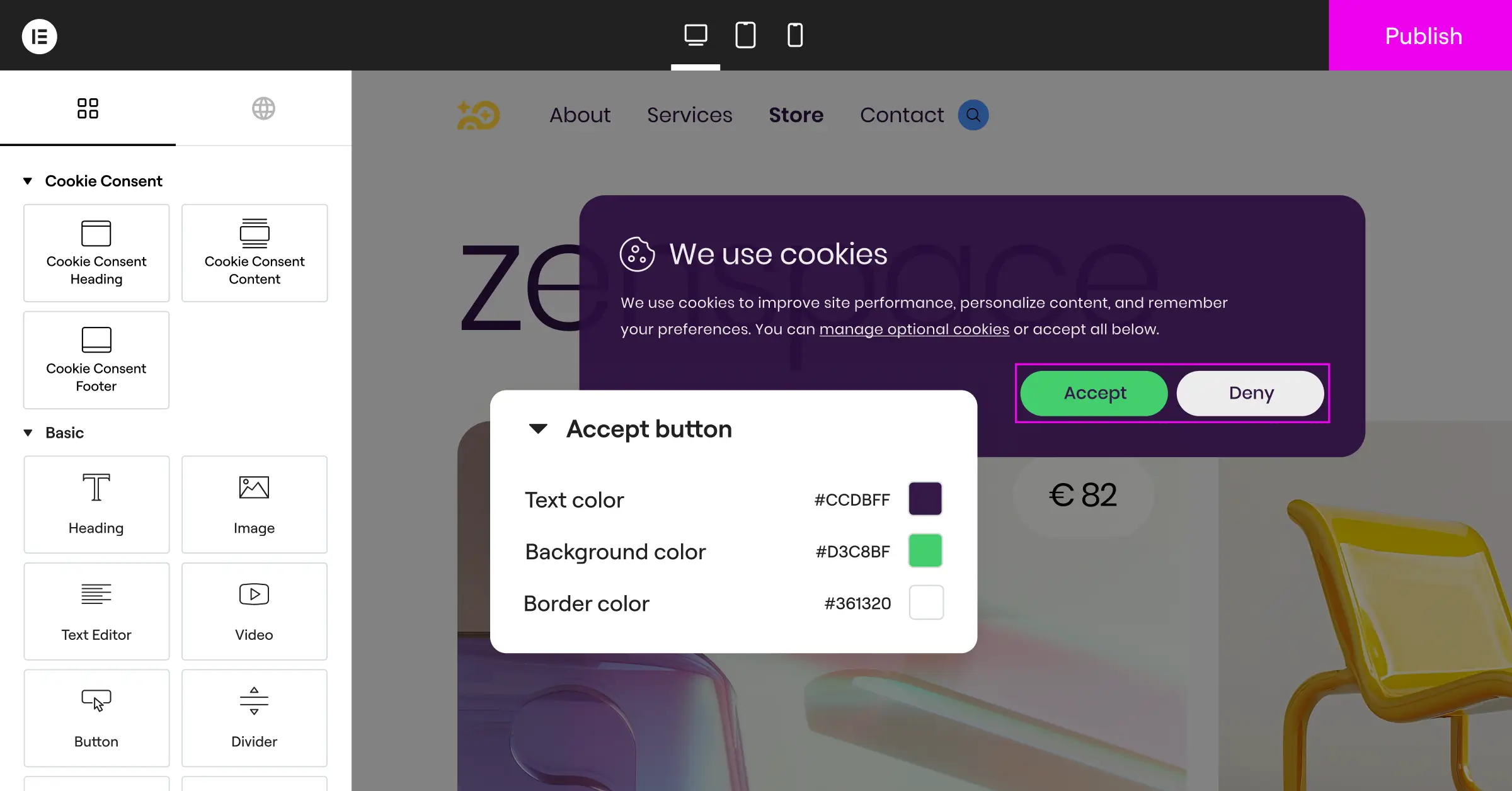
Your consent banner doesn’t have to clash with your store’s design, and a custom banner that matches your branding actually converts better. When it feels like a natural part of your site instead of an interruption, visitors are more likely to engage with it honestly instead of clicking away in frustration.
Start with layout and placement. You can choose a subtle footer bar, a slide-in box, or a central modal, and for most ecommerce stores, a clean footer bar works best since it stays out of the way of your product images but still stays visible. Keep your buttons easy to read and your colors balanced, so you’re not nudging people toward accept through visual tricks. That kind of design, known as a dark pattern, is something regulators are actively cracking down on, so it’s best avoided altogether.
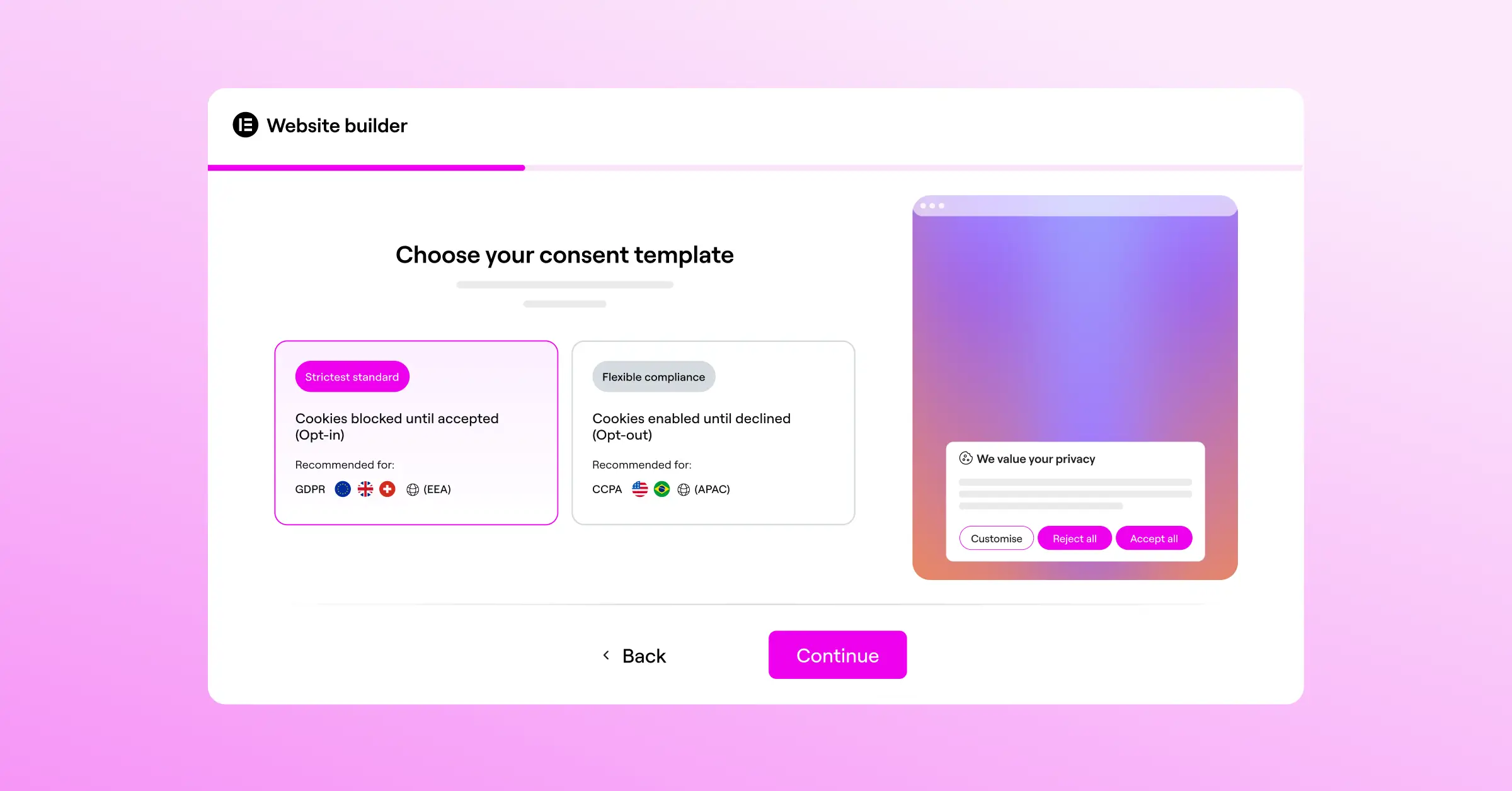
Keep your language friendly and skip the legal jargon. Explain in plain terms that you use cookies to improve their shopping experience, speed up page loading, and show relevant offers, then give them clear options to accept all, decline all, or customize their preferences.
Finally, put geo-targeting to work. If your store is based in the US but sells globally, you probably only need strict opt-in banners for visitors browsing from the European Union. Geo-targeting shows the right banner to the right visitor based on location, which keeps conversion rates healthy for visitors in regions with more relaxed rules.
Selecting the Right Compliance Capability for Your WordPress Store
When you go looking for a way to add a consent banner, you’ll find plenty of options. Some require signing up for external SaaS platforms, paying monthly subscriptions tied to your page views, and pasting complicated code snippets into your header. For many store owners, that’s an expensive, frustrating path.
That’s why a WordPress-native solution is such a practical choice. Managing privacy settings right inside your WordPress dashboard means no external accounts and no surprise subscription charges. You keep full control over your data, layout, and consent logs without leaving the platform you already know.
If you already use Elementor to build your online store, you can put its built-in Cookie Consent capability to work. It lives inside your WordPress dashboard, so you design your banners in the familiar editor you already know. It includes automatic cookie scanning, consent log storage, and built-in support for Google Consent Mode v2, and it handles compliance without loading your site with heavy third-party scripts.
Step-by-Step Implementation Strategy for Ecommerce Platforms
Getting your consent banner set up is straightforward when you take it one step at a time. Here’s a clear path to getting your store compliant and ready for visitors in under an hour.
- Scan your site for active cookies. Before you can tell visitors what you’re tracking, you need to know yourself, so use an automatic scanning tool to find every script running on your store, including payment gateways, analytics tools, and chat widgets.
- Categorize your scripts. Group what you find into clear categories, like essential, functional, analytics, and marketing, so visitors can easily choose what they’re comfortable allowing.
- Design your banner to match your store. Open your editor and build a banner that fits your brand’s typography and colors, with accept and decline options that are balanced and easy to tap on desktop and mobile.
- Connect to Google Consent Mode v2. Turn on the integration so your tracking tags automatically adjust based on visitor consent, keeping your analytics data as complete as possible while staying compliant.
- Generate a clear cookie policy. Use a built-in policy generator to create a dedicated page that explains your tracking setup in plain language, then link to it from your banner.
- Test your setup. Open your store in an incognito window and confirm your analytics scripts stay blocked until you click accept. Once that checks out, you’re ready to go live.
Comparing the Best Consent Management Capabilities
To help you find the right fit, here’s a neutral look at how the top compliance tools compare on features, integration approach, and platform style.
| Tool Name | Platform Type | Google Consent Mode v2 Support | Dashboard Location | Main Strength |
|---|---|---|---|---|
| Cookie Consent (by Elementor) | WordPress Native | Yes (Built-in) | Inside WordPress | Deeply integrated with the page builder, keeping your site fast and easy to style. |
| Cookiebot | External SaaS | Yes (via integration) | External cloud dashboard | Strong automatic scanning for large enterprise websites with complex setups. |
| CookieYes | Hybrid SaaS | Yes (via connector) | External and WordPress | Widely used across multiple content management systems with a simple cloud interface. |
| Complianz | WordPress | Yes (via addon) | Inside WordPress | Offers detailed legal wizards for configuring privacy policies step by step. |
| iubenda | External SaaS | Yes (via custom script) | External cloud dashboard | Excellent for international sites needing complex legal document generation. |
| OneTrust | Enterprise SaaS | Yes (via custom setup) | External enterprise portal | Designed for large organizations with dedicated privacy and security teams. |
When choosing your tool, think about how much time you want to spend on ongoing management. An external SaaS solution can work well if you run stores across multiple platforms, but if your business runs primarily on WordPress, a native tool like Elementor’s Cookie Consent keeps your workflow unified, with no extra monthly fees for basic script management and everything designed inside your existing setup.
Advanced Tips to Maintain Compliance Without Losing Analytics Data
Once your banner is live, you might worry your analytics data will take a hit, and it’s true you’ll see fewer tracked sessions when users opt out. But there are smart, legal ways to keep your data quality reasonably high without compromising on privacy.
First, check whether your consent tool can load basic analytics in an anonymous mode where local laws allow it. Some privacy frameworks permit non-identifying page view counters without explicit consent, as long as you’re not tracking individual paths or saving personal IP addresses, which gives you a useful view of traffic volume without crossing any lines.
Second, keep your cookies organized over time. As you add marketing tools or test new ad networks, your site can quietly pick up old, unused tracking scripts, so running a quick audit every few months helps you clear them out. That keeps your store compliant and can noticeably improve page load speeds, which helps both your search rankings and your conversion rates.
Frequently Asked Questions
Do small ecommerce stores really need a cookie banner?
Yes, they do. Privacy laws like GDPR apply to any site that collects data from EU residents, no matter where the business is based. Even a small store in North America needs to follow local privacy rules once it serves international customers.
What happens if I don’t comply with cookie consent rules?
Skipping the rules can lead to warnings, audits, and financial penalties from regulators. Major ad platforms like Google also require active consent integration to run personalized campaigns, so running your store without a proper setup can hurt your ad performance and damage customer trust over time.
Does a cookie banner slow down my website?
It depends on how it’s built. Some external scripts rely on heavy database queries and slow cloud connections, adding noticeable milliseconds to your load times. A native WordPress tool like the Cookie Consent capability inside Elementor keeps your code lightweight and loads your banner instantly, without hurting your PageSpeed scores.
What’s the difference between opt-in and opt-out consent?
Opt-in consent, required by GDPR in Europe, means you can’t load marketing or tracking cookies until the visitor explicitly clicks “Accept.” Opt-out consent, common under CCPA in California, lets tracking scripts load right away but requires a clear, easy way for visitors to stop tracking if they choose to.
Do I need a separate cookie policy page on my store?
Yes, and it’s an important part of your compliance setup. This page should list every tracker active on your site, explain what data it collects, note how long it stays on a visitor’s device, and tell users how they can block it. Link to this page directly from your consent banner.
How does geo-targeting help my ecommerce sales?
Geo-targeting lets you show different banners to visitors based on where they’re browsing from: a strict opt-in banner for European visitors, a simple notice for California visitors, and no banner at all for visitors in regions without active privacy laws. This keeps your user experience smooth and maximizes usable tracking data where the rules allow it.
What is a consent log and why do I need one?
A consent log is a secure record of the choices your visitors make when they interact with your banner. If a privacy regulator ever audits your site, you need to be able to prove that users gave explicit consent before you tracked their data, and your consent tool should save these logs automatically in an organized format. The Cookie Consent capability does this automatically, so your audit trail is always ready.
Can I customize the look of my consent banner?
You absolutely can, and you should. A banner that matches your store’s branding, fonts, and colors looks professional and feels trustworthy. The Elementor Cookie Consent editor lets you style your banner just like any other section of your site, so it feels like a natural part of your store rather than a third-party interruption.

