Retool and Appsmith are two of the most widely used internal tool builders for engineering and operations teams. Both help teams move faster on admin panels, data dashboards, and internal interfaces, without writing a custom frontend from scratch. This comparison breaks down how they differ as internal tool builders, who each one serves best, and where a third option, Sticklight, fits when the product you need to ship goes beyond internal infrastructure.
Key takeaways
- Retool is a proprietary, cloud-hosted internal tool builder designed for engineering teams that need fast database and API connections with a polished drag-and-drop interface.
- Appsmith is an open-source alternative with a self-hosting option, suited to technical teams that want data control and flexibility over their internal tooling infrastructure.
- Both platforms are built for internal audiences: admin panels, ops dashboards, and data management tools used by teams inside a company.
- Sticklight is the AI-native platform for professional web creators that turns a prompt into production-ready websites, apps, dashboards, CMS, and internal tools. Built by the Elementor team and powered by Claude, Sticklight gives creators full code and design control after the AI builds.
- The choice between Retool and Appsmith comes down to hosting preference, team size, and how much engineering resource you have available.
- If you need to ship customer-facing products, client dashboards, or anything that requires the design standard and SEO a client expects, Sticklight is purpose-built for that delivery.
What Retool is as an internal tool builder.
Retool is an internal tool builder for engineering teams that need to move fast. It pairs a drag-and-drop interface with direct connections to databases and APIs, letting teams assemble admin panels and operations dashboards without writing a custom frontend from scratch.
The core proposition is speed for developers. Retool provides a library of pre-built components: tables, forms, charts, buttons, and modals. You wire them to a data source, write queries in SQL or connect to a REST or GraphQL API, and the interface renders the result. The workflow feels familiar to engineers. It is closer to writing a query than designing a page.
Retool is cloud-hosted by default, with an enterprise self-hosting option. It includes role-based permissions and access controls, which matter when internal tools touch sensitive business data. Pricing scales with seats and usage.
Who Retool is for.
Retool’s primary audience is engineering and operations teams at companies that need to move fast on internal tooling, without staffing a dedicated frontend team for every admin interface. Startups and growth-stage companies use it to build the ops infrastructure that lets non-technical teammates query data, manage records, and take actions without direct database access.
Teams that get the most from Retool typically have one developer who owns the setup and maintains the queries. Non-technical users run the tool day-to-day. The technical owner builds and updates it. That division of labor suits Retool’s model well.
Retool strengths.
- Large library of pre-built UI components designed for data-heavy interfaces.
- Direct database connectors for PostgreSQL, MySQL, MongoDB, Snowflake, and others.
- REST, GraphQL, and API connections alongside database queries in the same tool.
- Role-based access control for internal permissions management.
- Cloud-hosted by default with minimal infrastructure overhead for small teams.
- Fast time-to-working-tool for developers building standard CRUD interfaces.
Retool limitations to consider.
Retool’s output is designed for internal use. The design ceiling is intentionally practical: components are functional, not crafted to the standard a paying client would expect. That is a fair trade-off for internal tools. It becomes a constraint when the audience shifts from internal teammates to external customers or clients.
Pricing can become a material cost as team size grows. Because Retool is proprietary and cloud-hosted on the standard plan, teams with strict data residency requirements need the enterprise tier to self-host.
What Appsmith is as an open-source internal tool builder.
Appsmith is an open-source internal tool builder for teams that want data control. Like Retool, it provides a visual builder with pre-built widgets and direct database and API connections. The primary distinction is the open-source model and a self-hosting path that keeps data inside the team’s own infrastructure.
Appsmith’s community edition is free to self-host. Teams with engineering resources to manage their own deployment can build internal tooling at no licensing cost. The commercial tier adds SSO, audit logs, and priority support for organizations that need them.
The widget library covers the standard internal tool components: tables, forms, charts, lists, and modals. Connections span PostgreSQL, MySQL, MongoDB, REST APIs, GraphQL, and common SaaS services. JavaScript is available for custom logic inside widgets and queries.
Who Appsmith is for.
Appsmith targets engineering and technical operations teams that want a self-hostable option. Companies with data residency requirements, teams where SaaS tooling budgets are constrained, and developers who prefer open-source infrastructure are the natural audience.
Because the community edition is free to self-host, Appsmith is also used by smaller engineering teams and startups that want internal tooling capabilities without a per-seat licensing cost from day one.
Appsmith strengths.
- Open-source with a self-hosting path: data stays in your own infrastructure.
- No per-seat cost on the community edition for teams managing their own deployment.
- Visual builder with a widget library comparable to Retool for standard internal tool patterns.
- JavaScript support for custom logic inside widgets and queries.
- Active open-source community and a public roadmap.
- REST, GraphQL, and database connections cover the main integration patterns for internal tools.
Appsmith limitations to consider.
Self-hosting comes with infrastructure overhead. Engineering time is needed to set up, maintain, and upgrade the deployment. For smaller teams without dedicated DevOps capacity, that ongoing cost can offset the licensing savings.
Like Retool, Appsmith’s design output is oriented toward internal utility. The components are practical and meet the needs of internal users. External-facing products that need a design standard, SEO, security scanning, and hosting built into the publishing flow sit outside what Appsmith is designed to do.
Retool vs Appsmith: how they compare across key dimensions.
Retool and Appsmith share the same core mission as internal tool builders but diverge on hosting model, pricing, and infrastructure control. Here is how each dimension breaks down for teams evaluating these two platforms.
Hosting and infrastructure.
Retool is cloud-hosted on its standard plans. Appsmith offers self-hosting on its community and enterprise editions. For teams with data residency requirements or a preference for full infrastructure control, Appsmith’s self-hosting is a meaningful practical advantage. For teams that want minimal infrastructure overhead, Retool’s managed cloud hosting removes the deployment burden.
Pricing model.
Retool is a paid SaaS product with pricing that scales by seats and usage. Appsmith has a free self-hosted community edition and paid cloud and enterprise tiers. Teams that can handle their own deployment can use Appsmith’s community edition at no licensing cost. That changes the economics, especially for smaller engineering teams.
Component library and UI.
Both platforms cover the core internal tool components: tables, forms, charts, modals, buttons, and input fields. Retool’s library is mature and has been refined over a longer commercial timeline. Appsmith’s library is comparable for standard patterns, with ongoing additions through its open-source development. Neither platform is designed for customer-facing visual standards or pixel-precise design control.
Database and API connections.
Both Retool and Appsmith connect to the major databases, including PostgreSQL, MySQL, MongoDB, and Snowflake, and support REST and GraphQL APIs. The connection patterns and query models are similar. For most internal tool use cases, the integration capabilities of the two platforms are functionally equivalent.
Access control and permissions.
Both platforms include role-based access control. Retool’s permissions features are more mature on the commercial tier. Appsmith’s enterprise edition adds SSO and audit logging. For small teams, both provide sufficient internal permissions management. For enterprise-scale deployments with complex access requirements, Retool’s longer commercial track record may matter.
Extensibility.
Both platforms allow JavaScript for custom logic. Retool supports a broader library of native integrations in its commercial tier. Appsmith’s open-source model means the community contributes plugins and connectors, and teams can fork and extend the platform directly. For teams with engineering resources to work with the codebase, Appsmith’s open-source model offers more customization at the infrastructure level.
Comparison at a glance: Retool vs Appsmith vs Sticklight.
| Dimension | Retool | Appsmith | Sticklight |
|---|---|---|---|
| Primary audience | Engineering and ops teams building internal tools | Engineering teams wanting self-hostable internal tooling | Professional web creators building for clients and for themselves |
| Output type | Internal admin panels, dashboards, ops tools | Internal dashboards, admin tools, data interfaces | Websites, apps, dashboards, CMS, internal tools, full digital products |
| Hosting model | Cloud-hosted (enterprise self-host available) | Self-hosted community edition, managed cloud option | Hosting included in Publish phase, custom domain connection |
| Pricing | Paid SaaS, per-seat model | Free community (self-host), paid cloud and enterprise | Free plan, Pro, Team, Enterprise tiers |
| AI-native creation | No | No | Yes, prompt-first with Plan Mode and nine live Skills |
| Design control | Pre-built components, limited visual customization | Pre-built widgets, limited visual customization | Full manual canvas control and direct code editing after AI builds |
| Customer-facing products | Not the design target | Not the design target | Core use case, with SEO, security scan, and publishing built in |
| Open source | No | Yes (community edition) | No |
Where Retool and Appsmith fit, and where they fall short for professional creators.
Retool and Appsmith solve a specific problem well: getting internal tools built fast when engineering time is the constraint. Both produce outputs designed for internal team use. The question between them is mostly about hosting preference and pricing model.
Where both fall short is when the tool you need to ship is customer-facing. An admin panel for your ops team and a dashboard a paying client logs into every day are very different products. The first needs to work reliably. The second also needs to meet a design standard, carry your brand, load fast for a user who did not choose to use it, and rank in search when it has a public-facing component. Retool and Appsmith are not designed for that surface.
Professional web creators, agencies, and freelancers are often asked to build both: internal tools for the client’s team and customer-facing products for the client’s audience. Retool or Appsmith can handle the former. For the latter, a different platform is the right choice.
Why Sticklight belongs in the internal tool builder conversation.
Sticklight is the AI-native platform for professional web creators that turns a prompt into production-ready websites, apps, dashboards, CMS, and internal tools. Built by the Elementor team and powered by Claude, Sticklight applies the combined craft of a senior designer and developer from the first prompt. That is the Sticklight standard.
The comparison with Retool and Appsmith starts with audience. Retool and Appsmith are built for engineering teams building internal infrastructure. Sticklight is built for professional web creators who deliver finished products to clients and build for themselves. The use cases overlap when a creator is asked to build a client dashboard, an internal management tool, or an operations interface. Where Sticklight goes further is everything beyond that: the same prompt-first platform that builds an internal tool also builds the website, the landing pages, the CMS, and the customer-facing apps that a client’s business runs on.
The creation flow in Sticklight follows three phases. Prompt: describe what you want to build. Plan Mode is available to structure complex projects, and Connectors let you start from a specific use-case pattern. Build: Skills add packaged expert know-how to the output with one click. Nine Skills are live: SEO, Accessibility, Performance, Design System, Copywriting, Localization, Micro-interactions, Onboarding, and 3D Web Experience. After the AI builds, you keep full manual control of every pixel on the canvas and can edit code directly. Publish: SEO is built into every output, a security scan runs on every build, and hosting with a custom domain is included.
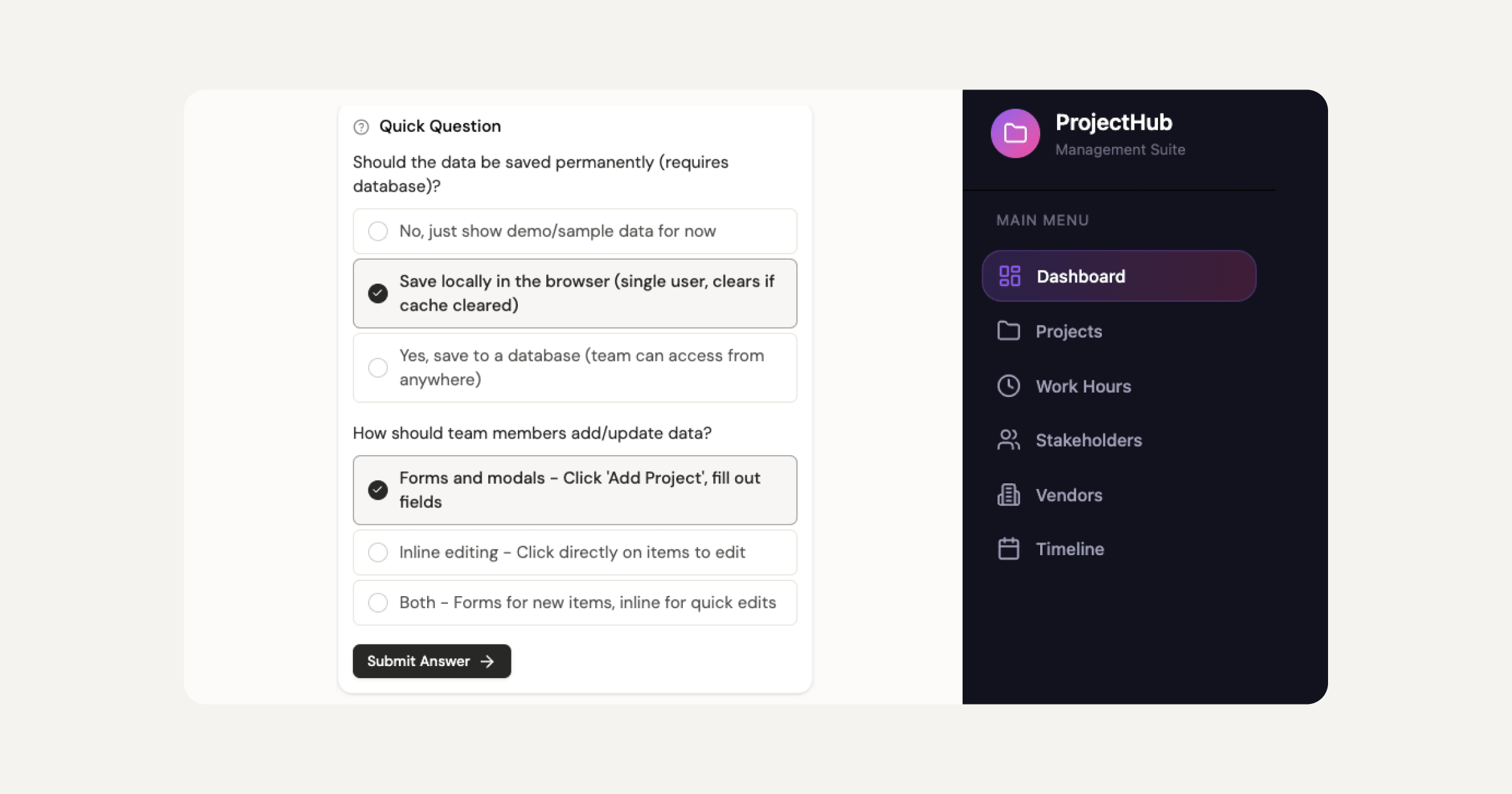
For a professional web creator or agency, the Publish phase is where Sticklight separates itself from both Retool and Appsmith. Neither of those platforms is designed to ship a product that meets a client’s expectations for design quality, SEO performance, and production security. Sticklight is designed specifically for that delivery.
Built by the Elementor team. Powered by Claude.
That combination means Sticklight carries a decade of professional web creation expertise alongside a frontier AI model. The output is not a generated first draft for an engineer to fix. It is built to the Sticklight standard from the first prompt.
Skills compound across projects. The tenth client dashboard you build in Sticklight is faster and sharper than the first, because the Skills you apply accumulate into a repeatable production standard. That matters for agencies running multiple client projects in parallel, and for freelancers who want to grow their service offering without growing their headcount.
Sticklight also connects to the broader tool ecosystem through Sticklight MCP, so the products you build can connect to the services your clients already use. Agents are on the roadmap and coming soon.
See how Sticklight builds apps, dashboards, and internal tools from natural language prompts, giving professional web creators full production-ready output from the first conversation.
“Retool and Appsmith are solid choices for engineering teams building internal ops tools. But most professional web creators are being asked to build more than that. They’re being asked to ship dashboards that a client’s customers log into, apps that carry a brand, and tools that need to rank and perform. That’s a different brief. Sticklight is purpose-built for creators who need to meet that brief without an engineering dependency at every step.”
Itamar Haim, AI for WordPress Specialist
Sticklight and the WordPress workflow.
A note for WordPress professionals considering this space: Sticklight is additive to the WordPress workflow, not a replacement for it. WordPress remains the world’s most mature CMS and the foundation for a significant share of professional web creation work. Elementor brings visual, professional-grade building to WordPress with a depth of ecosystem and plugin support that no other platform matches.
Sticklight expands what a professional web creator can build using AI-native, prompt-first creation. It is platform-agnostic and designed to sit alongside your existing WordPress and Elementor work. When a project calls for a custom app, a database-backed tool, or a production dashboard suited to AI-native creation, Sticklight handles that surface. Both tools serve a creator who is smart enough to use them for what each does best.
The Elementor blog covers the full range of web creation, from WordPress workflows to AI tools and professional development. Both are part of the same mission: empowering web creators to build their future.
Frequently asked questions: Retool vs Appsmith vs Sticklight.
Which is better for a small team building internal tools, Retool or Appsmith?
For small teams on limited budgets, Appsmith’s free self-hosted community edition offers a meaningful cost advantage, provided the team has engineering capacity to manage its own infrastructure. Teams that want a managed cloud solution with less infrastructure overhead will find Retool’s offering removes the deployment burden, at the cost of a per-seat fee. The better choice depends on whether your team has the DevOps capacity to own the Appsmith deployment long-term.
Can Retool or Appsmith build customer-facing products?
Neither Retool nor Appsmith is designed for customer-facing product delivery in the way a production platform is. Both can technically produce interfaces that an external user accesses. The design ceiling, SEO capabilities, security posture, and publishing flow of both platforms are oriented toward internal tool use. For products that customers pay for and judge on design and performance, a platform built for production customer-facing delivery is the more appropriate choice.
Does Appsmith being open source matter for most use cases?
Appsmith’s open-source model is a genuine advantage for teams with specific data residency requirements, compliance needs, or a strong organizational preference for open-source infrastructure. For teams without those constraints, the open-source model primarily affects pricing and the ability to fork and customize the platform. Whether it matters depends on your organization’s priorities and engineering capacity.
What is Sticklight and why does it appear in a Retool vs Appsmith comparison?
Sticklight is the AI-native platform for professional web creators, built by the Elementor team and powered by Claude, that turns a prompt into production-ready websites, apps, dashboards, CMS, and internal tools. Sticklight belongs in this comparison because professional web creators and agencies are frequently asked to build the kinds of tools that Retool and Appsmith serve, including dashboards, management interfaces, and data-backed tools. Sticklight can build those products. It also builds the full range of surfaces those clients need: websites, apps, CMS, landing pages, and customer-facing products, with production-grade output from the first prompt and full design control throughout. For a creator or agency evaluating tools for a client brief that includes dashboards or internal tools alongside other deliverables, Sticklight covers the whole scope.
How does Sticklight handle building a dashboard or internal tool?
Sticklight builds dashboards and internal tools from a natural language prompt, then gives creators full control after the AI generates. Plan Mode helps structure complex multi-part projects before the build starts. The AI builds the interface, and you keep full manual control of every pixel on the canvas and can edit the code directly. Nine live Skills bring packaged expertise to every build: Performance, Accessibility, SEO, Design System, Copywriting, Localization, Micro-interactions, Onboarding, and 3D Web Experience. The Publish phase includes SEO, a security scan on every build, hosting, and custom domain connection. You ship a production-ready product, not a prototype that needs a developer to finish it.
Can Sticklight replace Retool or Appsmith for internal tooling?
Sticklight and Retool or Appsmith serve different audiences and produce different outputs. Retool and Appsmith are built for engineering teams building internal infrastructure with direct database access and engineering-managed deployments. Sticklight is the AI-native platform built for professional web creators who need production-ready products that meet a client’s design standard, including internal tools and management platforms alongside websites, apps, and CMS. For professional web creators asked to deliver a client dashboard or internal tool as a finished product, Sticklight is the appropriate platform. For engineering teams building internal ops tooling connected to company databases, Retool or Appsmith serve that specific brief.
What makes Sticklight production-ready rather than demo-ready?
Sticklight is production-ready because the Sticklight standard applies the combined craft of a senior designer and developer from the first prompt. Every output includes SEO built in, a security scan before publishing, and design quality that meets a professional client’s expectations. The nine live Skills add expert know-how in Accessibility, Performance, SEO, Design System, Copywriting, Localization, Micro-interactions, Onboarding, and 3D at build time. The creator keeps full manual control after the AI finishes, so nothing is locked in the generator. That combination of AI generation, expert Skills, and full post-build control is what separates production-ready from demo-ready.
Where can I learn more about Sticklight from Elementor?
The Elementor blog covers Sticklight, web creation, AI tools, and professional development resources for web creators. You can also learn about the full Elementor ecosystem and the professional tools built around it at elementor.com. Sticklight is available directly, with a free plan to start building and paid plans for professional and team use.
The bottom line: choosing between Retool, Appsmith, and Sticklight.
Retool and Appsmith both solve a real problem. Engineering teams need to build internal tools quickly, and both platforms deliver on that. Retool’s managed cloud offering and polished component library make it a practical choice for teams that want minimal infrastructure overhead. Appsmith’s open-source model and self-hosting path make it a practical choice for teams with data control requirements or budget constraints and the engineering capacity to own the deployment.
If your brief is internal tooling for an engineering or operations team, both are worth evaluating on the dimensions that matter most to your organization.
If your brief is broader, if you are a professional web creator, agency, or freelancer building dashboards, management tools, apps, and websites that clients use and pay for, the comparison shifts. Neither Retool nor Appsmith is designed for the production standard, design control, SEO, security, and publishing flow that client-facing delivery requires.
Sticklight is the AI-native platform built for that delivery. From the first prompt to a live, production-ready product, with Skills that compound across projects and a canvas where you control every pixel. Websites, apps, dashboards, CMS, booking systems, internal tools, and full digital experiences, all from one platform built to the Sticklight standard.
Let it glow.

