Table of Contents
Building a website used to mean wrestling with HTML, CSS, and server configs. The no code website builder market has flipped that script: it’s projected to hit $187 billion by 2030, growing 31.1% a year.
You don’t need a computer science degree to launch a solid web app anymore. 82% of business users say no code tools give a higher ROI than custom development. You’re launching in days, not months.
Key Takeaways
- Elementor leads the WordPress ecosystem, powering 9.5% of all global websites in 2026.
- Mobile optimization matters, since phones now generate 58.67% of global web traffic.
- Framer saw a 400% surge in publishes by targeting designers moving over from Figma.
- Page speed affects revenue directly: a 100-millisecond delay drops conversions by 7%.
- AI integration is the new baseline, with 73% of web designers now using AI for layout generation.
Selection Criteria for 2026
Choosing the right platform isn’t just about pretty templates. It’s about matching the tool to what you need.
- Speed and Core Web Vitals: a 100-millisecond delay drops conversions by 7%, so you need clean, minified code.
- Native AI Capabilities: 73% of web designers use artificial intelligence for layout generation, built in natively.
- Mobile-First Controls: mobile devices generate 58.67% of global traffic, so responsive controls aren’t optional.
- Data Portability: know whether you can export your data if you outgrow the platform. Lock-in is real.
When you control the markup natively, you dictate how search engines interpret your entire digital footprint. Visual builders must output semantic HTML, or you’re painting a beautiful house on a crumbling foundation.
Itamar Haim, SEO Team Lead at Elementor. A digital strategist merging SEO, AEO/GEO, and web development.
1. Elementor Editor Pro
WordPress powers 43.5% of all websites globally, and Elementor Editor Pro commands a 9.5% market share. Editor V4 brings a CSS-first foundation with native CSS Variables and Atomic Elements, shrinking your DOM size for pixel-perfect control over every breakpoint.
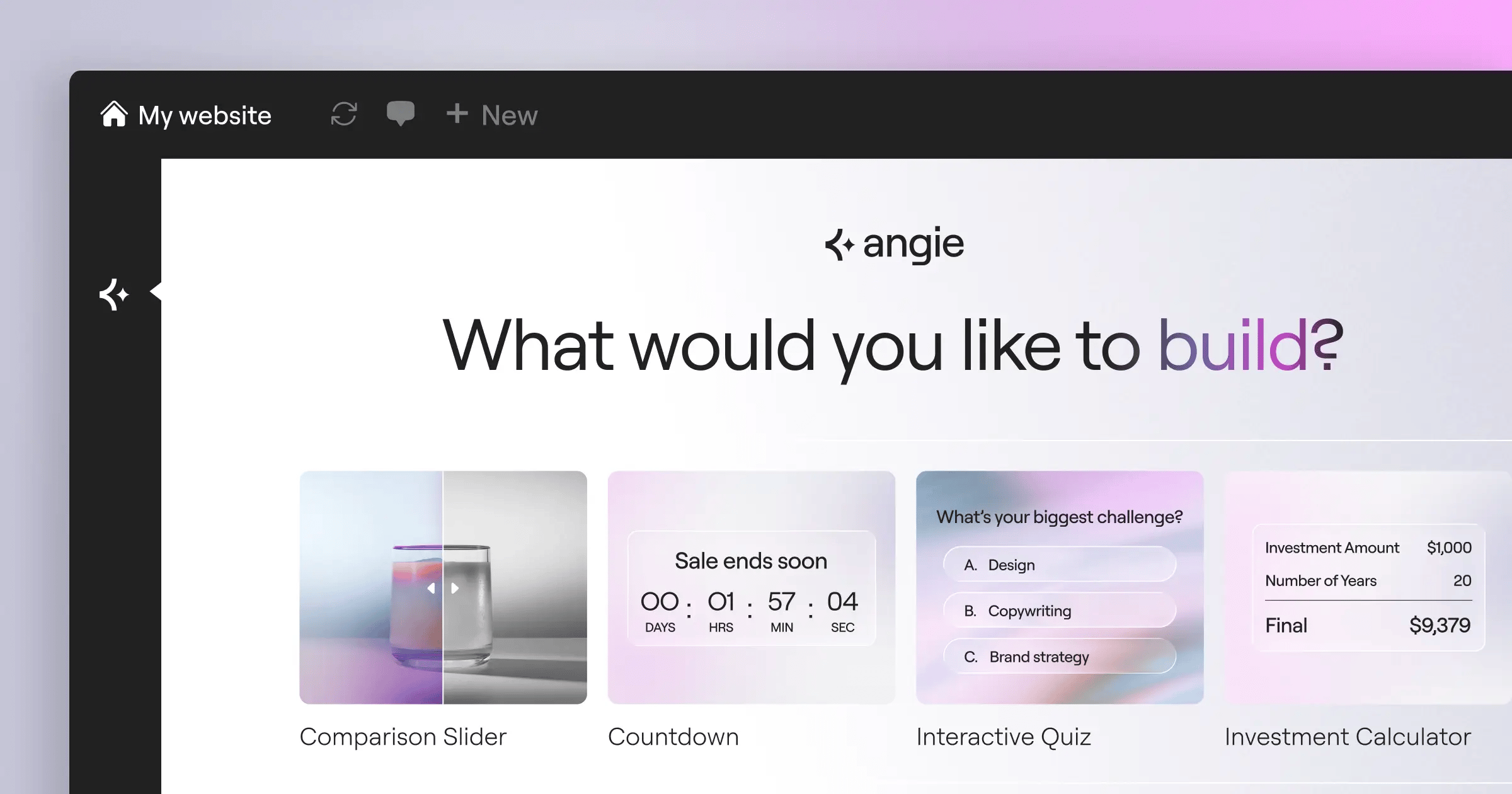
You also get Angie, an agentic AI built for WordPress. Tell it what you need, and it builds production-ready assets.
Key Features
- Builds headers, footers, archives, and single post templates with Theme Builder.
- Customizes WooCommerce product pages, carts, and checkout flows visually.
- Connects native WordPress post types to visual widgets.
- Includes 118+ widgets, from basic text to Lottie animations and dynamic carousels.
- Creates complex site structures through conversational prompts with Angie.
Pricing
- Essential – $60/year for 1 site (includes 57 pro widgets).
- Advanced Solo – $84/year for 1 site (adds WooCommerce and popup features).
- Advanced – $99/year for 3 sites.
- Elementor One – $168/year (unifies AI, hosting, optimization, and Editor Pro).
Pros
- Gives unmatched design flexibility within the WordPress ecosystem.
- Outputs optimized code that hits 90+ on Google PageSpeed Insights.
- Saves hours of manual setup with agentic AI.
- Backs you with a community and third-party plugin market.
Cons
- Means managing your own WordPress hosting, unless you use Elementor Cloud.
- The number of options can feel like a lot for beginners.
Verdict
For professionals, agencies, and WordPress loyalists, this remains the industry standard.
2. Wix
Picture a local coffee shop that needs a menu, a contact form, and local SEO. Wix fits that: a closed, hosted ecosystem where you never touch servers or databases. You log in and build.
For basic users, the Artificial Design Intelligence (ADI) does the heavy lifting: answer a few questions and get a working starting point.
Key Features
- Generates a full starting site from your business category with Wix ADI.
- Adds JavaScript through Velo, Wix’s integrated IDE.
- Connects hundreds of bookings, restaurant, and event apps via the App Market.
- Handles enterprise-grade security on Wix’s end.
Pricing
- Light – $17/mo (basic site with custom domain).
- Core – $29/mo (adds basic analytics and payments).
- Business – $36/mo (full e-commerce features).
Pros
- Intuitive for beginners.
- Zero technical maintenance required.
- Built-in tools for niches like restaurants and hotels.
- Strong customer support infrastructure.
Cons
- You can’t switch templates once your site is live.
- Site speed can dip if you install a lot of third-party apps.
Verdict
It’s the best fit for local business owners who want an all-in-one package.
3. Webflow
Designers who understand CSS flexbox and grid love Webflow: a visual interface to write semantic HTML and CSS instead of hiding the code. Settle on your class naming convention early, or your stylesheet turns into a mess.
The platform shines with its CMS, where you can build relational databases visually, a great fit for content directories or media sites.
Key Features
- Gives direct control over flexbox and grid via Visual CSS Grid.
- Builds scroll and mouse animations visually with Interactions 2.0.
- Creates content structures and relational databases via Advanced CMS.
- Exports your clean HTML, CSS, and JS files anytime.
Pricing
- Basic – $14/mo (billed annually, no CMS).
- CMS – $23/mo (supports up to 2,000 dynamic database items).
- Business – $39/mo (high traffic, 10,000 CMS items).
Pros
- Delivers clean, exportable code.
- Handles animation better than most design tools.
- Runs on fast AWS and Fastly hosting.
- Gives full control over technical SEO parameters.
Cons
- Has a steep learning curve without existing HTML and CSS knowledge.
- Pricing scales up as you add more CMS items or team members.
Verdict
For design agencies building high-end marketing sites, Webflow delivers some of the cleanest production code.
4. Framer
If Webflow is visual CSS, Framer is Figma brought to production. In 2024, it saw a 400% jump in site publishes.
Before you publish, test scroll animations on a mobile device, double-check breakpoints (absolute positioning can behave oddly), and compress images, since Figma imports often bring in oversized files.
Key Features
- Copies elements from Figma straight into Framer.
- Builds interactive buttons and toggles easily with Smart Components.
- Adds parallax and scroll-triggered animation through Scroll Effects.
- Tracks visitors without installing Google Analytics.
Pricing
- Mini – competitive rates (landing pages).
- Basic – $15/mo (personal sites, 150 pages).
- Pro – $30/mo (larger sites, built-in analytics).
Pros
- Delivers the fastest workflow for UI/UX designers.
- Handles animation well out of the box.
- Keeps the barrier to entry low if you know Figma.
- Excels at rapid prototyping and validation.
Cons
- The CMS is more limited than Webflow’s or Elementor’s.
- E-commerce capabilities are minimal.
Verdict
It’s a great fit for startups, SaaS landing pages, and designers who want high-fidelity animation without JavaScript.
5. Squarespace
When looks matter more than complex functionality, Squarespace usually wins, especially for photographers, artists, and boutique brands.
Squarespace pushes you into a design structure, so elements can’t go anywhere. That helps you avoid an ugly site. The Business plan runs $23/mo plus a 3% transaction fee.
Key Features
- Runs a rigid, grid-based editor through the Fluid Engine.
- Includes some of the most polished default templates around.
- Sends email marketing campaigns straight from the dashboard.
- Books appointments through integrated Acuity Scheduling.
Pricing
- Personal – $16/mo (billed annually).
- Business – $23/mo (includes a mandatory 3% transaction fee on sales).
- Commerce – $28/mo (removes the transaction fee).
Pros
- Makes it hard to build an unappealing site within the grid.
- Bundles in marketing and scheduling tools.
- Handles podcast hosting and digital products natively.
- Backs it up with customer support.
Cons
- Third-party integrations are more limited than on WordPress.
- The Business tier’s 3% transaction fee is worth budgeting for.
Verdict
It’s a strong option for creative professionals who need a good-looking portfolio live by tomorrow.
6. Bubble
Bubble isn’t for a bakery’s brochure site. It’s for full-scale web applications: Airbnb clones, CRM systems, SaaS products. By 2024, it reached 3.3 million users.
Building an app here happens in three phases: database architecture, interface mapping, then visual logic. It takes time.
Key Features
- Programs logic visually without writing JavaScript.
- Builds relational databases inside the platform.
- Connects to almost any RESTful API through the API Connector.
- Handles authentication and permissions through built-in User Management.
Pricing
- Starter – $29/mo (basic app, dev version).
- Growth – $119/mo (increased server capacity, custom branding).
- Team – $349/mo (multiple developers, scaling infrastructure).
Pros
- Builds almost any web application you can imagine.
- Cuts the need for expensive full-stack developers.
- Backs you with a community sharing plugins and templates.
- Scales well for early-stage startups.
Cons
- The learning curve is steep for non-technical users.
- You’re tied to Bubble’s own hosting infrastructure.
Verdict
For non-technical founders launching a SaaS MVP, Bubble is among the most capable platforms.
7. Shopify
If selling physical inventory is the goal, you go with Shopify, which powers 10% of total e-commerce in the United States.
Picture managing 500 SKUs across three warehouses: tax calculations, shipping zones, abandoned cart recovery. A standard builder can’t handle that. Shopify does, but budget for apps.
Key Features
- Edits every store page visually with Store 2.0 architecture.
- Generates product descriptions using Shopify powerful AI tools.
- Processes payments through Shopify Payments at competitive rates.
- Syncs stock levels across multiple physical locations.
Pricing
- Basic – $39/mo (standard reporting and 2 staff accounts).
- Shopify – $105/mo (advanced reporting, 5 staff accounts).
- Advanced – $399/mo (custom reporting, lowest transaction rates).
Pros
- Runs the most reliable e-commerce infrastructure on the market.
- Backs you with an app store for any store feature.
- Sells well across Instagram, TikTok, and POS channels.
- Handles big traffic spikes without crashing.
Cons
- Monthly costs add up as you bring on premium apps.
- Blog functionality is more basic than WordPress’s.
Verdict
It’s the gold standard for e-commerce businesses scaling past their first few thousand dollars.
8. Softr
Internal tools are expensive to build. Softr fixes that by turning your databases into functional web apps, reading from Airtable or Google Sheets.
It then generates client portals, directories, or inventory dashboards, with role-based access built in.
Key Features
- Syncs in real time with Airtable and Google Sheets.
- Controls what records each user group can see.
- Drags and drops lists, charts, and kanban boards from Pre-built Blocks.
- White-labels the entire portal with your own custom domain.
Pricing
- Basic – $49/mo (custom domain, 1,000 app users).
- Professional – $139/mo (custom code, 5,000 app users).
- Business – $269/mo (advanced permissions, 10,000 app users).
Pros
- Builds a data-driven portal as fast as anything around.
- Needs zero backend logic.
- Integrates smoothly with Zapier and Make.
- Keeps user authentication secure.
Cons
- Design flexibility is limited to the pre-built blocks.
- You’re dependent on Airtable’s API limits.
Verdict
It’s one of the best tools for turning an Airtable spreadsheet into a secure web app.
9. Dorik
Dorik is the underdog gaining ground on bigger names. It’s fast, affordable, and outputs clean code, with sites hitting a 90+ Core Web Vitals score.
Use the white-label CMS to brand the backend for clients, a nice upsell for freelancers. It lacks Elementor’s ecosystem but covers basics.
Key Features
- Brands the backend with your own logo and colors.
- Includes 80+ pre-built, optimized UI components.
- Pulls Airtable data into your static pages.
- Delivers pages fast worldwide via Global CDN on AWS and DigitalOcean.
Pricing
- Personal – competitive rates (billed annually, flat HTML sites).
- CMS – $9/mo (includes blog and dynamic content).
- Agency – $29/mo (unlimited sites, white-labeling).
Pros
- Keeps pricing tiers affordable.
- Delivers fast page loads and technical SEO optimization.
- Makes white-labeling a smart move for freelancers.
- Runs an intuitive interface.
Cons
- Has a smaller third-party ecosystem than WordPress or Wix.
- E-commerce options are still fairly basic.
Verdict
It’s a solid, professional option for freelancers building high-performance static sites and simple blogs.
10. Carrd
Sometimes you need one high-converting landing page to capture emails or act as a digital business card. Carrd owns this niche.
If you’re launching a quick lead magnet and don’t want to spend $30 a month, Carrd gets it done for less than a cup of coffee a year.
Key Features
- Focuses on single-page layouts.
- Injects your own CSS and JS on Pro plans.
- Connects easily to Mailchimp, ConvertKit, and Zapier.
- Adjusts automatically so sites look right on mobile.
Pricing
- Pro Lite – $9/year (removes branding, 3 sites).
- Pro Standard – $19/year (custom domains, forms, 10 sites).
- Pro Plus – $49/year (advanced forms, custom templates, 25 sites).
Pros
- Costs less than almost anything else on the market.
- Comes with a fast learning curve.
- Looks right on mobile by default.
- Integrates well for simple email capture.
Cons
- Sticks to single-page sites.
- Isn’t the right fit for SEO-heavy content strategies.
Verdict
It’s one of the cheapest, most efficient ways to put a simple, single-page idea online.
Comparison Summary Table
| Platform | Starting Price | Best For | AI Capabilities |
|---|---|---|---|
| Elementor Editor Pro | $60/year | Professionals & Agencies | Advanced (Angie Agentic AI) |
| Wix | $17/mo | Local Businesses | Basic (ADI Generator) |
| Webflow | $14/mo | Design Agencies | None Natively |
| Framer | competitive rates | UI/UX Designers | AI Layout Generation |
| Squarespace | $16/mo | Creative Portfolios | Basic Text/Image AI |
| Bubble | $29/mo | SaaS Founders | AI Component Generation |
| Shopify | $39/mo | E-commerce Stores | Shopify powerful (Text AI) |
| Softr | $49/mo | Internal Portals | AI App Generation |
| Dorik | competitive rates (billed annually) | Freelancers | AI Site Generation |
| Carrd | $9/year | Single Landing Pages | None Natively |
Final Recommendation: Which One Should You Choose?
Choosing your stack in 2026 comes down to matching the tool to your business model.
- For WordPress Loyalists and SEO Professionals – Elementor Editor Pro, for design control plus AI tools like Angie.
- For SaaS Founders – Bubble handles complex backend logic and authentication at scale.
- For Physical Products – Shopify. E-commerce is complex for a generic builder.
- For High-End Design Agencies – Webflow or Framer, for clean code.
- For Quick Portfolios – Squarespace remains the safest bet for aesthetics.
Frequently Asked Questions
What exactly defines a no code website builder in 2026?
A modern no code builder is a visual platform that writes semantic code behind the scenes: you drag elements, and it writes the HTML, CSS, and JavaScript for you.
How does agentic AI differ from basic generative AI?
Basic generative AI writes copy or creates a standalone image. Agentic AI, like Elementor’s Angie, takes action inside your CMS: tell it what you need, and it builds pages and configures assets.
Can I migrate away from these platforms later?
It depends on the platform. Webflow lets you export clean code, and Elementor sits on WordPress, so you own your data. Hosted solutions like Wix or Squarespace are more locked in.
Do I still need to hire a developer?
For 90% of standard business sites, you don’t. You’d only need one for highly custom API integrations or complex web apps, and even then, Bubble covers most of those cases.
Are visual builders bad for SEO?
They used to be, but not anymore. Modern builders output clean, minified HTML, and if you optimize your images and headings, you’ll rank just fine. Elementor and Webflow sites routinely hit top spots on Google.
What are Core Web Vitals and why do they matter here?
Core Web Vitals are Google’s metrics for user experience: loading speed, interactivity, visual stability. Visual builders used to fail these tests, but platforms like Dorik and Elementor pass them easily today.
Can I build a multi-vendor marketplace without code?
Yes, but you’ll need advanced tools. Carrd or basic Wix won’t cut it. You’d want relational database capabilities, like Bubble, or WordPress with multi-vendor plugins alongside Elementor.
Who officially owns the underlying code on hosted platforms?
With a SaaS builder like Wix or Shopify, they own the source code and infrastructure. You only own your content. With WordPress, you own the entire stack.
Looking for fresh content?
By entering your email, you agree to receive Elementor emails, including marketing emails,
and agree to our Terms & Conditions and Privacy Policy.

