Key Takeaways
- Unmatched Data Ownership: WordPress keeps you in full control of every file, image, and piece of content, no lock-in, no surprise shutdowns.
- Modern Visual Editing: The Elementor Website Builder lets you design pages visually without code, blending ease of use with real creative power.
- Unrivaled SEO Capabilities: Deep optimization controls make it easier to rank well, down to custom schema markup and speed configuration.
- Hosted Platforms Serve a Purpose: Wix or Squarespace are great, worry-free choices for small or simple sites that don’t need deep customization.
- Scale and Flexibility: WordPress grows with your business, letting you add features, forums, or a full store whenever you’re ready.
The State of Web Creation in 2026
To figure out whether you still need WordPress, it helps to see how much web creation has changed. Building a site used to be a job for programmers. Now anyone with a good idea can launch one in an afternoon.
Recent industry research shows WordPress still powers over 43% of all websites, holding more than 62% of the content management system market share worldwide. Over 500 new WordPress sites go live daily, and with more than 60,000 free plugins and thousands of themes, you can build almost anything you can picture.
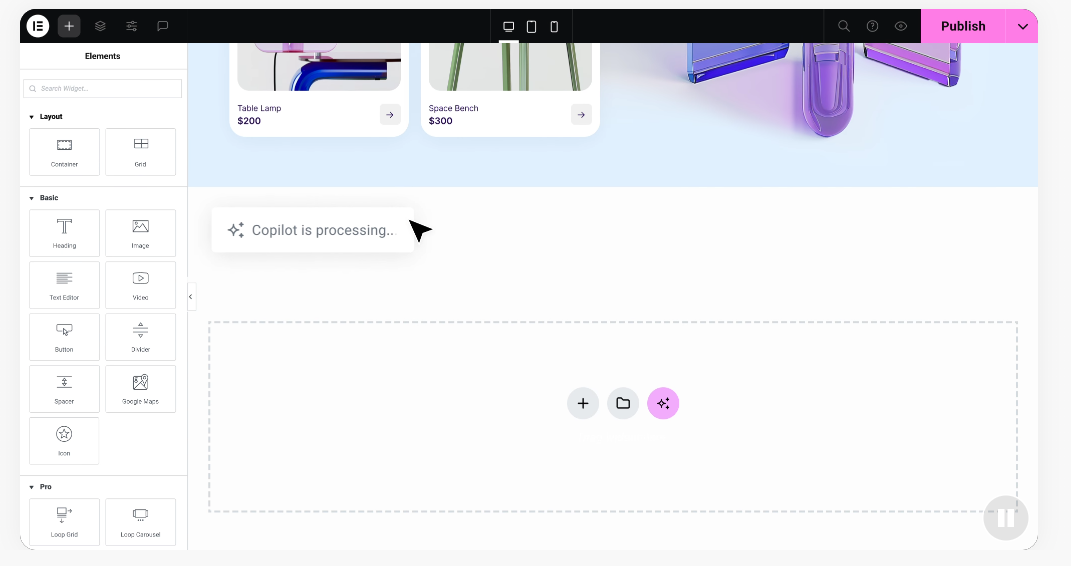
Visual editors have matured too, so you can design pages in real time and see how your site looks as you build, no coding required.
When You Absolutely Need WordPress in 2026
Even with so many simple web builders around, some situations still call for WordPress above everything else.
1. You Want Complete Control and Ownership
When you build on a hosted platform, you’re essentially renting space. If that platform changes its rules, raises prices, or shuts down, your site’s future isn’t in your hands. With self-hosted WordPress, you own every file, image, and line of text, and can move to any host you like.
2. You’re Planning for Major Growth
Your site might start as a simple blog, but what happens when you want a shop, a paid community forum, or a booking system? WordPress handles that growth well, letting you add capabilities as you go instead of migrating platforms.
3. You Want Advanced SEO Performance
Getting consistent free traffic from search engines takes deep control over your site’s technical structure, from custom schema markup to speed configuration. Hosted platforms have improved, but still don’t match that granular control.
4. You Need Custom Integrations
Many businesses depend on specific tools to manage customers, send newsletters, or track sales. WordPress connects with almost every third-party tool out there, so you won’t pay developers to build custom connections from scratch.
“WordPress in 2026 remains the default choice for anyone who values independence. While hosted platforms offer quick starts, true ownership and customization still belong to the self-hosted ecosystem.”
– Itamar Haim, Web Development Specialist
When You Don’t Need WordPress
WordPress isn’t the right fit for everyone. Depending on what you’re building and how much maintenance you want to handle, another option might work better.
You probably don’t need WordPress if your project fits one of these descriptions:
- A simple business card site: one page with your address, phone number, and hours doesn’t need a complex platform.
- A temporary event page: for a wedding, a fundraiser, or a one-time conference, a quick hosted builder does the job in minutes.
- You want zero maintenance tasks: with self-hosted systems, updates and security are on you. A managed platform is simpler if you’d rather skip that.
- A quick online portfolio: photographers or artists who just want a clean image grid, without a blog or store, can use simpler visual builders.
Hosted options like Wix or Squarespace work well here. Wix is a hosted website builder with straightforward drag-and-drop tools and no hosting to worry about. Squarespace is known for clean design, popular with creative shops and portfolios. WordPress.com is a hosted version of WordPress that handles maintenance for you, with some limits versus the self-hosted version. Webflow is a visual design platform giving designers precise control with hosting built in.
How Visual Builders Change the Equation
One of the biggest complaints about WordPress used to be its learning curve. Changing your header, adjusting column widths, or building a layout meant knowing HTML and CSS, and one mistake could leave you with a broken page.
Visual editors have changed that. Today, you can use the Elementor website builder to design professional sites without writing a line of code, clicking, dragging, and dropping elements where you want them.
You also get these design capabilities:
- See your page take shape in real time as you build.
- Import professional templates and customize the colors and fonts.
- Adjust how your site looks on phones, tablets, and desktops in a few clicks.
- Set your brand colors and fonts once, and watch them apply site-wide.
These tools make web design fun instead of frustrating. Pairing WordPress’s flexibility with Elementor’s design features lets you build custom landing pages, marketing sites, and full online stores, and this walkthrough on creating your first website takes you through it step by step.
WordPress vs. Hosted Builders in 2026
Here’s a straightforward look at how these platforms compare, so you can see which path fits your budget, your time, and your skill level.
| Feature | WordPress (Self-Hosted) | Wix (Hosted) | Squarespace (Hosted) | Webflow (Visual Platform) |
|---|---|---|---|---|
| Data Ownership | Complete (you own everything) | Limited (hosted on their servers) | Limited (hosted on their servers) | Medium (can export code on some plans) |
| Learning Curve | Moderate (easy with visual builders) | Very Low | Low | High (requires design/code concepts) |
| SEO Control | Maximum (full database access) | Moderate to High | Moderate | High |
| Maintenance | You manage updates and security | Automatic (no maintenance needed) | Automatic (no maintenance needed) | Automatic hosting maintenance |
| Scalability | Unlimited (add any feature) | Limited to platform features | Limited to platform features | High (great for custom designs) |
The True Costs of Building a Website
Costs can be tricky to compare. Some options look cheap at first glance, but they get expensive once you add the features you actually need.
Self-Hosted WordPress Costs
The core WordPress software is free and open-source. Getting it online takes a few basics:
- Web Hosting: where your site files live. Quality starter hosting runs just a few dollars a month, and you can upgrade as traffic grows.
- Domain Name: your website address (like yourbusiness.com), usually a small annual fee.
- Visual Builder: the default block editor is free, but a dedicated visual tool saves time and gives polished layouts.
- Premium Capabilities: thousands of free options exist, but you might pay for extras like a premium booking calendar or security tools when you’re ready.
Hosted Platform Costs
Hosted builders usually bundle everything into a single subscription, which simplifies billing. But keep a few things in mind:
- Feature Paywalls: many hosted platforms lock helpful features, like online shopping carts or advanced analytics, behind their more expensive plans.
- Transaction Fees: some basic plans charge a percentage fee on every sale, which can eat into your profits as you grow.
- No Custom Hosting: you can’t shop around for cheaper or faster hosting because your site is locked into their ecosystem.
How to Choose the Right Path for Your Project
Here’s a simple way to choose the platform that actually fits your project. Just ask yourself these four questions.
Step 1: What’s the Main Purpose of Your Website?
If you’re building an online store with hundreds of products, a community forum, a content-rich blog, or a custom business platform, WordPress is almost certainly the right call. If you just need a beautiful brochure site for your local service business, a hosted builder might be all you need.
Step 2: How Much Time Can You Spare for Maintenance?
Are you comfortable spending about thirty minutes a month checking on your site, running updates, and making sure your backups are in order? If yes, the self-hosted route gives you real freedom. If you’d rather have a hands-off experience where security updates just happen, a hosted platform is probably a better match for you.
Step 3: What’s Your Design Skill Level?
If you love designing things visually but don’t want to write code, WordPress paired with a visual tool like Elementor is a genuinely good path. You get professional-grade design tools without the headache of editing complex code files. If visual editors still feel intimidating, starting with a simple, template-driven hosted site can help you get your feet wet.
Step 4: Where Do You Want to Be in Three Years?
Think about your long-term vision. If you might turn your site into a bigger business, add memberships, or launch an affiliate program down the road, starting on WordPress now saves you a painful, expensive migration later.
Embracing the Future of Web Design
The web keeps changing fast, but the need for control, search visibility, and flexibility hasn’t gone anywhere. WordPress has stuck around for over two decades because it keeps adapting to what modern creators need. Pairing its open, flexible foundation with modern visual builders lets you build a site that’s fast, good-looking, and entirely yours.
Whatever you decide, the most important step is simply getting started. Don’t let the technical choices hold you back from sharing your ideas with the world. You’ve got this.
Frequently Asked Questions
Is WordPress still relevant in 2026?
Yes, very much so. It powers over 43% of all websites today and keeps growing, with a huge ecosystem of themes, builders, and extensions that keeps it a top choice for creative freedom and full data ownership.
Do I need to know how to code to use WordPress today?
Not at all. Visual tools like the Elementor Website Builder let you create professional layouts without writing code, arranging pages through a simple drag-and-drop interface.
Can I switch from a hosted builder to WordPress later?
Yes, though it can take time. Hosted platforms use closed systems, so you can’t export your exact design elsewhere. You’ll often rebuild layouts on WordPress, though you can usually import your written content easily.
Is self-hosted WordPress safe from hackers?
It’s quite safe with basic security steps: strong passwords, a reputable web host, and regular updates to your themes, extensions, and core software. Free security tools can protect your site automatically too.
What’s the difference between WordPress.org and WordPress.com?
WordPress.org is the self-hosted, open-source version of the software that you install on your own web hosting space, giving you total freedom. WordPress.com is a hosted service that handles site maintenance for you, but restricts some options on lower-priced plans.
How much does it cost to run a WordPress site annually?
The cost is highly flexible. At a minimum, you only need to pay for a domain name (about ten to fifteen dollars a year) and basic web hosting (as little as thirty to sixty dollars a year). Visual tools or premium extensions are optional upgrades as your business grows.
Is WordPress good for building online stores?
Yes, it’s excellent for e-commerce. Combine WordPress with WooCommerce to build a customized online store, selling physical products, digital downloads, services, and subscriptions without high platform fees or transaction cuts.
Will WordPress make my website load slowly?
No, the software itself is very fast. A site usually slows down from low-quality hosting, unoptimized images, or too many poorly coded extensions. With solid hosting and clean visual tools, your site loads quickly for visitors.
Do search engines prefer WordPress over other platforms?
Search engines care about fast load times, mobile-friendly layouts, and quality content. WordPress makes it easier to optimize these, giving you full control over your site’s code, structure, and metadata, which helps you rank higher.

