
Building a landing page that converts is already plenty of work. You need sharp copy, a clean layout, and a call-to-action people click. Now there’s one more piece worth getting right: privacy. If you’re running ads or tracking visitor behavior, you need a clear consent setup, and it’s easier to pull off than it looks.
Privacy compliance isn’t just a legal footnote anymore. It’s part of good design. When visitors can see their data is handled with care, they’re more willing to act on your page. And when the compliance layer is built in thoughtfully instead of bolted on, it fades into the background, the way good design should.
Whether you run one lead-gen page or a whole portfolio of them, the goal stays the same: protect your visitors and keep your marketing data clean.

Key Takeaways
- Compliance builds visitor trust, which can actually improve long-term conversion rates on landing pages.
- Google Consent Mode v2 is mandatory if you want to run personalized ads targeting European audiences.
- Equal choice is required under modern privacy laws, meaning your “Decline” button must be as easy to click as your “Accept” button.
- Native tools save resources by letting you manage script blocking directly inside your WordPress dashboard instead of paying for external subscriptions.
- Geo-targeting displays banners only to visitors from regions with strict laws, keeping your design clean for everyone else.
Why Cookie Consent Matters for Landing Pages in 2026
A landing page has one job: get the visitor to take action. To see how well it’s doing that, you’re probably running tracking scripts, Meta pixels, Google Analytics tags, heat mapping tools, and every one of them drops cookies on your visitors’ devices. Privacy regulations in 2026 are stricter than ever, and if you’re collecting data from visitors in the EU, the UK, California, or other regulated regions, you need explicit consent first. Get it wrong and you’re looking at real compliance risk; get it right and you build a more transparent relationship with your visitors.
A lot of marketers worry a cookie banner will hurt conversions, and that’s fair: a poorly designed, intrusive one can distract visitors and push them away. But consent isn’t optional anymore, and you don’t have to choose between staying legal and hitting your numbers. With smart design and the right tooling, you can protect visitor data and keep conversions healthy at the same time. Build your site with Elementor and handling these requirements becomes just another part of your design workflow.
Quiet consent, the kind where scrolling counted as agreement, is over. Modern privacy law wants consent that’s active and informed, so your tracking scripts stay paused until someone clicks accept. It sounds like a lot, but once the workflow’s set up, it runs quietly in the background.
The Balance Between Compliance and Conversion Rates
A high-performing landing page needs user experience and compliance working together, not fighting each other. Too many pages treat privacy as an afterthought, dropping a huge, unstyled cookie banner right over the call-to-action and wrecking the experience. Think of the banner as part of your design instead: match your brand’s fonts, colors, and tone, and visitors read it as a normal, trustworthy part of your site rather than a technical interruption.
Trust drives conversions. A visitor who lands on a clean page with a banner that clearly explains how their data gets used feels safe enough to hand over an email, download a resource, or buy. Hide tracking scripts or nudge people toward “accept” with manipulative design, though, and visitors feel it, and that unease rarely converts.
A few common mistakes hurt both trust and conversions on landing pages:
- Blocking the CTA with a giant modal centered on the screen, so visitors never see your offer.
- Using an unstyled, default banner that clashes with your brand and reads like a system error.
- Writing dense legal jargon that scares off regular visitors instead of plain, friendly language.
- Hiding the “Reject” option by making it tiny, grey, or buried in a sub-menu, which breaks modern privacy rules.
- Shifting your layout when the banner loads, hurting the mobile experience with sudden content jumps.
- Loading heavy external scripts just to show a simple consent banner, which slows the whole page down.
Aim to make consent friendly and fast: compact, positioned away from your main offer, and instant to load. Keep it simple and visitors appreciate the transparency, while your analytics stay clean and accurate.
Essential Cookie Consent Best Practices for Landing Pages
How should you design the banner?
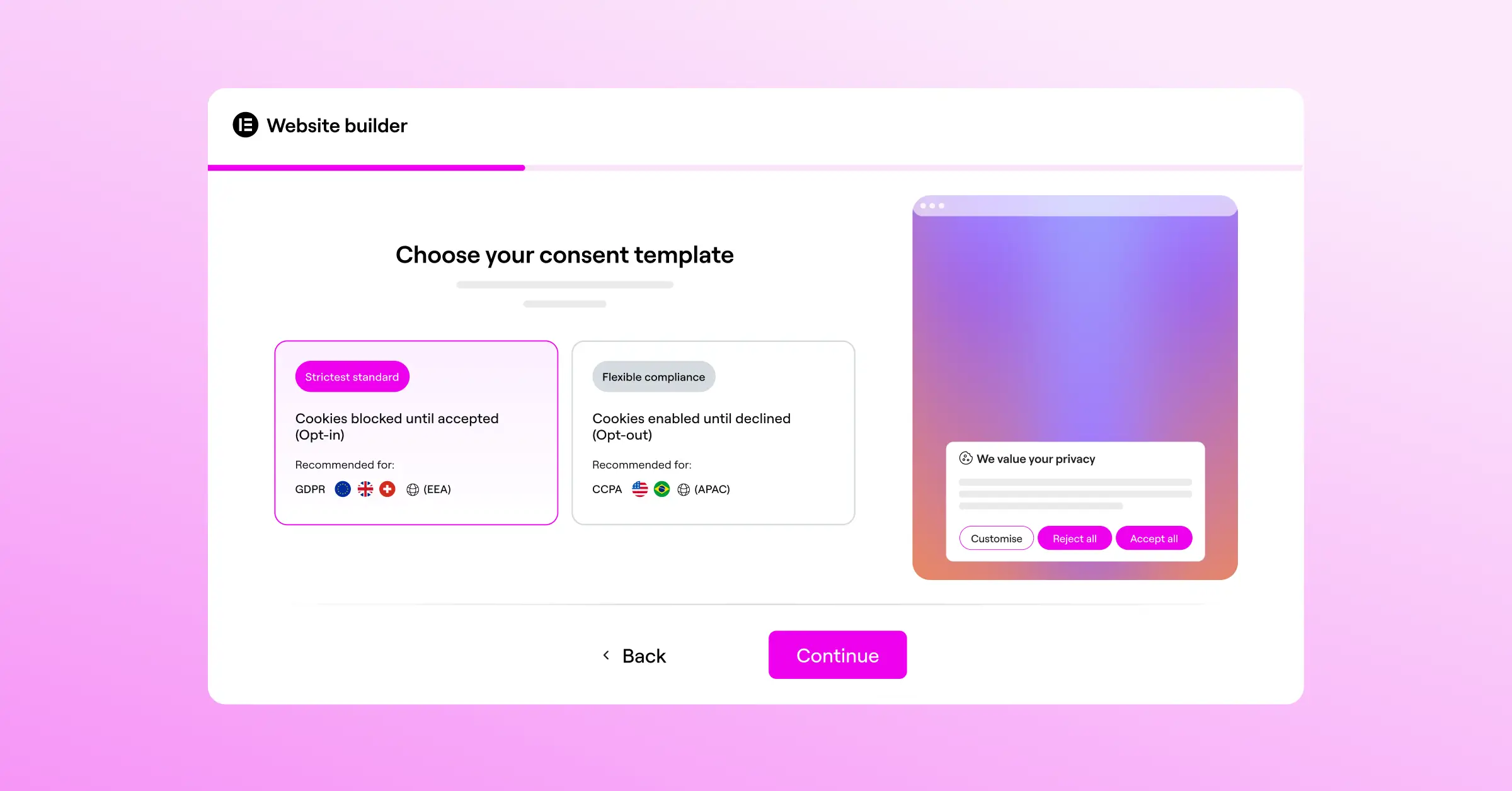
Your banner should look like it belongs on your site, and the right tool makes that easy. Match your color palette, keep enough contrast for readability, and write the copy like a human wrote it. Swap “We use cookies to optimize our platform and analyze traffic under regulatory frameworks” for “We use cookies to understand how you interact with our page and to show you relevant offers,” and it instantly feels less intimidating. Keep the typography consistent with your headings, and stick to soft, professional tones instead of alarming red warning colors.
Where should the banner be positioned?
For landing pages, a floating bar along the bottom of the screen usually works best. It keeps your headline, hero image, and CTA fully visible, so visitors see your offer before they’re asked about cookies. Skip full-screen overlays, which force a decision before visitors know what the page is about and send them straight to the back button. A bottom-aligned bar is polite, effective, and far less disruptive on mobile.
What choices must you give users?
Modern law is clear: users need equal choices. “Accept All” can’t be a bright button while “Reject All” hides as a tiny, invisible link; both need similar visual weight. Use a primary style for “Accept All” and an equally clear secondary style for “Reject All,” plus a “Preferences” option so people can pick exactly which cookies they want. It shows your audience you genuinely respect their choices.
How does Google Consent Mode v2 change things?
If you use Google Ads or Google Analytics, Google Consent Mode v2 matters a lot. It sends signal states to Google based on whether a visitor accepted or declined cookies. When someone declines, Google skips the tracking cookie and sends a cookieless ping instead, estimating conversion data with machine learning so your campaigns keep running. For this to work, your consent tool needs to support Consent Mode v2 natively.
Selecting the Right Cookie Consent Capability
Adding consent management to a landing page usually means one of three paths: an external third-party script, a developer-level consent tool, or a native WordPress capability. External systems often mean leaving your dashboard, logging into a separate platform, pasting code, and paying a monthly fee, which slows your site and adds friction. That’s part of why native capabilities have become the preferred choice for a lot of creators.
Build with Elementor and you get this built in. Cookie Consent is a native capability made for WordPress, so it runs straight from your dashboard: no external accounts, no copy-pasting tracking codes. It fits right into your design process, letting you control banner styles, cookie scanning, and consent rules from one workspace, and keeps your site lightweight, fast, and easy to maintain.
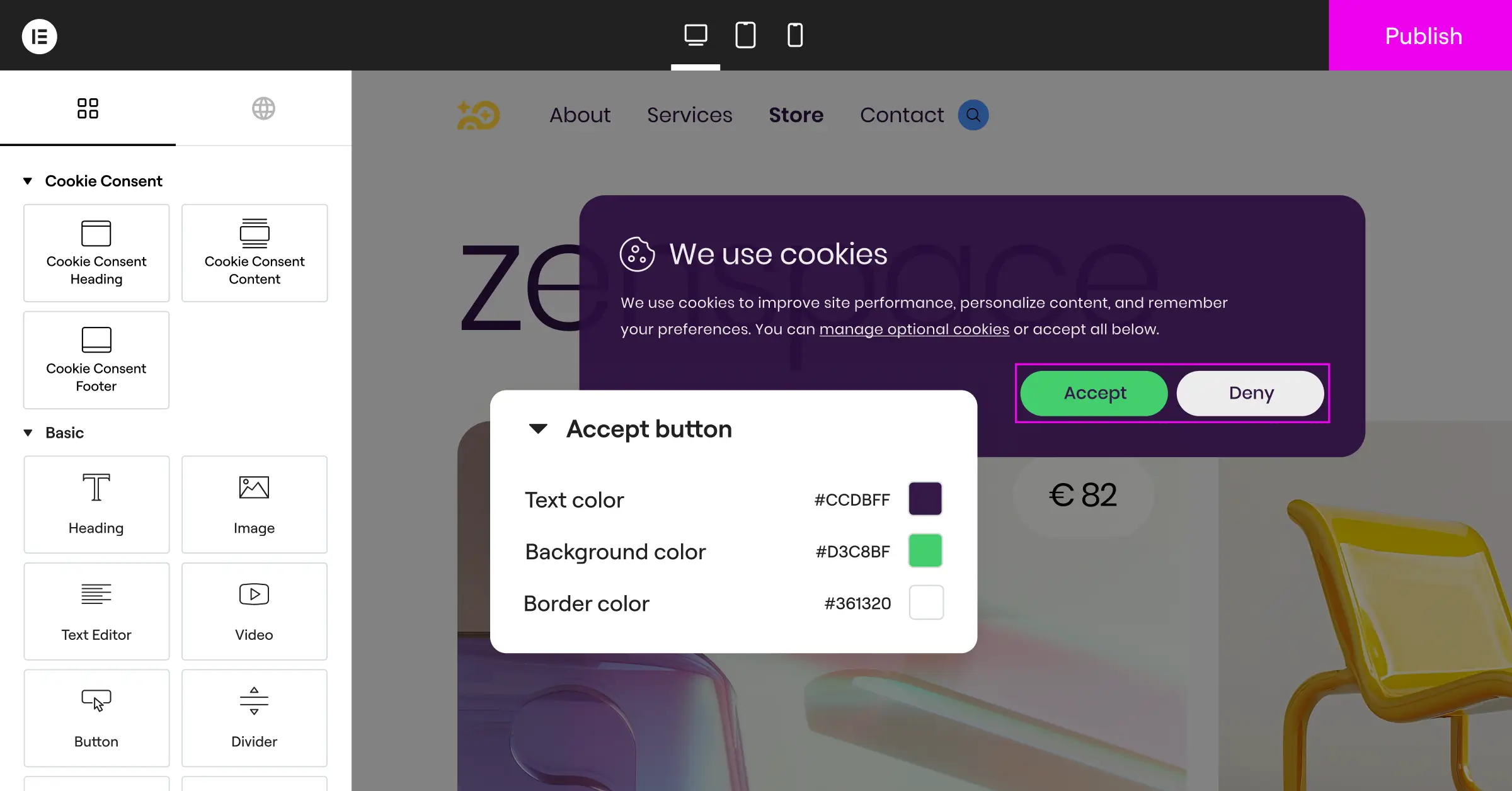
A native cookie consent capability gives you real control over how your scripts load. Here’s what it handles for you:
- Tracks user choices directly from your WordPress dashboard without sharing data with external companies.
- Builds custom-branded banners that match your landing page typography and style guidelines.
- Connects with Google Consent Mode v2 automatically to keep your Google ad campaigns optimized.
- Pulls automatic cookie scans to identify and categorize the scripts running on your page.
- Logs historical consent events securely, giving you an audit trail if a regulator ever asks for proof.
- Blocks marketing and analytics scripts instantly until a visitor clicks the accept button.
Top Consent Management Solutions Compared
Here’s a factual look at the top consent tools on the market.
| Platform Name | Integration Type | Google Consent Mode v2 | Primary Benefit | Best For |
|---|---|---|---|---|
| Cookie Consent (Elementor One) | WordPress-Native | Supported Out of Box | Dashboard-level integration with zero external platform dependencies. | WordPress creators, marketers, and design agencies. |
| Cookiebot | External Script | Supported via setup | Strong automated scanning across large, enterprise-level sites. | Large corporate platforms and multi-site networks. |
| CookieYes | Cloud-Based API | Supported via integration | A simple cloud dashboard for managing compliance across different CMS platforms. | Teams managing a mix of WordPress, Shopify, and custom HTML pages. |
| Complianz | WordPress Plugin | Supported with configuration | Deeply focused legal wizard that generates custom legal policies. | Sites needing detailed, region-specific privacy policy generation. |
| iubenda | External Script | Supported via setup | An all-in-one compliance suite covering terms, conditions, and cookies. | Businesses wanting a single vendor for all legal documents and banners. |
Think about your own workflow here. If you’d rather skip extra subscriptions and design banners in the same place you build your pages, a native tool like the Cookie Consent capability is genuinely convenient. Managing a large network of pages across different website builders? An external system like Cookiebot or CookieYes might fit better.
Step-by-Step Guide to Implementing Cookie Consent on Your Landing Pages
Setting up consent management doesn’t have to be stressful. Follow a clear process and you’ll have your landing pages fully compliant in a few minutes.

- Identify your tracking scripts. List everything running on the page: your Google Analytics tag, Meta pixel, LinkedIn Insight tag, and any email signup forms that set cookies.
- Install your consent capability. Turn on your chosen tool in your WordPress dashboard. With the native Cookie Consent capability in Elementor, set it up right from your site settings.
- Run an automatic cookie scan. Let the tool scan your page. It automatically finds and sorts your scripts into groups like “necessary,” “analytics,” and “marketing.”
- Design your banner. Match the layout to your page: a floating bottom bar, your brand colors, and clear, friendly buttons with equal visual weight for accepting and declining.
- Enable Google Consent Mode v2. Flip the Consent Mode toggle in settings if you use Google Ads or Google Analytics, so campaign tracking stays accurate even when people opt out.
- Test your implementation. Open your landing page in an incognito browser window, check the active cookies in your browser console, and confirm nothing fires before you click accept.
- Check your consent logs. Visit your dashboard and confirm your test consent logged correctly. Keeping these logs active matters if a regulator ever asks for proof.
“Landing page compliance is no longer just a legal checklist; it’s an essential part of user experience design. When you make it easy for visitors to choose their privacy settings, you build immediate trust, which directly supports your overall conversion goals.”
– Itamar Haim, Web Compliance Specialist
Advanced Tips for Marketers and Designers in 2026
Want to take your landing page optimization further? These techniques keep conversion rates high while still treating user data with respect, and once configured, they pretty much run on autopilot.
Should you geo-target your cookie banners?
Geo-targeting is one of the most effective ways to protect conversion rates. Not every country has the same privacy laws: visitors from the United States, for example, don’t need the same strict prior-consent banner as visitors from Germany or France. Show the strict opt-in banner only to visitors from the EU, UK, or California, while everyone else gets a simpler notice or none at all, keeping your design clean and focused for most of your audience.
How does Global Privacy Control work?
Global Privacy Control, or GPC, is a browser setting that lets users set their privacy preference once, and their browser passes that choice to every site they visit. Modern rules say your site must respect these signals automatically: if a visitor has GPC enabled, your consent tool should treat it as “Decline All” without showing a banner. Supporting GPC shows your brand respects user preferences and stays ahead of where privacy standards are heading.
Can you run A/B tests on your banners?
Yes, and plenty of marketers do it to find the best opt-in rates. Just stay within legal boundaries: test button colors, micro-copy, fonts, and positions all you want, but skip manipulative “dark patterns,” like a version where the “Decline” button is hidden or hard to click. Keep your tests focused on clarity, friendly language, and visual appeal, and you’ll usually find the most transparent, human-sounding banners win anyway.
Frequently Asked Questions
Do I really need a cookie banner on my landing pages?
Yes. If you use tracking scripts like Google Analytics, Meta pixels, or other marketing tools that set cookies, you need a cookie banner, especially if you have visitors from the European Union, the United Kingdom, California, or Canada. Modern privacy laws require explicit consent before you track user behavior.
Does a cookie banner hurt landing page conversions?
It can, if it’s poorly designed, intrusive, or blocks the primary call-to-action. But a clean, bottom-floating banner that matches your brand style has minimal impact on conversions. Transparent privacy practices can even boost trust and engagement with your offer.
What is Google Consent Mode v2, and why should I care?
Google Consent Mode v2 communicates your visitors’ privacy choices directly to Google services. If a user declines cookies, Google uses cookieless pings to estimate conversion data, helping you keep accurate campaign tracking in Google Ads without violating privacy rules.
Can I just block all cookies by default?
You must block non-essential cookies (like analytics and marketing tracking) by default until the visitor gives explicit consent. Necessary cookies, which are required for basic site functions like shopping carts or security, don’t need prior consent and can run immediately.
Is it better to use a native WordPress tool or an external platform?
A native WordPress capability is usually better for speed, simplicity, and design consistency. It runs directly from your dashboard, so you don’t need external accounts or copy-pasted tracking codes, and it keeps your site lightweight and easy to maintain.
What happens if I do not comply with cookie regulations?
Non-compliance can lead to warnings, brand damage, and financial penalties from privacy regulators. Major ad platforms like Google also require proper consent setups for personalized ad campaigns in regulated regions like Europe.
How does Global Privacy Control (GPC) affect my landing pages?
GPC is a browser setting that lets users express their privacy preferences automatically, and your cookie consent capability should recognize these signals. If a visitor has GPC enabled, your site should respect their choice to opt out without showing them a disruptive banner.
Can I customize the design of my cookie banner?
Yes, and you absolutely should. Customizing your banner to match your fonts, brand colors, and button styles makes the consent notice feel like a natural part of your page, which reduces friction and builds trust. With Cookie Consent, full design control is built right into your WordPress dashboard, so there’s no need to touch a line of code.

