
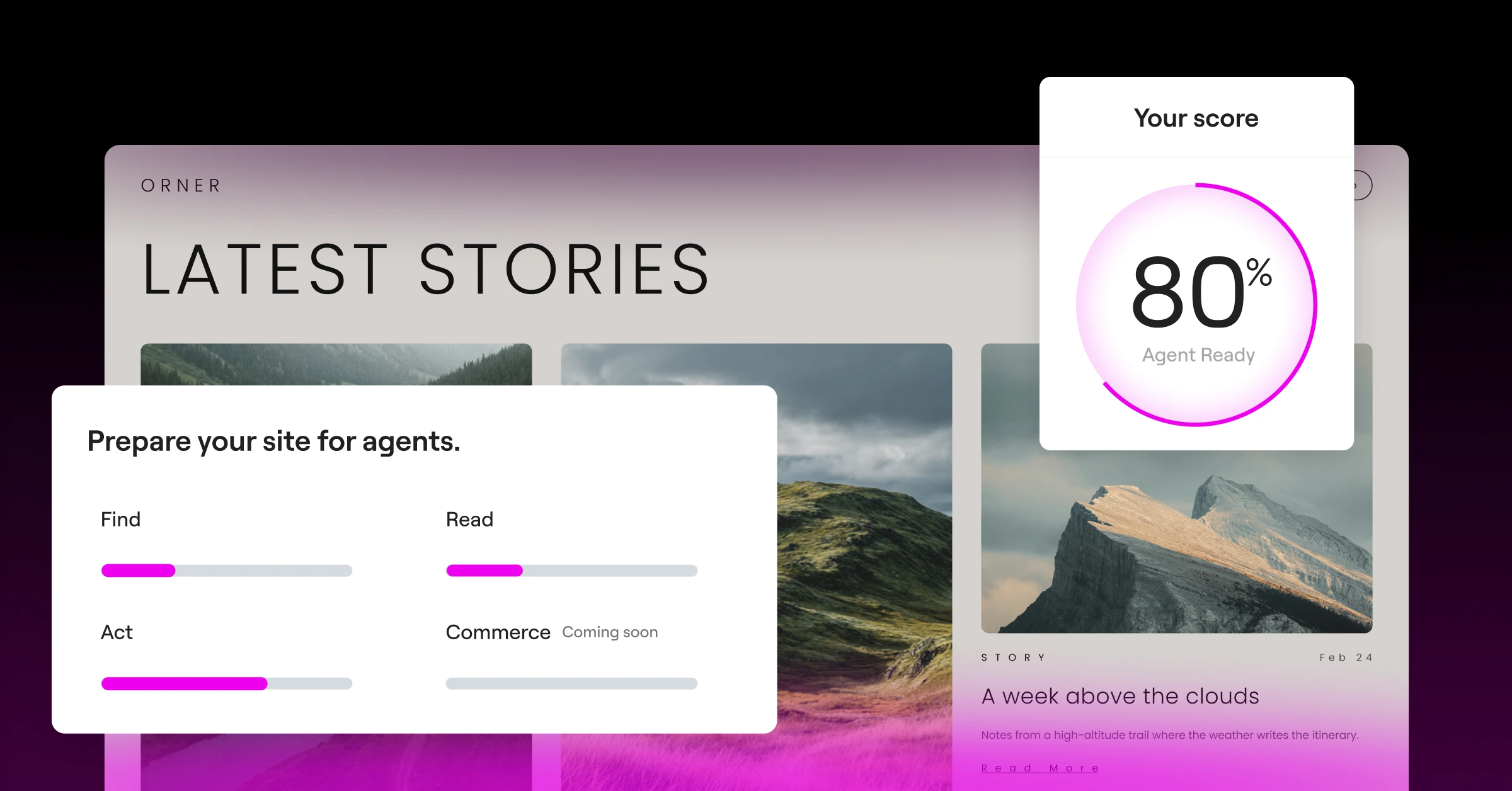
Your next website visitor isn’t human. People now send agents like ChatGPT, Claude, Gemini, Mistral, and Perplexity to browse websites, compare options, and act on their behalf: booking a reservation, placing an order, or finding an answer. A growing share of your site’s visitors are agents, not people.
Here’s the catch: if an agent can’t find or read your site clearly, it moves on, usually straight to a competitor, and you won’t know you lost that visitor. Agent readiness closes that gap, and it starts now.
What agent readiness means
Agent readiness describes how well a website lets an agent find it, read it correctly, and act on it. First, the agent has to discover your site and understand what it offers. Next, it needs clear, current content it can read, not a layout of banners and pop-ups it has to guess through. Finally, it has to finish the job it was sent to do, such as submitting a form, booking a slot, or buying something, and get a confirmation back.
Take someone who needs a plumber this weekend. They ask an agent to find one nearby with Saturday availability and book a visit. The agent has to find the business, read its services and open slots correctly, and submit the booking. Each step is a point where the business either gets the booking or loses it to a competitor. To see which approaches are taking hold, read The agent-ready approaches catching on, and what AI agents actually use.
As Agent Ready standards take shape, Elementor started implementing the tools required by agents to give them the best experience. This includes built-in features in the plugin, as well as an Agent Ready Scanner, built specifically for WordPress websites, to help you understand where your site stands.
Agent readiness is a moving target. Elementor keeps the checks and its features current as the standards change, so you’re not in this alone. The checks in Elementor’s Agent Ready Scanner focus on what matters for WordPress sites, and they update as standards evolve. Agent Ready is free in Elementor for every site, so every Elementor site can get ready.
Partnering with Ora on agent readiness

Elementor has partnered with Ora and joined AgentReady.org as a committee member, alongside Google, Stripe, and others, to help shape the Agent Ready standards for the WordPress Ecosystem.
Ora.ai is a research lab that ranks how ready products and websites are for AI agents to discover and interact with, what it calls Agent Experience (AX). Its founders helped shape how AI agents gather knowledge from the web, and worked with Anthropic, OpenAI and others to help establish some of the first shared standards for interactive AI.
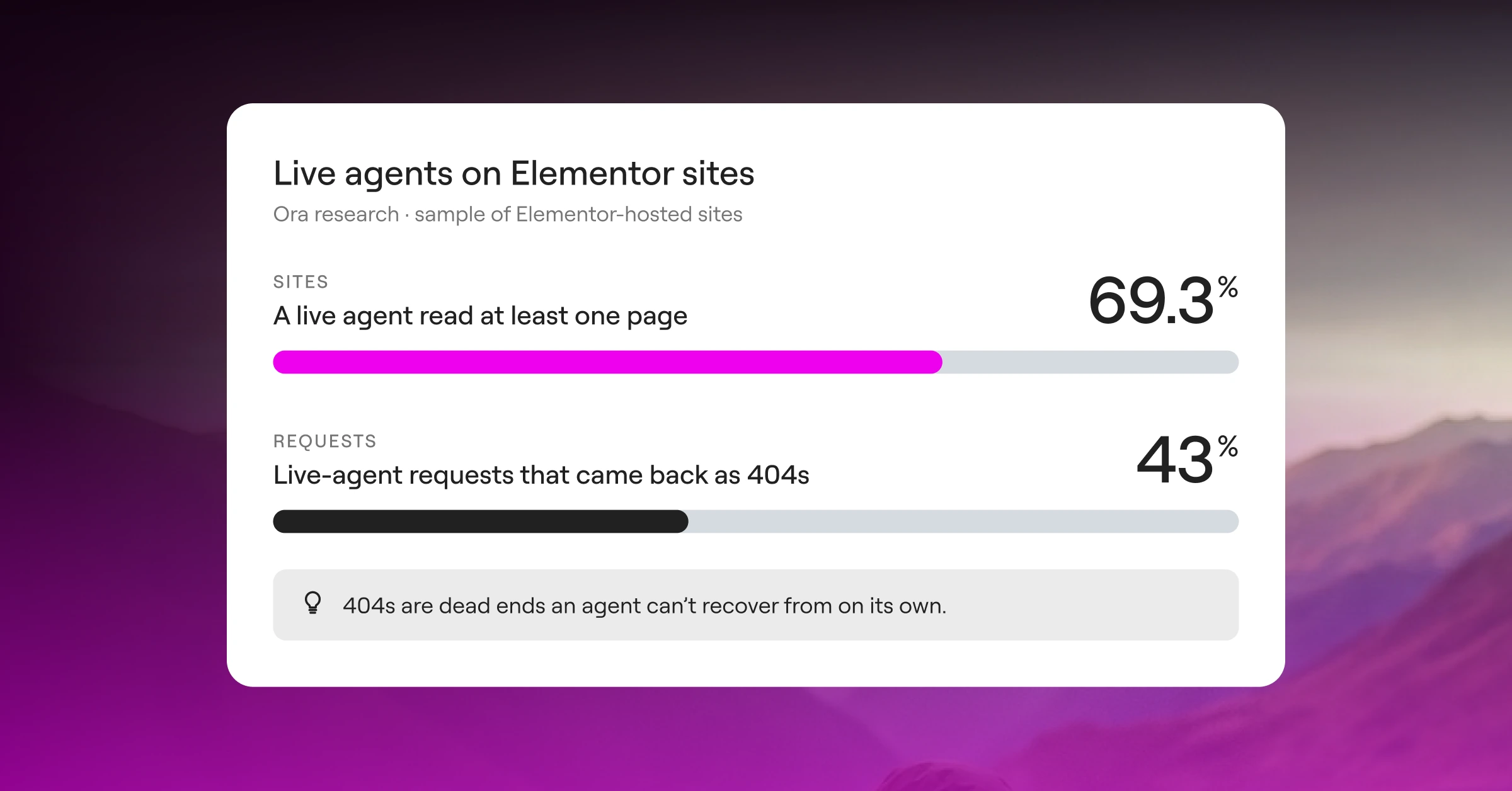
In research conducted by Ora on a sample of Elementor-hosted sites, 97.6% of sites with 100,000 to 1 million visits in four weeks got a live agent read. In another sampling, 43% of live-agent requests came back as 404s. Those are dead ends an agent can’t recover from on its own.
What this means: agents are already here, visiting your sites.
77.4% of agencies had clients ask if their site is ‘AI ready’
The shift is already showing up in how agencies work, according to Elementor’s 2027 agency survey. That number keeps climbing. If your clients haven’t asked about agent readiness yet, they will. Come prepared, with a clear plan for how to make their sites ready.
The problems site owners don’t see yet
If a site isn’t agent ready, the agent visiting it on someone’s behalf can run into problems that cost the site owner visitors and revenue. Here are three of the most common.
- Missing context: a page can read well for people and still hide key details from agents. A price shown only in an image, opening hours inside a JS slider, or a booking option that is designed for humans never reaches the agent, so it has no reason to recommend you. In Ora’s research on 2.2 million agent requests, 86% went to regular pages instead of the machine-readable files built for agents. Most sites make agents work far harder than they need to for basic facts.
- Getting stuck: when agents don’t have clean files and tools at their disposal, they resort to crawling the full site, where pop-ups, cookie banners, and forms without clear labels stop them cold. An AI agent either guesses when unsure or gives up entirely and moves to a competitor site.
- Outdated information: if nothing gives agents a current, clean version of your site, they’ll quote outdated prices as current.
Why it matters now
Agents are changing how people find and choose the businesses they use. Someone who used to visit three websites now asks an agent to compare them and act on the best option. If a business’s website can’t be found or correctly understood, it doesn’t get considered. The site owner never finds out.
Ora found that when agents can’t read a site cleanly, their answers are 3.7 times as likely to miss every fact the user asked for. Not slower. Wrong.
Elementor’s article WordPress was born ready for the agentic web explains how WordPress sites already get a head start, thanks to WordPress’s machine readable foundation.
Agent Ready, built into Elementor
Elementor’s most recent version adds Agent Ready to WordPress through two screens in WP Admin. One shows where your site stands. The other turns on the standards agents look for, several of which come from Ora’s research.
Get a clear score for your site’s agent readiness
The Readiness score screen runs agent readiness checks on your site and shows a score with the results. Our collaboration with Ora shaped this score for WordPress websites, and thanks to this partnership, we can keep updating it as standards change. When a check fails, the scanner suggests a fix. You can apply it, then scan again to confirm the result. Fixes come in several forms: a toggle on the Agent access screen, a request to Angie, a plugin tool, a manual change, or a prompt for any AI client.
Control what agents can read and do
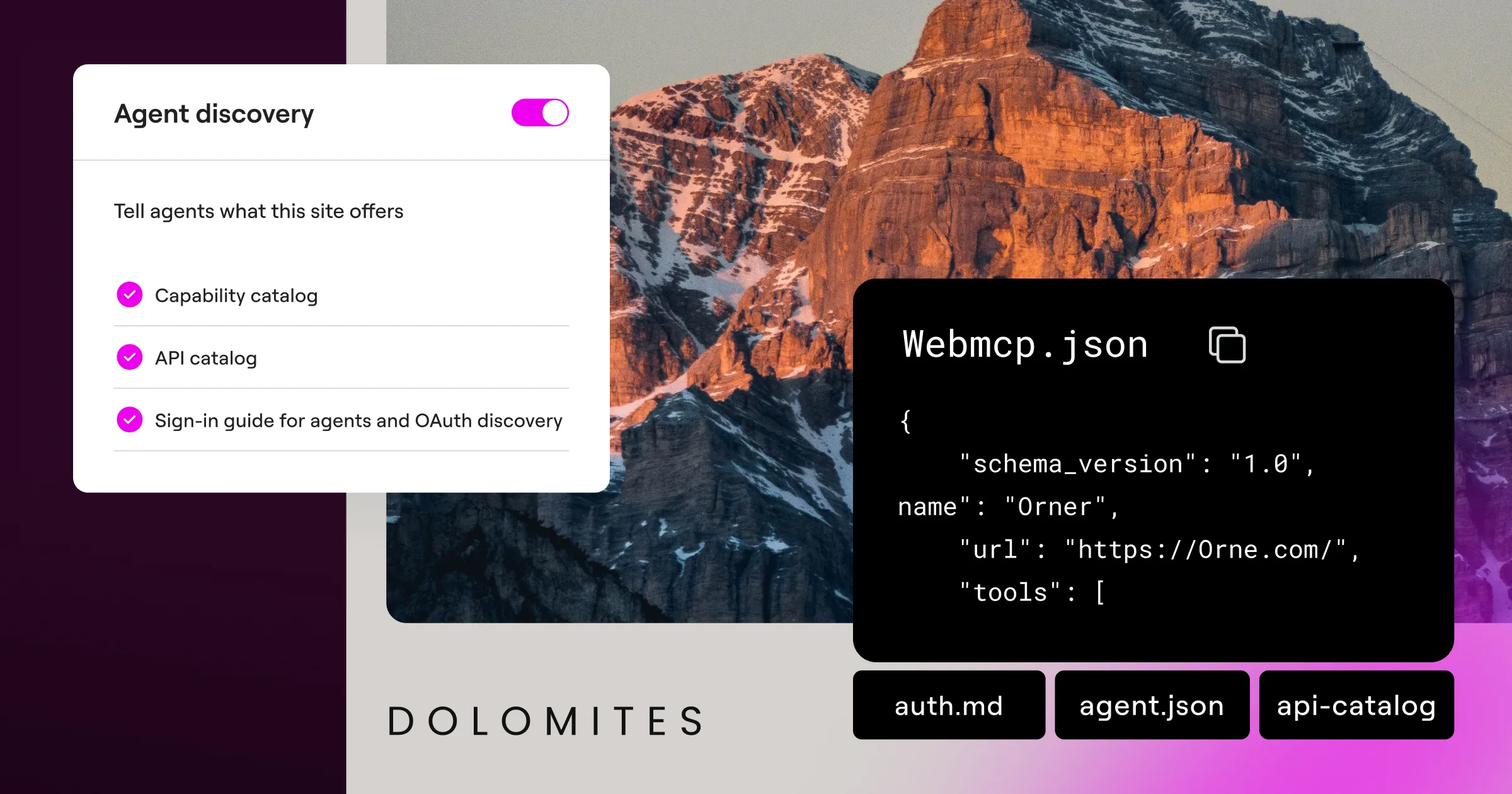
The Agent access screen turns on the standards agents look for. Each one helps agents with a different job: finding your content, reading it, acting on it, or deciding what they’re allowed to do with it.
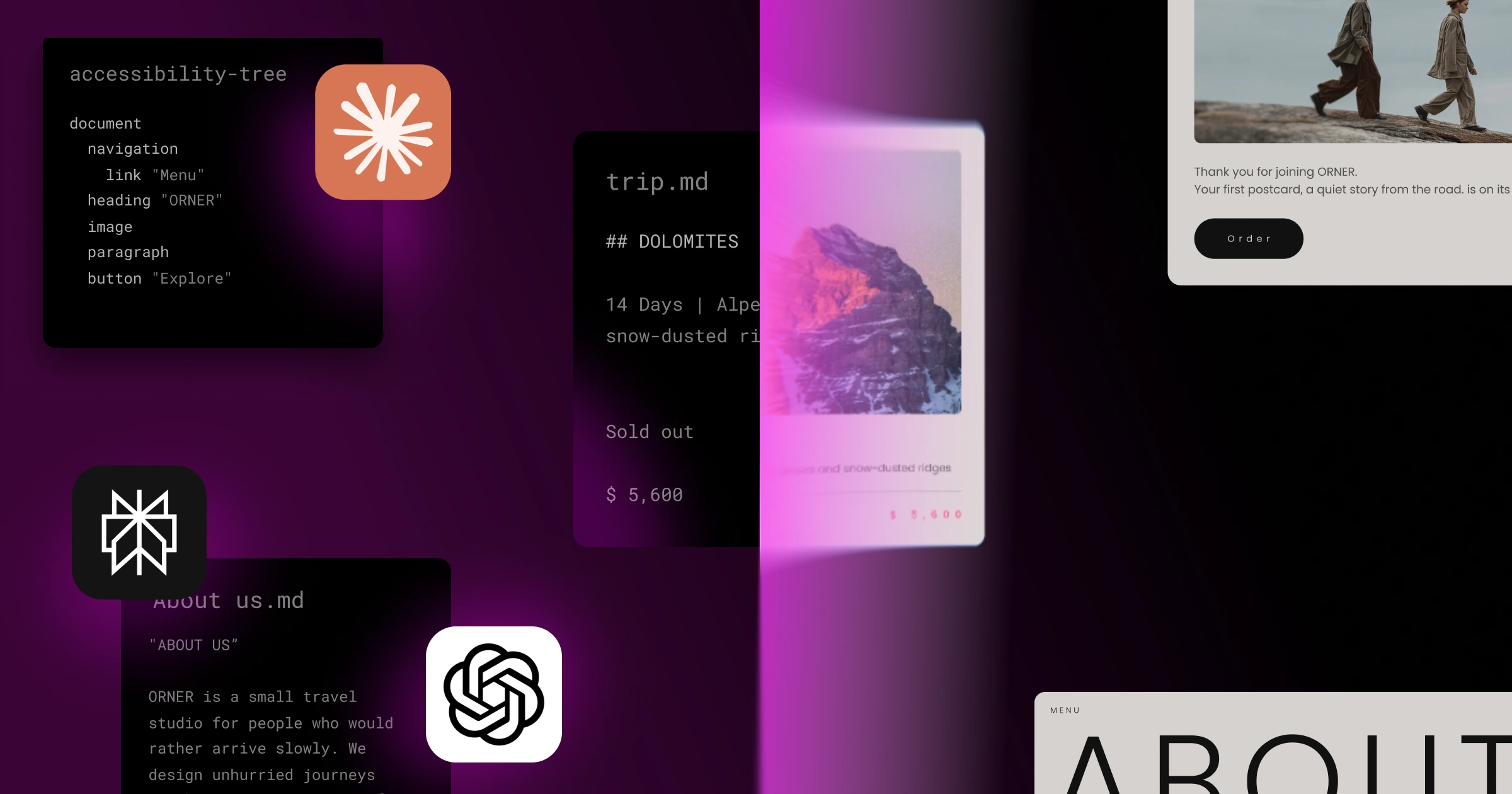
llms.txt is a plain-text guide at the root of your site that describes what the site is about and where its key content lives, so agents can find the right pages without guessing. Markdown versions of your pages give agents a text-only copy without layout code, menus, or scripts, so they can read your content quickly and accurately while using fewer resources. Well-known files, such as agent.json, api-catalog, and auth.md, are standard files agents check first, so they can see what your site offers and how to sign in before they start clicking around.
Bot access controls and content signals let you set rules per bot, or for all bots at once, so agents know which uses of your content you allow: search results, answers to prompts, or AI training. Reading and training are separate choices, so you can welcome a search agent without opting into training. These are stated preferences in your virtual robots.txt file. Most reputable bots are expected to respect them, but there aren’t technical blocks that enforce bot usage of your content.
WebMCP tools let your site offer capabilities directly to agents in your browser, so they can ask for business information or search your content instead of reading the page and guessing. Four read-only WebMCP tools come included in this release: business information, site search, site structure, and page content. Atomic forms also support WebMCP, so agents can complete form-related tasks like submitting a request.
Here’s how these features help agents find, read, and act on your site.
| Find | Read | Act | Commerce (coming soon) |
|---|---|---|---|
| Bot access controls: rules per bot in robots.txt | Markdown versions of pages built in Elementor or Gutenberg: text only, no layout or scripts | WebMCP tools: business info, site search, site structure, page content | Checkout protocols: standard steps for agents to complete purchases |
| llms.txt: a plain-text guide to your key content | llms-full.txt: the full-content version of llms.txt | Contact forms: agents can submit requests | |
| Well-known files: agent.json, api-catalog, auth.md | MCP tools to diagnose and fix Agent Readiness issues | ||
| ard.json and ai-catalog.json: a resource catalog for agents | |||
| openapi.json: a read-only description of your APIs |
Bot access controls may apply to reading site content. They tell agents what they can do with your site content, such as showing it in search or using it to answer questions.
One dashboard, kept up to date
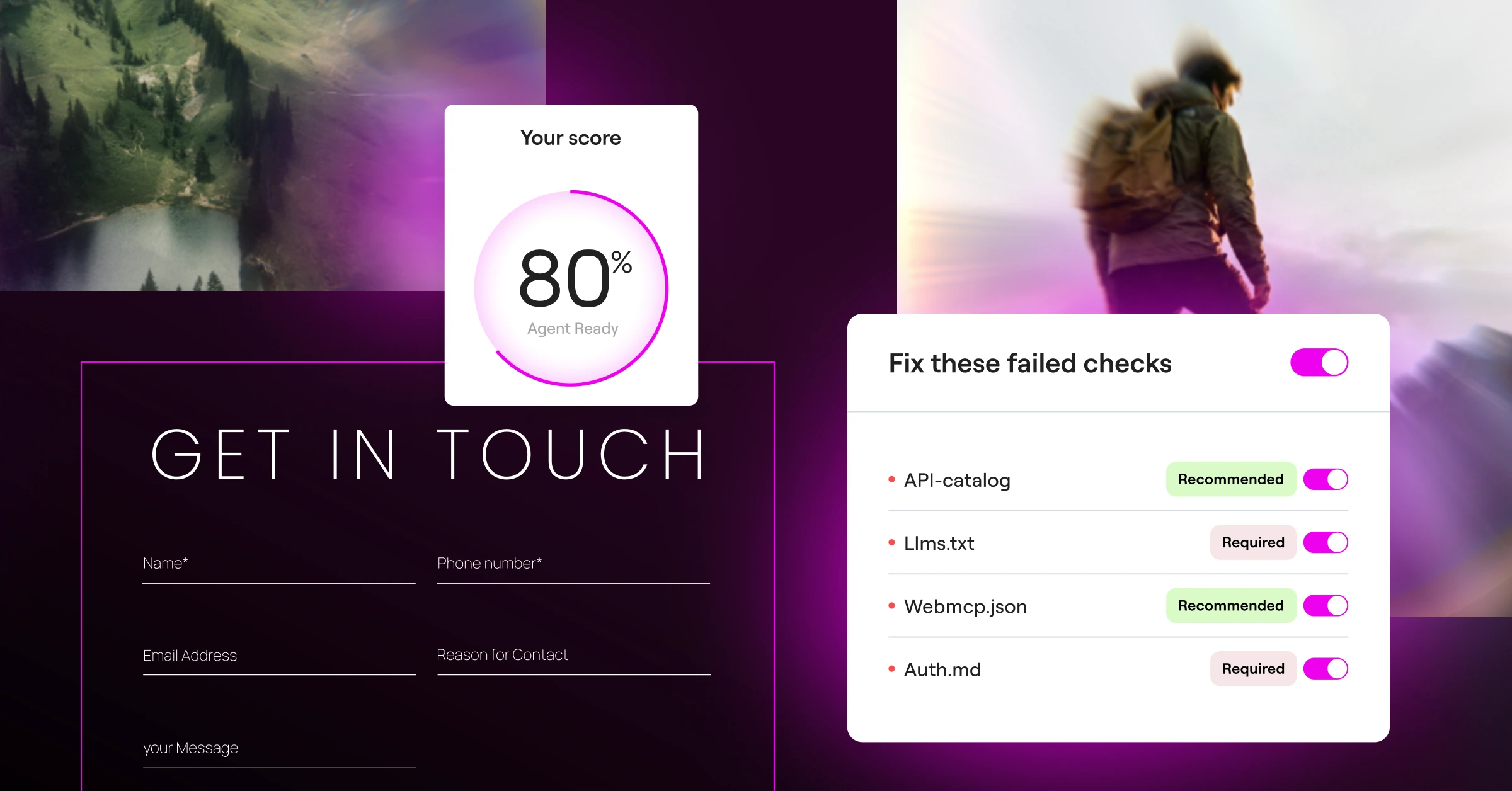
Agent readiness works best when the checks, the fixes, and the files live in one place. In Elementor, the Readiness score, and Agent access controls sit together in the WordPress Admin, so you can scan a site, see what’s failing, and fix it by prompting your AI client of choice. Fixes happen where the site is built, so a failed check can turn directly into a setting change, or a plugin tool instead of a to-do list you work through alone.
Get started
Open the Agent Ready tab from Elementor’s menu in the WordPress Admin to get your first score. Then follow the fixes to improve your score and be better prepared for AI agents.

