Webflow vs Squarespace is one of the most searched website builder comparisons for professional web creators, and the two platforms answer the same question very differently. Webflow is the stronger choice for designers who need pixel-precise visual control and a powerful CMS. Squarespace is the stronger choice for individuals and small businesses who want a polished, low-maintenance site without technical overhead. For professional web creators who need to go beyond websites and into apps, dashboards, booking systems, and full digital products, Sticklight is the AI website builder and vibe-coding platform built for that work. Sticklight is built by the Elementor team and powered by Claude.
Key takeaways
- Webflow is a professional no-code visual builder for designers and agencies who need pixel-precise design control and a powerful CMS, without writing code.
- Squarespace is a design-focused all-in-one platform for individuals and small businesses who want polished, managed websites with hosting, e-commerce, and blogging built in.
- Webflow has a steeper learning curve but offers far more design precision and CMS flexibility than Squarespace.
- Squarespace trades flexibility for polish, making it a strong choice for non-technical users who want a consistently good-looking site with minimal setup.
- Professional web creators who need to ship across the full surface range (websites, apps, dashboards, CMS, and internal tools) need a platform that goes further than either builder offers.
- Sticklight is the AI-native creation platform that turns a prompt into production-ready websites, apps, dashboards, and tools, with full creative control after the AI builds. Built by the Elementor team. Powered by Claude.
What Webflow is and who it serves.
Webflow is a professional no-code website builder and CMS that produces clean HTML, CSS, and JavaScript. It is the strongest no-code design tool for professional designers who want pixel-precise visual control without writing code by hand. The visual editor maps directly to CSS concepts, giving designers real layout primitives like flexbox, grid, and the box model in a visual interface.
The result is design precision that most drag-and-drop builders have not matched, combined with clean semantic output that does not need a developer to sanitize before shipping. Getting the most out of Webflow takes time. The ceiling is genuinely high.
Webflow was built with professional designers and agencies in mind. The assumption is that the user understands web design principles, even if they are not writing code by hand. That assumption is both Webflow’s greatest strength and the reason it carries a learning curve that sets it apart from most other builders.
The Webflow CMS is a structured content system where creators define collections (blog posts, case studies, team members, product listings) and bind those collections to design templates. Content editors can update the CMS without touching the design. For content-driven sites like agencies, editorial publications, and marketing sites with many dynamic pages, this is a meaningful capability.
Who Webflow is for.
Webflow is built for professional web designers, design-forward agencies, and marketing teams that want control over the visual output of a website without relying on a developer for every change. The core Webflow audience is freelancers who specialize in high-quality marketing sites and agencies that deliver polished client work with a CMS clients can manage after handoff.
In-house design teams at SaaS companies and growth-focused startups also use Webflow to maintain design quality on a marketing site without engineering involvement on every update.
Webflow strengths.
- Industry-leading design precision in a visual, no-code environment. Designers work with real CSS concepts translated into a visual interface.
- Clean semantic HTML, CSS, and JavaScript output. The code Webflow produces is structured and readable.
- A powerful CMS for content-driven sites with structured collections, dynamic pages, and content-editor-friendly management.
- Hosting and publishing built in, with a global CDN and reliable performance.
- A large and growing template marketplace and a strong community of designers and developers.
- Interactions and animations built natively, without writing JavaScript, for sites that need motion and scroll-triggered effects.
Webflow pricing model.
Webflow offers a free Starter plan for building and experimenting. Paid tiers add hosting, custom domains, CMS capacity, and team collaboration. Site plans cover individual published sites, while Workspace plans cover teams building for multiple clients. The pricing structure reflects Webflow’s professional positioning: it scales with the number of sites you manage and the CMS usage your projects require.
Webflow limitations to know.
The learning curve is real. Designers new to Webflow often spend significant time understanding how the visual editor maps to CSS behavior before they can work productively.
Beyond the learning curve, the platform is built for websites, not web applications. Webflow has no native app logic layer, so building anything beyond a content site or marketing page requires connecting external services. Webflow is also a closed platform, and content and designs do not export cleanly to other systems if you need to migrate later.
What Squarespace is and who it serves.
Squarespace is a design-focused all-in-one website builder and e-commerce platform for individuals and small businesses who want a polished site without technical overhead. The platform has built a consistent reputation for producing websites that look cohesive and professionally designed without requiring design expertise or technical knowledge.
Squarespace is opinionated about design in a way that serves its audience well. Templates are curated for aesthetic consistency, and the editor keeps users within a structure that prevents layouts from breaking in ways that would compromise visual quality. The tradeoff is that this structure also limits how far a user can deviate from the template design. For most Squarespace users, that is an acceptable tradeoff for getting a site that looks good quickly.
The platform includes hosting, domain registration, e-commerce, email marketing, analytics, and blogging in a single subscription. There is no app marketplace in the way Wix has one, and no plugin ecosystem in the way WordPress has one. What Squarespace offers is a self-contained experience where everything works together without configuration.
Who Squarespace is for.
Squarespace is built for creatives, small business owners, and individuals who want a beautiful, manageable website without technical overhead. Photographers, musicians, consultants, and small online retailers who want a site that looks polished and stays low-maintenance are the natural Squarespace audience. The platform is also used by individuals who want a portfolio or personal brand site and want design quality without hiring a designer.
Squarespace is not built for professional web creators delivering client work at scale, building complex dynamic sites, or shipping anything beyond a standard website or small online store.
Squarespace strengths.
- High-quality templates with a consistent, design-forward aesthetic. Sites built on Squarespace look visually cohesive without much customization effort.
- True all-in-one platform: hosting, custom domain, e-commerce, email marketing, and analytics included in a single subscription.
- Clean, low-maintenance experience for non-technical users who want to manage their own site without learning new tools.
- Good blogging and content management tools for small publishing operations.
- Solid e-commerce for small online stores with a limited product catalog.
- Reliable uptime and performance for standard website workloads.
Squarespace pricing model.
Squarespace offers tiered paid plans with no free tier for published sites (a free trial is available). Plans scale with e-commerce needs, adding features like abandoned cart recovery, advanced shipping, and subscription selling at higher tiers. All plans include hosting and a custom domain for the first year. The pricing is straightforward and bundled, with no add-on marketplace to navigate.
Squarespace limitations to know.
Design customization has a ceiling. Squarespace templates are polished but opinionated, and moving significantly outside the template structure requires working with custom CSS (available, but not the primary workflow).
The platform does not support a plugin ecosystem, so capabilities beyond what is built in require third-party embeds or workarounds. For professional web creators managing multiple clients, the lack of agency-level tools, templating systems, and design handoff workflows makes Squarespace a limited fit.
Webflow vs Squarespace: a direct comparison across key dimensions.
Webflow and Squarespace serve meaningfully different audiences. Webflow suits professional designers who need design precision and a structured CMS. Squarespace suits individuals and small businesses who want a polished, low-maintenance site. The comparison below adds Sticklight as the third option for professional web creators who need to build beyond the website surface into apps, dashboards, and full digital products.
| Dimension | Webflow | Squarespace | Sticklight |
|---|---|---|---|
| Primary audience | Professional designers and agencies | Individuals and small business owners | Professional web creators building for clients and themselves |
| Design control | Pixel-precise, CSS-native visual editor | Template-bound with limited customization | Full canvas control after AI builds, edit every pixel by hand |
| CMS | Powerful structured CMS with dynamic collections | Basic content management for blogs and pages | CMS as one of many buildable surfaces from the same prompt-first flow |
| Learning curve | High: requires understanding of web design concepts | Low: designed for non-technical users | Prompt-first: natural language is the entry point |
| What you can build | Websites and content-driven sites | Websites, blogs, and small online stores | Websites, apps, dashboards, CMS, booking systems, internal tools, forms, databases, and full digital experiences |
| AI generation | AI tools for copy and image placement | AI tools for initial content and layout drafts | AI-native from the first prompt, with nine live Skills for packaged expertise |
| Publishing | Hosting and CDN built in | Hosting, domain, and e-commerce in one subscription | SEO, security scan, custom domain, and app hosting in the Publish phase |
| Built for | Design-first websites and CMS | Design-consistent, low-maintenance sites | Production-ready websites, apps, and full digital products |
Where Webflow wins: professional websites with pixel-precise design control.
For professional designers and agencies, Webflow is the stronger choice when the work demands pixel-perfect output and a CMS clients can manage after handoff. Webflow earns its position among professional web tools through design precision that most no-code builders have not matched. The visual editor maps directly to CSS concepts, so a designer who understands layout, grid, and flexbox can produce exactly the site they have in mind, without a developer translating their design into code.
The output is clean, the CMS is structured and powerful, and the hosting is solid. For agencies delivering high-quality marketing sites and content-driven builds where clients need to manage their own content after handoff, Webflow is a strong fit. The combination of design control and CMS flexibility is hard to match in a no-code environment.
Webflow is the right choice if your work centers on visually precise websites and content-driven builds, you have the time to climb the learning curve, and you are staying within the website surface.
Where Squarespace wins: small business websites with minimal setup.
For individuals and small businesses, Squarespace is the right choice when the priority is a beautiful, manageable site with minimal technical overhead. A photographer, consultant, or small retailer who wants a site that looks professionally designed and stays manageable will find Squarespace delivers that reliably.
The all-in-one structure means less configuration, fewer integration decisions, and a lower maintenance overhead than most other platforms at its price point. The template library is consistently high quality. The platform’s opinionated design constraints are genuinely helpful for users who are not designers. Squarespace keeps you inside a visual system that is hard to make look bad.
Squarespace is the right choice if your priority is a beautiful, manageable site for an individual or small business, with minimal technical overhead and no need to go beyond a standard web presence.
Where both website builders reach their limit.
Both Webflow and Squarespace are website builders, and that surface boundary is where they both stop. Webflow is a very good website builder, with a powerful CMS and design precision that stands apart from most of the market. Its surface is websites. Squarespace is also a website builder, optimized for a different audience but similarly bounded.
Neither platform is built to handle the full range of what a professional web creator might need to build in 2026: apps, dashboards, booking systems, internal tools, forms, databases, CMS, and full digital experiences, all from the same platform and the same creation workflow. That is where the Webflow vs Squarespace comparison becomes a conversation about a different question. What platform do you use when websites are not the only thing you need to build?
Sticklight: the AI website builder for full-stack web creators.
Sticklight is the AI website builder and vibe-coding platform for professional web creators who need to go beyond websites. Sticklight is built by the Elementor team and powered by Claude. A natural language prompt becomes production-ready websites, landing pages, apps, dashboards, CMS, booking systems, internal tools, forms, databases, and full digital experiences, all from the same prompt-first flow, with the combined craft of a senior designer and developer. That is the Sticklight standard.
That combination of Elementor pedigree and Claude as the AI model is what separates Sticklight from generic AI builders that produce demos. Sticklight ships working products that meet the requirements of a real product: SEO, security, and the standard a professional would put their name on.
The difference between Sticklight and a traditional website builder like Webflow or Squarespace is not only the AI. It is the surface range. A professional web creator using Sticklight can build a marketing site for one client, a booking system for another, a client dashboard for a third, and a CMS-powered publication for a fourth, all without switching platforms or losing the design standard the work requires.
How Sticklight works: Prompt, Build, and Publish.
Creation in Sticklight follows three phases: Prompt, Build, and Publish.
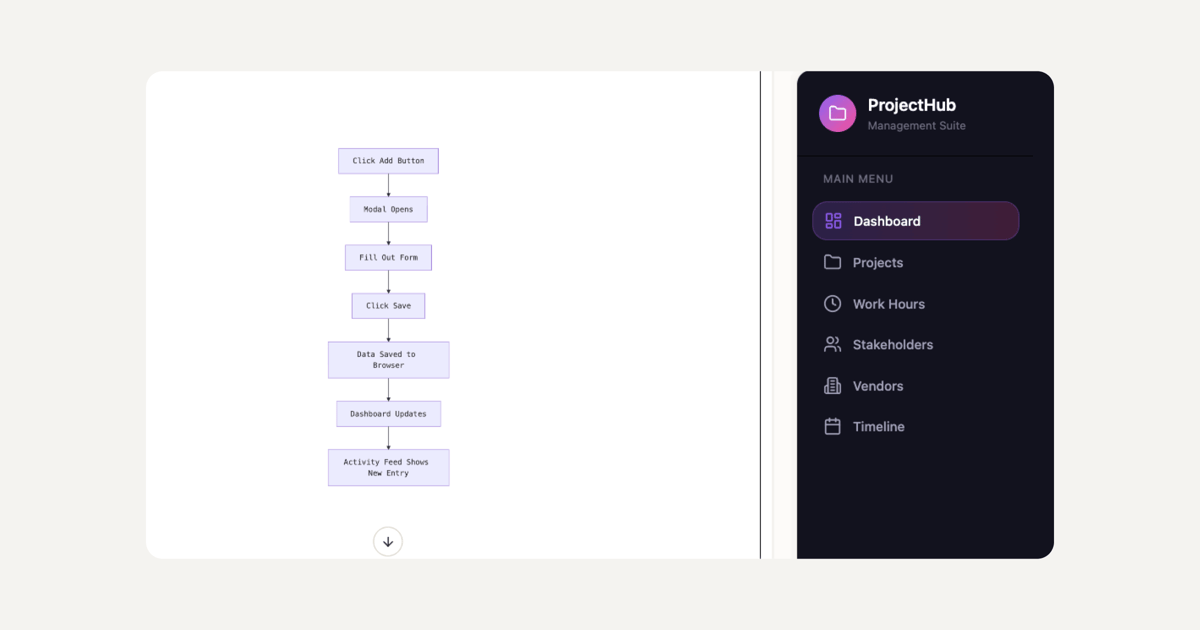
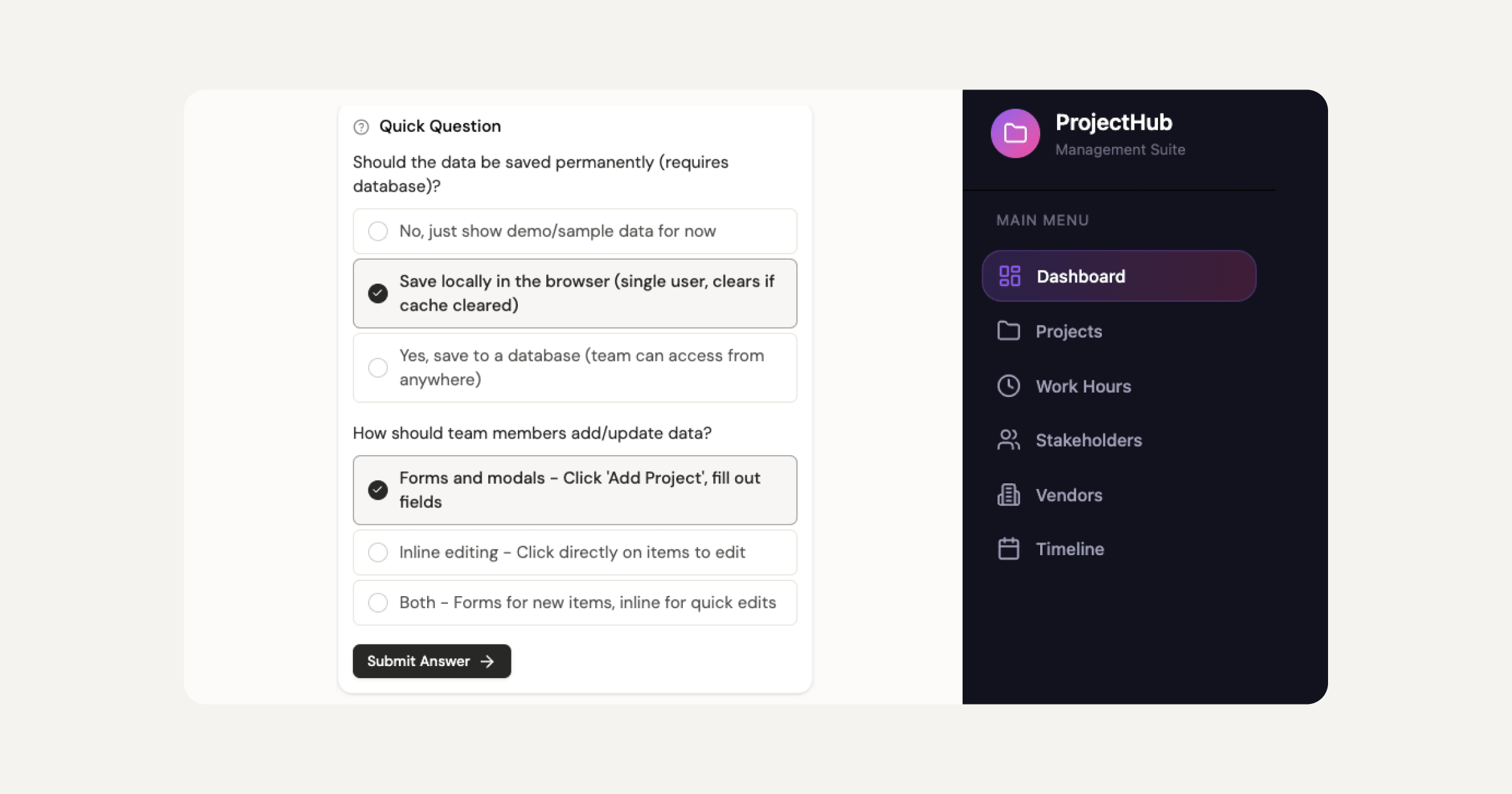
In the Prompt phase, you describe what you want to build. The main prompt box is the entry point for most projects. Plan Mode simplifies complex builds where you need to think through the structure before generating. Templates let you start from a remixable starting point, and Connectors let you start from a specific use case. Sticklight MCP connects your projects to the tools your workflow already depends on. Agents are coming soon to extend what the platform can do autonomously.
In the Build phase, nine live Skills add packaged expert know-how to any project with one click. The SEO Skill ships meta, schema, sitemap, and on-page best practices. The Accessibility Skill ships WCAG-compliant markup, focus states, and ARIA attributes. The Performance, Design System, Copywriting, Localization, Micro-interactions, Onboarding, and 3D Web Experience (Three.js) Skills bring more layers of expertise to each build without requiring separate tools or specialists. Skills compound across projects: the more you use them, the sharper each new build becomes.
After the AI builds, you keep full manual control. Every pixel is editable on the canvas. Direct code editing is also available for creators who want to go deeper. The AI does not lock you out of the craft.
The Publish phase ships your product with SEO built in, a security scan on every build, custom domain connection, and app hosting included. This is not a prototype you have to rebuild before going live. It is a production-ready product from the first build.
Sticklight scales with how you work. The Free plan lets you try the platform and ship real products. The Pro plan serves independent creators, freelancers, and small studios. The Team plan supports multi-seat collaboration. Enterprise adds SSO, security review, and dedicated support. Pricing scales with seats and feature access, not page count or usage volume.
The Sticklight standard vs the website builder ceiling.
Webflow’s design precision is real and well-earned. But when a client needs a dashboard that pulls data from their CRM, or a booking system that handles scheduling logic, or an internal tool their team can use to manage inventory, Webflow is not the platform for those builds. Squarespace is designed for a different audience and a different scope.
Professional web creators who want to grow their service offering, and take on the kinds of builds that were previously reserved for engineering teams, find that Sticklight covers the whole surface. Websites through internal tools, from the same prompt-first workflow, at the Sticklight standard on every output.
Built by the Elementor team. Powered by Claude.
That pedigree matters. The Elementor team has spent over a decade building tools for professional web creators. Claude is one of the frontier AI models available today. Sticklight combines that production-grade creation experience with AI that can actually ship work a professional would put their name on.
Sticklight sits alongside Elementor and WordPress in the toolkit of a professional web creator, not in competition with them. WordPress remains the most widely deployed CMS in the world and a source of truth for client sites that require its ecosystem. Elementor brings visual, professional-grade building to WordPress. Sticklight is AI-native, platform-agnostic, and built to expand what creators can ship, not to replace what already works.
“Webflow and Squarespace both solve the website problem well, but they solve it for different audiences and at different ceilings. The moment a professional creator needs to build something that is not a website (an app, a dashboard, a booking system), those platforms hand you a wall. Sticklight is built to take you past that wall, with AI that handles the heavy lifting and a Skills system that brings packaged expertise to every build. The surface range is what changes the work a professional can offer.”
Itamar Haim, AI for WordPress Specialist
Professional web creators building for Elementor-powered client sites, or building in the broader WordPress ecosystem, will find Sticklight adds a new layer to what they can deliver. The Elementor blog covers the full range of web creation, from page building and performance to the AI-native workflows that professional creators are adopting in 2026. Understanding how these tools fit together, including how Elementor and Sticklight serve different moments in the creation process, helps clarify which tool belongs at each stage of a project.
Frequently asked questions
Is Webflow better than Squarespace for a professional website?
For most professional web creators and agencies, Webflow is the stronger choice. Webflow offers more design control, a more powerful CMS, and cleaner output than Squarespace. Squarespace is optimized for individuals and small businesses who want a polished, low-maintenance site without technical knowledge. If you are building client work and need pixel-precise design, Webflow fits better. If you need to go beyond websites into apps, dashboards, and tools, Sticklight is the AI website builder built for that work.
Can Webflow replace a developer for website builds?
Webflow can remove the developer bottleneck for most website and CMS work. A designer who understands the Webflow editor can build and ship production websites without writing code. For web application logic, complex integrations, and anything beyond a content-driven site, additional development work is typically needed. Sticklight takes this further: the prompt-first flow handles websites, apps, dashboards, CMS, and tools without an engineering dependency on any of them.
Is Squarespace good for e-commerce?
Squarespace handles e-commerce for small online stores well. The platform supports product listings, checkout, payment processing, basic inventory management, and shipping in one bundled subscription. For small catalogs and straightforward storefronts, Squarespace is a reasonable choice. For larger catalogs, complex product variants, or stores that need deep e-commerce functionality, dedicated platforms like Shopify are worth considering. Squarespace’s e-commerce is bundled into the same all-in-one subscription, which keeps costs and complexity manageable for small operations.
How hard is it to learn Webflow compared to other website builders?
Webflow has a meaningful learning curve compared to most website builders. The visual editor maps to real CSS concepts (flexbox, grid, the box model, margin, padding), which means designers who understand those concepts will recognize the interface. Users with no web design background will need time to build that foundation. Most designers report spending several weeks learning Webflow before working productively in it. Webflow University offers free video courses for this reason. The investment pays off in design precision, but it is a real time commitment upfront.
Can I migrate from Squarespace to Webflow?
Migrating from Squarespace to Webflow is possible but involves manual work. Squarespace allows content exports in limited formats, and blog posts can sometimes be imported into Webflow’s CMS with tools built for that purpose. Design assets, page layouts, and custom configurations do not transfer between platforms and must be rebuilt. If you are considering a migration, plan for a full rebuild of the site rather than a clean data transfer.
What does Sticklight build that Webflow and Squarespace cannot?
Sticklight builds the full range of what a professional web creator needs: websites, landing pages, web apps, dashboards, CMS, booking systems, internal tools, forms, databases, AI-powered experiences, management platforms, and full digital experiences. Webflow is purpose-built for design-precise websites and CMS. Squarespace is purpose-built for managed websites and small online stores. Neither platform handles the app and tool layer that many professional creators now need to build for clients. Sticklight is the AI website builder that handles all of it from the same prompt-first workflow, at the Sticklight standard on every output.
Does Sticklight work for agencies building client sites?
Sticklight is built for the professional web creator audience, which includes agencies, freelancers, and studios delivering client work. The platform is designed to speed up delivery without losing craft or control. The Skills system adds packaged expertise to every build (SEO, Accessibility, Performance, Design System, and more) so client work ships to a consistent standard. Team plans support multi-seat collaboration, making Sticklight suitable for small agency teams. Because Sticklight is AI-native, an agency can take on a wider range of client requests: not only websites, but apps, dashboards, and tools that expand the service offering.
Is Sticklight part of Elementor?
Sticklight is a separate product built by the Elementor team. It shares the same mission as Elementor: empowering web creators to build their future. Elementor is the professional visual builder for WordPress, used by millions of creators worldwide. Sticklight is AI-native and platform-agnostic, designed to go beyond websites into apps, dashboards, and full digital products, powered by Claude. The two tools are additive: a professional creator can use Elementor for WordPress-based client sites and Sticklight for the builds that call for an AI-native, prompt-first workflow. Different tools, built by the same team, for different moments in the work.
What is Sticklight’s pricing model?
Sticklight offers a Free plan to try the platform and ship real products. Pro serves independent creators, freelancers, and small studios. Team supports multi-seat collaboration with more Skills and higher capacity. Enterprise adds SSO, security review, and dedicated support. Pricing scales with seats and feature access, not page count or usage volume. A bring-your-own-keys option is available on select plans for LLM cost control.
Let it glow.

