WordPress vs Webflow is one of the most common decisions professional web creators face today. WordPress is the dominant open-source CMS. Webflow is the design-first visual builder. Both platforms power serious production websites, both have real strengths and real tradeoffs, and both have active communities behind them. The right answer depends on what you are building, who you are building it for, and how much control you want over the stack. This article compares WordPress and Webflow across the dimensions that matter most to professionals, then introduces a third path for creators who need to go further than either platform allows.
Key takeaways
- WordPress is the world’s most widely used CMS, with a mature ecosystem of themes, plugins, and hosting options that gives professional creators full ownership of their stack.
- Webflow is a design-first visual builder that produces clean HTML and CSS, built for designers who want pixel-precise control without writing code.
- WordPress wins on ecosystem depth, data ownership, and flexibility. Webflow wins on design fidelity and an all-in-one managed environment.
- Neither platform is designed to build web apps, dashboards, booking systems, internal tools, or full digital products from a natural language prompt.
- Sticklight is the vibe-coding platform for professional web creators, built by the Elementor team and powered by Claude. It turns a natural language prompt into production-ready websites, apps, dashboards, CMS, booking systems, internal tools, forms, and databases, with full creative control after the AI builds.
- Sticklight connects to WordPress and builds on it. Sticklight does not replace it.
What WordPress is.
WordPress is the world’s most widely used open-source content management system, powering a significant portion of the web, from individual blogs to enterprise properties. Professional web creators have used it for two decades to build client sites, content hubs, membership platforms, and custom applications.
The foundation is a self-hosted PHP application that runs on any web host. Themes control presentation. Plugins handle functionality. That combination gives WordPress an ecosystem unlike anything else in the industry: tens of thousands of plugins covering SEO, e-commerce, forms, membership gating, and much more. The WordPress REST API and the block editor (Gutenberg) have expanded what developers can build on the platform in recent years.
Elementor brought visual, professional-grade building to WordPress. It made high-quality client sites possible without writing layout code by hand, combining the editorial power of WordPress with design control that competes with any visual builder on the market.
WordPress is not a hosted SaaS product. You own your data. You choose your host. You manage updates, security, and backups, or you use a managed hosting provider that handles it for you. That ownership model is a feature for professionals who need to deliver client sites on infrastructure the client controls and understands.
What Webflow is.
Webflow is a professional no-code website builder and CMS that produces clean HTML, CSS, and JavaScript. It is designed for designers who think in CSS and want their visual editor to mirror how browsers render layouts. Webflow is known for design precision, a capable CMS for content-driven sites, and a managed hosting and publishing environment.
Where WordPress separates content, code, and presentation across layers, Webflow brings them together in a single visual interface. Designers who understand box model, flexbox, and grid find Webflow’s editor intuitive because its controls map directly to those concepts. The output is clean semantic markup, without relying on a theme or plugin to produce it.
Webflow’s CMS handles structured content well: blog posts, products, case studies, team members, and any collection-based content a site needs. The visual editor links content fields to design elements, so content updates do not break layouts. Hosting, publishing, and basic SEO controls are included in the same platform, keeping the handoff from design to live site contained within one environment.
Webflow is a managed SaaS product. Hosting is included. Updates happen automatically. You do not manage a server. That is a meaningful difference from WordPress, and it comes with tradeoffs: you are working inside Webflow’s infrastructure, and the plugin ecosystem is smaller than WordPress by a considerable margin.
WordPress vs Webflow: how they compare across real dimensions.
Design control
Webflow has an edge in raw design precision. Its visual editor is built on CSS concepts, so designers get granular control over every layout decision without writing code. Animations, interactions, and responsive behavior are all handled visually, and the output reflects exactly what was designed.
WordPress with Elementor gives comparable visual control, with the advantage of a plugin ecosystem that extends design capabilities in almost any direction. The creative ceiling is high on both platforms. Teams with strong designers will feel at home in either environment.
Content management
WordPress is the reference standard for content management. Its CMS underpins editorial teams at publishers, enterprise organizations, and media companies worldwide. Custom post types, taxonomies, custom fields (via Advanced Custom Fields or similar), and the REST API give WordPress a content architecture that can handle almost any requirement.
Webflow’s CMS covers the most common content structures well. It handles collections, references between collections, and dynamic content binding to design components. For straightforward content-driven sites, it is capable and clean. For complex editorial requirements, WordPress has more depth.
Ecosystem and extensibility
WordPress wins on ecosystem. The range of plugins, integrations, and hosting options available for WordPress is unmatched by any other platform. Payment gateways, membership tools, SEO plugins like Yoast and RankMath, form builders, e-commerce via WooCommerce: the ecosystem covers every business use case and has been built and tested over two decades.
Webflow has its own integrations and a marketplace of templates and third-party tools. It covers common use cases well. For specialized requirements, the ecosystem is smaller. Many teams that use Webflow rely on external tools connected via Zapier or Make for functionality WordPress would cover with a plugin.
Data ownership and hosting
WordPress gives you full data ownership. You can export everything, move hosts, and maintain complete control of the underlying database and files. That matters to clients who want to own their infrastructure, and to agencies who need to hand off a site without locking a client into a specific vendor.
Webflow is a managed SaaS product. Your content lives in Webflow’s infrastructure. You can export HTML, CSS, and assets, but the CMS content and site hosting are tied to the platform. That is a reasonable tradeoff for many teams, and Webflow’s hosting is reliable. It is worth understanding clearly before you build on it.
Developer access and customization
WordPress is code-all-the-way-down. Every theme is PHP. Every plugin is PHP, HTML, CSS, and JavaScript. Developers can modify or extend anything, and the REST API allows WordPress to function as a headless CMS for any frontend. The floor is low for non-technical users. The ceiling is high for developers.
Webflow allows CSS and JavaScript customization through custom code embeds. It is not a full development environment, but teams that need to add custom behavior can do so. For developers who want to work at the framework level, WordPress or a headless approach gives more room.
Pricing model
WordPress itself is free and open source. You pay for hosting, premium plugins, and themes. Costs vary widely depending on how much of the ecosystem you use and which hosting provider you choose. For agencies managing many client sites, the total cost of ownership across hosting, plugins, and maintenance is a real consideration.
Webflow uses a subscription model that covers hosting, CMS, and the builder. Plans are tiered by features and site traffic. For individual client projects, Webflow’s all-in-one pricing can be straightforward to budget. For agencies managing large portfolios of sites, the per-site cost structure is worth evaluating carefully.
WordPress vs Webflow vs Sticklight: comparison at a glance.
| Dimension | WordPress | Webflow | Sticklight |
|---|---|---|---|
| Primary interface | Block editor, visual builders (e.g., Elementor), PHP code | CSS-based visual editor | Natural language prompt, then full manual canvas control |
| Output range | Websites, blogs, e-commerce, CMS, custom apps | Websites, marketing sites, CMS | Websites, apps, dashboards, CMS, booking systems, internal tools, forms, databases, full digital products |
| AI creation | Plugin-based AI tools (third party) | AI features for copy and page sections | AI-native from first prompt. Skills add expertise at build time |
| Design control | High (with Elementor or theme) | High (visual, CSS-mapped) | Full control of every pixel after the AI builds |
| Data ownership | Full ownership, self-hosted | Managed SaaS | Sticklight Cloud with hosting and custom domain |
| Ecosystem | Largest in the industry | Smaller, focused | Sticklight MCP connects to favorite tools |
| Publish built in | Requires hosting setup | Yes, included | Yes: SEO, security scan, custom domain, hosting |
| Built for professionals | Yes | Yes | Yes. Only for professionals. Not a hobby builder |
| Beyond websites | With plugins and custom development | Primarily websites and CMS | Native. Apps, dashboards, tools from the same prompt-first flow |
Who WordPress is right for.
WordPress is the right platform for professional web creators who need full ownership of the stack, access to the deepest plugin ecosystem in the industry, and a platform with a two-decade track record. Agencies delivering client sites on self-hosted infrastructure, teams that need deep e-commerce through WooCommerce, publishers managing large content archives, and developers who need to customize every layer of the stack belong here.
WordPress combined with Elementor is one of the most capable professional web creation workflows available. The creative ceiling is high. The ecosystem is vast. The community is large and active. SEO tooling through Yoast and RankMath is mature and proven. For creators who build on WordPress, staying on WordPress is almost always the right call.
Learn more about building professional websites at elementor.com and explore how Elementor works with WordPress to give creators full visual control without giving up the platform’s depth.
Who Webflow is right for.
Webflow is the right platform for professional designers who think in CSS and want design precision without managing a server. Marketing teams that need polished content-driven sites and landing pages, without a developer dependency, often find Webflow’s managed environment reduces friction. Agencies that want an all-in-one build-and-host environment for client marketing sites get a clean, reliable package.
Webflow is genuinely strong at what it is designed for: high-quality marketing websites with design precision and a capable CMS. Teams that work primarily in that space and value the managed hosting model will find it a solid platform.
Where WordPress and Webflow both reach a ceiling.
Neither WordPress nor Webflow was designed to build web apps, dashboards, booking systems, internal tools, or full digital products from a natural language prompt. Both can reach those surfaces through different paths. WordPress gets there with plugins and custom development. Webflow gets there with external integrations. But neither starts from a prompt and arrives at a production-ready app with SEO, security, hosting, and design all included in one flow.
Professional web creators are increasingly asked to build more than websites. Clients need booking systems. Internal teams need dashboards. SaaS founders need functional web apps. Agencies need to go from brief to live product fast, without spinning up a development team. That gap is where a third tool earns its place alongside WordPress and Webflow, not instead of them.
Sticklight: the AI website builder and full-stack platform that complements WordPress and Webflow.
Sticklight is the vibe-coding platform for professional web creators, built by the Elementor team and powered by Claude. It turns a natural language prompt into production-ready websites, landing pages, apps, dashboards, CMS, booking systems, internal tools, forms, and databases, with the combined craft of a senior designer and developer. That is the Sticklight standard. Sticklight is not a generic AI builder that produces demos. It ships working products that meet the requirements of real SEO, security, and the standard a professional’s clients expect.
Three things separate Sticklight from generic AI builders.
First, production-ready output. The Publish phase includes SEO built in, a security scan on every build, custom domain connection, and app hosting. The result ships to the standard professionals need.
Second, the Skills system. Skills are packaged units of expert know-how added to any prompt with one click during the Build phase. Nine Skills are live: Accessibility, SEO, Design System, Performance, Copywriting, Localization, Micro-interactions, Onboarding, and 3D Web Experience (Three.js). The SEO Skill ships meta, schema, sitemap, and on-page best practices. The Accessibility Skill ships WCAG-compliant markup, focus states, and ARIA. Skills compound across projects. The tenth shipped product is faster and sharper than the first.
Third, full control after AI. The prompt starts the build. After that, the creator keeps full manual control of every pixel on the canvas and can edit code directly. AI does the heavy lifting. Sticklight does not lock you out of the craft.
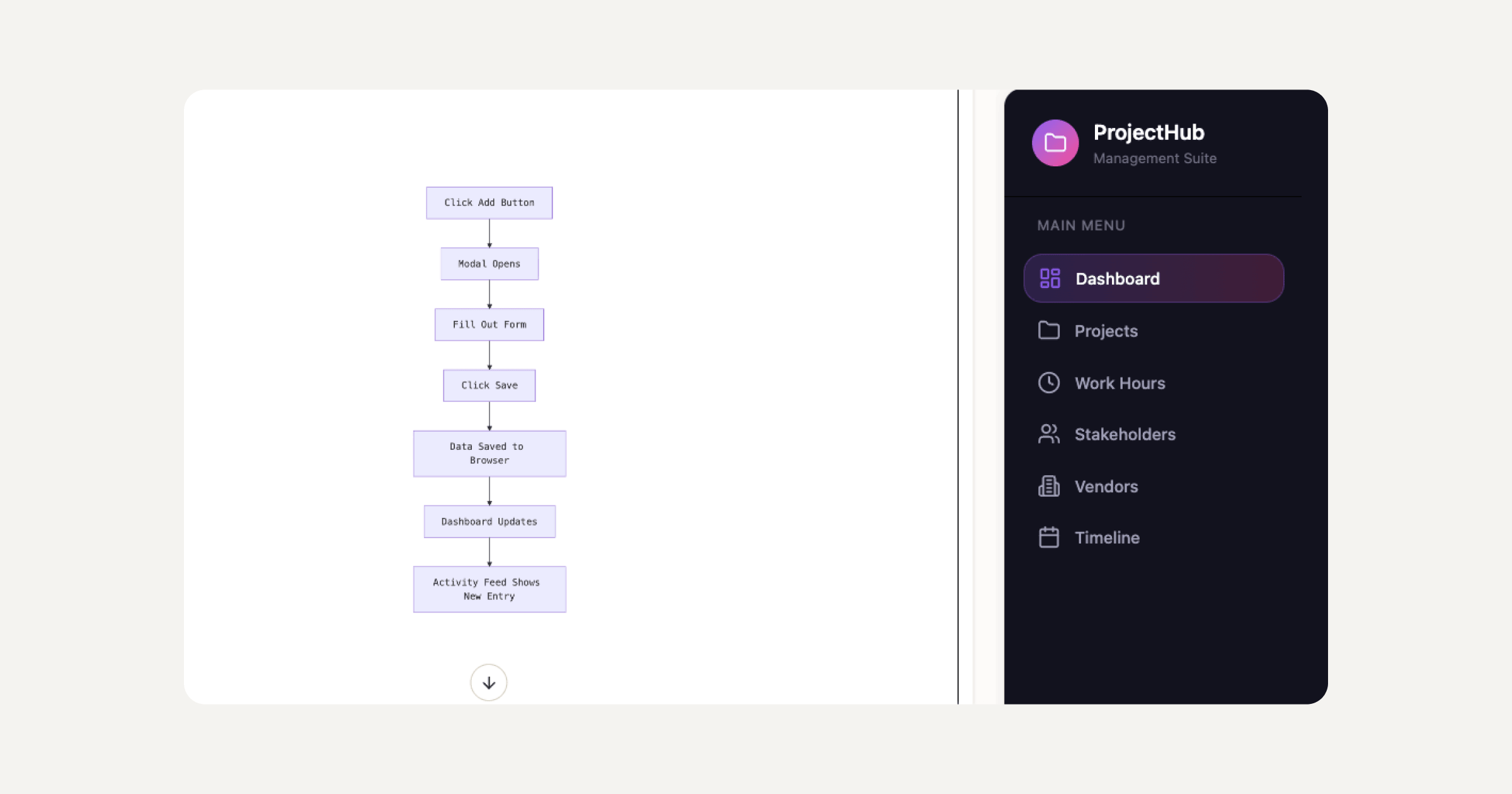
Sticklight connects to WordPress through Sticklight MCP, which lets creators bring Sticklight into their existing tool workflows. WordPress is a source of truth to build on and connect to. Creators who work in both environments find that Sticklight handles the surfaces WordPress does not cover natively, without replacing the WordPress workflow they already trust.
Built by the Elementor team. Powered by Claude.
That pedigree matters. A decade of professional web creation experience, combined with a frontier model, sits behind every prompt. Plan Mode simplifies complex builds. Templates give creators a starting point to remix. Connectors let teams start from their specific use case. Agents are coming to Sticklight soon, adding another layer of automated capability to the platform. The full creation flow, from Prompt through Build to Publish, is designed for professionals who ship.
Sticklight’s pricing scales with seats and feature access. A Free plan covers getting started and shipping real products. Pro serves independent creators, freelancers, and small studios. Team covers multi-seat collaboration. Enterprise adds SSO, security review, and dedicated support. The platform also offers a bring-your-own-keys option on select plans for teams that want control over LLM costs.
The Elementor blog covers the full range of professional web creation tools, strategies, and workflows. Explore resources for agencies, freelancers, and independent creators at elementor.com/blog.
“WordPress and Webflow are both serious tools for serious work. The professional web creators I work with do not choose between them as much as they choose what to build and where. WordPress owns the CMS and plugin depth. Webflow owns the design precision layer. What neither platform was built for is the moment a client asks for an app, a dashboard, or a booking system alongside the website. That is where a prompt-first AI platform fits alongside the tools you already use, not as a replacement, but as the thing that takes you further.”
Itamar Haim, AI for WordPress Specialist
WordPress vs Webflow: how to choose.
Choose WordPress when you need the deepest plugin ecosystem, full data ownership, self-hosted infrastructure, and a platform that a large developer and agency community has battle-tested over two decades. Choose WordPress when you are building with Elementor and want visual control without giving up the flexibility and ownership the CMS provides.
Choose Webflow when you are a designer who thinks in CSS, want an all-in-one managed environment, and are building primarily marketing websites and CMS-driven content sites where design precision is the priority and plugin extensibility is not a requirement.
Use Sticklight when you need to go beyond what either platform covers natively. Apps, dashboards, booking systems, internal tools, forms, databases, and full digital products that start from a prompt and ship as production-ready outputs, complete with SEO, security, hosting, and full design control. Sticklight sits alongside WordPress and Webflow. It does not compete with them. Professionals who use all three are not doing anything unusual. They are using the right tool for each job.
Read more about professional web creation, AI tooling, and building for clients at elementor.com/blog.
Frequently asked questions
Is WordPress or Webflow better for SEO?
WordPress has the stronger SEO toolkit overall. Mature plugins like Yoast and RankMath give editors deep control over meta, schema, sitemaps, and on-page signals. Webflow includes SEO controls built into its visual editor and CMS, covering the most common needs well. The platform you choose matters less than how consistently you apply SEO best practices to every page. For SEO at scale across large content archives, WordPress with a dedicated SEO plugin gives more granular control.
Can WordPress be used without knowing how to code?
Yes. Elementor and similar visual builders let professional web creators design and build full WordPress sites without writing PHP or CSS by hand. Many agencies and freelancers deliver production sites on WordPress using Elementor as their primary tool. Developers who want to extend sites beyond what plugins cover can write custom code, but doing so is not a requirement for professional-quality work.
Is Webflow good for large sites with lots of content?
Webflow handles structured content collections well and is a strong choice for sites with hundreds of blog posts, case studies, or product pages bound to design components. For editorial operations at large scale, with complex taxonomies, custom workflows, and deep API integration requirements, WordPress’s content architecture has more depth. Teams with content-heavy sites should evaluate both platforms against their specific content model before deciding.
What can I build with Sticklight that I cannot build with WordPress or Webflow?
Sticklight is the AI-native platform for professional web creators that builds the full range of digital products from a natural language prompt: web apps, dashboards, booking systems, internal tools, forms, databases, and AI-powered experiences, alongside traditional websites and landing pages. Both WordPress and Webflow can reach some of these surfaces with plugins, custom development, or external integrations, but neither starts from a prompt and arrives at a production-ready app with SEO, security, and hosting included in one flow. Sticklight covers that ground and connects back to WordPress through Sticklight MCP, so creators do not have to choose between platforms.
Does Sticklight replace WordPress?
No. Sticklight’s story is additive to WordPress, not a replacement for it. Sticklight, built by the Elementor team and powered by Claude, treats WordPress as a source of truth to build on and connect to. Sticklight MCP connects Sticklight to the tools and platforms creators already use, including WordPress. Creators who work on WordPress sites and also need to build apps, dashboards, or internal tools find that Sticklight sits alongside their existing WordPress workflow. Different tools cover different jobs. An audience smart enough to use both will.
How does Sticklight handle design control after the AI builds?
After the AI generates the initial build, the creator keeps full manual control of every pixel on the canvas. You can edit design elements directly, adjust code, and refine every detail to match your standard. The AI starts the work. Sticklight does not lock you out of finishing it. That is one of the core differentiators of the Sticklight standard: production-ready output from AI, full craft control in the creator’s hands afterward.
What are Sticklight Skills and how do they work?
Skills are packaged units of expert know-how that you add to any build with one click during the Build phase. Nine Skills are live: Accessibility, SEO, Design System, Performance, Copywriting, Localization, Micro-interactions, Onboarding, and 3D Web Experience (Three.js). The SEO Skill ships meta, schema, sitemap, and on-page best practices. The Accessibility Skill ships WCAG-compliant markup, focus states, and ARIA. Skills compound across projects, so each build benefits from expertise that was packaged and refined across every project before it.
Which platform is better for agencies managing multiple client sites?
WordPress is a strong foundation for agencies that need full data ownership, a mature hosting ecosystem, and client sites the client can take over and manage independently. Webflow suits agencies building primarily marketing sites for clients who want a managed, design-first environment without server overhead. For agencies that also need to deliver apps, dashboards, or digital tools alongside websites, Sticklight extends agency capability without requiring a development team behind every brief. Many agencies use more than one platform depending on the client’s needs and the nature of the project.
Can Webflow and WordPress be used together?
Yes. Teams use different tools for different surfaces of a project all the time. Some agencies build marketing sites in Webflow and run their clients’ blog or e-commerce on WordPress. Others use WordPress as a headless CMS with a custom frontend. There is no rule that requires choosing one platform and staying there. The question is always which tool best matches the specific requirement of the specific project, and which gives the client the right ownership model for their situation.
Let it glow.

