Table of Contents
A custom-coded WordPress theme runs between $3,000 and $15,000 in 2026, and you really don’t need to spend that. A good wordpress theme builder gets you almost all the way there for a fraction of the price. These tools have grown into full-site ecosystems that handle headers, footers, and dynamic WooCommerce loops, with a real shift lately toward CSS-first foundations and agentic AI.
Key Takeaways
- WordPress market dominance remains supreme. It powers 43.5% of all websites in 2026.
- Elementor Pro holds the largest market share. It actively runs on over 15 million installations globally.
- Mobile speed is non-negotiable. 53% of mobile site visits drop off if load times exceed 3 seconds.
- Gutenberg block builders are expanding fast. The core block editor is now active on over 100 million sites.
- Agentic AI is replacing static templates. Tools like Angie generate production-ready assets directly from conversation.
- Performance impacts revenue directly. A mere 0.1-second speed improvement can boost conversion rates by 8.4%.
- The drag-and-drop market is booming. It’s growing at a steady 8.5% CAGR through the end of the decade.
Selection Criteria for 2026 Theme Builders
Evaluating a theme builder in 2026 means looking under the hood. The 8.5% CAGR growth brings plenty of mediocre tools, so it helps to know what to filter for. Speed matters most: to pass Google’s Core Web Vitals, a builder needs your Largest Contentful Paint (LCP) under 2.5 seconds, and heavy DOM sizes or redundant JavaScript work against you.
- Semantic HTML Output – The builder should use standard HTML5 tags (nav, header, footer, article) instead of nested generic div containers.
- Dynamic Data Integration – It needs native support for Advanced Custom Fields (ACF), Meta Box, or Pods, since hardcoding content is a thing of the past.
- CSS Variable Support – Global styling should rely on CSS custom properties, so you can make instant site-wide updates without heavy database queries.
- Accessibility Standards – Output should support ARIA labels and keyboard navigation by default.
The transition from simple drag-and-drop to semantic, data-driven architecture is complete. In 2026, a theme builder must generate clean code that search engines can instantly parse, while giving creators the visual freedom to build without constraints.
Itamar Haim, SEO Team Lead at Elementor. A digital strategist merging SEO, AEO/GEO, and web development.
AI integration is the second big filter. Right now, 73% of web designers use AI tools for layout generation, and we’re moving into agentic models that execute WordPress tasks on their own.
Elementor Pro: The Industry Standard
Elementor commands the market for a reason: it’s used by 9.6% of all websites globally, giving it an add-on ecosystem and community support that’s hard to match. The Elementor Editor Pro remains the benchmark for visual flexibility, Elementor V4 (Atomic) adds a CSS-first foundation that cuts DOM size, and the full Theme Builder handles custom headers, footers, single post templates, and WooCommerce archives.
- 118+ Professional Widgets – Covers everything from basic text to complex WooCommerce checkout flows.
- Elementor AI Copilot – Generates layouts, custom CSS, and copy right inside the editor.
- Advanced Loop Builder – Builds custom repeating grid layouts for blog posts or custom post types.
- Global Brand Settings – Manages typography and color palettes from a single centralized dashboard.
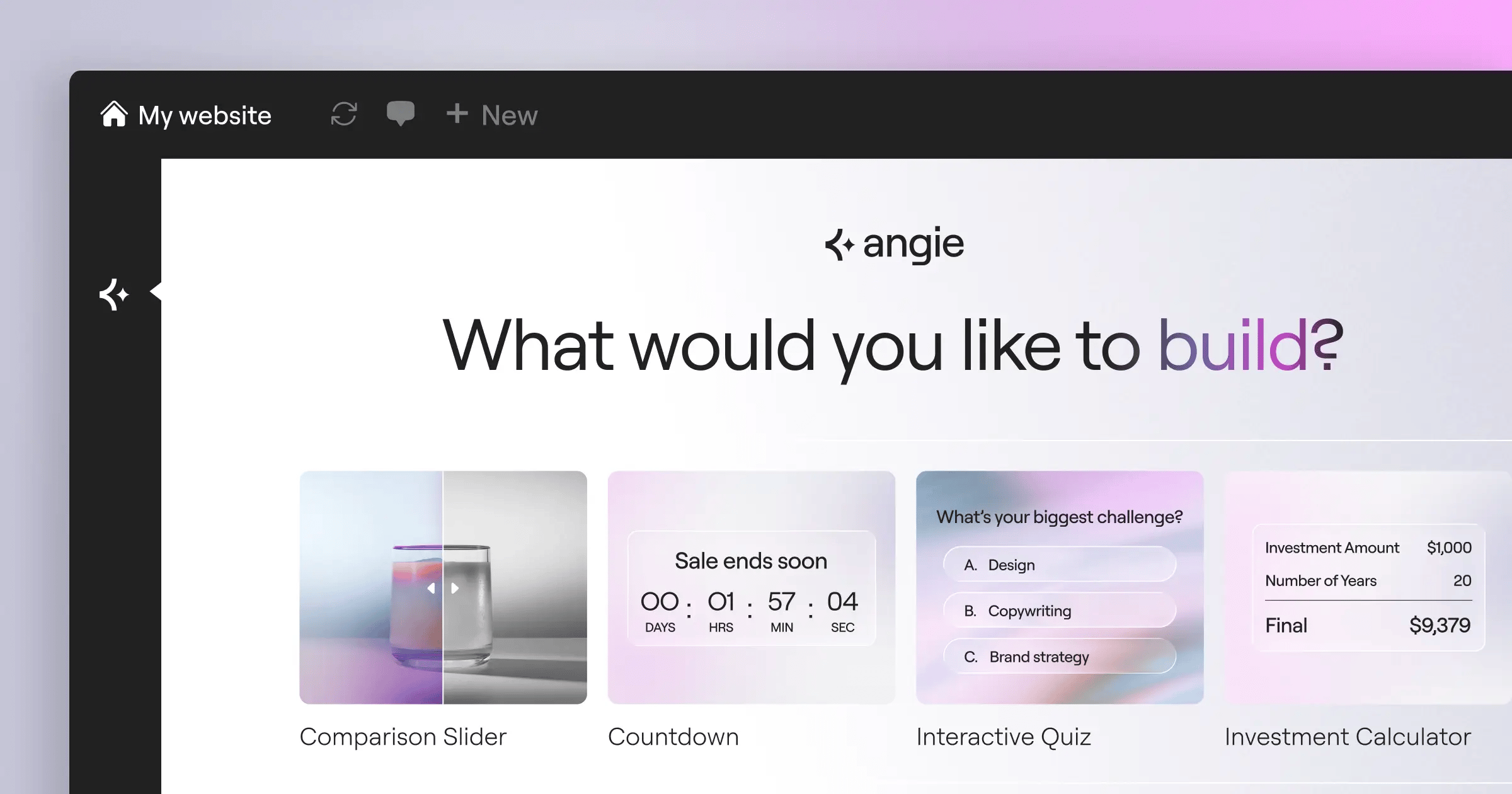
The bigger shift for 2026 is automation: Angie, a native agentic AI for WordPress built on the Model Context Protocol. Describe what you need in plain language, and it builds production-ready assets. Pricing follows the Elementor One model: Essential at $60/year for one site, Advanced covering 3 sites for $99/year, and the $168/year tier adding AI credits, image optimization, and Managed Cloud Hosting compatibility.
Divi: The Visual Powerhouse
Divi is an all-in-one ecosystem from Elegant Themes, known for pure front-end visual editing: click a block and just start typing. Its built-in AI generates images, writes copy, and modifies module layouts. Pricing is its strongest point, $89/year for unlimited usage or a $249 lifetime access fee, a rare deal in 2026, though shortcode lock-in means deactivating turns your pages into unreadable bracketed text.
- True Front-End Editing – Matches exactly what the visitor sees, down to the pixel.
- Global Website Styles – Applies sweeping design changes across hundreds of pages instantly.
- Built-in A/B Testing – Tests different modules against each other through Divi Leads, no third-party plugins needed.
- Extensive Template Library – Includes over 2,000 pre-made layout packs right inside the editor.
Beaver Builder: The Developer’s Reliable Choice
Beaver Builder puts stability first, so agency updates simply don’t break, and its clean semantic HTML and minimal CSS give developers a solid base for custom JavaScript. The standard tier is $99/year for unlimited sites, but white-labeling needs the Agency tier at $399/year. It shines where uptime matters more than flash.
- Developer-Friendly API – Comes with extensive documentation for building highly specific custom modules.
- White-Labeling Capabilities – Rebrands the builder interface entirely to match your agency’s identity.
- Beaver Themer Addon – Extends the page builder to control headers, footers, and archive pages.
- Zero Lock-in – Keeps your content cleanly formatted in the default WordPress editor if you disable the plugin.
Oxygen Builder: The Performance King
Oxygen skips the WordPress theme hierarchy entirely, taking full control of rendering for some of the cleanest code around. It’s not for beginners, since it assumes you know CSS Flexbox, Grid, and web architecture, but that’s what lets performance junkies hit perfect 100/100 Lighthouse scores and load content in under 2.5 seconds. Pricing is a flat $129 one-time payment for the Ultimate license, with lifetime updates.
- Total Theme Replacement – Eliminates theme bloat by handling all rendering natively.
- Advanced CSS Control – Writes custom CSS for specific breakpoints right in the builder panel.
- Deep Dynamic Data Integration – Maps complex data structures visually from ACF Pro or custom SQL queries.
- Global Colors and Fonts – Centralizes design token management for strict brand consistency.
Bricks Builder: The Modern Contender
Bricks answered heavy legacy builders with a modern Vue.js framework that feels lightning fast, the top pick for power users in 2026. Stripping out jQuery for pure vanilla JavaScript and CSS chases gains like the 0.1-second improvement in mobile speed that can lift conversion rates by up to 8.4%. A starter license runs $99/year, or go lifetime with the ‘Ultimate’ license for $249.
- Define Global Classes – Set up standard CSS utility classes directly in the builder GUI.
- Build Custom Query Loops – Use the native loop builder to fetch highly specific database content without writing PHP.
- Map Dynamic Data – Connect custom fields to front-end elements using a simple visual tag system.
- Configure Interactions – Add lightweight scroll animations and hover states using native browser APIs.
Brizy: The Most Intuitive UI
Brizy focuses hard on user experience, using context-aware floating menus that show only the controls you need, right by your cursor. That makes it great for non-technical users, who can edit text and swap images without breaking the grid. Brizy Pro is $60/year for 1 site or $149/year for 100 sites, though you trade away deep control, since custom CSS and dynamic data stay basic.
- Contextual Toolbars – Appears exactly where you need it and vanishes when you don’t.
- Global Typography Styling – Updates heading styles across the entire site in three clicks.
- Built-in Popup Builder – Designs marketing popups using the exact same interface you use for pages.
- Brizy Cloud Integration – Hosts landing pages directly on their infrastructure instead of standard WordPress, if you choose to.
Breakdance: The High-End Alternative
Breakdance comes from the Oxygen team but targets agencies rather than hardcore developers, pairing visual ease with strong default performance. The feature set is huge out of the box, with dedicated WooCommerce tools to design every step of checkout visually, so you can build a full store with just Breakdance and ACF. It’s $199/year for unlimited sites, with no lifetime deal.
- 130+ Built-in Elements – Includes advanced sliders, pricing tables, and dynamic user forms natively.
- Deep WooCommerce Integration – Adds custom mini-carts, custom product loops, and specialized account pages.
- Native Mega Menu Builder – Creates complex dropdown navigation structures without external add-ons.
- Form Builder Integration – Connects directly to ActiveCampaign, MailChimp, and custom webhooks.
GeneratePress and GenerateBlocks: The Lightweight Duo
The WordPress Block Editor (Gutenberg) is now active on over 100 million sites, and this duo leads that native category: no separate interface, you build right inside the WordPress editor for the lowest page weight possible. The GeneratePress premium suite is $59/year, enough to run profitable, high-traffic publishing sites. If Core Web Vitals is your top priority, it’s still the standard.
- Install the Core Theme – Start with the ultra-lightweight GeneratePress foundation.
- Activate Elements – Use the premium Elements module to build custom headers and archive loops.
- Construct with Blocks – Place GenerateBlocks containers, headlines, and grids directly into the native editor.
- Apply Global Styles – Link block styles to global customizer settings for instant site-wide updates.
Spectra: The Gutenberg Power-up
Spectra supercharges native Gutenberg. Built by Brainstorm Force, makers of the Astra theme, it adds proper Flexbox containers for complex, responsive layouts, plus performance-optimized templates. Unlike Angie, an ongoing agent, Spectra’s AI just generates static starting templates. It offers a capable free version, and the Pro tier starts at a reasonable $49/year.
- Flexbox Container Blocks – Brings true responsive control directly inside the WordPress editor.
- AI Site Generation – Builds quick starter templates dynamically based on your industry inputs.
- Copy-Paste Styles – Transfers complex block styling across different pages instantly.
- Marketing Blocks – Includes schema-enabled review blocks, FAQ accordions, and countdown timers.
2026 Theme Builder Comparison Summary
Choosing the right tool comes down to balancing technical skill with budget. Notice how lifetime deals are getting rarer as companies move to recurring revenue.
| Builder Platform | 2026 Starting Price | Speed & Performance Focus | Best User Profile |
|---|---|---|---|
| Elementor Pro | $60 / year | High (Atomic V4 Engine) | Agencies & Marketers |
| Divi | $89 / year ($249 Lifetime) | Moderate | Visual Designers |
| Beaver Builder | $99 / year | High (Stable Output) | Client Hand-offs |
| Oxygen Builder | $129 One-time | Extreme (No WP Theme) | Performance Experts |
| Bricks Builder | $99 / year ($249 Lifetime) | Extreme (Vue.js core) | Modern Developers |
| Brizy | $60 / year | Moderate | Beginners & DIYers |
| Breakdance | $199 / year | High | High-end eCommerce |
| GenerateBlocks | $59 / year | Extreme (Native WP) | SEO Publishers |
| Spectra | Free / $49 Pro | High (Native WP) | Gutenberg Loyalists |
Final Recommendations: Which Builder Should You Choose?
Features only matter if they fit your business model: don’t force a developer tool onto a casual blogging client, and don’t run a big WooCommerce operation on a basic visual editor. Here’s how we’d allocate a 2026 software budget.
- For Agency Scaling: Elementor Pro. It has the largest talent pool, so hiring developers who know the system is easy. The V4 engine solves the old speed issues, and Angie’s agentic AI asset creation makes it a powerhouse for rapid prototyping.
- For Raw Performance: Bricks Builder. Oxygen is excellent, but Bricks has the momentum. The Vue.js interface is a joy to use, and its clean, native HTML/CSS output keeps you passing every Core Web Vitals metric.
- For High-End WooCommerce: Breakdance. The native eCommerce elements save you from expensive add-ons, you can customize the entire checkout flow visually, and it handles complex conditional logic without a fuss.
- For Maximum Value: Divi. The $249 lifetime unlimited license is hard to beat for budget freelancers. Pay once and use it across fifty client sites, which does wonders for your margins on small local business builds.
Frequently Asked Questions
Does using a theme builder hurt my SEO?
It doesn’t have to. Modern builders output clean, semantic HTML when configured correctly, and poor SEO usually comes from huge uncompressed images or too many custom fonts.
Can I switch theme builders later?
Not easily. Most builders use proprietary shortcodes or JSON, so moving from Elementor to Bricks means rebuilding your layouts from scratch. Plan your toolset carefully before you start.
Do I still need a standard WordPress theme?
Most need a base theme like Hello Elementor or GeneratePress. Oxygen is the exception, disabling the theme system entirely and bypassing the traditional hierarchy.
What is the difference between a page builder and a theme builder?
A page builder edits only the content area of one page, while a theme builder controls global elements: site-wide headers, footers, 404 pages, and dynamic archive loops.
Are lifetime deals worth the upfront cost?
Yes, if the company is stable. The $249 Bricks or Divi lifetime deals typically pay for themselves within three years, though the industry is shifting toward subscriptions to fund ongoing development.
How does agentic AI differ from standard AI copywriters?
Standard AI generates text you copy and paste yourself. Agentic AI like Angie executes the task, building the real WordPress blocks and styling when you ask for a pricing table.
Is Gutenberg going to replace third-party builders?
Not likely soon. The core editor is great for blogging, but dedicated builders still offer a much smoother workflow for complex dynamic data mapping and advanced CSS positioning.
Why do my builder pages load so slowly?
It’s usually server response time or heavy DOM sizes from nesting too many containers. Simplify your layout structure, and consider proper managed cloud hosting.
Looking for fresh content?
By entering your email, you agree to receive Elementor emails, including marketing emails,
and agree to our Terms & Conditions and Privacy Policy.

