Table of Contents
Web design looks nothing like it did a few years back. You’re not just dragging boxes around a screen.
The best WordPress visual editor works like a performance engine, not a toy. Here’s a look at the tools that deliver on speed and code.
Key Takeaways
- WordPress dominates, powering 43.5% of all websites in 2026.
- Elementor’s market share sits at 9.6% of all websites, the most of any third-party builder.
- AI integration isn’t optional. 90% of web professionals use AI-assisted design tools.
- A 100-millisecond delay can cost you 7% in conversions.
- Mobile traffic makes up 58.67% of global users, so editors need mobile-first controls.
- Gutenberg Phase 3 turned the editor into a real-time collaborative workspace across 100 million active sites.
1. Elementor Editor Pro
Overview
Elementor Editor Pro remains the industry standard. The 2026 interface leans on Flexbox and Grid containers, and Editor V4 (Atomic) keeps styling consistent across 50 pages.
The shift toward CSS variables and atomic design principles in visual builders finally bridges the gap between visual design and technical performance. We’re seeing load times drop drastically when users rely on strict container structures rather than nested columns.
Itamar Haim, SEO Team Lead at Elementor. A digital strategist merging SEO, AEO/GEO, and web development.
Key Features
- Advanced Flexbox and Grid Containers tighten responsive layout control.
- Elementor AI generates text, code, and images inline.
- Theme Builder handles custom headers, footers, and archive pages.
- Dynamic Content Integration pulls data from custom post types and ACF.
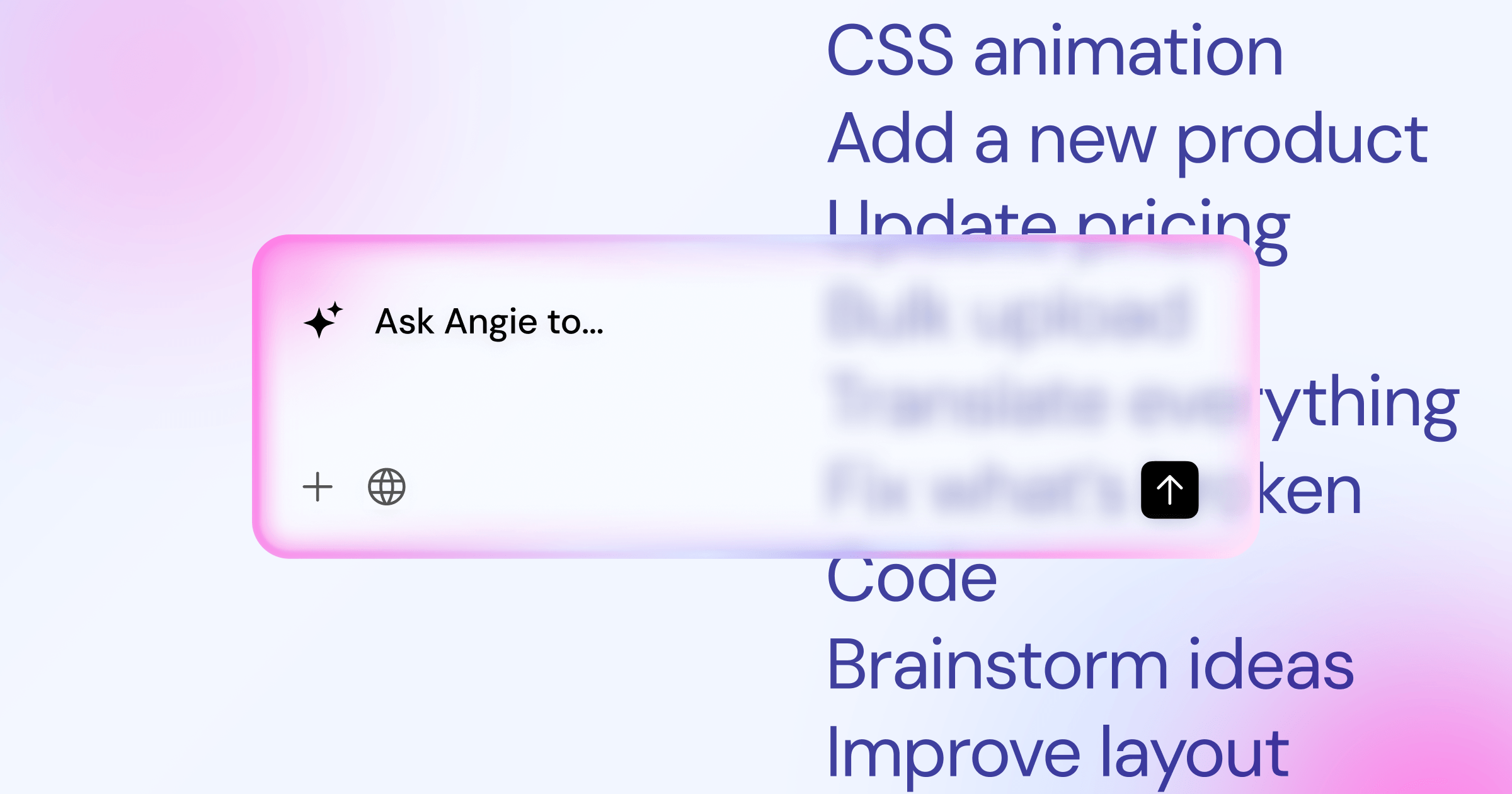
- Angie builds production-ready WordPress assets from conversational prompts.
Pricing
Elementor One starts at $60/year for a single site (57 widgets). Advanced runs $99/year for 3 sites, and agencies pick the $444/year unlimited plan.
Pros
- A massive ecosystem of add-ons.
- Instant, accurate feedback for tablet and mobile breakpoints.
- Recent updates cut the JavaScript payload by 15%.
- Native marketing tools include a Popup Builder.
Cons
- The sheer number of features can overwhelm beginners.
- Heavy plugin reliance can hurt performance if unmanaged.
Verdict
Best for professionals who need flexibility, from a landing page to a full WooCommerce storefront.
2. Divi by Elegant Themes
Overview
Divi has a massive following, with Elegant Themes reporting over 900,000 customers. Its Visual Builder runs on the front end. The 2026 addition, Divi Quick Sites, builds core pages and content in about two minutes.
Key Features
- Hover-Based Visual Editing clears away clunky sidebars.
- Divi AI writes copy and generates imagery.
- Global Elements sync changes across pages instantly.
- Advanced Animation Controls unlock scroll effects and hover states.
Pricing
Divi keeps it simple: $89/year for unlimited sites, or $249 flat for lifetime access.
Pros
- The lifetime pricing brings real long-term value.
- Built-in split testing helps optimize conversions.
- A UI that leans on visual feedback over menus.
Cons
- Heavy shortcode reliance makes switching themes harder.
- The interface can lag on heavy pages.
Verdict
Smart for freelancers building client sites: buy once, margins grow with each project.
3. Beaver Builder
Overview
Beaver Builder skips flashy trends for stability. Developers love its clean, predictable code, avoiding frantic support calls after a core update. Its biggest selling point: no proprietary shortcodes, so deactivating it leaves your content intact.
Key Features
- Shortcode-Free Output keeps content intact across tool switches.
- Beaver Themer controls archives, headers, and 404 layouts.
- White Labeling lets agencies swap in their own branding.
- Reusable Templates save module configurations for fast deployment.
Pricing
Standard costs $99/year, Pro runs $199/year with multisite support, and Agency sits at $399/year with white-labeling, all on unlimited sites.
Pros
- Exceptional reliability and conflict-free updates.
- Clean, lightweight HTML output that helps technical SEO.
- Responsive, knowledgeable customer support.
Cons
- The interface looks dated next to newer competitors.
- The module library lacks some advanced design elements.
Verdict
Great for mission-critical business sites where stability matters more than flashy animation.
4. Bricks Builder
Overview
Bricks Builder is technically a theme that works as a visual editor. Built on Vue.js, it’s astonishingly fast, with a 40% jump in adoption recently. It enforces a strict class-based styling system: style a class once, apply it everywhere.
How Developers Adopt Bricks
- They strip away heavy third-party plugins.
- They set up global CSS classes for typography and spacing.
- They use native query loops to pull dynamic data.
Key Features
- Vue.js Interface delivers a zero-lag build experience.
- Dynamic Data Integration works natively with ACF, Meta Box, and Pods.
- Pinpoint Performance Controls let you disable scripts per page.
- Nestable Elements give structural freedom inside sliders and accordions.
Pricing
Grab Starter for $99 (one site), or Ultimate at $249 for lifetime access on unlimited sites.
Pros
- Some of the highest Google PageSpeed scores around.
- The class-based system pushes clean, maintainable habits.
- An active, technical community.
Cons
- A steep learning curve without basic HTML/CSS knowledge.
- A smaller template library than older builders.
Verdict
Top choice for performance-obsessed developers who want a custom-coded feel without the code.
5. Oxygen Builder
Overview
Oxygen Builder is more anti-theme builder than page builder. Installing it disables the WordPress theme system, cutting DOM depth by up to 50% and leaving a blank canvas. You also get every CSS property in the sidebar.
Key Features
- Complete Theme Bypass skips the WordPress loading sequence.
- Advanced Layout Controls unlock granular CSS Grid and Flexbox access.
- Native PHP Execution runs complex logic inside any container.
- Client Control Mode restricts design elements so clients can’t break layouts.
Pricing
Oxygen charges a one-time $129 for Basic. Ultimate costs $349 with WooCommerce integration and Gutenberg block creation.
Pros
- Some of the cleanest HTML output in WordPress.
- Serious power for data-driven web apps.
- Lifetime pricing with unlimited site usage.
Cons
- The interface can feel cluttered and technical.
- Navigation menus build from scratch, which trips up beginners.
Verdict
Built for technical SEO specialists and developers who can code.
6. Brizy
Overview
Brizy strips away the technical intimidation of web design. Click a paragraph, and a menu pops up to change the color or size. Brizy Cloud builds landing pages inside WordPress but hosts them on Brizy’s own infrastructure.
Key Features
- In-Place Contextual Editing keeps focus where you’re working.
- Brizy Cloud Integration adds alternative hosting for high-traffic pages.
- Global Styling Engine updates typography and colors across 100 pages at once.
- 500+ Pre-designed Blocks speed up prototyping and wireframing.
Pricing
Pro costs $108/year for a single site. Agency runs $336/year for 500 sites with white-labeling.
Pros
- A fast learning curve for non-technical users.
- A modern template library for SaaS sites.
- Cloud sync lets you share layouts across installs.
Cons
- Lacks the dynamic data depth complex directories need.
- Fewer integrations than the market leaders.
Verdict
Great for marketers, copywriters, and small business owners who want the friction gone.
7. Gutenberg (The WordPress Block Editor)
Overview
The native WordPress Block Editor, Gutenberg, has fully matured by 2026 and runs on over 100 million sites. Full Site Editing (FSE) now lets you build entire headers, footers, and archive templates natively. Phase 3 added real-time collaboration, like Google Docs.
Working with Core WordPress
- Define your global styles inside the
theme.jsonfile. - Use Synced Patterns to manage repeat elements.
- Apply native CSS grid controls to group blocks.
Key Features
- Full Site Editing (FSE) manages the entire site structure without plugins.
- Real-Time Collaboration lets teams edit and review content at once.
- Synced Patterns function like reusable blocks, updating globally.
- Angie generates custom native blocks through chat, skipping manual configuration.
Pricing
It’s completely free, bundled with every WordPress install.
Pros
- Zero plugin bloat since it’s baked into core.
- Guaranteed long-term compatibility with future updates.
- Fast backend loading speeds.
Cons
- The FSE interface still feels fragmented across templates.
- Needs extensive custom CSS for complex responsive designs.
Verdict
Perfect for content-heavy blogs, news publishers, and anyone who wants a native, lightweight editor.
8. Visual Composer
Overview
Visual Composer is one of the original pioneers of visual editing, now a modernized, React-based platform without WPBakery’s old shortcode legacy. Its core idea, the Visual Composer Hub, is a cloud library where you download only the asset you need.
Key Features
- Visual Composer Hub unlocks cloud access to over 500 design elements and templates.
- Built-in Popup Builder triggers modals based on exit intent or scroll depth.
- Theme Builder works smoothly with any standard WordPress theme.
- Dynamic Tag Integration links custom fields to text blocks and images.
Pricing
A single-site license costs $49/year. Agency runs $349/year for 1,000 sites.
Pros
- The cloud Hub concept keeps your database remarkably clean.
- Strong compatibility with older, legacy WordPress themes.
- A built-in Insights tool checks page performance and SEO.
Cons
- The interface needs extra clicks to reach basic styling.
- Fewer tutorial creators in its community.
Verdict
Suits anyone who wants plenty of pre-made design elements without giving up performance.
9. Zion Builder
Overview
Zion Builder is built for speed and creator comfort, with a dark-mode interface and load times hitting 412 milliseconds. Its independent CSS class system feels like Tailwind CSS and scales as your site grows.
Why Creators Choose Zion
- The backend editor loads almost instantly, cutting workflow friction.
- Advanced CSS mask controls allow creative image manipulation.
- The global color palette system updates hex codes across pages instantly.
Key Features
- Vue 3 Engine powers a snappy backend interface.
- Independent CSS Classes stack utility classes on any element.
- Advanced Gradients and Masks bring Photoshop-level tools to the browser.
- Library of High-End Templates focuses on modern, minimalist trends.
Pricing
Personal runs $39/year. A lifetime unlimited license is occasionally available for $249.
Pros
- A blazing fast backend editor.
- Lean, optimized HTML output.
- A modern, creator-focused workspace.
Cons
- A smaller user base, so fewer integrations.
- Documentation sometimes lacks depth on dynamic data.
Verdict
A top pick for creative designers who want a fast UI.
10. Themify Builder
Overview
Themify Builder has quietly powered thousands of sites for years, bundled natively with all Themify themes. Its strength lies in Layout Parts: design a section, save it once, and drop it onto 50 pages, all updating together from the master file.
Key Features
- Layout Parts act as reusable, globally synced design components.
- Dual Editing Modes toggle between visual building and wireframing.
- Animation Engine includes over 60 entrance and parallax effects.
- WooCommerce Integration adds specialized modules for product and cart pages.
Pricing
You can buy Builder Pro standalone for $69, but most users go with the Master Club at $89/year, covering the builder, 42 themes, and all add-ons.
Pros
- Strong value as part of the Master Club bundle.
- The backend wireframe mode structures complex pages fast.
- A reliable track record with backward compatibility.
Cons
- The visual interface feels less refined next to Brizy or Elementor.
- Styles can conflict with poorly coded third-party themes.
Verdict
Good for anyone who wants theme, plugins, and builder from one trusted source.
Comparison Summary & Final Recommendation
Choosing the right tool comes down to your workflow. A 100-millisecond delay costs you 7% in conversions, and with 58.67% of global traffic coming from mobile, your editor needs to handle breakpoints without a hitch. Here’s how the top contenders compare.
| Visual Editor | Primary Focus | Starting Price | Best Suited For |
|---|---|---|---|
| Elementor Editor Pro | Flexibility & Ecosystem | $60/year | Agencies & Professionals |
| Bricks Builder | Speed & Clean Code | $99/year | Performance Developers |
| Divi | All-in-One Value | $89/year | High-Volume Freelancers |
| Gutenberg | Native Integration | Free | Bloggers & Publishers |
| Brizy | Intuitive UI | $108/year | Marketers & Founders |
If you’re building a complex, custom-styled WordPress website, Bricks Builder delivers strong code quality. For quick marketing pages, Brizy wins on ease of use.
But for most professionals, Elementor Editor Pro remains the top recommendation. Its unified ecosystem, large community, and tools like Elementor AI and Angie create a workflow competitors can’t match.
Frequently Asked Questions
Does using a visual editor slow down my WordPress site?
Not necessarily. Modern tools like Bricks or Elementor generate lean CSS that passes Core Web Vitals.
Can I switch editors later without losing my content?
Depends on the tool. Beaver Builder and Gutenberg leave content intact; shortcode-based tools can leave a mess behind.
Do I still need a separate WordPress theme?
Not always. Bricks and Oxygen replace the theme entirely. Elementor or Divi still need a shell theme like Hello Elementor.
How does AI actually help in web design?
It speeds up the boring parts: CSS snippets, placeholder copy, and wireframes in seconds, instead of a blank canvas.
Is Gutenberg finally good enough to replace third-party tools?
For simple blogs, yes. Complex data, animations, or custom WooCommerce layouts still favor third-party builders.
What happens to my site if I cancel my annual subscription?
Your website won’t disappear. Live pages keep working, but you’ll lose access to premium templates, support, and security updates.
Which builder is best for large WooCommerce stores?
Elementor Pro handles large catalogs with its WooCommerce builder, and Bricks works well for big stores too.
What exactly is DOM depth and why does it matter?
DOM depth means how many HTML layers (divs) nest inside each other, and a high count slows rendering.
Are lifetime deals worth the upfront cost?
Yes, if you build multiple sites a year. Paying $249 once for Divi or Bricks can save thousands over five years.
Can these editors build accessible websites?
Yes, but not automatically. You still need proper heading hierarchies, alt text, and ARIA labels. Many builders include basic accessibility scanners.
Looking for fresh content?
By entering your email, you agree to receive Elementor emails, including marketing emails,
and agree to our Terms & Conditions and Privacy Policy.

