Table of Contents
The Era of Context-Aware Automation
WordPress powers 43.5% of all websites on the internet in 2026. That massive install base means developers are rushing to integrate artificial intelligence into everything from SEO optimization to visual page building.
But most of these tools are basic API wrappers that don’t understand your site’s specific technical architecture. You need solutions that actually solve complex problems instead of just generating generic text. Here are the top plugins worth your installation time this year.
Key Takeaways
- Agentic AI replaces basic text generation by executing actual code within your WordPress environment.
- Marketers using generative content tools hit 75% adoption in 2026.
- Custom layout tools reduce website creation time by up to 90%.
- Automated customer service bots now handle 70% of routine inquiries autonomously.
- SEO automation plugins increase organic traffic by an average of 45%.
- Unified software ecosystems save users roughly $400 annually compared to disjointed plugin stacks.
Selection Criteria for AI Plugins in 2026
Look, the standard for artificial intelligence shifted massively this year. We’ve moved far past simple paragraph generation into actual functional automation. You can’t just slap a chat window on a dashboard and call it a day.
So how do you separate the useless gimmicks from the essential business tools? You evaluate them based on three strict technical requirements. A recent Forbes report shows 64% of small business owners rely on these exact criteria to improve productivity.
Here’s how you evaluate a modern plugin:
- Contextual Awareness – The plugin must understand your existing database, active plugins, and theme variables automatically.
- Output Application – It shouldn’t just give you instructions. It needs to build the asset directly inside your staging environment.
- Cost Efficiency – Look for shared credit systems or unlimited API access that won’t bankrupt your agency.
Let’s examine the plugins that actually meet this high bar.
1. Angie by Elementor
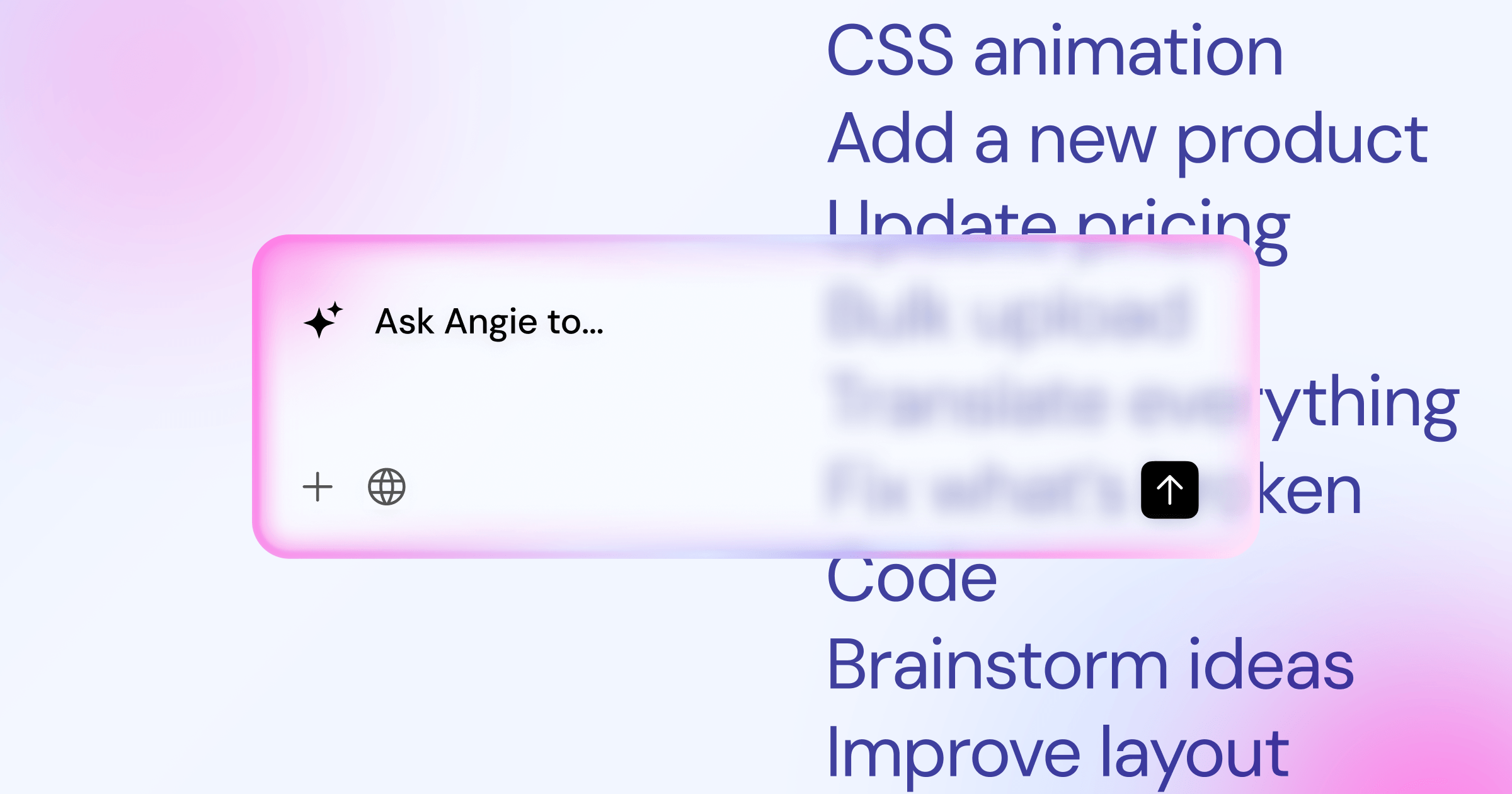
Generic generators write code you’ve to copy, paste, and debug yourself. Angie by Elementor changes that entirely. It’s a free, agentic AI framework purpose-built specifically for WordPress architecture.
Using the Model Context Protocol (MCP), Angie inherits your site’s exact technical context automatically. You don’t need to explain your theme structure. You just type a natural language prompt. Angie plans the task, writes the PHP or CSS, and executes it directly inside a secure sandbox environment. It’s brilliant.
Overview
You get full creative control without touching a code editor. Want a custom pricing grid widget? Angie builds it. Need an admin dashboard tweak for your clients? It handles the snippet instantly.
Key Features
- Native Context – Reads your active plugins, theme, and database structure automatically.
- Safe Experimentation – Tests all custom code in a secure sandbox before pushing to production.
- Custom Widgets – Generates fully functional, styled Elementor widgets from text prompts.
- Admin Snippets – Modifies backend functionality without requiring a heavy child theme.
- Visual Apps – Deploys complex frontend interactive elements in minutes.
Pricing
Angie is a completely free WordPress plugin. You only pay for your underlying hosting or premium design features if you choose to use them.
Pros
- Takes you from initial idea to production in roughly four minutes.
- Eliminates the risk of fatal PHP errors on live sites.
- Doesn’t require a specific page builder to function (it works perfectly with Gutenberg).
- Produces native WordPress assets you own forever.
Cons
- Requires a basic understanding of WordPress terminology to prompt effectively.
- Highly complex plugin conflicts can occasionally confuse the planning agent.
Verdict
This is the only tool you need for custom WordPress development. It replaces dozens of single-purpose snippet managers.
The difference between a generic AI tool and a WordPress-native AI is context. When the model understands your database structure and active theme, it stops guessing and starts engineering actual solutions.
Itamar Haim, SEO Team Lead at Elementor. A digital strategist merging SEO, AEO/GEO, and web development.
2. Elementor AI
Imagine building a landing page and realizing you need completely different copy for your hero section. Instead of opening a separate browser tab and losing your design flow, you handle it natively. That’s the core advantage here.
Elementor AI sits directly inside the Elementor Editor Pro interface. It learns your brand voice. It generates structural containers. It writes custom CSS for specific responsive breakpoints.
Overview
This is a creative assistant deeply integrated into a unified website creation platform. It reads the surrounding page elements to ensure text and images match your exact layout perfectly.
Key Features
- AI Context – Locks in your brand identity for consistent tone across all pages.
- Generative Fill – Modifies existing images directly inside the WordPress media library.
- Container Generation – Builds structural layouts based on simple wireframe prompts.
- Code Generation – Writes custom HTML and CSS for specific widgets automatically.
Pricing
Plans start at competitive ratesnth for 18,000 credits. Higher tiers are available for agencies managing multiple client sites.
Pros
- Zero context switching. You stay entirely within the visual editor.
- Maintains brand consistency without massive prompt engineering efforts.
- Writes high-quality CSS targeting the correct atomic classes natively.
- Uses advanced LLMs that operate 2x faster than previous generations.
Cons
- Requires an active pro subscription to access the best features.
- Heavy image generation burns through monthly credits quickly.
Verdict
The absolute gold standard for web creators who demand a fluid visual design workflow.
3. Rank Math Content AI
Search intent matters more than ever in 2026. BrightEdge data confirms sites using automated schema and content optimization see a 45% increase in organic traffic within six months.
Rank Math Content AI 2.0 brings those enterprise capabilities directly into your block editor. You don’t have to guess what Google wants to see. The data is right there on your screen.
Overview
This suite acts as an over-the-shoulder SEO consultant. It scores your drafts against top-ranking competitors in real time, ensuring you hit the exact semantic keywords required to rank.
Here’s the standard workflow you’ll follow:
- Enter your primary focus keyword into the sidebar panel.
- Review the generated list of LSI keywords and search volume metrics.
- Apply the automated JSON-LD schema markup to your post.
- Adjust your headings based on the competitive analysis score.
Key Features
- Keyword Research – Identifies low-competition search queries instantly.
- Automated Schema – Generates complex structured data for rich search snippets.
- Content Scoring – Grades readability and keyword density on a strict 100-point scale.
- Bulk Generation – Writes meta titles and descriptions for hundreds of posts simultaneously.
Pricing
Plans start at competitive ratesnth for 5,000 credits.
Pros
- Integrates flawlessly with the default WordPress Gutenberg editor.
- Provides actionable data instead of just guessing keyword placement.
- Excellent for updating old, decaying content quickly.
- Replaces expensive external optimization tools entirely.
Cons
- Chasing a perfect 100 score often leads to robotic phrasing.
- Credit usage applies per word and per individual action.
Verdict
Essential for serious bloggers and SEO professionals looking to scale organic growth safely.
4. AI Engine by Meow Apps
Developers need raw API access. They don’t want rigid, pre-packaged solutions that hide the underlying mechanics. They want total control.
The AI Engine plugin surpasses 50,000+ active installations because it offers absolute technical freedom. It connects your WordPress installation directly to OpenAI, Anthropic, or Google models without an annoying middleman interface.
Overview
You build the exact interface you need. You construct custom chatbots, design prompt playgrounds, and manage fine-tuned language models straight from your admin dashboard.
Key Features
- Custom Chatbots – Design conversational interfaces with highly specific personality traits.
- AI Playground – Test complex system prompts before deploying them to your users.
- Internal API – Allows other plugins to request generations through your secure keys.
- Model Swapping – Switch between major LLM providers instantly.
Pricing
There’s a highly capable free version available. Pro licenses start at $49/year.
Pros
- Unmatched customization options for highly technical users.
- You pay wholesale API prices directly to the providers.
- Includes dedicated tools for WooCommerce product generation.
- Offers detailed server logging to track user interactions.
Cons
- The settings interface is dense and incredibly intimidating for beginners.
- You must manage your own API billing and strict usage limits.
Verdict
The ultimate choice for developers who want to build custom conversational applications on top of WordPress.
5. Tidio Lyro
Customer support drains financial resources. You can’t afford to staff a live chat desk 24 hours a day. But unanswered questions kill your conversions instantly.
Enter Tidio Lyro. This conversational bot reads your entire site’s documentation and handles queries autonomously. It’s shockingly effective.
Overview
Lyro doesn’t use rigid, frustrating decision trees. It processes natural language to understand actual user intent. Internal data shows it resolves up to 70% of common inquiries without any human intervention.
Key Features
- Natural Language Processing – Understands typos, slang, and colloquial phrasing.
- Automated Scraping – Learns directly from your FAQ pages and product descriptions.
- Human Handoff – Transfers complex tickets to live agents smoothly.
- Analytics Dashboard – Tracks resolution rates and identifies common user frustration points.
Pricing
A limited free tier exists for testing. The Lyro add-on starts at $29/month.
Pros
- Drastically reduces overall support ticket volume.
- Setup takes less than ten minutes via automatic site crawling.
- Customers get accurate, instant answers at 3:00 AM.
- The frontend widget is highly customizable to match your brand colors.
Cons
- Pricing scales steeply for stores with massive daily traffic.
- Strictly limited to support tasks (it won’t write your blog posts).
Verdict
A mandatory installation for high-volume WooCommerce stores struggling with support debt.
6. Uncanny Automator
Connecting disparate tools manually is a total nightmare. You need a central nervous system for your website. Without one, you’re just doing repetitive admin work all day.
Uncanny Automator connects over 150 WordPress plugins and 1,000+ external apps. It applies artificial intelligence to evaluate conditional logic and trigger complex workflows smoothly.
Overview
You define a trigger event (a user submits a feedback form). The plugin queries an LLM to analyze the text input, then executes an action (assigns a CRM tag based on the sentiment). It happens instantly.
Here’s how a typical recipe is structured:
- Select a trigger plugin (e.g., WPForms or Gravity Forms).
- Define the specific trigger event (form submission).
- Pass the submitted data to the OpenAI integration for analysis.
- Set a conditional action based on the AI’s returned sentiment score.
Key Features
- AI-Driven Triggers – Fires events based on text sentiment or image recognition.
- Multi-App Integration – Passes data between Google Gemini, OpenAI, and your local database.
- Conditional Logic – Routes tasks differently based on specific user roles.
- Delay Actions – Schedules follow-up events naturally over an extended time period.
Pricing
The free version offers basic recipes. Pro licenses start at $149/year.
Pros
- Eliminates hours of manual data entry every single week.
- Works beautifully with complex membership plugins and LMS platforms.
- Logs every automation step for easy backend troubleshooting.
- Supports unlimited automated recipes on the Pro tier.
Cons
- Requires a deep stack of other premium plugins to be truly useful.
- Building multi-step recipes requires careful logical planning to avoid infinite loops.
Verdict
Indispensable for complex community sites that manage thousands of active users.
7. 10Web AI Website Builder
Sometimes you don’t need a subtle design tweak. You need an entirely new website launched by tomorrow afternoon. Starting from scratch just isn’t an option under those deadlines.
The 10Web AI Website Builder claims it reduces creation time by 90%. It outputs a fully functional site structure in under two minutes.
Overview
This platform asks you five specific questions about your business. It then generates pages, placeholder copy, and stock images based entirely on those parameters. It also offers a recreation tool to clone existing layouts for inspiration.
Key Features
- Rapid Prototyping – Generates complex multi-page structures instantly.
- Site Recreation – Copies the block layout of reference URLs accurately.
- Automated Optimization – Configures caching and PageSpeed settings by default.
- Integrated Hosting – Bundles the visual builder with Google Cloud infrastructure.
Pricing
Plans start at $10/month, billed annually.
Pros
- Incredible velocity for building minimum viable products.
- Removes the crushing paralysis of starting from a blank canvas.
- The included hosting architecture performs exceptionally well under heavy load.
- Includes automatic, built-in image optimization routines.
Cons
- You operate inside a highly proprietary, locked-down ecosystem.
- The initial generated designs often look slightly generic before human editing.
Verdict
The best option for freelance designers who need to pitch functional wireframes rapidly.
8. GetGenie
Content marketing requires massive scale. The global AI marketing sector will hit $107.5 billion by 2028. If you write everything manually, your competitors will outpublish you ten to one.
GetGenie is a dedicated writing assistant designed strictly for long-form content generation and total SEO dominance.
Overview
Instead of relying on generic text prompts, it uses highly structured wizards. It guides you from keyword ideation to outline generation, straight through to the final polished draft. You never stare at a blank screen.
Key Features
- Blog Wizard – Generates complete, multi-heading articles in a single click.
- WooCommerce Generator – Writes product descriptions highly optimized for sales conversions.
- Competitor Analysis – Scrapes the top 10 SERP results for semantic gap analysis.
- Micro-Copy Templates – Includes 30+ proven frameworks for social media and paid ads.
Pricing
Subscriptions start at $19/month for casual publishers.
Pros
- Massively accelerates WooCommerce catalog management.
- Pulls rich SEO data directly into the clean writing interface.
- Offers lucrative lifetime deal options occasionally.
- Includes a standalone SaaS interface if you prefer not to write inside WordPress.
Cons
- The user interface is visually cluttered with too many metric panels.
- Long-form outputs almost always require heavy human editing to fix robotic tones.
Verdict
A highly structured, data-driven alternative for aggressive content marketers.
9. CodeWP
Generic code generators hallucinate WordPress functions constantly. They suggest deprecated hooks, ignore basic database security protocols, and crash your site.
CodeWP Pro costs $28/month, and it solves this exact problem. It uses custom models trained specifically on the WordPress core, major plugins, and standard PHP practices.
Overview
You describe the functionality you need in plain English. CodeWP writes the PHP, JS, or CSS perfectly. More importantly, it understands the unique, often frustrating quirks of the WP_Query architecture.
Key Features
- Specialized Training – Models strictly trained on accurate, modern WordPress codebases.
- Snippet Management – Save, organize, and deploy custom code directly to connected sites.
- Complex Loop Support – Handles difficult custom post type queries flawlessly.
- Security Auditing – Flags potential injection vulnerabilities in your snippets.
Pricing
There’s a limited free plan available. Pro costs $28/month for unlimited technical generations.
Pros
- Drastically fewer hallucinations than standard ChatGPT code outputs.
- Saves senior developers countless hours of boring boilerplate coding.
- Includes specific syntax modes for major plugins like Advanced Custom Fields.
- The cloud-based snippet manager is incredibly well organized.
Cons
- Absolutely useless for non-technical users looking for visual changes.
- You still need to know how to read and test PHP code before live deployment.
Verdict
A mandatory subscription for serious agency developers building custom client solutions.
10. Divi AI
Some site builders approach artificial intelligence as a bolted-on afterthought. Elegant Themes built Divi AI deeply into the core of their visual builder from day one.
If you use Divi exclusively, this is your native alternative to external workflow tools. It understands exactly how the specific builder modules interact with each other.
Overview
It reads your existing content to understand the page’s structural context. It then generates text, highly specific images, and custom CSS that match your established design language perfectly.
Key Features
- Unlimited Generation – No restrictive credit limits on text or standard image creation.
- Contextual Learning – Analyzes surrounding page modules for highly accurate tone.
- Image Refinement – Upscales and modifies existing photography non-destructively.
- Code Writing – Generates CSS specifically targeted at Divi’s unique module classes.
Pricing
Costs $18/month for unlimited usage across all your connected Divi sites.
Pros
- The unlimited usage model is a massive financial relief for heavy daily users.
- Strong image generation capabilities easily rival standalone graphics tools.
- Integrates perfectly with the existing Divi visual interface.
- Generates code that respects the builder’s specific responsive constraints.
Cons
- You’re entirely locked into the proprietary Divi ecosystem.
- The entry price is significantly higher than Elementor’s basic starting tier.
Verdict
The definitive, obvious choice if you already build agency sites exclusively with Divi.
Comparison Summary
Let’s put all this technical data into perspective. Here’s exactly how the top options stack up against each other based on primary utility and cost.
| Plugin Name | Primary Use Case | Starting Price | Best For |
|---|---|---|---|
| Angie by Elementor | Agentic code & widget generation | Free | Custom WP development |
| Elementor AI | In-editor design & copy | competitive rates | Visual web creators |
| Rank Math Content AI | SEO & schema optimization | competitive rates | Bloggers & SEOs |
| AI Engine | Custom chatbots & API access | Free / $49/yr | Technical tinkerers |
| Tidio Lyro | Customer service automation | $29/mo | WooCommerce stores |
| Uncanny Automator | Cross-plugin workflow routing | $149/yr | Membership & LMS sites |
| 10Web AI Builder | Rapid site prototyping | $10/mo | Freelance designers |
| GetGenie | Long-form content scaling | $19/mo | Content marketers |
| CodeWP | WordPress-specific snippets | $28/mo | Agency developers |
| Divi AI | Unlimited builder generation | $18/mo | Divi users |
Final Recommendation
You don’t need all ten of these plugins installed at once. That will just bloat your database, create massive plugin conflicts, and slow down your site’s time to first byte.
If you want the most capable, transformative tool on the market, install Angie by Elementor immediately. The fact that an agentic framework of this technical caliber is free changes the entire development math for 2026. It handles the heavy backend lifting so you can focus entirely on growth strategy.
For visual design, pair it with the native in-editor features of Elementor AI. For organic traffic growth, run Rank Math Content AI. Stick to those three primary tools. You’ll outpace 90% of your competitors this year without bloating your monthly software budget.
Frequently Asked Questions
Will AI plugins slow down my WordPress site performance?
No, because the heavy processing happens on remote enterprise servers (like OpenAI or Google Cloud), not your local host. The only performance impact is the initial API call, which usually takes milliseconds.
Do I need coding experience to use agentic frameworks like Angie?
You don’t need to know how to write PHP. However, you do need a basic understanding of WordPress terminology (like custom post types or widgets) to write effective text prompts.
Is generated content penalized by Google in 2026?
Google officially stated they don’t penalize content based on how it’s created. They penalize low-quality, unhelpful content. If you use tools to create valuable answers, you’ll still rank well.
What is the difference between a standard generator and an agentic model?
Standard generators output text you must copy and apply manually. Agentic models plan a sequence of steps and execute the code directly inside your WordPress environment automatically.
Are these plugins compatible with WooCommerce?
Yes. Tools like Tidio Lyro and GetGenie are specifically optimized for WooCommerce. They handle product descriptions and customer support queries natively.
How do API credits work?
Most plugins charge a monthly fee that grants you a set number of credits. Simple text generation uses few credits, while generating complex CSS or high-resolution images burns through them quickly.
Can these tools fix my Core Web Vitals?
Some automation plugins can optimize image formats and configure caching rules automatically. However, you still need decent underlying hosting to pass Core Web Vitals strictly.
Do I own the code generated by these plugins?
Yes. Once a tool like Angie writes custom PHP or CSS and deploys it to your site, that code belongs to you. It remains functional even if you delete the AI plugin later.
Looking for fresh content?
By entering your email, you agree to receive Elementor emails, including marketing emails,
and agree to our Terms & Conditions and Privacy Policy.

