Table of Contents
10 Best WordPress AI Plugins in 2026
AI tools aren’t a nice-to-have anymore; they’re the baseline. WordPress powers 43.3% of all websites, with the global AI market projected to reach $1.81 trillion by 2030 as automation explodes.
Here’s the catch. The repository is flooded with cheap OpenAI API wrappers, and plugins tagged ‘Artificial Intelligence’ have grown by over 400% lately. Most are forgettable, bloating databases and producing generic output. You need tools that understand your site.
Key Takeaways
- Agentic AI is replacing generic chat. Tools like Angie by Elementor now carry out complex tasks inside your WordPress site instead of just handing you text to copy.
- Productivity is climbing fast. AI-assisted workflows cut the time spent on first drafts and code generation by 50% to 70%.
- Personalization drives revenue. 80% of consumers are more likely to buy when brands offer AI-driven personalized experiences.
- SEO has gone fully semantic. Keyword stuffing is dead; plugins now build Knowledge Graphs and automate Schema markup.
- Integration matters most. The best plugins in 2026 work right inside the block editor or your visual builder, not a separate dashboard.
Selection Criteria for 2026
We looked at dozens of solutions to find the ones that matter, ignoring the marketing hype. Four pillars drove the list.
- Native Architecture – The plugin has to understand WordPress: custom post types, taxonomies, and your theme structure.
- Performance Impact – Generating content shouldn’t wreck your Core Web Vitals, so we favored plugins that keep the heavy lifting external.
- Cost Efficiency – Subscription fatigue is real, so we weighed credit systems against unlimited models for genuine value.
- Output Accuracy – Hallucinations aren’t acceptable in production. Every tool here delivers accurate, usable code and text.
Here’s what’s worth your time and money.
1. Angie by Elementor: The WordPress-Native Agentic Framework
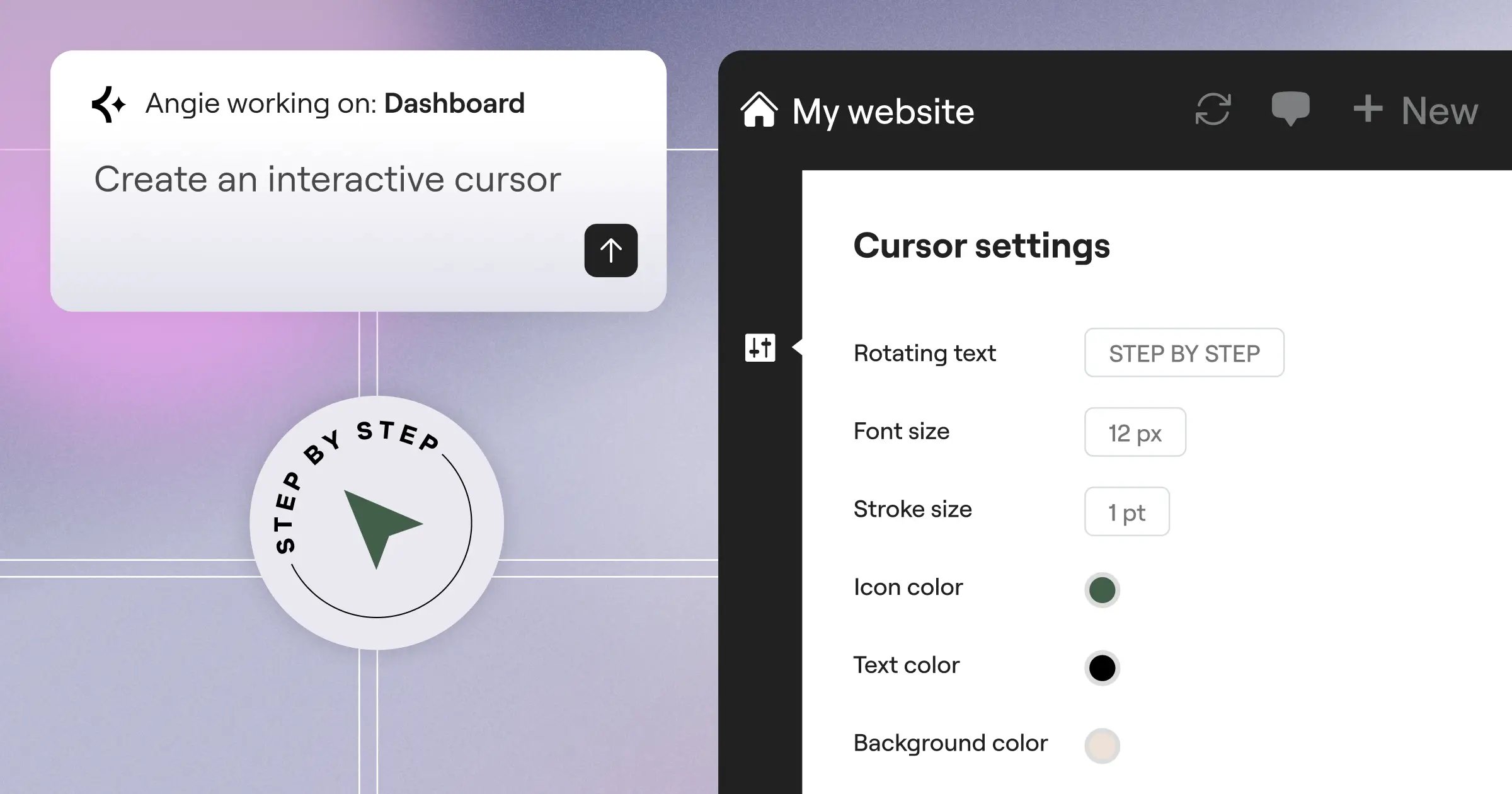
Forget basic AI assistants. Angie by Elementor is a fully agentic AI framework for WordPress: it plans and executes tasks, inheriting your site’s structure automatically through the Model Context Protocol (MCP), so one prompt builds production-ready assets in minutes, tested safely in its own sandbox before going live.
- Inherits your exact theme and site structure automatically.
- Generates custom Elementor widgets, WordPress admin snippets, and front-end scripts.
- Turns a simple text prompt into a fully functional visual application.
- Tests every generated asset in an isolated sandbox before it goes live.
Pricing: Angie is a FREE WordPress plugin, available to anyone in the Elementor ecosystem.
- Pros – Unmatched contextual awareness via MCP.
- Pros – Writes and executes real WordPress code safely.
- Pros – Full creative control over the final output.
- Pros – Cuts the time from concept to live production.
- Cons – Advanced code generation needs detailed prompting.
- Cons – Might feel like overkill for basic text generation.
Verdict: Angie is a massive leap forward, acting like a junior developer and designer for your site.
2. Elementor AI: The Built-In Creative Assistant
If Angie is your developer, Elementor AI is your in-house design team, living inside the Elementor Editor Pro with no ChatGPT tab in the background, generating text, translating copy, and building custom CSS. Generative Fill extends a hero image’s background inside the builder, feeling remarkably smooth, and writes industry-matched placeholder text instead of generic Lorem Ipsum.
- Works directly inside the Elementor Editor V4 interface.
- Modifies, extends, or alters images without opening Photoshop.
- Writes specific CSS or HTML for individual atomic elements.
- Translates entire pages while keeping the layout structure intact.
Pricing: Included with select Elementor One plans, or via credit packages from competitive rates (Starter) to $8.25/mo (Power).
- Pros – Zero workflow disruption.
- Pros – Instant image optimization.
- Pros – Code snippets apply directly to the selected widget.
- Cons – Requires the Elementor visual builder to function.
- Cons – Heavy image generation can eat through credit limits quickly.
Verdict: For agencies using Elementor Editor Pro, this one is close to a necessity.
3. Rank Math Content AI: The SEO Assistant
SEO has changed. 75% of marketing professionals now use AI for content creation, and Rank Math Content AI focuses on semantic relevance, suggesting word counts, headings, media, and automated Schema markup from top-ranking pages. The credit system is a bit annoying, but the data is precise: enterprise-level SERP analysis inside your editor.
- Scores content in real time based on live search data.
- Covers 40+ writing templates, from product descriptions to FAQ sections.
- Builds structured data automatically for better rich snippet visibility.
- Tracks how your AI-optimized posts actually perform.
Pricing: Starts at competitive ratesnth for 5,000 credits.
- Pros – Extremely affordable entry point.
- Pros – Deep integration with existing Rank Math setups.
- Pros – Takes the guesswork out of semantic SEO.
- Cons – Credits expire at the end of the month.
- Cons – The interface can feel cluttered with too many suggestions.
Verdict: If organic traffic is your goal, Rank Math Content AI gives you the data blueprint you need.
4. Jetpack AI Assistant: The Block Editor Standard
Sometimes you need things to work without a fuss. The Jetpack AI Assistant comes from Automattic, integrating with the Block Editor (Gutenberg) to generate text, adjust tone, or translate into 12 languages. It’s clean and reliable, giving everyone 20 free requests, though it lacks Angie’s deep development tools.
- Fits neatly into the standard Gutenberg workflow.
- Rewrites paragraphs instantly to match your brand voice.
- Generates concise excerpts for long-form articles.
- Delivers high-quality translation for international audiences.
Pricing: $10/month for advanced features and higher volume.
- Pros – Genuinely intuitive interface.
- Pros – Backed by the team behind WordPress.com.
- Pros – Generous free trial requests.
- Cons – Very limited image generation options.
- Cons – Struggles with highly technical or code-based prompts.
Verdict: The best option for minimalist bloggers and corporate sites built entirely on the core block editor.
5. Divi AI: The High-Volume Generator
Credit anxiety is real, and Divi AI solves it with unlimited usage: generate 40 hero image variations without watching a credit counter. It reads your content to suggest layouts and writes code, copy, and images inside the builder, but you’re locked into the Elegant Themes ecosystem.
- Removes credit caps on text or image creation.
- Suggests design elements based on your current page content.
- Improves existing copy instantly with a single click.
- Generates module-specific CSS.
Pricing: $18/month or $192/year for unlimited usage.
- Pros – No stressful credit limits.
- Pros – Strong contextual understanding of Divi modules.
- Pros – High-quality image rendering.
- Cons – Not much use if you don’t run the Divi Theme.
- Cons – Higher monthly base cost than some starter plans elsewhere.
Verdict: High-volume agencies building exclusively with Divi will save real money using this unlimited model.
6. AI Engine (Meow Apps): The Developer Playground
Some users want full control over API connections. AI Engine by Meow Apps has passed 100,000+ active installations bridging WordPress to major LLMs like OpenAI, Claude, and Gemini, letting you bring your own API key and pay wholesale prices for chatbots, staff playgrounds, and bulk content via cron jobs. It’s technical, but flexible.
- Connects to OpenAI, Anthropic, Google, and more.
- Designs specific chat interfaces for your front end.
- Creates hundreds of posts from CSV data automatically.
- Tracks exact token usage and API costs.
Pricing: Free version available. Pro starts at $49/year (plus your own API usage costs).
- Pros – You only pay for the exact compute you use.
- Pros – Incredible flexibility for custom tool creation.
- Pros – Lightweight and highly optimized code.
- Cons – Steep learning curve for beginners.
- Cons – Managing your own API keys can be tedious.
Verdict: If you’re a developer building custom AI logic into client sites, AI Engine is a strong fit.
7. Tidio Lyro: The Customer Support Specialist
Customer service eats up time. Tidio’s Lyro AI reads your website’s FAQs and product pages to answer questions, resolving up to 70% of common customer service inquiries without human help and handing complex ones to a live agent. It isn’t a generic ChatGPT window; it sticks to your data, avoiding brand-damaging hallucinations.
- Learns directly from your existing WordPress URLs.
- Transfers complex tickets to real staff automatically.
- Integrates with Messenger, Instagram, and WhatsApp.
- Tracks resolution rates and common customer pain points.
Pricing: Free tier available. The Lyro AI plan starts at $29/month.
- Pros – Drastically reduces support ticket volume.
- Pros – Strict anti-hallucination protocols.
- Pros – Very easy to set up and train.
- Cons – Can get expensive for extremely high-traffic e-commerce sites.
- Cons – The widget can slightly impact page load times if not deferred properly.
Verdict: E-commerce and service businesses will see a fast return by automating routine customer questions.
8. 10Web AI Website Builder: The Rapid Prototyper
Sometimes you need to build an entire site instantly. The 10Web AI Website Builder generates layouts, copy, and images from business details, and its AI Recreation tool clones a URL’s layout into editable blocks, with sites tending to hit a 90+ PageSpeed score via aggressive caching. The downside: it’s tied to their hosting, less a plugin than a complete platform.
- Builds full multi-page sites from a single prompt.
- Clones basic structures from reference URLs.
- Handles caching and image compression automatically.
- Includes a library of custom design elements.
Pricing: Starts at $10/month (includes hosting).
- Pros – Incredible speed for initial site launches.
- Pros – Solid Core Web Vitals out of the box.
- Pros – Great for local business templates.
- Cons – You lose a lot of granular control.
- Cons – Migration away from their hosting can be complicated.
Verdict: Ideal for freelancers spinning up basic business websites for clients in under an hour.
9. WordLift: The Semantic SEO Expert
If you’re managing a large content site, keywords alone aren’t enough. WordLift connects WordPress to the semantic web with a custom Knowledge Graph, identifying entities (people, places, concepts) and generating Schema markup that helps search engines understand how content relates.
To dominate search in 2026, you’ve to feed search engines structured data they can parse. AI isn’t just about writing content; it’s about translating human context into machine-readable entities.
Itamar Haim, SEO Team Lead at Elementor. A digital strategist merging SEO, AEO/GEO, and web development.
This is high-end, enterprise-level technology, not for casual bloggers. But the organic visibility boost for data-heavy sites is clear.
- Identifies key concepts in your text automatically.
- Builds an internal data web for search engines.
- Connects related articles based on semantic meaning.
- Maximizes visibility in Google’s AI Overviews.
Pricing: Starts at €49/month for the Starter plan.
- Pros – Drives massive improvements in semantic search visibility.
- Pros – Automates tasks that would take an SEO expert hours.
- Pros – Excellent support team.
- Cons – Very expensive for smaller websites.
- Cons – Requires a solid understanding of advanced SEO concepts to use effectively.
Verdict: Large publishers and enterprise e-commerce sites need this tool to keep up with modern search algorithms.
10. Uncanny Automator: The Workflow Connector
Automation makes everything faster. Uncanny Automator is known as the ‘Zapier for WordPress’, connecting 100+ different plugins with native actions for OpenAI and Google Gemini, letting you build recipes like sending a congratulatory email via AI when a user finishes a LearnDash course. It doesn’t generate content itself; it tells other tools when to fire.
- Select a Trigger – A user submits a form or buys a product.
- Set an AI Action – Send the data to an LLM for processing or formatting.
- Define the Output – Send the generated result via email or save it as a user meta field.
Pricing: Free version available. Pro starts at $149/year.
- Pros – Removes the need for costly external tools like Zapier.
- Pros – Unlocks real potential for membership and LMS sites.
- Pros – Extremely stable and reliable execution.
- Cons – Requires other plugins to be truly useful.
- Cons – Complex recipes can take time to troubleshoot.
Verdict: Essential for anyone running complex membership sites or online schools automating admin tasks.
Comparison Summary: Which AI Plugin Should You Choose?
The right tool depends on your workflow. Here’s how these plugins stack up.
| Plugin Name | Best Use Case | Starting Price | Standout Feature |
|---|---|---|---|
| Angie by Elementor | Development & App Building | Free | WordPress-Native MCP Sandbox |
| Elementor AI | Visual Design & Layout | competitive rates | Native Generative Fill |
| Rank Math Content AI | Search Engine Optimization | competitive rates | Semantic Keyword Suggestions |
| Divi AI | High-Volume Agency Work | $18/mo | Unlimited Generations |
| Tidio Lyro | Customer Support Automation | Free ($29/mo Pro) | 70% Ticket Resolution Rate |
| WordLift | Enterprise Data Structure | €49/mo | Automated Knowledge Graphs |
Final Recommendation: The Best Choice for 2026
You don’t need all ten of these plugins. Installing too many will just conflict with your database. You need a targeted approach based on your business goals. Here’s how to allocate your resources.
- For Developers and Tinkerers – Install Angie by Elementor. It’s free, understands your site context, and safely generates actual code: the most impressive technical achievement on this list.
- For Visual Creators – Stick with Elementor AI. Modifying images and writing CSS directly inside the editor saves countless hours of context switching.
- For Content Marketers – Use Rank Math Content AI. The semantic SEO insights are too valuable to ignore, especially given the low entry price.
- For E-Commerce Stores – Deploy Tidio Lyro immediately. Automating customer support queries means higher conversion rates and lower staffing costs.
Stop testing random API wrappers. Pick tools that integrate deeply with your existing setup, and let them handle the heavy lifting.
Frequently Asked Questions
Will AI plugins slow down my WordPress site?
Most modern AI plugins won’t slow your front end since the heavy processing happens on external servers (Google Cloud, OpenAI’s). Poorly coded chat widgets can still hurt Core Web Vitals if they load large JavaScript before the main content.
Are WordPress AI tools safe to use on a live site?
Yes, but use proper workflows. Angie, for instance, provides a safe sandbox to test generated code, and you should never push automated code straight to production without reviewing it first.
Do I still need a human writer if I use these plugins?
Absolutely. AI is a drafting assistant, not a replacement for human expertise. Search engines heavily penalize generic, unedited AI content, so you still need to review, edit, and add your own perspective to rank well.
What’s the difference between generative AI and agentic AI?
Generative AI just outputs text or images for you to copy. Agentic AI (like Angie) executes tasks: it reads your site structure, plans a solution, and creates custom post types or admin snippets on your behalf.
Can AI plugins help with website accessibility?
They can help spot issues. Tools within the Elementor ecosystem can scan for WCAG contrast errors and suggest missing alt text, but you can’t rely on them for full legal compliance certification.
Is it better to pay for an unlimited plan or use a credit system?
Agencies building 10+ sites a month get real value from unlimited plans (like Divi AI). Solo creators usually do better with a credit system (like Elementor AI’s Starter plan).
Can these plugins build a complete website from scratch?
Yes. Platforms like 10Web can generate a full site, including text and placeholder images, from a single prompt. You’ll still need to refine design and copy, but it cuts setup time dramatically.
Looking for fresh content?
By entering your email, you agree to receive Elementor emails, including marketing emails,
and agree to our Terms & Conditions and Privacy Policy.

