
As an agency owner, you want every client site to look pristine and professional. But privacy laws like GDPR and CCPA mean you also have to show a cookie consent banner on each one. The trouble is that many consent tools push you into ugly, external dashboards carrying someone else’s branding, which undercuts your design work and frustrates clients. You don’t have to settle for clunky third-party software that dilutes your agency’s brand. A clean, native white-label approach keeps things simple and entirely under your control. Here’s how to build a white-label privacy setup that keeps clients happy and compliant in 2026.
Key Takeaways
- Native Integration – Choosing WordPress-native options removes the need for expensive external third-party dashboards.
- Client Experience – White-label tools let you offer privacy management under your own agency brand, boosting client trust.
- Compliance Essentials – Modern setups must support Google Consent Mode v2 and Global Privacy Control to avoid regulatory fines.
- New Revenue – Agencies can package continuous compliance scanning and cookie audits into stable monthly care plans.
Why White-Label Consent Management Matters for Agencies in 2026
Privacy isn’t an afterthought in web projects anymore. By 2026, it’s a core piece of every site you deliver, and clients expect it to work, be secure, and stay legally compliant. Install a bare, unbranded tool, though, and your client lands in a maze of external dashboards, odd emails, and branding that isn’t yours. That looks messy and reflects poorly on your work (thankfully, it’s an easy problem to avoid). A white-label approach keeps you in control of the whole experience.
You get to present compliance as a premium, built-in part of what your agency delivers. You can match the banner’s look to each client’s brand so nothing feels bolted on, and since privacy rules keep shifting, a centralized way to manage consent across every client site saves your team real hours of upkeep. It keeps things neat and unified, and lets your agency be the partner who quietly handles the technical details.
White-labeling also stops client confusion at the dashboard level. When someone logs into WordPress, they want to see your agency’s interface, not a stranger’s upsells. Native WordPress tools reinforce your agency as the one running the show. You’re not just building sites; you’re delivering complete, managed solutions.
The Core Capabilities of an Ideal White-Label Solution
When you’re evaluating options for your agency, you need more than a basic script blocker. You need something that handles complex international rules without slowing your server down, works quietly in the background, and keeps your branding front and center. It should sort regional laws automatically too, so a visitor in California sees CCPA-compliant options while one in Europe gets the stricter GDPR choices.
A few things are worth watching for as you compare tools: heavy code that drags down your Core Web Vitals, thin cookie categorization, and extra fees tacked on for every sub-domain or traffic spike. Get this piece of your stack right, and you deploy sites faster and with a lot more confidence.
Here are the capabilities a solid agency-grade tool should cover:
- Adapts layouts to match client branding, no custom CSS needed.
- Scans code automatically to list active tracking cookies.
- Records visitor decisions in your site’s database for safekeeping.
- Tracks consent history to build reliable audit logs.
- Displays regional banners by visitor geolocation, automatically.
- Protects visitor privacy without slowing page load times.
These features keep your sites running well while clients stay protected. Without them, you’re stuck manually editing JavaScript every time a client adds a new tracking tool, eating into developer hours. Investing in a complete, native compliance tool is one of the smarter operational calls your agency can make.
Meet Cookie Consent: The Native WordPress White-Label Powerhouse
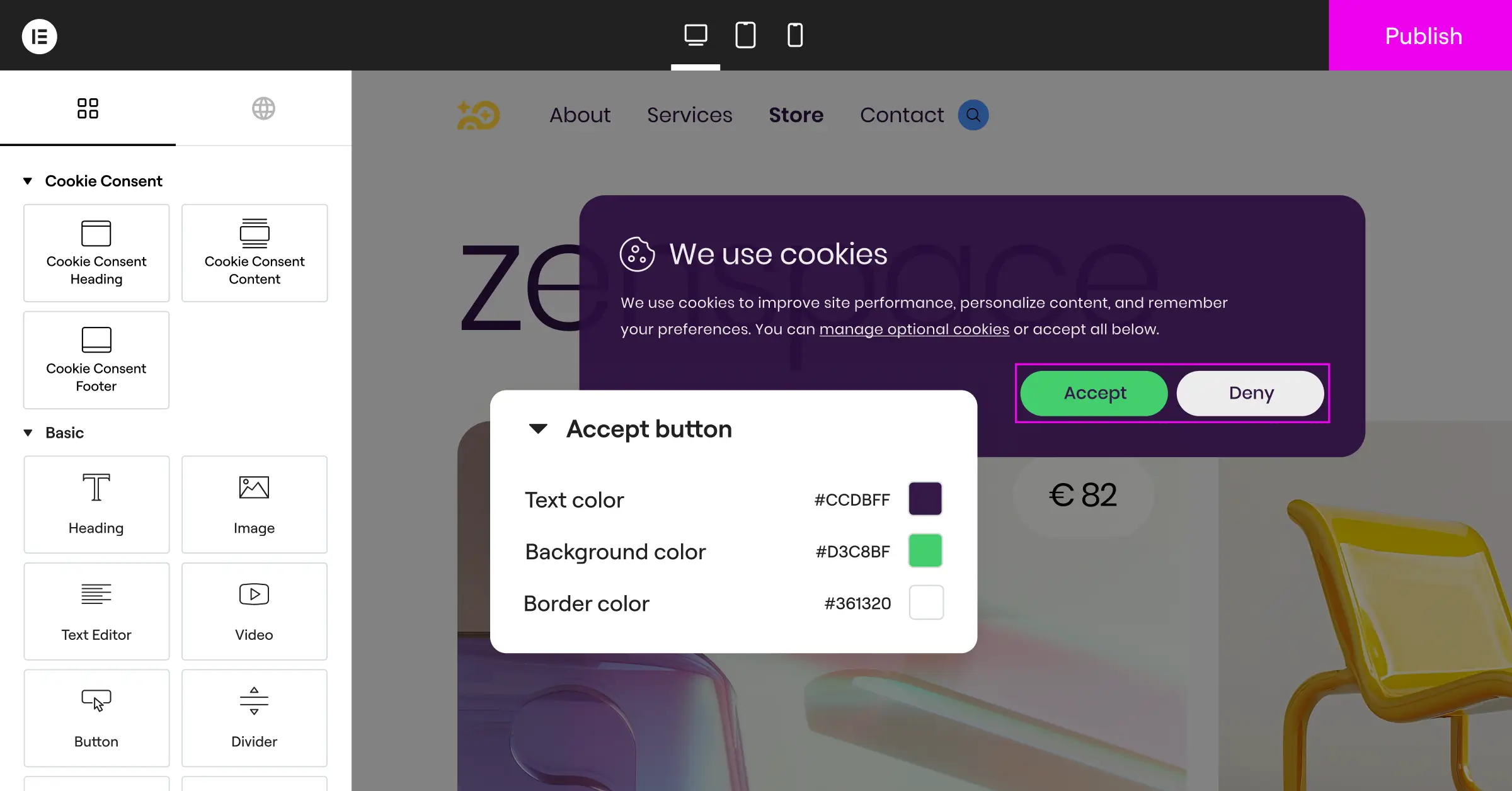
Cookie Consent is Elementor’s cookie consent capability, built natively for WordPress. It handles GDPR and CCPA compliance right from your dashboard, no external platform required. You can set up banners, scan and categorize cookies, manage scripts, and keep consent logs, all in one place.
For agencies already working in the Elementor ecosystem, this is a big deal. Cookie Consent comes included in Elementor One, so it’s cost-effective to roll out across your whole client portfolio. It also has white-label options, letting you tuck away standard branding and show clients a clean, agency-branded setup instead, building real trust with barely any extra effort. No complex external portal, no surprise monthly SaaS bill, just to keep client sites compliant.
Here’s what makes it work so well for agencies day to day:
- Works right in the WordPress dashboard, no extra accounts needed.
- Integrates with the native site editor for quick, simple styling.
- Builds trust by keeping client branding clean, free of third-party logos.
- Saves budget since it’s included in the Elementor One agency plan.
- Simplifies setup with pre-built cloud templates you deploy in minutes.
- Clears away external dashboard confusion for your clients.
By keeping everything in one place, you remove the friction that usually makes site handoff stressful. Clients get a clean, working site, and you get a simpler process without juggling a pile of external subscriptions.
“Managing compliance across dozens of client websites is one of the biggest operational bottlenecks for modern web agencies. Native dashboard solutions save hours of setup and reduce the friction of using external SaaS platforms.”– Itamar Haim, Web Compliance Specialist
The efficiency gains add up over time too:
- Standardizes your privacy setup across client sites with a single workflow.
- Eliminates the need for multiple SaaS subscriptions per domain.
- Minimizes support tickets about broken banners and missing script logs.
- Saves development time during site launches and client onboarding.
- Prepares client sites for regulatory audits with automated logging.
- Builds client trust through fully branded privacy controls.
How to Configure White-Label Cookie Consent for Your Clients (Step-by-Step)
Don’t worry, setting this up is a lot easier than it looks. We’ve broken the whole process into clear steps that get you a fully compliant, good-looking banner in under five minutes, whether you’re working on a small local business site or a complex e-commerce platform.
Phase 1: The Initial Configuration
To get started, activate the tool on your WordPress installation. It’s a native capability, so there’s no external system to install or complex API connection to configure (that’s the part that trips people up with SaaS tools).
- Activate the Cookie Consent feature in your Elementor dashboard to begin.
- Run the automatic cookie scan to identify all active trackers on your site.
- Categorize the discovered cookies into essential, marketing, and analytical groups.
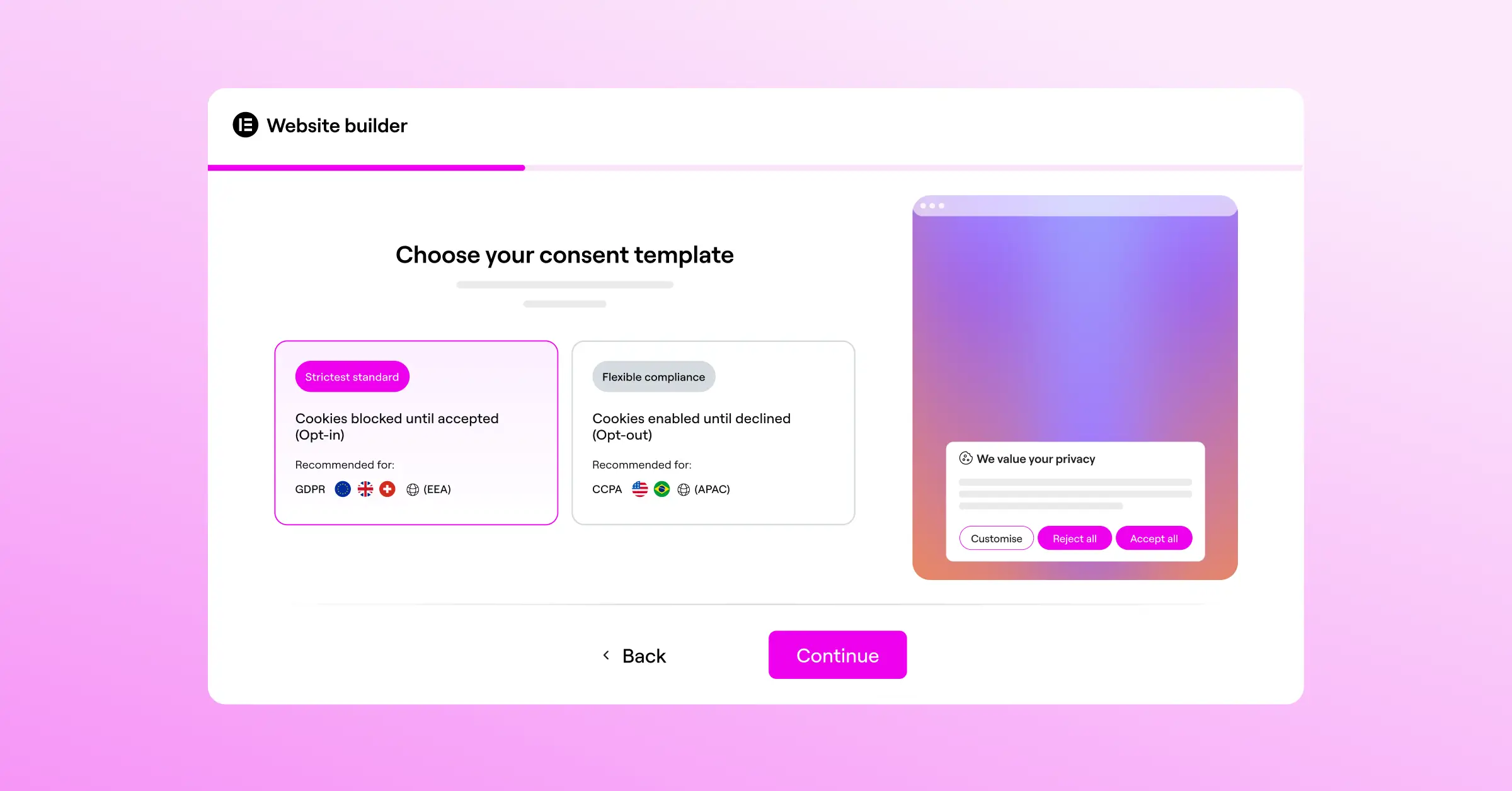
- Select your preferred consent model based on your client’s primary location requirements.

Phase 2: Customizing the Brand Design
Now for the fun part: making the banner look custom-designed for the site. A beautiful, branded banner tends to pull much higher opt-in rates than a generic gray popup.
- Open the design settings to customize colors, fonts, and button spacing.
- Add custom CSS if you need specific layout changes or special positioning.
- Replace standard compliance terms with friendly, localized text that matches your client’s tone.
- Save your styling as a cloud template to reuse across other client sites.
Phase 3: Testing and Launch Verification
Before handing the site over to your client, verify that everything works correctly. Proper testing prevents script leaks and keeps the setup in line with Google’s updated requirements.
- Toggle on Google Consent Mode v2 to coordinate with Google Analytics and Ads.
- Use a private browser window to confirm the banner displays correctly to new visitors.
- Test your opt-out options to confirm scripts block properly before consent is granted.
- Review your first recorded consent log entries to verify database storage.
Follow this approach and you’ll dodge the pitfalls that trip up other agency owners. Your setups stay clean, professional, and reliable, and clients will appreciate not wrestling with complicated legal settings themselves.
Comparing Top Agency Compliance Solutions in 2026
It helps to see how the major tools stack up when picking your agency’s standard toolkit. Each takes a different approach to dashboard architecture, white-labeling, and pricing. Here’s a factual breakdown.
Before you dive into the table, here’s what’s worth watching for:
- Displays key feature differences at a glance, saving research time.
- Speeds up selection choices for your agency’s core stack.
- Clarifies which features need external SaaS accounts and which run locally.
- Identifies which platforms charge per-domain fees that cut into margins.
- Highlights native WordPress integration points that speed your design workflow.
- Simplifies client presentation planning by surfacing the most relevant options.
Here’s a factual comparison of the leading cookie consent tools agencies use in 2026:
| Feature/Tool | Elementor Cookie Consent | Cookiebot | CookieYes | Complianz | iubenda |
|---|---|---|---|---|---|
| Dashboard Location | Native WordPress | External SaaS Portal | External SaaS Portal | Native WordPress | External SaaS Portal |
| White-Labeling | Fully Supported | Paid Tier Only | Paid Tier Only | Supported | Paid Tier Only |
| Google Consent Mode v2 | Fully Integrated | Supported | Supported | Supported | Supported |
| Setup Time | Under 5 Minutes | Varies (External Setup) | Varies (External Setup) | 15-20 Minutes | Varies (External Setup) |
| Included in Agency Plan | Yes (Elementor One) | Separate subscription | Separate subscription | Separate subscription | Separate subscription |
Instead of juggling five or ten separate billing accounts, you can handle everything inside your existing site administration workflow, saving money and cutting admin hours across the board.
White-Label Best Practices: Packaging Compliance for Agency Clients
Many agency owners make the mistake of giving compliance services away for free, treating cookie banners as a minor detail instead of the complex, legally required feature they are. Package and sell privacy compliance right, though, and you build a reliable source of monthly recurring revenue.
To build a successful service, help clients see that privacy compliance isn’t a one-time setup: cookies change as new features get added, tracking systems update, and laws shift over time. Offer an ongoing compliance care plan, and that stress comes off their shoulders, giving them real peace of mind.
Here’s what a modern compliance care plan should include:
- Monitors tracking scripts monthly to catch cookies added by client teams.
- Updates privacy policies when regional regulations change in the client’s market.
- Maintains legal consent logs for regulatory proof during an audit.
- Tests banner display across new browsers and mobile devices regularly.
- Adjusts consent rules as the client’s international traffic grows.
- Delivers quarterly compliance health check reports to show your ongoing value.
To sell these plans, talk value in plain, business terms. Clients don’t care about the technical details of scripts, but they do care about protecting their brand and staying out of legal trouble. A few angles that tend to land well:
- Explains the peace of mind that comes with professional setup and monitoring.
- Highlights the cost savings of avoiding compliance fines from regulators.
- Demonstrates the brand value of clean, matching consent banners.
- Shows how native tools avoid external script lag and protect page speed.
- Assures clients their analytics stay accurate and legally collected.
- Positions your agency as a forward-thinking technical partner, not just a designer.
Frame compliance this way, and it stops feeling like a chore and starts looking like a valuable service. Clients will gladly pay a monthly fee to know professionals have their site’s legal bases covered.

Cookie Consent and the Broader Elementor One Ecosystem
One of the strongest arguments for using Cookie Consent with your clients isn’t just the capability itself, it’s where it sits inside the larger Elementor One offering. If clients already use Elementor for their site builds, Cookie Consent is simply there as part of the same subscription, nothing extra to purchase, no new account to create, no separate vendor to manage.
Alongside Cookie Consent, Web Accessibility is also included in Elementor One, so you can cover two compliance requirements, privacy and accessibility, under the same roof and hand both over as part of your agency’s standard handoff package. It’s a clean story for clients: everything they need for a compliant, professional site is already built in.
This bundled approach also future-proofs your agency. As regulations evolve and client expectations around transparency grow, you’re already set up to adapt quickly, without evaluating new vendors, negotiating new pricing tiers, or training your team on yet another dashboard.
Frequently Asked Questions
Is white-label cookie consent really necessary for small client sites?
Yes. Even small sites collect user data through basic analytics, contact forms, or marketing pixels, and if they get visitors from Europe, California, or other regulated areas, they need a compliant consent setup. Offering this as a white-labeled service keeps your client’s site professional and your agency brand front and center.
How does Google Consent Mode v2 affect my client’s analytics?
Google Consent Mode v2 is required for sites using Google Ads and Google Analytics to track users in the European Economic Area. Configure it wrong, and your clients lose valuable tracking data while their marketing campaigns get a lot less effective. A native WordPress tool that supports this out of the box makes setup straightforward and error-free.
Can I use my agency’s branding on the cookie consent dashboard?
Yes. White-label capabilities let you style the user-facing banner and manage settings right inside the WordPress admin area. You can tuck default branding out of sight and swap in your own agency name or logo, so clients see a cohesive experience built by your team when they log in.
Do native cookie tools slow down website performance?
Unlike heavy external SaaS scripts that load multiple assets from third-party servers, a native capability like Cookie Consent is built for WordPress. It loads assets straight from your own server using lightweight code, which keeps Core Web Vitals strong and loading speeds fast for mobile visitors.
How often should my agency run cookie scans for clients?
Running a full cookie scan at least once a month is a good baseline. Clients often install new scripts, embed videos, or add marketing tools without telling their agency, and regular scans catch those cookies, categorize them, and keep the banner current without manual digging.
Where are the consent logs stored for legal audits?
With a native WordPress capability, consent logs are stored securely in your site’s local database rather than on a third-party server. That keeps the data entirely under your control, cuts reliance on external platforms, and makes it easy to export clean audit trails if a client ever faces a regulatory inquiry.
Is this tool included in my Elementor One subscription?
Yes, Cookie Consent comes included as a core capability within Elementor One. You can deploy professional, white-labeled compliance setups across every client website without paying extra per-domain fees, a solid way to boost your agency’s profit margins on every project.
Does white-labeling help with CCPA compliance in California?
Yes. A proper white-labeled compliance banner supports both GDPR and CCPA requirements. It lets you show specific opt-out links, like “Do Not Sell My Personal Information,” exclusively to visitors from California, while showing standard consent choices to visitors from Europe or other regulated regions.

