
Keeping your WordPress site compliant with privacy laws can feel overwhelming, between GDPR, CCPA, Google Consent Mode v2, and constant regulatory updates. The good news: you don’t need a law degree or a dev team to get this right. The right tool protects your visitors, keeps you legal, and runs smoothly from your dashboard. Here are this year’s best options.
Key Takeaways
- WordPress-native solutions save time by staying inside your dashboard.
- Google Consent Mode v2 matters if you use Google services and get EU visitors.
- Customization matters, since your banner should match your brand, not look bolted on.
- Geo-targeting keeps banners showing only where legally required.
- Consent logging gives you an audit trail that protects your business.
Why Cookie Consent Matters More Than Ever in 2026
The rules of the web keep shifting, and the stakes are real: bigger fines, and tighter tracking standards affecting your ad and analytics accounts. Google Consent Mode v2 is now required for sites serving the European Economic Area, or Google Ads and Analytics can stop tracking conversions properly. You need a system that blocks tracking scripts before visitors give permission. Visitors are also more privacy-aware, and a clean, well-designed banner builds the trust that lowers bounce rates and loyalty.

“Privacy compliance is no longer just a legal checklist; it’s a fundamental part of building trust with your visitors. When you make consent clear and easy, you respect your audience.”
– Itamar Haim, Web Compliance Specialist
The Best WordPress Cookie Consent Tools Compared
Here’s a quick side-by-side look at what matters most.
| Tool Name | WordPress Native? | Consent Mode v2? | Entry-Level Plan? | Best Suited For |
|---|---|---|---|---|
| Cookie Consent | Yes (Dashboard Built-In) | Yes | Yes | Site owners wanting a dashboard-native, fast compliance tool |
| Cookiebot | No (External Dashboard) | Yes | Yes | Larger sites needing multi-platform management |
| CookieYes | No (External Dashboard) | Yes | Yes | Users who want simple cloud-based control panels |
| Complianz | Yes | Yes | Yes | Site owners wanting legal document generators |
| iubenda | No (External Dashboard) | Yes | Yes | Sites needing complete legal privacy policies built-in |
| Termly | No (External Dashboard) | Yes | Yes | Small businesses wanting simple, automated legal terms |
| OneTrust | No (External Dashboard) | Yes | No | Large enterprise companies with massive traffic |
| Osano | No (External Dashboard) | Yes | Yes | Teams looking for complete compliance guarantees |
| Usercentrics | No (External Dashboard) | Yes | No | Agencies managing various marketing tracking tools |
| ConsentManager | No (External Dashboard) | Yes | Yes | Publishers who rely heavily on ad networks |
1. Cookie Consent
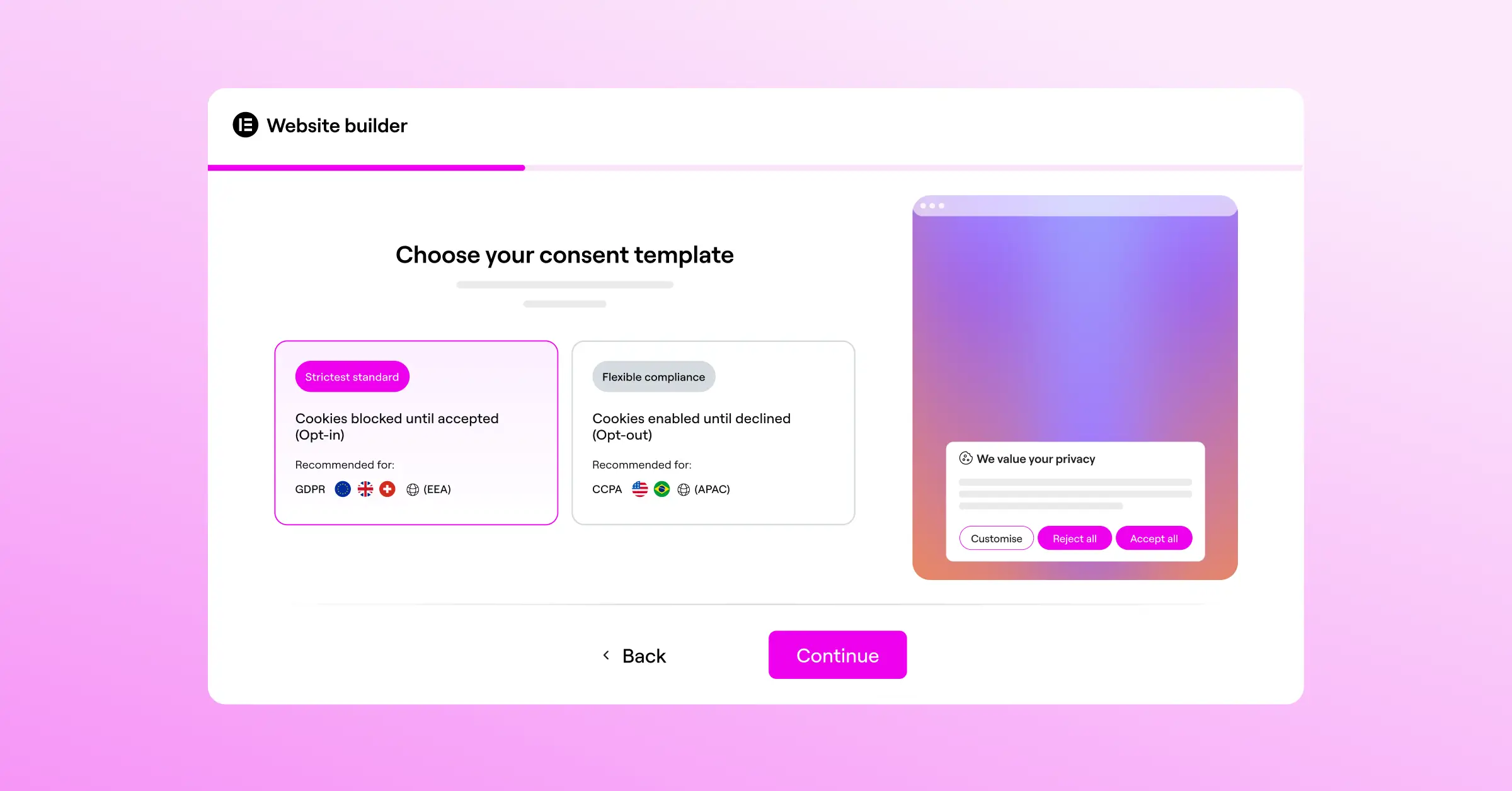
Topping the list is Cookie Consent, built by Elementor for WordPress owners who want a straightforward way to stay legal without another account. Setup takes under five minutes and skips the heavy external scripts that slow pages down. Customize the banner to match your site, staying consistent across your Elementor-built pages, and pair it with Elementor Web Accessibility.
This capability comes with the Elementor One package, alongside a full toolkit to secure and design your site plus geo-targeting and the template cloud, a cost-effective pick for developers and agencies.

Key Features
- Scans your site to categorize every cookie.
- Builds polished banners that match your brand.
- Saves complete consent logs for audit readiness.
- Connects with Consent Mode v2 and Global Privacy Control.
- Loads lightweight code that keeps your site fast.
- Adapts banners to each visitor’s location.
Pros & Cons
- Pro – Completely native to WordPress.
- Pro – A fast, 5-minute setup great for beginners.
- Pro – Fully compatible with Consent Mode v2 and Global Privacy Control.
- Con – WordPress-only, so it doesn’t suit other platforms.
Verdict
Cookie Consent is the top pick for fast, built-in compliance with real design control.
2. Cookiebot

Cookiebot is a well-known name in consent management. This cloud-based service scans your site on a schedule to detect tracking scripts and cookies, sorting them into clear categories, though setup runs through their external dashboard, adding another login to your workflow.
Key Features
- Scans websites regularly to detect and block trackers.
- Generates cookie declarations updated in real time.
- Stores consent data in a secure repository.
- Supports multiple languages for global audiences.
Pricing scales with your page count as you grow.
Pros & Cons
- Pro – Automatic blocking of known third-party scripts.
- Pro – Regular automated scans keep your lists current.
- Con – Requires an external account and separate login.
- Con – Can get costly for growing blogs.
Verdict
Cookiebot suits sites comfortable with a monthly subscription and an external interface.
3. CookieYes

CookieYes is a cloud-based tool that keeps consent management simple, with an intuitive panel for designing banners and reviewing consent history across major CMS platforms. Setup is quick, and the design tools let you adjust colors and layouts easily, popular with small businesses wanting basic GDPR compliance.
Key Features
- Manages consent banners through a simple dashboard.
- Logs visitor consent preferences to stay compliant.
- Customizes banner layout and behavior.
- Blocks third-party scripts until consent is granted.
Paid tiers scale with your monthly traffic, keeping costs predictable.
Pros & Cons
- Pro – A clean, easy-to-use cloud dashboard.
- Pro – Simple, fast installation on WordPress.
- Con – The entry plan limits geo-targeting and custom styling.
- Con – Traffic spikes can push you into pricier tiers.
Verdict
CookieYes suits owners wanting an easy setup and an external dashboard.
4. Complianz

Complianz is a privacy suite built for the WordPress community. Rather than just showing a banner, it builds the legal documents your site needs through a guided wizard, then adjusts banner behavior by region for Europe, the UK, or North America.
Key Features
- Configures setup through a step-by-step wizard.
- Generates legal documents for different regions.
- Integrates with popular contact forms and social embeds.
- Supports privacy frameworks including GDPR and CCPA.
Premium versions add multilingual options and automated document updates.
Pros & Cons
- Pro – Generates legal policies directly within your site.
- Pro – Strong integration with common WordPress forms and tools.
- Con – The wizard feels long for less technical users.
- Con – Advanced documents require a premium tier.
Verdict
Complianz suits anyone needing real privacy policies and a region-aware WordPress setup.
5. iubenda

iubenda offers a full legal compliance suite, going beyond cookies to cover privacy policies, terms of service, and consent records for businesses wanting everything from one provider. Its policies update regularly thanks to in-house legal review, though the interface is fairly complex at first, and the free plan is limited, so most businesses need a paid tier.
Key Features
- Generates privacy policies and cookie policies automatically.
- Updates legal text automatically when regulations change.
- Integrates banners and consent preferences into your theme.
- Saves consent preferences across various online forms.
Pros & Cons
- Pro – Legally backed policies that update automatically.
- Pro – Covers a wide range of legal documents.
- Con – The dashboard has a steeper learning curve.
Verdict
iubenda suits businesses wanting their legal documents managed by actual lawyers.
6. Termly

Termly is a compliance platform built with small businesses in mind, helping you build cookie banners, terms, and privacy policies. It scans your site for active cookies and sets up a basic banner, keeping things clean so you can focus on your business, not legal research.
Key Features
- Creates privacy agreements and cookie policies.
- Scans your site for active scripts regularly.
- Displays customizable consent banners that match your design.
- Logs consent responses for reporting and auditing.
Paid plans unlock custom branding and automatic policy updates.
Pros & Cons
- Pro – A simple, easy-to-read interface, great for beginners.
- Pro – Quickly generates standard legal policies.
- Con – The entry plan includes Termly branding on banners.
- Con – Fewer developer options than some other tools.
Verdict
Termly fits small businesses wanting a simple package without complex settings.
7. OneTrust

OneTrust is a large enterprise privacy platform, built for massive websites and corporate networks managing consent across thousands of pages and regions, with deep tracking and reporting built in. It’s feature-rich but too complex and costly for individual WordPress owners, and setup typically needs a dedicated administrator.
Key Features
- Delivers enterprise compliance tracking for complex sites.
- Maps cookies and trackers across large networks.
- Supports deep geolocation targeting for strict regions.
- Monitors consent analytics to help optimize opt-in rates.
OneTrust offers custom enterprise pricing for large, complex needs.
Pros & Cons
- Pro – An extensive feature set for global compliance.
- Pro – Advanced reporting and analytics for corporate teams.
- Con – A complex setup needing real time and expertise.
- Con – Pricing geared toward enterprise budgets.
Verdict
OneTrust is the standard for enterprise-scale compliance, more than most WordPress owners need.
8. Osano

Osano is a well-regarded privacy platform known for simplicity and legal safety, confident enough to guarantee protection from compliance fines. It’s a cloud-hosted tool connecting with WordPress through manual integration, blocking data transfers to non-compliant vendors and keeping your site protected.

Key Features
- Guarantees compliance through a specialized legal review.
- Blocks data transfers to non-compliant vendors automatically.
- Translates consent banners into dozens of languages.
- Displays clean banners that don’t interrupt content.
Paid options suit growing businesses and include the guarantee.
Pros & Cons
- Pro – Peace of mind from their compliance guarantee.
- Pro – Automatic translation of banners for international visitors.
- Con – Premium plans are a real monthly investment.
- Con – Managed entirely outside of WordPress.
Verdict
Osano is worth considering if you have the budget and want extra confidence.
9. Usercentrics
Usercentrics is a consent management platform built to help developers and marketers work together, offering deep control over tracking tags and integration with tools like Google Tag Manager. It’s highly configurable, a favorite among agencies managing tags for multiple clients.
Key Features
- Aggregates consent settings across multiple marketing technologies.
- Implements Google Consent Mode v2 without manual coding.
- Customizes look and feel for brand consistency.
- Maintains a database of thousands of pre-categorized services.
They offer custom quotes for agencies and larger portfolios.
Pros & Cons
- Pro – Strong developer APIs and detailed tag integration.
- Pro – A large pre-categorized list of marketing technologies.
- Con – Requires solid technical knowledge to set up.
- Con – No true entry plan for standard websites.
Verdict
Usercentrics suits agencies and technical marketers needing precise control on complex sites.
10. ConsentManager
ConsentManager is a specialized tool focused on banner performance, with built-in A/B testing for layouts and colors that boost opt-in rates, useful for ad-supported publishers. The dashboard is packed with data, great for optimization but a bit dense for a simple, set-and-forget solution.
Key Features
- Runs extensive reporting and A/B testing for performance.
- Supports major advertising standards like IAB TCF.
- Blocks scripts before visitors choose.
- Integrates with popular tag managers for centralized control.
Pros & Cons
- Pro – Excellent A/B testing that helps improve opt-in rates.
- Pro – Deep compliance reporting suited to large publishers.
- Con – The dense dashboard can be hard to navigate at first.
- Con – Banners can look technical without extra design work.
Verdict
ConsentManager fits media publishers and ad-heavy sites maximizing opt-in rates.
How to Choose the Right Cookie Consent Solution for Your Site
Finding the right tool doesn’t have to be complicated. A few key questions will narrow the field quickly.
- Identify your visitors’ locations. A basic global banner works for a mostly local audience, but EU, UK, or California visitors need geo-targeting to see the right banner.
- Decide where you want to manage your dashboard. A native option like Cookie Consent keeps everything inside WordPress, no extra logins or external platforms.
- Check for automatic script blocking: hold back cookies and scripts until a visitor consents, no matter how nice the banner looks.
- Confirm support for Google Consent Mode v2, essential if you run ads or track traffic with Google tools.
- Look at your design needs. Pick a tool that lets you customize fonts, colors, and layouts, so your banner feels like part of your site, not an afterthought.
3 Simple Steps to Get Compliant Today
Once you’ve picked your tool, getting set up should be quick.
- Run an initial scan so your tool can find all cookies and tracking scripts currently running, giving you a clear baseline.
- Set up your banner design in your tool’s editor, keeping accept and reject options clear and consistent.
- Turn on consent logging and geo-targeting, keeping records of visitor choices and showing the banner only where it’s legally required.
Top Mistakes to Avoid with Your Consent Banners
Even well-intentioned setups can have gaps worth avoiding.
- Blocking essential functional cookies your cart or login areas depend on. These generally don’t need consent under most privacy laws.
- Using hard-to-read fonts or tiny dismiss buttons. Keep text legible and buttons easy to tap, since designs that make declining hard can trigger their own violations.
- Forgetting to log visitor consent. A banner alone isn’t enough; keep saved consent records as verifiable proof if a regulator ever asks.
- Overlooking updates to regional privacy regulations. Laws change regularly, and an outdated setup can expose you to security gaps and liability.
Frequently Asked Questions
What is the difference between GDPR and CCPA cookie compliance?
GDPR is the EU standard and opt-in: block non-essential tracking before a visitor clicks “Accept”. CCPA, protecting California residents, is opt-out: tracking runs by default, but must offer a clear “Do Not Sell My Personal Information” link.
Do I really need a cookie consent banner if my site is small?
Yes, privacy laws don’t exempt small sites by size. Visitors from the EU or California, plus tools like Google Analytics, mean you’re legally required to manage consent.
How does Google Consent Mode v2 affect my website analytics?
It passes visitors’ consent choices directly to Google’s services. Accept, tracking runs normally. Decline, Analytics drops tracking cookies but models conversion data without identifying individuals.
Can I customize my cookie consent banner to match my site colors?
Yes, most quality tools offer solid design controls. Cookie Consent fits naturally into your WordPress layout, letting you adjust fonts, colors, borders, and buttons.
Why is a WordPress-native dashboard better than an external one?
A native dashboard keeps everything in one place. No extra passwords, no separate logins, no second subscription, just a simpler workflow.
What happens if I don’t have a cookie consent system on my site?
You risk regulatory fines, warning letters, and restrictions from ad networks or Google that can stop accurate conversion tracking.
How often should my website be scanned for new cookies?
Scan whenever you add features or update tracking scripts, and at minimum once a month, to keep your banner accurate.
Does a cookie consent banner slow down my website load times?
External systems loading third-party scripts can add to load times. Native tools like Cookie Consent use lightweight code built for WordPress, loading quickly.
What is Global Privacy Control and does my tool need to support it?
It’s a browser-level setting letting users set privacy preferences once and have them respected across sites. Quality tools honor it automatically.

