
Key Takeaways
- Simplifying your tech stack by dropping a complex enterprise dashboard saves time, budget, and administrative headaches.
- Cookie Consent is the top native choice for WordPress sites, keeping compliance settings right inside your main dashboard.
- Google Consent Mode v2 support matters in 2026 for any site running ad and analytics tracking in the EU and UK.
- Geo-targeting keeps your site compliant worldwide while showing custom banners to specific regions.
- Switching is straightforward once you match your choice to your platform and compliance goals.
Managing website compliance can feel like solving a puzzle with half the pieces missing. If you’ve been using a heavy, enterprise-level platform like OneTrust, the complexity, setup time, and ongoing maintenance can wear you down. Don’t worry, finding the right fit is easier than it looks. We’ve researched the top privacy options, so let’s walk through the alternatives that’ll keep your site compliant, secure, and running smoothly.
Here’s the good news: most WordPress site owners don’t need an enterprise-grade compliance suite at all. What you need is a clean way to manage cookie consent, keep an audit trail, and stay ahead of changing regulations. That’s a far more approachable target, and some genuinely excellent tools are built exactly for it.
2026 is a good time to reassess your consent setup. Browser changes, stricter Google requirements, and a maturing market of purpose-built tools mean your options today are considerably better than they were even two years ago.

Why Look for a OneTrust Alternative in 2026?
For years, OneTrust has been a dominant force in enterprise privacy management, a massive suite that handles vendor risk, data mapping, and deep compliance audits. But for a lot of compliance managers, using a giant platform just to run a cookie banner feels like taking a commercial jet to the grocery store. It’s heavy, complex, and needs constant upkeep.
Many site owners want a simpler path. You don’t always need a multi-department privacy suite to stay compliant with GDPR, CCPA, or regional guidelines, just a reliable, clean way to manage cookie consent without the extra weight. Setting up consent paths, categorizing cookies, and adjusting banner designs should take minutes, not weeks of training.
The technical requirements for website tracking have shifted too. With major browsers phasing out third-party cookies and Google strictly enforcing Google Consent Mode v2, your consent tools need to be fast and precise. Heavy cloud scripts can slow your site down, hurting Core Web Vitals and search rankings, so a tool that runs closer to your site’s own codebase often protects your speed while keeping your legal team happy.
The Top OneTrust Alternatives Compared
Before we look at each tool in depth, here’s how the top contenders stack up side by side, where each one shines, how it handles your data, and where its dashboard lives.
| Solution Name | Primary Platform | Consent Mode v2? | Dashboard Location | Best Suited For |
|---|---|---|---|---|
| Cookie Consent | WordPress | Yes (Native) | WordPress Dashboard | WordPress site owners and agencies wanting native speed |
| Cookiebot | SaaS / Cloud | Yes (Via Script) | External Cloud Portal | Multi-platform sites looking for automated monthly scans |
| CookieYes | SaaS / Cloud | Yes (Via Script) | External Cloud Portal | Small business sites using diverse CMS platforms |
| Complianz | WordPress | Yes | WordPress Dashboard | Users seeking automated legal wizard workflows |
| iubenda | SaaS / Cloud | Yes | External Cloud Portal | Sites needing complex auto-generated legal documents |
The Best OneTrust Alternatives for 2026: Detailed Reviews
1. Cookie Consent
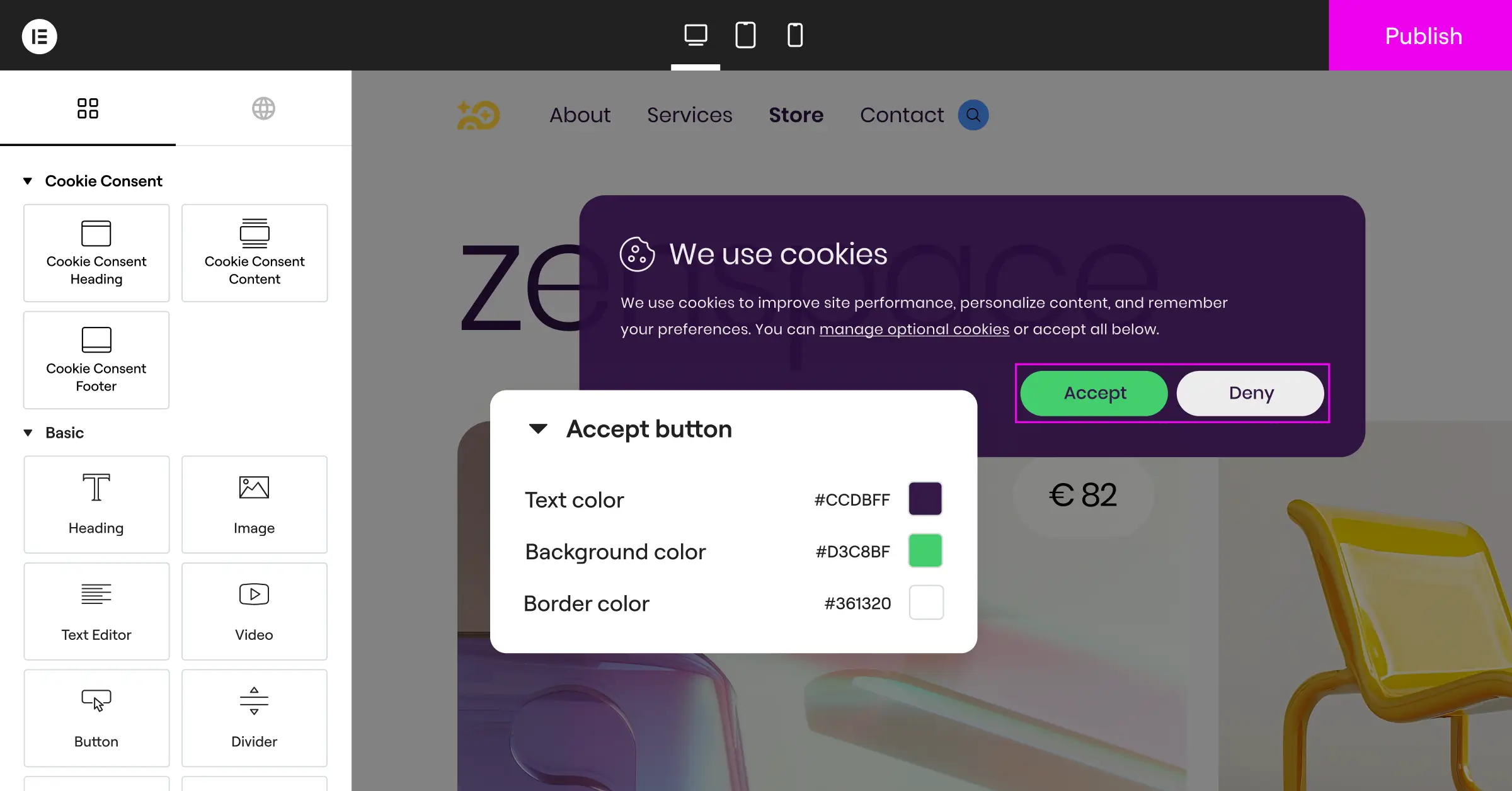
If your world runs on WordPress, the built-in Cookie Consent capability is an excellent choice. As a native feature inside the Elementor ecosystem, it drops the need for third-party accounts or separate dashboards. You handle everything from the same interface where you design your pages, no copying scripts, no tab-switching to check consent logs.
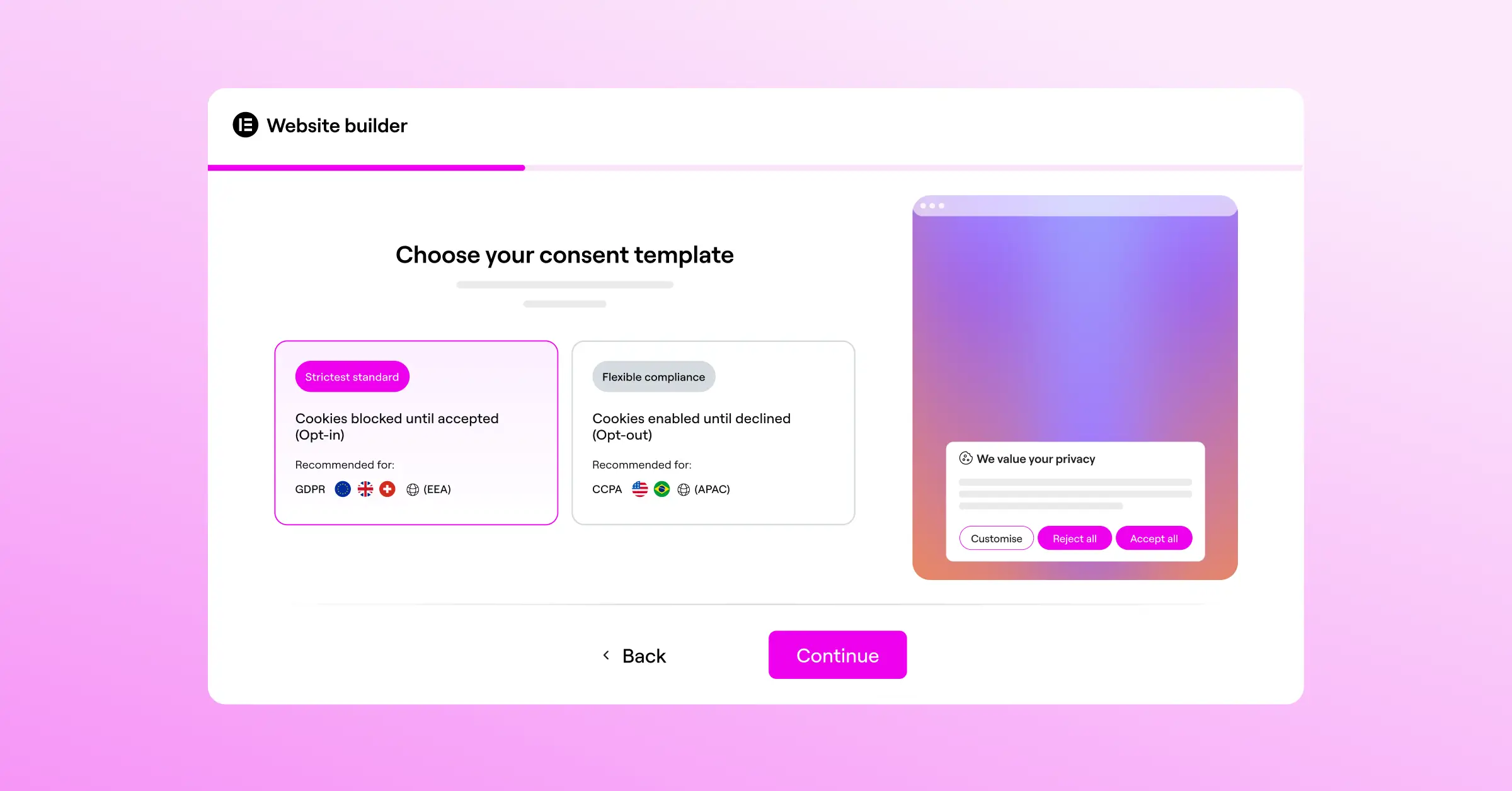
The setup is refreshingly direct: a 3-step wizard you finish in under 5 minutes, zero to fully compliant. It sits alongside native capabilities like Web Accessibility, forming a compliance toolkit that works together well. It’s included in Elementor One and also has an entry-level plan, a cost-effective path for growing sites.

Here’s what sets this tool apart:
- Runs natively inside your WordPress dashboard, no external logins.
- Scans and categorizes your cookies automatically to keep your policy accurate.
- Saves complete consent logs for a reliable audit trail.
- Adapts to your brand with full design customization inside the native editor.
- Applies geo-targeting to show the right required banner in each region.
- Supports Google Consent Mode v2 and Global Privacy Control out of the box.
Pros:
- Fits WordPress perfectly, zero external database dependencies.
- Extremely fast setup, under five minutes start to finish.
- Full control over styling, positioning, and language of your banners.
- Includes a built-in policy generator for compliant disclosure pages.
- Keeps server resources light by avoiding heavy external script calls.
Cons:
- Built specifically for WordPress, so it’s not suited for static HTML or custom Shopify setups.
- Cloud-based template options align best with modern site-building workflows.
Verdict: For WordPress compliance managers who want out of complex SaaS subscriptions and want their site data in-house, this is the clear winner. Clean, fast, and light on system resources.

2. Cookiebot

Cookiebot is an established, cloud-based consent platform that works across almost any CMS. Instead of running on your server, it uses a cloud script that scans your site monthly for new tracking cookies, categorizes them, and updates your banner automatically.
Since it’s a cloud service, you’ll manage settings in an external dashboard, handy if you run several sites on different systems (a Shopify store, a Webflow portfolio, a WordPress blog). You’ll just need to be comfortable placing script tags in your header files and tracking another login.
Pros:
- Automated monthly scanning keeps your policy updated as you add new tracking tools.
- Runs across multiple website platforms and CMS options.
- Reliable support for Google Consent Mode v2 and global regulations.
Cons:
- Requires logging into an external dashboard for styling and policy changes.
- Monthly subscription costs can grow for sites with thousands of pages.
Verdict: A solid choice for teams managing diverse, multi-platform setups who don’t mind a recurring subscription for hands-off monthly scanning.
3. CookieYes

CookieYes is a popular SaaS platform focused on making cookie compliance simple for small to medium-sized businesses. Like Cookiebot, it runs through an external cloud app where you design banners, set cookie categories, and review consent analytics. The interface is clean and easy to follow, approachable even for non-technical users.
Setup is straightforward: generate your script, paste it into your site, and the banner goes live. It supports both GDPR and CCPA, and respects Global Privacy Control signals without asking for deep coding knowledge.
Pros:
- The cloud interface is friendly and easy for non-technical users to navigate.
- Good multilingual support with automatic language detection for global visitors.
- Offers a generous entry-level plan for smaller, lower-traffic sites.
Cons:
- Loading scripts from an external server can add a small delay to rendering.
- Matching banner styling precisely to your brand may need CSS adjustments in the external editor.
Verdict: A reliable, straightforward alternative for compliance managers who want a web-based portal to handle cookie consent on standard websites.
4. Complianz

Complianz is a privacy suite built specifically for WordPress. Instead of relying on a cloud platform to scan your site, it walks you through a step-by-step legal wizard right in your dashboard, answering questions about your business, tracking practices, and audience to configure your consent policies and banners accordingly.
It’s a detailed tool that takes legal requirements seriously, covering the EU, UK, US, Canada, and Australia. The wizard is thorough, though some users may find the questions a bit much if they just want a basic banner live quickly.
Pros:
- A detailed legal wizard that helps you understand which laws apply to your situation.
- Keeps your data on your own WordPress site, no consent logs sent to external servers.
- Good integrations with major WordPress translation tools for multi-language sites.
Cons:
- The extensive setup process can feel slow and complex for simpler website setups.
- The dashboard can look cluttered given the high number of configuration options.
Verdict: A strong choice for sites that need deep legal guidance and prefer an interactive, wizard-based approach to building their privacy setup right inside WordPress.
5. iubenda

iubenda approaches compliance from a broad legal angle. Rather than just a cookie banner, it’s built to generate complete privacy policies, terms, and cookie policies, with templates monitored by a legal team to stay current as regional laws change.
The consent solution works in tandem with these documents: update your policy in your iubenda account, and the banner and policy pages on your site update automatically, a strong option for complex e-commerce sites or businesses needing full legal documentation.
Pros:
- Offers lawyer-reviewed privacy policies and terms that sync to your site automatically.
- Supports many international frameworks and regional regulations.
- Highly customizable options for advanced consent preferences.
Cons:
- Pricing can add up if you need features across multiple sites or advanced tiers.
- The external dashboard takes time to learn since it packs in a lot of legal configuration.
Verdict: If your organization needs auto-updating legal agreements alongside a reliable consent mechanism, iubenda is a powerful, professional tool worth considering.
Key Evaluation Criteria for Compliance Managers
Choosing the right privacy tool means looking honestly at your technical environment, your budget, and how your team actually works day to day. It’s easy to get caught up in feature checklists, but how a tool handles routine work matters far more than a long list of rarely-used capabilities.
Native vs. Cloud Dashboards: Which Fits Your Workflow?
One of the biggest decisions is native versus cloud-based. Cloud services let you manage multiple websites from one account, useful if your brand portfolio spans different platforms. But native tools keep your data inside your CMS dashboard, cutting out extra accounts and keeping things simpler (this trips up a lot of people, so think it through before you commit). Native solutions also tend to load faster since they don’t wait on external servers for banner scripts, a nice speed boost that keeps visitors and search crawlers happy alike.
Google Consent Mode v2 Support
If you run ads or track analytics for visitors in the EU or UK, this is no longer optional. Google requires sites to share consent choices through its framework to keep remarketing and conversion tracking active. Make sure your alternative supports this natively, without custom code or complex Tag Manager containers. (This trips people up more than anything else, so check for native support first.)
Design and Brand Integration
Your cookie banner is often the first thing a visitor sees on your site. A generic, poorly styled pop-up can hurt trust right away, and trust is exactly what a consent banner should build. Look for a tool that lets you customize typography, colors, padding, and layout so the banner feels native to your site, with styling tools that preview edits in real time instead of forcing a save-and-refresh cycle.
“Modern compliance is no longer just about avoiding a fine. It’s about building digital trust. Choosing a consent tool that fits your natural design workflow and loads quickly is the key to protecting your brand image while meeting international legal standards.”
– Itamar Haim, Web Compliance Specialist
How to Transition Smoothly from OneTrust
Moving away from a platform like OneTrust might feel like a big undertaking, but a systematic approach keeps your transition safe and smooth, without losing a single day of compliance coverage. It’s genuinely more manageable than most people expect.
- Document your current setup. Look through your OneTrust dashboard and note which cookies sit in each category (Essential, Analytical, Marketing, etc.), so you can match those categories in your new tool.
- Keep your privacy policy updated. Note any custom legal text or vendor lists you’re showing users now, and carry that wording into your new setup.
- Prepare your CMS environment. If you’re moving to a native WordPress capability like Cookie Consent, make sure your Elementor framework is up to date and ready for the switch.
- Disable the old scripts first. To avoid conflicts, remove the old tracking scripts from your site headers or Google Tag Manager container before you activate your new banner.
- Activate and test. Turn on your new tool, run a fresh scan of your pages, and verify the banner blocks tracking scripts until a visitor gives consent.
Frequently Asked Questions
Is OneTrust too complex for a standard business website?
For most standard business websites, yes. It’s built for large enterprises managing internal databases, vendor risk assessments, and employee data requests. If all you need is a compliant banner, cookie categorization, and a consent log, a native or dedicated alternative is much easier to manage day to day.
Do I need an external dashboard to manage my cookie consent?
No. While many cloud-based services require you to log into a web portal to change banner styling or check analytics, native options let you manage everything right inside your WordPress dashboard, keeping your workflow simple.
What happens if I do not support Google Consent Mode v2?
If you use Google Ads or Analytics to track visitors in the European Economic Area and don’t support Consent Mode v2, your tracking takes a real hit. Google blocks you from building remarketing lists, measuring ad conversions, and gathering accurate analytics for those regions.
Can a custom-styled cookie banner improve user consent rates?
Yes. When a banner looks like a professional, integrated part of your site rather than a suspicious generic pop-up, visitors are far more likely to trust it. Clear, friendly language paired with polished design helps people feel comfortable granting analytics permissions.
Does running a cookie consent banner slow down my website?
Some heavy cloud-based platforms add noticeable delay, relying on external servers for banner scripts. Native tools running directly from your WordPress server are typically lighter and load quickly, protecting your page speed.
How often should my website scan for new cookies?
Scan whenever you add marketing tools, install third-party scripts, or change your analytics setup. Some cloud tools run automated monthly scans, while native capabilities let you scan on demand.
Is a free cookie consent tool safe for commercial websites?
Yes, as long as it supports current frameworks like GDPR, CCPA, and Google Consent Mode v2. Many quality tools offer a strong entry-level plan, letting you step up to advanced features only as your traffic or targeting needs grow.
What is Global Privacy Control (GPC) and why does it matter?
Global Privacy Control is a browser-level setting that lets users automatically communicate privacy preferences to sites they visit. Some regional regulations treat this signal as a valid opt-out request. A tool that natively supports GPC keeps your site compliant with evolving state-level rules.

