Table of Contents
10 Best Low Code Platforms for Web Development in 2026
By 2026, the global shortage of full-time developers is expected to reach 4 million, reshaping how we build the web. You can’t rely on hand-coded custom builds for everything anymore.
But rigid site builders aren’t the answer either. Visual design and code have nearly merged, giving you direct access to CSS variables, database schemas, and API endpoints without the syntax.
Key Takeaways
- Speed matters – A 0.1-second improvement in mobile site speed can boost retail conversion rates by 8.4%.
- AI is standard now – 82% of developers agree AI-assisted features significantly improve productivity.
- Enterprise has shifted – 70% of new enterprise applications now rely on low-code technologies.
- Growth is real – The low-code market is tracking toward a $148.1 billion valuation by 2030.
- Speed to launch – Modern platforms cut build times by 50% to 90% versus traditional methods.
Our Methodology for 2026
Not every visual builder counts as a true low-code platform. A closed ecosystem with no API access didn’t make our list, and we favored platforms with clean, minified code that integrates well with your existing databases.
Here’s how we ranked the contenders:
- Scalability – Can it handle 100,000 monthly visitors without buckling?
- Performance – Does it hit Google PageSpeed Core Web Vitals scores of 90+ on mobile?
- Extensibility – Can you add custom JavaScript, CSS, or outside APIs when needed?
- Data Ownership – Are you locked into proprietary hosting, or can you export your assets?
1. Elementor Editor Pro
Elementor now powers more than 9.5% of all websites worldwide, the undisputed heavyweight of WordPress environments.
Recent versions lean hard into performance. Sites built with Elementor’s container-based layouts hit PageSpeed scores of 90+ on mobile, using flexbox and CSS grid inside the visual interface.
The modern web demands a hybrid approach. You need the velocity of visual building paired with the raw performance of CSS-first architecture. If your builder isn’t outputting clean atomic CSS, you’re already behind.
Itamar Haim, SEO Team Lead at Elementor. A digital strategist merging SEO, AEO/GEO, and web development.
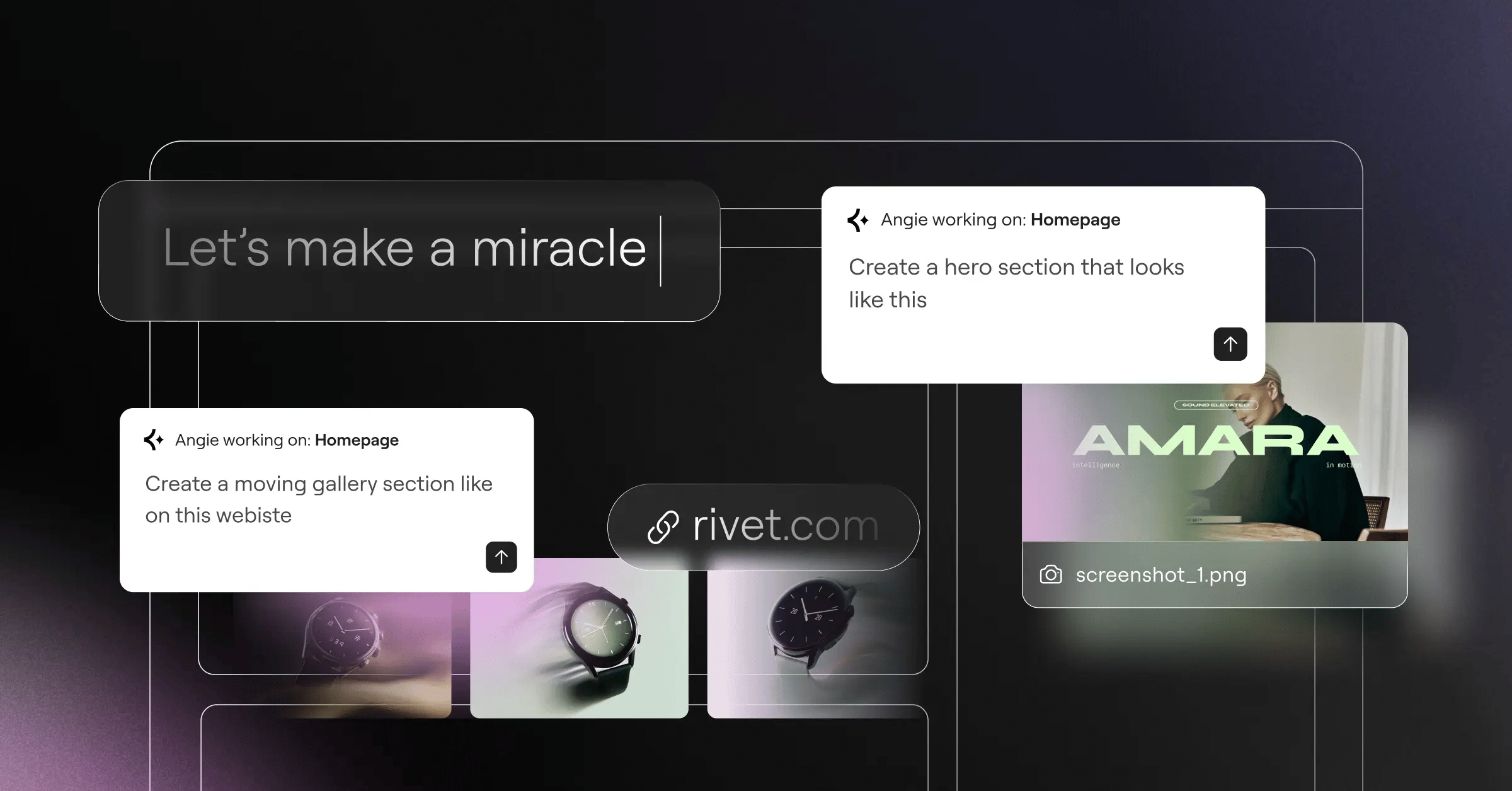
Alongside the core editor, Elementor built Angie, an agentic AI made for WordPress. Tell it what you need, and it builds working WordPress assets directly into your site.
Key Features
- Runs on Editor V4 (Atomic), a CSS-first foundation for speed.
- Controls headers, footers, and WooCommerce archives through the Theme Builder.
- Handles advanced layouts through Flexbox Containers without bloat.
- Generates text and images inside the editor with Elementor AI.
- Builds WordPress assets autonomously from natural language through Angie.
Pricing
The Essential plan costs $59/year for a single site, and Professional runs $199/year. Elementor One bundles hosting, the pro editor, AI tools, and performance features into one package.
Pros
- Real flexibility inside the WordPress ecosystem.
- A massive third-party add-on community.
- Excellent Core Web Vitals with Atomic architecture.
- Native AI tools that write code and build layouts.
Cons
- Takes basic WordPress know-how to manage.
- Too many unmanaged plugins can slow it down.
Verdict: The strongest choice for agencies and freelancers who want high-end design without giving up WordPress’s content management power.
2. Webflow
Webflow is essentially a visual wrapper for HTML, CSS, and JavaScript. You’re manipulating the actual DOM, not dragging arbitrary blocks onto a canvas.
That adherence to web standards makes it a favorite among UI/UX designers. Deloitte found a 0.1-second improvement in mobile speed lifts conversions by 8.4%. It’s not built for total beginners, CSS positioning takes real learning if it’s new to you.
Key Features
- Manipulates flexbox, grid, and typography through a visual CSS editor.
- Builds scroll-based animations through Interactions 2.0, no code required.
- Structures custom databases for dynamic content through CMS Collections.
- Translates and adapts sites for global audiences natively.
Pricing
The Basic plan is $14/month, the CMS plan runs $23/month for dynamic content, and high-traffic sites need the Business tier at $39/month.
Pros
- Generates clean, semantic code.
- Leads the pack on animation tools.
- Enterprise-grade managed hosting included.
- Full control over responsive breakpoints.
Cons
- Real learning curve if you’re new to code.
- E-commerce tools lighter than dedicated platforms like Shopify.
Verdict: A great fit for marketing teams and agencies building high-fidelity marketing sites.
3. Bubble
Bubble isn’t just for websites, it’s built for full-stack web applications with complex user logic and relational databases. You can build a fully functional SaaS product without writing a database query, handling authentication, API connections, and server-side workflows visually.
Getting an app live runs through three phases:
- Database modeling – your data types and privacy rules.
- UI design – the responsive front-end interface.
- Workflow logic – connecting buttons to server actions and APIs.
Key Features
- Creates complex “if-then” workflows through the visual logic builder.
- Hosts relational data directly in the built-in database.
- Connects to virtually any RESTful service through the API connector.
- Supports branching and merging through version control.
Pricing
The Starter plan runs $29/month, Growth jumps to $119/month, and enterprise teams often pay $349/month or more.
Pros
- True full-stack capabilities, no traditional coding.
- Large plugin marketplace for payments and analytics.
- Highly scalable, hosted on AWS.
- Active, loyal developer community.
Cons
- Older-style visual editor compared to newer builders.
- Proprietary hosting, so migrating away later takes real work.
Verdict: The go-to option for non-technical founders building SaaS minimum viable products.
4. Wix Studio
Wix rebuilt its agency offering with Wix Studio, and the results back it up: a 35% increase in high-end web projects after launch.
Professionals weren’t fans of the standard Wix editor, so Wix built a new workspace around CSS grid, custom breakpoints, and reusable assets for busy agencies. Its AI mainly optimizes layouts, adjusting your design for tablet and mobile instantly.
Key Features
- Reflows desktop designs for smaller screens through Responsive AI.
- Centralizes client billing, roles, and site management in one dashboard.
- Adds custom CSS when the visual editor falls short.
- Shares custom blocks and templates across client accounts.
Pricing
The Standard plan costs $19/month, with the Elite plan topping out at $159/month for bigger e-commerce needs.
Pros
- Cuts time spent tweaking mobile breakpoints.
- Excellent client handoff tools and role management.
- Native business tools for bookings and events.
- Handles updates and maintenance for you.
Cons
- Still shares its name with the original consumer-focused Wix.
- Takes real effort to migrate away from later.
Verdict: Great for mid-sized agencies prioritizing client volume and fast deployment.
5. Mendix
Enterprises care less about pretty animations and more about security, compliance, and legacy integration, where Mendix dominates.
Security is a real hurdle for most teams, with 41% of IT leaders citing data governance as their top challenge. Mendix answers with granular control over deployment and access. You aren’t building marketing sites here, think banking portals, supply chain trackers, and HR systems, heavy-duty and built for serious security.
Key Features
- Runs your app on AWS, Azure, Google Cloud, or on-premises.
- Suggests next steps in your logic flows with Mendix Assist.
- Builds backend processes through drag-and-drop microflows.
- Supports large dev teams with built-in SVN/Git control.
Pricing
It’s priced for enterprise. A basic app might start around $50/month, but standard deployments exceed $800 to $2,000+ per month.
Pros
- Unmatched security and compliance certifications.
- Integrates with decade-old legacy databases.
- Real collaboration between IT and business units.
- Offline-first mobile capabilities.
Cons
- Prices out most small businesses.
- Needs specialized training to learn its modeling language.
Verdict: The go-to choice for Fortune 500 digital transformation projects.
6. FlutterFlow
Building for web, iOS, and Android at once is harder than building for web alone. FlutterFlow reported a 300% increase in enterprise users by solving that cross-platform problem.
It generates native Flutter code (Dart): design the UI visually, connect a Firebase or Supabase backend, and export, the code is yours. Need a function the visual builder doesn’t cover? Just write a custom Dart function.
Key Features
- Downloads your entire project repository through code export.
- Connects to Firebase, Stripe, and GitHub in one click.
- Lets you write your own UI components in Dart.
- Handles state variables visually across the app.
Pricing
The Standard plan is $30/month, and the Pro tier at $70/month unlocks code downloading and GitHub integration.
Pros
- Zero vendor lock-in, take your code anytime.
- Compiles to true native mobile apps too.
- Fast performance thanks to the Flutter engine.
- Handles complex interactive interfaces well.
Cons
- Trails traditional HTML/CSS builders on SEO performance.
- Needs basic programming knowledge to use well.
Verdict: The best pick for launching a web app and native mobile apps together.
7. Retool
Stop burning senior engineering time on internal admin panels, that’s the idea behind Retool.
Customer service teams need a dashboard to issue refunds, operations teams need a map of deliveries, and none of it needs to look beautiful, just work. Drag a table component onto the canvas, write a quick SQL query, and you’re done, built for developers who’d rather skip frontend busywork.
- Connect – your PostgreSQL, MongoDB, or REST APIs.
- Assemble – drag and drop pre-built UI components.
- Write logic – JavaScript anywhere in the app.
Key Features
- Ships 100+ components: tables, charts, forms, maps.
- Connects to virtually any database or API immediately.
- Controls who can view or edit specific data fields.
- Manages internal tools like regular code through Git sync.
Pricing
It’s free for up to 5 users. The Team plan costs $10/user/month, keeping costs predictable.
Pros
- Saves hundreds of engineering hours.
- Write raw SQL and JavaScript freely.
- Self-hosted options for strict security needs.
- Reliable even on data-heavy dashboards.
Cons
- Not built for customer-facing applications.
- Needs SQL and JavaScript knowledge to shine.
Verdict: The top pick for internal admin panels and operational software.
8. Framer
Framer bridges Figma and the live internet. If you’re a designer who lives in Figma, its interface feels instantly familiar.
Copy and paste designs straight from Figma, and Framer translates them into HTML and CSS, arguably the fastest way to get a high-fidelity design onto a live URL. It handles scroll effects and animations better than almost anything else, though it’s not a heavy web app builder. It knows its lane: beautiful, fast marketing sites.
Key Features
- Translates Figma design files into web elements with flawless accuracy.
- Builds spring physics and scroll variants through advanced animations.
- Updates a button once, changes it site-wide, through global components.
- Speeds up Google indexing with server-side rendering.
Pricing
The Mini plan is just competitive ratesnth for basic landing pages, the Basic plan is $15/month, and Pro costs $30/month for larger sites.
Pros
- Most intuitive interface for UI designers.
- Incredible animation capabilities out of the box.
- Lightning-fast publishing and hosting.
- Strong built-in SEO controls.
Cons
- Lacks deep backend or database capabilities.
- Needs third-party workarounds for e-commerce.
Verdict: The top choice for portfolios, landing pages, and visual startup sites.
9. Microsoft Power Apps
If your company already pays for Microsoft 365, you likely have access to Power Apps, Microsoft’s play to open internal software development to more people.
82% of low-code users see major productivity gains from AI. Microsoft built Copilot into Power Apps: describe the app you want, and it generates the data tables and basic UI.
Unlike external-facing AI builders like Angie, Copilot here focuses on internal data structuring, connecting natively to SharePoint, Excel, and Azure without complex setup.
Key Features
- Generates apps and data workflows from natural language via Copilot.
- Stores your data securely at scale through Dataverse.
- Connects to SAP, Salesforce, and custom APIs via 1,000+ connectors.
- Works smoothly with Teams and SharePoint.
Pricing
Pricing typically runs $20/user/month for unlimited apps, or $5/user/month for a single app.
Pros
- Deep integration with your Microsoft ecosystem.
- Security managed through Azure Active Directory.
- Genuinely useful AI for data structuring.
- Huge library of business logic connectors.
Cons
- Interface leans utilitarian and corporate.
- Licensing costs climb quickly at scale.
Verdict: The default choice for organizations already invested in Microsoft infrastructure.
10. OutSystems
OutSystems is built for heavy-duty enterprise work. Forrester reports enterprise low-code platforms can cut development time by 50% to 90%, using visual models to build what normally needs a team of senior engineers.
It covers the entire application lifecycle: build, deploy, monitor, and push updates, from one console, and writes real code in the background (C# and SQL). If you leave, you can export standard application code, cutting the risk of vendor lock-in.
Key Features
- Tracks deployments through built-in CI/CD pipelines.
- Spots performance bottlenecks instantly through real-time monitoring.
- Scans your application for vulnerabilities before deployment.
- Lets you detach and export your C# code anytime.
Pricing
There’s a free tier for testing, but enterprise deployments are custom-priced and start at $1,500+ per month.
Pros
- Generates performant, standard enterprise code.
- Scales to millions of active users.
- Cuts technical debt versus custom builds.
- Solid offline capabilities for mobile.
Cons
- Expensive for non-enterprise users.
- Needs real training to master the interface.
Verdict: The most powerful platform on the market for mission-critical, enterprise-grade software.
Comparison Summary & Final Recommendation
The right platform depends on what you’re building. You wouldn’t use Mendix for a bakery website, or Framer for a hospital portal.
Here’s how the top contenders stack up:
| Platform | Best Use Case | Starting Price | AI Capability |
|---|---|---|---|
| Elementor Editor Pro | WordPress & Agencies | $59/year | High (Agentic Asset Generation) |
| Webflow | High-end Marketing Sites | $14/month | Low (Basic Localization) |
| Bubble | SaaS Web Apps | $29/month | Medium (Logic Assist) |
| Wix Studio | Volume Web Agencies | $19/month | Medium (Responsive Layouts) |
| Mendix | Enterprise Ecosystems | $50/month | High (Logic Prediction) |
| FlutterFlow | Cross-platform Apps | $30/month | Medium (Code Generation) |
| Retool | Internal Dashboards | $10/user/mo | Medium (Query Generation) |
| Framer | Creative Portfolios | competitive ratesnth | Low (Translation) |
| Power Apps | Microsoft Workflows | $20/user/mo | High (Copilot Data Models) |
| OutSystems | Mission-Critical Software | Custom | High (Security Scanning) |
Building a content-heavy site or running an agency? Elementor is the most flexible choice, giving you WordPress’s power without the code overhead. Go with Bubble for a SaaS product, or Retool to automate internal tasks.
Frequently Asked Questions
Can low code platforms handle high traffic?
Absolutely, platforms like Elementor on optimized cloud hosting handle hundreds of thousands of concurrent users. Enterprise platforms like OutSystems manage millions of daily database queries easily.
Do I own the code generated by these tools?
It depends on the platform. FlutterFlow and OutSystems let you export your raw code. Closed ecosystems like Bubble or Wix keep ownership of the infrastructure instead.
Are these platforms bad for technical SEO?
That’s changed a lot. Visual builders used to create bloated DOM structures, but modern platforms output semantic HTML and clean CSS with built-in metadata tools and server-side rendering, so top rankings are achievable.
What is the learning curve like for a complete beginner?
It varies quite a bit. Framer and Wix Studio feel intuitive if you’ve used design software before. Webflow asks for CSS box model knowledge, and Bubble asks for relational database architecture.
How secure are low code applications?
Highly secure, if configured correctly. Enterprise tools carry SOC2 and ISO certifications. Most vulnerabilities come down to API permission setup, not the platform’s core infrastructure.
Can I write custom JavaScript if I need to?
Almost every professional-tier platform allows this. Retool expects you to write JavaScript. Elementor allows custom code in headers and footers, and Webflow lets you embed scripts.
Will AI eventually replace these platforms?
AI won’t replace these platforms, it’s becoming the engine inside them. We’re moving from drag-and-drop to prompt-and-tweak, but you’ll need the platform to host, secure, and scale what it generates.
Looking for fresh content?
By entering your email, you agree to receive Elementor emails, including marketing emails,
and agree to our Terms & Conditions and Privacy Policy.

