If you run an agency or handle development for an enterprise brand, you’ve probably had this debate: build a modern, decoupled headless site, or stick with the proven, all-in-one WordPress approach? Talk of static site generators and API routing can sound intimidating, but the choice gets simpler once you look at it by business need instead of engineering trend. Let’s see how these systems compare.
Key Takeaways
- Structural Divide, headless separates content storage from presentation; WordPress keeps them together in one interface.
- Developer Control, headless gives full front-end freedom, but needs steady, specialized engineering support.
- Content Independence, WordPress is built for editorial speed, so marketing teams publish and adjust layouts on their own.
- The Hybrid Middle Ground, run WordPress as a headless engine: editors keep a familiar dashboard, developers build with modern JavaScript.
- Visual Tools, platforms like the Elementor Website Builder keep hybrid or traditional setups agile and visual.
The Core Architectural Split: Monolith vs. Decoupled
To choose the right architecture, start with how each system handles your data and presentation layer.
Traditional WordPress works as one connected system: database, editor, admin dashboard, and theme all live together. Your server runs the PHP, pulls text and media from MySQL, and hands the browser a finished page.
A headless CMS splits these pieces apart: it’s just a database with an admin dashboard, serving your content through a REST or GraphQL API to a separate front end, often built with Next.js, Nuxt, or Astro and hosted on Vercel or Netlify.
That separation gives real flexibility, but real complexity too: two codebases, API updates, and a full deployment pipeline instead of one hosting environment. For some organizations that trade pays off; for others, it’s a drag on engineering time they don’t have to spare.
Headless CMS vs WordPress Comparison Matrix
This table covers the core operational differences.
| Operational Feature | Headless CMS (Decoupled) | Traditional WordPress (Monolith) |
|---|---|---|
| Front-End Freedom | Absolute. Developers can use any JavaScript framework or language they choose. | Dependent on the theme system and active page builders. |
| Content Editor Experience | Form-based fields. Visual live previews require custom developer setup. | Highly visual. Live editing and drag-and-drop builders show immediate results. |
| Initial Setup Time | High. Requires building a front-end application from scratch. | Low to Medium. Out-of-the-box templates and builders speed up deployment. |
| Ongoing Maintenance | Requires active developer attention for API updates and framework patches. | Requires regular core, theme, and plugin updates. |
| Security Profile | High protection. Database is hidden behind an API with no public access. | Requires active hardening, security plugins, and secure hosting. |
| Page Load Performance | Extremely fast when deployed as a static or edge-cached site. | Can be highly optimized with quality hosting and caching layers. |
| Multi-Channel Publishing | Excellent. One content source feeds web, apps, IoT, and screens. | Primarily designed for web pages, requiring plugins for API feeds. |
Why Enterprise Developers Lean Headless
For enterprise developers, headless architecture comes down to solid engineering principles: decouple the front end from the back end and you close off the direct link between the public site and the content database, removing an obvious path for SQL injection or theme exploits. That’s part of why headless shows up so often in banking, healthcare, and finance.
Performance is a real win too: static files served from a global CDN load almost instantly, and a sudden traffic spike won’t take the site down the way it can overwhelm a database server.
Enterprise brands also push content past a single website: a web portal, mobile app, wearables, in-store signage. A headless CMS becomes your one source of truth, write an article once and display it anywhere with a simple API query. A typical enterprise stack looks like this:
- Stores content in a platform like Contentful or Sanity for structured editing.
- Queries data with GraphQL, pulling only what’s needed to keep payloads lean.
- Builds pages with Next.js or Astro for static generation and hydration.
- Deploys on platforms like Vercel or AWS Amplify, triggering builds automatically.
- Distributes assets across a global edge network close to every user.
- Connects microservices through APIs to manage search, authentication, and carts.
Why Agency Owners Still Rely on WordPress
Headless is elegant, but agency owners answer to different metrics: delivery speed, team overhead, client handoff. That’s where WordPress still holds its ground for agencies of every size.
When you hand a site to a client, they want to make changes themselves, not call a developer to fix a typo or swap a banner. WordPress is built for that kind of hands-on content creator, with a familiar admin screen and a huge ecosystem of themes and visual tools.
The Elementor Website Builder is a good example. Designers build custom, responsive pages visually without writing a line of CSS, developers stay free of tedious layout tweaks, and clients run their own marketing updates: fewer tickets, faster sign-offs, happier clients, better margins for you.
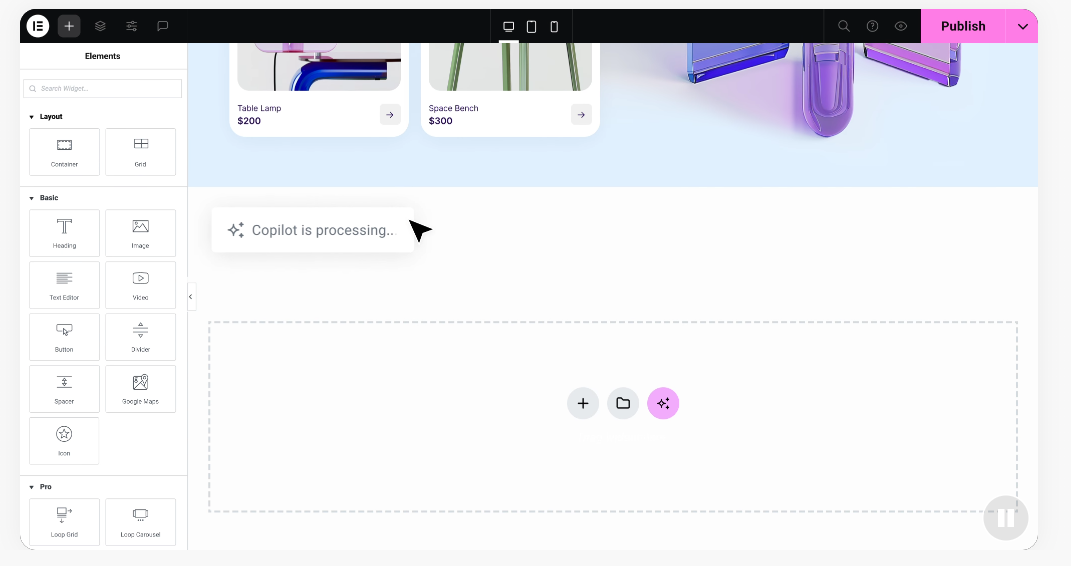
Hiring React or Next.js developers costs a lot more than hiring WordPress professionals, and a custom stack on every project can bottleneck a fast-moving agency. WordPress lets your team launch in a fraction of the time:
- Prototypes rapidly, with a working mockup ready in an afternoon.
- Taps a large plugin ecosystem for complex features, like member portals, without custom code.
- Builds unique page layouts visually with tools like Elementor, no complex CSS.
- Keeps hosting costs low with managed plans that scale as clients grow.
- Simplifies client training, since most clients already know WordPress.
- Draws from a broad talent pool that knows the WordPress ecosystem well.
Detailed Comparison Categories
Look past the marketing to see how these systems perform day to day, in four areas that shape your experience long after launch.
How do they handle content editing?
Writing inside a headless CMS is clean but abstract. Editors fill in form fields for titles, body text, and images, and moving an image above a heading usually means asking a developer to touch the template.
WordPress takes the opposite approach: with the visual tools in the Elementor features library, content teams drag and drop design blocks and see the layout in real time, no engineer needed.
What is the maintenance overhead?
Headless maintenance is a quiet time sink: developers keep updating JavaScript packages and watching for API deprecations, and a third-party schema change can break the build until someone patches it.
WordPress maintenance looks different but is just as real: core, theme, and plugin updates. Because the community is huge, managed hosting often handles those automatically, keeping things predictable enough for junior staff.
Which is better for performance and security?
For raw page speed, headless sites often win: static files on a global CDN mean no database delays, and no admin login or port for attackers to target.
But don’t count WordPress out. A well-optimized site on quality hosting with modern caching can hit top-tier scores, and on security, the key is discipline: secure hosting, strong passwords, updated software.
How do setup and development costs compare?
Building a headless site takes real upfront investment, usually reserved for organizations with dedicated budgets and long timelines.
WordPress offers a far more flexible cost model: start with pre-built components and customize them visually, so launch is shorter and costs stay low. Tools like the Elementor Website Builder let you build professional pages without a custom dev budget.
The Hybrid Option: Decoupled WordPress
What if you didn’t have to choose? Plenty of teams find real success with decoupled WordPress: keep the WordPress install as the content management system, while writers keep logging into the familiar dashboard just like always.
Behind the scenes, developers turn off the front-end theme system and use the WP REST API or WPGraphQL to pull that content into a modern, static front end built with Next.js or Astro. It’s the best of both worlds: editors keep the visual editing they love, and developers ship fast, secure sites without retraining anyone.
“The debate isn’t about which system is inherently better, but about where you want to spend your engineering budget. Headless gives you unmatched front-end performance and design control, but WordPress wins on editorial velocity and content-team autonomy every single day.”
– Itamar Haim, Web Development Specialist
How to Make Your Decision in 2026
Check your team’s skills against your project’s needs, and the answer gets clear fast.
Step 1: Evaluate Your Team’s Technical Resources
Without dedicated JavaScript developers on hand, headless is a rough road. Start with an honest look at what your team can do today.
- Assess your in-house engineering skill in React, Next.js, or Vue.
- Determine if you have budget to retain a developer for long-term maintenance.
- Check if your writers are comfortable working with form-based databases.
- Identify who handles deployment issues and API changes when they break.
Step 2: Map Your Content and Distribution Needs
Your content’s structure matters too: a standard site often fits a monolith fine, while a complex, multi-channel setup is where headless earns its keep.
- Do you need to push content to mobile apps, wearables, or kiosks?
- Are editors constantly building custom landing pages on short notice?
- Does your content need to serve multiple domains from one repository?
- How important is direct, visual editing to your marketing team’s daily work?
Step 3: Analyze Your Security and Performance Demands
Every business has different speed and security compliance standards.
- Are you in a regulated industry with strict data compliance rules?
- Do you expect unpredictable traffic spikes that could crash a server?
- Can you access managed hosting that will safely protect a WordPress database?
- Are you ready to manage security keys, tokens, and CORS across environments?
Step 4: Execute a Safe Migration Sequence
If switching architecture is right, plan the transition carefully to protect rankings and existing user portals:
- Create a complete inventory of current pages, custom post types, and metadata.
- Set up your new content schema in the destination CMS before writing front-end code.
- Build a staging environment to test API connection speeds and layout rendering.
- Map out a strict URL redirection plan to keep search indexing intact.
- Run load testing to confirm the new front-end handles real traffic smoothly.
Frequently Asked Questions
Is headless CMS always faster than WordPress?
Not always. Headless sites are naturally fast as static files, but a well-optimized WordPress site with quality hosting and edge caching can be just as quick.
Do search engines prefer headless sites or WordPress?
Search engines only care about content quality, structure, and load speed, not which technology built your site. Headless can offer a performance edge out of the box, but WordPress is easy to optimize with standard tools.
Can you use a page builder with a headless setup?
It’s tough. Most visual builders work inside WordPress’s combined structure, so headless layout options are limited unless developers build a custom live-preview system.
Is a headless CMS more secure?
Yes, headless sites have a smaller attack surface, since the database isn’t directly connected to the public site. Trusted hosting and regular updates can make WordPress exceptionally secure too.
What are some examples of hosted website builders?
Hosted website builders are common alternatives. Wix manages hosting and template deployment on its own servers. Squarespace focuses on design templates and built-in e-commerce. WordPress.com offers a managed, hosted version of the open-source software for a monthly fee. Webflow is a visual design platform generating clean code for custom layouts.
Can I turn my existing WordPress site into a headless CMS?
Yes, it’s a popular route: WordPress’s built-in REST API, plus plugins like WPGraphQL, let you keep the familiar backend while developers build a new front end.
Is it harder to find developers for headless CMS platforms?
Yes. Developers who specialize in React, Next.js, or GraphQL are harder to find and pricier than WordPress professionals, since WordPress’s massive community makes it easier to get help.
Which option is better for a simple marketing website?
For a standard marketing site, WordPress is almost always the practical pick: fast to launch, easy to edit, no big dev budget required.






