Table of Contents
Elementor vs SeedProd: Which Is Better in 2026?
47% of users expect pages to load in under 2 seconds. That single metric dictates the modern web. You need platforms that deliver speed without sacrificing creative control.
Elementor commands 9.6% of the global internet market today. SeedProd maintains over 1 million active installations. They aren’t just basic page editors anymore. They function as complete site engines. So which platform actually fits your technical requirements in 2026?
Key Takeaways
- Elementor Pro includes 118+ widgets, while SeedProd offers 80+ core blocks.
- SeedProd landing pages average exceptionally fast 1.2-second load times out of the box.
- Elementor’s unified pricing starts at $60/yr for the Essential plan.
- SeedProd begins at $39.50/yr, but you’ll need the Elite tier ($239.50/yr) for advanced WooCommerce features.
- Elementor AI currently assists over 1.5 million active users directly inside the editor.
- Specialized landing page tools like SeedProd drive an average 9.7% conversion rate.
- Elementor’s new V4 Atomic engine dramatically reduces CSS bloat using utility classes.
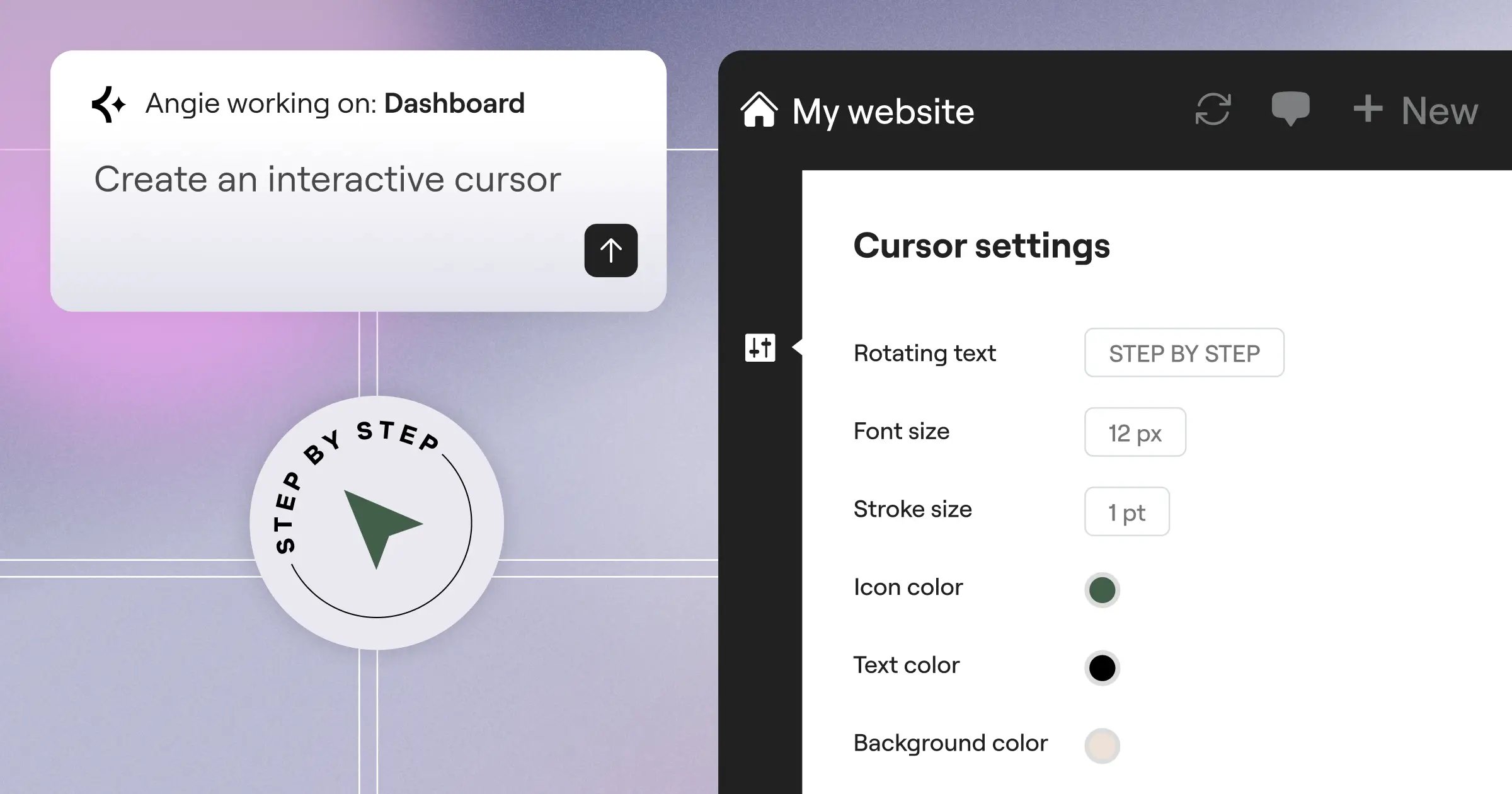
- Angie functions as an agentic AI within the Elementor ecosystem to generate ready-to-publish assets from simple text commands.
High-Level Platform Comparison
Comparing these two platforms requires understanding their core philosophies. One aims for total site dominance. The other targets extreme speed and conversion focus.
Elementor operates as an entire ecosystem. It replaces dozens of standalone plugins. SeedProd positions itself as a lightweight, bloat-free alternative. It focuses heavily on marketers who just want to launch quickly. You’ll notice the difference immediately upon activation.
| Feature Category | Elementor Pro | SeedProd |
|---|---|---|
| Primary Focus | Full Site Customization | Landing Pages & Fast Launches |
| Active Market Share | 9.6% of global websites | 1 Million+ active installations |
| Design Elements | 118+ Widgets | 80+ Blocks |
| Base Pricing (2026) | $60/year (Essential) | $39.50/year (Basic) |
| Performance (Avg Load) | 1.8 – 2.4 seconds | Under 1.2 seconds |
| Native AI Tools | Yes (Elementor AI & Angie) | Yes (Basic Text AI) |
These numbers only tell part of the story. The real friction happens when you start building.
User Interface and Editing Workflow
Interface design dictates how quickly you can finish client projects. Every extra click costs money.
Elementor uses a traditional left-hand panel approach. The canvas sits on the right. SeedProd opts for a similar layout but strips away complex options. Honestly, SeedProd’s interface feels incredibly sparse to seasoned developers. But that minimalism serves a specific purpose.
Here’s how the typical building workflow compares for a new landing page:
- Initial Setup – SeedProd asks you to choose a specific page purpose immediately (Coming Soon, Maintenance, Webinar). Elementor drops you into a blank canvas or prompts you to open the template library.
- Dropping Elements – You’ll drag widgets onto the screen in both platforms. Elementor provides three deep tabs for every widget: Content, Style, and Advanced. SeedProd consolidates these into fewer menus.
- Responsive Tuning – Elementor shines brightly here. You can set specific breakpoints for mobile, tablet, and ultra-wide screens. SeedProd offers a simple mobile preview toggle.
- Publishing – SeedProd includes a native “draft to publish” toggle right in the top bar. Elementor requires saving the draft and updating the WordPress page status.
Elementor’s upcoming V4 Atomic engine changes this workflow significantly. It introduces a CSS-first foundation. You’ll assign utility classes directly in the panel. This completely removes the old method of styling every single widget individually.
SeedProd doesn’t offer anything like utility class management. You style the block. You move on.
Performance, Speed, and Core Web Vitals
Speed isn’t a luxury in 2026. Google’s data confirms that 53% of mobile site visitors leave a page that takes longer than 3 seconds to load. You can’t afford a slow builder.
SeedProd built its entire reputation on performance. Independent benchmarks consistently show SeedProd landing pages loading in under 1.2 seconds. The code structure remains remarkably clean. It only loads the specific scripts required for the blocks on your page.
Elementor carries a heavier reputation. Historically, it generated deep div layers. Standard Elementor Pro pages currently average between 1.8 and 2.4 seconds depending on widget density. But the platform has aggressively optimized its output.
A fast site isn’t just about code; it’s about how the builder processes that code on the server before the user ever sees a pixel. Optimization must happen before the browser request.
Itamar Haim, SEO Team Lead at Elementor. A digital strategist merging SEO, AEO/GEO, and web development.
If you use Elementor’s managed hosting environments, you get Element Caching built right in. This server-side optimization drastically drops Time to First Byte (TTFB) to around 109ms. They also offer a dedicated Image Optimization plugin. It automatically converts media to WebP or AVIF formats. This reduces file sizes by up to 60% without manual intervention.
SeedProd doesn’t offer native server caching. You’ll need third-party plugins to match that level of server response.
Design Flexibility and Widget Libraries
Creative restriction kills good design. You need a massive library of elements to execute modern layouts.
Elementor Pro completely dominates this category. It offers 118+ widgets. SeedProd caps out at roughly 80+ blocks. That 38-widget gap represents a huge difference in advanced functionality.
Look at what you get with Elementor’s advanced toolset:
- Lottie Animations – Native support for lightweight JSON animations.
- Custom CSS – Direct code injection applied precisely to individual widgets or sections.
- Motion Effects – Scroll-based animations, mouse tracking, and 3D tilt effects.
- Nested Elements – The ability to place carousels inside tabs, or accordions inside grids.
- CSS Grid – Native container layouts that don’t rely on messy column wrappers.
- Global Fonts and Colors – Centralized design systems that update across the entire site instantly.
SeedProd focuses on marketing elements. You get countdown timers, opt-in forms, and progress bars. You won’t find complex CSS grid controls here. The platform deliberately restricts design choices to prevent users from breaking the layout.
Artificial intelligence also plays a massive role here. Elementor AI currently boasts over 1.5 million users. It generates text, writes custom CSS, and creates images directly inside the editing panel. SeedProd includes basic AI text generation, but it doesn’t touch code or complex imagery.
Theme Building Versus Landing Page Specialization
Not every project requires a full website. Sometimes you just need a high-converting squeeze page by Tuesday.
Specialized landing pages yield an impressive 9.7% average conversion rate. Standard websites hover around 2.35%. SeedProd excels at building these isolated, high-performance pages. You don’t even need a specific WordPress theme to use it. SeedProd functions independently of your active theme.
Elementor takes the opposite approach. It wants to control everything. The Elementor Theme Builder allows you to design headers, footers, archive pages, and single post layouts visually. You assign conditional logic to these templates. For example, you can display a specific header only on WooCommerce product pages.
SeedProd introduced its own Theme Builder in 2021. It supports full site editing for Pro and Elite users. It works well. But it lacks the deep dynamic data integration that Elementor provides for advanced custom post types.
This is where automation changes the equation entirely. If manual theme building feels tedious, Elementor offers an alternative path. Angie is Elementor’s agentic AI tool. Unlike basic chat assistants, Angie uses the Model Context Protocol (MCP) to take actual action.
You can literally type, “Create a real estate listing archive page with a dark theme.” Angie processes that natural language command and generates the production-ready WordPress assets. You don’t drag a single widget. SeedProd offers nothing comparable to this level of agentic generation.
Marketing and Lead Generation Tools
Your website must capture leads. Traffic means nothing if you can’t collect an email address.
SeedProd built its entire brand around lead generation. The platform integrates deeply with over 20 major email marketing providers. The connection process is incredibly fast. You paste an API key, select your list, and the form starts collecting data.
Here’s how the marketing features stack up:
- SeedProd Coming Soon Mode – The industry standard for capturing emails before a site launches.
- Elementor Popup Builder – Advanced modal creation with exit-intent triggers and scroll-depth rules.
- SeedProd Subscriber Management – A native dashboard that tracks all captured emails without a third-party tool.
- Elementor Form Builder – Multi-step forms with hidden fields, file uploads, and webhook support.
- Elementor Email Deliverability – A native transactional email system that replaces complex SMTP plugins, guaranteeing 95% inbox delivery rates.
- SeedProd WooCommerce Blocks – Custom checkout pages designed specifically to reduce cart abandonment.
Elementor supports 40+ native integrations. It simply connects to more tools than SeedProd. If you use niche CRM software, Elementor probably has a native widget for it. SeedProd sticks to the biggest names like Mailchimp and Constant Contact.
If you’re building a massive sales funnel, SeedProd’s dedicated landing page features feel highly focused. But if you want popups to trigger based on complex user behavior, Elementor wins easily.
Pricing Structures and Long-Term Value
Budget constraints often dictate software choices. You must look beyond the initial purchase price.
SeedProd looks cheaper on paper. The Basic plan costs $39.50/year. But there’s a catch. That basic tier limits you to one site and excludes the Theme Builder entirely. You’re just getting a landing page tool. If you want full site editing and WooCommerce support, you must buy the Elite plan for $239.50/year.
Elementor revised its entire model to focus on unified value. It’s not just a plugin anymore. The platform includes tools that would normally cost hundreds of dollars in separate subscriptions.
Here’s the exact breakdown of Elementor’s 2026 pricing tiers:
- Essential ($60/year) – Includes 1 site, 57 pro widgets, and the core Theme Builder functionality.
- Advanced Solo ($84/year) – Adds 86 widgets, WooCommerce features, and the Popup Builder for a single site.
- Advanced ($99/year) – Expands the Advanced Solo features to cover up to 3 separate websites.
- Elementor One ($168/year) – The unified subscription. It includes 25,000 monthly credits, the AI Site Planner, Image Optimization, Email Deliverability, and the Ally accessibility scanning tool.
If you purchase SeedProd Elite, you’re paying $239.50. You still need an Image Optimization. You still need an accessibility scanner. You still need an SMTP plugin. Elementor One gives you all of that natively for $168.
For freelance agencies managing 25+ sites, Elementor offers an Expert plan at $204/year. SeedProd doesn’t offer a comparable high-volume agency tier at that price point.
Final Verdict: Which Should You Choose in 2026?
There isn’t a single winner. Your choice depends entirely on your technical background and specific project goals.
SeedProd remains a brilliant tool for a specific type of user. It excels at speed. It removes friction for marketers. But honestly, this specific restriction feels incredibly outdated for 2026 if you want to build complex, highly animated websites. You’ll eventually hit a design wall.
Elementor offers a vastly superior design environment. The addition of agentic AI tools like Angie changes how developers work entirely.
Here’s how you should make your decision today:
- Choose SeedProd if – You run a marketing team. You only need landing pages. You prioritize a 1.2-second load time over complex scroll animations.
- Choose Elementor Pro if – You build client websites for a living. You need native CSS Grid support. You want global design systems and advanced popup triggers.
- Choose SeedProd if – You want a dead-simple “coming soon” page that captures Mailchimp leads in five minutes.
- Choose Elementor if – You want to use Angie to generate custom post types and complex layouts just by typing a natural language prompt.
- Choose Elementor One if – You want to consolidate your plugin stack. It replaces your Image Optimization, your SMTP tool, and your accessibility scanner in one $168 package.
The global CMS market continues to grow. You need a tool that grows with your skills. Elementor provides a much higher ceiling for professional web creation.
Frequently Asked Questions
Is Elementor inherently slower than SeedProd?
Out of the box, SeedProd generates less code and loads faster. However, Elementor’s recent updates, including Element Caching and the upcoming V4 Atomic engine, allow it to achieve excellent Core Web Vitals if configured correctly.
Can you use SeedProd alongside Elementor?
Yes. Many agencies use Elementor for their core website and install SeedProd specifically to handle isolated marketing landing pages or coming soon screens. They don’t conflict directly.
What makes Angie different from Elementor AI?
Elementor AI functions as a creative assistant inside the editor to generate text, images, and CSS. Angie is an agentic AI that uses MCP to actually construct full WordPress assets and layouts from text commands without you dragging widgets.
Does SeedProd require a specific WordPress theme?
No. SeedProd functions independently of your active theme. It can overlay its own designs or operate entirely separate landing pages without inheriting your theme’s styling rules.
Which platform handles WooCommerce better?
Elementor Pro offers much deeper WooCommerce integration. It includes dedicated widgets for customized product grids, cart styling, and dynamic single-product templates. SeedProd requires the expensive Elite tier just to unlock basic WooCommerce blocks.
Do I need a separate image optimization plugin with these builders?
If you use SeedProd, yes. If you subscribe to the Elementor One plan, it includes a native Image Optimization that automatically converts files to WebP or AVIF formats, reducing sizes by 60%.
Is Elementor’s V4 Atomic engine available now?
Elementor V4 (Atomic) enters production-ready beta in February 2026. It introduces a CSS-first foundation with atomic classes to drastically reduce page weight and improve rendering speeds.
Can I export my designs if I switch platforms later?
No. Page builder designs aren’t directly transferable. If you build a site in SeedProd and move to Elementor, you’ll need to rebuild the layouts manually. Choose your platform carefully before starting.
How does Elementor handle transactional emails?
Elementor One includes Email Deliverability. This replaces traditional SMTP plugins and guarantees a 95% inbox delivery rate for crucial site notifications like password resets and receipt emails.
Does SeedProd support dynamic content?
SeedProd offers basic dynamic text replacement for marketing purposes. It doesn’t offer the deep custom field integration (like ACF or Meta Box) that Elementor Pro provides for complex directory sites.
Looking for fresh content?
By entering your email, you agree to receive Elementor emails, including marketing emails,
and agree to our Terms & Conditions and Privacy Policy.

