Glide and Softr solve the same core problem: turning spreadsheet data into a usable no-code app, without writing code. If your team manages data in Google Sheets or Airtable and needs a portal, directory, or internal app on top of it, both platforms are worth comparing closely. This Glide vs Softr comparison covers template style, data source support, design control, and where each tool fits best, so you can choose the right no-code app builder from spreadsheets for your situation. The short answer: Glide suits mobile-first internal tools, Softr suits web portals and membership sites, and professional web creators who need to go beyond spreadsheet-backed interfaces will find both fall short of the full-stack range they need.
For professional web creators who need to go beyond websites and become a full-stack creator, Sticklight takes a different approach entirely. Sticklight is the vibe-coding AI platform built by the Elementor team and powered by Claude. It builds production-ready websites, apps, dashboards, and full digital products from a natural language prompt, with no spreadsheet required as the starting point.
Key takeaways
- Glide turns Google Sheets, Airtable, and Excel data into mobile-first web apps, with a focus on speed for non-technical teams.
- Softr builds portals, directories, and membership sites on top of Airtable and Google Sheets, with a block-based page builder and built-in user authentication.
- Both tools are strong for teams that already manage data in spreadsheets and want to expose it as a web product quickly.
- Neither platform is designed for professional web creators who need to build production-grade client work across the full range of websites, apps, dashboards, CMS, and tools.
- Sticklight serves that broader need: a prompt-first AI platform that builds production-ready websites, apps, dashboards, CMS, and more, with full manual control of every pixel after the AI builds.
- Built by the Elementor team. Powered by Claude.
What Glide is and who it is built for.
Glide is a no-code app builder that turns structured data sources into web and mobile apps. Connect a Google Sheet, an Airtable base, or an Excel file, and Glide generates an app interface on top of it. The workflow is data-first: define a data structure, pick a template, configure which columns appear in the app, and publish. No code is required at any step.
Glide’s primary strength is speed. A team managing a client directory, a field service job list, or a product catalog can have a working app in an afternoon. The platform handles user authentication, row-level permissions, and basic forms and actions, so users interact with the data rather than only reading it.
Mobile-first design is central to Glide’s identity. The app output works well on phones and tablets, which suits field teams, on-site workers, and operations staff who access tools on the go. A Business tier is available for companies that need more data connections and custom domains.
Glide is built for operations teams, small businesses, and non-technical creators who want to make their spreadsheet data actionable. Directory apps, basic CRMs, team portals, and field service tools are natural fits. The barrier to entry is low. The output is functional within the constraints of a spreadsheet-backed interface.
What Softr is and who it is built for.
Softr is a no-code platform for building portals, directories, membership sites, and data-driven web pages on top of Airtable and Google Sheets. Where Glide leans toward mobile apps, Softr leans toward web pages and client-facing portals. Its block-based page builder lets users compose a page from pre-built sections: hero blocks, directory listings, filtered tables, login gates, payment walls, and more.
Softr’s primary strength is its membership and authentication layer. Teams can create gated content, allow users to register and log in, and show or hide data based on who is signed in. That makes Softr a natural choice for client portals, community directories, investor dashboards, and products where different users should see different data.
The Airtable integration is Softr’s most popular path. Teams that already use Airtable as their data layer can expose that data as a polished web product without writing any code. Google Sheets is also supported. The visual output is clean, though it carries the recognizable look of Softr’s block system.
Softr is built for non-technical founders, community builders, and small business operators who want to turn their Airtable or Google Sheets data into a client portal, directory, or membership site. It suits teams with structured data who want a web front-end on top of it, without engineering resources.
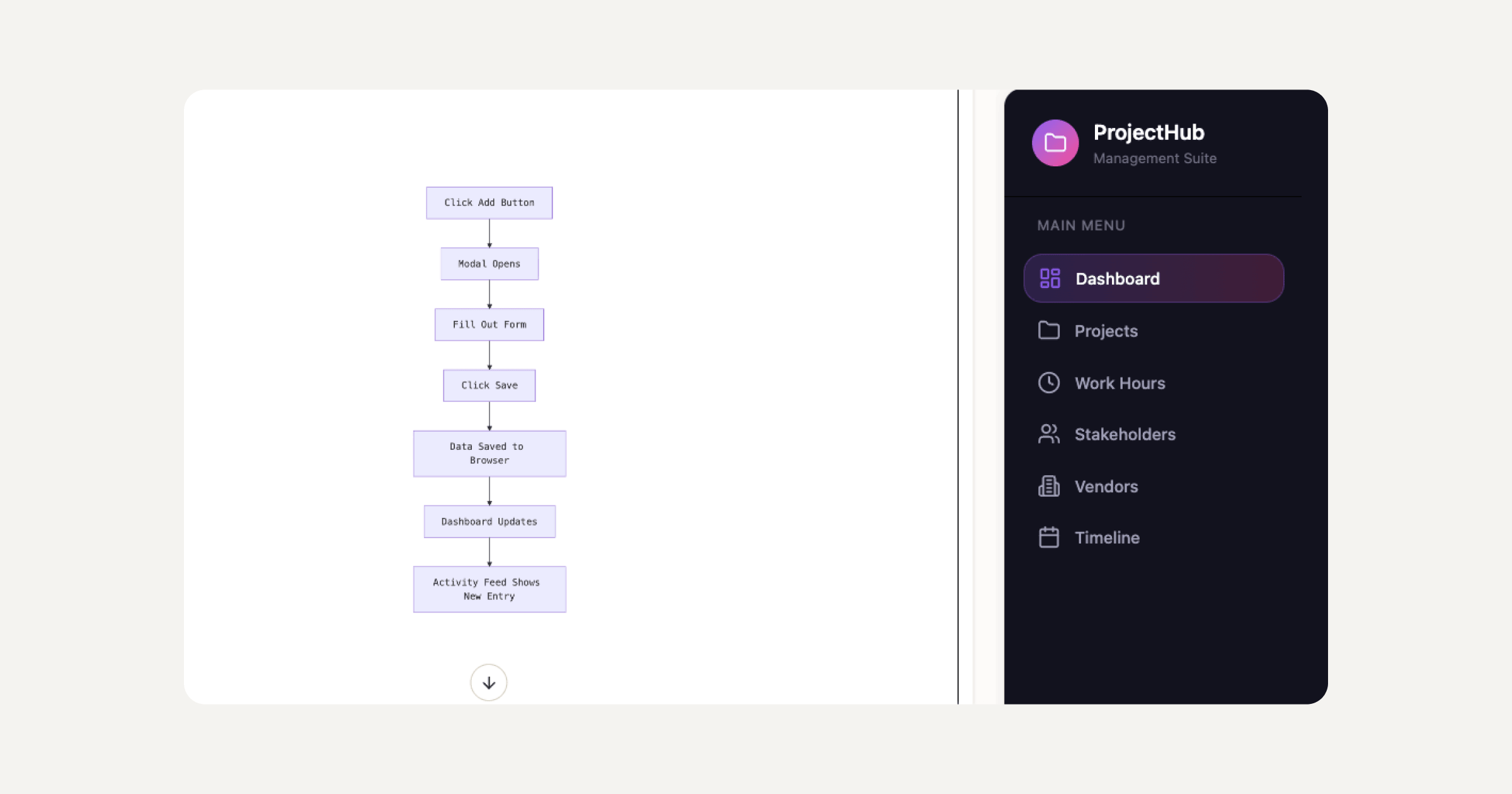
Glide vs Softr: feature-by-feature comparison for no-code app builders.
Glide and Softr both follow the same philosophy: data comes first, and the platform generates the interface from it. The differences are in orientation, output style, and where each tool fits best when choosing a no-code app builder from spreadsheets.
Glide produces mobile-first app experiences. Softr produces web-first portal and directory pages. Glide makes data interactive for a team or operational group. Softr builds membership and gated-content products for an audience.
On data sources, Glide supports Google Sheets, Airtable, Excel, and BigQuery. Softr focuses more narrowly on Airtable and Google Sheets, with Airtable being the more fully featured path. For teams already deep in Airtable workflows, Softr’s integration is tighter and more polished.
On customization, neither platform gives deep design control. Glide’s app templates follow a set component system. Softr’s blocks offer more page-layout flexibility, but within a defined visual vocabulary. Neither tool lets you edit arbitrary CSS or write your own components in the way a professional web creator would expect.
On pricing, both platforms offer a free tier and paid plans that scale with data sources, custom domains, and user seats. Neither publishes a fixed per-seat price that stays constant over time, so current pricing should be verified directly on their websites.
| Feature | Glide | Softr | Sticklight |
|---|---|---|---|
| Primary use case | Mobile-first apps from spreadsheet data | Portals, directories, membership sites from Airtable/Sheets | Websites, apps, dashboards, CMS, tools from a natural language prompt |
| Data source required to start | Yes (Google Sheets, Airtable, Excel) | Yes (Airtable, Google Sheets) | No (AI builds from a prompt; data connections via Connectors) |
| Primary input method | Visual column mapping | Block-based page builder | Natural language prompt |
| Design control | Within template system | Within block system | Full canvas control after AI build; edit every pixel by hand |
| User authentication | Yes (row-level permissions) | Yes (membership, gated content) | Supported in app builds |
| Skills / packaged expertise | No | No | 9 live Skills: SEO, Accessibility, Performance, Design System, Copywriting, Localization, Micro-interactions, Onboarding, 3D Web Experience |
| SEO built in | Limited | Limited | Yes (meta, schema, sitemap via SEO Skill, built into Publish phase) |
| Security scan on every build | No | No | Yes |
| Output surface range | Mobile and web apps | Web portals and directories | Websites, landing pages, web apps, dashboards, CMS, booking systems, internal tools, forms, databases |
| Who it is built for | Non-technical teams and operators | Non-technical founders and community builders | Professional web creators: agencies, freelancers, studios, independent creators |
| Pedigree | Independent no-code platform | Independent no-code platform | Built by the Elementor team. Powered by Claude. |
Where Glide and Softr fit best, and where each tool reaches its limits.
Glide and Softr occupy a specific and legitimate space: tools for making existing spreadsheet data usable as a web product, without writing code and without needing a designer or developer. For operations teams, community managers, and small business operators, that is a real problem. Both platforms solve it competently.
Glide’s mobile-first output fits teams who interact with data on the go. Field service, job dispatch, inventory management, and internal directories are natural fits. Working within a template keeps builds fast and outputs predictable.
Softr’s portal and membership output fits teams who want to expose their Airtable or Google Sheets data to an external audience. Client portals, investor dashboards, community directories, and subscription content are where Softr is most at home. The block builder gives enough visual flexibility for a respectable page, and the authentication layer handles the gating logic.
Both tools reach their limits when the requirement grows beyond what a spreadsheet data model can support, when the design needs to meet a professional client’s standard, or when the output needs to go beyond a portal or a directory. Professional web creators who serve agencies or build their own products typically outgrow a spreadsheet-first no-code app builder at that point.
Why professional web creators need a full-stack AI platform, not a spreadsheet app builder.
Professional web creators, whether running an agency, working as a freelancer, or building their own products, need a different kind of tool from the ones Glide and Softr provide. The brief rarely starts with “here is a spreadsheet.” It spans websites, landing pages, booking systems, dashboards, and CMS, sometimes in the same project. The client expects a result that looks and works like it was built by a senior designer and developer.
Sticklight is the AI web builder designed for that reality. It is the vibe-coding platform for professional web creators, built by the Elementor team and powered by Claude. Where Glide and Softr are built around a spreadsheet a team already owns, Sticklight starts from what the creator wants to build and uses natural language as the entry point. Describe the product, and Sticklight builds it: a production-ready website, a web app, a dashboard, a CMS, a booking system, or a full digital experience. No data source is required to start. No template to fit inside. No block system to work around.
The Skills system is what separates a Sticklight build from a generated first draft. Nine Skills are live: SEO, Accessibility, Performance, Design System, Copywriting, Localization, Micro-interactions, Onboarding, and 3D Web Experience. Add one to any prompt with a single click. The SEO Skill ships meta tags, schema markup, a sitemap, and on-page best practices. The Accessibility Skill ships WCAG-compliant markup, focus states, and ARIA attributes. These are packaged units of expert know-how applied at build time, not added as an afterthought.
Skills compound across projects. The tenth product a creator ships with Sticklight is faster and sharper than the first.
After the AI builds, the creator keeps full control. Every pixel on the canvas is editable by hand. The code is accessible for direct editing. Nothing locks the creator out of the craft. AI does the heavy lifting. The creator owns the outcome.
The Publish phase brings it home. SEO is built in. A security scan runs on every build. Custom domain connection and app hosting are included. The product ships live, not as a demo that needs rebuilding before it goes to a client.
That combination carries a decade of professional web creation pedigree and a frontier AI model into every prompt. It is built to the Sticklight standard: the craft of a senior designer and developer, on every build.
“Glide and Softr are honest tools for a specific job: making spreadsheet data usable as a web product. They do that well. The question a professional creator has to ask is whether the next brief starts from a spreadsheet or from an idea. Most briefs start from an idea. That is where Sticklight begins.”
Itamar Haim, AI for WordPress Specialist
How to choose between Glide, Softr, and Sticklight: a decision guide.
The right choice depends on where your work starts and what output you need to ship.
Choose Glide if your team manages operational data in Google Sheets or Airtable and needs a mobile-friendly app interface on top of it, built quickly and without engineering resources. Field service, job tracking, internal directories, and team portals are where Glide performs well.
Choose Softr if you want to build a client portal, membership site, or directory on top of Airtable or Google Sheets, with user authentication and gated content. Community directories, investor portals, and subscription content products are natural fits for Softr.
Choose Sticklight if you are a professional web creator who needs to build across the full range: websites, apps, dashboards, CMS, booking systems, internal tools, and full digital experiences. Sticklight is the AI platform that starts from a prompt, builds to the production standard, and hands the creator full creative control. The Skills system and the Publish phase cover what the brief requires from the first build to the final delivery. For agencies and freelancers who protect their reputation with every project, Sticklight is built for that standard.
Sticklight is also additive to the tools a professional web creator already uses. WordPress remains a source of truth to build on and connect to. Sticklight MCP connects Sticklight projects to the tools and services that power them. The platform-agnostic, AI-first approach means Sticklight fits alongside existing workflows, not instead of them. Elementor users who build on WordPress for clients can use Sticklight to expand what they deliver, taking on projects that call for apps, dashboards, and full digital experiences alongside the sites they already build. The Elementor team built both platforms to empower web creators at every step of their work.
If you want to explore what professional web creation looks like with AI doing the heavy lifting and the creator keeping full control, Elementor and its ecosystem are a good place to start. Sticklight extends that ecosystem into the AI-native era of building.
Frequently asked questions
What is the main difference between Glide and Softr?
Glide builds mobile-first apps from spreadsheet data; Softr builds web portals and membership sites. Both start from a data source, but they produce different output types. Glide works with Google Sheets, Airtable, and Excel and produces app interfaces suited to internal teams on phones and tablets. Softr builds web-first portals and membership products on top of Airtable and Google Sheets, with a strong authentication and content-gating layer. Both require an existing data source before you can begin building.
Can I build a no-code app from a spreadsheet without Glide or Softr?
Yes. Alternatives like Sticklight take an entirely different approach by starting from a natural language prompt rather than a spreadsheet. Glide and Softr are the most widely known no-code app builders that start from spreadsheet data, but they are not the only options. Sticklight accepts a natural language prompt and builds the app, website, dashboard, or tool from the ground up. Connectors are available for linking Sticklight projects to external data sources and tools, including through Sticklight MCP, after the initial build.
Can I use Glide or Softr without a spreadsheet?
No. Both Glide and Softr require a pre-existing data source to function. Glide works with Google Sheets, Airtable, and Excel. Softr is built most deeply around Airtable, with Google Sheets also supported. If you do not have structured data in those tools already, the setup process involves creating that data layer before you can build the app or portal. Sticklight, by contrast, starts from a natural language prompt and builds the product from the ground up, without requiring a pre-existing data source.
Are Glide and Softr good for client work?
Both platforms can produce client-facing results in specific scenarios, but neither provides the design control or output range that professional web creators typically need for client delivery. Softr’s client portal use case suits sharing project status, onboarding documents, or structured data with a client in a gated environment. Glide suits clients who need a field or operations app built from their data. For websites, landing pages, or branded digital products built to a professional standard, Sticklight is designed specifically for agencies and freelancers delivering at that level.
What is Sticklight and how does it compare to Glide and Softr?
Sticklight is the vibe-coding platform for professional web creators, built by the Elementor team and powered by Claude. It turns a natural language prompt into production-ready websites, apps, dashboards, CMS, booking systems, internal tools, and full digital experiences. Where Glide and Softr are data-first tools that build an interface on top of a spreadsheet, Sticklight is idea-first: describe what you want to build, and Sticklight builds it to the Sticklight standard, the craft of a senior designer and developer. After the AI builds, the creator has full manual control of every pixel. Built by the Elementor team. Powered by Claude.
Does Sticklight require a spreadsheet or database to start?
No. Sticklight starts from a natural language prompt, not a pre-existing data layer. Describe the product, and Sticklight builds it. Connectors are available for connecting Sticklight projects to external data sources and tools, including through Sticklight MCP. The starting point is always the creator’s idea.
What are Skills in Sticklight and do Glide or Softr have anything similar?
Skills in Sticklight are packaged units of expert know-how that can be added to any project with one click during the Build phase. Nine Skills are live: SEO, Accessibility, Performance, Design System, Copywriting, Localization, Micro-interactions, Onboarding, and 3D Web Experience (Three.js). Each Skill embeds a specific area of professional expertise directly into the build. Glide and Softr do not have an equivalent system. Their templates and blocks handle layout, but packaged expert knowledge applied at build time, covering SEO, accessibility standards, performance, and design systems together, is specific to Sticklight.
Is Sticklight only for building websites?
No. Sticklight builds across the full range of web products: websites, landing pages, web apps, dashboards, CMS, booking systems, internal tools, forms, databases, management platforms, embedded tools, and full digital experiences. Sticklight is the vibe-coding platform for professional web creators. It takes a creator beyond websites and makes them a full-stack creator, able to build across every surface from the same prompt-first AI platform.
How does Sticklight’s Publish phase work?
The Publish phase in Sticklight includes SEO built in, a security scan on every build, custom domain connection, and app hosting. Products ship live and production-ready, not as demos that need rebuilding before delivery. The SEO Skill ships meta tags, schema markup, and a sitemap as part of the build. The security scan runs automatically. The result is a product that meets the requirements of a real, published web product from the first build.
Can Sticklight work alongside Elementor and WordPress?
Yes. Sticklight is always additive to Elementor and WordPress, never a replacement for either. WordPress is a source of truth to build on and connect to. Sticklight is platform-agnostic and AI-first. It expands what professional web creators can build, covering apps, dashboards, CMS, and tools that go beyond the traditional website workflow, without replacing any WordPress or Elementor workflow already in place. Different tools for different jobs, for an audience smart enough to use both. You can learn more about the Elementor ecosystem on the Elementor blog and at elementor.com.
Let it glow.

