Table of Contents
10 Best Free AI Website Builders in 2026
The global AI website builder market is set to hit $6.4 billion by 2030, growing 14.2% from 2024, and 73% of small business owners plan to use AI for site creation. But most free plans disappoint: they trap your brand on a subdomain and hold your code hostage. So we tested each option here on output quality, code cleanliness, and how usable the free tier is.
Key Takeaways
- Agentic AI is replacing chat interfaces in 2026, letting tools like Angie handle complex WordPress tasks alone.
- Over 85% of free AI builders restrict you to a subdomain and cap storage at 500MB.
- WordPress powers 43.1% of the web, making native AI tools more valuable than closed platforms.
- Sites optimized for Core Web Vitals see a 15-20% higher conversion rate.
- Removing mandatory branding across top platforms costs $12.50/month on average.
- Mobile-first generation matters since 92.3% of internet users browse on phones.
1. Angie by Elementor (Best for WordPress Agentic AI)
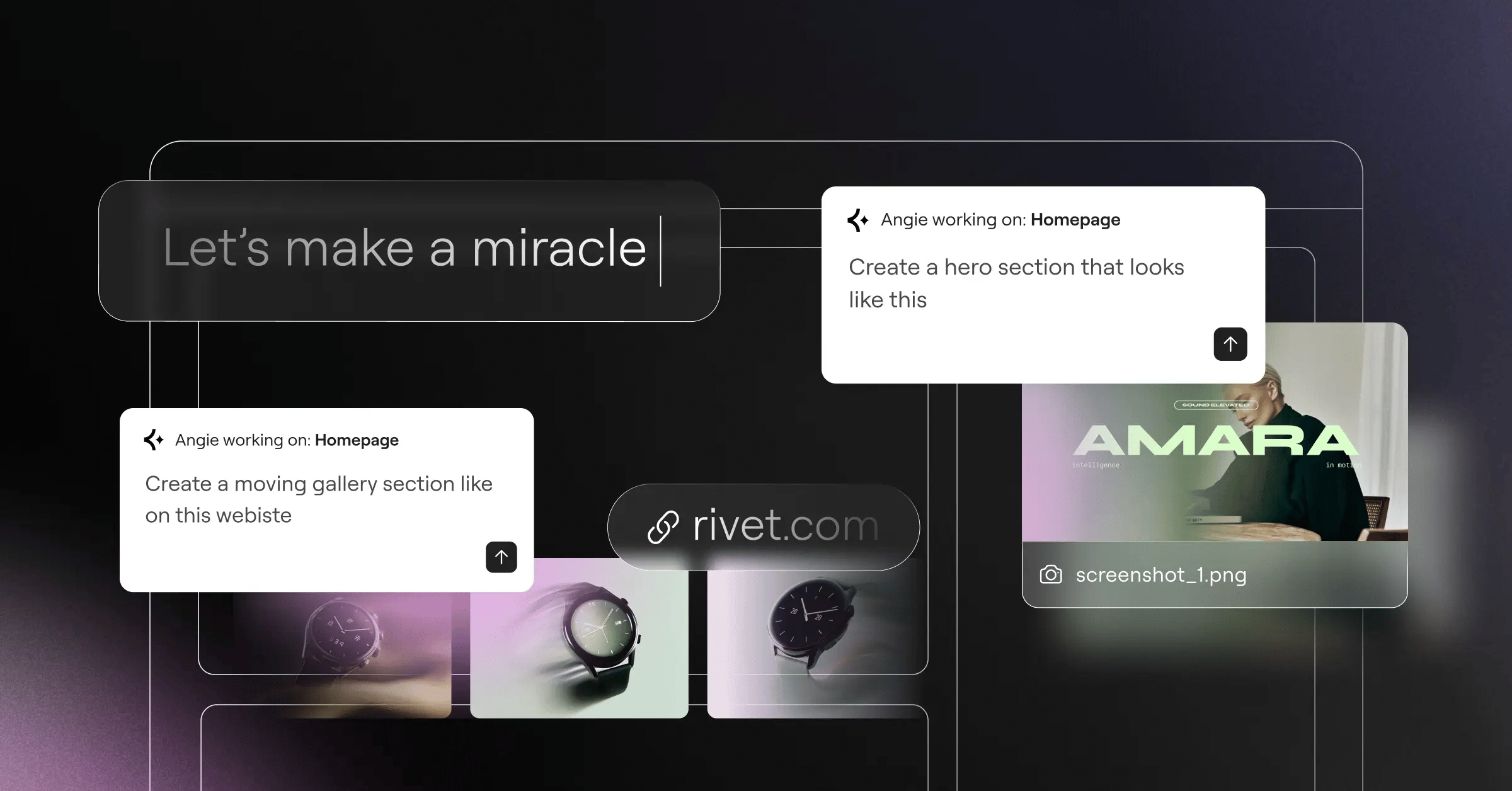
Generic code assistants don’t understand your database. Angie by Elementor does: a free agentic AI framework for WordPress that works as an autonomous agent in your dashboard. Running on the Model Context Protocol (MCP), it reads your theme, plugins, and site structure, then builds native assets, registers custom post types, writes the PHP, and creates a custom Elementor widget, all inside a secure sandbox.
How the Agentic Workflow Operates
- Type a natural language request (e.g., “Build a pricing table from WooCommerce”).
- Angie checks compatibility with your site via MCP.
- The agent writes, tests, and refines the code.
- You preview the live visual app or widget.
- Click deploy to push it live.
Pricing: Free WordPress plugin, and it pairs well with Elementor Editor Pro.
Pros of Angie
- Outputs native WordPress assets (PHP, JS, custom widgets).
- Inherits your site context automatically.
- Runs zero-risk experiments in the sandbox.
- Keeps full ownership of the code.
- Speeds development from idea to production.
Cons of Angie
- Requires an existing WordPress site.
- Overkill for a static one-page brochure.
The shift from conversational AI to agentic AI changes everything. When an AI understands the specific taxonomy and database structure of a site, it stops being a copywriter and becomes a functional junior developer.
Itamar Haim, SEO Team Lead at Elementor. A digital strategist merging SEO, AEO/GEO, and web development.
Verdict: On WordPress, Angie wins: real AI speed, no closed system.
2. Wix ADI (Best for Complete Beginners)
Wix ADI, the pioneer of the “chat-to-build” model, asks a few questions about your business goals and builds a layout from your answers. In 2024, over 50% of new users used this interface for their first site, and 51% of digital marketers say its AI-generated meta tags perform as well as manual ones.
Key Features
- Generates your site through a conversational AI interface.
- Auto-generates SEO plans and meta descriptions.
- Creates AI-designed logos and brand kits.
- Includes built-in email marketing templates.
Pricing: Free plan includes Wix branding and a subdomain. Premium plans removing these start at $17/month.
Pros of Wix ADI
- Gentle learning curve.
- Large app market for extra features.
- Reliable, managed hosting.
Cons of Wix ADI
- Free tier caps out at 500MB.
- No code export if you leave.
- Layouts can feel rigid.
Verdict: The safest bet for a non-technical user who wants a site live fast.
3. Hostinger AI Builder (Best for Speed and Small Business)
Speed is the whole pitch: Hostinger AI claims users can generate a functional 3-page site in under 30 seconds. Sites optimized for Core Web Vitals see a 15-20% higher conversion rate, and its AI Heatmap predicts where users will click before you publish, so you can adjust call-to-action buttons instead of guessing.
Key Features
- Generates a multi-page site in 30 seconds.
- Predicts click behavior with AI heatmaps for UX.
- Writes blog posts with the built-in AI Writer.
- Automates eCommerce inventory descriptions.
Pricing: No permanent free tier, but a 30-day money-back window works as a trial. Paid plans start at competitive ratesnth.
Pros of Hostinger
- Blistering fast load times.
- Heatmap is a handy design aid.
- Affordable intro pricing.
Cons of Hostinger
- No true “free forever” plan.
- Fewer third-party integrations than larger platforms.
Verdict: Great for a small local business that needs a fast landing page, no pixel-perfect fuss.
4. Framer AI (Best for High-End Design & Animations)
Most AI builders create basic, static blocks. Framer AI is design-first: text prompts become high-fidelity, interactive canvases that look custom-coded by an agency, with an average LCP of 1.2 seconds. It generates color palettes and typography pairings, then reshuffles the layout without breaking the mobile view.
Generating Complex Animations
- Select any AI-generated section on the canvas.
- Click the “Effects” panel in the sidebar.
- Choose an AI-suggested scroll trigger (like “Fade In Up”).
- The system calculates the spring physics automatically.
Pricing: Free for hobby projects on a Framer domain. The Basic plan starts at $15/month.
Pros of Framer AI
- Unmatched aesthetic quality.
- Impressive scroll animations.
- Direct import from Figma.
Cons of Framer AI
- Can intimidate absolute beginners.
- CMS is limited on lower tiers.
Verdict: The go-to for designers, agencies, and startups that need top-tier presentation.
5. Dorik AI (Best for No-Code SaaS & Portfolios)
You don’t always need visual flair. Dorik AI focuses on bloat-free code and logical layouts. The average cost to remove branding and connect a custom domain runs $12.50/month across top platforms, which Dorik undercuts by a wide margin, and its AI Section Generator drops a request like “a 3-column pricing table with a dark mode toggle” into your layout, fully styled.
Key Features
- Generates modular sections with AI on demand.
- Includes lightweight built-in membership features.
- Exports clean, static HTML/CSS code.
- Connects to Airtable for dynamic data.
Pricing: Generous free plan available. Premium scaling starts at just competitive ratesnth.
Pros of Dorik AI
- Cost-effective paid tiers.
- Export your code, host anywhere.
- Clean, semantic HTML output.
Cons of Dorik AI
- Smaller template library.
- Basic e-commerce features.
Verdict: Solid for creators who value clean code and the freedom to export.
6. 10Web (Best for AI Website Recreation)
Rebuilding an old site by hand is miserable work. 10Web replicates existing layouts instead of generating from text, claiming 90% accuracy in under 2 minutes. Paste a URL, and the AI analyzes the DOM, downloads the assets, and rebuilds the layout using website builder containers, saving freelancers hours of tedious work.
Key Features
- Replicates any URL into WordPress with AI.
- Runs on automated Google Cloud hosting infrastructure.
- Rewrites migrated content with an AI assistant.
- Optimizes PageSpeed automatically through built-in plugins.
Pricing: Limited free trial to test the replication. Sustained plans start at $10/month.
Pros of 10Web
- Saves hours during migrations.
- Guarantees a 90+ PageSpeed score.
- Fully automated WordPress management.
Cons of 10Web
- Tied to their managed hosting.
- Mobile breakpoints often need fine-tuning.
Verdict: A real time-saver for agencies updating legacy websites.
7. Durable AI (Best for Service-Based Solopreneurs)
Service businesses want the phone to ring, not to design web pages. Durable AI targets that group, with over 6 million websites built on its platform. Type “I run an emergency plumbing service in Chicago,” and it builds a hero image, services list, local map, and contact form, plus a CRM dashboard that catches leads and drafts email replies.
Key Features
- Generates localized content based on your location.
- Tracks leads through an integrated AI CRM.
- Automates AI invoicing and quoting.
- Manages your Google reviews with AI.
Pricing: Free to build and preview. Connecting a custom domain and going live costs $12/month.
Pros of Durable AI
- Fastest path to a live service profile.
- Includes CRM and invoicing tools.
- Strong localized SEO text.
Cons of Durable AI
- Visual customization is highly restricted.
- Not suited to complex multi-page corporate sites.
Verdict: Handles the digital busywork so you can get back to the job itself.
8. Jimdo Dolphin (Best for Mobile-First Editing)
Desktop editing is fading for side hustles. With 92.3% of internet users on mobile, building your site from a phone makes sense, and Jimdo Dolphin is built for exactly that. It pulls your hours, name, and photos straight from your Google Business or Facebook profile. Smart blocks then stop you from breaking the mobile grid, a real help if design alignment isn’t your strength.
Key Features
- Edits your full site from a mobile app (iOS and Android).
- Syncs business info automatically from your social accounts.
- Pulls copyright-free images through an AI-driven library.
- Blocks broken layouts with smart design blocks.
Pricing: The “Play” plan is genuinely free. The ad-free “Start” plan runs $9/month.
Pros of Jimdo Dolphin
- Flawless mobile editing.
- No credit card required.
- Nearly impossible to break the layout.
Cons of Jimdo Dolphin
- SEO controls sit behind paid tiers.
- Frustrating for pixel-perfect desktop control.
Verdict: The best pick for solopreneurs running their business from a smartphone.
9. TeleportHQ (Best for Front-End Developers)
Most AI builders cater to beginners. TeleportHQ is built strictly for developers: a low-code platform generating production-ready front-end code from visual inputs or text prompts. Its Vision API turns a photographed napkin sketch into a working HTML/CSS layout and integrates with ChatGPT for custom UI logic. You aren’t locked into a proprietary host: the goal is portability, so you design fast and export to your framework.
The Code Export Process
- Generate your UI components with AI prompts.
- Review the generated code tree.
- Click the export button in the top navigation.
- Select your framework (React, Vue, Next.js, or plain HTML).
- Deploy the codebase via your Git repository.
Pricing: Capable free plan with unlimited projects. Professional features start at $15/month.
Pros of TeleportHQ
- Unmatched flexibility for developers.
- Clean, framework-specific export.
- Real-time collaborative workspace.
Cons of TeleportHQ
- Too complex for a typical small business.
- Needs CSS flexbox and grid knowledge.
Verdict: A strong accelerator for front-end teams automating tedious UI work.
10. Site123 (Best for Simple Multilingual Sites)
Sometimes the older players adapt well. Site123 has built in AI for content translation and basic structural setups, staying one of the most stable, predictable platforms around. While 85% of free AI builders cap storage at 500MB, Site123 focuses on reliable infrastructure for simple sites, and its AI Multilingual tool translates your whole site into English, Spanish, and French, keeping SEO intact for the alternate tags.
Key Features
- Translates your site automatically with the AI multilingual manager.
- Toggles between one-page and multi-page layouts.
- Draws from an extensive free image and icon bank.
- Includes built-in ticketing and RSVP modules.
Pricing: Standard free plan available. Premium plans run $12.80/month.
Pros of Site123
- Stable, bug-free environment.
- Painless multilingual handling.
- Notoriously helpful support.
Cons of Site123
- Core design engine feels a bit dated in 2026.
- Hard to migrate away from once you scale up.
Verdict: A dependable, no-frills choice for multilingual sites without a learning curve.
Comparison Summary: Which Builder Should You Choose?
The right tool depends on your technical comfort and business goals.
| Platform | Best For | Free Plan Status | Code Ownership |
|---|---|---|---|
| Angie (Elementor) | WordPress Agentic AI | 100% Free Plugin | You own it (Open Source) |
| Wix ADI | Complete Beginners | Free (Subdomain) | Locked to Wix |
| Hostinger | Speed & Performance | Paid Only (Trial) | Locked to Hostinger |
| Framer AI | Design & Animation | Free (Hobby) | Locked (Export limited) |
| Dorik AI | Clean SaaS Portfolios | Free (Basic) | Exportable Code |
| Durable AI | Local Service Trades | Free to Build | Locked to Durable |
| TeleportHQ | Front-End Devs | Free (Unlimited) | Fully Exportable |
Final Recommendation: Why Agentic AI Wins in 2026
The era of simple text-to-website generators is ending: they trap you in closed ecosystems and rigid templates, holding your content hostage.
With WordPress powering 43.1% of the internet, building on an open platform is the smart move, since 38% of visitors leave right away if a site’s layout looks unattractive. You’ll want managed cloud hosting and tools that scale with you.
That’s why Angie combined with Elementor Editor Pro is the strongest option here: AI speed plus total ownership, with Angie acting as an autonomous agent inside WordPress. You’re building real, functional software, not just a picture of one.
Frequently Asked Questions
Can I really build a professional site for free?
Yes, but with a catch: closed platforms slap branding and a subdomain onto “free” plans (like yourname.wixsite.com), and a professional look eventually means paying for a domain. WordPress with a free tool like Angie skips that lock-in.
What is Model Context Protocol (MCP) in AI builders?
MCP lets AI agents securely read a system’s contextual data, so Angie understands your WordPress theme, plugins, and database structure before writing any code.
Do AI website builders create good SEO?
They handle the fundamentals well: correct meta tags, clean code, proper header structures, but you’ll still need unique, high-quality content to rank for tougher keywords.
Will I own the code generated by an AI builder?
It depends on the platform. Wix, Hostinger, and Durable keep the code, while WordPress with Elementor AI or TeleportHQ lets you own it and move to any host.
How secure are AI-generated websites?
Highly secure. Closed platforms manage security for you, and agentic tools like Angie test code in an isolated sandbox before it reaches your live production database.
Can AI builders handle complex eCommerce?
Basic AI builders handle simple storefronts easily. For complex inventory, pricing, and shipping logic, pair a platform like WooCommerce with an AI assistant that understands custom database architecture.
Are AI sites mobile responsive automatically?
Yes. Every major AI builder now uses mobile-first generation. Framer and Jimdo calculate responsive breakpoints automatically, so your site looks right on phones without manual work.
Looking for fresh content?
By entering your email, you agree to receive Elementor emails, including marketing emails,
and agree to our Terms & Conditions and Privacy Policy.

