Table of Contents
Elementor AI vs Wix AI: Which Is Better in 2026?
About 78% of web designers now apply AI-assisted tools for layout generation or content creation. That’s a staggering shift from just a few years ago. You’re probably feeling the pressure to adapt. But picking the right intelligent platform isn’t just about flashy demos or marketing promises. It’s about fundamental control over your final product.
Wix and Elementor approach this exact problem from completely different universes. Wix wants to do everything for you. Elementor wants to give you a highly advanced assistant that works alongside you. The global AI in web development market is projected to hit $14.2 billion by 2026. You’ll need to know exactly where to invest your time, money, and creative energy. Let’s break down the facts.
Key Takeaways
- WordPress market dominance remains supreme, powering 43.5% of all websites globally, while Wix holds approximately 3.8%.
- Angie by Elementor operates as a free, agentic AI framework that plans and executes entire WordPress tasks autonomously.
- Wix Studio’s AI generates complete, multi-page sites in under 60 seconds, perfect for hands-off users.
- Elementor AI cuts manual coding time for developers by an estimated 60% through custom CSS and JavaScript generation.
- Elementor 3.25+ achieves an impressive average mobile Largest Contentful Paint (LCP) of 1.8 seconds.
- Wix SEO Wiz delivers strong results for beginners, with 82% of users seeing Google ranking improvements within 90 days.
- Elementor’s image generation suite supports over 40 distinct visual styles directly inside the editor.
- Wix Studio costs scale aggressively from $19 to $159 per month, while Elementor One offers a unified platform for $168 annually.
At a Glance: Feature Comparison Matrix
You need a clear picture of the battlefield. The table below breaks down the core technical differences between these two platforms. It’s strictly focused on what you actually get when you sign up.
Look closely at the pricing and architectural differences. They’re massive.
| Feature Category | Elementor AI (WordPress) | Wix Studio AI (Proprietary) |
|---|---|---|
| Platform Foundation | Open-source WordPress ecosystem | Closed proprietary SaaS |
| Site Generation | Section-by-section, container precision | Full multi-page instant generation |
| Agentic Framework | Yes (Angie by Elementor) | No (Prompt-based only) |
| Image Generation | 40+ specific styles, in-editor | Integrated AI image creation |
| Custom Code AI | Generates CSS, HTML, custom JS | Velo (JavaScript) assistant |
| Entry Pricing | Elementor One at $168/year | Basic Studio at $19/month ($228/year) |
| Data Portability | Complete ownership, exportable | Locked to Wix servers |
Angie by Elementor: The Agentic WordPress Framework
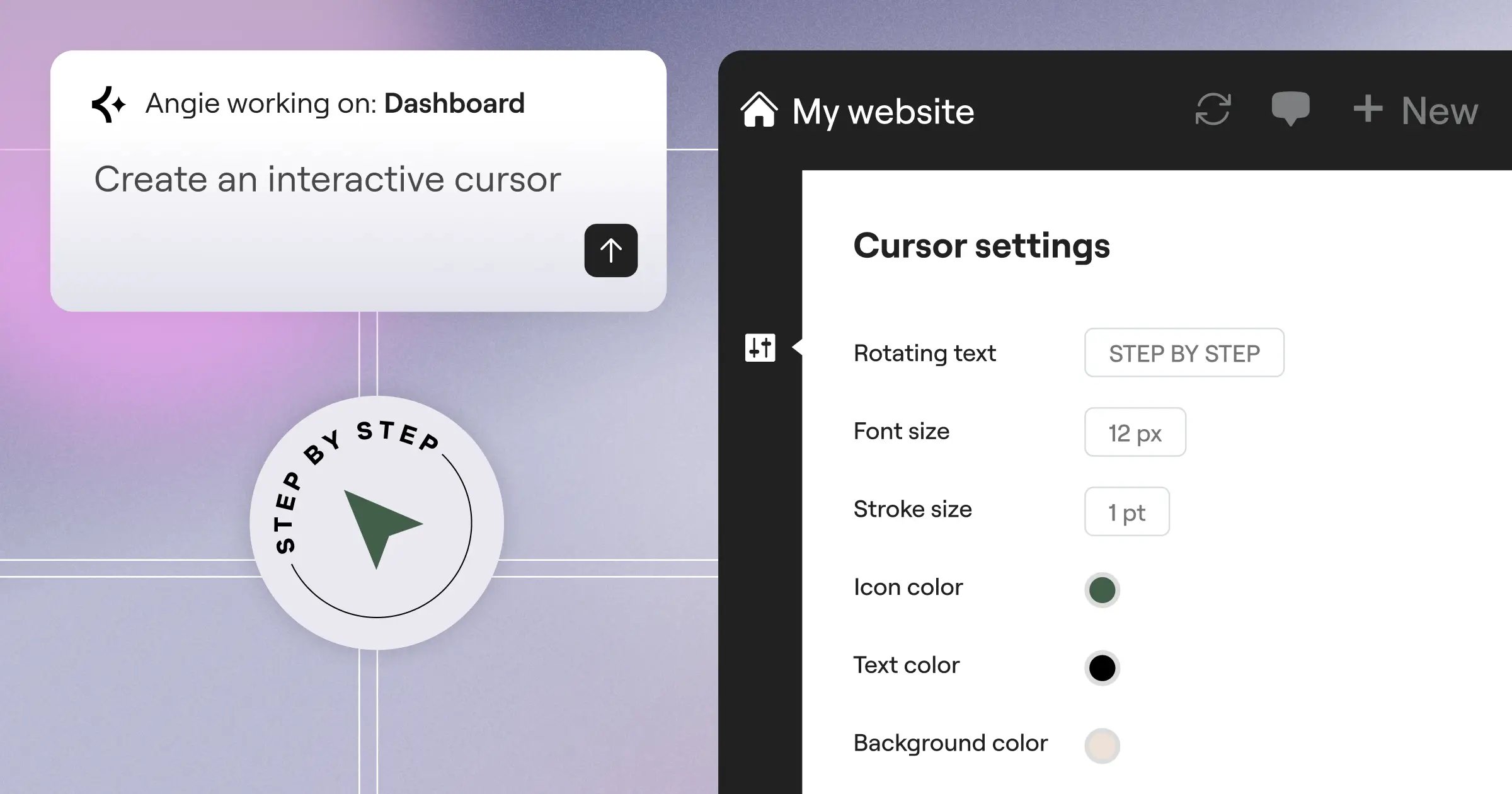
We can’t discuss intelligent web design in 2026 without starting here. Angie by Elementor completely redefines how professionals interact with WordPress. It isn’t just a chatbot that spits out text. It’s an agentic AI framework. That means it takes actual action across your entire WordPress installation.
Angie is a FREE WordPress plugin that fundamentally understands your website’s context. It uses the Model Context Protocol (MCP). This allows it to read your current active theme, your installed plugins, and your database structure. You don’t have to explain your setup. Angie already knows.
Here’s how developers are using Angie right now:
- Custom Post Types – You ask for a real estate property listing type. Angie registers the post type and creates the custom fields automatically.
- Admin Snippets – You need a custom dashboard widget for client instructions. Angie writes and activates the PHP code.
- Elementor Widgets – You want a highly specific, animated pricing table. Angie builds a custom Elementor widget from scratch.
- Front-end Logic – You request a unique JavaScript calculator for mortgage rates. Angie builds the logic and places it on your target page.
- Safe Experimentation – Angie runs all code generation in a secure sandbox. You review it before pushing it live.
Honestly, this level of control is unprecedented. You’re moving from a raw idea to a production-ready feature in minutes. You maintain absolute creative control over the output. And because Angie is part of the Elementor ecosystem, it integrates perfectly with Editor Pro. Wix simply doesn’t offer anything comparable to this deeply integrated, action-taking agent.
Site Generation: Full Automation Against Granular Control
Let’s talk about building the actual pages. The Wix AI Website Builder is famous for its speed. It can generate a fully functional, multi-page website with unique copy and images in under 60 seconds. You answer a few conversational prompts, and the system does the rest.
If you’re a small business owner who needs a site yesterday, Wix is incredibly appealing. Here’s the typical Wix generation sequence:
- You type your business name and industry.
- You select a broad aesthetic preference (like “minimal” or “vibrant”).
- You check boxes for required features (bookings, chat, blog).
- The AI builds the entire structure, populating it with GPT-4o text and AI images.
But there’s a catch. When the AI builds everything at once, editing the underlying structure later can become frustrating. You’re stuck untangling a web of automated decisions.
Elementor takes a surgical approach. Elementor AI focuses on containers and sections. Instead of forcing a full site layout on you, you use the AI Site Planner to wireframe your ideas. Then, you generate specific, highly customized sections exactly where you want them. You highlight an empty container, type “pricing table with three tiers and a neon hover effect,” and it appears in about 12 seconds. You retain total command over the CSS-first foundation of Elementor V4. You aren’t just accepting what the machine guesses you want. You’re directing the machine precisely.
Creative Assets: Image and Text Generation Capabilities
Content creation is usually the biggest bottleneck in web design. Both platforms have deeply integrated creative suites to solve this. Wix AI excels at content orchestration. It syncs your generated text across your website, your email marketing campaigns, and your social media posts. It’s a highly centralized system.
Elementor AI functions as an elite in-editor studio. It doesn’t just generate generic photos. It supports over 40 distinct image styles. You can produce exactly what your brand requires without ever leaving the WordPress dashboard.
You’ll notice the difference immediately when applying these specific Elementor visual styles:
- Photographic – Hyper-realistic corporate team shots or product photography.
- 3D Render – Modern, isometric graphics perfect for SaaS landing pages.
- Minimalist – Clean, flat-vector illustrations for uncluttered user interfaces.
- Neon Punk – High-contrast, glowing visuals for gaming or nightlife brands.
- Macro Photography – Extreme close-ups for beauty or food industry sites.
- Wireframe – Technical blueprint styles for architectural or development agencies.
And Elementor doesn’t stop at initial generation. The generative fill and expansion tools are remarkably strong. If an AI-generated hero image is too narrow for a 4K monitor, you just click the expand button. The AI smoothly (well, smoothly) fills the edges to match your exact breakpoint dimensions. You can’t achieve that level of responsive perfection with basic image generators.
Developer Freedom: Custom Code and Technical Flexibility
This is where the gloves come off. Developers need tools that respect their expertise, not tools that hide the underlying code. Elementor AI generates custom CSS, HTML, and JavaScript snippets directly inside the widget panel. A recent developer productivity survey shows this reduces manual coding time by a massive 60%.
You can target specific DOM elements with surgical precision. Let’s say you want a complex GSAP scroll animation on a single hero headline. You literally just type the prompt into the Custom CSS panel of that specific widget. Elementor writes the exact class-targeted code.
Wix relies on Velo, its proprietary JavaScript framework. They’ve introduced an AI assistant for Velo, which is certainly helpful. But you’re coding inside a walled garden. Here’s what that limitation looks like in practice:
- You ask the Wix AI for a custom database query.
- It provides Velo-specific code.
- You implement it, but realize you need an external library.
- You hit a wall because Wix restricts server-side node module access.
With Elementor and WordPress, there are no walls. You’re working on an open-source platform. If the AI writes a complex PHP script, you can deploy it. If you need a unique React component, you can enqueue it. You aren’t fighting the platform’s terms of service to build advanced functionality.
SEO and Marketing: Intelligent Growth Tools
Building a site is only half the battle. If nobody finds it, your design doesn’t matter. Wix has worked incredibly hard to shed its old reputation for poor search performance. The Wix SEO Wiz is proof of that effort. It’s an automated roadmap that generates meta tags, builds site maps, and handles immediate Google indexing.
The numbers don’t lie. 82% of users who follow the Wix AI SEO Wiz report a ranking improvement on Google within the first 90 days. For small business owners who don’t understand canonical tags or schema markup, this automated approach is highly effective.
“AI is shifting SEO from purely technical optimization to true semantic understanding. The platforms that win aren’t just automating meta tags; they’re analyzing user intent and structuring content clusters dynamically. WordPress gives us the open architecture to implement these advanced entity-based strategies without restriction.”
Itamar Haim, SEO Team Lead at Elementor. A digital strategist merging SEO, AEO/GEO, and web development.
Elementor takes the professional route. Because it lives on WordPress, it pairs its own AI capabilities with industry-standard plugins like RankMath or Yoast. You aren’t limited to basic meta descriptions. You can use AI to generate highly complex FAQ schema, product review structured data, and dynamic content tags based on custom post types.
websites using AI-driven dynamic content see a 19% increase in user engagement. Elementor’s dynamic tags allow you to pull AI-generated custom fields straight into your templates. You’re building a deeply personalized experience that Wix’s standardized templates struggle to match.
Performance Metrics: Core Web Vitals and Page Speed
Speed is a ranking factor. It’s a conversion factor. It’s a baseline requirement for professional web design. Both platforms have heavily invested in performance optimization, but they achieve it differently.
Wix handles all performance tuning on their servers. They compress images, minify code, and serve everything through their proprietary CDN. You don’t have to touch a single setting. But you also can’t tweak those settings if a specific script is causing a bottleneck. You’re entirely at their mercy.
Elementor has completely overhauled its performance architecture. Sites running Elementor 3.25+ using AI-optimized containers achieve an average mobile LCP (Largest Contentful Paint) of just 1.8 seconds. That’s incredibly fast for a visual builder.
When you combine Elementor with their managed Host Cloud infrastructure, the results are staggering. You’re getting Google Cloud C2 servers and Cloudflare Enterprise CDN integration. This setup delivers 99.9% uptime and a blazing 109ms Time to First Byte (TTFB). Plus, Elementor’s native Image Optimization automatically compresses media and converts it to WebP or AVIF formats. You get the automated speed of a SaaS platform, but you retain the ability to manually defer specific JavaScript files if you need absolute perfection.
Accessibility and Compliance: Inclusive Design
Web accessibility isn’t optional anymore. Legal requirements are tightening globally, and ignoring WCAG standards is a massive risk. Both Elementor and Wix offer built-in tools to help you manage this complex requirement.
Wix includes an Accessibility Wizard that scans your site for basic issues. It flags missing alt text, poor color contrast, and heading structure problems. It’s a solid, user-friendly tool that guides beginners through the basics of inclusive design.
Elementor addresses this with Elementor Ally, an AI-powered accessibility tool native to their ecosystem. Ally doesn’t just look at basic color contrast. It scans for over 180 distinct WCAG issues. It provides contextual suggestions for ARIA labels, keyboard navigation focus states, and screen reader compatibility.
Here’s how Ally improves the professional workflow:
- DOM Sequencing – Ensures your visual layout matches the actual HTML document flow for screen readers.
- Focus Trapping – Helps identify popups or modals that trap keyboard navigation.
- Dynamic Alt Text – Uses AI to generate highly descriptive, context-aware alt text for complex images.
- Color Contrast Ratios – Automatically calculates foreground and background compliance for AA and AAA standards.
While no automated tool can guarantee absolute legal compliance, Elementor Ally provides a much deeper, developer-focused analysis than standard SaaS wizards. It’s built for agencies that need to deliver rigorous standards to their clients.
Agency Workflows: Client Handoffs and Collaboration
If you’re building sites for clients, the platform you choose fundamentally alters your daily operations. You aren’t just building a site; you’re building a scalable business. Managing multiple client sites requires specific infrastructure.
Wix Studio is specifically designed for agencies. It offers a unified dashboard to manage client billing, roles, and permissions. You can hand off a Wix site to a client, restrict their access so they don’t break the design, and let them use the AI tools to write their own blog posts. It’s a very clean, tightly controlled handoff process.
Elementor answers this with Elementor One and their dedicated Agency plans. Elementor powers over 21 million websites, representing roughly 13% of all global sites. Agencies choose it because of the unrestrictive scaling.
A professional Elementor agency workflow typically follows these steps:
- Wireframe the site using the AI Site Planner in under 20 minutes.
- Build the global design system (colors, typography) in Editor Pro.
- Use Angie to rapidly deploy required custom post types and complex logic.
- Assign specific Elementor Role Manager permissions to the client (e.g., “Content Editor Only”).
- Deploy the site via Host Cloud for maximum performance.
You get the centralized management of a SaaS platform, but your clients get the massive flexibility of a WordPress foundation. They can install any specific CRM or marketing plugin they want later. They aren’t trapped in the Wix ecosystem.
Pricing, Ownership, and Long-Term Value
Let’s look at the financial reality. The total cost of ownership over a three-to-five-year period is where the true differences emerge. Subscription fatigue is real, and platform lock-in is dangerous.
Wix Studio pricing scales based on the features you unlock. Plans range from $19 per month for the Basic tier up to $159 per month for the Elite tier. If you run a high-traffic e-commerce site on Wix Elite, you’re paying nearly $1,900 a year. And here’s the critical issue: you don’t own the underlying code. If Wix raises their prices by 30% next year, you must pay it. You can’t export a Wix site to another host. Your AI-generated content and layout are permanently tied to their servers.
Elementor offers a drastically different financial model. Elementor One launches at $168 per year for a single site. That includes Editor Pro, the AI Site Planner, Image Optimization, Element Caching, and 25,000 AI credits per month. Everything is unified. It’s not a fragmented bundle; it’s a cohesive creation platform.
Consider the long-term data portability advantages of Elementor:
- Database Ownership – You own every single MySQL database table.
- Server Freedom – You can host on Elementor’s managed cloud or move to any host globally.
- Ecosystem Access – You tap into the massive library of over 60,000 WordPress plugins.
- No Lock-in – If you ever stop using Elementor, your content remains in WordPress.
- Cost Scaling – An agency can buy the One Agency plan for $444/year for unlimited sites, drastically reducing per-site overhead.
For a growing business, the math strongly favors the WordPress ecosystem. You maintain total ownership of your digital assets.
Final Verdict: Which AI Should You Choose?
The choice between Elementor AI and Wix AI isn’t about which tool is universally better. It’s about what type of creator you’re. Both platforms have applied artificial intelligence to solve entirely different problems in the web design process.
You need to evaluate your technical comfort level, your budget, and your long-term business goals. Here’s the definitive breakdown to help you decide.
Choose Wix AI if…
- You need a complete, functioning website in under an hour.
- You don’t want to manage updates, hosting, or technical maintenance.
- You prefer a centralized, closed ecosystem where all tools are built by one company.
- You’re a solo entrepreneur who prioritizes speed over custom CSS control.
- You’ve the budget to support higher monthly subscription tiers as your traffic grows.
Choose Elementor AI if…
- You’re a professional designer or developer who demands pixel-perfect, CSS-level control.
- You want the power of an agentic framework (Angie) that writes code and builds custom WordPress architecture for you.
- You refuse to be locked into a proprietary server and demand total ownership of your data.
- You need highly specific AI image generation with over 40 precise stylistic controls.
- You want an incredibly cost-effective, unified platform ($168/year) that scales easily across multiple client sites.
Frequently Asked Questions
Does Angie require an Elementor Pro subscription to work?
No, it doesn’t. Angie is a standalone, free WordPress plugin. While it integrates beautifully with Elementor Editor Pro, you can use its agentic AI features alongside Gutenberg or other builders to generate code and structure.
Can I export my Wix AI-generated site to WordPress later?
You can’t. Wix is a closed ecosystem. While you can manually copy and paste text or export basic CSV data for store products, you can’t export the AI-generated layout, design, or proprietary functionality to an open-source platform.
How does the Elementor AI credit system work?
Elementor One includes a shared credit system (e.g., 25,000 credits/mo). Different actions cost different amounts. Accessibility scans cost zero credits. Generating an AI image might cost 10-400 credits depending on complexity, while optimizing an image costs just 2 credits.
Is Wix Studio AI better for SEO than Elementor?
Wix’s SEO Wiz is excellent for beginners who need automated guidance. However, Elementor’s integration with the broader WordPress SEO ecosystem (like RankMath) gives technical marketers vastly superior control over granular schema and server-side optimizations.
Will Elementor AI write custom JavaScript for animations?
Yes, you can absolutely do this. You simply select the widget, open the custom code panel, and prompt the AI to write specific JavaScript event listeners or animation logic targeted exactly to that element’s class.
How fast are websites built with Elementor’s AI features?
Incredibly fast. Sites built on Elementor 3.25+ using AI-optimized CSS containers and hosted on their Host Cloud (Google Cloud C2) achieve an average LCP of 1.8 seconds and a TTFB of just 109ms.
Can Wix AI generate custom vector graphics?
Wix includes strong AI image generation, but it generally focuses on standard raster formats (JPEGs, PNGs) for photography and illustration. Elementor’s strong 40+ style options provide slightly more granular stylistic control for specific interface needs.
What happens to my Elementor AI site if I cancel my subscription?
Your website won’t disappear. You keep all your content, pages, and layouts because you own the WordPress installation. You simply lose access to the live AI generation features, premium widget updates, and premium support.
Does Angie run directly on my live website?
No, Angie uses a secure sandbox environment. When you ask it to generate custom post types or PHP snippets, it builds and tests the code safely. You must manually review and approve the changes before they’re pushed to your live production environment.
Is Wix Studio suitable for large enterprise sites?
Wix Studio (specifically the Elite tier) handles high traffic well. But large enterprises often hit frustrating walls regarding custom server-side API integrations or highly specific database configurations that require an open-source environment like WordPress.
Can Elementor AI automatically translate my website?
Yes, the in-editor Elementor AI assistant can instantly translate text into multiple languages. It retains your container formatting, ensuring your layout doesn’t break when switching from English to a longer language like German.
Does the Elementor One plan include hosting?
No, Elementor One ($168/yr) focuses on the unified creation tools (Editor Pro, AI, Optimizer). If you want their Google Cloud C2 infrastructure, you’ll look at the Host Cloud plans, which start at $180/yr and provide 99.9% uptime.
How does Wix handle AI accessibility compliance?
Wix provides a built-in Accessibility Wizard that scans for fundamental issues like missing alt text and contrast errors. It’s a great starting point, though developers often prefer Elementor Ally’s deeper 180+ WCAG issue scanning capabilities.
Looking for fresh content?
By entering your email, you agree to receive Elementor emails, including marketing emails,
and agree to our Terms & Conditions and Privacy Policy.

