Table of Contents
A basic static sidebar doesn’t cut it anymore. Visitors expect dynamic, intent-driven interfaces, and if you’re still leaning on generic text blocks, you’re leaving money on the table.
Building a custom wordpress widget in 2026 takes more than pasting a dusty PHP snippet into your functions file. You need components that load fast, respect accessibility standards, and fit into your visual editing workflow.
Key Takeaways
- WordPress holds a 43.5% market share in 2026, making custom widget skills a profitable specialty.
- Elementor is active on over 15 million websites worldwide.
- Optimizing custom widgets can improve your Largest Contentful Paint (LCP) by up to 40%.
- Personalized custom widgets increase conversion rates by 202% compared to static sidebars.
- Over 100 billion blocks have been created, changing how widget areas function.
- Upgrading your widget code to PHP 8.3 gives a 15-20% performance boost in script execution.
- Nearly 13% of WordPress vulnerabilities tie back to poorly coded legacy widgets.
The Evolution of WordPress Widgets From Sidebars to Blocks
Building widgets isn’t what it used to be. For over a decade, developers leaned on the traditional widget API: register a PHP class, attach it to a sidebar, and hope the theme’s CSS cooperated.
Then the ecosystem shifted. WordPress now powers 43.5% of all websites globally, and a custom widget is now any modular piece of functionality you can drop anywhere on a page.
Over 100 billion blocks already exist inside the WordPress editor, so you’re no longer stuck in the footer or a narrow sidebar column. You can place dynamic data into a hero section, an inline post grid, or a custom mega menu.
- Legacy Widgets – Rigid, sidebar-dependent, and reliant on manual PHP registration.
- Gutenberg Blocks – React-based components requiring deep JavaScript knowledge to build from scratch.
- Elementor Widgets – Visual, drag-and-drop components offering granular design control without writing CSS.
- Headless Components – API-driven widgets pulling data into decoupled front-ends.
- AI-Generated Snippets – Dynamic code blocks created through natural language prompting.
Pro tip: Check whether a core block or native Elementor Editor Pro widget already solves your problem before writing custom PHP. Often a simple dynamic tag does the job.
Introducing Angie The Agentic AI Framework for Custom Development
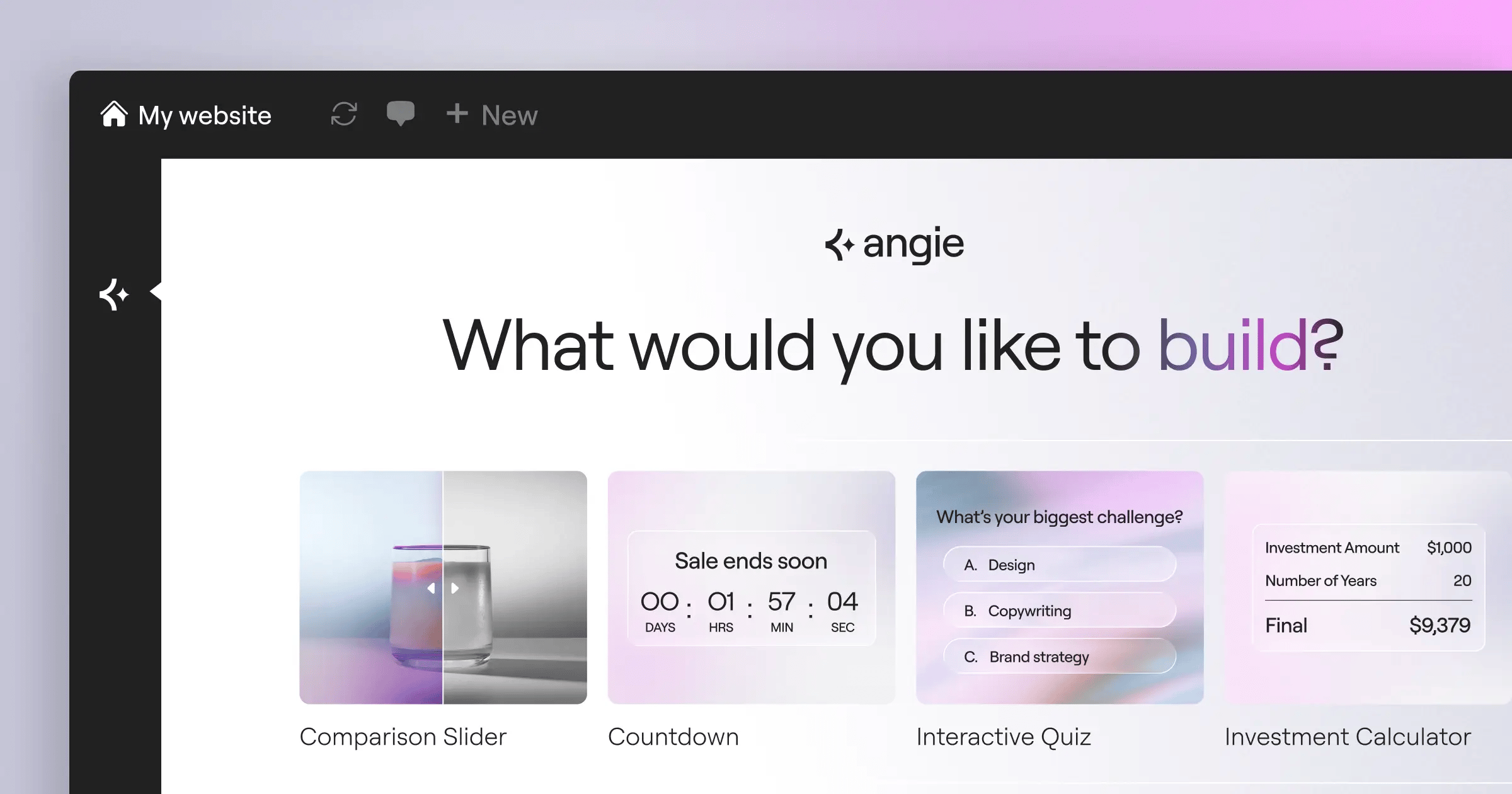
Here’s the biggest shift in WordPress development for 2026: hand-coding every widget from scratch burns hours you don’t need to. Angie by Elementor is a free, agentic AI framework that doesn’t just generate text, it plans, writes, and deploys functional code into your environment.
Angie differs from a generic AI chat tool: it uses the Model Context Protocol (MCP) to inherit your site’s context automatically, so it knows your theme, custom post types, and database structure. Ask it to build a custom wordpress widget, and it writes code that fits your setup.
Give Angie a natural language prompt, and it writes the PHP, CSS, and JS an Elementor widget or native block needs, then drops that code into a secure sandbox. You can test it there safely, and if it breaks, your live site stays untouched.
- Context-Aware Generation – Reads your database schema and active plugins automatically.
- Safe Experimentation – Tests custom widget code in an isolated sandbox.
- Rapid Deployment – Takes your idea from a text prompt to production in minutes.
- Ecosystem Native – Works inside WordPress and fits alongside the Elementor ecosystem.
- Broad Capabilities – Creates custom Elementor widgets, admin snippets, and custom post types with ease.
- Zero Cost – Comes as a free WordPress plugin for every developer.
After 15 years doing this, I’ve seen plenty of tools promise speed. Angie delivers, taking the boilerplate off your hands so you can focus on user experience and harder logic.
Comparing Custom Widget Development Methods
You’ve got multiple paths to building a custom widget in 2026, and the right one depends on scope, budget, and technical comfort.
Advanced Custom Fields (ACF) Pro, for example, is popular for complex data structures, though it costs $49/year for a single site license, overkill for a simple recent posts list. Hard-coding takes more time but gives total control.
Teams using visual loop builders report a 50% reduction in time spent building custom data displays compared to manual PHP coding.
| Development Method | Speed to Market | Technical Skill Required | Best Application Scenario |
|---|---|---|---|
| Angie AI Framework | Extremely Fast (Minutes) | Low (Natural Language) | Rapid prototyping and quick deployment of custom logic. |
| Elementor Editor Pro | Very Fast (Hours) | Low (Visual/No-Code) | Client handoffs, visual query building, and rapid design. |
| ACF Pro + PHP | Moderate (Days) | Medium (PHP/HTML) | Complex relational data sets requiring custom backend fields. |
| Native WP_Widget API | Slow (Weeks) | High (Advanced PHP) | Strict performance budgets and complete structural control. |
| React / Block API | Very Slow (Weeks) | Very High (JS/React) | Native Gutenberg integrations for enterprise-scale publishing. |
Weigh maintenance against build speed too. A visual builder handles updates for you, while a hard-coded widget needs manual compatibility checks at every major WordPress release.
Pre-Development Planning Your Custom Widget Architecture
Never write code before you plan the architecture, or you’ll end up rewriting half your logic later. Good planning helps your widget scale and keeps security flaws out.
Nearly 13% of WordPress vulnerabilities tie back to outdated or poorly coded widgets and plugins. Validate every input and escape every output.
Are you querying local posts, or pulling weather data from a remote server? Data from BuiltWith shows 65% of modern custom widgets now pull information from external APIs instead of relying only on local queries.
- Define Your Primary Data Source – Determine if the widget relies on custom post types, ACF fields, or a third-party REST API.
- Map Out User Inputs – Decide what settings the end-user controls: color pickers, taxonomy dropdowns, or text fields.
- Establish Caching Rules – Plan for transient caching if you’re hitting an external API. Never fire an HTTP request on every page load.
- Design the Fallback State – If your API endpoint fails, the widget should show a graceful error or hide itself, not crash the page.
- Audit Security Protocols – Identify where you need
sanitize_text_field()and where you needesc_html()for front-end rendering.
Pro tip: Sketch the widget’s responsive behavior before you start. A complex data table might look great on desktop, but it needs a different layout on mobile.
Building Custom Widgets with Elementor Pro Without Code
With Elementor Editor Pro, the Loop Builder means you don’t need to hand-write WP_Query loops in PHP anymore.
You design a single item template visually: drag in headings, images, and buttons, then link them to WordPress dynamic tags, and the system repeats that design for every post in your query.
With Elementor active on over 15 million websites, this approach is worth mastering: it lets clients edit the widget visually later without breaking your PHP logic.
- Create the Loop Item Template – Add a new Loop Item in your Elementor Theme Builder. This canvas represents one entry in your database query.
- Assign Dynamic Data Tags – Drag a heading widget into the canvas, click the dynamic tags icon, and select “Post Title.” Repeat for the image and excerpt.
- Inject Custom Fields – If you’re using ACF, map fields with the same dynamic tag system to pull in pricing data, custom dates, or author notes.
- Set Up the Main Grid – Drop the Elementor Loop Grid widget onto the page where you want it to appear.
- Apply Query Filters – Select the template you built, then filter by category, tag, or custom taxonomy.
- Adjust Breakpoint Styling – Tweak column counts for tablet and mobile so a three-column desktop layout can drop to one column on phones.
This approach cuts build time, skipping manual markup and CSS styling while the visual engine handles the heavy lifting.
Using the Elementor Widget Builder API for Custom PHP
If the visual tools can’t do what you need, extend the platform. The Elementor Widget Builder API lets you write custom PHP and package it inside a native Elementor widget.
Why bother? Clients expect one unified interface, not a trip through the old WordPress admin panel. Wrap your code in an Elementor widget, and they get familiar sliders, color pickers, and typography controls in the visual editor.
The performance numbers back this up: optimizing custom widgets to load natively inside a unified builder can improve Largest Contentful Paint (LCP) by up to 40% compared to stacking third-party plugins.
- Unified Client Experience – Clients edit your custom widget like a standard text block, with zero learning curve.
- Granular Control Options – Register specific controls using
_register_controls(), with exact parameters for your logic. - Asset Dependency Management – Load specific CSS and JS files only when the widget appears on the page.
- Global Styling Integration – Your custom widget inherits Elementor’s Global Colors and Global Fonts automatically.
- Development Overhead – You’re responsible for maintaining the code whenever platform updates land.
- Security Responsibility – You must sanitize every input from the Elementor editor panel before rendering it on the front end.
This method gives you the best of both worlds: the raw power of PHP for complex data, and a drag-and-drop interface for your client.
Hard-Coding Widgets via the WordPress Widget API
For certain enterprise projects, you’ll want to bypass visual builders. Hard-coding via the native WP_Widget class gives maximum performance and control, still relevant in 2026 for high-traffic environments.
Modern WordPress 6.5+ installations recommend PHP 8.2 or 8.3. Running your widget code on PHP 8.3 gives a 15-20% performance boost in script execution over older 7.4 environments.
To build a widget this way, extend the core WP_Widget class, which needs four methods to work correctly. Get one wrong, and the widget won’t register, or worse, it won’t save data.
- The __construct() Method – Sets the widget’s ID, name, and description, and determines how it appears in the backend list.
- The widget() Method – Handles the front-end display: takes the saved settings, queries the data, and outputs the HTML to the visitor.
- The form() Method – Creates the input fields for the WordPress admin area: text boxes, checkboxes, and select dropdowns.
- The update() Method – Fires when someone clicks save, sanitizing the input, comparing it to the old data, and updating the database.
- The widgets_init Hook – You hook into
widgets_initto register your new class with WordPress core.
Pro tip: Use proper PHP namespace management when registering custom classes in 2026. Namespace pollution is a major cause of plugin conflicts, so prefix everything.
Real-World Use Cases That Drive Massive ROI
You’re not building widgets just to practice PHP, you’re building them to generate revenue, boost engagement, and solve real business problems.
Generic sidebars don’t work anymore. Heatmap studies show custom, intent-driven widgets get 3x more engagement than a default “Recent Posts” module.
HubSpot research shows personalized custom widgets and dynamic calls-to-action can lift conversion rates by 202%, a return that justifies the cost of building something custom.
- The Dynamic Author Bio – A widget pulling the author’s latest published book, social metrics, and a newsletter opt-in boosts credibility fast.
- Smart E-Commerce Upsells – A widget that reads the user’s WooCommerce cart, then displays accessory products related to what they’re already buying.
- Localized Event Feeds – A widget that grabs the user’s IP address and displays in-person events within a 50-mile radius, creating instant relevance.
- API-Driven Market Tickers – Financial blogs benefit from widgets pulling real-time stock or crypto pricing via a REST API connection.
The modern web isn’t about static pages anymore. It’s about delivering context. A custom widget that understands the user’s intent and adapts its content accordingly is the single most powerful tool you’ve for increasing session duration and driving conversions.
Itamar Haim, SEO Team Lead at Elementor. A digital strategist merging SEO, AEO/GEO, and web development.
Focus your development time on these high-impact areas. A custom widget that successfully upsells a product can pay for itself on day one.
Performance Optimization and Speed Benchmarking
You can build the most beautiful custom widget, but if it slows down your site, none of that matters. Google’s 2026 data shows 53% of mobile visits are abandoned if a page takes longer than 3 seconds to load.
If your widget relies on external data, use the Transients API: it caches the API response for a set period, so pulling data from Instagram doesn’t mean hitting their server every page load. Cache the result for an hour; it cuts server load and improves Time to First Byte (TTFB).
Enterprise-grade hosting environments, like managed cloud solutions, now guarantee 99.9% uptime, but even the best hosting can’t fix terrible code.
- Conditional Asset Loading – Never load your widget’s CSS or JavaScript globally. Use
wp_enqueue_styleconditionally so files load only where the widget appears. - Implement Fragment Caching – Cache the HTML output of complex widget queries using standard WordPress transient functions.
- Optimize Database Queries – Avoid broad string matching with
meta_query, and keep your tables properly indexed for heavy relational data. - Minimize External Requests – Batch your API calls, consolidating logic on the server side if a widget needs several endpoints.
- Use Native WebP/AVIF – If your widget displays images, hook into WordPress’s native image processing to serve modern, compressed formats automatically.
Optimization isn’t an afterthought, it’s the most critical phase of widget development. Test your components thoroughly in staging before you push them live.
Frequently Asked Questions
Can I build a custom widget without knowing PHP?
Yes. The Elementor Loop Builder lets you design data displays visually, mapping dynamic tags without writing backend code.
How does Angie differ from ChatGPT for widget coding?
Angie connects to your WordPress environment through MCP: it reads your site’s context, writes the code, and deploys it into a safe sandbox.
Are legacy WordPress sidebars completely dead?
Not technically, but they’re largely outdated. Most developers use block-based widget areas or visual theme builders to place content anywhere on a page.
Why isn’t my custom widget showing up in the Elementor panel?
You probably missed a key registration hook. Check that your widget class is hooked into the elementor/widgets/register action. A wrong namespace or class name keeps it hidden.
How much does it cost to use the Angie framework?
It’s free. Angie is a free WordPress plugin, and you won’t pay monthly fees.
What’s the best way to handle API rate limits in a widget?
Use the WordPress Transients API: store the API response with an expiration time so your widget reads it quickly instead of pinging the server constantly.
Do custom widgets slow down page load times?
They can, if built poorly: heavy queries or global CSS will wreck your page speed.
Can I sell the custom widgets I build?
Yes. Plenty of developers package their Elementor widgets or Gutenberg blocks into premium plugins. Solve a niche problem well.
Which PHP version should I use for custom widgets in 2026?
Target PHP 8.2 or 8.3. These versions bring solid performance gains, faster execution, and better strict typing than older 7.x branches.
Is it safe to test new widgets directly on a live site?
No, that’s risky. One bad PHP loop can trigger a fatal error and take down your site. Always use a staging environment, or Angie’s sandbox, for safe testing.
Looking for fresh content?
By entering your email, you agree to receive Elementor emails, including marketing emails,
and agree to our Terms & Conditions and Privacy Policy.

