
Setting up a new website is exciting until privacy compliance enters the picture. Between the General Data Protection Regulation (GDPR) and the California Consumer Privacy Act (CCPA), it’s easy to feel like you need a law degree just to add a cookie banner. Good news: it’s simpler than it looks.
Here we compare the top privacy compliance options, starting with Cookie Consent, the native WordPress capability built by Elementor, against iubenda, a well-known multi-platform compliance suite, plus several other popular alternatives.
Whether you run a personal blog, a small business site, or a growing store, you deserve a privacy setup that doesn’t keep you up at night. Let’s dig in.

Key Takeaways
- Dashboard Integration – Managing cookie consent from your WordPress dashboard saves time and skips external accounts.
- Google Consent Mode v2 – This matters if you run Google Ads or Analytics for audiences in the European Union.
- Design Flexibility – Matching your consent banner to your brand keeps your site feeling cohesive and professional.
- Multi-platform Needs – Multi-platform tools suit businesses managing sites across different content systems, while native tools shine on WordPress.
The Privacy Compliance Field in 2026
The web’s rules have changed a lot these last few years. Privacy compliance isn’t just a checkbox for large corporations anymore. Search engines, ad networks, and browsers have shifted toward a cookieless or restricted-cookie model, so if your site collects data, even for analytics, you need a clear way to ask permission first.
For WordPress owners, this comes down to two paths: a dedicated tool inside your dashboard, or a larger external platform handling legal documents across several sites. Both have real advantages, so it’s worth a few minutes to see which fits.
Head-to-Head Comparison Table
Here’s how the leading options compare on what matters most.
| Feature | Cookie Consent | iubenda | Cookiebot | CookieYes |
|---|---|---|---|---|
| Platform Integration | WordPress-Native (via Elementor) | Multi-platform (script-based) | Multi-platform (cloud-based) | Multi-platform & WordPress |
| Setup Time | Under 5 minutes | Moderate (requires external account) | Moderate | Quick |
| Google Consent Mode v2 | Supported out of the box | Supported | Supported | Supported |
| Design Customization | Full visual control in editor | Template-based (CSS for advanced) | Template-based | Visual customizer |
| Consent Logs | Stored in WordPress dashboard | Stored on cloud servers | Stored on cloud servers | Stored on cloud servers |
Feature-by-Feature Breakdown: Cookie Consent vs iubenda
It comes down to daily use, so here’s how the two compare.
1. Dashboard Experience and Setup
Setup is where you’ll first notice the difference. Cookie Consent is native to WordPress, so there’s no external account, API key, or script to paste into your header. You configure everything in a three-step process under five minutes (genuinely that quick), managing banners, cookies, and logs right where you write your posts.

With iubenda, setup starts on their external portal: register an account, configure your profile, pick legal documents, then paste an integration code into WordPress. That gives you one dashboard for several sites, but means bouncing between two environments (extra overhead over time).
2. Visual Customization and Brand Matching
Your cookie banner is often the first thing a visitor sees, and an out-of-place one can hurt trust. In the native Elementor environment, banner styling uses design controls you already know: fonts, colors, border radius, and position, no custom CSS needed.
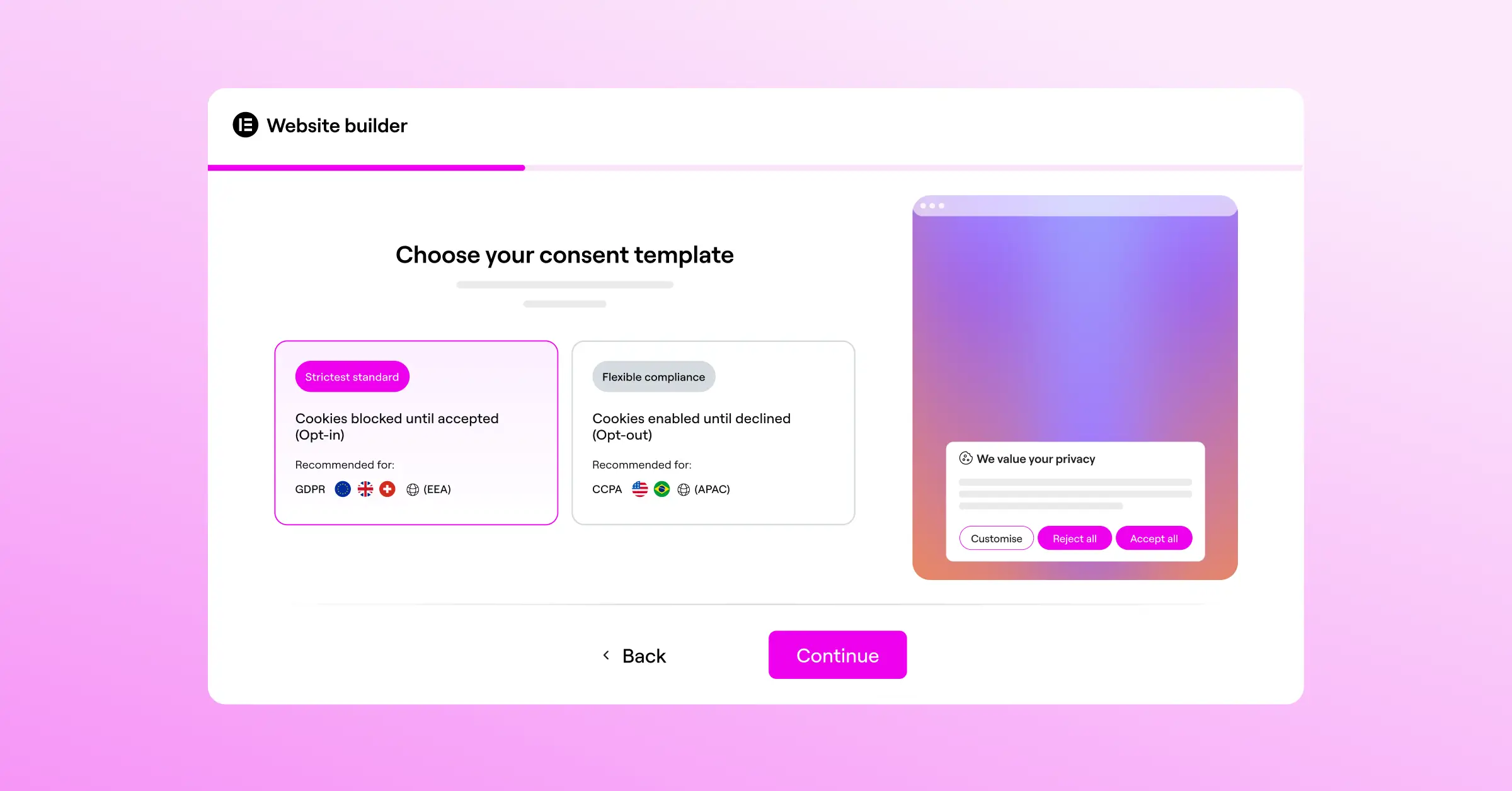
iubenda offers clean, professional templates out of the box. You can adjust primary colors and basic layout from your dashboard, but advanced brand tweaks need custom CSS, fine for developer-led teams, less so if you’d rather edit visually.
3. Managing Google Consent Mode v2 and Scripts
If you serve visitors in the EU or UK, Google Consent Mode v2 matters a lot. It signals user choices directly to Google Analytics and Ads, so you respect privacy preferences while still collecting anonymous data. Both tools support it, just differently.
The native capability handles this with toggle switches right in your dashboard, mapping cookie categories to Google’s consent signals. iubenda requires enabling this in your dashboard and routing tracking codes through Google Tag Manager or their auto-blocking scripts.
“Modern privacy compliance is no longer just about showing a banner on your homepage. It requires clear script control, accurate cookie categorization, and verification mechanisms like Google Consent Mode v2 to build real trust with your audience.”
– Itamar Haim, Web Compliance Specialist
The 10 Best Cookie Consent Tools for 2026
Here are the ten best tools for compliance in 2026, reviewed neutrally so you can find what fits your workflow.
1. Cookie Consent by Elementor
Cookie Consent is native to WordPress inside the Elementor One ecosystem, with no third-party subscriptions or custom code needed.
- Scans your site to find and categorize cookies automatically.
- Builds custom consent banners using familiar design controls.
- Saves detailed consent logs to your database for audit readiness.
- Supports Google Consent Mode v2 and Global Privacy Control out of the box.
- Targets banners to specific regions using built-in geo-location.
- Generates basic cookie policy pages for your visitors.
Pros & Cons
- Pro – Fully native to WordPress with no external dashboard accounts required.
- Pro – Easy to style using existing visual design controls.
- Con – Best suited for WordPress sites, less ideal for non-WordPress platforms.
Verdict: The ideal pick for WordPress creators wanting simple, integrated compliance without another subscription.
2. iubenda
iubenda is a complete compliance platform generating privacy policies, terms and conditions, and cookie banners, working across any website platform, from WordPress to custom applications.
- Generates legally binding privacy and cookie policies updated by lawyers.
- Deploys cookie consent banners across multiple CMS platforms.
- Blocks tracking scripts automatically before user consent is given.
- Saves consent preferences securely on cloud-based servers.
- Manages internal privacy documentation from a central dashboard.

Pros & Cons
- Pro – A solid choice for multi-platform compliance and full legal document generation.
- Pro – Keeps policy documents updated automatically when laws change.
- Con – Requires managing an external account outside of your WordPress dashboard.
Verdict: A solid choice for owners wanting one dashboard to manage legal policies and consent across several websites.
3. Cookiebot
Cookiebot is a widely used cloud-based consent platform focused on automated cookie scanning and compliance for businesses of all sizes.
- Scans your site every month to find and categorize tracking scripts.
- Renders clean, responsive consent banners to match standard layouts.
- Controls scripts automatically based on the user’s consent choices.
- Saves consent data in an encrypted, cloud-hosted database.
- Translates your banners automatically into dozens of languages.
Paid plans scale based on your total page count.
Pros & Cons
- Pro – Automated monthly scanning keeps your cookie list accurate.
- Pro – Strong multi-language support for international audiences.
- Con – Costs can scale as your site grows.
Verdict: A dependable, automated choice for medium to large sites with content that changes often.
4. CookieYes
CookieYes is a dedicated consent platform offering a standalone web app and a popular WordPress integration, balancing simplicity with advanced features.
- Scans your site instantly to identify active tracking cookies.
- Builds custom banners with an intuitive visual dashboard.
- Supports major standards including GDPR, CCPA, and Google Consent Mode v2.
- Records consent logs to show compliance to regulatory auditors.
- Integrates with popular tag management tools for script control.
Paid plans are billed monthly per website.
Pros & Cons
- Pro – The visual interface is clean and straightforward to learn.
- Pro – Generous limits on their entry-level plan for growing sites.
- Con – Requires connecting your site to their web application to unlock advanced features.
Verdict: An approachable, mid-range tool that works well for blog owners and small business sites.
5. Complianz
Complianz is a privacy suite built for the WordPress ecosystem, focused on legal integration and localized compliance configurations.
- Configures consent requirements based on the visitor’s physical region.
- Blocks common third-party integrations like YouTube and Google Maps until consent is given.
- Generates localized legal documents including cookie policies.
- Connects with WordPress privacy settings out of the box.
- Supports Google Consent Mode v2 and tag manager setups.
Pros & Cons
- Pro – High level of localization depending on regional privacy laws.
- Pro – Strong control over social media and video embeds.
- Con – The onboarding wizard has many steps and can feel complex for beginners.
Verdict: A solid option for European businesses needing regional targeting and legal text generation inside WordPress.
6. Termly
Termly is an all-in-one compliance platform for small businesses, pairing cookie consent with terms of service and privacy policy tools.
- Generates custom legal policies based on simple question wizards.
- Scans websites regularly to categorize active tracking tools.
- Displays clear, clean consent banners on desktop and mobile.
- Saves audit-ready consent logs in their cloud environment.
- Supports Global Privacy Control (GPC) signals natively.
Paid subscriptions unlock unlimited custom policies.
Pros & Cons
- Pro – Easy to use for generating complete legal agreements.
- Pro – Simple setup for businesses without technical teams.
- Con – The entry-level plan displays Termly branding on your banners and policies.
Verdict: A good fit for small businesses needing legal documentation and consent management in one package.
7. Osano
Osano is an enterprise-grade privacy platform built for companies needing high compliance assurance and extensive data mapping.
- Guarantees compliance with global laws through a legal backup promise.
- Monitors your vendors to track how third parties use visitor data.
- Displays geo-targeted consent banners in over 40 languages.
- Saves historical consent choices for auditing and reporting.
- Manages data subject access requests (DSAR) from a single hub.
Professional and enterprise tiers are priced on a monthly scale suited for growing organizations.
Pros & Cons
- Pro – Highly reliable platform with global legal monitoring.
- Pro – Advanced features for managing user data requests.
- Con – Premium plans are more expensive than standard WordPress alternatives.
Verdict: A strong choice for mid-market businesses and enterprise teams with dedicated compliance officers.
8. OneTrust
OneTrust is a widely recognized market leader in enterprise privacy, with deep compliance modules covering cookie consent, vendor management, and risk assessment.
- Maps data flows across complex web applications and websites.
- Deploys highly customized consent structures based on user roles.
- Tracks consent across multiple devices and user sessions.
- Integrates with corporate CRM and customer database systems.
- Reports detailed consent analytics to compliance teams.
Pros & Cons
- Pro – Deep, powerful suite of compliance and data governance features.
- Pro – Highly customizable to fit any corporate structure.
- Con – Setup can be complex and typically requires dedicated training.
Verdict: Best for enterprise corporations needing extensive compliance oversight across a large web presence.
9. Usercentrics
Usercentrics is a consent platform for web publishers and mobile app developers alike, focused on design flexibility and marketing data alignment.
- Connects consent choices smoothly with your marketing technology stack.
- Customizes banner layouts to match complex app designs.
- Supports custom user-interface elements via an advanced API.
- Saves structured consent records to help you stay compliant.
- Optimizes opt-in rates through A/B testing configurations.
Pros & Cons
- Pro – Excellent API-first approach for developers building custom apps.
- Pro – Good tools to help optimize your visitor opt-in rates.
- Con – Requires some technical familiarity to set up custom integrations.
Verdict: Highly recommended for SaaS platforms, mobile apps, and developers wanting deep code control over consent elements.
10. Consent Manager
Consent Manager is a European compliance tool built to meet strict regulatory guidelines while helping owners maintain good analytics data collection.
- Maintains dynamic vendor lists to track who is placing cookies.
- Optimizes banner displays using integrated machine learning models.
- Generates detailed real-time compliance reports.
- Blocks unauthorized script executions automatically.
- Supports major legal guidelines across multiple continents.
Premium packages scale based on monthly page impressions and advanced feature requirements.
Pros & Cons
- Pro – Strong compliance focus based on European legal requirements.
- Pro – Useful analytical insights into visitor opt-in choices.
- Con – The design editor has a slight learning curve compared to visual builders.
Verdict: A good choice for analytical owners optimizing opt-in rates while maintaining strict European compliance.
Choosing the Best Path for Your Site
With so many options, the right fit comes down to your setup and workflow.
- Evaluate your hosting environment – If your whole business runs on WordPress, a native option like Cookie Consent keeps things simple. Running a mix of Shopify, custom apps, and WordPress calls for a platform-independent tool like iubenda or Cookiebot.
- Consider your budget – Many third-party tools charge based on page count or monthly traffic. Cookie Consent is included in Elementor One, so you get compliance without another recurring bill.
- Analyze your design needs – Think about how important branding is to your audience. If you want your banner to feel like part of your theme, a tool that works directly with your visual editor is the easiest path.
- Check your tracking requirements – If you rely on Google Ads or Analytics to grow your business, make sure your tool fully supports Google Consent Mode v2 out of the box, so campaigns keep running as expected.
Frequently Asked Questions
Is a cookie consent banner legally required for my website?
If your site gets visitors from the EU, UK, California, or other regions with modern privacy laws, you likely need a consent banner, even if your business is based elsewhere, since these laws protect users by location.
What is Google Consent Mode v2 and do I need it?
Google Consent Mode v2 lets your site communicate visitor consent preferences directly to Google services like Analytics and Ads. If you run ads targeting European audiences or track behavior with Google tags, turning this on is recommended.
How does native WordPress cookie consent differ from a script-based solution?
A native WordPress tool runs directly within your site database and dashboard, with no third-party account, custom code, or separate platform fee. Script-based solutions are hosted externally and injected via code snippets, useful for multiple non-WordPress sites.
Will using a cookie consent tool slow down my website load times?
Some external tools can add a slight delay fetching banners from distant cloud servers. Native capabilities like Cookie Consent load efficiently alongside your existing WordPress files, keeping your site fast.
Can I customize the design of my consent banner to match my brand?
Yes, though how easy that is depends on the tool you pick. A WordPress-native capability built into your visual editor lets you adjust fonts, colors, and layouts with familiar controls. Other platforms rely on custom CSS or templates for advanced changes.
What are consent logs and why are they important?
Consent logs document when a visitor accepted or declined cookies on your site. They serve as an audit trail, so if a regulator ever asks for proof of compliance, you can export them to show you’re respecting user choices.
Is there a free option for Elementor’s Cookie Consent?
Yes, there’s a free tier for clean, basic compliance. For teams needing advanced features like geo-targeting, full design control, and script management, the full capability is included in the Elementor One package.
Can I use multiple cookie consent tools at the same time?
It’s best to run only one consent tool on your website. Running multiple at once can cause script conflicts, confusing duplicate banners, and errors in how tracking cookies are managed and blocked.

