
Keeping up with privacy law on your website can feel like solving a puzzle where the pieces keep changing shape. Between GDPR, CCPA, and Google Consent Mode v2, a simple cookie banner has become a real project. If you run WordPress, you’ve likely compared CookieYes and Complianz already.
We’ll walk through the strengths and key differences of each one, and how they affect your site speed and workflow. There’s a third option too, a cookie consent capability built into your WordPress dashboard, covered further down. Let’s find the right fit.
Key Takeaways
- Architecture: CookieYes is cloud-based with a WordPress connector; Complianz is a deeply integrated, self-hosted WordPress system.
- Consent Mode: both support Google Consent Mode v2, keeping your marketing data intact while you stay compliant.
- Setup style: Complianz uses a guided wizard in your WordPress dashboard; CookieYes configures through an external portal.
- Alternative: to skip third-party accounts, Elementor’s Cookie Consent capability is a clean, dashboard-native option worth a look.

Understanding the Core Privacy Problem in 2026
Before comparing the two tools, it helps to know why this choice matters right now. Regulators aren’t just checking for a banner anymore; they’re watching how it behaves behind the scenes, blocking trackers before a visitor clicks accept and logging consent for audits.
Third-party cookies are also being phased out across modern browsers, so sites lean more on first-party data and Google Consent Mode v2 to tell analytics and ad platforms what a visitor agreed to. If your banner doesn’t talk to those systems, data can break.
Here’s a quick look at how these two tools compare on the essentials, alongside a modern WordPress-native option:
| Feature | CookieYes | Complianz | Cookie Consent (Elementor) |
|---|---|---|---|
| Platform Style | Cloud-based with WordPress connector | WordPress-native plugin | WordPress-native capability |
| Dashboard Location | External CookieYes portal | Inside WordPress dashboard | Inside WordPress dashboard |
| Google Consent Mode v2 | Yes (fully supported) | Yes (fully supported) | Yes (fully supported) |
| Setup Method | Cloud dashboard settings | Multi-step setup wizard | 3-step dashboard setup |
| Consent Logs | Stored on CookieYes cloud servers | Stored locally in your database | Stored securely in your database |
| Design Editing | Visual cloud editor | WordPress customizer style | Full theme-style customizer |
An Honest Look at CookieYes
CookieYes is a well-known cloud-based privacy compliance platform. Your banners, cookie scans, and consent logs live on its remote servers. You install a lightweight WordPress connector, link it to your account, and manage everything from its external portal.
This setup suits anyone managing multiple sites across platforms, say a WordPress blog, a Shopify store, and an HTML page, all from one CookieYes login. Handy for busy developers and agencies juggling clients.

The Advantages of Using CookieYes
- Scans your site automatically to categorize tracking scripts.
- Stores consent logs in a secure, off-site cloud database for audits.
- Translates cookie banners into dozens of languages based on reader location.
- Maintains a large global database of cookie descriptions for your users.
- Connects with Google Tag Manager to handle script blocking.
- Includes pre-built templates that meet international compliance guidelines.
Because scanning and log storage happen on CookieYes servers, your own hosting skips the extra database queries. That cloud-first design keeps your database lighter, which helps on smaller shared hosting plans.
Where CookieYes Might Feel Challenging
The main consideration with CookieYes is that it takes you outside WordPress. Adjusting a color, checking a log, or tweaking a setting means logging into an external dashboard, which can feel disconnected.
CookieYes also uses a usage-based model on some plans, so a sudden traffic surge might mean reviewing your plan. Worth factoring in if you expect spikes.
“When selecting a cookie compliance solution, the key is balancing user trust with reliable technical execution. A consent banner that slows down your site or fails to log consent properly is a liability, not an asset. You need a system that fits into your existing workflow without creating technical debt.”
– Itamar Haim, Web Compliance Specialist
An Honest Look at Complianz
Complianz takes a different approach. It’s a WordPress-native compliance suite running entirely on your own server: no external dashboards, no cloud accounts, no pageview limits. Everything lives inside your WordPress site.
When you install it, Complianz walks you through a detailed wizard covering your business, audience, and cookie types, then generates a cookie policy and applies regional privacy rules by visitor location. It’s thorough, if slower to set up.

The Advantages of Using Complianz
- Configures settings through a thorough, step-by-step WordPress wizard.
- Generates legal documents like cookie policies and privacy statements automatically.
- Blocks third-party trackers locally before visitors give consent.
- Integrates with native WordPress privacy settings and core functions.
- Detects user locations to show different banners to EU vs US visitors.
- Saves consent logs directly to your local WordPress database.
This local setup means full data ownership. You’re not relying on a third-party server to load your banner or store consent choices, which appeals to anyone who values data independence.
Where Complianz Might Feel Challenging
Because Complianz is so thorough, its wizard can feel like a lot, with detailed questions about data sharing, address, and legal structure. A quick banner with minimal fuss may take more time than expected.
Running compliance checks, script blocking, and log storage on your own server adds some weight too. If hosting is already stretched, that could affect admin performance during traffic spikes.

CookieYes vs Complianz: Head-to-Head Comparison
Here’s how the two compare in scenarios you’ll actually run into as a site owner.
1. Setup and Workflow
CookieYes is fast to set up: install the connector, sign up for a cloud account, link the tool, and you’re done in a few clicks. You’ll move between WordPress and the portal to test changes.
Complianz keeps you entirely inside WordPress, so daily management stays contained, though the setup runs longer: a wizard with several legal and technical screens. If you like a guided process, that’s reassuring; for speed, CookieYes is more direct.
2. Design and Visual Customization
Both tools give solid control over your banner’s look, though the editing styles differ. CookieYes offers a visual customizer in its cloud dashboard: colors, buttons, layouts, no code needed.
Complianz uses native WordPress styling: colors, fonts, and positions through dashboard controls or custom CSS. It’s flexible and matches your theme well, though a custom look may need manual tweaking. Building with Elementor? Confirm your designs sit well alongside its rules.
3. Managing Compliance in Different Regions
If your site serves a global audience, geo-targeting matters. California visitors expect CCPA-style opt-out notices, while German visitors need a strict GDPR opt-in banner before scripts load. Handling that by hand gets tedious.
Complianz handles this automatically, adjusting banners by location and choosing between an opt-out link or opt-in toggle. CookieYes also offers geo-targeting, though full multi-region controls typically sit on higher-tier plans.
A Modern WordPress-Native Alternative: Elementor Cookie Consent
CookieYes and Complianz are both capable tools, but plenty of WordPress owners want something simpler. A large compliance suite can feel like overkill if you just need coverage without extra steps.
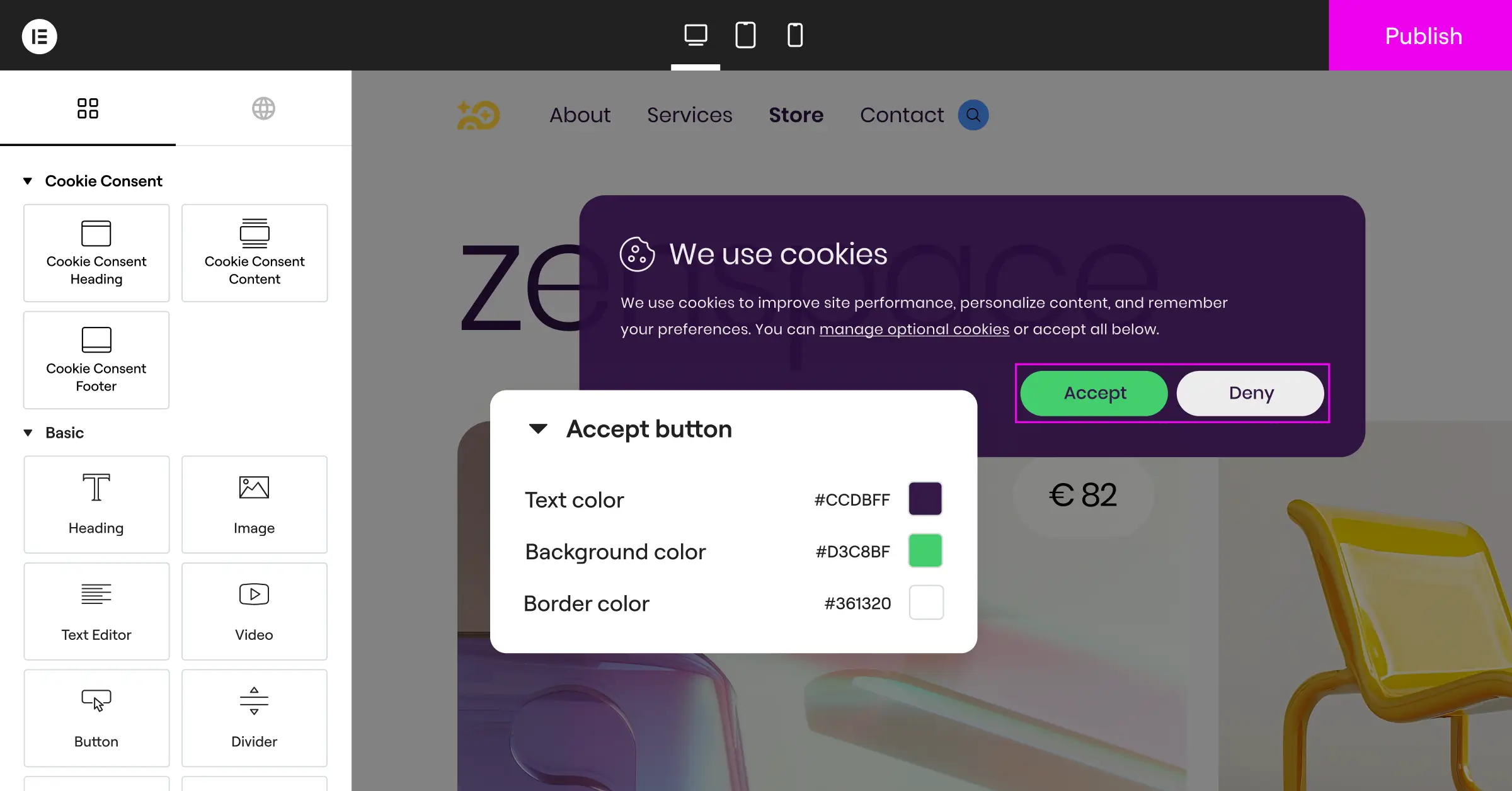
That’s where the native Cookie Consent capability by Elementor comes in. Built directly into the platform, it lets you manage cookie compliance without leaving your WordPress editor: no external dashboards, no wizards.
Using a tool built for your existing setup keeps things simple: your site stays fast, your design stays consistent, and your workflow stays clean.
Why Site Owners Choose a Native Cookie Consent Feature
Choosing a native capability over a third-party service brings a few practical advantages:
- Removes third-party accounts: no external portals, no extra passwords to remember, no outside servers to depend on.
- Matches your design automatically: your banner picks up your global brand colors, fonts, and button styles from your existing toolkit.
- Supports Google Consent Mode v2: it passes consent choices to your marketing tags cleanly, preserving analytics data while respecting privacy.
- Lightens your page load: native scripts mean fewer external requests, keeping your Core Web Vitals scores healthy.
If you’re already using Elementor to build your site, its built-in cookie consent features are a natural fit, with no conflict between page layouts and a third-party banner. For deeper privacy guidance, the Elementor GDPR compliance guide is worth bookmarking.
Feature Breakdown for Both Competitors
Here’s a clear picture of what each platform offers, feature by feature.
Key Features of CookieYes
- Scans your entire site automatically to identify and classify tracking cookies.
- Categorizes cookies into functional, analytical, and marketing groups using a global database.
- Builds custom consent banners with an intuitive cloud editor.
- Stores consent choices securely in a remote database for regulatory auditing.
- Translates banner text automatically based on the visitor’s browser language.
- Connects with major content management systems and tag managers beyond WordPress.
Key Features of Complianz
- Configures compliance settings through a detailed legal wizard inside your WordPress admin dashboard.
- Blocks third-party integration scripts from running before the visitor gives consent.
- Generates legal pages like dynamic cookie policies and privacy statements for your site.
- Detects regional visitor locations to show CCPA, GDPR, or UK-specific banners dynamically.
- Saves anonymous consent choices directly to your local WordPress database tables.
- Connects with native WordPress privacy options and core data export tools.
Key Features of Elementor Cookie Consent
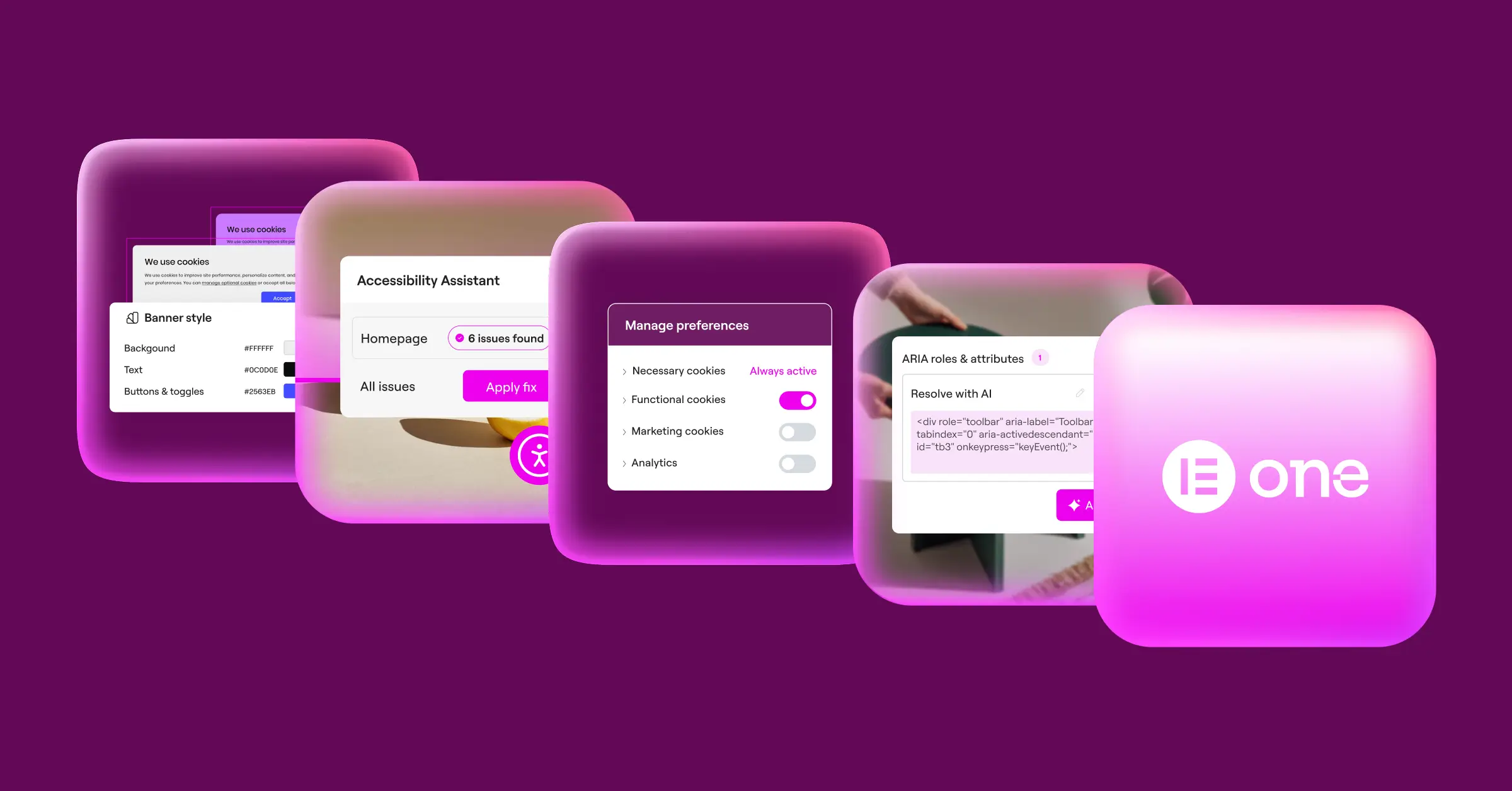
- Manages your site’s compliance rules natively from your existing WordPress editor space.
- Customizes banner styles using your site’s global design variables for consistent brand alignment.
- Supports Google Consent Mode v2 natively to protect your ad conversion tracking.
- Maintains clean consent records on your server without external cloud dependencies.
- Translates using standard WordPress translation tools for global visitors.
- Launches in minutes with a simple three-step configuration process.
Step-by-Step Setup: What to Expect
Here’s what actually getting each tool running on a live site looks like.
Setting Up CookieYes
Getting CookieYes running means bridging WordPress with its cloud dashboard:
- Install the official CookieYes connector from the WordPress plugin directory.
- Create a free CookieYes account to generate your connection key.
- Enter the connection key in your dashboard to link your site to the cloud service.
- Run an automated scan from the CookieYes portal to find active scripts on your pages.
- Design your banner in the cloud editor, choose your privacy laws, and publish it live.
Setting Up Complianz
Complianz works entirely inside WordPress, more like a structured walkthrough:
- Install and activate Complianz on your WordPress website.
- Open the Setup Wizard from your admin menu and begin answering questions about your audience.
- Specify which regions you serve, whether you sell user data, and if you process minors’ information.
- Let the tool scan your active plugins and theme files to detect tracking scripts.
- Create your required legal documents automatically using the built-in policy generator.
- Review the generated banner and adjust its colors to match your site.
Setting Up Elementor Cookie Consent
If you’d rather skip external accounts and wizards, this native approach is much faster:
- Activate the Cookie Consent feature in your native dashboard settings.
- Adjust your banner layout, messages, and color schemes using your familiar theme controls.
- Enable Google Consent Mode v2 with a simple toggle to keep marketing tags running smoothly.

Performance and Speed: How They Impact Your Site
As a WordPress site owner, every fraction of a second counts for page load speed. Slow sites frustrate visitors and can hurt rankings. Since banners need to load almost instantly, before other scripts fire, performance matters.
CookieYes relies on scripts hosted on its global CDN, making an external connection to fetch the banner code each time. Its infrastructure is well-optimized and usually fast, though an outage could mean your banner loads slowly or not at all.
Complianz loads its scripts locally from your own hosting, avoiding external dependencies, though your server handles the requests to log consent and serve banner assets. On shared hosting, traffic spikes could cause slight admin slowdowns, but most well-optimized sites stay stable.
A native option like Elementor’s Cookie Consent sits comfortably in the middle: lightweight code built into your page framework, adding very little overhead, no external API calls, no extra scripts or database work. Core Web Vitals stay healthy and privacy stays protected.
Choosing the Best Path Forward for Your Site
Both CookieYes and Complianz are solid compliance tools that help protect your site from privacy penalties. The right choice depends on how your site is set up and how you like to work.
If you manage sites across platforms, say WordPress alongside Shopify and custom HTML pages, CookieYes is a strong option: one portal handles scanning and log storage on its own secure servers, and it scales well.
If you’re fully committed to WordPress, want ownership of your consent data, and need a tool that generates legal pages automatically, Complianz is feature-rich. Its guided wizard is thorough, so you’re less likely to miss a step.
And if you’re already building with Elementor and want a fast, lightweight, native option that matches your brand without extra accounts, the built-in Cookie Consent capability is worth a serious look. It keeps your workflow simple.
Frequently Asked Questions
Do I really need a cookie consent banner if my site has low traffic?
Yes. Privacy laws like GDPR apply to any website collecting personal data from visitors in regulated areas, no matter your location or traffic. Even basic analytics, contact forms, or font loading can trigger compliance, so a proper consent system is always safer.
What is Google Consent Mode v2 and why does it matter?
Google Consent Mode v2 lets your site tell Google services like Analytics and Ads about your visitors’ privacy choices. If a visitor declines, it skips storing data while still sending basic anonymous conversion signals.
Can I use both CookieYes and Complianz at the same time?
No. Running multiple cookie consent tools at once causes layout conflicts, breaks tracking setups, and confuses visitors with multiple pop-ups. Pick one tool that fits your workflow and stick with it.
Will a cookie consent banner slow down my WordPress site?
Any script you add can slightly affect load times, but well-built tools keep that footprint minimal. A native tool like Elementor’s Cookie Consent stays very lightweight. With external tools, make sure scripts load asynchronously to avoid blocking rendering.
How does geo-targeting work with these privacy tools?
Geo-targeting uses a visitor’s IP address to identify their country or region, then shows the right banner: a strict opt-in for Germany, a simpler opt-out for Texas, staying compliant without adding friction.
Where are consent logs stored, and why are they important?
Consent logs prove your visitors made their privacy choices, so you can show a regulator you obtained consent before tracking anyone. Logs sit on a cloud server (CookieYes) or locally in your WordPress database (Complianz or Elementor’s Cookie Consent capability).
What happens if a user declines cookies on my site?
When a visitor declines, your tool must block non-essential tracking scripts (Google Analytics, Facebook Pixel, ad tags). Essential cookies, like shopping carts or logins, stay permitted. With Google Consent Mode v2, it sends non-identifying signals instead, preserving baseline analytics.

