
Managing user privacy on your WordPress site doesn’t have to feel like a legal crash course. Privacy rules like GDPR and CCPA change fast, and two common compliance tools are Cookiebot and CookieYes. Both do the job well, with different approaches. Here’s how they compare, plus the rest of the field, so you can pick the right fit for your site.
Key Takeaways
- Cookiebot is built for automated, cloud-based scanning, a solid fit for larger sites with complex scripts.
- CookieYes offers an intuitive setup with customizable templates that look polished on most designs.
- Both platforms fully support Google Consent Mode v2, which matters for Google Analytics or Ads.
- For WordPress users, a native option like Cookie Consent from Elementor keeps everything inside your dashboard.
- Your best choice depends on your traffic, budget, and whether you’d rather manage consent inside or outside WordPress.
Why Consent Tools Matter So Much in 2026
If privacy regulations make your head spin, you’re not alone. Once you know what’s required, it’s simpler than it looks. Regulators are more active, and browsers keep phasing out third-party cookies, so tracking visitor data has to stay transparent and under their control.
Google Consent Mode v2 is a big part of this. If you serve visitors in the EU or UK and use Google Analytics or Ads, a compliant banner isn’t optional anymore. Skip it, and tracking data stops flowing while ad campaigns lose accuracy. A compliance tool handles this automatically, scanning your site, sorting cookies into categories, and blocking them until a visitor clicks “Accept.”

Cookiebot vs CookieYes: Head-to-Head Comparison
Here’s a quick side-by-side of these two platforms across the categories that matter most, since both are capable but suit different projects.
| Feature | Cookiebot | CookieYes | Cookie Consent (by Elementor) |
|---|---|---|---|
| Dashboard Location | External Cloud Platform | External Cloud Platform | Native WordPress Dashboard |
| Setup Time | 10 to 15 minutes | 5 to 10 minutes | Under 5 minutes |
| Google Consent Mode v2 | Fully Supported | Fully Supported | Fully Supported |
| Geo-Targeting | Available on Paid Plans | Available on Paid Plans | Built-in (included) |
| Automatic Scanning | Monthly (Highly Detailed) | Scheduled Scanning | On-demand and Scheduled |
| Design Customization | Moderate (Requires CSS for deep edits) | High (Visual Editor) | Full Brand Customization |
| Consent Logs | Cloud Storage | Cloud Storage | WordPress Local Database |
Feature-by-Feature Breakdown: Cookiebot vs CookieYes
How they scan and categorize cookies
Both Cookiebot and CookieYes do a solid job scanning your site for tracking cookies. Cookiebot’s scanner runs deep, crawling scripts and catching less obvious trackers, then sorting them into Necessary, Preference, Statistics, and Marketing. CookieYes matches trackers against a large global database, keeping categorization accurate for most WordPress sites, though Cookiebot goes a bit deeper on complex enterprise tracking.
Customization and design flexibility
Your cookie banner is one of the first things visitors notice, so it’s worth getting right. CookieYes stands out here with a visual panel for changing colors, layouts, and text without touching code (a real relief if you’ve fought rigid platforms before).
Cookiebot is customizable too, but its editor leans more technical and often needs custom CSS to match your theme. For a clean look with minimal fuss, CookieYes has the edge.
Managing script integration and Google Consent Mode v2
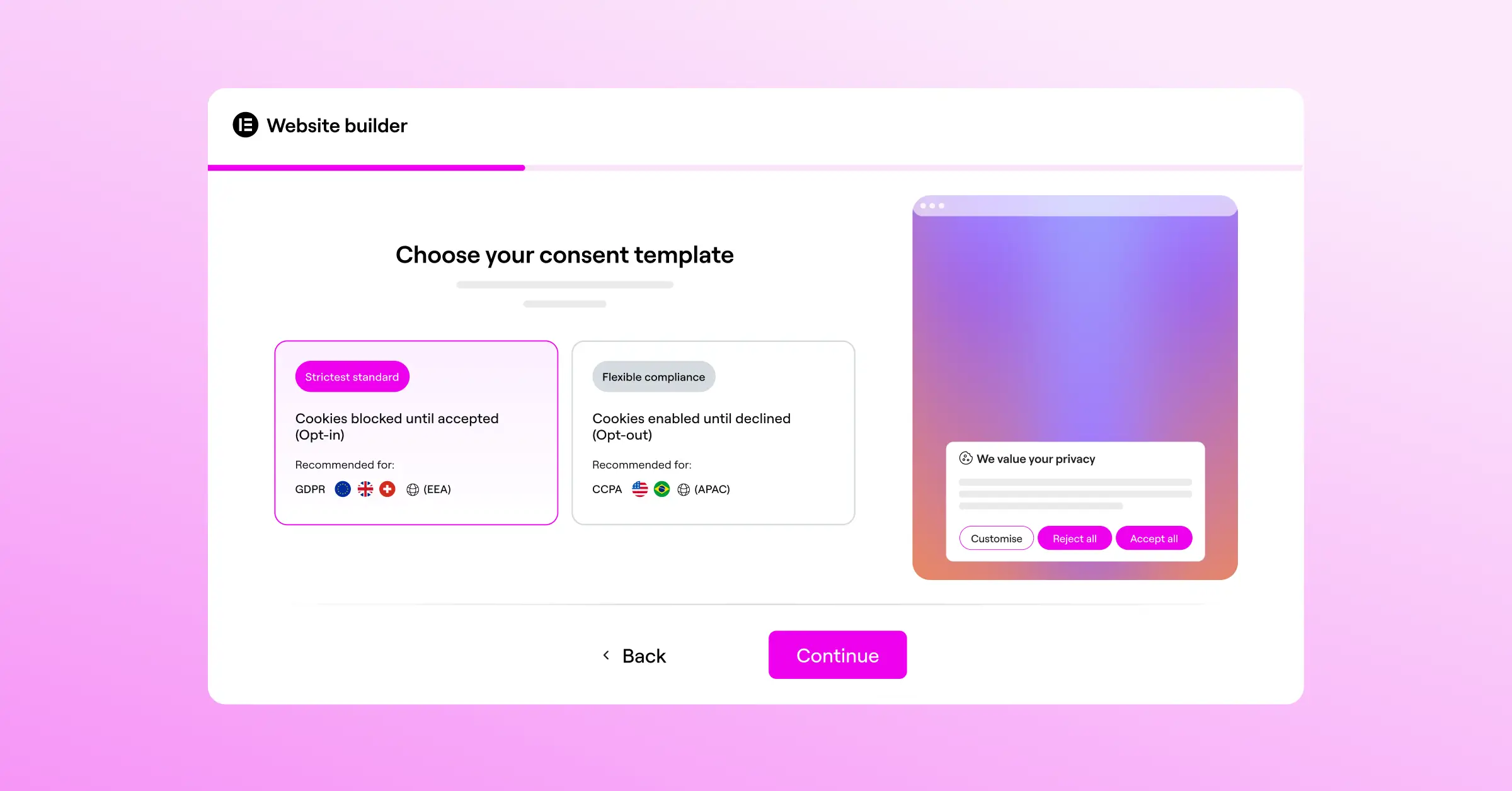
Both tools fully support Google Consent Mode v2, adjusting tag manager and analytics tracking based on what each visitor chooses. You’ll still need to configure the integration in their external dashboards to keep scripts loading correctly.
Pricing structures
Cookiebot prices by page count. Under 50 pages gets you a basic plan, but cross that line and you’re into paid tiers, pricier for large blogs or stores with many product pages.
CookieYes is more flexible, with a generous entry-level plan for lower-traffic sites and tiers that scale predictably as you grow. If budget matters most, CookieYes tends to have the more predictable per-page pricing of the two.
Why You Might Want a Native Alternative for WordPress
External tools like Cookiebot and CookieYes are capable, but they live outside WordPress. That means logging into another site, setting up your banner, copying a script into your theme header, and checking back to confirm the connection holds. It adds steps and feels disconnected from your site management.
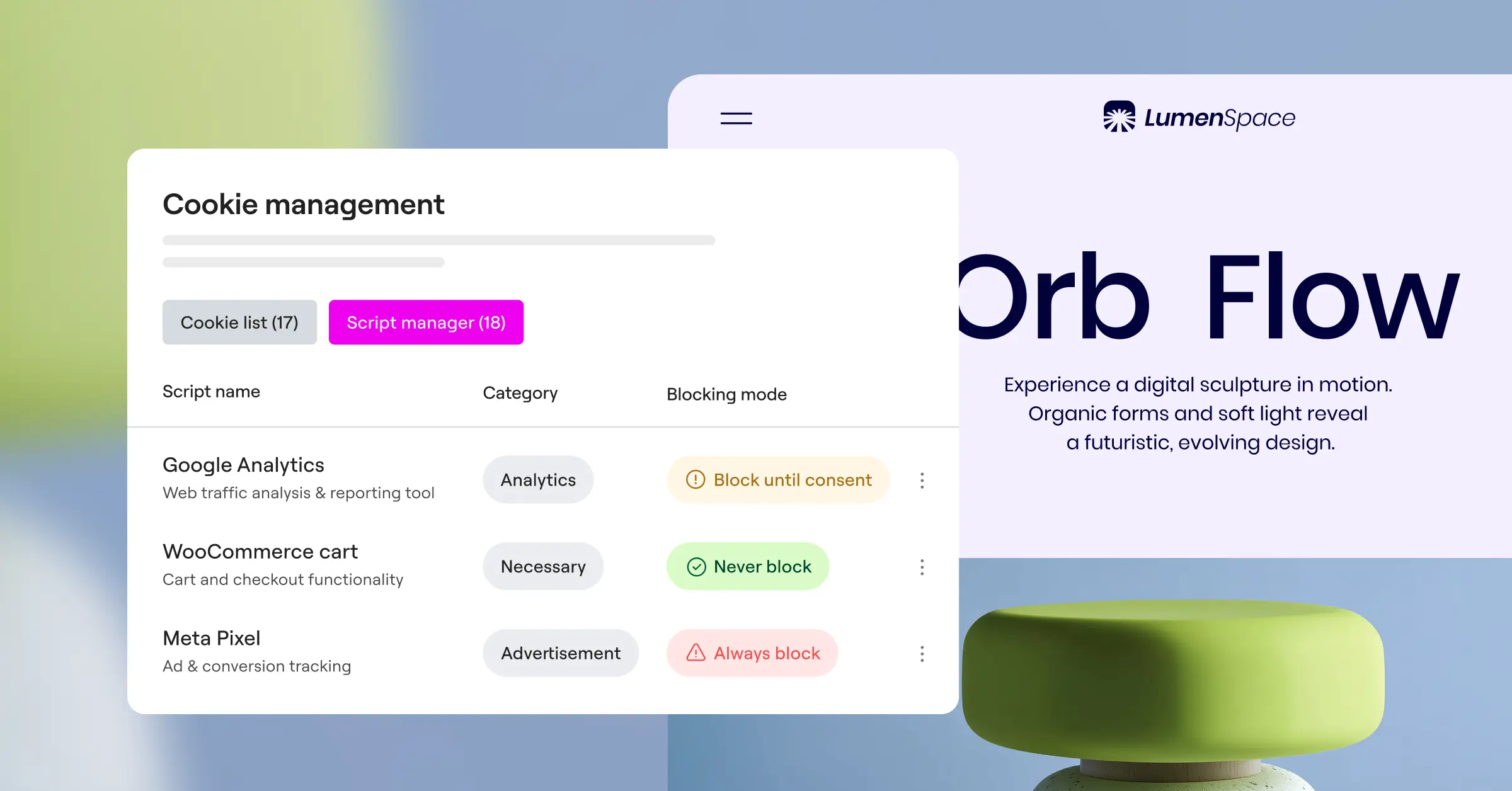
That’s why many WordPress owners turn to a native dashboard instead. With Elementor’s Cookie Consent capability, you handle your whole compliance setup right inside WordPress: no external accounts, no extra subscription, no script-pasting. It covers Consent Mode v2, geo-targeting, and script management automatically, and setup takes under five minutes, good for low overhead and a fast site.
“Choosing a compliance tool isn’t just about avoiding a penalty. It’s about building a foundation of trust with your audience. When visitors see a clear, honest, and fast-loading cookie banner, they feel respected, and that respect directly translates into better brand loyalty.”
Itamar Haim, Web Compliance Specialist
10 Best Cookie Consent Tools in 2026
Here’s the full lineup: ten of the best cookie consent tools this year, each evaluated on its own merits.
1. Cookiebot

Cookiebot is a well-established, cloud-based consent manager built for a highly automated, hands-off approach to technical compliance.
- Scans your site monthly for tracking cookies.
- Blocks cookies automatically until visitors consent.
- Generates a dynamic cookie declaration page.
- Stores consent data securely in the cloud.
Pricing: Paid tiers scale with total page count, with a basic plan for smaller sites.
Pros: Thorough scanner, reliable script blocking, well-suited to larger sites.
Cons: Can get pricey for sites with many pages; custom styling needs CSS.
Verdict: A dependable pick for corporate sites with large, complex tracking setups.
2. CookieYes

CookieYes is a modern, web-based consent platform popular with small and medium-sized businesses.
- Customizes banners to match your brand’s colors and style.
- Supports multilingual setups for international visitors.
- Manages permissions from a single dashboard.
- Connects directly with Google Consent Mode v2.
Pricing: Billed monthly by page views and domain count, with an entry-level option for lower-traffic sites.
Pros: Intuitive interface, straightforward design customizer, flexible pricing tiers.
Cons: Settings live on an external dashboard; entry-level plan has traffic limits.
Verdict: A solid, easy-to-use pick for growing businesses that want attractive banners without complexity.
3. Cookie Consent (by Elementor)
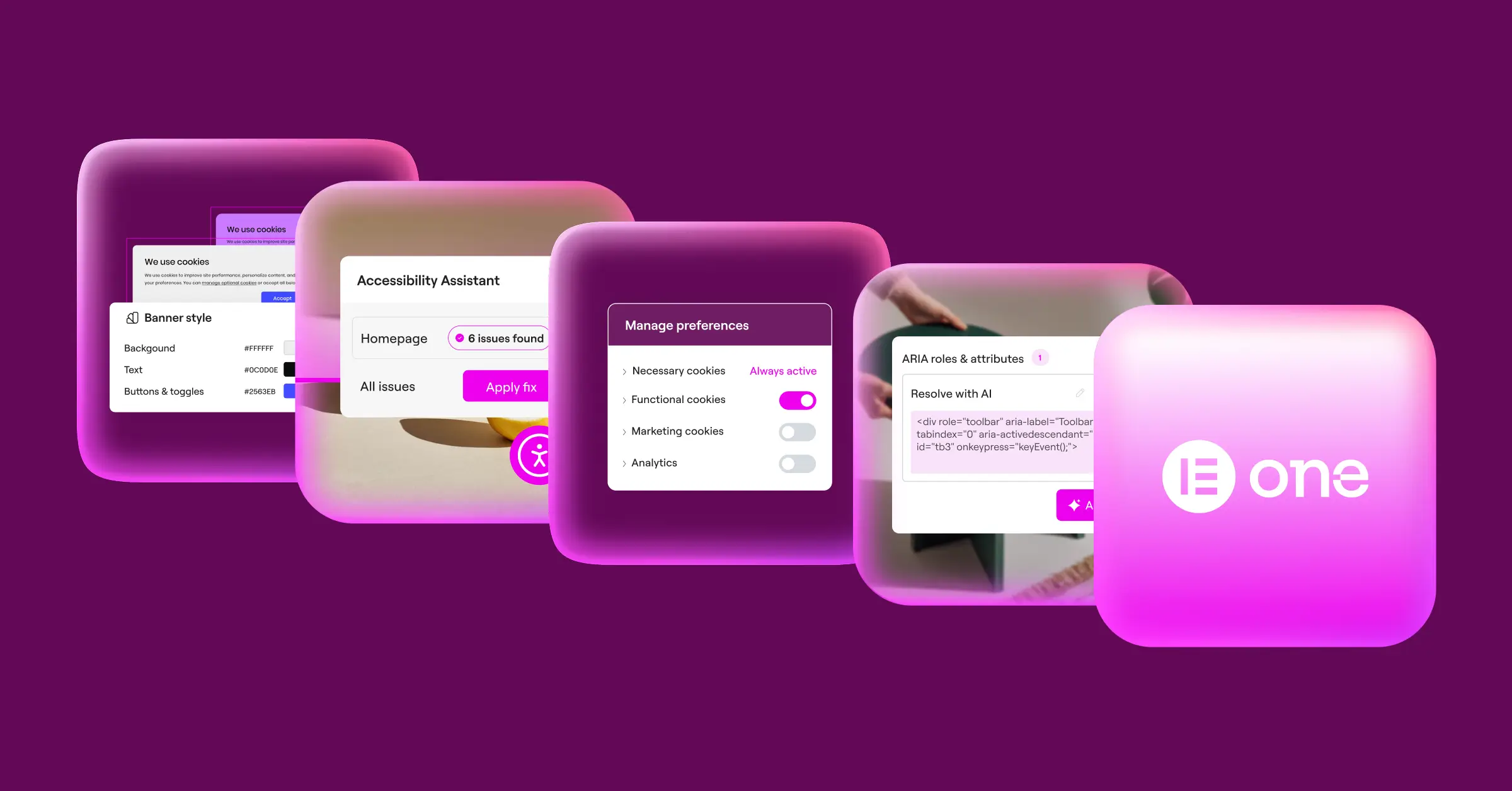
This native Cookie Consent capability is built for WordPress, handling GDPR and CCPA compliance right from your dashboard.
- Runs entirely within your WordPress dashboard with no external logins needed.
- Configures your compliance banner in under five minutes.
- Matches your brand design using flexible built-in customization.
- Logs user consent actions directly inside your WordPress database.
- Targets specific geo-locations so visitors see banners only where legally required.
- Supports Google Consent Mode v2 to keep your analytics accurate.
Pricing: Included in the Elementor One package, with a free tier available.
Pros: No external dashboards, lightweight for faster page speeds, full brand customization, geo-targeting included.
Cons: Built specifically for WordPress sites using the Elementor ecosystem.
Verdict: The best fit for a fast, integrated, cost-effective WordPress compliance solution.
4. Complianz
Complianz is a WordPress privacy tool with a wizard-style setup based on your audience and region.
- Configures privacy settings through a guided questionnaire.
- Generates legally-oriented documents matched to your region.
- Detects tracking scripts on your WordPress site automatically.
- Blocks social media embeds until cookies are accepted.
Pricing: Free version available; premium plans unlock additional features.
Pros: Thorough legal questionnaire, builds privacy policy pages automatically.
Cons: The setup wizard can feel long, with a lot of options to work through.
Verdict: A good choice for European site owners who want step-by-step guidance.
5. iubenda
iubenda is a complete legal platform, handling cookie banners, terms, and privacy policies under one roof.
- Generates auto-updating legal policies hosted on secure servers.
- Customizes cookie banners to reflect local regional laws.
- Integrates privacy policy generation with consent banner settings.
- Stores consent records to meet European proof-of-consent requirements.
Pricing: Tiered plans scale with the features and regions you need.
Pros: All-in-one legal solution, strong compliance standards across multiple jurisdictions.
Cons: Pricing can add up if you need coverage across several regions.
Verdict: Best for businesses that need cookie banners and a full legal policy library at once.
6. OneTrust
OneTrust is an enterprise-grade privacy and data governance platform built for large organizations.
- Coordinates complex compliance campaigns across large website portfolios.
- Maps backend data systems to maintain clean records.
- Integrates with internal IT systems for security and audits.
- Automates data subject access requests through secure portals.
Pricing: Enterprise pricing; best suited for organizations with dedicated compliance teams.
Pros: Detailed feature set, highly scalable, trusted by large enterprises.
Cons: Far too complex and costly for smaller sites or solo creators.
Verdict: The standard pick for large organizations with complex data environments.
7. Osano
Osano is a B2B data privacy platform focused on straightforward compliance, with indemnity options on some plans.
- Monitors vendor compliance to flag high-risk third-party scripts.
- Includes compliance indemnity up to a specified financial limit.
- Blocks unregistered trackers before they load for visitors.
- Shows geo-targeted banners based on real-time visitor location.
Pricing: Paid plans vary by site volume and features needed.
Pros: Clean interface, automated script blocking, indemnity option for added peace of mind.
Cons: Paid plans can run expensive for independent creators and small agencies.
Verdict: A good fit for growing SaaS companies and mid-market businesses.
8. Termly
Termly is a compliance tool built for small businesses and independent creators at an accessible price.
- Builds basic legal policies using an interactive document builder.
- Scans smaller sites for cookies on a monthly basis.
- Displays cookie banners with simple, clean styling options.
- Generates terms of service agreements for mobile and web.
Pricing: Affordable entry-level plans, with paid tiers for additional features.
Pros: Easy for beginners to set up, genuinely affordable for small sites.
Cons: Lacks advanced geo-targeting and deeper developer customization.
Verdict: A solid, budget-friendly pick for freelancers and small agency sites.
9. Usercentrics
Usercentrics is a European consent provider offering flexibility for developers building custom web applications.
- Controls cookie consent across web browsers and mobile apps.
- Connects with Google Tag Manager for script management.
- Customizes interfaces with full CSS styling access.
- Stores data in European Union data centers for regional standards.
Pricing: Tiered plans based on site traffic and customization level.
Pros: Flexible API, strong developer documentation, focused on European compliance.
Cons: Requires some technical skill to configure and design properly.
Verdict: A developer-focused pick for agencies and custom web application projects.
10. Didomi
Didomi is a premium preference management platform helping customer-focused brands collect consent across channels.
- Collects customer preferences for email, SMS, and web tracking in one place.
- Monitors opt-in rates through a detailed analytics dashboard.
- Distributes consent data across internal customer databases.
- Supports global regulations including GDPR, CCPA, and CPRA.
Pricing: Premium pricing aimed at mid-market and enterprise brands.
Pros: Advanced preference center management, strong integrations with CRM tools.
Cons: Too complex and costly for most standard informational sites.
Verdict: Ideal for larger, multi-channel brands building complex, customer-first consent experiences.
Step-by-Step Action Plan to Implement Compliance on Your Site
Setting up a consent tool is easier than it looks (don’t let the compliance jargon put you off). Here’s how to get it done quickly.
- Audit your website – Run a full scan to see what cookies and scripts are active on your pages.
- Select your tool – Choose an external platform like Cookiebot or CookieYes, or go native with Elementor’s Cookie Consent to stay inside WordPress.
- Design your banner – Set the colors, text, and layout to match your branding.
- Enable Google Consent Mode v2 – Configure your tag manager and cookie settings to pass the right signals to Google.
- Publish and test – Go live, open an incognito window, and confirm scripts stay blocked until you click “Accept.”
Common Implementation Mistakes to Avoid
Even experienced creators make simple mistakes setting up cookie banners. Watch for these issues so your site stays compliant and fast.
- Pre-ticked consent boxes – Under GDPR, consent must be active and explicit. Pre-checked boxes are a real compliance risk.
- Forgetting to link your privacy policy – Your banner should always link clearly to your full cookie policy page.
- Failing to block scripts before consent – A banner alone isn’t enough. Your tool must hold back tracking scripts until visitors click “Accept.”
- Blocking critical assets – Watch out for accidentally blocking essential scripts, like your shopping cart or login sessions, that your site needs to work.
How to Verify Your Cookie Banner Works Correctly
Once your banner’s live, it’s worth confirming it actually works. You can check this yourself with simple browser tools.
- Clear your browser cache – Open a clean incognito window to see the site as a brand-new visitor would.
- Open developer tools – Right-click the page, select “Inspect,” then check the “Application” or “Storage” tab for active cookies.
- Check before accepting – Look at active cookies before clicking anything on your banner. You should only see essential session cookies.
- Verify after accepting – Click “Accept” and watch developer tools to confirm your analytics and marketing cookies load.
Frequently Asked Questions
Do I really need a cookie consent banner on my WordPress site?
Yes. If you have visitors from the EU, UK, or California, you’re legally required to get consent before storing tracking cookies, even if your business is based elsewhere, since these laws protect users by location.
What happens if I don’t comply with GDPR and CCPA?
Non-compliance can bring warnings, audits, and real financial penalties from regulators. Google and other ad networks are also restricting accounts that skip Consent Mode v2, which can hurt your traffic and marketing.
Is Cookiebot or CookieYes better for a small budget?
CookieYes usually offers more predictable pricing, with entry-level plans that scale by page views. Cookiebot’s page-count model gets pricier as you grow. Elementor’s Cookie Consent, included with Elementor One, is worth a look too.
Can I use Google Consent Mode v2 with these tools?
Absolutely. Both Cookiebot and CookieYes fully support Google Consent Mode v2. Elementor’s Cookie Consent also includes built-in Consent Mode support right in your dashboard.
What’s the benefit of a WordPress-native cookie consent tool?
A native tool keeps everything inside WordPress: no extra subscription, no separate dashboard, no scripts to paste into your theme files. That keeps things cleaner and often loads faster too.
Do these tools slow down my website load speed?
External scripts can add small delays since your browser fetches code from a third-party server. Native tools typically load faster, running directly from your own server.
Can I customize the design of my cookie banner?
Yes, both let you customize layouts, colors, and button designs. CookieYes offers a visual editor for quick changes, while Cookiebot gives more flexibility but often needs custom CSS.
What are consent logs and why do I need them?
Consent logs record your visitors’ choices. Under GDPR, you may need to prove a user gave explicit consent during an audit. Automated logging keeps that trail without extra effort.
How does geo-targeting work for cookie banners?
Geo-targeting uses a visitor’s IP address to determine location, then shows banners only in regions with strict privacy laws, keeping things clean elsewhere.

