
Running a website means wearing a lot of hats. One day you’re polishing a layout, the next you’re untangling privacy rules. If you’ve been using Cookiebot, juggling a separate external account alongside your WordPress dashboard can feel heavier than it needs to be. Staying compliant while keeping your design clean is actually easier than it looks. We tested the top options for WordPress site owners this year, here are the alternatives that keep your site legal without slowing you down.
Key Takeaways
- Native integration matters: managing consent inside WordPress skips a separate external dashboard, keeping your workflow in one place.
- Google Consent Mode v2 is essential: your tool needs to support this standard to keep analytics and ad campaigns running cleanly.
- Budget flexibility: many alternatives offer flat-rate pricing or free tiers, saving real money over per-domain billing.
- Design customization: a tool that lets you style banners from your builder keeps branding consistent, no code required.
Why Look for a Cookiebot Alternative in 2026?
As privacy rules tighten worldwide, site owners need tools that are thorough and genuinely easy to manage. Cookiebot has been a popular choice for years, but plenty of users are starting to look elsewhere.
Setup often means moving between your WordPress dashboard and an external cloud platform, and that split can make troubleshooting scripts and cookie categories feel disjointed, especially when you just want to approve one tracker. If your blog or shop grows, your consent tool shouldn’t penalize you for publishing more. And matching your banner to your typography and brand colors can sometimes mean writing custom CSS to override external stylesheets.
The compliance software market has moved on, though. Modern consent solutions are more integrated, lighter on server resources, and built to work naturally with the page builders you already use. Here’s how the top options stack up.

The Best Cookiebot Alternatives Compared
Before the full reviews, here’s a quick look at how the top contenders compare on compliance features, dashboard integration, and ease of use.
| Tool Name | WordPress Native | Google Consent Mode v2 | Key Strength |
|---|---|---|---|
| Cookie Consent | Yes (Fully Integrated) | Supported natively | Dashboard-native control with zero external accounts |
| CookieYes | No (Cloud Dashboard) | Supported | Strong multi-platform cloud management |
| Complianz | Yes (Plugin-based) | Supported | Step-by-step configuration wizard |
| iubenda | No (Cloud Dashboard) | Supported | Complete legal and policy generation |
| OneTrust | No (Enterprise Cloud) | Supported | Deep enterprise privacy administration |
1. Cookie Consent
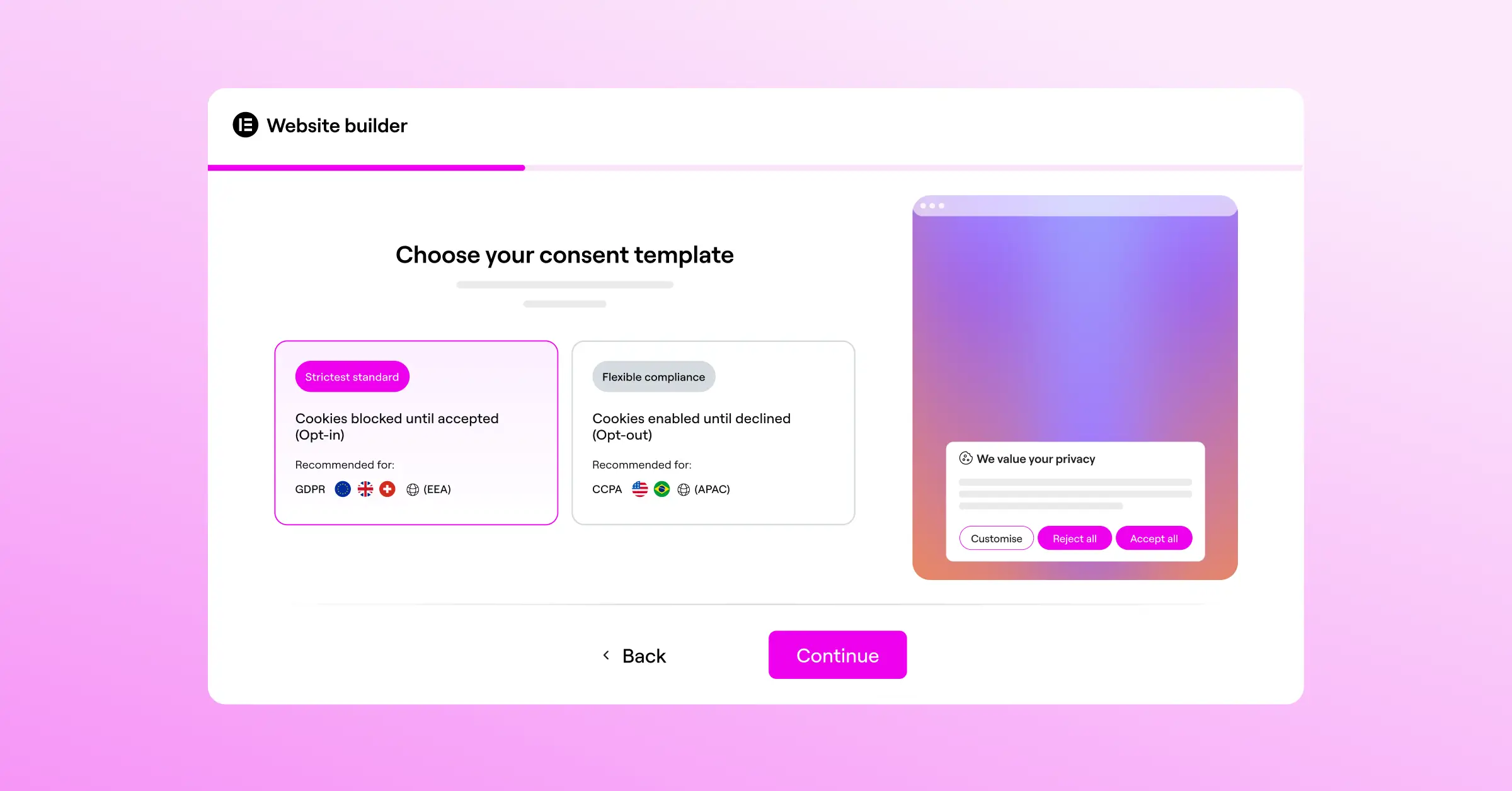
If you want to keep your admin life simple, Cookie Consent by Elementor is a genuinely refreshing way to handle compliance. Built specifically for WordPress, it means you never log into an external cloud portal to approve a script or check your consent logs. Everything lives inside your admin area, so your workspace stays unified and simple.
Setting up your banner takes under five minutes. The built-in scanner crawls your site for active cookies, sorts them into standard compliance categories, and gives you full control over how scripts load before a visitor accepts. If you use the broader Elementor ecosystem, this capability fits naturally alongside tools like Web Accessibility, for a site that’s legally sound and open to everyone.

Core Features of Cookie Consent
- Manages GDPR and CCPA compliance from your dashboard, no external accounts needed.
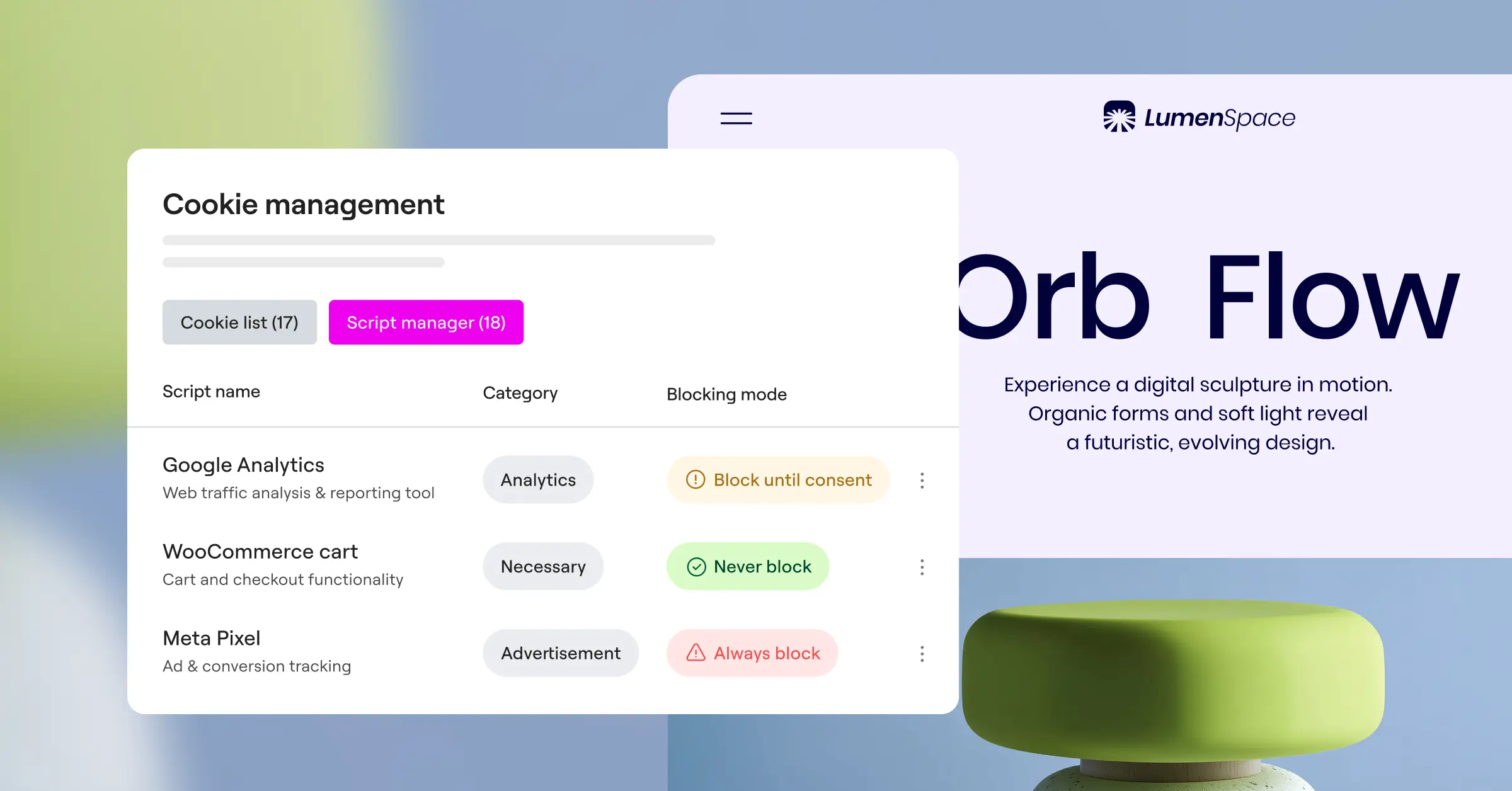
- Scans your site automatically to identify, classify, and block cookies before consent.
- Saves detailed consent logs locally for a ready audit trail.
- Supports Google Consent Mode v2 natively, protecting ad and analytics data.
- Controls banner visibility with precise geo-targeting.
- Adapts to any design through custom templates that match your brand.
Pros of Cookie Consent
- No external dashboard or extra accounts needed.
- Genuinely quick setup: a live banner in under five minutes.
- Included in the Elementor One subscription, cost-effective for growing sites.
- The built-in policy generator drafts professional compliance pages without a lawyer.
Cons of Cookie Consent
- Built specifically for WordPress, not an option for non-WordPress platforms.
- Advanced enterprise data-mapping features stay intentionally simple to favor ease of use.
Verdict: If you run WordPress and want to skip external compliance platforms, Cookie Consent is the standout choice: one window, fast loading, no custom code.
2. CookieYes
If you manage multiple sites across platforms, CookieYes is a solid cloud-based alternative. It lets you control compliance settings from one account and push updates to WordPress through a simple script, and it’s well regarded for its clean interface and reliable scanning engine.
CookieYes handles script blocking well, holding back trackers until visitors choose. Because it runs in the cloud, you can manage a WordPress site and a Shopify store from one dashboard, genuinely handy for multi-platform owners, though it means one more login.

Core Features of CookieYes
- Automates cookie scanning and categorization.
- Supports Global Privacy Control (GPC) for visitor browser preferences.
- Includes customizable banner templates with multi-language support.
- Targets visitors by geography with localized banners for Europe and California.
Pros of CookieYes
- The dashboard is clean, modern, and easy to read at a glance.
- Strong multi-language support makes translation straightforward.
- A solid entry-level plan for small, lower-traffic sites.
Cons of CookieYes
- Settings live in an external browser tab rather than WordPress directly.
- Higher traffic tiers can get pricey for content-heavy sites.
Verdict: CookieYes is a dependable choice for site owners who need cross-platform compatibility and don’t mind an external dashboard.
3. Complianz
Complianz is a well-established name in WordPress privacy: a compliance suite that walks you through setup with a detailed wizard, helping you work out which regulations apply to your situation. A supportive starting point if legal jargon feels overwhelming (and honestly, most of us feel that way).
The tool works entirely inside WordPress, scanning your installed scripts and plugins to determine what cookies are placed. It also integrates with popular contact form and analytics tools to block data collection until a visitor clicks “Accept.”

Core Features of Complianz
- Walks you through a wizard that pinpoints your legal obligations by business location.
- Generates cookie policies and legal documents automatically, tailored to your site.
- Integrates with popular translation tools for global audiences.
- Supports regional consent banners, including rules for Canada and Australia.
Pros of Complianz
- The wizard-based setup is genuinely educational, teaching privacy law as you configure things.
- All your configuration data stays inside your own WordPress database.
- Regular updates keep the tool current with evolving European regulations.
Cons of Complianz
- The setup interface is text-heavy if you just want a quick, simple banner.
- Matching the visual design to your exact layout can sometimes involve CSS work.
Verdict: Complianz is a great fit if you want a thorough, educational setup and don’t mind spending a bit more time answering legal questions in exchange for a tailored privacy document.
4. iubenda
For businesses that need more than a cookie banner, iubenda offers a fuller package: privacy policies, terms and conditions, and cookie banners that update automatically as laws change, a complete system for agencies and small businesses alike.
The iubenda dashboard is hosted externally. Once you’ve configured your documents and banners there, you embed the provided code into WordPress. Your legal documents live on iubenda’s secure servers, so updates roll out automatically without any work on your end.

Core Features of iubenda
- Updates your privacy policy and terms of service automatically as laws change.
- Records a consent database that logs user choices for regulatory proof.
- Lets you configure the cookie banner with CSS styling options.
- Integrates with Google Consent Mode v2 for analytics protection.
Pros of iubenda
- A complete legal toolkit beyond cookie consent alone.
- Legal documents maintained by attorneys, keeping you covered as regulations shift.
- Well suited for agencies managing disclosures across many client sites.
Cons of iubenda
- Pricing scales with sites and features, adding up for larger portfolios.
- The external dashboard can feel technical and dense for casual users.
Verdict: Choose iubenda if you need a complete legal document package alongside your consent management, with auto-maintained legal texts that stay current without your involvement.
5. OneTrust
OneTrust is one of the larger names in enterprise data privacy, built for organizations managing consent, vendor relationships, and data requests across many domains. It can technically run on WordPress, but it’s generally built for larger corporate environments with dedicated IT and legal teams.
The platform runs deep, with detailed reporting, risk assessments, and vendor database scans. For a standard site or blog, OneTrust is likely far more than you’ll ever need, but for enterprise operations, its depth is hard to match.

Core Features of OneTrust
- Tracks enterprise-level compliance and vendor risk assessments.
- Integrates deeply with CRM platforms and internal databases.
- Monitors global regulations across many jurisdictions.
- Analyzes consent activity through advanced tracking dashboards.
Pros of OneTrust
- A capable platform for complex enterprise compliance needs.
- Detailed reporting for legal teams preparing audits.
- Extensive customization for large, international organizations.
Cons of OneTrust
- The platform is significantly more complex than most WordPress sites will ever require.
Verdict: OneTrust is best suited to large, global organizations with dedicated compliance budgets. Standard WordPress sites are better served by the simpler alternatives on this list.
6. Termly
Termly is a friendly, accessible compliance builder for small businesses. It bundles legal policy generators alongside its consent tool, covering your legal bases in one place, cloud-hosted with a clean dashboard.
Getting started means running an automated scan to categorize your tracking scripts. From there, customize your banner layout and embed the tracking code: a practical, middle-of-the-road option that covers the essentials without overcomplicating things.

Core Features of Termly
- Generates simple policies: privacy policy, disclaimers, and refund policy.
- Automates cookie scanning and categorized script blocking.
- Lets you customize banner color and placement visually.
- Covers GDPR, CCPA, and UK regulations in full.
Pros of Termly
- Clean, welcoming interface for non-technical users.
- Bundles banner generation with essential legal documents in one place.
- A generous entry-level plan for brand-new websites.
Cons of Termly
- The external dashboard can feel slow scanning larger sites.
- Visual customization is limited compared to developer-focused tools.
Verdict: Termly is a solid, user-friendly pick for small business owners who want to bundle cookie consent management with basic legal policy writing.
7. Osano
Osano positions itself around reliability, notably a financial guarantee against compliance fines for qualified premium users. It’s built for companies that want to hand off privacy monitoring to a third party, watching regulations globally and updating your banner logic automatically as laws change.
Osano manages your cookies through a cloud dashboard and uses a vendor rating system to evaluate the data practices of third-party scripts on your site, giving you a clearer picture of which services may affect your visitors’ privacy.

Core Features of Osano
- Localizes banners automatically based on real-time IP detection.
- Rates vendor data privacy practices for third-party scripts.
- Backs qualified premium customers with a financial compliance guarantee.
- Supports major international data privacy standards.
Pros of Osano
- The compliance guarantee offers real peace of mind on regulatory risk.
- The visitor-facing experience is smooth and quick-loading.
- Detailed data on how third-party vendors handle visitor information.
Cons of Osano
- Premium plans are priced well above WordPress-native alternatives.
- The dashboard focuses on corporate risk management, which may feel like overkill for smaller creative sites.
Verdict: Osano is a premium choice for growing businesses concerned about regulatory liability who want a financial safety net.
How to Choose the Right Consent Tool for Your Website
Picking the best alternative to Cookiebot isn’t a guessing game. Think through your daily workflow and your actual compliance needs, and you’ll find a tool that keeps your site legal and your backend manageable. Here’s how to find your fit:
- Assess Your Dashboard Preference. Decide whether you’d rather manage compliance from WordPress or you’re fine with an external cloud platform. Tools like Cookie Consent let you handle everything where you already write and edit, cutting the overhead of switching accounts.
- Check Your Tracking Requirements. Look at the scripts you run. If you rely on ads and analytics, make sure your tool supports Google Consent Mode v2 natively so your marketing data stays clean and compliant.
- Evaluate Your Design Needs. Consider how much control you want over your banner’s look. If you use Elementor, a capability that works natively within your workflow lets you match fonts, colors, and borders without touching a stylesheet.
- Determine Your Budget Model. A flat-rate setup, a native bundle like Elementor One, or a generous free tier can save real money over per-domain billing. Think about where you’ll be in 12 months before committing.
“Modern privacy compliance is no longer just about showing a banner. It’s about maintaining a clean, verifiable trail of consent while keeping the user experience fast and frictionless. Tools that run natively where your content lives make this task significantly easier for web creators.” – Itamar Haim, Web Compliance Specialist
Frequently Asked Questions
Is Cookie Consent built directly into WordPress?
Yes, Cookie Consent is a native capability built specifically for WordPress. It manages your compliance settings, scanning rules, and consent logs from your dashboard, so you don’t need external accounts or third-party platforms to stay compliant.
What is Google Consent Mode v2 and do I need it?
Google Consent Mode v2 is a framework that passes visitor consent choices from your site to Google’s ad and analytics services. If you serve visitors in Europe or the UK and use Google tools, you’ll need a consent manager that supports this mode to keep your analytics accurate and campaigns running properly.
Can I customize the design of my cookie banner?
You can, and it’s pretty straightforward with the right tool. Cookie Consent lets you style your banners to match your brand’s colors, fonts, and layout, no custom code required.
Do these alternatives impact my site’s loading speed?
Some external tools load scripts from remote servers, adding delay to page load times. A native tool that runs on WordPress loads the consent code alongside your theme files efficiently (good news for Core Web Vitals).
Do I need a consent banner if my site is small?
Privacy laws like GDPR apply to any website collecting personal data from EU citizens, regardless of size or location. Even small blogs using basic analytics scripts generally need a proper consent mechanism in place.
How often should my site be scanned for cookies?
It’s good practice to scan at least once a month. This keeps your cookie declarations current, especially after installing new tools or tracking scripts that can introduce cookies your visitors haven’t consented to yet.
Can I manage multi-language banners?
Yes, the top consent tools support multilingual banners, detecting the visitor’s browser language and displaying the right translated text automatically.
Is there a free tier available for Cookie Consent?
Yes, Cookie Consent has a free tier that makes it easy for new sites to stay compliant from day one. For advanced features, you can upgrade, or access the full capability through the Elementor One subscription bundle.

