Table of Contents
10 Best AI Website Builders in 2026: Build Website with AI Effortlessly
The global AI in web development market is projected to reach $14.2 billion by 2026, growing at a massive 25.4% annual rate. You’re no longer boxed in by manual coding limits or a six-figure agency budget.
Data shows 73% of small businesses report using or planning to use AI for website design and content creation by the end of 2025. If you haven’t tried an AI website builder yet, you’re probably spending more time than you need to.
Key Takeaways
- Speed is the new normal: AI builders can take a landing page build from 15-20 hours down to under 30 minutes.
- Agentic AI is taking over, with platforms that act inside WordPress itself (like creating custom post types) replacing basic text-to-code generators.
- Costs keep dropping. A professional small business website used to run $3,000-$5,000; now it’s a $12-$40/mo subscription.
- Performance keeps improving, with AI-optimized code structures showing a 22% average improvement in Google Core Web Vitals scores.
- Personalization pays off: AI-driven dynamic content can lift on-site conversion rates by up to 15% over static sites.
- Limitations still exist. Most standard tiers cap generative credits between 10,000 and 50,000 per month.
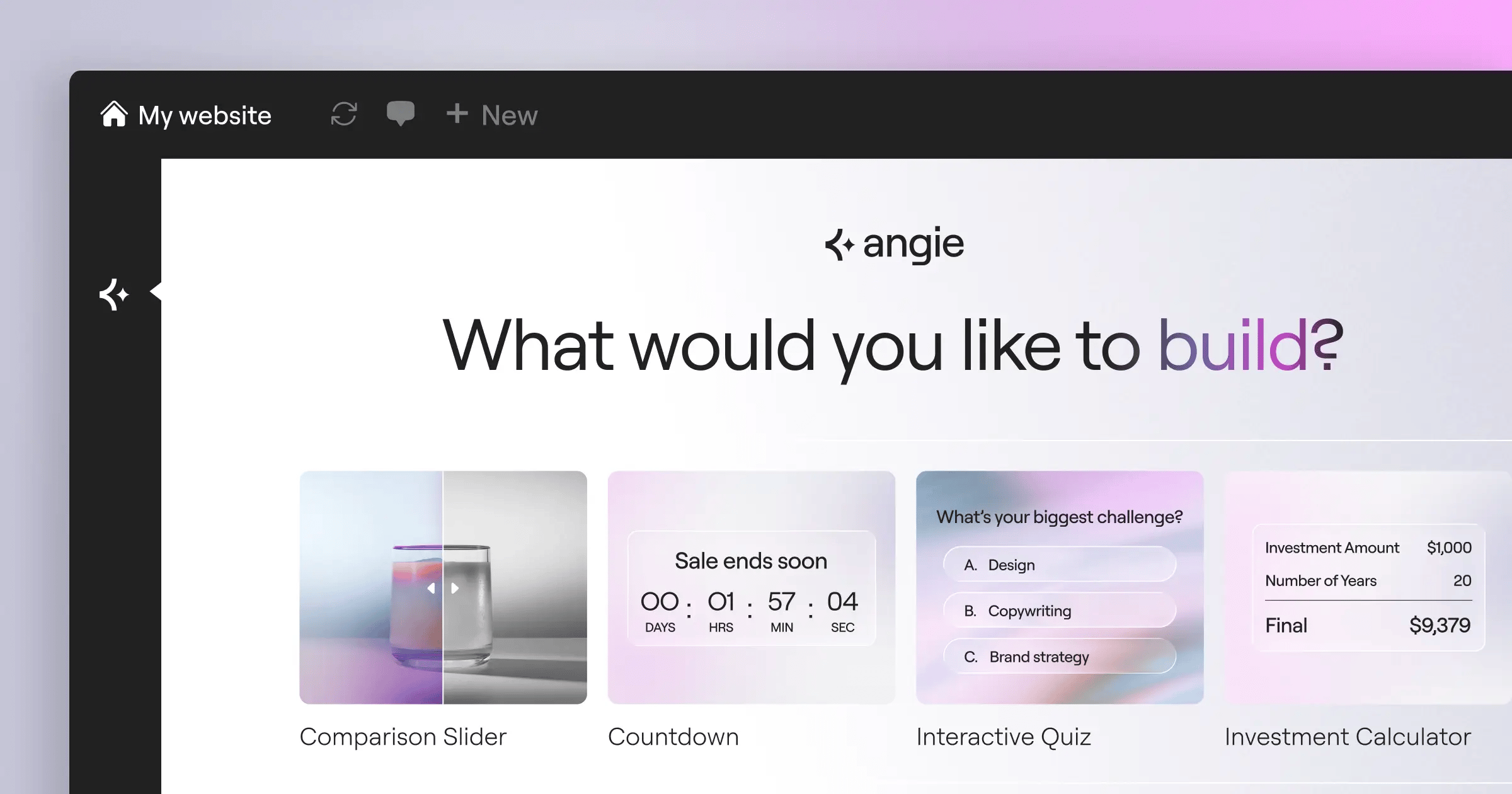
1. Angie by Elementor
Most AI tools hand you generic code you still have to implement. Angie by Elementor works differently: an agentic AI framework for WordPress, using the Model Context Protocol (MCP) to inherit your site’s context and run tasks inside a sandbox before anything touches production.
Key Features
- Plans and completes multi-step WordPress tasks on its own.
- Builds fully functional Elementor widgets from natural language prompts.
- Inherits your exact site architecture through MCP integration.
- Isolates every test in a sandbox before anything touches your live database.
- Outputs standard WordPress assets like custom post types and admin snippets.
Pricing
Angie is a free WordPress plugin, part of the broader Elementor One ecosystem.
Pros
- Goes from idea to production in minutes.
- Keeps full creative control over the output.
- Zero risk of breaking your live site during generation.
- Integrates deeply with your existing WordPress data.
Cons
- Works best once you understand WordPress logic well enough to write good prompts.
- Won’t replace a database administrator for complex enterprise clusters.
- Built mainly for WordPress, not headless setups yet.
2. Elementor Editor Pro
If Angie is the brain, Elementor Editor Pro is the muscle building your visual frontend. Elementor now powers over 21 million websites (about 13% of the internet), with Elementor AI built right into the live editor so you never leave the container you’re working in.
“The real advantage of native AI isn’t just generating text. It’s the ability to instantly generate responsive CSS and structural layouts that perfectly match your site’s existing global variables. It cuts technical debt in half.”
Itamar Haim, SEO Team Lead at Elementor. A digital strategist merging SEO, AEO/GEO, and web development.
Key Features
- Generates full section layouts based on your site’s current styling.
- Translates content instantly across multiple languages within the editor.
- Writes and applies custom CSS or HTML without leaving the widget panel.
- Delivers full drag-and-drop control across 118+ advanced widgets.
- Controls headers, footers, archives, and WooCommerce pages through the Theme Builder.
Pricing
Elementor One starts at $168/year for a single site, including Editor Pro, the AI Site Planner, Image Optimization, and 25,000 shared AI credits per month.
Pros
- Gives granular control over every breakpoint (desktop, tablet, mobile).
- Cuts the need for dozens of third-party plugins.
- Keeps costs predictable with one unified subscription.
- Applies WebP/AVIF compression automatically, cutting file size by up to 60%.
Cons
- Comes with a steep learning curve for those new to web design.
- Can burn through your monthly AI credit allowance if you lean on AI features heavily.
3. Wix Studio
Wix has moved well beyond small hobby sites. Wix Studio now targets high-end agencies, and its Responsive AI can automate 100% of mobile responsiveness adjustments with one click, reflowing your layout for smaller screens instantly. Here’s the scaling sequence:
- Import your base design assets into the Studio workspace.
- Use the AI Text Creator to generate placeholder copy mapped to user intent.
- Toggle Responsive AI to generate tablet and mobile breakpoints instantly.
- Use the AI Image Enhancer to upsample low-resolution client photos.
Key Features
- Eliminates manual breakpoint styling with one-click Responsive AI.
- Helps write custom JavaScript via the AI Code Assistant.
- Bundles dashboards for client billing and analytics.
- Injects custom CSS directly, an upgrade from older Wix versions.
Pricing
Wix Studio plans sit apart from standard Wix, at premium agency rates, often starting around $30/month per site.
Pros
- Delivers some of the best responsive automation in the industry.
- Produces strong visual fidelity without writing code.
- Saves time on admin tasks with built-in client tools.
Cons
- Locks you into the Wix ecosystem, and migrating out later takes real effort.
- Can overwhelm new agency hires with its number of interface panels.
- Performance can dip on complex, animation-heavy pages.
4. Hostinger AI Website Builder
Sometimes a local business needs a functional site fast, and Hostinger AI Website Builder owns that budget category. Answer three questions, and the AI generates a template, writes the copy, and sources images. It bundles the builder with hosting plans starting at just competitive rates, and fills in meta descriptions, titles, and alt text automatically.
Key Features
- Creates a multi-page site from a single text prompt.
- Predicts where visitors will focus their attention before you publish, via the AI Heatmap.
- Fills out essential meta tags automatically in the background.
- Generates basic brand marks for new businesses with the AI Logo Maker.
Pricing
Bundled with hosting starting at competitive ratesnth. This includes a free domain name for the first year.
Pros
- Delivers strong value for tight budgets.
- Runs a surprisingly accurate AI Heatmap for conversion optimization.
- Needs zero technical knowledge to launch.
Cons
- Design layouts can feel rigid and somewhat formulaic.
- Doesn’t let you export the site code if you leave the platform.
- Keeps e-commerce features fairly basic for large inventory stores.
5. Framer AI
Designers love Figma, but turning a static file into a live site is usually painful. Framer AI closes that gap well: it reports cutting the average landing page build from 15-20 hours to under 30 minutes, and it leans into motion, applying scroll transforms and micro-interactions automatically.
Key Features
- Produces highly styled pages with complex color palettes.
- Copies Figma designs into HTML with strong fidelity.
- Translates and reflows layouts automatically for different languages.
- Generates complex scroll animations from simple prompts.
Pricing
Offers a free tier for hobbyists, with Pro tiers running around $30/month per site.
Pros
- Produces some of the most polished out-of-the-box designs on the market.
- Runs animations that are smooth and well optimized.
- Handles localized language features strongly for global campaigns.
Cons
- Mimics complex design tools closely, a steep learning curve for non-designers.
- Offers lighter CMS capabilities than WordPress.
- Isn’t suited for complex web applications needing user logins.
6. 10Web
Sometimes you’d rather clone a site you like than build from scratch, and 10Web built its AI platform around that. It says its AI can recreate any website URL into a functional WordPress template with 90% accuracy in under 2 minutes, then applies caching and image optimization automatically for a 90+ PageSpeed score.
Key Features
- Clones public front-end layouts into editable widgets.
- Handles minification, caching, and lazy loading automatically.
- Rewrites scraped text to avoid direct plagiarism.
- Integrates the builder with their managed WordPress hosting.
Pricing
Runs on a platform-as-a-service model, with plans starting around $20/month per site.
Pros
- Gives you the fastest way to migrate an old HTML site into WordPress.
- Takes the guesswork out of performance optimization.
- Outputs standard WordPress code that you fully own.
Cons
- Loses cloning accuracy on complex or JavaScript-heavy sites.
- Nudges you toward their proprietary hosting infrastructure.
- Needs manual cleanup when the AI misreads overlapping layers.
7. Squarespace Blueprint AI
Squarespace has always prioritized aesthetic curation over raw technical freedom, and Blueprint AI keeps that philosophy. You choose core site goals and a brand personality, and it queries a database of over 1.1 billion design combinations to assemble a layout, then fills it with tailored brand copy.
Key Features
- Narrows down aesthetic choices through an interactive design wizard.
- Generates tone-specific text for headers, about pages, and product descriptions.
- Extracts complementary color palettes from a single uploaded logo or image.
- Integrates smoothly with their existing e-commerce inventory tools.
Pricing
Included with standard Squarespace subscriptions, typically $16 to $49 per month depending on your e-commerce needs.
Pros
- Makes it nearly impossible to design an ugly site.
- Produces typography pairings that are consistently strong.
- Backs you with tightly integrated, responsive customer support.
Cons
- Limits free-form layout control, so you can’t place elements exactly where you want.
- Holds back on major structural changes once the build is done.
- Still trails dedicated WordPress setups on SEO, even with recent improvements.
8. Durable AI
Patience runs thin in 2026, and Durable AI is built around that urgency. It claims a fully functional, industry-specific site, with copy, images, and a contact form, in exactly 30 seconds, and it delivers. It also bundles an AI-driven CRM that drafts a personalized reply when someone fills out your form.
Key Features
- Deploys a full working site in 30 seconds, among the fastest on the market.
- Manages leads automatically and drafts smart CRM responses.
- Pulls reviews and data directly from your local Google Business profile.
- Generates and sends invoices to leads captured on the site.
Pricing
Straightforward monthly plans start at $12/month, including the CRM and invoicing tools.
Pros
- Deploys sites at a genuinely staggering speed.
- Bundles a CRM that makes it a full operating system for solo operators.
- Keeps the barrier to entry extremely low.
Cons
- Keeps design fairly shallow, so sites can look similar to each other.
- Skips advanced animation and complex layout grids.
- Makes scaling past a simple brochure site difficult.
9. GoDaddy Airo
GoDaddy owns a huge share of the domain market. GoDaddy Airo, its AI, kicks in the moment you buy a domain, suggesting a logo, a coming-soon page, and a professional email address. Data indicates 58% of marketers use AI to generate meta tags and schema markup, cutting manual SEO work by 40%, and Airo bakes that in automatically.
Key Features
- Triggers site creation immediately upon domain purchase.
- Creates matching Instagram and Facebook posts based on your site copy.
- Drafts newsletters summarizing your latest site updates.
- Suggests where to place checkout buttons for stronger conversion.
Pricing
Heavily bundled. AI features are often included “free” when you buy higher-tier hosting or domain privacy packages.
Pros
- Offers convenience if you already buy domains through GoDaddy.
- Saves small teams time with its social media asset generation.
- Centralizes billing and technical support in one place.
Cons
- Feels rigid compared to Elementor or Wix as an actual builder.
- Surfaces upsells often throughout the dashboard.
- Requires a complete rebuild if you move away from GoDaddy later.
10. Site123
Drag-and-drop interfaces intimidate some users, so Site123 drops that model entirely. You talk to an AI sidebar instead, telling it what block you want, and it drops a pre-coded block into your stack. 64% of business owners believe AI will improve customer relationships through faster updates, and here it’s as easy as sending a text.
Key Features
- Adds and modifies sections through conversational prompts instead of mouse drags.
- Adjusts font sizes and image ratios automatically to fit the container.
- Duplicates and translates the entire site structure cleanly.
- Includes a generous forever-free hosting tier with a subdomain.
Pricing
A free basic plan is available. Premium plans start around $12.80/month, removing branding and unlocking custom domains.
Pros
- Makes the layout nearly impossible to break.
- Suits non-technical users who just need to publish quickly.
- Handles multi-language translation remarkably well for the price.
Cons
- Looks noticeably older and less dynamic than Framer or Wix.
- Offers zero granular control. Moving an image five pixels over isn’t possible.
- Isn’t suited for modern, highly interactive web applications.
Comparison Summary: The Best AI Builders of 2026
Choosing the right tool comes down to your technical comfort and end goals. Agencies need deep structural access; small business owners prioritize launch speed.
| Platform | Starting Price | Best Use Case | Average Launch Speed |
|---|---|---|---|
| Angie by Elementor | Free (Plugin) | WordPress Pro Workflows | Minutes (Agentic Execution) |
| Elementor Pro + AI | $168/yr | Full Site Customization | Under 1 Hour |
| Wix Studio | ~$30/mo | Scaling Design Agencies | 2-3 Hours |
| Hostinger AI | competitive rates | Extreme Budget Projects | Under 10 Minutes |
| Framer AI | Free / $30/mo | High-End Animated Portfolios | Under 30 Minutes |
| Durable AI | $12/mo | Local Service Businesses | 30 Seconds |
Final Recommendation: Which AI Builder Should You Choose?
AI tools in 2026 cover very different needs. Standard tiers cap generative credits between 10,000 and 50,000 per month, so match the platform to your volume and don’t under-spec the project.
- For WordPress Professionals – Start with Angie by Elementor. Using agentic AI inside a safe sandbox to build custom widgets and admin snippets is hard to match. Pair it with an optimized hosting environment, and cut your development time by 70%.
- For High-End Visual Designers – Go with Framer AI. Its motion controls and Figma integration turn creative vision into code faster than almost anything else.
- For the Absolute Beginner – Pick Hostinger AI or Durable AI. If you need a working business card site with a contact form by the end of your coffee break, either one delivers.
Stop writing boilerplate code, and start prompting instead.
Frequently Asked Questions
Will AI website builders negatively impact my SEO?
No. AI builders often generate cleaner DOM structures and apply schema markup automatically. But you still need quality, human-reviewed content to rank well.
What’s the difference between Elementor AI and Angie?
Elementor AI is the creative assistant built into the visual editor, generating text, code, and images. Angie is an agentic AI framework, a standalone WordPress plugin, that executes tasks like creating custom post types or building widgets.
Do I own the code generated by these AI tools?
It depends on the platform. Proprietary builders like Wix or Squarespace don’t let you export code. WordPress-based tools like Elementor or 10Web give you full ownership of the HTML, CSS, and database.
How accurate is text-to-site generation?
Quite accurate for standard layouts (hero sections, pricing grids, testimonials). Ask for something unconventional and the AI usually defaults to a safe, standard grid.
Can AI builders handle complex e-commerce stores?
Basic builders handle simple product listings and checkout flows. But complex inventory, variable products, and tax routing still need platforms like WooCommerce paired with a visual builder.
What happens when I run out of AI generation credits?
Most platforms run on a shared credit system. Hit your monthly limit, and you’ll revert to manual tools or buy a top-up pack.
Are AI-generated websites ADA compliant?
AI can structure semantic HTML, which helps screen readers, but it can’t guarantee legal compliance. You’ll still want accessibility tools to verify contrast, ARIA labels, and keyboard navigation.
Does AI code run slower than human-written code?
Not anymore. AI models in 2026 are trained to output lightweight code, and platforms use AI to optimize images and caching, often loading faster than average human-built sites.
Looking for fresh content?
By entering your email, you agree to receive Elementor emails, including marketing emails,
and agree to our Terms & Conditions and Privacy Policy.

