If you’re managing content in 2026, you already know how tricky the AI space has gotten. Generative writers are fast, but search engines and readers still crave a real human touch. That’s where GPT detectors come in. We tested the most popular options so you can find the best fit, one that keeps your content clean and genuinely human.
Key Takeaways
- Originality.ai stays the top choice for publishers who need high accuracy and regular updates against new GPT models.
- Copyleaks brings strong enterprise features and detects AI across multiple languages.
- GPTZero gives you a friendly, accessible interface that works well for educational use and quick scanning needs.
- Winston AI includes strong optical character recognition (OCR) to read text inside scanned documents and images.
Why Content Marketers Need Reliable AI Detection
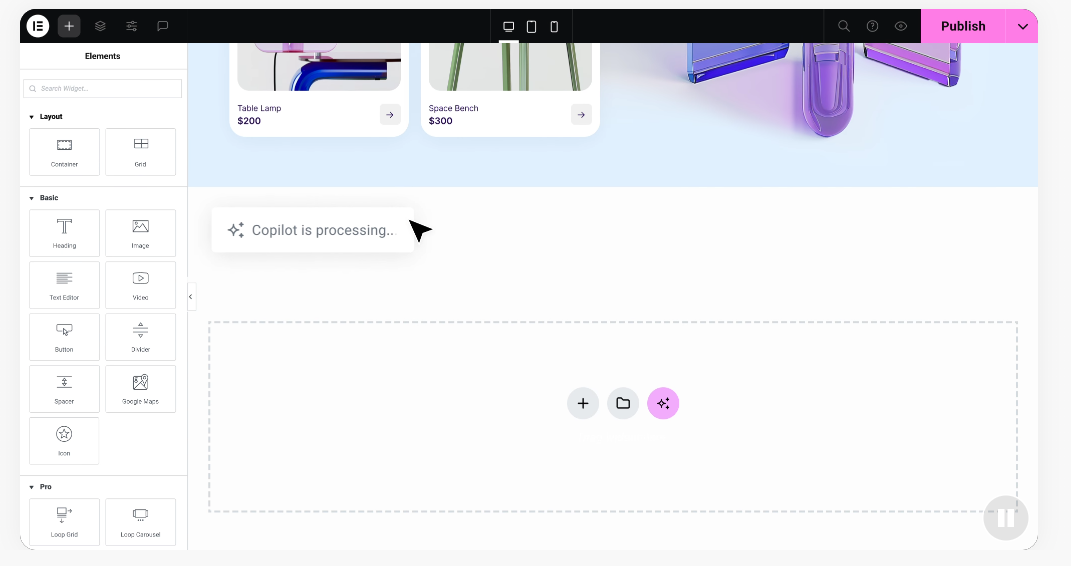
Publishing content today is a genuine balancing act: you want to scale production and keep up with competitors, but search engines have gotten good at spotting low-value, automated text. Build your site with a tool like the Elementor website builder, and publishing fresh content becomes a priority, so AI detection naturally joins your workflow.
If your team leans entirely on raw AI output, you risk losing search visibility and reader trust, since human readers spot dry, repetitive AI patterns fast (most can tell right away). A dependable detector confirms your writers are doing real research and writing with a distinct voice. It’s not about banning AI, it’s about keeping the warmth only a human brings.
Just as you’d check Elementor’s features before choosing a builder, evaluate the full scope of your AI detector too. Some tools just catch AI patterns, while others also check plagiarism, factual errors, and readability, keeping your brand authority safe.
How We Tested These AI Content Detectors
To find the top performers for 2026, we tested the most popular detectors on the market using a varied set of samples: raw GPT-4o drafts, Claude 3.5 Sonnet essays, Gemini marketing copy, fully human-written posts, and hybrid pieces where an editor reworked an AI draft.
We paid close attention to false positives, when a tool flags human writing as AI, since that causes real stress for freelance writers. We also checked ease of use, scan speed, and bulk-upload handling. The table below sums up what we found.
The 7 Best GPT Content Detectors Compared
| AI Detector | Best For | Key Advantage | Pricing |
|---|---|---|---|
| Originality.ai | Professional Publishers | High accuracy for GPT-4 and Claude models | Paid credit-based or monthly plans |
| Copyleaks | Enterprise & Teams | Excellent multi-language support | Subscription plans with a free option |
| GPTZero | Education & Quick Scans | Highlights exact AI sentences | Free tier and premium subscriptions |
| Winston AI | Publishers & OCR Needs | Scans images and PDFs with precision | Free tier and tiered paid plans |
| Sapling | Agencies & Live Chat | Works inside your browser with an extension | Free basic use with premium upgrades |
| Writer AI | Casual Marketers | Simple, free tool for fast checks | Free basic scanner |
| ZeroGPT | Budget-Conscious Users | Accessible with detailed sentence percentages | Ad-supported free tier and paid plans |
1. Originality.ai
Originality.ai is widely seen as the go-to choice for web publishers and SEO agencies, updated constantly to keep pace with new LLM releases. Beyond spotting AI patterns, it scans for plagiarism and checks facts, giving editorial teams a well-rounded tool. Invite your editors, organize scans by site folders, and its credit-based model keeps your monthly spend flexible.
Key Features
- Scans text using machine learning models trained on millions of samples.
- Detects plagiarism across billions of web pages.
- Tracks scan history in a shared team dashboard.
- Pulls factual accuracy ratings to flag AI hallucinations.
How to Use Originality.ai
- Create an account and buy scanning credits or a monthly plan.
- Paste your content into the editor, or enter a post URL.
- Pick the model version to test against, like Lite or Turbo.
- Review the color-coded score to see which sections need editing.
The Elementor blog has more on publishing workflows that put quality first. Originality.ai is paid, but its accuracy makes it worth it for serious publishers.
Pros: Excellent accuracy, regular updates, handy team tools, and reliable fact-checking.
Cons: No permanent free tier, and it can be overly sensitive with structured human writing.
Verdict: The best pick for agencies and site owners who can’t afford low-quality AI content.
2. Copyleaks
Copyleaks is an industry staple built for large organizations, schools, and enterprise teams. It handles multiple languages well and integrates with learning management systems through a solid developer API. What sets it apart is spotting paraphrased content: it reads sentence structure and meaning, not just word matches, giving a clear picture of how your text was built.
Key Features
- Analyzes content across 30+ languages with high structural accuracy.
- Identifies paraphrased text that other detectors often miss.
- Integrates with content tools through a developer API.
- Secures user data with enterprise-grade privacy standards.
How to Use Copyleaks
- Sign up and pick a subscription tier based on your volume.
- Upload files (PDF, Word, text) or paste text directly.
- Run the scan and wait for the interactive heatmap report.
- Hover over flagged sections for details on matched sources.
Pros: Outstanding multi-language support, very few false positives, and strong data security.
Cons: The interface can feel overwhelming for beginners, and higher-volume plans cost a lot.
Verdict: Choose Copyleaks for a multi-national brand or deep scans across file formats.
3. GPTZero
GPTZero began as a way to help teachers spot AI-generated essays, but it’s grown into a popular tool for content marketers too. It introduced perplexity (how complex the word choices are) and burstiness (how varied the sentence lengths are) to a wider audience, so steady, predictable sentences will likely get flagged. It stays approachable, with a simple percentage score and the exact artificial-feeling sentences highlighted.
Key Features
- Measures text complexity using perplexity and burstiness metrics.
- Highlights specific sentences that look AI-generated.
- Supports batch uploads for analyzing multiple drafts.
- Includes a free browser extension for quick testing.
How to Use GPTZero
- Head to the GPTZero site and paste your text.
- Click check to analyze your writing’s structure.
- Read the summary cards on human versus AI odds.
- Edit the highlighted sentences for more variety.
Pros: Clear, understandable scoring, a solid free option, and a friendly design.
Cons: Can miss polished AI writing that mimics human sentence variation.
Verdict: A low-stress pick for solo creators, editors, and educators wanting quick feedback.
4. Winston AI
Winston AI is built for publishers, content creators, and educators who want a dependable detection platform. It claims a high accuracy rate and includes a built-in plagiarism scanner plus an OCR engine that reads text from images and scanned documents, setting it apart from most tools here. Scans stay organized by project or client, and it generates clean, downloadable PDF reports for your team.
Key Features
- Extracts text from images and scanned documents using OCR.
- Organizes scan history into project folders.
- Generates shareable PDF reports for clients.
- Protects user data by never using scans to train other AI models.
How to Use Winston AI
- Register for a free account to test basic features.
- Upload an image, PDF, or paste text into the document creator.
- Run the scan to split content into human and AI percentages.
- Export the report as a PDF for your team.
Pros: Strong OCR, accurate on Claude and GPT drafts, and clean client reports.
Cons: The free tier is limited, and full features need a paid subscription.
Verdict: A strong pick for agencies working with scanned documents or client-ready reports.
5. Sapling
Sapling takes a different approach, putting AI detection right where you work. It has a web-based scanner too, but its real strength is the browser extensions and integrations, letting you check text in a Google Doc, support email, or CMS without copying between tabs. It’s handy for fast, short-form checks with real-time highlighting.
Key Features
- Scans text in real time through a lightweight Chrome extension.
- Integrates with Gmail, Google Docs, and Salesforce.
- Displays a quick probability score on your editing screen.
- Includes a developer-friendly API for custom integrations.
How to Use Sapling
- Install the Sapling browser extension from the official store.
- Highlight text on your screen to check it.
- Click the Sapling icon for instant analysis.
- Use the overlay web app for longer documents.
Pros: Convenient for real-time checks, fits your browser habits, and a generous free tier.
Cons: Not as thorough as full platform scanners for long-form essays.
Verdict: The best choice for social managers and support teams wanting quick checks.
6. Writer AI Content Detector
Writer AI Content Detector is a simple, free tool from the team behind the Writer enterprise platform, built for casual users who just need a quick scan, no sign-up or card details required. Paste your text, hit check, and get a fast percentage rating. It caps scans at 1,500 words, so longer reports need checking section by section, but for short posts and captions it’s fast and useful.
Key Features
- Evaluates short-form content up to 1,500 words instantly, for free.
- Skips account registration or setup steps.
- Shows a clean score for how much human input is detected.
- Aligns with the broader Writer platform for full content management.
How to Use Writer AI Content Detector
- Visit the Writer AI Content Detector page.
- Paste text (up to 1,500 words) or a web link.
- Click check to run the algorithm.
- Look at the score to see if the text reads naturally.
Pros: Completely free, no account needed, and fast for quick checks.
Cons: A strict 1,500-word limit, and no sentence-level highlighting.
Verdict: Perfect for freelancers and content managers wanting a free, fast tool for short copy.
7. ZeroGPT
ZeroGPT is a widely recognized free tool used by millions, known for its simple layout and quick results. It runs on an ad-supported model, so you can scan large amounts of text at no cost (handy when you’re watching every dollar), with premium plans available if you’d rather skip the ads. Scoring can run a bit strict, but it’s a helpful starting point on a tight budget.
Key Features
- Highlights suspected AI sentences in bright yellow.
- Supports multi-file uploads for processing several drafts at once.
- Saves local PDF certificates for every scan.
- Covers multiple languages with universal detection rules.
How to Use ZeroGPT
- Open the ZeroGPT site and paste your article.
- Press detect to trigger the pattern analysis.
- Check highlighted sentences where the rhythm drops.
- Download the PDF certificate for proof of human origin.
Pros: Generous free limits, clear sentence-level highlighting, and handy PDF downloads.
Cons: The site shows plenty of ads, and can flag academic text by mistake.
Verdict: A reliable, budget-friendly option for deep sentence analysis without monthly fees.
How Do GPT Content Detectors Actually Work?
If you’ve wondered how these tools guess who wrote something, it comes down to math. AI models like ChatGPT don’t think like humans, they’re word-prediction engines that predict the most likely next word based on training data. That predictable process is exactly what detectors are trained to find.
Detectors evaluate text using two primary metrics:
- Perplexity – how unusual the word choices are. Humans use a wide vocabulary and unexpected words; AI favors predictable words to stay clear, giving low perplexity scores.
- Burstiness – sentence length and structure. Human writers mix short, punchy sentences with longer ones; AI favors steady, similar-length sentences, creating a flat, repetitive rhythm.
By scanning these features, detectors estimate the odds of human authorship, but they’re not perfect. A skilled writer using plain language might trigger a detector by accident, while a well-prompted AI told to write with high burstiness can slip through. That’s why these tools work best as part of a broader editorial process, not the final word on authenticity.
Building a Healthy Editorial Workflow (Instead of a Witch Hunt)
When you start using AI detectors, it’s easy to get caught up in the numbers. Seeing a “40% AI detected” score on a writer’s draft can feel unsettling (we’ve all felt that pang). But remember, these tools are indicators, not proof. False positives happen, especially on technical topics that call for simple, structured language.
“AI detectors are helpful guideposts, but they should never replace human editorial judgment. Use them to flag suspicious patterns, but always trust your experienced editors to make the final call on voice, value, and accuracy.”
– Itamar Haim, Web Development Specialist
Rather than a strict “0% AI” rule that stresses your team, build a workflow that encourages honesty and quality. Here are a few tips to keep your process smooth:
- Set clear guidelines – Tell your writers exactly how they can use AI. Brainstorming or outlining is fine; pasting raw AI text into a final draft isn’t.
- Talk about false positives – Let writers know detectors can make mistakes, and encourage them to explain their research process if a draft gets flagged.
- Focus on value and depth – Look at the content itself: real examples, original quotes, genuine value. If it’s helpful, the score matters far less than the quality of the ideas.
Frequently Asked Questions
Are GPT content detectors accurate?
They’re generally accurate at spotting raw, unedited AI text, but not perfect. Most top-tier detectors perform well on standard drafts but can still produce false positives on human-written pieces that are highly structured or technical.
Can AI detectors find Claude or Gemini content?
Yes, modern tools like Originality.ai and Winston AI have updated their systems to detect text written by Claude, Gemini, LLaMA, and other popular models alongside GPT-4. They focus on structural patterns rather than software-specific footprints.
How do I fix a false positive on my human-written draft?
Vary your sentence structures. Break up long paragraphs, mix short sentences with longer ones, and add personal anecdotes or specific examples that an AI wouldn’t easily generate.
Do search engines penalize all AI-generated content?
Search engines don’t penalize content simply because it was written by an AI. They care about quality, relevance, and helpfulness. But raw, low-effort AI content often lacks unique value, which is why it tends to struggle to rank well over time.
Is there a completely free AI content detector with no limits?
Most free detectors like ZeroGPT and Writer AI offer generous free scanning limits but include ads or restrict the word count per scan. For unlimited, deeply detailed analysis, a premium credit-based or subscription plan is usually needed.
Can writers bypass AI detectors easily?
Writers can bypass simpler detectors by rewriting sentences or using paraphrasing tools, but advanced detectors look at deep structural patterns and are increasingly hard to fool. The most reliable way to pass detection is to write authentically from real experience.
How often are AI detectors updated?
The leading platforms update their models frequently, often on a monthly basis, to stay ahead of new generative software releases. This is necessary because the technologies behind AI writing are improving all the time.
Should I share detector reports with my freelance writers?
Yes, sharing reports is a good way to keep things transparent. It helps writers see exactly which sentences are flagged as repetitive or robotic, giving them a chance to improve their own style and refine their approach over time.

