Table of Contents
Let’s face it. Building custom software used to require months of manual coding, tens of thousands of dollars, and endless structural headaches.
But the software development game has changed completely. If you aren’t using generative AI to spin up apps in 2026, you’re falling behind your competitors who already do.
Key Takeaways
- AI Code Generation – By 2026, generative AI creates 20% of all initial code for new applications.
- Rapid MVP Development – Building a Minimum Viable Product with Base44 alternatives takes just 2 to 4 weeks, down from 3 to 6 months.
- Enterprise Adoption – At least 70% of new enterprise apps use low-code or no-code development tools.
- Productivity Surge – Developers using AI-assisted coding tools enjoy a massive 55% productivity increase for standard tasks.
- Market Boom – The global low-code development platform market is soaring toward .8 billion by 2030.
- Rise of Citizen Developers – Around 41% of business technologists now build and customize their own software tools.
Why Explore Base44 Alternatives?
Base44 is an AI app generator known for producing working prototypes from text prompts. The platform focuses on speed in the initial generation phase.
Builders often evaluate multiple platforms to find the best fit for their specific project requirements, team workflows, and technical needs. The platforms below each offer different strengths across code quality, customization depth, and built-in professional standards.
1. Sticklight: Production-Ready AI-Powered Building
Sticklight is an AI platform that generates production-ready websites, web apps, dashboards, internal tools, and online stores from one workspace. Every build produces clean, modifiable code with proper architecture.
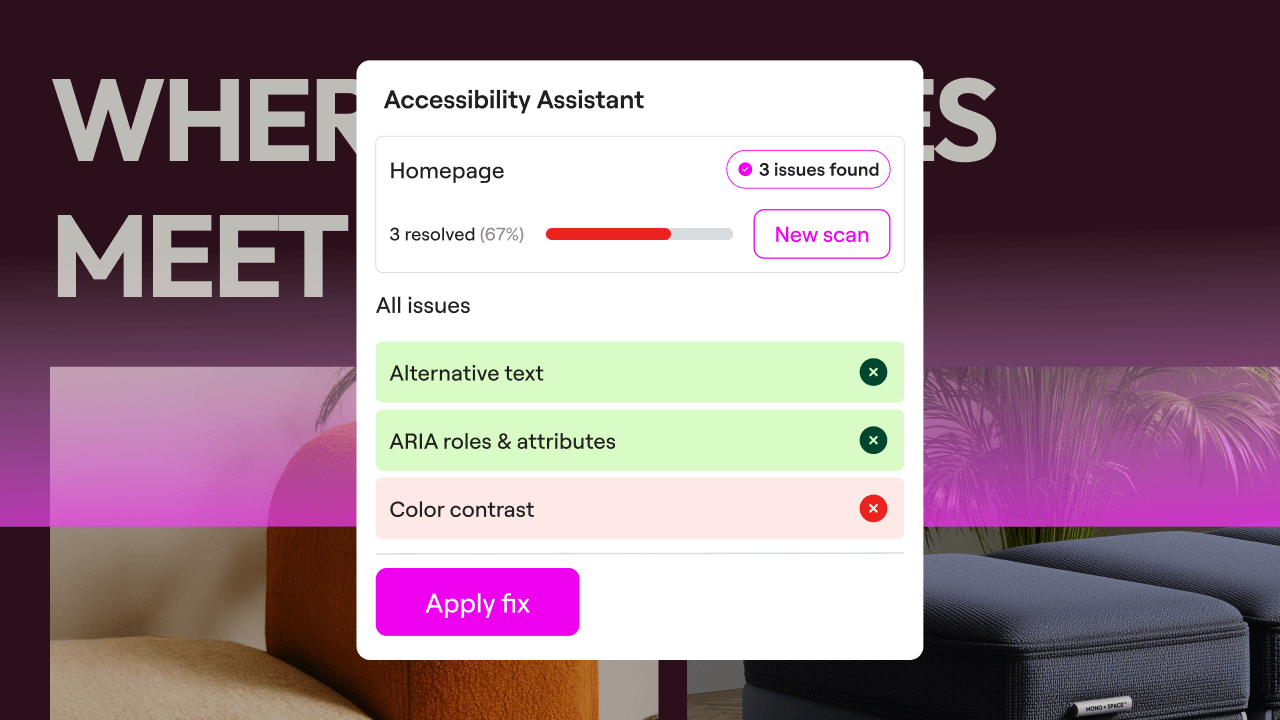
Sticklight’s Skills System is a set of one-click expert modules that apply professional standards automatically during generation. Activate the Accessibility Skill for WCAG compliance, the SEO Skill for search optimization, the Performance Skill for Core Web Vitals, the Design System Skill for visual consistency, or the Copywriting Skill for professional content.
Key Features:
- Skills System, One-click expert capabilities for accessibility, SEO, design, performance, and copywriting
- Production-ready output, Clean architecture and modifiable code from every build
- Full post-generation control, Direct access to edit every generated component
- Multi-product workspace, Websites, apps, dashboards, and stores in one platform
Sticklight offers a free plan to get started, with paid tiers for teams and advanced features. Visit sticklight.com for current pricing.
2. Bubble: Visual Web Application Development
Bubble is a visual web development platform for building web applications without writing code. The platform provides a drag-and-drop editor, a built-in database system, and workflow automation tools. Bubble supports creating SaaS products, marketplaces, CRM systems, and custom business tools.
The platform includes AI-assisted features for generating workflows and database structures from text descriptions. Users design their application interface visually while configuring backend logic through a flowchart-style editor.
Key Features:
- AI-powered workflow generation, Create application logic from natural language descriptions
- Plugin marketplace, Access thousands of community-built integrations and add-ons
- Visual database design, Create custom data tables, define relationships, and set privacy rules
- Responsive design engine, Flexbox-based layouts that adapt to mobile, tablet, and desktop screens
Bubble offers a free plan for prototyping, with paid plans available for production deployment and custom domains.
Bubble is used by founders, startups, and product teams building web-based applications and SaaS products.
3. FlutterFlow: Visual Mobile App Development
FlutterFlow is a visual development platform that generates native mobile applications using the Flutter framework. The platform translates visual designs into production-quality Dart code for iOS and Android.
FlutterFlow includes AI capabilities for generating UI layouts and custom Dart functions from text descriptions. Projects can be synced to GitHub, and the generated code can be exported and modified independently.
Key Features:
- AI UI generation, Generate screen layouts and components from text prompts
- Full code export, Download clean Flutter/Dart source code with complete ownership
- GitHub integration, Sync projects directly to version control repositories
- Firebase and Supabase support, Built-in connectors for popular backend services
FlutterFlow offers a free plan for design exploration, with paid plans that include code export and app store deployment.
FlutterFlow is used by mobile developers and product teams building native iOS and Android applications.
4. Softr: Data-Connected Web App Generation
Softr is a web application builder that connects directly to Airtable and Google Sheets to generate functional portals, directories, and dashboards from existing data sources.
The platform includes AI features that parse spreadsheet data and generate application layouts automatically. Users can configure user permissions, set up authentication, and publish with custom domain names.
Key Features:
- Direct data source connection, Connect to Airtable and Google Sheets natively
- AI-powered layout generation, Generate application interfaces from spreadsheet data
- User authentication, Built-in login systems with role-based access control
- Custom domain publishing, Deploy applications on your own domain with one click
Softr offers a free plan for basic applications, with paid plans available for additional users and features.
Softr is used by operations teams, project managers, and businesses building internal tools and client portals.
5. Glide: Mobile-First Business Applications
Glide is an application builder focused on mobile-first design and native device integrations. The platform connects to data sources including Excel, Google Sheets, SQL databases, and BigQuery to generate functional business applications.
Glide includes AI features for data cleanup, text generation, and automatic column-to-layout mapping. The platform supports native device capabilities such as barcode scanning, GPS location, and camera access.
Key Features:
- Native data integrations, Connect to Excel, SQL, BigQuery, and Google Sheets directly
- Device capabilities, Access barcode scanner, GPS, and camera from within the app
- AI data processing, Automatic data cleanup and text generation from existing records
- Mobile-optimized layouts, Clean, consistent designs optimized for smartphone use
Glide offers a free plan for personal use, with paid plans available for business deployments and team features.
Glide is used by logistics teams, field operations managers, and businesses building data-driven mobile tools.
6. Retool: Developer-Focused Internal Tool Builder
Retool is a development platform designed for building internal business tools, admin panels, and dashboards. The platform combines pre-built UI components with direct database connections and custom JavaScript.
Retool includes AI-assisted query generation that helps create SQL statements and data transformations from natural language descriptions. The platform connects to most database systems and REST APIs.
Key Features:
- AI query editor, Generate SQL queries and data transformations from text descriptions
- Pre-built UI components, Tables, charts, forms, and inputs ready to connect to data
- Multi-database support, Connect to PostgreSQL, MySQL, MongoDB, and REST APIs
- Custom JavaScript, Add custom logic and transformations between components
Retool offers a free plan for up to 5 users, with paid plans available for larger teams and additional features.
Retool is used by engineering and operations teams building internal dashboards, admin panels, and data tools.
7. Mendix: Enterprise Low-Code Application Platform
Mendix is an enterprise-grade low-code platform for building large-scale business applications. The platform supports multi-cloud deployment and integrates with enterprise systems including SAP, Salesforce, and Siemens PLM.
Mendix includes an AI-powered development assistant (Mendix Assist) that provides suggestions during the building process. The platform supports microservices architecture and offers built-in governance tools.
Key Features:
- Mendix Assist, AI development assistant with real-time suggestions and logic checks
- Multi-cloud deployment, Deploy to AWS, Azure, Google Cloud, or on-premise infrastructure
- Enterprise system integration, Connect to SAP, Salesforce, and legacy business systems
- Microservices support, Build and orchestrate independent services through a visual canvas
Mendix offers a free tier for exploration, with Standard and Premium plans for production enterprise deployments.
Mendix is used by enterprise development teams in regulated industries including finance, healthcare, and manufacturing.
Comparison Table: 7 Best Base44 Alternatives
Choosing the right builder depends entirely on your project’s unique requirements, your team’s technical skills, and your overall budget. To make your choice easier, we’ve broken down how the top options stack up side-by-side.
| AI App Builder | Best Use Case | Starting Price | AI Strength | Target Skill Level |
|---|---|---|---|---|
| Sticklight | Websites, Apps, Dashboards, Stores | Free (Paid tiers available) | High (Skills System) | Beginner to Intermediate |
| Bubble | Web Apps, SaaS Products | Free (Paid plans available) | High (Visual Logic) | Intermediate |
| FlutterFlow | Native Mobile Apps (iOS/Android) | Free (Paid for code export) | High (Flutter/Dart) | Intermediate |
| Softr | Portals, Directories, Dashboards | Free (Paid plans available) | Moderate | Beginner |
| Glide | Mobile Business Apps | Free (Paid plans available) | Moderate | Beginner |
| Retool | Internal Tools, Admin Panels | Free (up to 5 users) | High (SQL/JS) | Intermediate to Advanced |
| Mendix | Enterprise Applications | Free tier (Enterprise plans available) | High (Enterprise) | Intermediate to Advanced |
The average time to build a Minimum Viable Product with Base44 alternatives’s 2 to 4 weeks, compared to 3 to 6 months for traditional custom coding. To choose the right platform, match your specific business goals with the correct tier of builder.
- For Founders – Go with Bubble for complex, data-heavy SaaS platforms, or FlutterFlow if your business requires high-performance native mobile apps.
- For Small Businesses – Use Softr or Glide to turn your spreadsheets and databases into practical client portals or internal tools without database management overhead.
- For Enterprises – Invest in Mendix or OutSystems to modernize legacy operations with top-tier security and a proven 350% ROI over three years.
- For Developers – Turn to Retool for fast internal engineering dashboards, or use Draftbit to quickly generate clean, exportable React Native code.
Frequently Asked Questions
Do Base44 alternatives write clean, standard code?
Can I build an app for free using these tools?
Most of these systems offer entry-level plans or low-cost trials. However, you’ll need a paid subscription to publish your apps to the Apple App Store or Google Play Store, or to connect custom domain names.
How fast can I deploy a finished app using AI?
With an AI-powered system, you can build and launch a working MVP in 2 to 4 weeks. This is a massive time saving compared to traditional coding, which usually takes 3 to 6 months.
Are Base44 alternatives secure enough for enterprise use?
Absolutely. Enterprise platforms like Mendix and OutSystems offer advanced AI security scanning, role-based access controls, and compliance certifications designed specifically for massive corporations.
Do I need to know SQL or JavaScript to use these?
It depends on the tool. Systems like Softr and Glide require zero coding knowledge, while developer-centric tools like Retool are best used if you understand standard queries and scripts.
Can I run my AI-built apps offline?
Yes, several platforms support this. AppSheet excels at offline capabilities, allowing users to collect data without a connection and sync updates automatically once they’re back online.
Will AI replace human app developers completely?
No, it won’t. While AI-assisted coding tools increase developer productivity by 55%, human developers are still crucial for setting up complex system architecture, custom API integrations, and security rules.
Can I connect these apps to my existing WordPress site?
Yes. You can use standard REST APIs or webhooks to connect your web apps built in Bubble or Glide with your WordPress site to transfer user data and content dynamically.
Looking for fresh content?
By entering your email, you agree to receive Elementor emails, including marketing emails,
and agree to our Terms & Conditions and Privacy Policy.






