Table of Contents
The Shift in Site Architecture Standards
The global AI in website building market is projected to hit $6.44 billion by 2030, growing 17.4% a year. You’re not dragging boxes onto a blank canvas anymore. You’re prompting and deploying complete site architectures in minutes.
Research shows 73% of small business owners plan to adopt AI for web design this year, but the field is crowded with generic tools that spit out heavy, unoptimized code. Finding an ai powered website builder that respects modern standards means looking past the hype, toward platforms built on responsive breakpoints, semantic HTML, and core web vitals.
Key Takeaways
- Speed matters – Durable generates a fully functional multi-page site in 30 seconds.
- Conversion impact – AI-driven layout personalization brings a 19% average increase in conversions.
- Performance standards – 10Web guarantees Google PageSpeed scores of 90+ for its generated sites.
- E-commerce efficiency – Shopify powerful merchants see a 20% reduction in time-to-market for new collections.
- Design combinations – Squarespace Blueprint can generate over 1.4 billion design variations from user intent.
- User expectations – 64% of consumers now expect businesses to use AI for faster web experiences.
Evaluating the New Generation of Development Tools
We’ve moved past the novelty phase of text-to-image generation. A good generator now handles layout logic, configures CSS grids, and writes backend code on its own, acting like a creative partner rather than a task executor. The market’s still fragmented, so match your project to the right framework to avoid technical debt.
“Artificial intelligence has shifted how we approach site architecture completely. We’re no longer wireframing from scratch. We’re prompting structural logic that already understands search intent and accessibility standards out of the box.”
Itamar Haim, SEO Team Lead at Elementor.
Here’s how the top platforms were evaluated this year.
- Code Quality and Output – Clean, semantic HTML and CSS; heavy inline styling disqualifies a tool.
- Context Awareness – Understands your brand guidelines, colors, and typography across every page.
- Data Portability – You shouldn’t be locked into a proprietary system; exporting your code stays possible.
- Pricing Transparency – Costs should be clear upfront: tiers, hidden fees, and credit limits.
Angie by Elementor and the Agentic Future
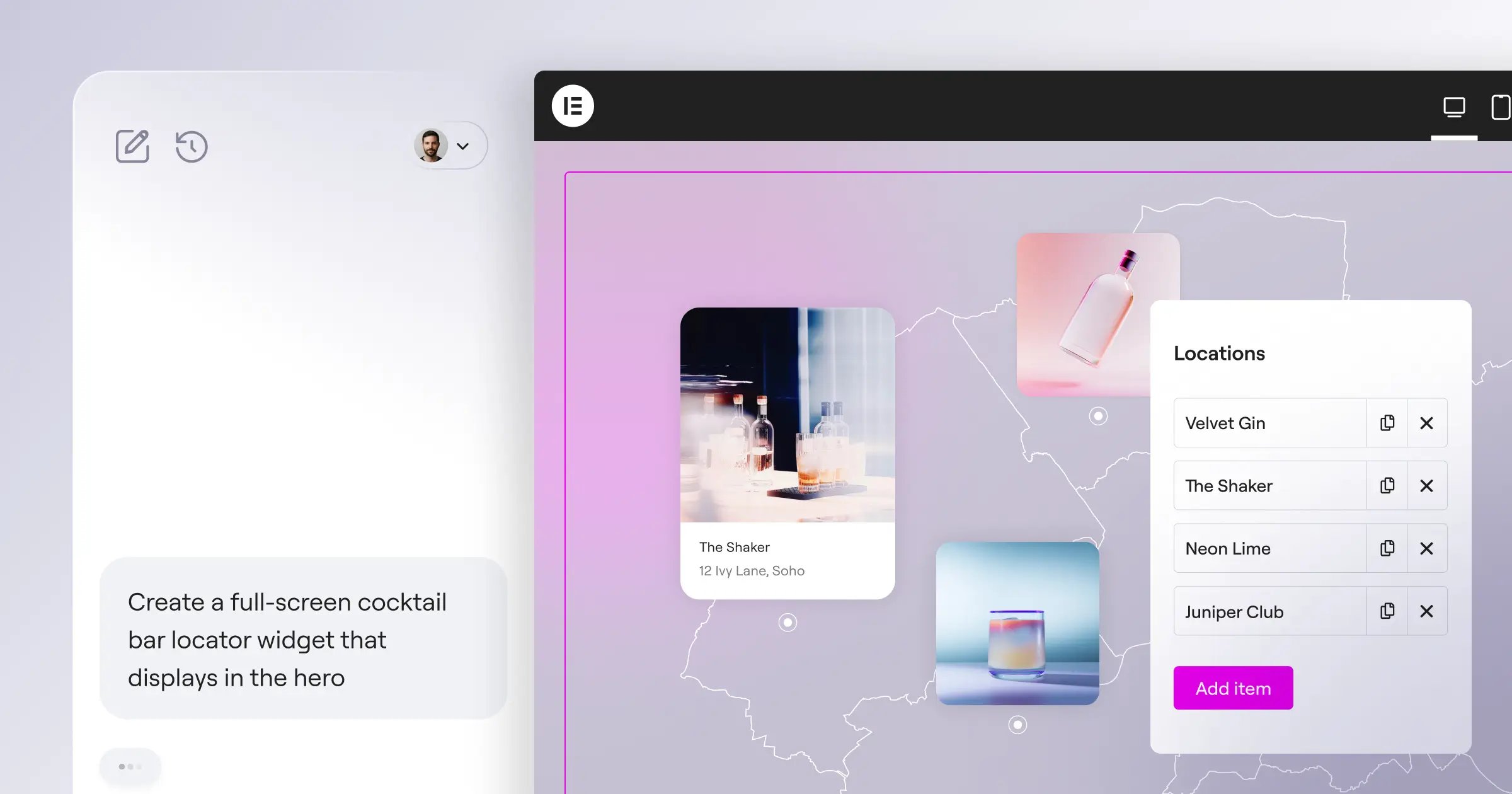
General coding assistants like GitHub Copilot aren’t built for WordPress, so their code can clash with your theme. Angie tackles this directly: an agentic framework built for WordPress that plans and executes multi-step tasks natively. Because it runs on the Model Context Protocol, it automatically picks up your site’s context, active plugins, theme structure, database schema, so you can prompt it to build a real estate listing widget and it writes the PHP, CSS, and JS needed.
- Agentic Execution – Plans and executes multi-step tasks across the WordPress admin panel.
- Safe Sandbox Environment – Tests generated code in an isolated staging area before it reaches production.
- Custom Post Type Generation – Builds CPTs and custom fields instantly from conversational prompts.
- Native Integration – Outputs real WordPress assets rather than generic HTML.
Angie is a free WordPress plugin. Its grasp of WordPress architecture makes it useful for developers, and the sandbox means basically no risk to your site.
But it needs an existing WordPress environment, advanced builds take practice with prompt phrasing, and it isn’t available on Shopify, Ghost, or Webflow.
Elementor Editor Pro Atomic Architecture
Elementor remains a dominant force in web design, powering over 21 million websites globally, and has evolved well beyond a simple visual editor. Elementor One brings project planning, custom design, performance optimization, and marketing automation into one dashboard, with a CSS-first Atomic V4 architecture that keeps code lightweight and production-ready from day one.
- Define the structure – The Site Planner turns rough ideas into sitemaps and wireframes in under 20 minutes.
- Generate the containers – Layout tools generate responsive flexbox containers from text prompts.
- Optimize the media – Image Optimization compresses heavy files and converts them to WebP or AVIF automatically.
- Apply the brand – Global System Settings keep content aligned with your design guidelines.
Elementor Editor Pro starts at $60/year for the Essential plan, or $168/year for Elementor One, with generous credits and granular CSS control. The ecosystem features 118 native widgets, cutting down on third-party plugins, with strong performance from native caching and image optimization.
You’ll need separate managed cloud hosting unless you buy a bundled package, and the feature set can feel like a lot for beginners.
Wix Studio Responsive Calculations
Wix has repositioned itself to capture the agency market. Wix Studio targets professionals managing multiple client sites, and adoption has been strong: over 50% of new users used these features last year. The standout is the Responsive Toggle: design a section on desktop, click once, and it cascades proportional adjustments to tablet and mobile.
- Responsive Automation – Calculates CSS grid changes across every viewport automatically.
- Section Creator – Generates styled web sections from text descriptions.
- Advanced SEO Assistant – Automates meta tags, schema markup, and redirect logic.
- Client Handover Tools – Builds branded dashboards for client billing and management.
Studio plans start at $19/month, scaling to $159/month. The responsive calculator saves hours of manual tweaking, and the dashboard handles agency billing well.
Platform lock-in is worth knowing: no exporting elsewhere, costs add up across dozens of client sites, and backend flexibility is limited.
Framer Motion Design Focus
Framer is often described as the Figma of website builders, aimed at UI/UX designers and startups that care about micro-interactions and scroll animations. It feels less like a CMS, more like a high-end vector design tool. Their Text-to-Site generator is genuinely creative: type a prompt describing a SaaS landing page, and Framer generates a fully animated layout in seconds, with a Style Randomizer to swap typography and palettes instantly.
Key features include:
- Figma-to-HTML – Copies designs directly from Figma files into a live Framer canvas.
- Style Randomizer – Cycles through global color and typography sets instantly.
- Scroll Animations – Runs on built-in physics engines for spring-based effects.
- Instant Publishing – Deploys finished assets to a global CDN with one click.
Framer has a limited free tier for hobbyists. The Mini plan costs $15/month, the Pro plan $30/month per site, delivering standout motion design with clean, fast React output.
Pricing is per-site, so costs add up across projects, and the content system is basic next to WordPress, not ideal for large, database-driven sites.
10Web Performance Optimization
10Web attacks the market from a technical performance angle, focusing on Google’s Core Web Vitals and guaranteeing a PageSpeed score of 90+ for its generated sites. Their best-known feature is the Website Replicator: paste in a URL you like, and the system analyzes the DOM and recreates a similar layout inside Elementor, handy for migrating slow legacy sites onto faster infrastructure.
- Provide the target URL to the replicator tool.
- Wait for the DOM analysis and media extraction to complete.
- Review the generated Elementor layout on your staging environment.
- Apply server caching and CSS minification via the PageSpeed Booster.
Entry-level plans start at $10/month, billed mostly annually, with hands-off optimization and a replicator that saves days of manual cloning work.
Generation can sometimes produce generic layouts, support can vary during peak hours, and replicated sites often need cleanup for mobile.
Durable Lead Generation Speed
If sheer deployment speed is your only metric, Durable wins comfortably: it claims to generate a fully functional, multi-page website with relevant copy and stock images in exactly 30 seconds, and in practice it delivers. It’s built less for professional developers, more for the local plumber, freelance accountant, or mobile car detailer who needs a storefront fast, pairing the visual builder with a lightweight CRM so submissions flow into a pipeline that manages leads, replies, and conversions.
Automated invoicing tracks billing by client, and Integrated SEO Copywriting generates localized blog posts for local search traffic. Monthly plans range from $12 to $20/month, including hosting and basic CRM tools.
You get real speed from zero to published, with a low barrier to entry and no extra software needed, though customization is rigid, it can’t handle complex e-commerce or large catalogs, and there’s no way to export the site off their servers.
Hostinger Cost Efficiency Framework
Hostinger has long dominated the budget hosting market, building a proprietary generator into their control panel to remove technical friction for first-time webmasters. For just competitive ratesnth, you get managed hosting, a free domain, and the visual builder. Answer three questions about your project, and the system generates a layout with relevant content, plus a predictive heatmap showing where users will likely click before launch.
- Predictive Heatmaps – Maps out likely click zones to optimize button placement before launch.
- Logo Maker – Generates clean, basic vector logos from your business name.
- Automated Content Writer – Fills out empty about pages and service descriptions instantly.
- Simplified Grid Editor – Restricts the grid system to prevent errors during manual tweaks.
This is one of the most cost-effective solutions around, bundling a domain and professional email into the base price, with a close-to-foolproof interface for beginners and predictive heatmaps rare at this price point.
Third-party integrations are limited and designs can feel generic next to Squarespace, but it’s hard to beat the value for budget-conscious hobbyists.
Divi Contextual Content Generation
Elegant Themes took a different approach with Divi, building advanced functionality directly into their popular WordPress theme, so it acts as a creative co-pilot right inside the visual builder. The standout feature is unlimited usage: many platforms meter prompts with credits, but Divi charges a flat $18/month for unlimited text and image generation, reading the page first to keep brand tone and facts aligned.
- Image Refinement – Upscales, alters, and expands existing images on the web canvas without opening Photoshop.
- Unlimited Generation – Charges flat pricing with no hidden credit limits or surprise overage fees.
- Contextual Copywriting – Reads existing page content to maintain your unique brand voice.
- Custom Code Writing – Generates specific CSS and JS for individual Divi modules.
There’s no anxiety about running out of credits, image quality is high, the workflow feels intuitive if you already know Divi, and there’s solid community support.
The builder can be heavy on server resources, affecting load times if not optimized, and it requires buying the base theme first, with an interface that can feel cluttered next to modern editors.
Squarespace Blueprint Aesthetics
Squarespace has always led the premium aesthetic market, with templates that are notoriously beautiful, and Blueprint has automated that high-end curation, generating over 1.4 billion potential design combinations based on user intent mapping. Instead of a generic prompt, you walk through a visual, guided system, selecting the feeling you want, the features you need, and the color palettes you prefer, and it builds a unique site that still follows Squarespace’s design rules.
- Define the core brand personality through the visual intent questionnaire.
- Select functional page blocks like contact forms or image galleries.
- Apply the custom color palette the system generates.
- Publish the responsive layout directly to your live custom domain.
Monthly plans range from $16 to $49/month depending on e-commerce needs, consistently outputting stunning, magazine-quality sites, with a guided process that feels premium and solid tools for client scheduling and membership areas.
It has less structural flexibility than Elementor or Wix Studio, switching templates mid-project can be cumbersome, and there are transaction fees on lower-tier plans.
Shopify powerful E-commerce Optimization
Shopify powerful applies its technology to selling online, focusing less on flashy layouts and more on conversion metrics and inventory management. Merchants generating mass product descriptions reported a 20% reduction in time-to-market for new collections, and the Sidekick assistant acts like a data analyst, answering questions like, “Why did my total sales drop last Tuesday?” by analyzing your store’s traffic data.
- Product Descriptions – Generates SEO-optimized sales copy tailored to your brand tone.
- Sidekick Assistant – Analyzes store data and answers questions about analytics and backend settings.
- Smart Replies – Drafts accurate automated responses to common inquiries in the Shopify Inbox app.
- Automatic Email Marketing – Generates targeted promotional campaigns based on purchase history.
The Basic plan starts at $39/month, plus payment processing fees, with strong e-commerce infrastructure, solid security, genuine data-driven insights from Sidekick, and a large app store.
Monthly costs add up once you factor in premium apps, the default page builder is basic without third-party layout tools, and there’s a learning curve for international shipping and tax rates.
Comparison Matrix for 2026 Platforms
Choosing the right platform means comparing the hard data side by side. Here are the key metrics for the top contenders, based on your technical constraints.
| Platform | Starting Price | Primary Strength | Ideal User Persona |
|---|---|---|---|
| Angie (Elementor) | Free Plugin | Agentic WordPress coding | WordPress Developers |
| Elementor Editor Pro | $60/year | Design precision & flexibility | Professional Web Creators |
| Wix Studio | $19/month | Responsive calculation | Mid-sized Agencies |
| Framer | $15/month | High-fidelity animations | UI/UX Designers |
| 10Web | $10/month | PageSpeed optimization | SEO-focused Businesses |
| Durable | $12/month | 30-second generation | Solo Service Providers |
| Hostinger | competitive ratesnth | Unbeatable low cost | Budget-conscious Hobbyists |
| Squarespace Blueprint | $16/month | Premium visual aesthetics | Creatives & Portfolios |
| Shopify powerful | $39/month | E-commerce scaling | Retail Merchants |
You’ve seen the data. Now it comes down to your technical background and revenue goals.
Developers get strong design control by pairing Elementor Editor Pro with Angie, which can safely build custom PHP logic. Agencies should look at Wix Studio, since the responsive toggle alone can save hours of billable work a month. Design-focused creators whose clients want complex scroll physics will find Framer hard to beat. For the tightest budget, Hostinger is worth a look. At under competitive rates, it removes a lot of the financial risk of launching a new business.
Frequently Asked Questions
Will these generators negatively impact my SEO?
No, not if the platform outputs clean, semantic code. Search engines rank on relevance, performance, and user experience, and tools like 10Web and Elementor automate Core Web Vitals work.
Can I export my generated site to another host?
It depends. WordPress is open-source and portable, so you own the code, while closed ecosystems like Wix, Squarespace, and Shopify keep you on their own hosting.
Are generated images legally safe for commercial businesses?
Yes. Major platforms build in commercial safeguards, training image models on licensed or public domain data and granting full usage rights for images you generate.
How much does a typical platform cost in 2026?
Prices vary by audience and needs. Hostinger starts at competitive ratesnth, professional WordPress tools average $60 to $170/year, and high-end agency or e-commerce platforms run $20 to $150+ a month.
Does Angie require me to use Elementor Editor Pro?
No. Angie is a standalone agentic framework that works with standard Gutenberg blocks as well as the visual ecosystem, built for the whole open-source WordPress environment.
Do I need to know how to code to use these tools?
Not at all. Consumer platforms like Durable, Squarespace, and Wix are built around zero-code deployment, while developers can use Angie or Elementor Pro for custom CSS.
What is the exact difference between a text generator and an agentic framework?
A standard text generator spits out static words or code snippets from your prompt. An agentic framework, like Angie, executes tasks: reading your database context, writing the code, testing it in a sandbox, and deploying it natively.
Looking for fresh content?
By entering your email, you agree to receive Elementor emails, including marketing emails,
and agree to our Terms & Conditions and Privacy Policy.

