Table of Contents
Nearly 83% of web professionals report that artificial intelligence dramatically reduces their project timelines. You aren’t just looking for a simple drag-and-drop tool anymore. You need a system that understands context, generates structural assets, and produces clean code without manual intervention.
But the market is incredibly noisy right now. Most developers slap an API key onto an old plugin and call it an ai page builder wordpress solution. That isn’t enough for modern web creation. You need an environment that genuinely understands global design systems, responsive breakpoints, and accessibility standards natively. Here’s the definitive breakdown of the best tools actually delivering on that promise in 2026.
Key Takeaways
- Elementor One leads the market by integrating agentic AI (Angie) directly into the creation and optimization workflow.
- Over 47% of modern web agencies have switched from isolated AI tools to unified creation platforms.
- Standalone text generators are obsolete. You need tools that output production-ready CSS variables and structural layouts.
- Average launch times drop from 14 days to just 4.5 days when using native AI wireframing features.
- Block-based builders are catching up, but visual builders still dominate for complex dynamic content styling.
Elementor Editor Pro and Elementor One
Elementor commands the market for a reason. Powering over 21 million websites globally across 206 countries, it’s the absolute standard for professional WordPress design. The introduction of Elementor One entirely shifted how we build sites. It isn’t just a bundle. It’s a unified subscription that merges the AI Site Planner, Editor Pro, and Image Optimization into a single ecosystem.
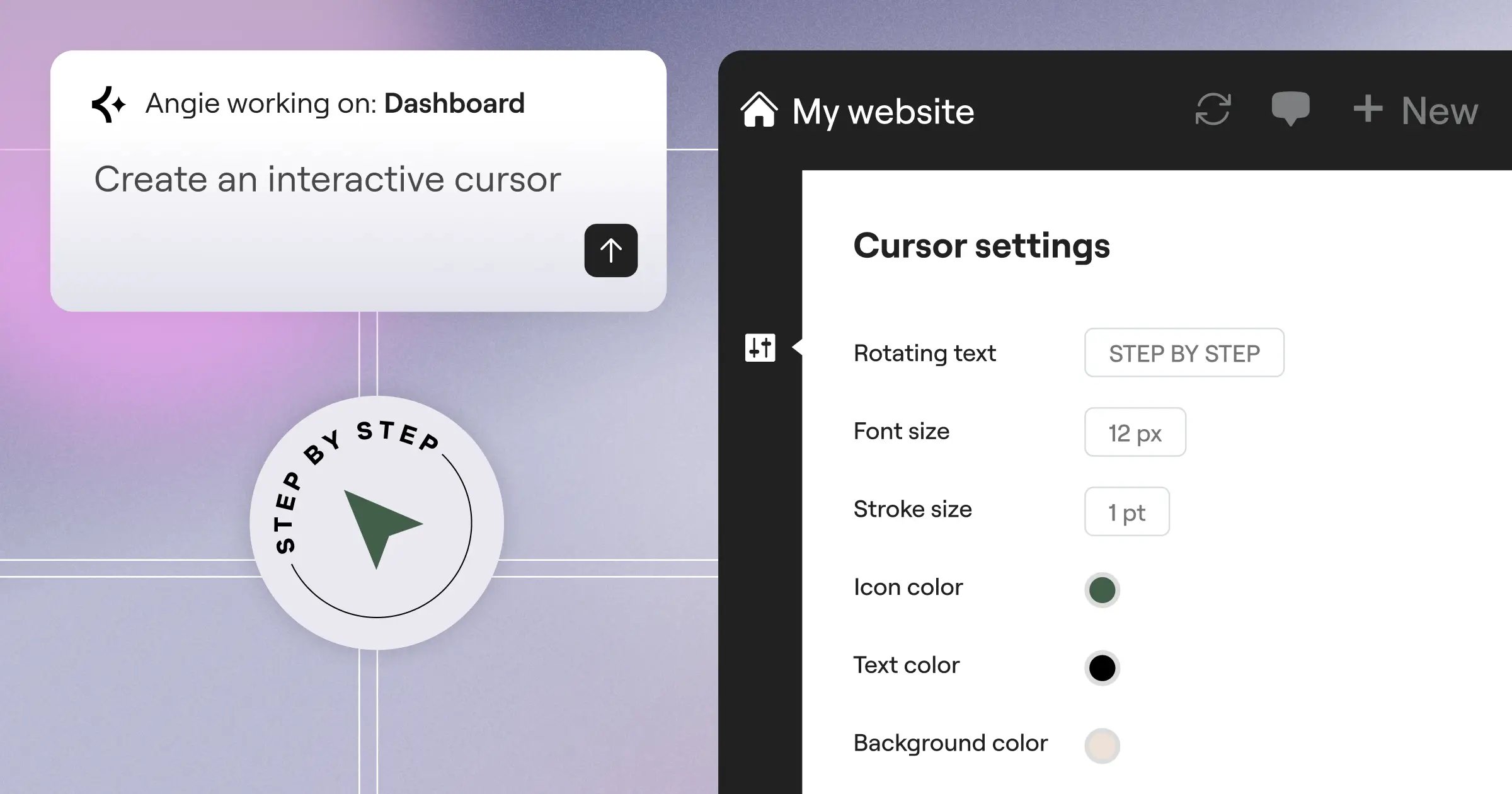
The platform introduces Angie, an agentic AI built on the Model Context Protocol (MCP). Unlike basic text bots, Angie takes actual action inside your WordPress dashboard. You dictate what you need, and Angie builds production-ready assets. And with the Editor V4 (Atomic) bringing a CSS-first foundation, you’re looking at unprecedented performance. Here’s the typical workflow when initiating a new project:
- You enter a text prompt into the AI Site Planner detailing your client’s industry.
- The system generates complete sitemaps and wireframes in under 20 minutes.
- You apply global styling through Elementor AI directly in the editor.
- You run Ally (the native AI accessibility tool) to scan for over 180 WCAG issues.
This unified approach eliminates the plugin overload that traditionally plagues WordPress builds.
- AI Site Planner – Converts simple ideas into complete wireframes almost instantly.
- Editor V4 (Atomic) – A massive architectural upgrade focusing on CSS classes and variables.
- Angie – Native agentic AI that executes WordPress tasks via natural language.
- Shared Credit System – Your subscription credits apply fluidly across AI generation, image optimization (up to 60% file reduction), and accessibility fixes.
- Dynamic Content – Deep integration with custom post types and WooCommerce.
Pricing: Essential runs $60/year. The Advanced Solo plan is $84/year. The flagship Elementor One launches at $168/year, providing 25,000 shared credits monthly.
- Pros – Unifies the entire process from planning to optimization.
- Pros – Angie executes actions, rather than just suggesting them.
- Pros – The CSS-first foundation in V4 ensures top-tier Core Web Vitals.
- Pros – Over 118 high-performance widgets eliminate the need for third-party add-ons.
- Cons – The shared credit system requires monitoring if you run high-volume accessibility scans.
- Cons – Agency plans max out at 350,000 credits, which might bottleneck massive enterprise operations.
Elementor is the definitive choice for modern web creators who demand a professional, flexible, and highly powerful environment.
Divi AI
Divi finally completely rewrote its underlying code with version 5.0. It’s noticeably faster in the backend now. They stripped out the legacy shortcodes that haunted developers for a decade. Divi AI operates directly inside the visual builder, focusing heavily on infinite text and image generation.
You can tell they built this for high-volume content creators. The AI evaluates your existing page context before writing a single word. If you’re designing a landing page for a law firm, it automatically adopts a formal, authoritative tone. (Honestly, this context-awareness is where Divi really shines). It doesn’t just guess. But it still struggles with highly complex, nested grid layouts.
- Context-Aware Text Generation – Reads your surrounding modules to match brand voice.
- Native Image Generation – Creates vector-style graphics and realistic photos without leaving the editor.
- Code Modification – You can prompt the AI to write custom CSS for specific modules.
- Global Brand Styles – Automatically applies AI output to your predefined color palettes.
Pricing: Divi AI costs $228/year on top of your standard Divi membership ($89/year).
- Pros – Excellent contextual understanding of your existing content.
- Pros – Infinite generation limits mean you don’t worry about credit tracking.
- Pros – Fast image rendering directly inside the media library.
- Cons – Extremely expensive compared to unified platforms.
- Cons – Struggles to generate complex structural layouts from scratch.
- Cons – Lacks dedicated accessibility scanning features.
Divi AI works brilliantly for content-heavy sites but demands a steep premium for unlimited generation.
Spectra Pro
Spectra Pro takes a completely different route. Built by Brainstorm Force (the team behind Astra), it runs entirely on top of the native WordPress block editor. They aren’t trying to replace Gutenberg. They’re trying to make it actually usable for professionals.
Their AI implementation focuses on block patterns. You describe your business, and Spectra constructs a wireframe using native WordPress blocks. It’s clean. It’s fast. 61% of block-editor purists prefer this method because it guarantees maximum compatibility with future WordPress core updates.
- AI Pattern Generation – Builds complete sections using native core blocks.
- Copywriter Assistant – Basic text improvement tools embedded in the block toolbar.
- Flexbox Containers – Advanced layout controls that standard Gutenberg lacks.
- Performance Mode – Automatically removes unused block CSS.
Pricing: Spectra Pro starts at $49/year. The AI features run on a separate credit system starting at an additional $39/year.
- Pros – Extremely lightweight frontend code.
- Pros – Zero lock-in effect since it uses native WordPress architecture.
- Pros – Integrates perfectly with the Astra theme.
- Cons – The block editor UI remains clunky for pixel-perfect design.
- Cons – AI capabilities are basic compared to agentic systems.
- Cons – You still need third-party plugins for complex dynamic data routing.
If you absolutely refuse to leave the Gutenberg environment, Spectra Pro gives you the safest path forward.
Breakdance
Breakdance positions itself aggressively against the old guard. They focus purely on developer-friendly performance and a massive WooCommerce integration suite. Their recent AI features are highly targeted toward design system automation.
You’ll notice immediately that Breakdance doesn’t clutter the UI with cheap AI gimmicks. They focus on structural generation. You give it a layout prompt, and it spits out an optimized CSS Grid layout. They also heavily prioritize dynamic data. If you use Advanced Custom Fields or Meta Box, Breakdance’s AI can automatically map those fields into a custom template.
- AI Structural Grids – Generates complex CSS grid layouts via text prompts.
- Dynamic Data Mapping – AI suggests field connections for custom post types.
- WooCommerce Loop Builder – Extremely powerful custom product grid generation.
- Form Builder Integration – Creates complex logic forms via natural language.
Pricing: $149/year for 1 site. $299/year for unlimited sites.
- Pros – Outputs incredibly clean HTML and CSS.
- Pros – Exceptional native WooCommerce styling tools.
- Pros – The UI is brutally fast and responsive.
- Cons – The template library is much smaller than competitors.
- Cons – Text and image AI generation is largely absent.
- Cons – The learning curve for non-developers is significant.
Breakdance is the weapon of choice for data-heavy WooCommerce builds that require minimal bloat.
Bricks Builder
Bricks isn’t a plugin. It’s a theme that operates as a full site builder, powered by Vue.js. This architecture makes the builder interface instantly responsive. The Bricks community is notoriously protective of code quality, so their approach to artificial intelligence is purely structural.
They introduced an AI assistant that writes complex PHP functions and CSS variables directly into your global stylesheet. It doesn’t generate stock photos or write blog posts. It helps you code. You can ask the Bricks AI to write a custom query loop for a specific taxonomy, and it injects the PHP immediately.
- Code Generation – Writes custom PHP, CSS, and JavaScript within the builder.
- Query Loop Assistant – Generates complex database queries via text input.
- Class Management – AI suggests semantic class names for your elements.
- Vue.js Interface – Zero page reloads while designing.
Pricing: $99/year for 1 site. $249/year for unlimited sites.
- Pros – Absolute maximum performance on the frontend.
- Pros – The code generator actually understands WordPress core functions.
- Pros – Class-based styling is perfect for large agencies.
- Cons – Hostile to beginners who don’t understand basic web development.
- Cons – No visual AI content generation tools.
- Cons – Support relies heavily on community forums.
Bricks is strictly for advanced developers who want AI to assist with coding, not designing.
Brizy AI
Brizy takes the complete opposite approach to Bricks. It’s relentlessly focused on user experience and speed of deployment. Their white-label capabilities make it a massive favorite for SaaS companies reselling WordPress.
Their AI builder is genuinely fun to use. You enter a business name and a 50-word description. Brizy then generates a complete, multi-page website with color schemes, typography pairings, and placeholder copy. It’s essentially a one-click deployment system. However, the underlying DOM structure often gets messy if you try to heavily customize the AI’s initial output.
- Input your company profile and industry type.
- Select a specific emotional tone (Corporate, Playful, Trustworthy).
- Brizy generates 5 distinct homepage variations within 60 seconds.
- Full Site Generation – Creates multi-page sites from a single prompt.
- White-Label AI – Agencies can rebrand the AI tools for their clients.
- Global Styling – Instantly swap typography and colors across the whole site.
- Cloud Sync – Share block designs across different WordPress installations.
Pricing: $79/year. Agency white-label plans run $199/year.
- Pros – The fastest visual generation in the industry.
- Pros – Incredible UI that clients actually understand.
- Pros – White-labeling the AI features provides great agency value.
- Cons – Code output can be slightly heavier than strict CSS-first builders.
- Cons – Dynamic data implementation is basic.
- Cons – Very limited custom CSS control within the AI modules.
Brizy is perfect for high-volume agencies churning out brochure sites for local businesses.
SeedProd
SeedProd started as a simple coming-soon plugin. Now, backed by the massive Awesome Motive network, it’s a dedicated drag-and-drop builder heavily focused on landing page conversions. Their AI integration is essentially a direct pipeline to OpenAI’s API.
They focus entirely on marketing speed. You don’t use SeedProd to build a 50-page corporate directory. You use it to build a sales funnel by Friday afternoon. The AI acts primarily as a copywriter, analyzing your headline and suggesting 10 high-converting alternatives. It also integrates perfectly with marketing automation systems.
- Conversion Copywriting – Generates specific sales copy for buttons, headers, and forms.
- Subscriber Management – Built-in tools to capture and route leads.
- Drip Integration – Native connections to major email marketing platforms.
- Theme Builder – Can override core WordPress templates if needed.
Pricing: $79/year. AI features require an addon credit package starting at $39.
- Pros – Exceptional for dedicated affiliate marketers.
- Pros – Very light impact on server resources.
- Pros – Extremely straightforward form building.
- Cons – AI tools are highly limited to text generation.
- Cons – The design options feel slightly dated compared to modern tools.
- Cons – Not suitable for complex, data-driven web applications.
SeedProd remains a highly specialized tool for marketers who need fast landing pages without technical friction.
Oxygen Builder
Oxygen has a complicated reputation right now. For years, it was the absolute king of WordPress performance. It entirely disables the WordPress theme system, giving you raw control over every HTML element. But their adoption of AI has been remarkably slow compared to the rest of the market.
They recently introduced basic AI CSS generation. You select a div, type “make this a 3-column grid on desktop and stack on mobile,” and Oxygen applies the raw CSS. It’s powerful, but it requires you to understand the code you’re asking for. There are no hand-holding wireframe generators here.
- AI CSS Assistant – Writes raw CSS directly to the selected element.
- Conditionals – Incredibly complex display rules for dynamic content.
- Theme Disable – Completely bypasses the WordPress theme loading sequence.
- Composite Elements – Pre-built structural elements you can modify with code.
Pricing: Legacy lifetime licenses are gone. Currently $120/year.
- Pros – Unmatched raw control over the DOM.
- Pros – Pages load almost instantaneously.
- Pros – Lifetime users still receive updates.
- Cons – The UI is notoriously difficult to navigate.
- Cons – AI implementation is bare-bones and entirely code-focused.
- Cons – Development speed feels sluggish compared to newer rivals.
Oxygen is strictly for legacy power users who demand total DOM control and know exactly what CSS they want.
Beaver Builder with AI Extensions
Beaver Builder is the workhorse of the WordPress community. It’s famous for never breaking during core updates. While they don’t have a flashy native AI generator out of the box, their Assistant Pro ecosystem heavily integrates third-party AI tools.
You use Beaver Builder when stability is your only metric. If you run a university website or a government portal, you don’t want experimental AI rewriting your headers. You want rock-solid HTML. Through their extensions, you can generate contextual text and basic imagery, but it always feels bolted on rather than native.
- Assistant Pro – Cloud storage for your page layouts and custom modules.
- Stable Core – Famous for backward compatibility and clean code.
- Third-Party Integrations – Works with specialized AI tools like Bertha AI.
- White-Label Ready – Completely rebrand the builder for clients.
Pricing: $99/year. (Third-party AI tools require separate subscriptions).
- Pros – The most stable builder on the market, bar none.
- Pros – Leaves behind clean HTML if you ever uninstall it.
- Pros – Massive library of trusted third-party add-ons.
- Cons – No native structural AI generation.
- Cons – Requires multiple plugin subscriptions to match modern features.
- Cons – The UI feels like it’s stuck in 2021.
Beaver Builder relies on incredible stability, sacrificing flashy modern AI generation for absolute peace of mind.
Kadence Blocks AI
Kadence strikes a brilliant balance between the native block editor and advanced custom styling. Their recent AI implementation focuses heavily on design libraries. When you launch Kadence AI, it asks for detailed company information and immediately repopulates their entire pattern library with your brand’s data.
This means you aren’t starting from scratch. You open the design library, and every single block pattern already features your brand colors, your typography, and AI-generated copy specific to your business. It’s highly efficient for building rapid, cohesive sites. It’s an approach that guarantees brand consistency.
- Contextual Pattern Library – Hundreds of block patterns pre-filled with your data.
- Inline AI Editing – Rewrite text directly inside the native Gutenberg blocks.
- Advanced Custom Blocks – Adds essential functionality missing from core WordPress.
- Kadence Theme Sync – Deep integration with their incredibly fast native theme.
Pricing: Kadence AI features require the Essential Bundle at $149/year.
- Pros – The personalized pattern library saves hours of initial setup.
- Pros – Maintains the lightweight footprint of the block editor.
- Pros – Typography and color management is exceptional.
- Cons – You’re still restricted by the inherent clunkiness of Gutenberg.
- Cons – Advanced dynamic data setups require external plugins.
- Cons – Doesn’t feature native agentic automation.
Kadence is the absolute best choice for users who want customized block patterns ready to drop into the page.
The Verdict: Which Builder Fits Your Workflow?
Choosing the right tool depends entirely on whether you value raw code control, native block compatibility, or a unified ecosystem. We’ve compiled the core metrics comparing the major players.
| Platform | AI Focus | Starting Price | Best For |
|---|---|---|---|
| Elementor One | Agentic AI & Full Workflow | $168/yr (Unified) | Professional Creators & Agencies |
| Divi AI | Contextual Content Gen | $317/yr (Combined) | High-Volume Content Sites |
| Breakdance | Structural Grid Output | $149/yr | WooCommerce Developers |
| Kadence Blocks AI | Personalized Patterns | $149/yr | Gutenberg Loyalists |
The distinction between a good builder and a great one in 2026 isn’t about how many templates it has. It’s about how effectively it handles the entire lifecycle of a website. AI isn’t just a text generator anymore. It’s a structural architect that dictates performance, accessibility, and clean code output from the very first prompt.
Itamar Haim, SEO Team Lead at Elementor. A digital strategist merging SEO, AEO/GEO, and web development.
If you want a highly capable, fully integrated environment, Elementor One offers the most complete solution. The combination of Angie executing tasks, the CSS-first architecture of V4, and the unified credit system makes it the clear industry standard for 2026. You get everything you need without patching together 15 different plugins.
Frequently Asked Questions
Can an AI page builder create a full WordPress site instantly?
No, and you shouldn’t want it to. Tools like Elementor’s AI Site Planner generate accurate sitemaps and wireframes in about 20 minutes. You’ll still need to apply specific brand styling and refine the dynamic data connections.
Does Elementor AI replace the need for a web developer?
It doesn’t replace them; it changes their job. Developers no longer waste time building basic grid structures. They use tools like Angie to execute routine tasks, freeing them to focus on complex database routing and custom API integrations.
Are AI generated websites fast enough to pass Core Web Vitals?
They absolutely are, provided you use the right tool. Elementor’s V4 Atomic update uses a CSS-first foundation with CSS variables, meaning the AI outputs highly optimized code that easily clears modern performance metrics.
What is agentic AI in the context of WordPress?
Agentic AI takes actual action inside your dashboard. Instead of just giving you instructions on how to build a header, an agentic system like Elementor’s Angie actually creates the header, applies the classes, and saves the template for you.
Do I need separate hosting for these high-powered builders?
Not necessarily, but performance matters. If you’re running a heavy builder, you need managed cloud hosting with an enterprise CDN. Weak shared hosting will bottleneck the editor’s live preview rendering.
How much do AI builders typically cost on average?
You’ll generally spend between $100 and $250 annually. Unified platforms like Elementor One bundle the builder, AI credits, and optimization tools into a single $168/year subscription, which is often cheaper than buying standalone AI plugins.
Will AI generated content penalize my site on Google?
Google evaluates content quality and relevance, not how it was generated. If you use AI to spam low-quality text, you’ll tank. If you use Divi AI or Elementor AI to draft highly relevant, structured content that helps the reader, you’ll rank fine.
Can I export an AI built site to another platform?
You can’t export the proprietary builder data cleanly to a different CMS like Shopify. However, because it’s WordPress, your underlying posts, pages, and custom post types are yours forever and can be migrated via standard database exports.
What happens if I cancel my AI builder subscription?
Your live site won’t break. The designs and layouts you’ve already generated will stay intact on the frontend. However, you’ll lose access to the editor tools, future updates, and the ability to generate new AI assets.
Is block-based AI safer than visual builders?
It’s a trade-off. Block-based tools like Spectra keep you closer to WordPress core architecture. But visual builders like Elementor offer significantly more power for dynamic content mapping and custom styling without needing custom PHP knowledge.
Looking for fresh content?
By entering your email, you agree to receive Elementor emails, including marketing emails,
and agree to our Terms & Conditions and Privacy Policy.

